.webp&w=3840&q=75)
How ClickUp Enables Outcome-Based Project Management (Not Just Task Tracking)
🕓 February 15, 2026

Do you manage a complex network where controlling who accesses which devices and what they can do is a challenge? Many organizations grapple with ensuring only the right people perform the right actions on their critical infrastructure. This is where a powerful security framework known as TACACS+ steps in.
TACACS+ is nothing but a robust network security protocol. It separates your network access control into distinct, manageable steps. This allows you to centralise authentication, authorization, and accounting (AAA) for your network devices. By using this protocol, you can significantly enhance your network's security and auditability.
In this comprehensive guide, we will explore this vital protocol, understand what TACACS+ stands for, how it works, and its primary advantages over other protocols. We will also perform a detailed comparison between TACACS vs RADIUS.
The term TACACS stands for Terminal Access Controller Access-Control System. It is a protocol initially developed by the company BBN for the U.S. Department of Defense.
It is important to note that when network professionals talk about TACACS today, they almost always refer to TACACS+. TACACS+ is the current, enhanced version that addresses many limitations of its predecessors (original TACACS and Extended TACACS - XTACACS).
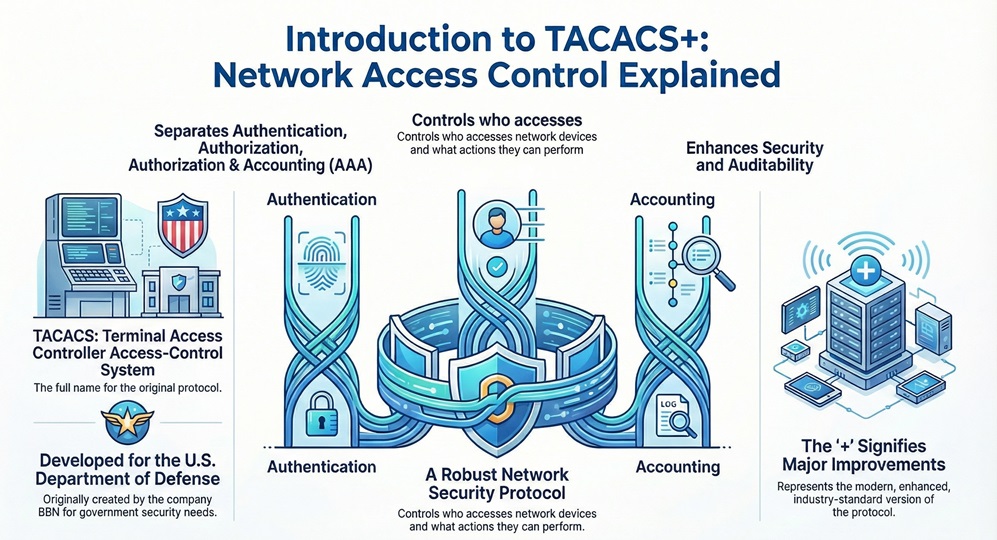
The initial TACACS full form refers to the basic security method. The plus sign (+) in TACACS+ signifies the major improvements and architectural changes that make it the industry-standard enterprise protocol for AAA services.
TACACS+ plays a vital role in managing administrative access to network devices, such as routers, switches, firewalls, and access servers. It provides a centralized control plane for all network administrators and operators.
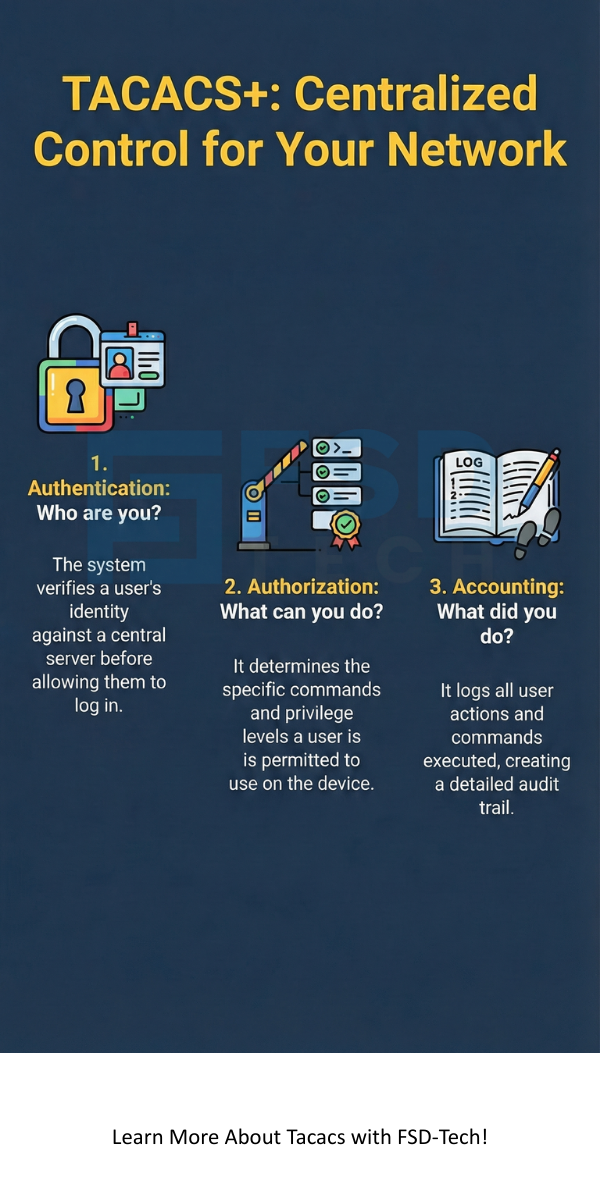
This protocol aims at solving three fundamental security questions whenever a user attempts to access a device:
A TACACS+ server serves as the central repository for user credentials and access policies. Therefore, every time a network device needs to verify a user, it sends the request to the central TACACS+ server.
Also Read: What Is Application Security? Tools, Testing & Best Practices
Understanding how TACACS works is essential for securing your network. The system operates on a client-server principle and uses the TCP protocol, typically on port 49.
Let us explore the core components and the sequential process.
The overall TACACS system comprises of three main elements:
The operation of TACACS+ is based on a modular, three-step process:
Also Read: What is Network Traffic Analysis (NTA) in Cybersecurity?
A proper TACACS configuration is vital for network security. Network devices must be configured to point to the correct TACACS+ server address and use a shared secret key for secure communication.
TACACS+ offers several critical features that make it the preferred choice in many enterprise environments:
When discussing network access protocols, the comparison between TACACS vs RADIUS is unavoidable. Both protocols serve the purpose of AAA, but their architecture and approach differ significantly. This comparison chart highlights the core distinctions.
| Basis for Comparison | TACACS+ (Terminal Access Controller Access-Control System Plus) | RADIUS (Remote Authentication Dial-In User Service) |
|---|---|---|
| Protocol | TCP (Transmission Control Protocol) | UDP (User Datagram Protocol) |
| Port | TCP Port 49 | UDP Ports 1812 (Auth), 1813 (Acct) |
| Encryption | Encrypts the entire packet body (Authentication and Authorization). | Encrypts only the password within the packet. |
| Portability | Cisco proprietary, but widely supported by many vendors. | Industry standard, highly portable across many vendors. |
| Authentication & Authorization | Separate functions. Allows for granular command authorization. | Combined function. Authorization is often limited to "Accept/Reject." |
| Transport Reliability | High reliability due to connection-oriented TCP. | Lower reliability; requires re-transmission logic built in. |
| Scope | Focuses on device administrative access control. | Focuses on network access and wireless authentication. |
While RADIUS is excellent for network access (like a Wi-Fi login), TACACS+ is primarily chosen for controlling administrative access to core network devices. The main reason is nothing but its superior and more granular authorization capabilities and its full packet encryption.
Also Read: What is Phishing Simulation? Benefits & Best Practices
As we know, the original TACACS protocol is essentially obsolete. The current version of TACACS is nothing but TACACS+.
The TACACS+ protocol definition has not had a major version change in many years, which indicates its stability and functional completeness. All modern network devices and AAA servers implement this current standard, making it the industry go-to for centralized device management. When you hear the term TACACS in networking, it refers to this mature, secure, and reliable TACACS+ version.
The TACACS+ protocol is an essential tool for any organization that needs strict, auditable control over its network infrastructure. Its modular AAA functions, full packet encryption, and highly granular authorization make it the definitive standard for securing administrative access.
By understanding and properly implementing TACACS configuration, you ensure that only authorized personnel can access and modify your critical network devices, and that you maintain a full, secure record of all their actions.
We focus on helping you implement robust, high-availability security protocols like TACACS+ so you can focus on building your network's future. Contact us today to review your current network access control methods and begin your journey to a fully secured, centrally managed system.
A TACACS Server Directed Request occurs when a client device (NAS) sends the username to the TACACS+ server, and the server determines which specific authentication method or external service (e.g., another server or token) should be used for that particular user. This allows for flexible, per-user authentication policies.
Yes, you can use both TACACS+ and RADIUS simultaneously. Many enterprises implement TACACS+ for administrator logins (device configuration) and RADIUS for general user network access (VPN, Wi-Fi). This hybrid approach provides an optimal security model.
TACACS+ uses TCP, which provides reliability. If a packet is lost, TCP automatically handles re-transmission. Furthermore, the connection-oriented nature of TCP makes it harder for an attacker to spoof session initiation compared to connectionless UDP used by RADIUS.
The TACACS+ server sends a list of explicitly permitted or denied commands to the NAS after a user authenticates. When the user enters a command, the NAS checks this list before executing the command. This determines the specific actions the user can perform.

Surbhi Suhane is an experienced digital marketing and content specialist with deep expertise in Getting Things Done (GTD) methodology and process automation. Adept at optimizing workflows and leveraging automation tools to enhance productivity and deliver impactful results in content creation and SEO optimization.
Share it with friends!




.webp&w=3840&q=75)






share your thoughts