.webp&w=3840&q=75)
How ClickUp Enables Outcome-Based Project Management (Not Just Task Tracking)
🕓 February 15, 2026

As organizations scale, one of the biggest challenges leaders face is maintaining visibility without slowing teams down. CXOs need clarity on priorities, progress, risks, and outcomes—but traditional reporting methods rely heavily on meetings, slide decks, and manual updates that quickly become outdated.
This is where modern work management platforms are redefining leadership visibility. Instead of chasing reports or requesting frequent updates, executives can now access real-time insights directly from the system where work actually happens.
ClickUp enables leadership teams to gain complete operational visibility across departments, projects, and initiatives—without micromanaging execution or disrupting teams. In this blog, we explore how CXOs can use ClickUp to stay informed, aligned, and in control while empowering teams to work autonomously.
In many organizations, executive visibility depends on layered reporting structures. Managers compile updates, teams prepare presentations, and leadership reviews summaries that are often days or weeks old.
Most importantly, it forces leaders into a reactive mode—responding to problems after they’ve already escalated.
Modern enterprises need a system where visibility is built into daily operations, not extracted after the fact.
Executive visibility is not about tracking every task or monitoring individual performance. True visibility focuses on outcomes, trends, and risks.
For CXOs, visibility means:
ClickUp enables this by connecting strategy, execution, and reporting within a single workspace—so leadership always sees the current state of the business.
Executive visibility starts with how the workspace is structured. ClickUp’s hierarchy allows organizations to model their operating structure clearly.
Recommended approach:
This structure ensures that leadership can zoom out to see the big picture or drill down when needed—without disrupting how teams work day to day.
Consistency in naming conventions, statuses, and ownership across Spaces is critical to maintain clarity at scale.
One of the biggest gaps in executive oversight is the disconnect between strategy and daily work. ClickUp Goals bridge this gap by directly linking tasks and projects to measurable outcomes.
Executives can use Goals to:
Instead of reviewing progress during quarterly reviews, leadership can continuously track execution and make informed decisions faster.
ClickUp reduces dependency on status meetings by making work progress visible by default.
Leadership teams can:
This allows meetings to focus on decision-making and strategy-not reporting.
Teams spend less time preparing updates, and executives gain more accurate, real-time insight.
One of the concerns executives often have is information overload. ClickUp solves this through flexible permissions and role-based access.
CXOs can:
This ensures leaders stay informed without interfering in execution or overwhelming themselves with unnecessary detail.
Operational risk often becomes visible too late—after deadlines slip or customer commitments are impacted.
With ClickUp, leadership can proactively identify:
By surfacing these patterns early, executives can intervene strategically—reallocating resources or adjusting priorities before issues escalate.
Most strategic initiatives span multiple departments. Without a unified system, executives struggle to track ownership and progress across teams.
ClickUp allows leadership to:
This is especially valuable for digital transformation programs, product launches, and enterprise-wide initiatives where coordination is critical.
While dashboards are often used by operational teams, ClickUp enables dashboards specifically tailored for leadership needs.
Executive dashboards can display:
These dashboards update automatically-eliminating manual reporting and ensuring leadership always has an accurate view of operations.
True accountability is about clarity, not control. ClickUp promotes accountability by making ownership and expectations visible.
Executives can:
This creates a culture of ownership where teams operate independently—while leadership maintains confidence in execution.
To maximize leadership value from ClickUp:
Executive visibility works best when ClickUp becomes the single source of truth—not just another reporting tool.
Modern leadership requires clarity without friction. Executives need real-time insight into execution while allowing teams the autonomy to deliver their best work.
ClickUp enables this balance by:
With ClickUp, CXOs move from reactive oversight to proactive leadership—without micromanaging teams or slowing execution.
Stop managing through meetings. Start leading with visibility → Explore executive dashboards in ClickUp in 30-minute walkthrough.
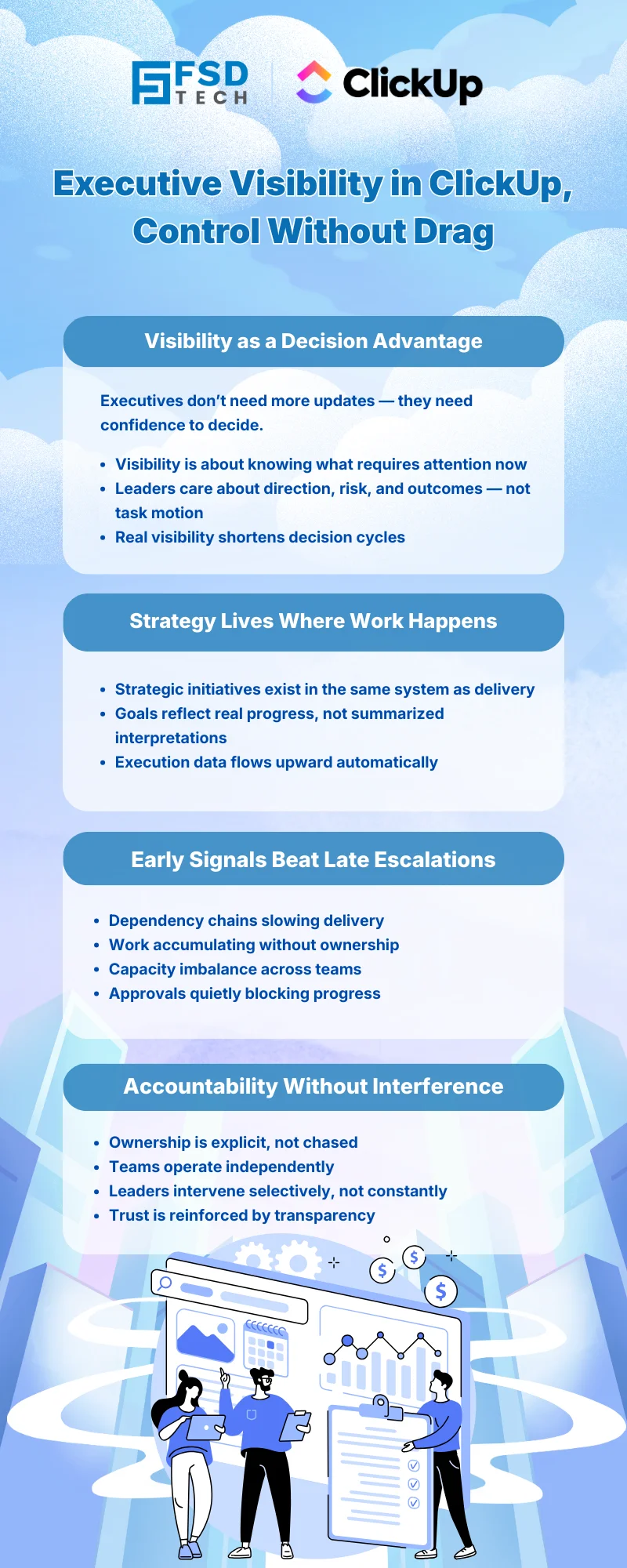
ClickUp offers real-time views into goals, projects, and progress, allowing leaders to monitor outcomes and risks without tracking individual tasks or activities.
Yes. ClickUp allows leadership to focus on high-level dashboards, goals, and summaries while drilling down only when deeper context is required.
ClickUp Goals link strategic objectives directly to tasks and projects, ensuring daily work aligns with business priorities.
Absolutely. ClickUp’s hierarchy, permissions, and reporting capabilities are designed to scale across departments and enterprise environments.
Since task progress, risks, and ownership are visible in real time, teams no longer need to prepare manual updates-freeing meetings for decision-making instead.

Nhaif is an AI Automation Engineer & Business Analyst focused on ClickUp, AI, Automation, and Workflow Optimization. He helps businesses shift from scattered processes to streamlined, data-driven operations. With hands-on expertise, he simplifies complex tools into clear, easy-to-apply solutions.
Share it with friends!




.webp&w=3840&q=75)





share your thoughts