.webp&w=3840&q=75)
How ClickUp Enables Outcome-Based Project Management (Not Just Task Tracking)
🕓 February 15, 2026
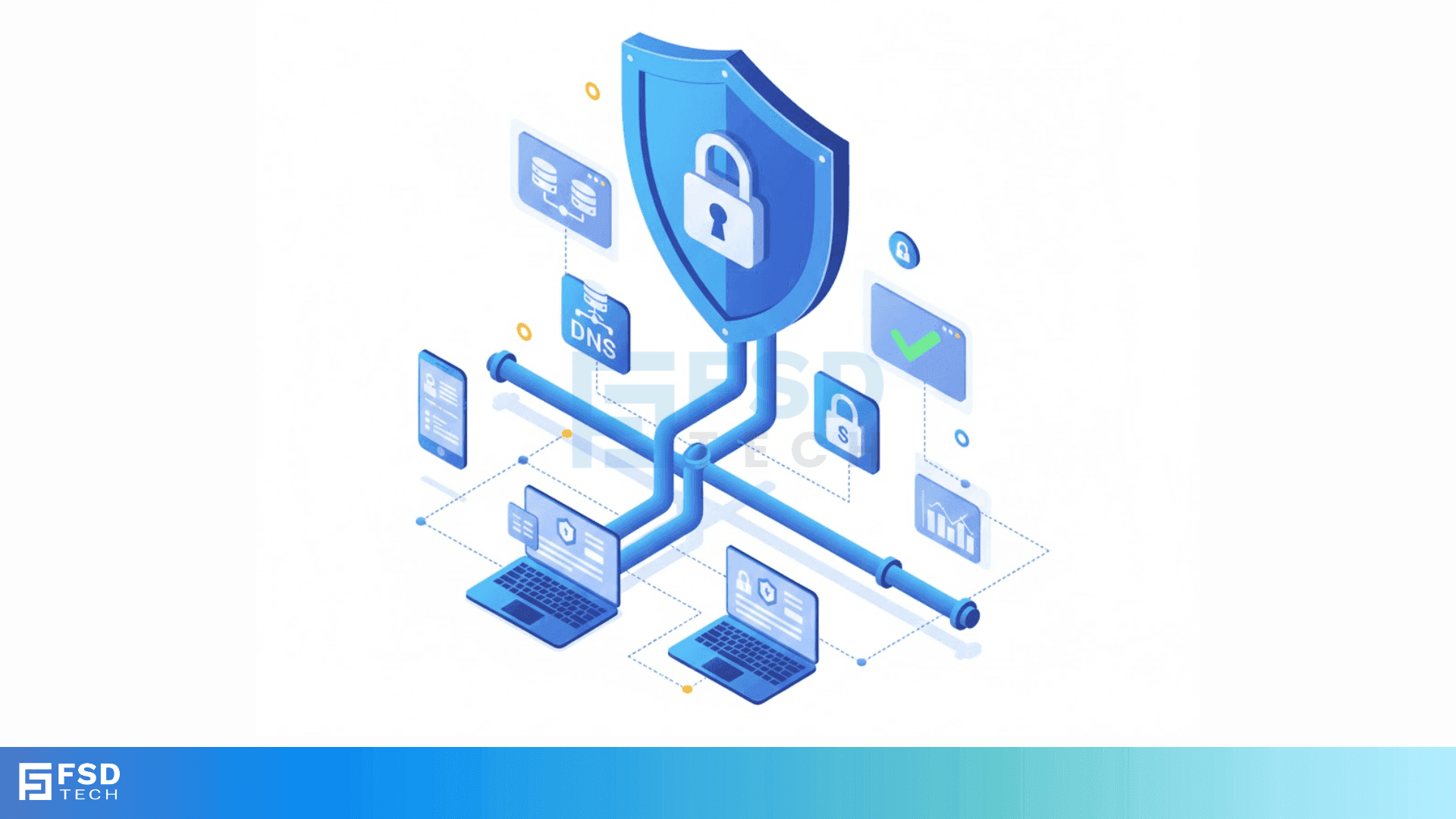
DNS over HTTPS is the new standard that keeps your internet browsing private and secure from prying eyes. Have you ever wondered if someone is watching which websites you visit? To be honest, without the right settings, your internet service provider or even a hacker on public Wi-Fi can see every site you type into your browser. We've all been there—sitting at a coffee shop, wondering if the free Wi-Fi is actually safe.
In this guide, we'll talk about how this technology changes the game. It isn't just a fancy technical term; it's a shield for your digital life. But how does it actually work? And why are some experts worried about it? Let's get into the details of why you might want to turn this on today.
Before we jump into the "how," we need to understand the "what." Every time you visit a website, your computer uses the Domain Name System (DNS). Think of it like a phonebook for the web. You type in a name, and the system finds the IP address.
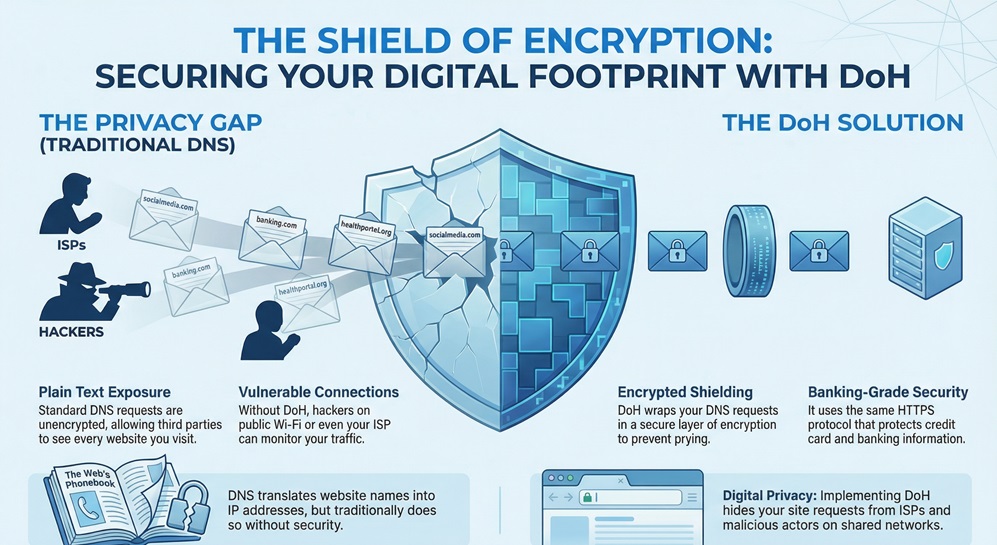
Traditionally, these requests are sent in plain text. This means anyone sitting between you and the server can read them. DNS over HTTPS, often called DoH, fixes this by wrapping those requests in a layer of encryption. It uses the same secure protocol (HTTPS) that protects your banking info or credit card details.
In my experience, most people don't realize their DNS queries are wide open. When you use standard DNS, your data is like a postcard sent through the mail. Anyone who handles it can read the message. This leads to a few big problems:
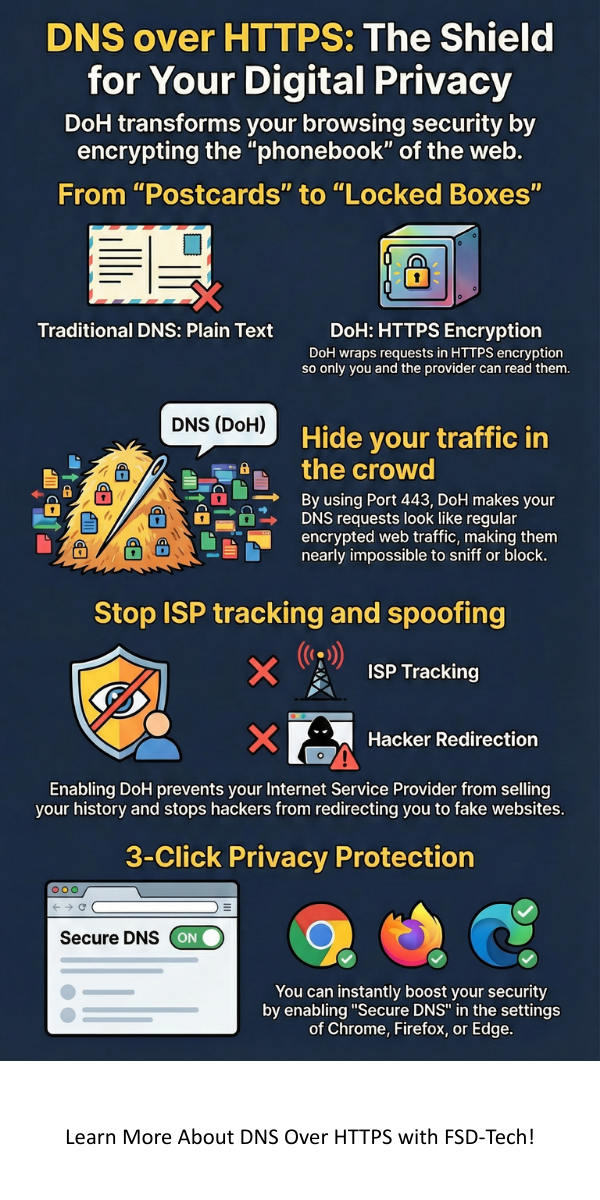
DoH changes the postcard into a locked box. Only you and the DNS provider have the key. Doesn't that sound much safer?
To understand how DNS over HTTPS works, let's look at the path your data takes. Usually, your browser sends a DNS query over a specific port (Port 53). This port is strictly for DNS and is easy to watch.
When you use DoH, your browser sends the request over Port 443. This is the same port used for all encrypted web traffic. To an outsider, your DNS request looks just like any other piece of encrypted data. It's hidden in the crowd.
Also Read: What is Container Security? Best Practices, Tools, and Risks
By using this method, we prevent "Man-in-the-Middle" attacks. It makes it roughly impossible for someone on the local network to see where you are going.
You might hear about another tech called DNS over TLS (DoT). While they both encrypt your data, they do it differently.
DNS over HTTPS hides DNS traffic inside regular web traffic. DoT uses a dedicated port just for DNS encryption. Here is a quick breakdown of the differences:
| Feature | DNS over HTTPS (DoH) | DNS over TLS (DoT) |
|---|---|---|
| Port | 443 (Shared with Web) | 853 (Dedicated) |
| Privacy | Better at hiding traffic | Easier for admins to manage |
| Setup | Usually handled by browsers | Usually handled by the OS |
In my view, DoH is more user-friendly because you can turn it on right in your browser settings. You don't need to be a tech genius to get it working.
We've talked about the "how," but let's talk about the "why." Why should you care about DNS over HTTPS?
First, it stops your Internet Service Provider (ISP) from selling your browsing history. Many ISPs track where you go to serve you ads. DoH makes this much harder for them. Second, it protects you on public Wi-Fi. If you're at an airport or a mall, hackers can't "sniff" your DNS traffic to see what accounts you're logging into.
That said, it's not a silver bullet. While it hides the name of the site, it doesn't hide the IP address you eventually connect to. Your ISP can still see that you're communicating with a server owned by Netflix or Facebook, but they won't see the specific sub-pages you're visiting.
Also Read: What is Security Operations Center (SOC)?
Nothing is perfect, right? While DoH is great for privacy, it does have some critics. Some network admins in schools or offices don't like it. Why? Because it makes it harder for them to block malicious sites or "time-wasting" social media apps at work.
Also, there is the issue of "Centralization." If everyone uses the same DoH provider (like Google), then that one company sees everyone's traffic. It's a bit of a trade-off. You're moving your trust from your ISP to a DNS provider.
Are you okay with a big tech company seeing your DNS queries instead of your local provider? Many people say yes because those companies often have better security practices.
Ready to try it? Most modern browsers make it easy. Here’s how you can do it in the most popular ones.
Google Chrome
Mozilla Firefox
Firefox was actually one of the first to push this tech.
Microsoft Edge
It really is that simple. Once you flip that switch, your queries are protected.
For businesses, DoH can be a bit of a headache. In a corporate setting, we often use DNS to catch malware before it even hits a computer. If a laptop tries to connect to a known "bad" site, the DNS blocks it.
When employees use DNS over HTTPS, they might bypass these security layers. This is why some companies disable DoH on company-owned devices. They want to maintain control over the network for safety reasons.
However, for the average person at home, the benefits of privacy usually outweigh these management concerns. We want our data to be ours, and DoH is a huge step in that direction.
Also Read: What is Static Application Security Testing (SAST)?
Fast-forward to a few years from now, and encrypted DNS will likely be the default everywhere. We are moving toward a web where privacy isn't an "add-on"—it's built-in. DoH is just one part of a larger movement that includes things like Encrypted Client Hello (ECH) and better VPNs.
The goal is simple: make the internet a place where you can browse without being watched. We're getting there, one protocol at a time.
At FSD-Tech, we believe your privacy is a right, not a luxury. We are dedicated to helping our clients navigate the complex world of online security with ease. Whether you are a small business or just someone looking to stay safe online, we focus on providing clear, honest advice that puts your needs first. Our goal is to make sure you feel confident and protected every time you hit "enter."
The internet is a wild place, but it doesn't have to be a scary one. By turning on DNS over HTTPS, you are taking a simple but powerful step toward a more private digital future. Isn't it time you took control of your data?
Talk to an FSD-Tech Security Expert
In most cases, you won't notice a huge difference. Sometimes, a high-quality DoH provider like Cloudflare can actually be faster than your ISP's default DNS. However, the extra layer of encryption can add a tiny bit of "latency" (lag), but it’s usually too small to see.
No. A VPN encrypts all of your internet traffic and hides your IP address. DoH only encrypts your DNS requests. While DoH is great, it doesn't offer the full protection that a VPN does. Think of DoH as a locked mailbox and a VPN as a secret tunnel to your house.
Your ISP can't see the specific DNS names you look up, but they can still see the IP addresses of the servers you connect to. They know you are on "YouTube," but with DoH, they won't easily see exactly which video you are watching through DNS alone.
Both are reliable. Cloudflare is often praised for its privacy-first approach, promising to delete logs every 24 hours. Google is also very fast but is a larger advertising company. The choice depends on who you trust more with your data.

Surbhi Suhane is an experienced digital marketing and content specialist with deep expertise in Getting Things Done (GTD) methodology and process automation. Adept at optimizing workflows and leveraging automation tools to enhance productivity and deliver impactful results in content creation and SEO optimization.
Share it with friends!




.webp&w=3840&q=75)






share your thoughts