HomeNext Gen IT-InfraMonitoring & ManagementCyber SecurityBCP / DRAutomationDecoded
Next Gen IT-Infra
Cato’s SASE Supports Cybersecurity Skills Development

How Cato’s SASE Supports Cybersecurity Skills Development

🕓 April 8, 2025

How SASE Supports the Security Needs of SMBs

How SASE Supports the Security Needs of SMBs

🕓 February 9, 2025

Attack Surface Reduction with Cato’s SASE

Attack Surface Reduction with Cato’s SASE

🕓 February 10, 2025

SASE for Digital Transformation in UAE

SASE for Digital Transformation in UAE

🕓 February 8, 2025

Monitoring & Management
Understanding Atera’s SLA Management

Understanding Atera’s SLA Management

🕓 February 7, 2025

Cost-Performance Ratio: Finding the Right Balance in IT Management Networks

Cost-Performance Ratio: Finding the Right Balance in IT Management Networks

🕓 June 16, 2025

Customizing Atera with APIs

Customizing Atera with APIs

🕓 March 3, 2025

Power Up Your IT Team’s Strategy with Atera’s Communication Tools

Power Up Your IT Team’s Strategy with Atera’s Communication Tools

🕓 February 8, 2025

Cyber Security
Visual guide showing Cato CMA interface for configuring Internet and WAN firewall rules, enabling threat protection, and monitoring security events in real time for UAE IT teams.

Enforcing Firewall and Threat Protection Policies in Cato

🕓 July 25, 2025

Isometric illustration of professionals managing network performance, bandwidth analytics, and cloud-based optimization around the Cato Networks platform, symbolizing bandwidth control and QoS visibility.

Mastering Bandwidth Control and QoS in Cato Networks

🕓 July 26, 2025

Illustration of the Cato Cloud architecture showing its role in delivering SASE for secure, optimized global connectivity.

Understanding the Cato Cloud and Its Role in SASE

🕓 January 29, 2025

Global network backbone powering Cato SASE solution for secure, high-performance connectivity across regions.

Global Backbone: The Engine Powering Cato’s SASE Solution

🕓 January 30, 2025

BCP / DR
Illustration showing diverse business and IT professionals collaborating with cloud, backup, and security icons, representing Vembu use cases for SMBs, MSPs, and IT teams.

Who Uses Vembu? Real-World Use Cases for SMBs, MSPs & IT Teams

🕓 July 12, 2025

Graphic showcasing Vembu’s all-in-one backup and disaster recovery platform with icons for cloud, data protection, and business continuity for IT teams and SMBs.

What Is Vembu? A Deep Dive Into the All in One Backup & Disaster Recovery Platform

🕓 July 6, 2025

Illustration showing Vembu backup and disaster recovery system with cloud storage, server racks, analytics dashboard, and IT professionals managing data.

The Rising Cost of Data Loss: Why Backup Is No Longer Optional?

🕓 August 14, 2025

3D isometric illustration of cloud backup and data recovery infrastructure with laptop, data center stack, and digital business icons — FSD Tech

RPO & RTO: The Heart of Business Continuity

🕓 August 15, 2025

Automation
Cross-Functional Collaboration with ClickUp

Fostering Cross-Functional Collaboration with ClickUp for Multi-Departmental Projects

🕓 February 11, 2025

ClickUp Project Reporting

Revolutionizing Enterprise Reporting with ClickUp’s Advanced Analytics and Dashboards

🕓 June 16, 2025

ClickUp’s Design Collaboration and Asset Management Tools

Empowering Creative Teams with ClickUp’s Design Collaboration and Asset Management Tools

🕓 February 26, 2025

ClickUp Communication and Collaboration Tools

ClickUp Communication and Collaboration Tools: Empowering Remote Teams

🕓 March 12, 2025

Decoded
Multi-Factor Authentication (MFA)

Multi-Factor Authentication (MFA): All You Need to Know

🕓 December 7, 2025

L3 Switch

What Is an L3 Switch? L2 vs L3 & Why You Need Layer 3?

🕓 December 8, 2025

IPSec

IPSec Explained: Protocols, Modes, IKE & VPN Security

🕓 December 3, 2025

 Datagram Transport Layer Security (DTLS)

What is Datagram Transport Layer Security (DTLS)? How it works?

🕓 December 4, 2025

    Subscribe to our newsletter!

    About Us

    Follow Us

    Copyright © 2024 | Powered by 

    Cato SASE Architecture

    Inside Cato’s SASE Architecture: A Blueprint for Modern Security

    🕓 January 26, 2025

    Enterprise Data Security and Privacy with ClickUp

    Ensuring Enterprise Data Security and Privacy with ClickUp

    🕓 February 9, 2025

    DDoS protection SASE

    DDoS Protection and Cato’s Defence Mechanisms

    🕓 February 11, 2025

    Table of Contents

    What is Phishing Simulation? Benefits & Best Practices

    Surbhi Suhane
    January 1, 2026
    Comments
    Phishing Simulation

    You are likely aware that a single successful phishing attack can lead to immense financial loss and damage to your company's reputation. It happens when cyber criminals trick your team into giving up sensitive information, often by clicking a link or downloading a malicious file.


    Now, the question arises: how does a business effectively prepare its team to recognize and resist these highly sophisticated social engineering attacks? Training alone cannot guarantee your employees remember the lessons when a real, stressful phishing email arrives.


    The answer lies in controlled, realistic practice. Phishing simulation is nothing but a proactive and controlled method of testing your employees' resilience against these scams. This is a vital component of a comprehensive cyber security strategy. We conduct simulated, harmless attacks to measure employee security awareness and identify critical vulnerabilities within your human firewall.


    In this comprehensive guide, we will explore the core concept of phishing simulation, discuss its powerful benefits of phishing simulation, and explain the systematic how to run a phishing simulation test effectively.


    What is Phishing Simulation?

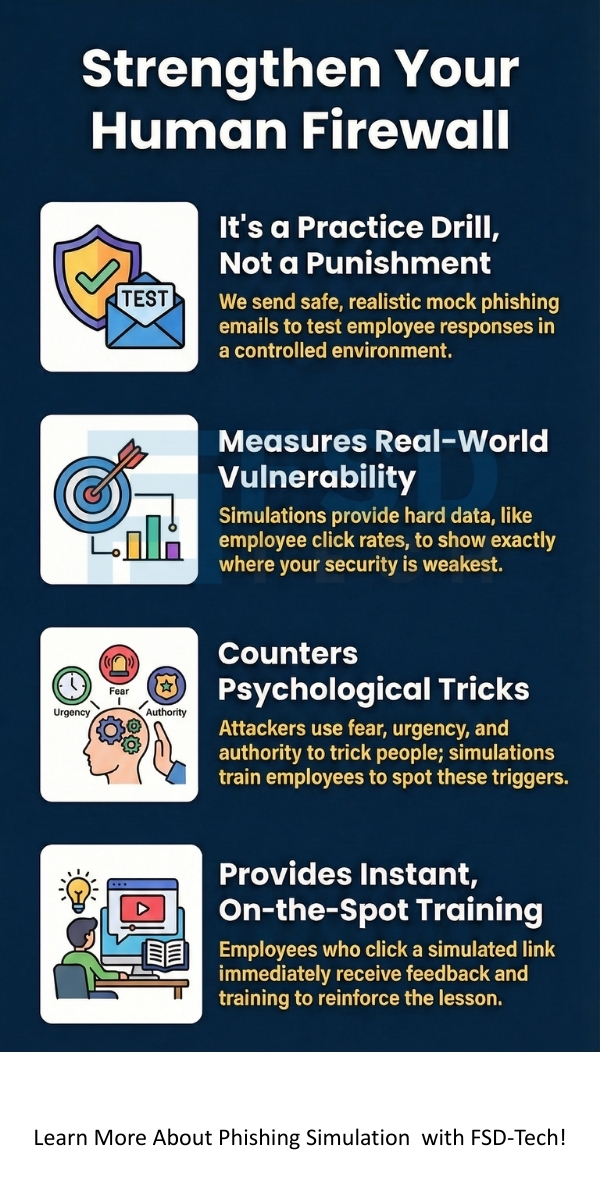
    Phishing simulation refers to the practice of sending out mock phishing emails to employees in a safe environment. This controlled testing is a crucial part of a proactive security program. The purpose of phishing simulation is not to trick or shame employees, but to measure and improve security behavior.


    This is a defensive technique that tests the effectiveness of an organization’s security awareness program. Phishing simulation typically copies the techniques that real attackers use. For example, it might involve an email that urgently requests a password change or asks an employee to click a link to view an invoice.


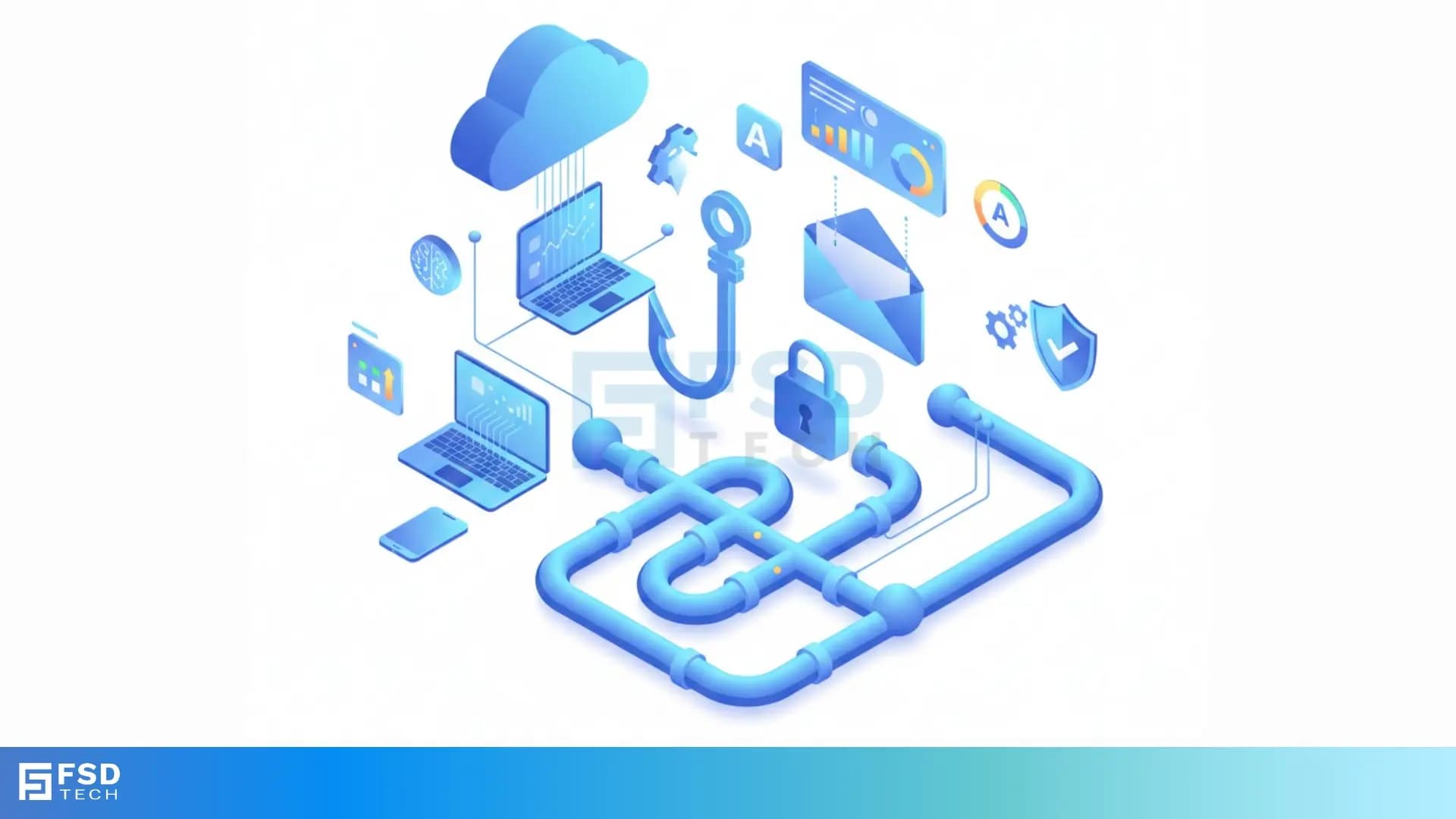
    phishing simulation infographic


    When an employee falls for the trap—by clicking a link, downloading an attachment, or entering credentials—the system records the action as a security lapse. On the contrary, the employee does not suffer any real harm. Instead, they usually receive immediate, targeted security awareness training to reinforce the correct action.


    Run Phishing Simulation


    Phishing Simulation Vs Security Awareness Training

    While both security awareness training and phishing attack simulation are essential, they serve different, complementary purposes. Security awareness training teaches the theory; phishing simulation tests the application of that theory.


    Basis for ComparisonPhishing SimulationSecurity Awareness Training
    Primary FocusMeasuring and testing real-world employee behavior and response.Teaching employees how to identify threats and the policy requirements.
    MethodologySending mock emails, texts, or calls; recording failure rates.Delivering lectures, videos, quizzes, and policy documents.
    GoalReduce vulnerability, identify high-risk employees, and lower the click rate.Increase general security knowledge and understanding of risk.
    Data GeneratedSpecific metrics: Click rates, failure rates, time-to-report, departmental vulnerabilities.Pass/fail scores on quizzes, completion rates of modules.
    FrequencyBest when conducted regularly and consistently (e.g., monthly, quarterly).Typically conducted upon hiring and then annually.


    Also Read: Cyber Threat Intelligence (CTI) in Cybersecurity


    Why Does Phishing Succeed?

    Before discussing the benefits of phishing simulation, let us understand why real phishing attacks consistently succeed. A clear understanding of the attack vector allows you to target your defenses effectively.

    Why does phishing succeed so often? It is because attackers exploit psychological principles rather than technical weaknesses. The success of a phishing email depends on the human reaction to it.


    • Fear and Urgency: Attackers use phrases like "Immediate action required" or "Your account will be suspended". This creates a sense of panic, which bypasses the employee's critical thinking. In contrast, a normal email allows for careful review.
    • Authority Impersonation: The email often looks like it is from a senior executive, the IT department, or a well-known vendor. Employees often feel compelled to obey instructions from an apparent authority figure without questioning.
    • Curiosity and Greed: Emails that promise a bonus, an unexpected package, or a confidential document exploit curiosity. This encourages a click before the user fully analyzes the link's safety.
    • Complexity and Volume: Modern phishing emails are highly sophisticated, often with perfect grammar and realistic branding. Moreover, the sheer volume of daily emails means people become fatigued and less vigilant.


    Phishing simulation helps to counteract these psychological triggers by turning a real, high-stress situation into a low-stakes learning event.


    Benefits of Phishing Simulation

    Running a regular phishing attack simulation provides several critical benefits that directly improve your organization's security posture.


    1. Measuring Current Vulnerability

    The first step in defense is knowing your starting point. Phishing simulation provides a baseline metric—the initial click rate—which shows the percentage of employees who fail the test. This hard data allows you to focus resources where they are most needed.


    • This means that you move beyond guesswork and work with quantifiable risk management data.
    • It indicates exactly which departments or roles may require more intensive training.


    2. Reinforcing Security Awareness Training


    The simulation is an active learning tool. Traditional training is often passive. Phishing simulation instantly applies the learned concepts.


    • If an employee clicks, they immediately receive on-the-spot remediation, like a quick video or an awareness message.
    • This immediate feedback loop strengthens the memory and ensures the lesson is learned at the moment of failure.


    3. Meeting Compliance Requirements


    Many industry regulations, such as HIPAA, GDPR, and various financial compliance frameworks, require organizations to demonstrate due diligence in protecting sensitive data.


    • Phishing simulation generates auditable reports that prove your company is actively testing and educating its staff on cybersecurity best practices.
    • This ensures that you meet compliance mandates by demonstrating a continuous process of security improvement.


    4. Reducing the Financial Risk


    Ultimately, the goal is to prevent a costly breach. The average cost of a data breach is substantial. Phishing simulation significantly reduces the likelihood of this happening.


    • A lower employee click rate directly translates to a lower chance of a successful attack.
    • This preventative measure saves the company immense costs associated with incident response, legal fees, regulatory fines, and reputation damage.


    5. Identifying System and Process Weaknesses


    The test not only shows which employees click but also which security controls may be weak.


    • For instance, if a sophisticated mock email bypasses the email gateway's filter, it shows a vulnerability in the security system, not just employee behavior.
    • It also determines how long it takes for the IT department to receive a report, thereby measuring the efficiency of the incident response process.


    Also Read: Spear Phishing: Learn About #1 CEO fraud


    How to Run a Phishing Simulation Test Effectively

    A successful phishing simulation test follows a systematic, planned approach. This ensures the test is realistic, informative, and ethical, rather than simply being a 'gotcha' moment.


    Step 1: Planning and Defining Goals


    First, you must define the specific goal of the simulation. What is the purpose of phishing simulation for this round? Is it to lower the click rate on password reset scams, or to increase the reporting of suspicious emails?


    • Define the Target Group: You can start with a small, high-risk group or target the entire organization.
    • Establish the Baseline: Before starting, measure the existing click-through and reporting rates from a previous simulation, or by running a low-key test. This becomes your benchmark.


    Step 2: Creating the Simulation Template


    The success depends heavily on the realism of the mock attack. Phishing simulation examples often mimic real-world scenarios.


    • Select a Relevant Scenario: Use LSI keywords like "spear phishing," "invoice scam," or "IT alert." For example, create an email that looks like an urgent request from HR about "New Policy Updates."
    • Design Realistic Emails: Ensure the email uses authentic-looking logos, familiar sender names (e.g., 'Internal IT Support'), and a sense of urgency. However, make sure there are subtle red flags, such as a slightly misspelled sender address, for vigilant employees to spot.


    Step 3: Execution and Data Collection


    This is the phase where you deploy the test. The simulation software automatically tracks employee interaction.


    • Schedule the Send: Send the emails at an unexpected time to mimic a real attack and maximize the test's validity.
    • Collect Metrics: The system automatically records key data points:
      1. Open Rate: The number of employees who opened the email.
      2. Click-Through Rate (CTR): The number of employees who clicked on the malicious link.
      3. Data Submission Rate: The number of employees who entered credentials on the fake landing page.
      4. Reporting Rate: The number of employees who correctly reported the email to IT/Security.


    Step 4: Immediate Remediation and Training


    The test's effectiveness hinges on the training component. Therefore, when an employee clicks the link, they should not see a generic error page.


    • On-the-Spot Feedback: The employee immediately sees a learning page that explains what they did wrong, points out the red flags in the email they missed (like the suspicious sender address), and offers a brief training module.
    • Targeted Training: Use the collected data to assign specific training modules. For instance, employees who failed an invoice scam simulation receive a module focused on financial phishing threats.


    Step 5: Analysis, Reporting, and Continuous Improvement


    After the test, analyze the results to form the strategy for the next round. This focuses on the question: do phishing simulations work? The answer is only if you act on the data.


    • Create a Security Report: Present the overall CTR, the lowest-performing departments, and the most common failure types.
    • Plan the Next Test: The subsequent simulation should be more sophisticated, challenging the employees who successfully passed the first one. Thus, you ensure continuous improvement in security awareness.


    Also Read: What is Web Application Firewall? | WAF Explained


    Key Considerations

    When conducting a phishing attack simulation, consider the different types of attacks that mimic real-world threats.


    • Standard Phishing: A broad email sent to many employees. It often impersonates a well-known entity like Google or Microsoft, asking for a login due to a "security issue."
    • Spear Phishing: Highly targeted emails aimed at specific individuals, often referencing their role, recent projects, or personal life to build trust. On the contrary, this is much harder to spot.
    • Vishing (Voice Phishing): Involves a phone call, where the attacker spoofs a known number and attempts to gain information through voice social engineering.
    • Smishing (SMS Phishing): Uses text messages, often containing a tracking link for an imaginary parcel or a fake bank alert, creating high urgency.


    Conclusion

    All in all, phishing simulation is an absolute necessity for robust cyber defense. It is not just a theoretical training tool; it actively measures your team's ability to resist real threats. By conducting regular phishing attack simulation tests, you gain the hard data needed to identify and fix critical human vulnerabilities. Immediate, targeted training for those who click ensures continuous learning and reinforces good habits. 


    Ultimately, the benefits of phishing simulation are clear: you significantly reduce your company’s risk of a costly breach. Invest in continuous awareness to turn your employees into your strongest line of defense.


    Phishing Simulation Consultation Call
     

    phishing simulation


    Key Takeaways

    So, with the above discussion, we can say that phishing simulation is an indispensable and vital component of modern cyber security defense. It moves the conversation from abstract security policies to concrete, measurable employee behavior.


    Remember:


    1. Phishing simulation is a test, not a punishment, aiming to measure and improve your organization's human firewall.
    2. It uses real-world phishing simulation examples to test employees against the psychological triggers that make phishing successful.
    3. The core benefit is the ability to generate quantifiable metrics (like click rates) that prove your security program is working and where it needs further improvement.
    4. To ensure success, your team must use a systematic process: plan the scenario, execute the test, and immediately provide targeted, constructive training to those who fail.


    Frequently Asked Questions (FAQs) About Phishing Simulation

    Q1. What is the main purpose of phishing simulation?

    The main purpose of phishing simulation is to test the human element of your security defense. It helps to accurately measure your employees' security awareness levels and their ability to recognize and correctly report a real-world phishing attempt. This measurement drives necessary, targeted security training.


    Q2. How often should a company run a phishing simulation test?

    For the best benefits of phishing simulation, organizations should run simulations frequently, typically monthly or at least quarterly. This ensures that security awareness remains a constant priority and prevents employees from becoming complacent. Running diverse scenarios also ensures comprehensive testing.


    Q3. Does a high click rate mean my employees are bad?

    No, a high click rate indicates a failing in your security awareness program, not necessarily in your employees. It means the training is not effective or frequent enough. The simulation simply identifies a critical risk area that requires immediate management attention and more focused training efforts.


    Q4. What is phishing attack simulation in simple terms?

    Simply put, phishing attack simulation is a practice drill. You send a fake, harmless, but very realistic malicious email to your employees to see who clicks the suspicious link or enters their password. When they fail, they get immediate training so they know how to avoid the real threat next time.

    What is Phishing Simulation? Benefits & Best Practices

    About The Author

    Surbhi Suhane

    Surbhi Suhane is an experienced digital marketing and content specialist with deep expertise in Getting Things Done (GTD) methodology and process automation. Adept at optimizing workflows and leveraging automation tools to enhance productivity and deliver impactful results in content creation and SEO optimization.

    Like This Story?

    Share it with friends!

    Subscribe to our newsletter!

    Atera

    (48)

    Cato Networks

    (111)

    ClickUp

    (65)

    FishOS

    (7)

    Miradore

    (21)

    PointGuard AI

    (9)

    Vembu

    (22)

    Xcitium

    (33)

    ZETA HRMS

    (67)

    Workflow Automation(5)

    Workforce Automation(1)

    AI Project Management(1)

    HR Data Automation(1)

    RMM(1)

    IT Workflow Automation(1)

    IT security(2)

    GCC compliance(4)

    Payroll Integration(2)

    IT support automation(3)

    procurement automation(1)

    lost device management(1)

    IT Management(5)

    IoT Security(2)

    Cato XOps(2)

    IT compliance(4)

    Task Automation(1)

    Workflow Management(1)

    OpenStack automation(1)

    Kubernetes lifecycle management(2)

    AI-powered cloud ops(1)

    SMB Security(8)

    Data Security(1)

    MDR (Managed Detection & Response)(4)

    Atera Integrations(2)

    MSP Automation(3)

    XDR Security(2)

    SMB Cyber Protection(1)

    Ransomware Defense(3)

    HR Tech Solutions(1)

    Zero Trust Network Access(3)

    Zero Trust Security(2)

    Endpoint Management(1)

    SaaS Security(1)

    Payroll Automation(5)

    IT Monitoring(2)

    Xcitium EDR SOC(15)

    Ransomware Protection GCC(1)

    M&A IT Integration(1)

    Network Consolidation UAE(1)

    MSSP for SMBs(1)

    FSD-Tech MSSP(25)

    SMB Cybersecurity GCC(1)

    Managed EDR FSD-Tech(1)

    Ransomware Protection(3)

    Antivirus vs EDR(1)

    Cybersecurity GCC(12)

    Endpoint Security(1)

    Endpoint Protection(1)

    Data Breach Costs(1)

    Managed Security Services(2)

    SMB Cybersecurity(8)

    Zero Dwell Containment(31)

    Xcitium EDR(30)

    Cloud Backup(1)

    Hybrid Backup(1)

    Backup & Recovery(1)

    pointguard ai(4)

    disaster recovery myths(1)

    backup myths(1)

    vembu(9)

    SMB data protection(9)

    Vembu BDR Suite(19)

    Disaster Recovery(4)

    DataProtection(1)

    GCCBusiness(1)

    Secure Access Service Edge(4)

    GCC HR software(15)

    Miradore EMM(15)

    Cato SASE(7)

    Cloud Security(8)

    Talent Development(1)

    AI Cybersecurity(12)

    AI Risk Management(1)

    AI Governance(4)

    AI Security(2)

    AI Compliance(2)

    GCC business security(1)

    GCC network integration(1)

    compliance automation(4)

    GCC cybersecurity(2)

    education security(1)

    App management UAE(1)

    BYOD security Dubai(8)

    Miradore EMM Premium+(5)

    HealthcareSecurity(1)

    MiddleEast(1)

    Team Collaboration(1)

    IT automation(10)

    Zscaler(1)

    SD-WAN(6)

    HR Integration(4)

    Cloud Networking(3)

    device management(9)

    RemoteWork(1)

    ZeroTrust(2)

    VPN(1)

    MPLS(1)

    Project Management(9)

    HR automation(16)

    share your thoughts

    Phishing Simulation

    What is Phishing Simulation? Benefits & Best Practices

    🕓 January 1, 2026

    Zero Trust Security Model

    What is Zero Trust Security Model? All You Need to Know

    🕓 December 31, 2025

    Robotic Process Automation (RPA

    What is Robotic Process Automation (RPA)?

    🕓 December 31, 2025

    Decoded(45)

    Cyber Security(112)

    BCP / DR(22)

    Zeta HRMS(66)

    SASE(21)

    Automation(65)

    Next Gen IT-Infra(111)

    Monitoring & Management(69)

    ITSM(22)

    HRMS(21)

    Automation(24)