.webp&w=3840&q=75)
How ClickUp Enables Outcome-Based Project Management (Not Just Task Tracking)
🕓 February 15, 2026
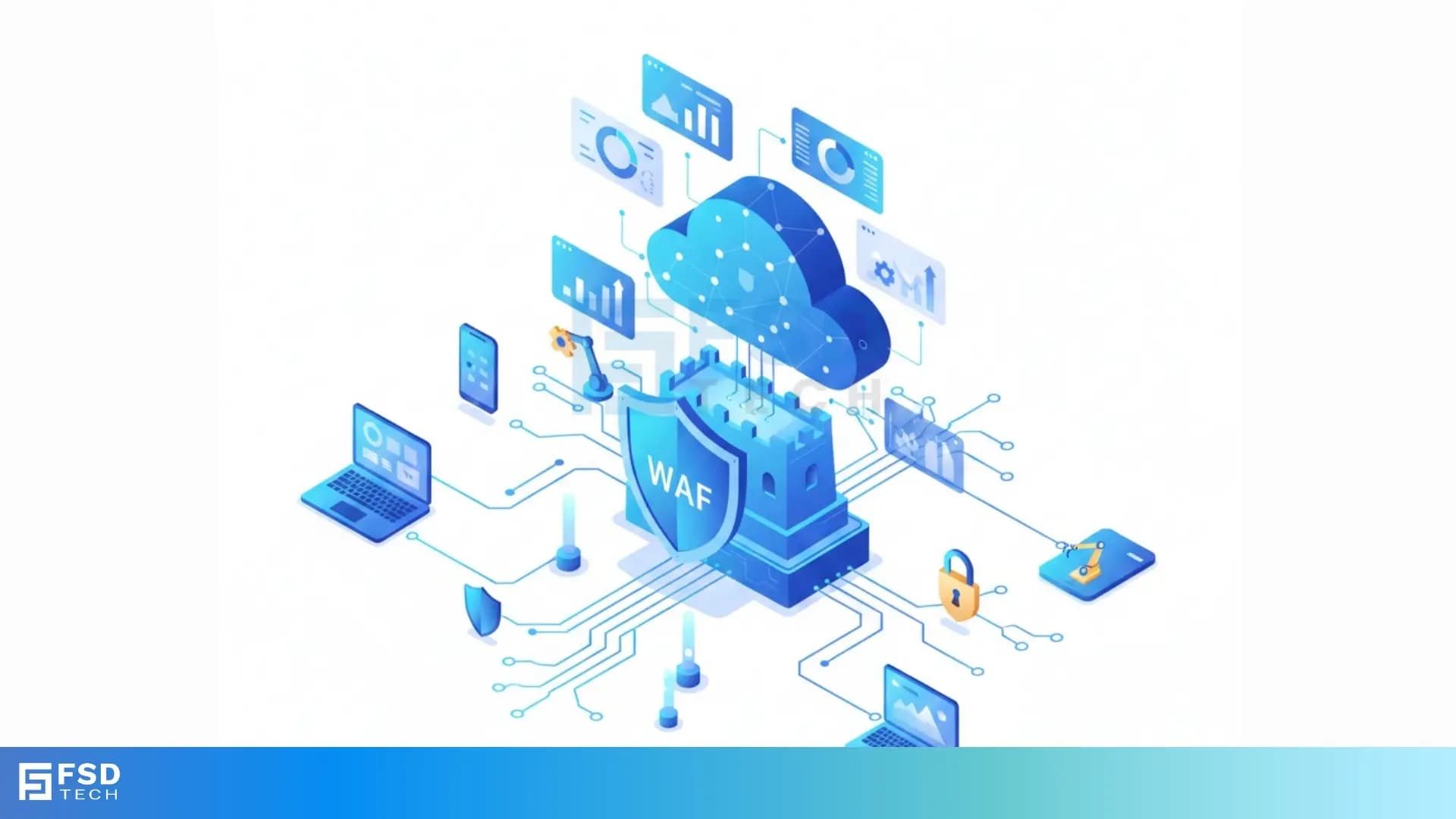
Web Application Firewall (WAF) refers to a special security tool that monitors, filters, and blocks HTTP traffic to and from a web application. It applies a set of rules, known as policies, to cover internet traffic at Layer 7 of the OSI model. This type of firewall is crucial because it keeps malicious traffic away from your valuable web services and data.
The two essential components are the inspection engine and the security policy (or ruleset). It consists of deep-packet inspection technology that looks closely at the content of web requests before they reach your server.
These policies are set up to defend against common attack types like cross-site scripting (XSS) and SQL injection (SQLi), which are major threats today. WAF security offers a vital protective layer for modern web services.
In this section, we will discuss the Web Application Firewall in detail along with how it shields your online presence. To know more about why traditional network tools fail to protect application code, read below.
The Web Application Firewall (WAF) is a critical defense mechanism that protects web applications from online threats. This specialized firewall acts as a shield between internet traffic and your web server, inspecting every HTTP request and response. Basically, the WAF stops bad guys who try to misuse how your website works.
Web Application Firewalls protect your business by sitting right in front of your applications. They use customized rules to decide if incoming traffic is safe or malicious. These rules are applied to all incoming and outgoing data, making sure no dangerous code reaches your application’s core logic. It is to be noted that this protection works even when you have other security layers in place.
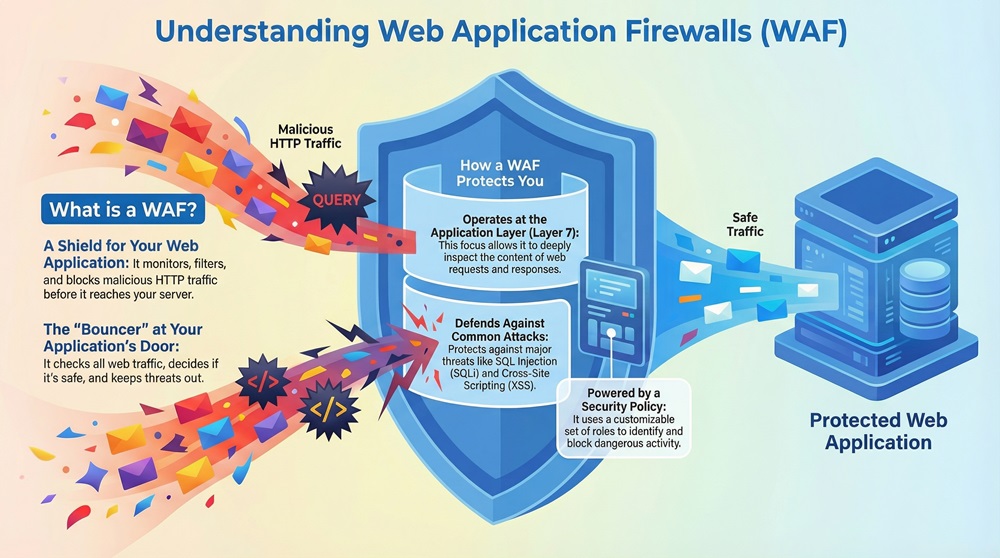
The Web Application Firewall protects applications that are often the prime target for attackers. Modern web applications handle valuable user data, making them tempting targets. Therefore, you need a strong, dedicated defense focused purely on the application layer, or Layer 7.
In simple words, the WAF is the bouncer at the door of your web application, checking IDs and keeping troublemakers out. You must utilize a WAF if you host any public-facing application that handles sensitive data. The proper utilization of a WAF security policy is what determines success.
The Web Application Firewall is essential because traditional network firewalls are not enough to stop modern attacks. A standard network firewall works at Layers 3 and 4 (Network and Transport layers), focusing on IP addresses and ports. However, many attacks now use the standard HTTP port 80 or 443, making them invisible to these older network tools.
The Web Application Firewall handles traffic at the application layer, where the threats actually live. Successful cyberattacks often exploit vulnerabilities within the application code itself. It must be noted here that about 70% of successful web attacks exploit these kinds of application vulnerabilities. That is why you need protection that understands the language of web applications.
The Web Application Firewall acts as a reverse proxy, standing in front of your server and analyzing the content, not just the source IP. This means it can detect specific commands that are embedded within a standard looking HTTP request, such as a malicious SQL query or a script injection.
For example, an attacker may try to trick a login form into dumping your entire user database. The WAF catches this specific code and blocks the request instantly.
WAF security is vital because it addresses the flaws listed in the popular OWASP Top 10 list. The OWASP Top 10 identifies the most critical security risks to web applications, including Injection, Broken Authentication, and Sensitive Data Exposure. The WAF is built specifically to filter out and stop these documented threats before they harm your system.
Also Read: IPSec Explained: Protocols, Modes, IKE & VPN Security
Let us now understand the structure of the Web Application Firewall. A WAF is deployed as a filter or appliance that sits on the path of all HTTP/S traffic directed towards a web server. The structure allows it to inspect traffic before it hits the application.
The Web Application Firewall is usually implemented as a reverse proxy. This means the traffic goes to the WAF first, and then the WAF forwards the clean requests to the backend server. The backend server never communicates directly with the outside world.
The major components are:
The Web Application Firewall deployment can vary, but the fundamental structure remains the same: it must be positioned strategically to intercept all application traffic. Look at the figure below. It shows how the WAF acts as an intermediary layer between the user and the protected web application server.
Here, we will see how the Web Application Firewall actually processes a request to keep you safe. The working of the WAF relies on a strict set of rules, known as a security policy, that determines which traffic to block, audit, or allow.
The Web Application Firewall process starts when a user sends an HTTP request to your web application.
The process occurs as follows:
The Web Application Firewall can operate based on two main models: a negative security model (blacklist) or a positive security model (whitelist). In a negative model, the WAF allows everything unless it specifically matches a known attack signature.
In contrast, the positive model only allows traffic that perfectly matches a known-good pattern for the application, blocking everything else. The latter is often more secure but harder to manage.
For instance, consider a user trying to submit text into a comment box. If the user includes the phrase SELECT * FROM users in the text, the WAF recognizes this as a common SQL injection pattern in its ruleset and immediately blocks the request. The figure below shows the step-by-step filtering process.
Also Read: What Is a Proxy Server? Types, Benefits & How It Works
Let us now discuss the different ways you can deploy a Web Application Firewall. The choice of deployment depends on your budget, environment, and specific security needs.
The Web Application Firewall can be a physical device installed locally on your network. These appliances are often placed near your web servers in the data center.
A Host-based Web Application Firewall is software installed directly on the application web server itself. It is usually integrated with the application code or the web server software.
The Cloud-based Web Application Firewall is a service offered by a third-party vendor (like Oracle Cloud, which provides a WAF). This type of WAF uses the vendor’s infrastructure to protect your application.
| Basis for Comparison | Web Application Firewall (WAF) | Network Firewall |
|---|---|---|
| Meaning | It is a security tool designed to monitor and filter traffic specifically for web applications. | It is a traditional security system that monitors and controls incoming and outgoing network traffic. |
| Nature | It works as a reverse proxy that sits in front of the application. | It is typically a packet-filtering device that works at the network boundary. |
| Definition | Can be defined as a defense layer that enforces a security policy on the Hypertext Transfer Protocol (HTTP/S) traffic. | Can be defined as a system that grants or denies access based on a defined set of security rules. |
| Function/Purpose | Protects against application-layer attacks (Layer 7), such as SQL injection, Cross-Site Scripting (XSS), and logic flaws. | Protects against network-layer threats, such as unauthorized access, scanning, and denial-of-service (DoS) at lower levels. |
| Determined by | Security policies are based on application logic, HTTP protocols, and known attack signatures (OWASP Top 10). | Security policies are based on IP addresses, port numbers, and basic protocol types (TCP, UDP). |
| Method | Deep-packet inspection to analyze the actual content of the request body and header. | State inspection to check the source, destination, and port, and the state of the connection. |
| Examples | Cloud services (e.g., AWS WAF, Cloudflare WAF), specialized appliances, or integrated modules (e.g., ModSecurity). | Traditional firewall appliances (e.g., Cisco ASA, Palo Alto Networks), stateless firewalls, or Windows Firewall. |
Also Read: What is a Firewall as a Service (FWaaS)?
Following are the key advantages of using a Web Application Firewall:
On the other hand, the Web Application Firewall is not a perfect, solve-all solution. There are certain constraints you must consider.
Also Read: Spear Phishing: Learn About #1 CEO fraud
To understand the full value of a WAF, you must look at where it is utilized in the real world. The Web Application Firewall has diverse applications across various industries and attack types.
Observe the figure given below. It illustrates how the WAF handles different traffic types, separating harmless visitors from malicious actors.
In a nutshell, the Web Application Firewall is the specific security boundary you need for today’s complex online services. It acts as an active, application-aware filter, stepping in where traditional network firewalls cannot offer protection. The WAF’s primary function is to enforce a security policy against the most critical application vulnerabilities listed by organizations like OWASP.
All in all, the utilization of a WAF security solution requires careful tuning and continuous monitoring to be truly effective. The mechanism involves strict rule enforcement, but the flexibility of different deployment types (cloud, host, network) allows you to choose the best fit for your architecture. Understanding the WAF means understanding that security is a process, not a product.
Therefore, for any company running mission-critical applications, the investment in a strong Web Application Firewall is a fundamental commitment to customer trust and data integrity. We prioritize your protection and ensure that our solutions offer the precise, tailored security you require to operate safely in the digital world.
Get in Touch – Talk to a Cato Specialist Now! Book Your Free Demo

The Web Application Firewall operates at Layer 7 (the Application layer) and understands the content of HTTP traffic, looking for application-specific exploits like SQL injection. A Network Firewall operates at Layers 3 and 4, focusing only on source and destination IP addresses and ports.
Yes, the WAF is highly effective against Layer 7 DDoS attacks, which target application resources like login pages or search functions. It identifies and rate-limits the malicious application-level requests, preserving resources for legitimate users.
The Negative Security Model, or blacklist approach, uses a set of rules to block traffic that is known to be bad, such as traffic containing specific attack signatures. It allows all other traffic through by default.

Surbhi Suhane is an experienced digital marketing and content specialist with deep expertise in Getting Things Done (GTD) methodology and process automation. Adept at optimizing workflows and leveraging automation tools to enhance productivity and deliver impactful results in content creation and SEO optimization.
Share it with friends!




.webp&w=3840&q=75)






share your thoughts