.webp&w=3840&q=75)
How ClickUp Enables Outcome-Based Project Management (Not Just Task Tracking)
🕓 February 15, 2026
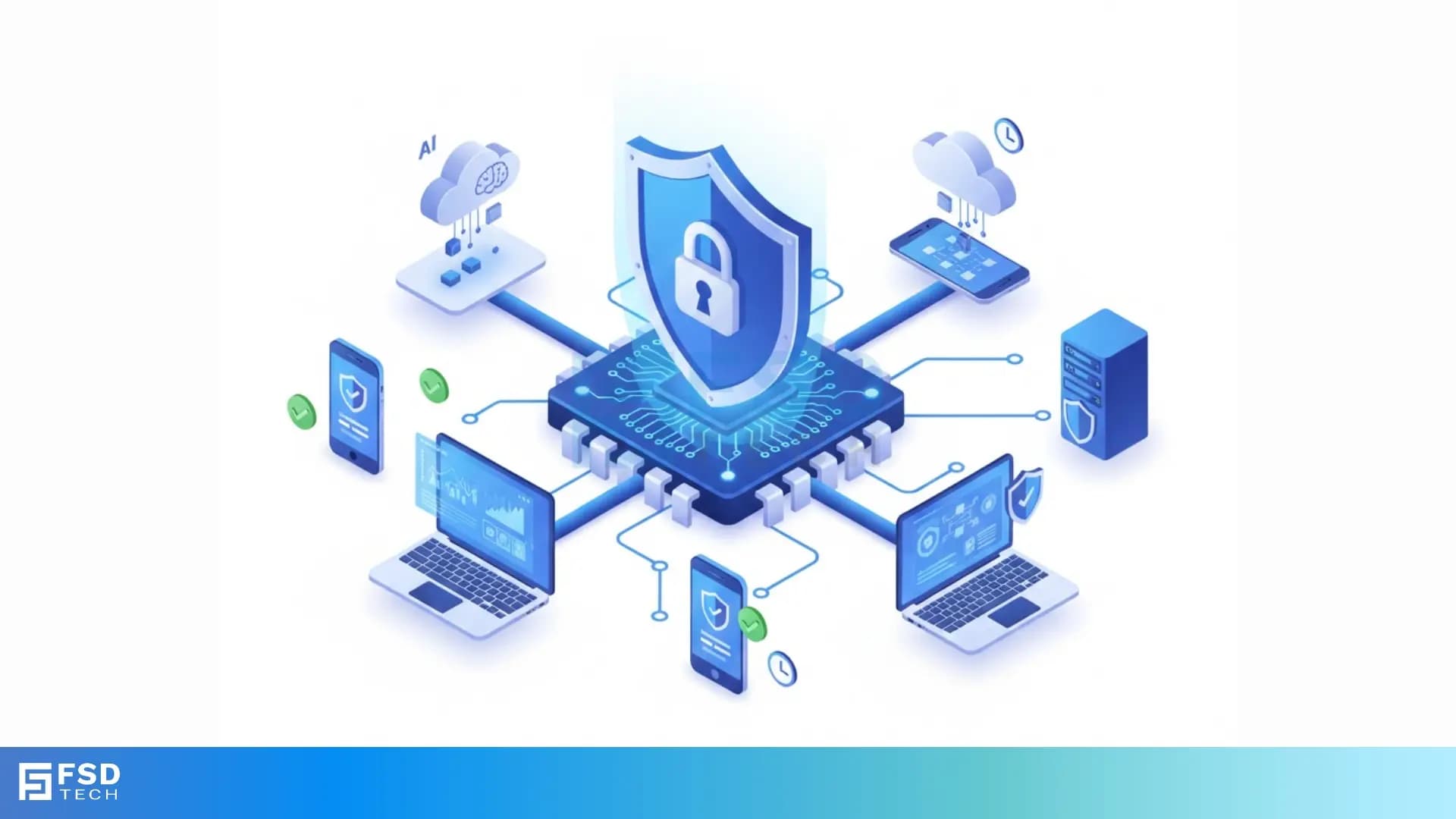
BIOS security refers to the crucial protection layers implemented on your computer's most fundamental software—the Basic Input/Output System (BIOS). This system is the very first code your computer runs when you power it on. It acts as the bridge, or firmware, between the hardware components and the operating system (OS). If attackers compromise the BIOS, they gain deep, persistent control over the entire system, making it nearly impossible to remove them.
This guide will explain what BIOS security is and why it matters to you. We will explore the various BIOS security features that modern systems employ to guard against threats. You will learn how these features protect your data and ensure the system starts safely every single time. Now, let us understand this essential layer of protection that determines your system's integrity.
BIOS security can be understood as the methods and technologies that safeguard the BIOS firmware from malicious alteration, unauthorized access, and infection. The BIOS, or sometimes the Unified Extensible Firmware Interface (UEFI) on newer systems, is responsible for initialization and testing of system hardware components and then launching the operating system.
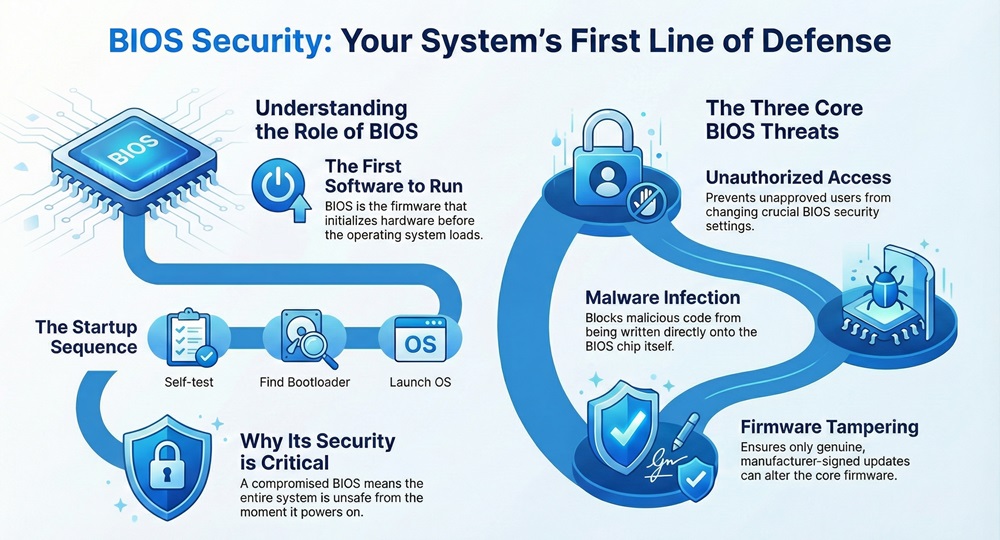
When you start your computer, the BIOS performs a Power-On Self-Test (POST). After the POST, the BIOS searches for and starts the bootloader, which in turn starts the OS. Because the BIOS runs before any operating system security loads, a compromised BIOS implies that the entire system is unsafe from the very first moment it turns on.
BIOS security aims at preventing three main types of threats:
Due to the persistent and low-level nature of the threat, protecting the BIOS security is a vital part of overall endpoint protection.
Modern systems comprise several layers of protection to ensure comprehensive BIOS security. These features primarily work on the principle of verifying the integrity of the firmware and controlling access to its configuration.
1. Secure Boot Option in BIOS
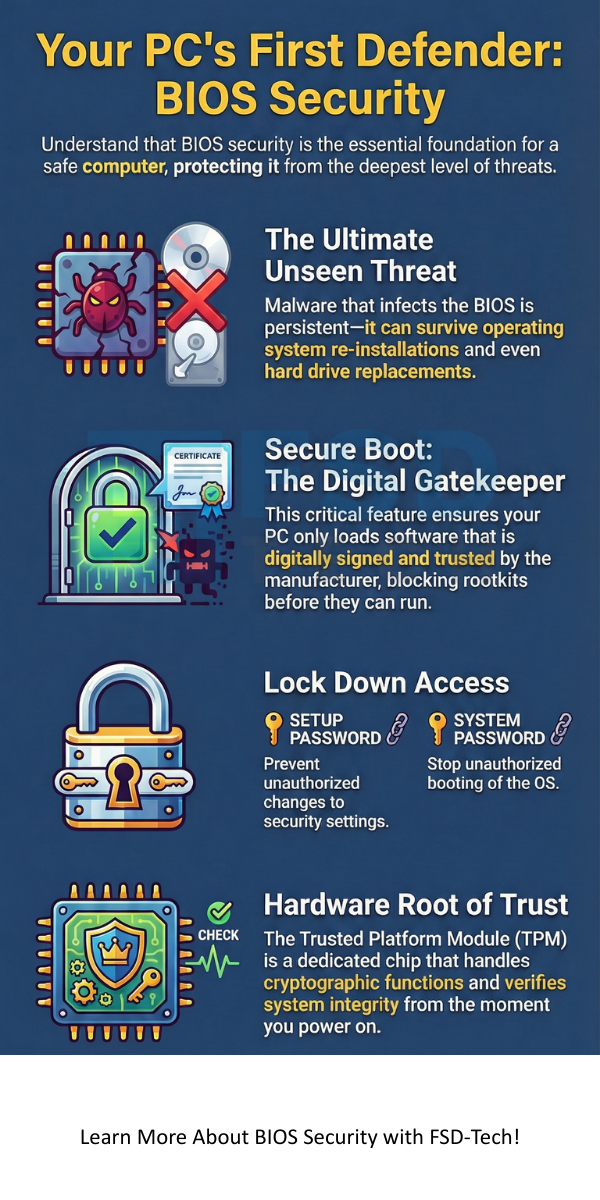
The secure boot option in BIOS is perhaps the most significant security feature in modern UEFI firmware. Secure Boot ensures that the computer only loads software that an original equipment manufacturer (OEM) or platform owner has digitally signed and verified.
2. BIOS Security Settings and Access Control
To prevent unauthorized configuration changes, strong access controls are an essential aspect of BIOS security settings. A user must protect the BIOS using a password.
3. Hardware-Assisted BIOS Security
Hardware components provide a root of trust for BIOS security. These components, often called Trusted Platform Module (TPM) chips, are dedicated processors that handle cryptographic functions.
4. Firmware Validation and Update Security
The process of updating the BIOS, known as flashing, is a critical security step. A malicious update can be as damaging as any virus. Therefore, BIOS security requires a rigorous validation process for all firmware updates.
5. Persistence and Tamper Resistance
BIOS security also focuses on making sure the firmware itself remains tamper-proof once it is securely loaded.
Also Read: What is API Security and Why it matters for your Business?
While the goal of both BIOS security and OS security is to protect the computer, they focus on different parts of the system and operate at different levels. To understand this better, let us look at their key differences.
| Basis for Comparison | BIOS Security (Firmware Level) | Operating System (OS) Security (Software Level) |
|---|---|---|
| Focus | Protecting the low-level firmware and the boot process. | Protecting data, applications, and user accounts during system operation. |
| When it Runs | First code to run after power-on. | Runs after the BIOS loads it. |
| Main Goal | Ensuring the integrity and authenticity of the boot sequence. | Controlling resource access (files, network, memory) and preventing external attacks. |
| Key Mechanism | Secure Boot, Firmware Digital Signatures, TPM. | Firewalls, Antivirus, User Account Control (UAC), Encryption. |
| Attack Impact | Leads to persistent infection that is hard to detect or remove. | Leads to data loss, system malfunction, or account compromise. |
While OS security is essential, it depends on the integrity established by BIOS security. An OS cannot reliably protect itself if its foundational layer, the BIOS, is already compromised. Therefore, both security layers play a vital role in overall system protection.
Now, the question arises, why is there such an emphasis on protecting this small piece of firmware? The simple answer is that the BIOS holds the keys to the kingdom.
1. Preventing Persistent Malware
Persistent malware is nothing but malicious code that survives even when you completely wipe and re-install the OS or replace the hard drive. A BIOS infection implies that the malware can re-infect the OS every time the computer boots up. It acts as a stealthy, persistent presence that traditional security software cannot easily detect.
2. Establishing a Root of Trust
A Root of Trust (RoT) can be understood as a component that is inherently trustworthy. BIOS security aims at making the BIOS the RoT for the rest of the system. This trust then extends to the bootloader, and then to the OS. The TPM and Secure Boot help in confirming that the system components loaded are what they are supposed to be. Without a trusted BIOS, you cannot trust the operating system.
3. Protecting Against Supply Chain Attacks
A serious threat involves compromising the BIOS during the manufacturing or delivery process. Strong BIOS security verification failed protocols ensure that a system detects any pre-installation tampering. The system relies on cryptographic checks to verify the integrity of the firmware before the first boot.
4. Regulatory Compliance
In many industries, compliance standards require the use of hardware-based security features, which includes robust BIOS security controls. This ensures a minimum level of protection for sensitive data.
Also Read: What is Zero Trust Security Model? All You Need to Know
To manage and enable critical features like Secure Boot, you need to access the BIOS security option system or setup. The process typically varies slightly depending on the computer manufacturer.
1. Accessing the BIOS Setup
When you first power on the computer, you need to press a specific key on your keyboard. This key is nothing but the prompt that allows you to enter the setup.
2. Navigating to BIOS Security Settings
Once you access the setup utility, you must locate the BIOS security settings.
3. Enabling Secure Boot
The Secure Boot option in BIOS is a vital setting you need to confirm.
4. Exiting and Saving
After setting the passwords and enabling Secure Boot, you must save your changes.
In some cases, the system may display a "BIOS Security Verification Failed" or a similar error message when attempting to boot. This message indicates that the system detected an integrity problem.
This is because the BIOS integrity check failed, which means the system cannot trust the firmware or the boot process.
Also Read: What Is Application Security? Tools, Testing & Best Practices
Protecting your digital assets starts with protecting the foundation: the BIOS. At FSD Tech we understand that strong endpoint protection requires comprehensive BIOS security strategies.
We ensure that our products and services align with the highest standards of firmware integrity and verification, guaranteeing a trusted boot every time. By prioritizing a secure core, we provide you with the confidence that your data and your system remain safe from the most sophisticated, low-level threats.
Contact us today to learn more about how we can help secure the future of your digital environment, starting at the root.
BIOS security is the fundamental defense layer for any modern computer system.
In simple words, UEFI is the modern replacement for the traditional BIOS. UEFI implements more advanced features, including the important Secure Boot option, which the traditional BIOS lacks. Therefore, UEFI security is an evolution of BIOS security, focusing on cryptographic verification and a more structured boot process.
If the BIOS security verification failed, it indicates that the integrity of the firmware or the boot process is compromised. First, check your BIOS security settings to ensure they are correct. Next, perform a BIOS factory reset. If the error persists, it suggests a severe problem, potentially a persistent infection, and you should seek specialized technical assistance.
Secure Boot ensures that only trusted OS bootloaders can run. Due to which, if you want to install an unsigned operating system or an older version of Linux, you must disable the secure boot option in BIOS first. On the other hand, most modern, popular operating systems like Windows and major Linux distributions have signed bootloaders that work correctly with Secure Boot enabled.
Generally, no. Standard antivirus software operateswithin the operating system. BIOS security runs at a lower level, before the antivirus loads. While advanced endpoint protection may include firmware scanning capabilities, your typical consumer antivirus software does not protect the BIOS chip from deep-level attacks.
You need a separate Setup Password so as to prevent unauthorized users from disabling critical security features likeSecure Boot or the System Password. The password ensures that only an authorized administrator can access the BIOS security option system or setup menu and make changes.

Surbhi Suhane is an experienced digital marketing and content specialist with deep expertise in Getting Things Done (GTD) methodology and process automation. Adept at optimizing workflows and leveraging automation tools to enhance productivity and deliver impactful results in content creation and SEO optimization.
Share it with friends!




.webp&w=3840&q=75)






share your thoughts