.webp&w=3840&q=75)
How ClickUp Enables Outcome-Based Project Management (Not Just Task Tracking)
🕓 February 15, 2026
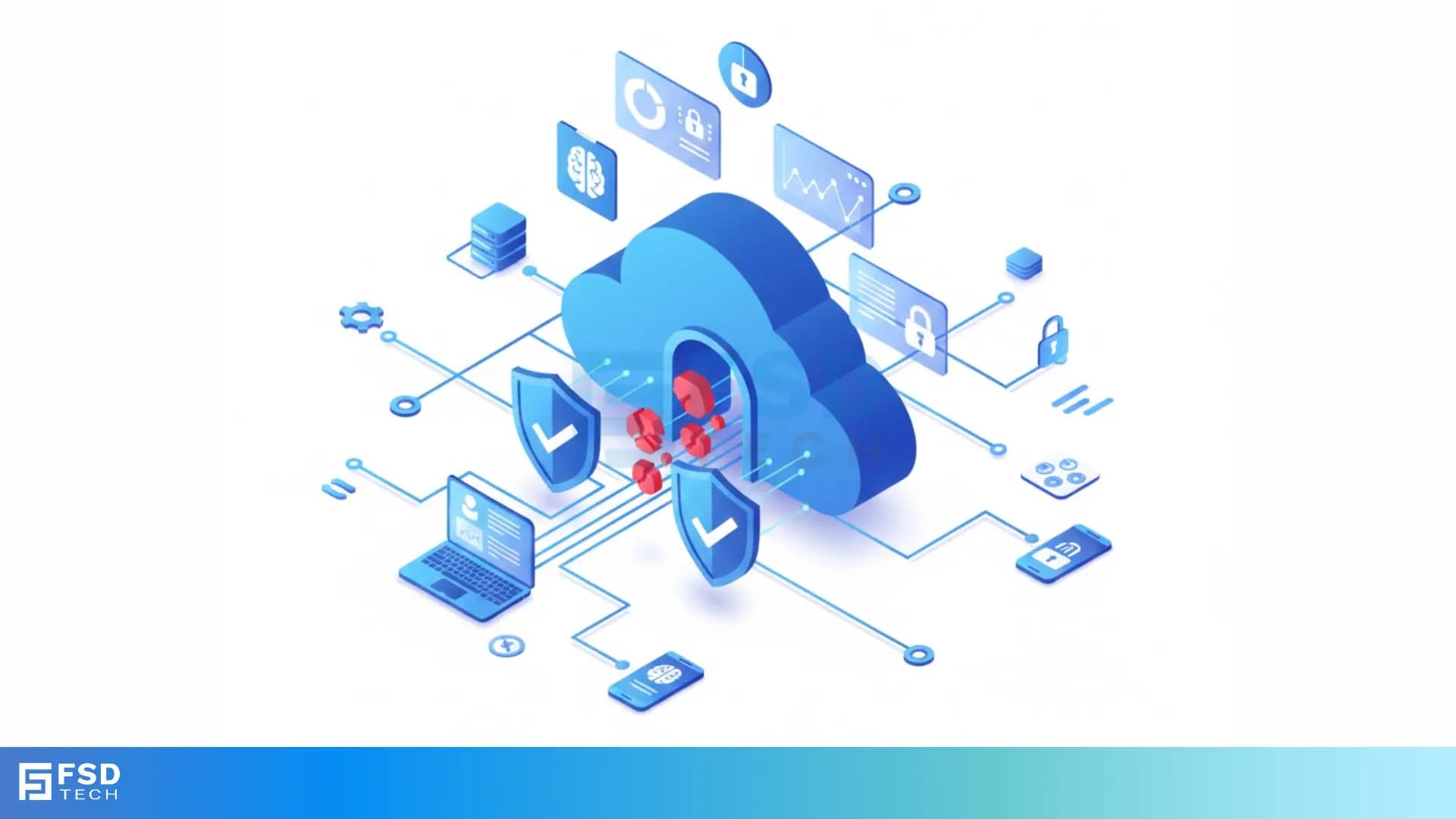
Data loss prevention refers to the specific tools and processes that stop your private information from leaving your company. Think of it like a digital security guard standing at every exit of your building. This guard checks every bag and pocket to ensure no one accidentally or on purpose walks out with your secret recipes or customer lists. In a world where we share everything online, how do we keep the "secret" stuff truly secret?
Have you ever worried about a stray email going to the wrong person? We have all been there. You click "send" and then realize you attached the wrong spreadsheet. It's a sinking feeling. Data loss prevention (DLP) exists because these small human errors can lead to huge legal headaches and lost trust.
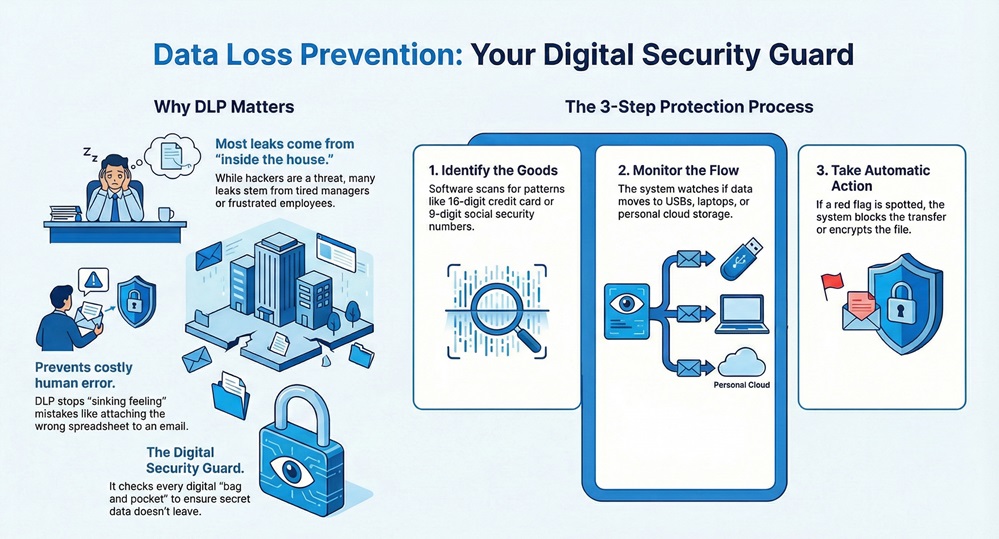
To be honest, most people think data leaks only happen because of shadowy hackers. While that is a real threat, many leaks come from inside the house. It might be a frustrated employee or just a tired manager working late. Without a safety net, your sensitive data is always just one "copy-paste" away from the public eye.
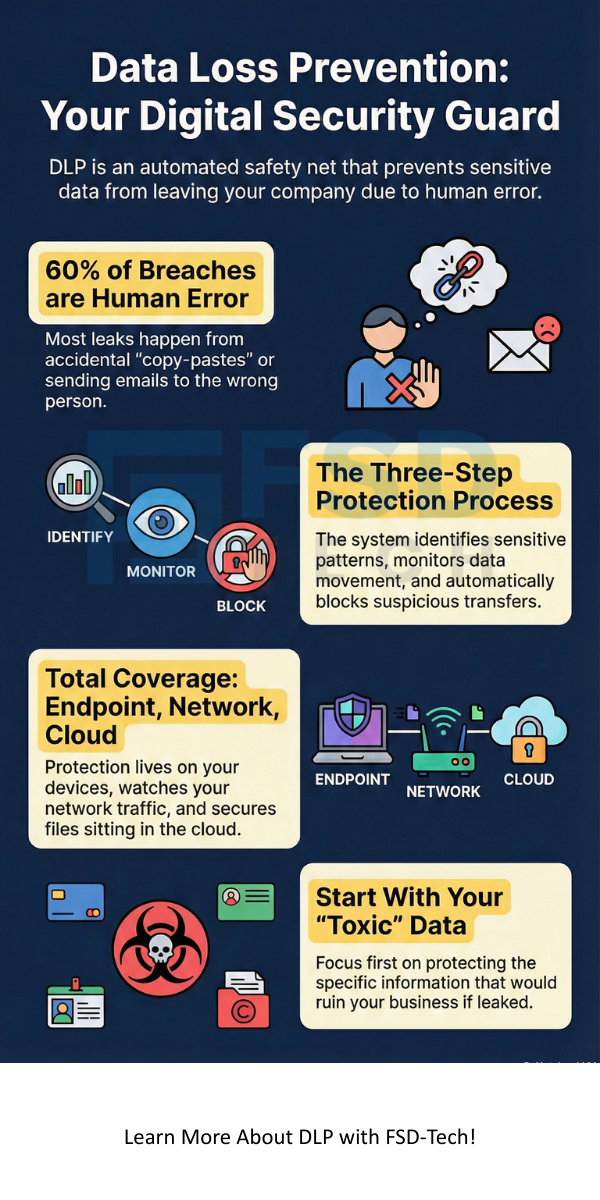
At its heart, data loss prevention works by identifying, monitoring, and protecting data. But how does a software program know what is "sensitive" and what is just a lunch menu? It uses a few clever tricks.
1. Identifying the Goods
First, the system needs to know what it is looking for. We call this "data discovery." The software scans your files for patterns. For example, it looks for 16-digit numbers that look like credit cards or 9-digit numbers that look like Social Security IDs.
2. Monitoring the Flow
Next, the DLP monitors where that data goes. Is it sitting on a laptop? Is it moving to a USB drive? Or is someone trying to upload it to a personal cloud storage site? By watching the "data in motion," the system can spot red flags before the data leaves your control.
3. Taking Action
When the system sees something fishy, it acts. It can block the transfer, encrypt the file, or alert the security team. It is like a "cancel" button that works automatically.
Also Read: Using Device Conditions in Cato Internet Firewall Rules for Granular Access Control
Not all security needs are the same. Depending on where your data lives, you might use different versions of DLP.
Here is the thing: the way we work has changed. We work from coffee shops, we use our own phones for work, and we use apps like Slack or Teams. This makes data loss prevention much harder than it used to be.
Roughly 60% of data breaches involve some form of human error. Maybe someone saved a file to a public Dropbox. Or perhaps they used a weak password. In my view, the biggest risk isn't a high-tech virus; it's the simple lack of visibility. If you don't know where your data is, you can't protect it.
Also Read: Gain Real-Time Endpoint Intelligence with the Cato Device Dashboard
So, how do you start without making your employees' lives miserable? You don't want to lock everything down so tight that nobody can get work done.
Protecting your data doesn't have to be a nightmare. At our core, we believe that security should help you work faster, not slower. We focus on our clients' peace of mind by building systems that act as a silent partner. By using smart data loss prevention, you ensure your business stays safe, your customers stay happy, and your secrets stay secret. Let's make sure your digital assets stay exactly where they belong.
A firewall is like a fence around your yard. It keeps strangers out. Data loss prevention is like a safe inside your house. It makes sure the valuables don't leave, even if someone is already inside.
It can be if you try to do everything on day one. However, modern cloud-based tools are much easier to manage than the old systems.
Not exactly. DLP is looking for data patterns, not reading your personal chats. Its goal is to stop sensitive company info from leaking, not to watch your every move.

Surbhi Suhane is an experienced digital marketing and content specialist with deep expertise in Getting Things Done (GTD) methodology and process automation. Adept at optimizing workflows and leveraging automation tools to enhance productivity and deliver impactful results in content creation and SEO optimization.
Share it with friends!




.webp&w=3840&q=75)






share your thoughts