.webp&w=3840&q=75)
How ClickUp Enables Outcome-Based Project Management (Not Just Task Tracking)
🕓 February 15, 2026
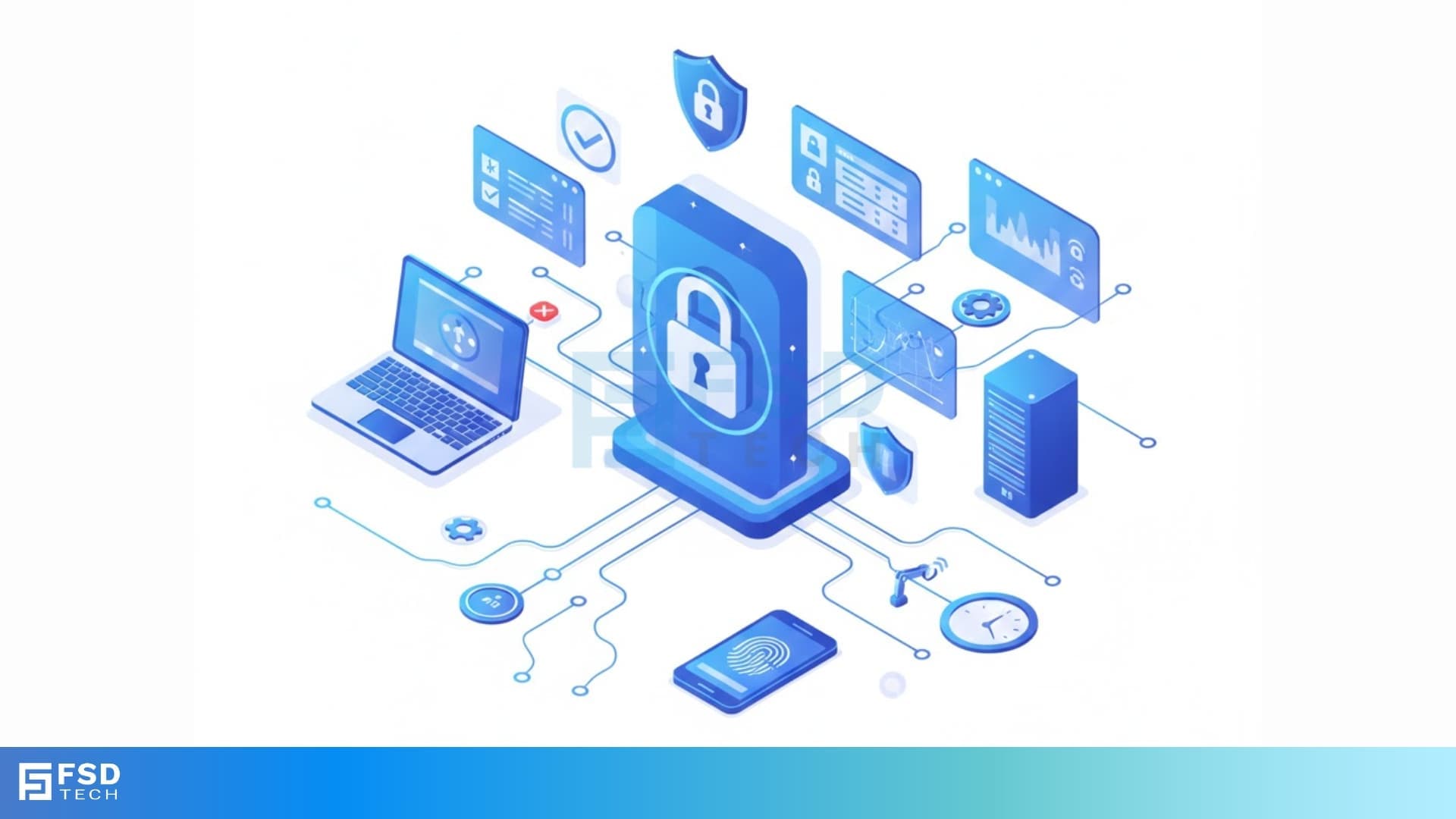
Have you ever stopped to think about who can enter your office? Most people use a simple metal key to open a door. But a metal key cannot tell you who used it. It cannot tell you when they used it. If a person loses that key, you must change every lock. This costs a lot of money and takes a lot of time. Is there a better way to keep your building safe without the stress of old keys?
Access control system technology is the modern answer to these old problems. It acts like a digital gatekeeper for your business. Instead of a key, you might use a plastic card or your own thumbprint. This system knows exactly who is at the door. It decides if they should come in. If you want to keep your valuable data or private equipment safe, you need a smart way to manage your doors.
How does a computer decide who to let inside? Does it know the difference between a boss and a visitor? You will find out how these systems think and act. We will look at how they stop bad people while letting your team move fast.
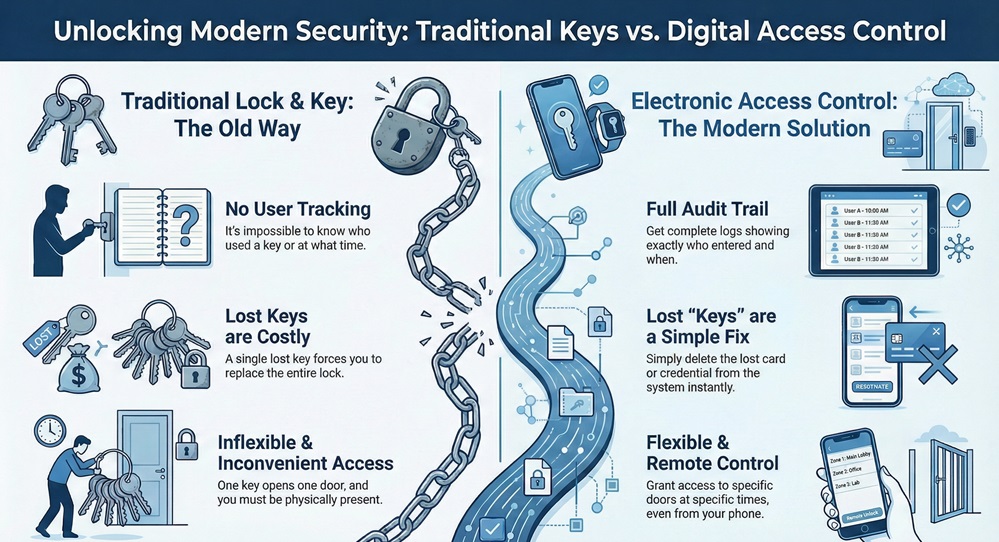
The table below shows the key differences between old locks and a modern access control entry system.
| Feature | Traditional Lock and Key | Electronic Access Control |
|---|---|---|
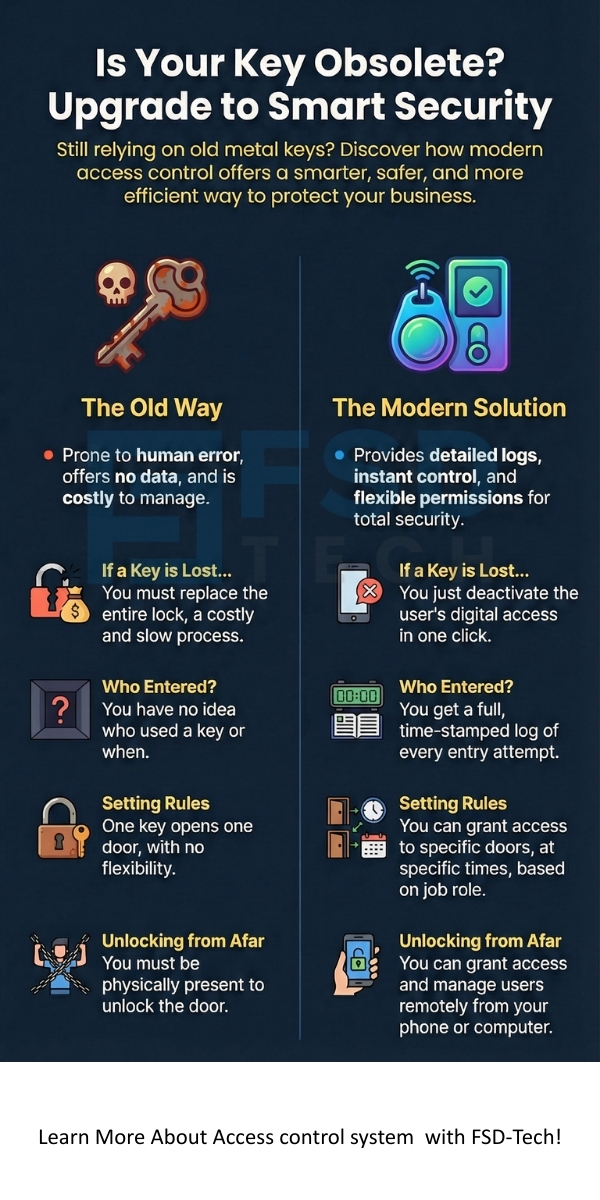
| User Tracking | None. You do not know who entered. | Full logs. You see names and times. |
| Key Management | Physical keys are easy to copy. | Digital keys are hard to copy. |
| Lost Key Fix | You must replace the whole lock. | You just delete the digital user. |
| Access Levels | One key usually opens one door. | One card can open specific doors at specific times. |
| Remote Control | You must be there to turn the key. | You can open doors from your phone. |
Access control system hardware is a mix of electronic parts that guard your entry points. It is a way to limit entry to a room or a building. Only the people with the right permission can get inside. In the past, people used guards to check IDs. Now, we use computers and electronic sensors to do the job.
Access control system software stores a list of every person who has a key. This list tells the system which doors each person can use. For example, a janitor might enter every room. An office worker might only enter the main floor. The system checks these rules in less than a second.
This technology is not just for doors. It also protects computer files and digital networks. We call the physical part "Physical Access Control." We call the computer part "Logical Access Control." Both types work together to create a safe environment for your work.
Access control system use is growing because the world is more digital. You have expensive tools and secret information that need protection. Why should you care about this? First, it stops theft. If a person does not have a digital key, they cannot walk into your server room.
Access control system setups also keep people safe. If an emergency happens, the system can open all doors for a fast exit. It can also lock all doors to keep a threat outside. This is very important for schools and hospitals.
Why is an access control entry system better than a guard? Guards get tired and make mistakes. A computer never sleeps. It stays alert 24 hours a day. It records every event. This creates a digital trail that you can check later if something goes wrong.
Also Read: What is Supply Chain Attack? Types & Prevention
Access control system goals focus on three main things. These are identification, authentication, and authorization. First, the system must know who you are. This is identification. You might show a badge to a reader.
Access control system tools then check if you are who you say you are. This is authentication. The system looks at your digital key or your fingerprint. If the data matches the record, the system moves to the final step.
The last purpose is authorization. The system asks if you have the right to enter this specific room at this specific time. If you have permission, the door opens. This three step process happens every time you touch a reader. It ensures that no one enters by mistake.
Access control system operations start when you present your credential. A credential is a digital key. It could be a card, a pin code, or a biometric scan. The reader sends this data to a control panel.
Access control system panels act like the brain of the whole setup. This panel holds the database of all users. It compares your card number to the list of allowed people. If it finds a match, it sends a signal to the door.
How does the door actually open? The panel sends electricity to an electronic lock. This could be a magnetic lock or an electric strike. When the lock gets power, it releases the door. You can then walk inside. All of this happens in the blink of an eye.
Access control system biometric readers use your body as a key. This is the most secure method. You cannot lose your finger. You cannot forget your eye. A thief cannot steal your face.
Access control system biometric tech often uses fingerprints. The reader maps the lines on your skin. It turns this map into a code. It does not store a picture of your finger. It only stores the code. This keeps your personal privacy safe.
Other systems use facial recognition. A camera looks at the distance between your eyes and the shape of your nose. This is great because you do not have to touch anything. It is very clean and fast. Some high security places even use iris scans or palm vein readers.
Also Read: What is Application Whitelisting in Cybersecurity?
Access control system needs change depending on the size of your company. A small shop might only need one door reader. A large factory might need hundreds. You must choose a system that can grow with you.
Access control system for business helps you manage employees. Do you have people who work late? You can give them access to the building after hours. Do you have contractors? You can give them a key that only works for one day.
This type of security management saves you time. You do not have to hand out metal keys. You can manage everything from a computer screen. If an employee leaves the company, you can turn off their access with one click. This keeps your business assets safe immediately.
Access control system parts work together like a team. You need every piece to make it work. The first piece is the user credential. This is what the user carries.
Access control system readers are the second piece. These sit on the wall next to the door. They "read" the information from the credential. Some readers use radio waves to talk to your card.
The third piece is the control panel. This is a box hidden in a utility closet. It makes all the big decisions. It also connects to your computer network.
The fourth piece is the locking hardware. This is the physical part that holds the door shut. Finally, you have the management software. This is the program you use to add names and set schedules.
Access control system experts use three main models to set rules. The first is Discretionary Access Control or DAC. In this model, the owner of the data decides who gets in. It is very flexible but not the most secure.
Access control system models also include Mandatory Access Control or MAC. This is used by the military. The system sets strict levels of secret data. You can only see what your level allows.
The third model is Role Based Access Control or RBAC. This is very popular for companies. You give permissions based on a job title. All "Managers" get one set of keys. All "Interns" get another. This makes it very easy to manage large groups of people.
Access control system logs help you follow the law. Many industries have rules about data protection. For example, medical clinics must protect patient files. This is called HIPAA.
Access control system reports show auditors that you are being careful. You can prove that only doctors entered the file room. If there is a data leak, you can see who was in the room at that time.
Without an access control entry system, you might fail a safety audit. This could lead to big fines. Having a digital system shows that you take information security seriously. It builds trust with your clients and partners.
Also Read: What is Asymmetric Encryption? Keys and How It Works
Access control system tech works best when it talks to other security tools. You can link it to your security cameras. When a door opens, the camera can record a clip.
Access control system links to fire alarms are also vital. If the fire alarm rings, the system should release all locks. This lets everyone run outside safely. This is a life safety requirement in many cities.
You can even link it to your lights and air conditioning. When you swipe your card in the morning, the system can turn on the lights in your office. This saves energy and makes the building smart and efficient.
Access control system providers are not all the same. You need to find a partner who understands your specific industry. Some companies focus on large tall buildings. Others focus on small retail shops.
Access control system company experts should visit your site first. They need to look at your doors and your network. Ask them if the system is "open." An open system lets you use parts from different brands.
You should also ask about cloud management. Cloud systems let you check your doors from anywhere in the world. You do not need a server in your basement. This makes the system easier to fix and update.
Access control system installation follows a clear path. First, you must identify your risks. Which doors are most important? Who needs to get in?
Access control system design comes next. You pick the readers and the locks. You decide where the wires will go. It is best to work with a professional for this part.
Then comes the installation. Workers will mount the hardware and run the cables. After that, you must set up the software. You will enter the names of your team and give them their cards.
Finally, you must train your staff. Show them how to use the readers. Tell them what to do if they lose their card. Regular system maintenance is also key. Check your locks and update your software every few months.
Now, you might have some specific questions. How long do these systems last? Most hardware lasts for ten years or more. But you must update the software more often to stay safe from hackers.
What happens if the power goes out? An access control system should have a battery backup. This keeps the doors working for several hours. If the battery dies, most locks are designed to "fail secure" or "fail safe." Fail secure means the door stays locked. Fail safe means the door opens.
Can I use my smartphone as a key? Yes. Many modern systems use Bluetooth or NFC. You just hold your phone near the reader. This is very popular because people rarely lose their phones.
Your business is your most important asset. Protecting it should not be a guessing game. By moving to a modern access control system, you take the power back. You decide who enters and when they enter. You get peace of mind knowing that your team and your data are safe behind intelligent locks.
Our company believes in putting the client first. We know that every building is different. That is why we listen to your needs before we recommend a single wire. We value honesty, reliability, and cutting-edge technology. Let us help you build a safer tomorrow with a system you can trust.
Access Control Help? Contact us
The most secure type is Mandatory Access Control (MAC) paired with biometric readers. This combination ensures that only the right person gets to the right level of data.
Most systems connect to the fire panel. When a fire is detected, the system cuts power to the locks. This allows people to exit without needing a card.
Yes. Modern systems do not store your actual fingerprint image. They store a mathematical string of numbers. A hacker cannot use that string to recreate your fingerprint.
Yes. If you use a cloud-based access control system, you can see every door in every building on one screen. You can add a user in New York and they can enter your office in London instantly.
Small offices often have valuable laptops and client data. A simple lock is not enough to stop a determined thief. Digital systems provide a record of everyone who enters, which stops internal theft too.
The price varies based on the number of doors. You pay for the hardware, the installation, and sometimes a monthly software fee. It is an investment that saves money on re-keying locks over time.

Surbhi Suhane is an experienced digital marketing and content specialist with deep expertise in Getting Things Done (GTD) methodology and process automation. Adept at optimizing workflows and leveraging automation tools to enhance productivity and deliver impactful results in content creation and SEO optimization.
Share it with friends!




.webp&w=3840&q=75)






share your thoughts