.webp&w=3840&q=75)
How ClickUp Enables Outcome-Based Project Management (Not Just Task Tracking)
🕓 February 15, 2026
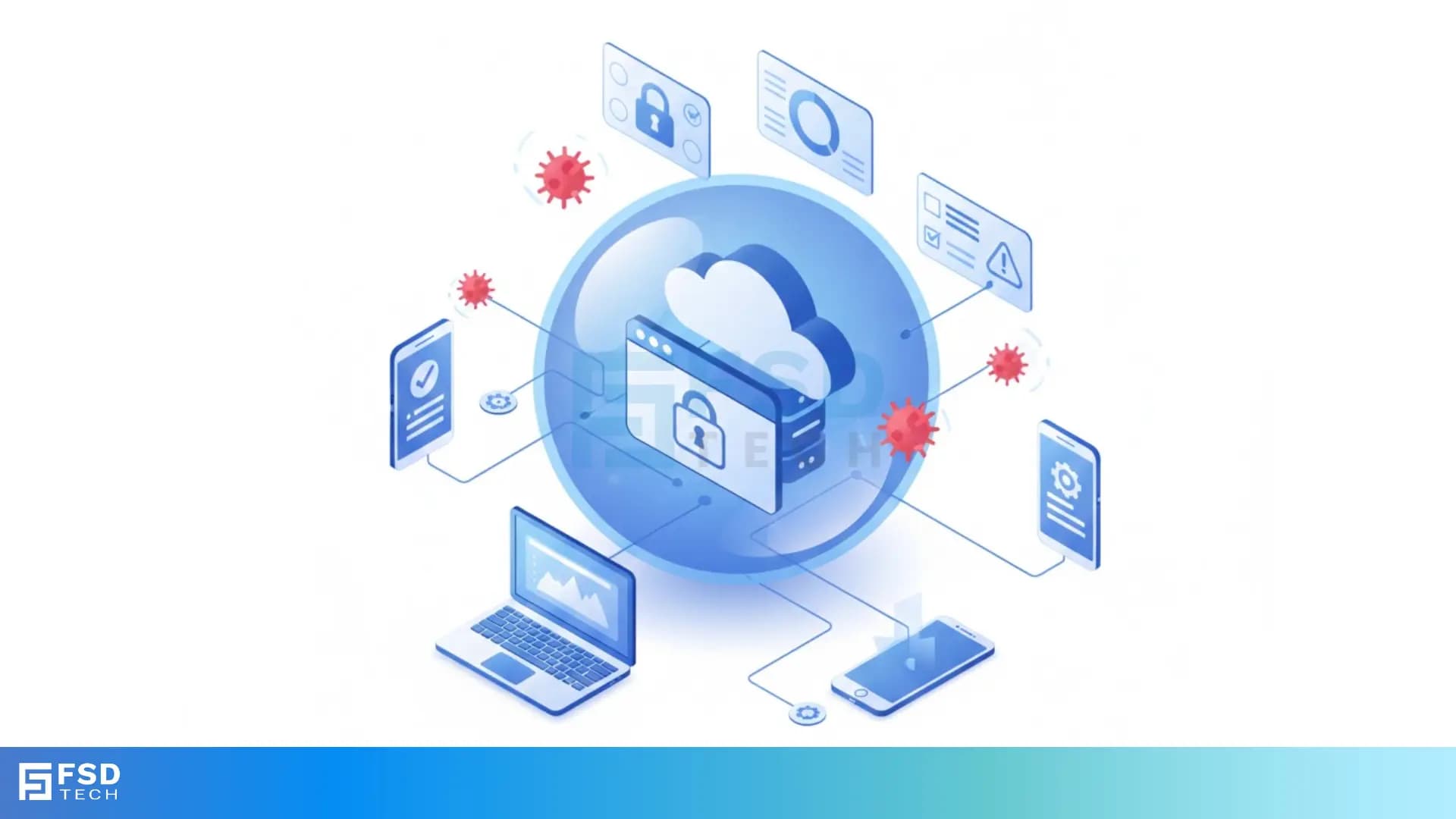
Remote Browser Isolation is the best way to keep your company safe from hidden web-based attacks. Have you ever worried about a teammate clicking a bad link in an email? We’ve all been there. One wrong move can let malware into your entire network. But what if the "click" never actually happened on your computer?
That is the magic of Remote Browser Isolation (RBI). It creates a digital wall between your device and the messy parts of the internet. Instead of loading a website on your local machine, a secure server in the cloud does the heavy lifting. You just see a safe picture of the site. It’s like watching a lion through thick glass at the zoo. You see everything, but you can't get bitten.
In this guide, we’ll look at how this tech works. We will see why old tools like firewalls aren't enough anymore. Plus, I’ll share some tips from my experience on how to set it up without slowing down your team.
To understand Remote Browser Isolation, we first need to look at how a normal browser works. Usually, when you visit a site, your computer downloads code. This includes HTML, CSS, and JavaScript. Your browser then runs that code to show you the page.
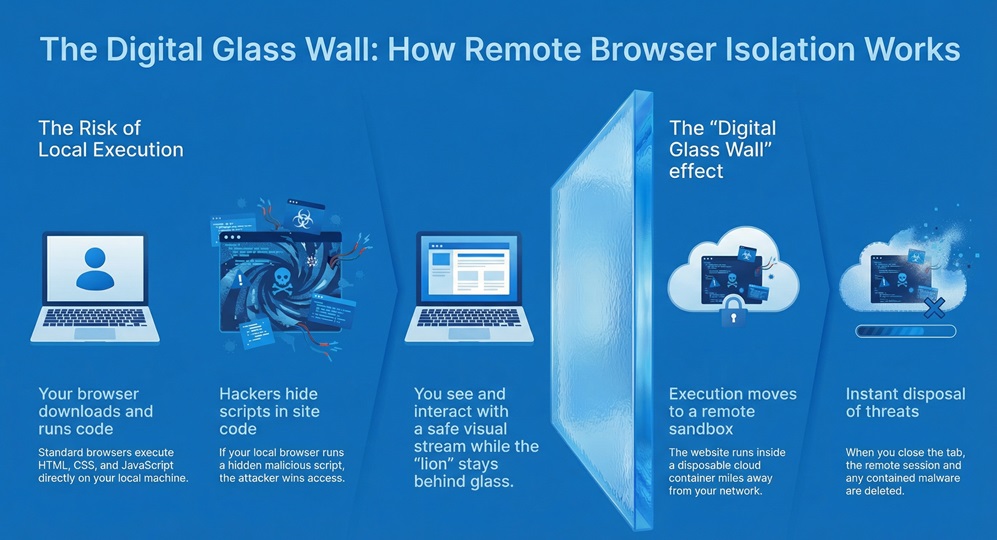
Here is the problem: hackers hide malicious scripts in that code. If your browser runs it, they win. RBI fixes this by moving the browsing session to a remote server. This server is usually in a sandbox or a container.
The Sandbox Method
Think of a sandbox as a disposable room. The website runs inside that room. When you close the tab, the room is deleted. Anything bad that tried to happen stays inside that deleted room.
How It Feels for You
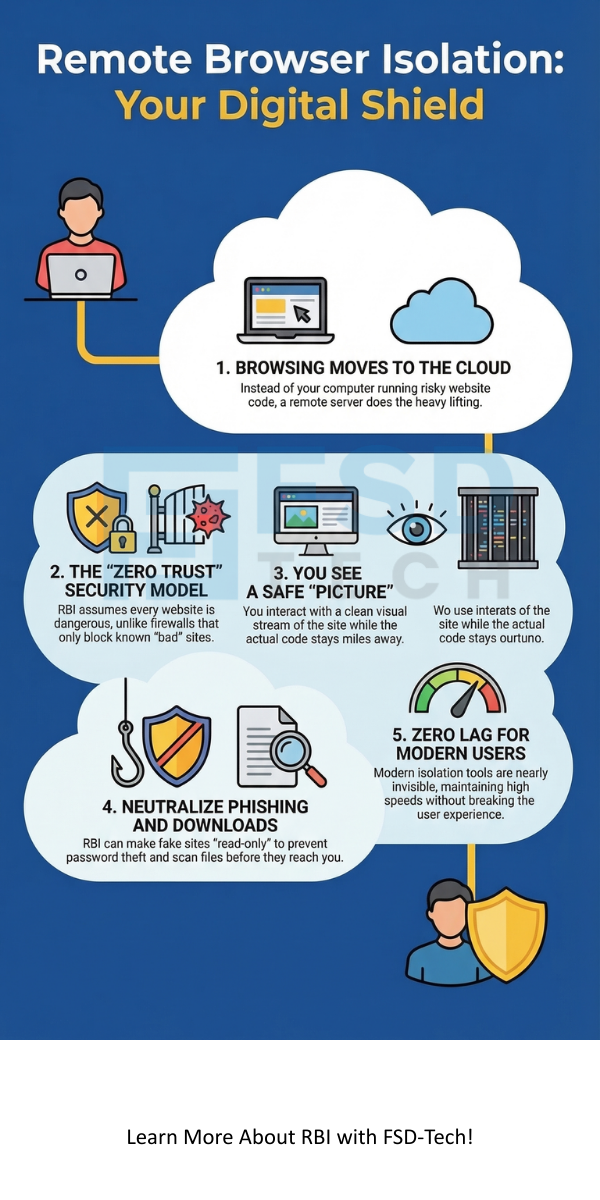
You might think this sounds slow. To be honest, older versions were a bit laggy. But modern Remote Browser Isolation is very fast. Most users don't even know it's there. You click, you scroll, and you type just like normal. The only difference is that the actual "execution" of the site happens miles away in a secure data center.
Many of us rely on "Blacklists." These are lists of known bad websites. If a site is on the list, your firewall blocks it. But what if the site is new? Hackers create thousands of new "zero-day" sites every hour.
The Problem with Detection
Most security tools try to guess if a site is bad. They scan the code and look for patterns. However, modern malware is very good at hiding. It can sit quietly until it knows it isn't being watched.
Remote Browser Isolation doesn't try to guess. It assumes every website is dangerous. This "Zero Trust" approach is much safer. Why take the risk of letting code run on your laptop when you don't have to?
Stopping Phishing Cold
Phishing is still the top way hackers get in. They send an email that looks like a login page for your bank or office. With RBI, we can set these pages to "read-only" mode. This means even if a user reaches a fake site, they can't type their password. It blocks the input, saving your credentials from being stolen.
Also Read: Network Firewalls vs. Next-Generation Firewalls: Which One Wins?
Not all Remote Browser Isolation tools are built the same way. There are two big ways companies send the "view" to your screen.
1. Pixel Pushing (Video Streaming)
In this version, the remote server takes a video of the website. It streams that video to your screen.
2. DOM Reconstruction
This method is a bit more clever. The remote server cleans the website code. It removes all the dangerous JavaScript and only sends the safe parts (like text and layout) to your browser.
In my view, most modern teams prefer DOM reconstruction for daily work. It keeps the "flow" of work smooth while staying very safe.
Why should you spend time setting up Remote Browser Isolation? Here are a few big reasons we see in the field:
Also Read: Threat Actors: Who is Behind Your Cyber Security Risks?
I hear a lot of rumors about RBI. Let's clear a few up.
"It's too expensive." It used to be. But now, many cloud providers include it as part of a larger security package (like SASE). When you compare it to the cost of a data breach, it's actually quite cheap.
"It breaks the internet." Ten years ago, yes. Today, no. Most tools have "bypass" lists for safe sites like Google or Microsoft 365. This ensures your main tools always work perfectly.
"Users will hate it." If you pick the right tool, they won't even notice. The goal of a good Remote Browser Isolation setup is to be invisible.
When looking at datasheets from companies like Forcepoint, Menlosecurity, or Accops, keep these questions in mind:
At the end of the day, your team just wants to do their jobs without worrying about hackers. We believe that security should be a safety net, not a barrier. By using Remote Browser Isolation, you give your employees the freedom to explore the web while keeping your company data locked tight. We are committed to helping you find the best way to stay safe in an ever-changing digital world.
Ready to see it in action?
A VPN creates a tunnel to your office. It doesn't actually stop you from visiting a bad site or downloading a virus. RBI actually stops the threat from reaching you.
Yes! If you click a link in an email, the Remote Browser Isolation tool opens that link in the secure cloud container.
Many modern providers have mobile apps or cloud gateways that extend RBI to mobile browsers.

Surbhi Suhane is an experienced digital marketing and content specialist with deep expertise in Getting Things Done (GTD) methodology and process automation. Adept at optimizing workflows and leveraging automation tools to enhance productivity and deliver impactful results in content creation and SEO optimization.
Share it with friends!




.webp&w=3840&q=75)






share your thoughts