HomeNext Gen IT-InfraMonitoring & ManagementCyber SecurityBCP / DRAutomationDecoded
Next Gen IT-Infra
Cato’s SASE Supports Cybersecurity Skills Development

How Cato’s SASE Supports Cybersecurity Skills Development

🕓 April 8, 2025

How SASE Supports the Security Needs of SMBs

How SASE Supports the Security Needs of SMBs

🕓 February 9, 2025

Attack Surface Reduction with Cato’s SASE

Attack Surface Reduction with Cato’s SASE

🕓 February 10, 2025

SASE for Digital Transformation in UAE

SASE for Digital Transformation in UAE

🕓 February 8, 2025

Monitoring & Management
Understanding Atera’s SLA Management

Understanding Atera’s SLA Management

🕓 February 7, 2025

Cost-Performance Ratio: Finding the Right Balance in IT Management Networks

Cost-Performance Ratio: Finding the Right Balance in IT Management Networks

🕓 June 16, 2025

Customizing Atera with APIs

Customizing Atera with APIs

🕓 March 3, 2025

Power Up Your IT Team’s Strategy with Atera’s Communication Tools

Power Up Your IT Team’s Strategy with Atera’s Communication Tools

🕓 February 8, 2025

Cyber Security
Illustration of the Cato Cloud architecture showing its role in delivering SASE for secure, optimized global connectivity.

Understanding the Cato Cloud and Its Role in SASE

🕓 January 29, 2025

Isometric illustration of professionals managing network performance, bandwidth analytics, and cloud-based optimization around the Cato Networks platform, symbolizing bandwidth control and QoS visibility.

Mastering Bandwidth Control and QoS in Cato Networks

🕓 July 26, 2025

Global network backbone powering Cato SASE solution for secure, high-performance connectivity across regions.

Global Backbone: The Engine Powering Cato’s SASE Solution

🕓 January 30, 2025

Illustration of IT team managing user roles and permissions on the Cato CMA dashboard via laptops and cloud interfaces.

Setting Up Role-Based Access Control (RBAC) in Cato

🕓 July 28, 2025

BCP / DR
Illustration showing diverse business and IT professionals collaborating with cloud, backup, and security icons, representing Vembu use cases for SMBs, MSPs, and IT teams.

Who Uses Vembu? Real-World Use Cases for SMBs, MSPs & IT Teams

🕓 July 12, 2025

Graphic showcasing Vembu’s all-in-one backup and disaster recovery platform with icons for cloud, data protection, and business continuity for IT teams and SMBs.

What Is Vembu? A Deep Dive Into the All in One Backup & Disaster Recovery Platform

🕓 July 6, 2025

Illustration showing Vembu backup and disaster recovery system with cloud storage, server racks, analytics dashboard, and IT professionals managing data.

The Rising Cost of Data Loss: Why Backup Is No Longer Optional?

🕓 August 14, 2025

3D isometric illustration of cloud backup and data recovery infrastructure with laptop, data center stack, and digital business icons — FSD Tech

RPO & RTO: The Heart of Business Continuity

🕓 August 15, 2025

Automation
Cross-Functional Collaboration with ClickUp

Fostering Cross-Functional Collaboration with ClickUp for Multi-Departmental Projects

🕓 February 11, 2025

ClickUp Project Reporting

Revolutionizing Enterprise Reporting with ClickUp’s Advanced Analytics and Dashboards

🕓 June 16, 2025

ClickUp’s Design Collaboration and Asset Management Tools

Empowering Creative Teams with ClickUp’s Design Collaboration and Asset Management Tools

🕓 February 26, 2025

ClickUp Communication and Collaboration Tools

ClickUp Communication and Collaboration Tools: Empowering Remote Teams

🕓 March 12, 2025

Decoded
Multi-Factor Authentication (MFA)

Multi-Factor Authentication (MFA): All You Need to Know

🕓 December 7, 2025

L3 Switch

What Is an L3 Switch? L2 vs L3 & Why You Need Layer 3?

🕓 December 8, 2025

IPSec

IPSec Explained: Protocols, Modes, IKE & VPN Security

🕓 December 3, 2025

 Datagram Transport Layer Security (DTLS)

What is Datagram Transport Layer Security (DTLS)? How it works?

🕓 December 4, 2025

    Subscribe to our newsletter!

    About Us

    Follow Us

    Copyright © 2024 | Powered by 

    Cato SASE Architecture

    Inside Cato’s SASE Architecture: A Blueprint for Modern Security

    🕓 January 26, 2025

    Enterprise Data Security and Privacy with ClickUp

    Ensuring Enterprise Data Security and Privacy with ClickUp

    🕓 February 9, 2025

    DDoS protection SASE

    DDoS Protection and Cato’s Defence Mechanisms

    🕓 February 11, 2025

    Table of Contents

    What is a Firewall as a Service (FWaaS)?

    Surbhi Suhane
    December 1, 2025
    Comments
    Firewall as a Service (FWaaS)

    Firewall as a Service (FWaaS) represents the quiet revolution in cybersecurity that you might not know you need. For years, your company relied on a heavy, fixed hardware firewall to protect its network. 


    That device was the security backbone when everyone worked in the office. But look around today. Your data is everywhere—in dozens of cloud apps and your employees connect from coffee shops, homes, and airports.


    This has left your corporate security model vulnerable and obsolete. That old physical firewall, which you spent so much money on, is now effectively blind to most of your critical business traffic. This leads to a frightening question: Who is truly inspecting the connections when your users bypass the office network altogether?


    Firewall as a Service (FWaaS) provides the powerful and necessary solution. It transports the intelligence and enforcement power of the best firewalls out of the box and into the global cloud. This simple move allows security to follow the user, not the building. 


    But how does this cloud service achieve better inspection and faster threat blocking than a dedicated appliance? The mechanics behind this transformation are surprising, and they are what keep modern enterprises protected. Let us uncover exactly how this future-proof defense system operates.


    What is Firewall as a Service (FWaaS)?

    Let us start by understanding the core definition. Firewall as a Service (FWaaS) refers to a modern network security solution. It moves the protection of a traditional firewall from a hardware box to the cloud. 


    The service is delivered entirely from the cloud. In simple words, FWaaS means your firewall protection is now a scalable service, not a piece of equipment in your office.


    This change is important because of how businesses work today. Companies now use many cloud applications and have many remote workers. The old way of routing all traffic back to a central office for inspection is slow and costly. 


    Firewall as a Service (FWaaS) solves this problem. It applies consistent security policies to users everywhere, no matter where they connect from.


    Get Started with Cato SASE FWaaS!


    Need for Cloud Firewalls

    For many years, the network perimeter was clear. All workers were inside the office building. A physical firewall stood at the edge of the network. It protected everything inside. This model worked well for a long time.


    However, the perimeter has now vanished. Today, your data lives in the cloud. Your staff works from homes, coffee shops, and airports. They connect directly to services like Microsoft 365 and Salesforce. This creates a big security gap.


    The old system leaves data and users exposed. A traditional firewall cannot protect traffic going directly to the internet. This is why a new approach is necessary. Firewall as a Service (FWaaS) is that approach. It makes the firewall border virtual and mobile.


    How Does Firewall as a Service Work?

    In this section, we will discuss how does Firewall as a Service work. FWaaS uses a cloud-native platform to inspect and control traffic. This is a key difference from hardware-based firewalls. The service runs across a global network of cloud data centers.


    Firewall as a Service (FWaaS) works by directing network traffic to its cloud platform. This is done through different methods. These methods include lightweight agents on endpoints, tunnels from branch offices, or integration with cloud providers. Once the traffic is routed, the FWaaS platform acts as the security enforcement point.


    The process involves several main steps:


    1. Traffic Interception: The traffic from any user, device, or remote office is securely sent to the nearest FWaaS cloud node.
    2. Policy Enforcement: The FWaaS platform checks the traffic against the company’s set security policies. This check happens in real-time.
    3. Inspection and Filtering: The platform performs deep inspection. It identifies threats, blocks unwanted applications, and filters harmful content.
    4. Secure Forwarding: Only clean, allowed traffic is then routed to its final destination, whether that is the public internet, a cloud application, or the corporate data center.


    Look at the diagram below. It shows the cloud sitting between the user and the internet. This cloud is where Firewall as a Service (FWaaS) lives.


    In this way, the firewall protection travels with the user. The user does not need to be on the local corporate network to be safe.


    Also Read: Unified Endpoint & Network Investigation: CrowdStrike and SentinelOne Stories in the Stories Workbench


    Key Components of Next Generation Firewall as a Service

    A simple firewall only blocks traffic based on port and protocol. A modern, or next generation, firewall does much more. The best Firewall as a Service (FWaaS) offerings are based on Next Generation Firewall as a Service features.


    Next Generation Firewall as a Service (NGFWaaS) includes advanced security functions. These go beyond basic packet filtering. They give complete visibility and control over web traffic, applications, and threats.


    Key security components include:


    • Deep Packet Inspection (DPI): DPI looks at the actual content of the data packet, not just the address. This allows the firewall to see what application is really running, even if it tries to hide or use a non-standard port.
    • Intrusion Prevention System (IPS): The IPS actively stops threats like known vulnerabilities and exploits before they can enter the network. This is a critical layer of defense for any security service.
    • Application Control: This lets a company block or limit the use of specific applications. For example, you can block peer-to-peer file sharing programs to protect your network.
    • Centralized Policy Management: All security rules are managed from one single console in the cloud. This makes it easy to apply the exact same rules to every single user or office instantly.


    A large number of companies choose a managed firewall as a service solution. Managed firewall as a service means that a third-party security expert takes care of the whole process. They handle policy updates, threat monitoring, and system maintenance. This approach removes the burden from internal IT teams.


    Managed firewall as a service is often ideal for smaller businesses or those with limited security staff. The service provider ensures that the FWaaS platform is always up-to-date. They also watch for attacks 24 hours a day, seven days a week. This ensures your security is always active and current.


    Advantages and Disadvantages of Firewall as a Service (FWaaS)

    Adopting Firewall as a Service (FWaaS) offers strong benefits. But, like any technology, it also comes with certain trade-offs. It is important to look at both sides before making a decision.


    Advantages of Firewall as a Service (FWaaS)

    Firewall as a Service (FWaaS) brings many benefits that traditional, hardware-based firewalls cannot match.


    1. Scalability and Elasticity: Firewall as a Service (FWaaS) can grow or shrink instantly based on your company's needs. If your traffic suddenly doubles, the cloud service handles it without you having to buy and install new hardware. This ability to scale is a major cost saver.
    2. Global Consistency: Firewall as a Service (FWaaS) applies the same security rules to every user, everywhere. Whether the user is in the main office or a remote hotel, the policy is identical. This removes security holes that come from inconsistent enforcement.
    3. Cost Efficiency: You do not buy expensive firewall hardware. You also do not pay for the space, power, and cooling needed to run it. Instead, you pay a predictable subscription fee. This shifts the cost from a large capital expense to a manageable operating expense.
    4. Reduced Latency and Better Performance: By placing the firewall in the cloud, inspection happens closer to the user and the destination. This reduces the time it takes for data to travel, making application access faster.
    5. Simplified Management: The vendor handles hardware maintenance, software updates, and patching. This greatly simplifies the job of your IT staff.


    Disadvantages of Firewall as a Service (FWaaS)

    While powerful, Firewall as a Service (FWaaS) has two primary drawbacks.


    1. Dependency on Internet Connection: The service relies completely on having an active, working internet connection. If the connection fails, the protection is lost or degraded.
    2. Vendor Dependency: You rely on the service provider for reliability and security updates. If the vendor experiences an outage or a security failure, it directly impacts your entire company's security posture.


    Also Read: Unified Device Visibility: Enhancements to Cato’s Device Inventory


    Firewall as a Service (FWaaS) vs. Traditional Firewalls

    We should now compare the two main types of firewall solutions. Understanding the key differences shows why many businesses are moving to the cloud model.


    Basis for ComparisonTraditional Firewall (Hardware Appliance)Firewall as a Service (FWaaS)
    Meaning/DefinitionA physical, dedicated hardware appliance installed at the edge of a corporate network or data center.A cloud-native security service that delivers firewall capabilities via a global network of Points of Presence (PoPs).
    Delivery ModelCapital Expenditure (CapEx): Requires purchasing hardware, software licenses, and maintenance contracts.Operating Expenditure (OpEx): Utilized as a subscription-based, pay-as-you-go cloud service.
    Deployment LocationOn-premises (inside the local office, data center, or branch office). Traffic must be backhauled (routed back) for inspection.Cloud-based, deployed in proximity to the user, device, or application, regardless of physical location.
    Scalability & CapacityLimited by the physical hardware specifications. Requires expensive manual replacement (rip-and-replace) or stacking of appliances to scale capacity.Highly elastic and instantly scalable. The cloud provider handles capacity demands automatically to meet traffic spikes.
    Management & MaintenanceRequires dedicated internal IT staff for configuration, patching, operating system updates, and hardware failure management.Simplified; the vendor handles all hardware and software maintenance, updates, and vulnerability patching automatically. Often delivered as a managed firewall as a service.
    Security ScopePrimarily protects the defined network perimeter (North-South traffic). Limited or no protection for remote users accessing cloud services directly.Protects all endpoints (users, devices, branches) everywhere. Offers consistent, uniform security for North-South and East-West cloud traffic.
    Threat IntelligenceOften relies on locally installed signature databases, requiring manual or scheduled updates, which can lag in response to zero-day threats.Leverages centralized, real-time, global threat intelligence from the cloud provider, offering immediate protection against emerging threats.
    Agility & Policy DeploymentPolicy changes often require manual deployment to multiple, disparate physical appliances across locations, leading to inconsistencies.Policies are managed from a single, centralized cloud console and enforced instantly across all global users and locations.
    Performance ImpactCan introduce latency (slowdown) when mobile users are forced to backhaul traffic to the centralized physical firewall for inspection (hairpinning).Minimizes latency by inspecting traffic closer to the user and routing it directly to the cloud service, improving performance for cloud applications.
    Integration with CloudPoor native integration. Requires complex VPNs or specialized hardware extensions to secure traffic to IaaS/SaaS platforms.Designed for cloud environments. Natively integrates with major cloud providers (AWS, Azure, GCP) and secures access to all SaaS applications.


    Key Differences Between FWaaS and Traditional Firewalls

    1. Deployment Model: A traditional firewall is deployed physically inside a data center or office. Firewall as a Service (FWaaS) is deployed globally across the cloud provider's infrastructure. This difference in deployment changes where protection is applied.
    2. Cost Structure: Traditional firewalls require a high initial investment for the hardware. Firewall as a Service (FWaaS) uses a subscription model, which avoids large upfront costs. This difference affects long-term financial planning.
    3. Security Depth for Mobile Users: The traditional firewall cannot inspect traffic from a remote worker unless that worker uses a VPN to connect back to the office. Firewall as a Service (FWaaS) can inspect and secure traffic for any mobile user directly from the closest cloud node. This is a critical security advantage in the modern workplace.
    4. Hardware Lifecycle: Traditional firewalls have a set hardware lifecycle. They need to be replaced every few years. Firewall as a Service (FWaaS) has no hardware lifecycle. The service provider handles all equipment upgrades and maintenance seamlessly. This means your security platform never becomes outdated.


    Conclusion

    In a nutshell, Firewall as a Service (FWaaS) changes the way companies think about network security. The move from physical boxes to a cloud-delivered service is essential for organizations with remote workers and cloud applications.


    This type of modern security tool offers features that a classic hardware device simply cannot. The ability to implement next generation firewall as a service capabilities across a global workforce is unmatched. Whether you choose to manage it yourself or use managed firewall as a service, the benefits of centralized control, infinite scalability, and current threat intelligence are clear.


    Firewall as a Service (FWaaS) is not just a trend. It is the logical next step for securing the modern digital business. It ensures that your data and users are protected, no matter where they go. The focus must always be on making security simple, powerful, and always available.


    Talk to our Cato SASE Experts to implement Firewall as a Service
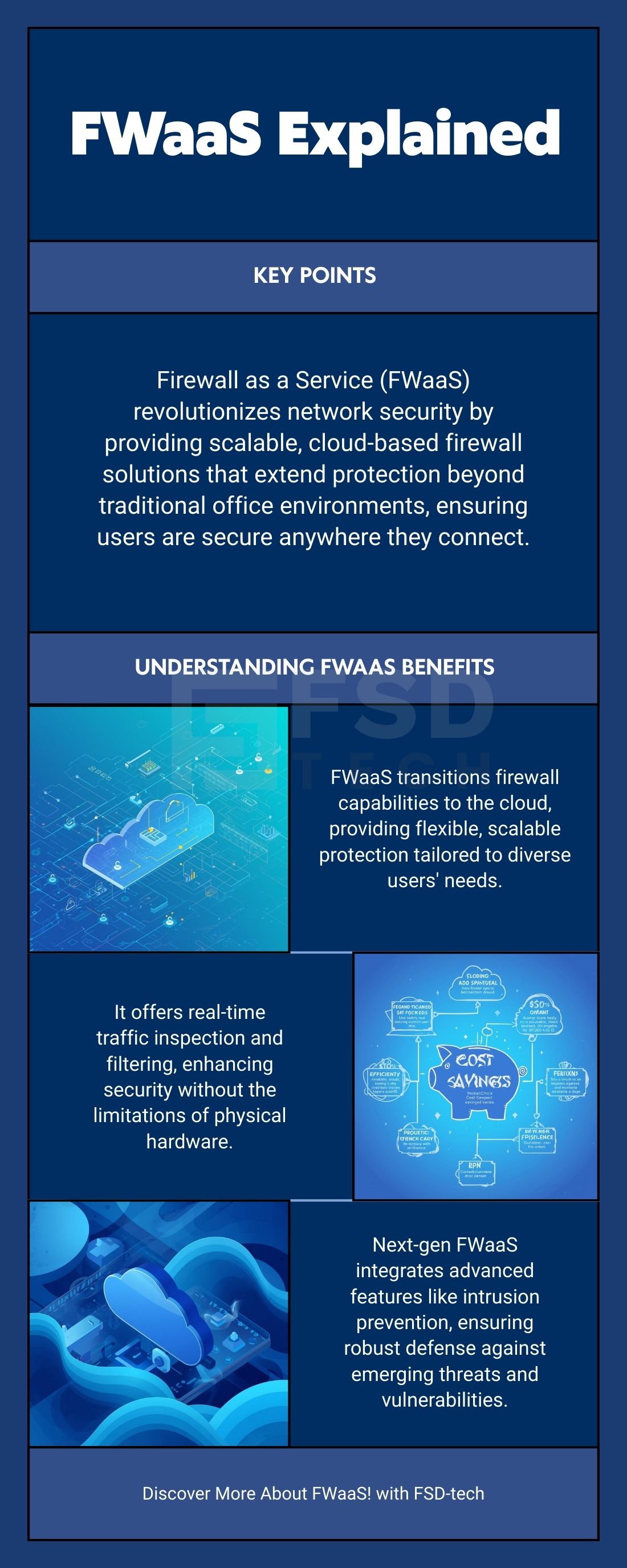
     

    Firewall as a Service Infographic


    FAQs on Firewall as a Service (FWaaS)

    What is Firewall as a Service (FWaaS)?

    It is a cloud-delivered firewall that secures network traffic without needing physical hardware.


    How does Firewall as a Service work?

    It routes your traffic to the cloud for inspection, applying consistent rules globally.


    Why should a company use FWaaS?

    It offers better scalability and unified policy for remote workers and cloud apps.


    Is FWaaS the same as a traditional firewall?

    No. FWaaS is cloud-based and scalable; traditional firewalls are fixed hardware.


    What is a major advantage of FWaaS?

    It removes the need to buy and maintain expensive, location-specific firewall hardware.


    Does FWaaS include Next Generation Firewall (NGFW) features?

    Yes, most FWaaS solutions include features like deep packet inspection (DPI).


    What does "Managed FWaaS" mean?

    A third-party expert handles all configuration, updates, and 24/7 threat monitoring for you.


    What is the main drawback of FWaaS?

    It completely depends on a stable internet connection for continuous protection.


    Is FWaaS more secure than hardware?

    It offers more consistent, current security because updates are automatic and instant globally.


    How does FWaaS save money?

    It changes costs from large capital expenses (hardware) to a predictable monthly service fee.

    What is a Firewall as a Service (FWaaS)?

    About The Author

    Surbhi Suhane

    Surbhi Suhane is an experienced digital marketing and content specialist with deep expertise in Getting Things Done (GTD) methodology and process automation. Adept at optimizing workflows and leveraging automation tools to enhance productivity and deliver impactful results in content creation and SEO optimization.

    Like This Story?

    Share it with friends!

    Subscribe to our newsletter!

    Atera

    (48)

    Cato Networks

    (118)

    ClickUp

    (70)

    FishOS

    (7)

    Miradore

    (21)

    PointGuard AI

    (9)

    Vembu

    (22)

    Xcitium

    (33)

    ZETA HRMS

    (76)

    Workflow Automation(8)

    Workforce Automation(1)

    AI Project Management(1)

    HR Data Automation(1)

    RMM(1)

    IT Workflow Automation(1)

    IT security(2)

    GCC compliance(4)

    Payroll Integration(2)

    IT support automation(3)

    procurement automation(1)

    lost device management(1)

    IT Management(5)

    IoT Security(2)

    Cato XOps(2)

    IT compliance(4)

    Workflow Management(1)

    Task Automation(1)

    OpenStack automation(1)

    Kubernetes lifecycle management(2)

    AI-powered cloud ops(1)

    SMB Security(8)

    Data Security(1)

    MDR (Managed Detection & Response)(4)

    Atera Integrations(2)

    MSP Automation(3)

    XDR Security(2)

    SMB Cyber Protection(1)

    Ransomware Defense(3)

    HR Tech Solutions(1)

    Zero Trust Network Access(3)

    Zero Trust Security(2)

    Endpoint Management(1)

    SaaS Security(1)

    Payroll Automation(5)

    IT Monitoring(2)

    Xcitium EDR SOC(15)

    Ransomware Protection GCC(1)

    M&A IT Integration(1)

    Network Consolidation UAE(1)

    MSSP for SMBs(1)

    Managed EDR FSD-Tech(1)

    Ransomware Protection(3)

    SMB Cybersecurity GCC(1)

    FSD-Tech MSSP(25)

    Antivirus vs EDR(1)

    Endpoint Security(1)

    Cybersecurity GCC(12)

    Data Breach Costs(1)

    Endpoint Protection(1)

    SMB Cybersecurity(8)

    Zero Dwell Containment(31)

    Managed Security Services(2)

    Xcitium EDR(30)

    Cloud Backup(1)

    Hybrid Backup(1)

    Backup & Recovery(1)

    pointguard ai(4)

    backup myths(1)

    vembu(9)

    SMB data protection(9)

    disaster recovery myths(1)

    Disaster Recovery(4)

    Vembu BDR Suite(19)

    GCCBusiness(1)

    DataProtection(1)

    Secure Access Service Edge(4)

    GCC HR software(18)

    Miradore EMM(15)

    Cato SASE(7)

    Cloud Security(8)

    Talent Development(1)

    AI Cybersecurity(12)

    AI Governance(4)

    AI Security(2)

    AI Compliance(2)

    AI Risk Management(1)

    GCC business security(1)

    GCC network integration(1)

    compliance automation(5)

    education security(1)

    GCC cybersecurity(2)

    BYOD security Dubai(8)

    App management UAE(1)

    Miradore EMM Premium+(5)

    MiddleEast(1)

    HealthcareSecurity(1)

    Team Collaboration(1)

    IT automation(12)

    Zscaler(1)

    SD-WAN(6)

    HR Integration(4)

    Cloud Networking(3)

    device management(9)

    VPN(1)

    RemoteWork(1)

    ZeroTrust(2)

    MPLS(1)

    Project Management(9)

    HR automation(16)

    share your thoughts

    Zombie Computer

    What Is a Zombie Computer? Botnet Threats Guide

    🕓 January 29, 2026

    Metadata Analysis

    What is Metadata Analysis? Guide to Data Insights

    🕓 January 29, 2026

    Decryption and Encryption

    What is Decryption and Encryption in Modern Data Security?

    🕓 January 28, 2026

    Decoded(87)

    Cyber Security(118)

    BCP / DR(22)

    Zeta HRMS(75)

    SASE(21)

    Automation(70)

    Next Gen IT-Infra(118)

    Monitoring & Management(69)

    ITSM(22)

    HRMS(21)

    Automation(24)