.webp&w=3840&q=75)
How ClickUp Enables Outcome-Based Project Management (Not Just Task Tracking)
🕓 February 15, 2026
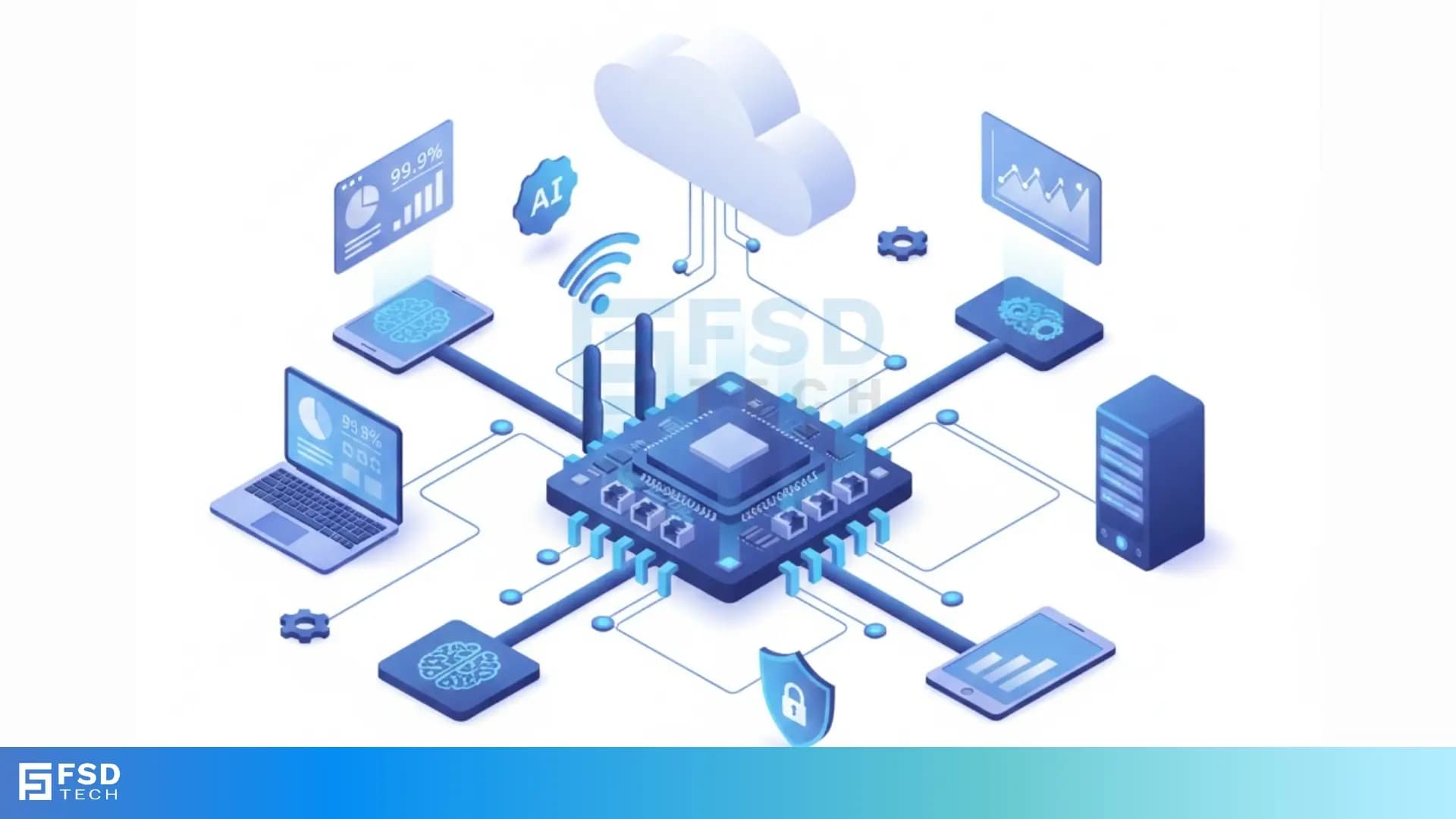
A Network Interface Card (NIC) is a hardware component that allows a computer or other network device to connect to a computer network. The NIC is essential because it acts as a translator, allowing the device to send and receive data signals over the network cable or wirelessly.
Without a network interface card, your computer cannot join a local area network (LAN) or access the larger internet.
It consists of two essential components: the physical layer interface and the data link layer logic. The physical layer handles the actual transmission of electrical or optical signals over the cable. In contrast, the data link layer manages how data is framed and addressed, using a unique MAC address that is burned into the card's firmware. This component is critical for all digital communication.
To know more about the Network Interface Card in detail, including its function, types, and how it works, read below. We will discuss the NIC card in detail along with its vital role in modern networking.
The Network Interface Card can be defined as a circuit board or chip that provides the necessary physical connection and data link control logic to allow a data device to communicate over a computer network. Simply put, it is the bridge between your device and the network cable or wireless medium. You might also hear it called a network adapter, LAN card, or simply NIC.
Every device that needs to connect to a network must have a network adapter. This includes desktop computers, servers, laptops, and even certain printers and other peripherals.
The primary function of the NIC card is to prepare data from the device for the network cable and also to convert network signals back into data the device can understand. This process ensures smooth and reliable data transmission.
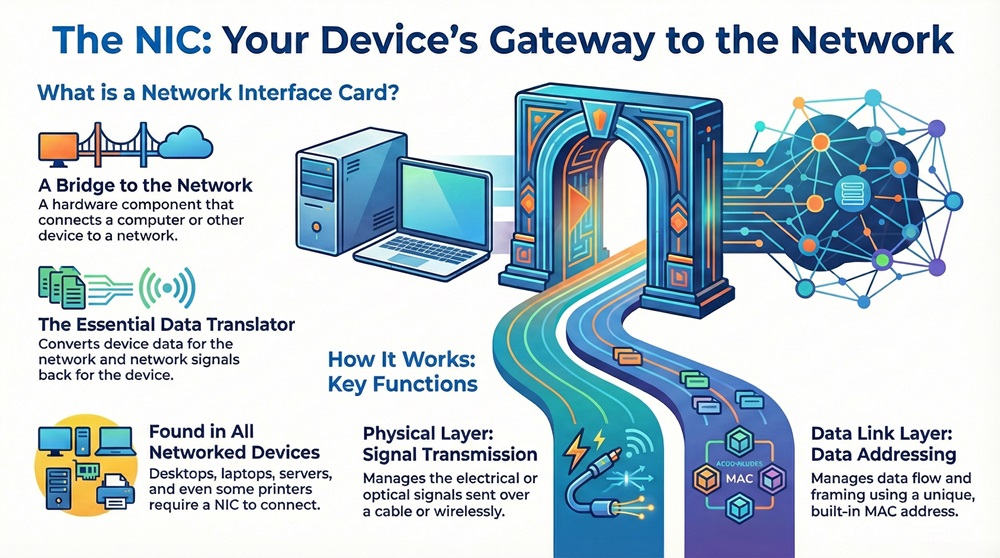
Moreover, the network interface card is responsible for two critical things. First, it manages the flow of data using the Media Access Control (MAC) address. Second, it uses different physical connectors, such as an RJ45 port for an Ethernet card or an antenna for a wireless NIC. Network cards have changed a lot over the years, moving from large expansion cards to small chips built right onto the computer's motherboard.
A Network Interface Card is composed of several key elements that work together to manage network communication. These components ensure that the card can connect to the host device, process data, and transmit or receive signals accurately. Understanding these parts helps in knowing how the network adapter does its job.
The major components are:
The figure below shows the structure of a generic network interface card. Observe that all these parts must work perfectly for the network adapter to function.
Also Read: What Is an L3 Switch? L2 vs L3 & Why You Need Layer 3?
The NIC card performs several critical functions that are vital for network communication. Basically, the network interface card allows your computer to speak the language of the network. If the NIC card fails, network access stops.
Let us now understand the core functions of the network interface card:
Moreover, a modern network interface card often includes features to offload some processing from the device's CPU, like TCP/IP checksum calculations. This makes network communication much faster and frees up the CPU for other tasks.
The landscape of the Network Interface Card is quite diverse, mainly depending on the connection type and the bus interface used. Knowing the different network card types helps you choose the right one for your needs, whether you are building a powerful server or setting up a simple home network.
Following are the main types of NIC card based on connection:
A wired NIC is the most common type and uses a cable to connect to the network.
A wireless NIC connects to the network without using cables, relying on radio waves.
Network interface card types can also be classified by how they connect to the computer's motherboard:
Also Read: What is Datagram Transport Layer Security (DTLS)? How it works?
The process of data transmission through a Network Interface Card involves several layered steps. The network adapter is crucial because it handles the lowest layers of the network model, making network communication possible.
Here, we will see how a NIC card works to send and receive data:
The process for sending data starts when the computer's operating system gives the data to the network adapter.
When receiving data, the network interface card performs the reverse steps.
The Network Interface Card brings many significant benefits to network systems. Without a reliable network interface card, the powerful networks we use daily would not be possible.
Following are the major advantages:
For instance, using a dedicated Ethernet card in a server, rather than an older integrated one, can dramatically improve the server's ability to handle high volumes of network traffic without slowing down.
Also Read: Domain Spoofing Explained: How It Works & How to Stop It
While the Network Interface Card is essential, it does have certain limitations and challenges. It must be noted that these limitations are often about compatibility or performance bottlenecks.
Below we have discussed some limitations:
The ubiquitous nature of the Network Interface Card means it is found in virtually every device that connects to a network. The main keyword, Network Interface Card, is relevant across many computing and networking fields.
Let us now discuss the various applications of the network adapter:
For example, a security camera system uses a wired Network Interface Card to send video data to a Network Video Recorder (NVR) over the local LAN.
The following table compares the two main network card types based on key factors.
| Basis for Comparison | Wired Network Interface Card | Wireless Network Interface Card |
|---|---|---|
| Meaning | A NIC card that connects to the network using a physical cable, typically Ethernet. | A NIC card that connects to the network using radio waves, typically Wi-Fi. |
| Nature | Provides a highly reliable, physical connection. | Provides a flexible, radio-based connection. |
| Examples | Gigabit Ethernet port, RJ45 port card. | Wi-Fi network card, 802.11ax adapter. |
| Function/Purpose | To offer maximum speed and stability for fixed devices. | To offer mobility and convenience for portable devices. |
| Max Speed | Can reach 10 Gbps and higher, often limited by the switch/router. | Typically slower than wired, generally maxing out in the multi-gigabit range under ideal conditions. |
| Security | Inherently more secure as physical access to the cable is needed. | Requires strong encryption (WPA3) to secure the wireless link. |
The Network Interface Card is a vital piece of hardware that acts as the necessary intermediary between a digital device and a computer network. It is not just a simple port; it is a sophisticated network adapter that manages the complexities of signal conversion, data framing, and unique device identification using the MAC address. Whether it is a blazing-fast Ethernet card in a server or a convenient wireless NIC in a laptop, the core function remains the same: to facilitate seamless and reliable communication across the network.
Understanding the NIC card's role, from its PCI Express bus connection to its RJ45 port or antenna, helps you appreciate the fundamental building blocks of modern networking. Therefore, when you troubleshoot a connection issue or upgrade your system, the performance and type of Network Interface Card you choose will make a critical difference. Thus, always focus on selecting a network adapter that matches your speed and reliability needs.
We are dedicated to helping you understand complex technology like the Network Interface Card with clear, easy-to-follow content. Our focus is on providing you with the technical knowledge you need to make informed decisions for your networking setup, always prioritizing your success and understanding.
Get Your Free Security Consultation
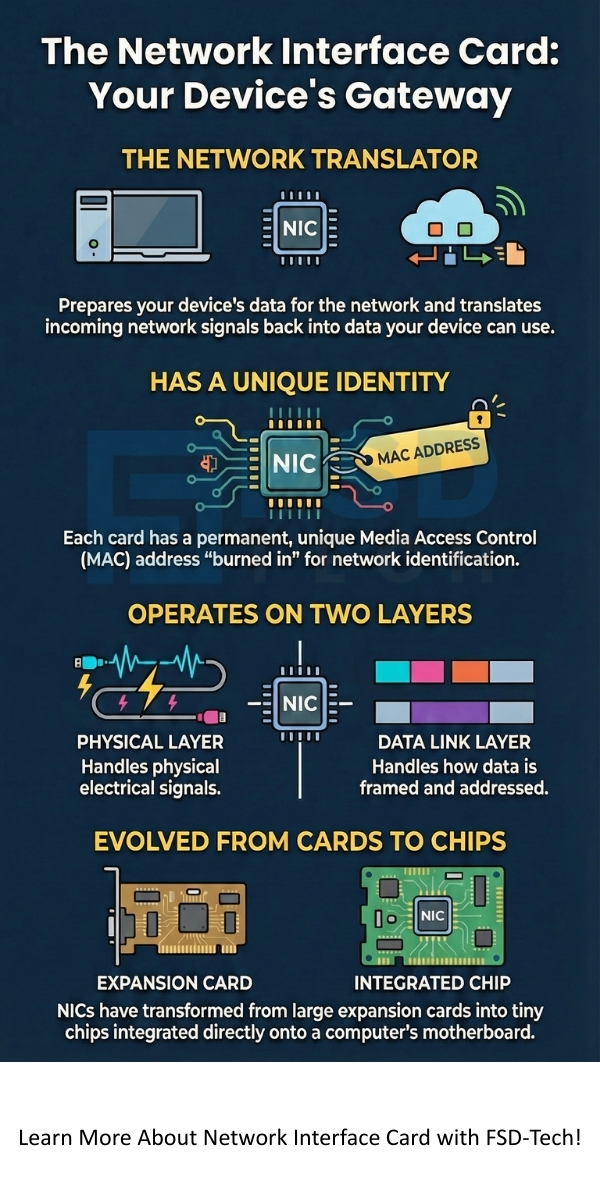
Here are the key takeaways about the Network Interface Card (NIC):
A Network Interface Card is a component inside a single device (like a computer) that allows it to connect to the network. On the other hand, a router is a standalone device that connects multiple networks (like your home LAN and the Internet) and directs traffic between them. The NIC is for device connection; the router is for network connection.
Yes, a computer, especially a server, can have multiple network interface cards. This allows the server to connect to multiple separate networks, provide redundancy, or bond the network cards together for increased bandwidth (a process called link aggregation).
The MAC address (Media Access Control address) is a unique, physical address permanently programmed into the NIC card's hardware by the manufacturer. It is used by the network adapter to uniquely identify the device on a local network segment, ensuring the correct delivery of data frames.

Surbhi Suhane is an experienced digital marketing and content specialist with deep expertise in Getting Things Done (GTD) methodology and process automation. Adept at optimizing workflows and leveraging automation tools to enhance productivity and deliver impactful results in content creation and SEO optimization.
Share it with friends!




.webp&w=3840&q=75)






share your thoughts