.webp&w=3840&q=75)
How ClickUp Enables Outcome-Based Project Management (Not Just Task Tracking)
🕓 February 15, 2026
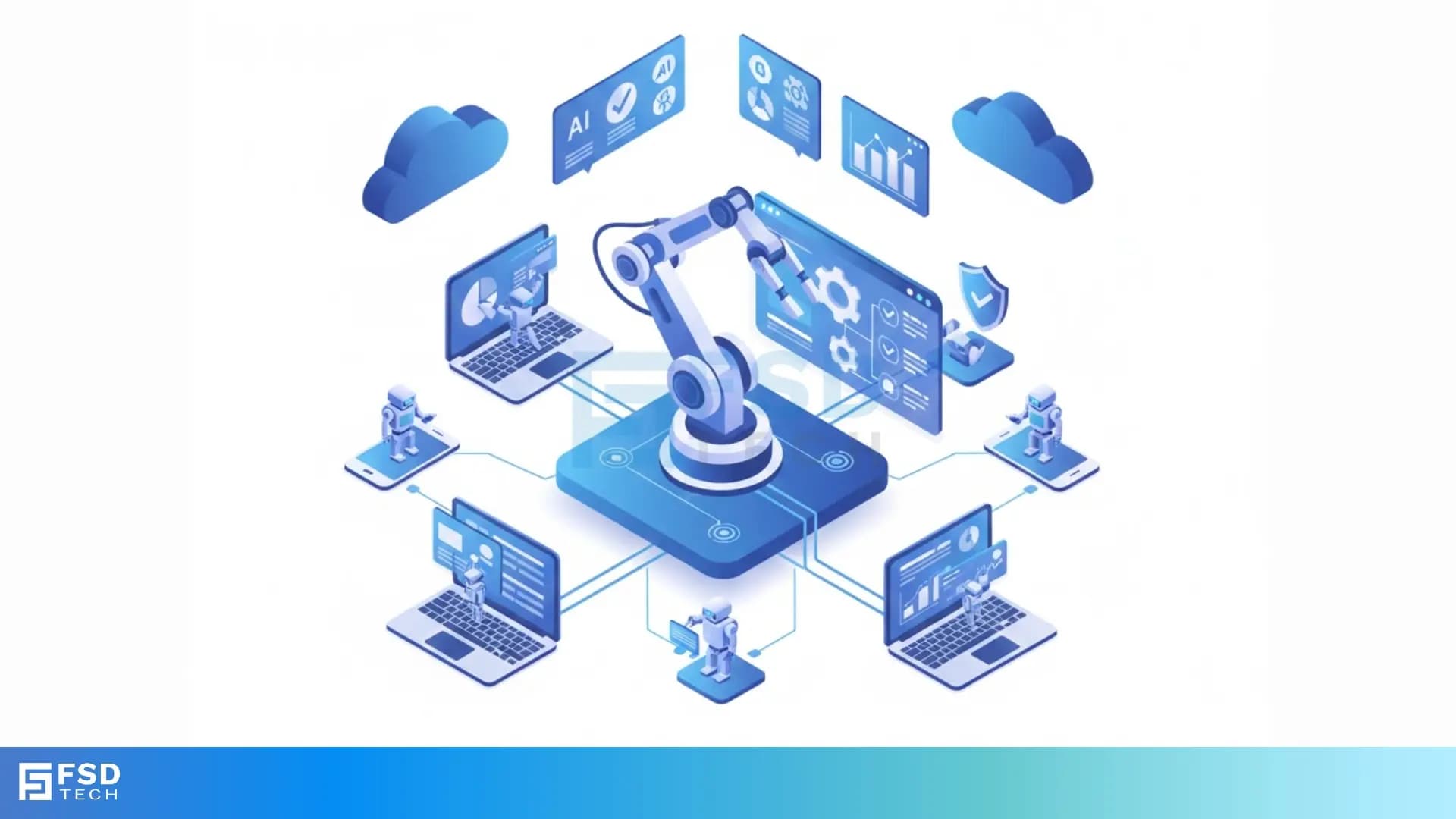
Many businesses want to finish their daily work faster and with fewer mistakes. They look for solutions that can handle those repetitive, rule-based tasks that human employees manage today. If you feel like your team spends too much time on simple, clicking, and data entry work, you need a better way. This guide will help you understand a powerful solution called Robotic Process Automation—a technology that uses software to mimic human actions.
Robotic Process Automation (RPA) helps companies work smarter. It takes over routine tasks, giving your team back valuable time for more complex, creative, and customer-focused work. We will break down exactly what is Robotic Process Automation, how it works, and why it is important for your organization's future.
Robotic Process Automation refers to using software programs, or "bots," to automate business processes. The meaning of Robotic Process Automation is simple: you create a software robot to perform the same actions a human worker would do on a computer.
The software robot interacts with applications, websites, and data just like a person does. It logs into systems, copies and pastes data, moves files, sends emails, and completes forms. RPA robotic process automation executes these structured, predictable tasks quickly and without errors.
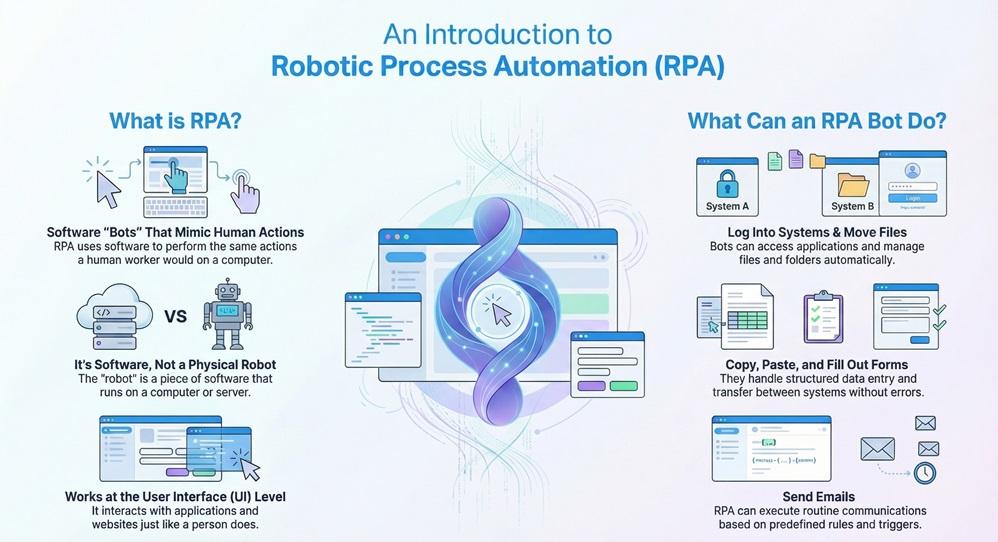
It is important to note that the "robot" in Robotic Process Automation is not a physical machine. It is a piece of software that lives on a computer or server.
Automate Your Business Reach our experts
Before we dive deeper, it is helpful to see how Robotic Process Automation differs from older ways of automating work. While traditional tools rely on deep system integrations and Application Programming Interfaces (APIs), RPA works at the user interface (UI) level.
What does robotic process automation typically involve? It involves the bot watching and mimicking the user's steps.
| Basis for Comparison | Robotic Process Automation (RPA) | Traditional Automation (e.g., API Integration) |
|---|---|---|
| Approach | Works at the User Interface (UI) level, like a human user. | Works at the code or API level, integrating systems directly. |
| Implementation | Fast to implement; no need to change core IT systems. | Slower implementation; requires complex coding and system changes. |
| Best For | Structured, repetitive, rule-based tasks across different apps. | Complex, deep data transfer between two integrated systems. |
| Cost | Lower initial cost; uses existing system interfaces. | Higher initial cost; involves heavy developer effort. |
| Flexibility | Highly flexible; easy to change the bot's workflow. | Less flexible; changing the process requires recoding the integration. |
Also Read: What is a Botnet? How Botnet Attacks Work & Prevention
To understand how does Robotic Process Automation work, you must know about the core components and the development process. RPA uses specific technology to make the software bot function.
1. The RPA Software and Tools
The foundation of this technology is the Robotic Process Automation software. These tools allow developers or business users to design, build, and deploy the bots.
Robotic Process Automation tools work by capturing the steps a human takes. This process involves:
What is Robotic Process Automation software? It is the platform—the brain—that builds, manages, and runs the actual bots. Examples of major Robotic Process Automation tools include platforms like UiPath, Automation Anywhere, and Blue Prism.
2. The Step-by-Step RPA Process
The journey from a manual process to an automated one follows a clear, sequential pattern:
In this way, the process turns a repetitive human action into an automatically executed digital process.
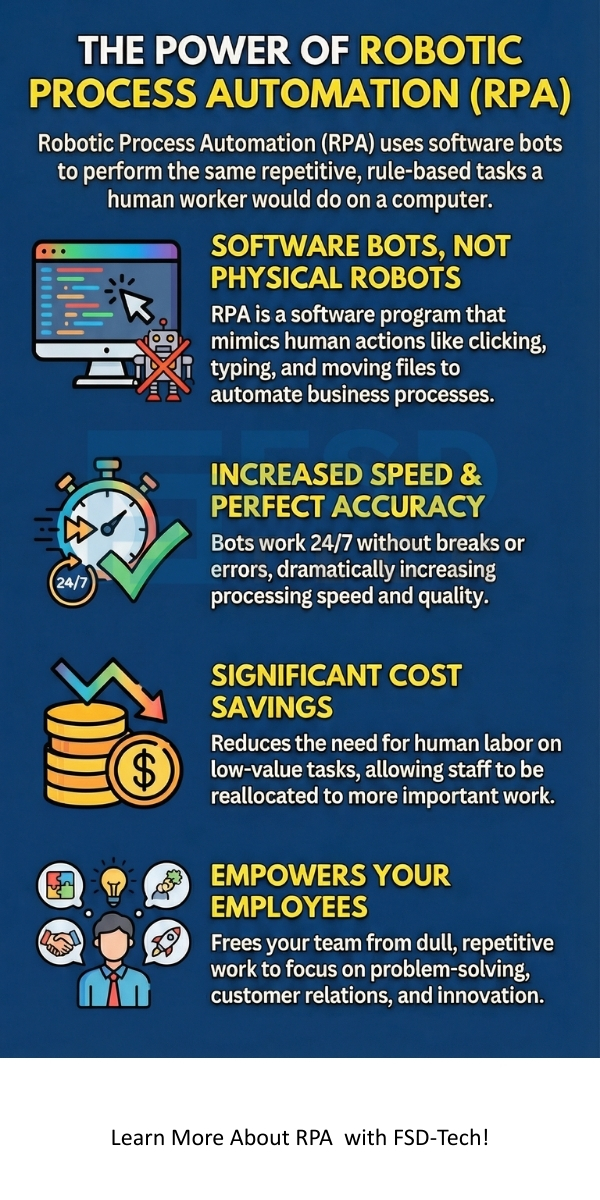
Adopting RPA robotic process automation offers several significant advantages for any organization. These benefits of Robotic Process Automation directly impact operational efficiency, cost, and service quality.
1. Increased Accuracy and Quality
Humans make mistakes; bots do not. The bot follows the exact workflow every single time.
2. Faster Processing and Higher Output
Software bots work 24/7, much faster than a person.
3. Significant Cost Savings
Automation reduces the need for human labor to perform low-value, repetitive tasks.
4. Improved Compliance and Audit Trails
RPA provides a perfect record of every action the bot performs.
5. Better Employee Focus and Satisfaction
By offloading dull, repetitive tasks, companies allow employees to focus on things that require human skills.
Also Read: What is Edge Computing? How it Differs from Cloud Computing?
A common question is: Is Robotic Process Automation AI (Artificial Intelligence)? The answer is often "no" for basic RPA, but "yes" when combining it with other smart tools.
RPA vs. AI: A Key Distinction
RPA is fundamentally a tool for automation based on rules. It only does what you program it to do.
The real power comes when you combine them into a system known as Intelligent Automation (IA).
This combination allows organizations to automate more complex processes that include unstructured data or require human-like judgment.
The Robotic Process Automation technology is versatile. It applies to any industry with high-volume, repetitive, screen-based tasks. Let us discuss a few key areas.
Robotic Process Automation in Banking and Finance
The financial sector has heavy transaction volume and strict compliance needs, making it a perfect fit.
Robotic Process Automation in Procurement
Robotic Process Automation in procurement focuses on buying goods and services efficiently.
Robotic Process Automation use case examples are numerous across many departments:
Also Read: Man-in-the-Middle (MITM) Attack - Prevention Guide
While RPA brings major advantages, organizations must manage certain risks of Robotic Process Automation. You must keep in mind these potential challenges.
1. Security Risks and Access
RPA bots often need access credentials to perform their tasks.
2. Process Change Dependency
Since the bot follows the user interface exactly, any change to the underlying application can break the bot.
3. Over-Automation and Poor Process Selection
Not all processes are suitable for RPA. Choosing the wrong process creates more problems than it solves.
As businesses rely more on bots, Robotic Process Automation testing becomes crucial. It ensures the bots are accurate, reliable, and secure.
Robotic Process Automation is a vital tool for modern business, moving work away from manual effort toward automated precision. RPA robotic process automation provides high-speed execution, minimal error rates, and substantial cost savings by using software bots to manage rule-based, repetitive tasks. This technology frees your team to focus on core business challenges, enhancing job satisfaction and innovation.
To fully realize the benefits of Robotic Process Automation, you must start with a strategic selection of processes and continuous monitoring. We provide the expertise necessary to correctly integrate RPA into your operations, ensuring stability and measurable results.
Partner with us to implement powerful automation solutions that secure your competitive edge.
Robotic Process Automation technology offers a powerful way for businesses to achieve higher efficiency and accuracy. By understanding what is Robotic Process Automation and how to use it correctly, you can gain a significant operational advantage.
Robotic Process Automation typically involves the automated execution of defined, rule-based tasks using a software program. It includes creating a detailed workflow, configuring the bot to interact with applications, and deploying the bot to run the task without human help.
A software robot is a program that mimics human actions on a computer. It is not a physical machine. It reads, interprets, and processes data by following a programmed set of steps within a computer’s user interface.
RPA automates tasks, not entire jobs. It handles the monotonous, low-value work (like data entry), allowing human employees to focus on creative, complex, and customer-facing activities. It changes job roles rather than eliminating them entirely.
To choose the best process, look for tasks that meet three main criteria: they must be repetitive (done many times), rule-based (have clear, logical steps), and high-volume (take up a lot of time).

Surbhi Suhane is an experienced digital marketing and content specialist with deep expertise in Getting Things Done (GTD) methodology and process automation. Adept at optimizing workflows and leveraging automation tools to enhance productivity and deliver impactful results in content creation and SEO optimization.
Share it with friends!




.webp&w=3840&q=75)






share your thoughts