.webp&w=3840&q=75)
How ClickUp Enables Outcome-Based Project Management (Not Just Task Tracking)
🕓 February 15, 2026
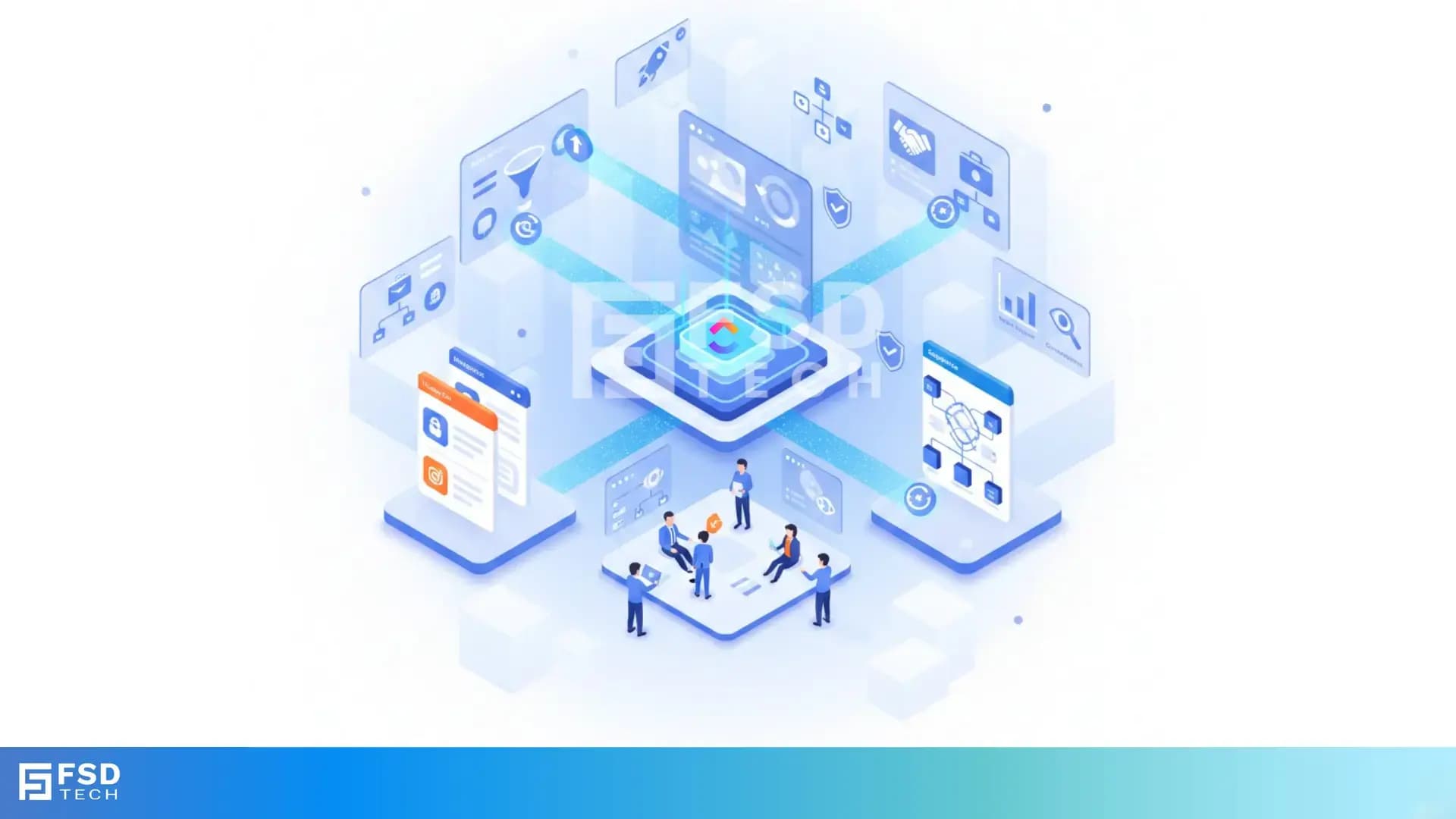
In the UAE’s dynamic, relationship-driven business landscape, sales and operations teams are under constant pressure to deliver rapid results and exceptional client experiences. Yet, many organizations still operate with fragmented systems: sales pipelines tracked in HubSpot or Salesforce, project tasks managed in ClickUp, and reporting scattered across spreadsheets. This disconnect leads to manual work, missed handoffs, and lost opportunities—especially in fast-growth sectors like real estate, SaaS, and professional services.
ClickUp is emerging as the central nervous system for UAE businesses seeking to unify their revenue operations. By integrating with leading CRM platforms such as HubSpot and Salesforce, ClickUp enables organizations to centralize data, automate workflows, and ensure every client handoff is smooth and actionable. The result: faster deal cycles, higher client retention, and a sustainable competitive edge in the GCC region.
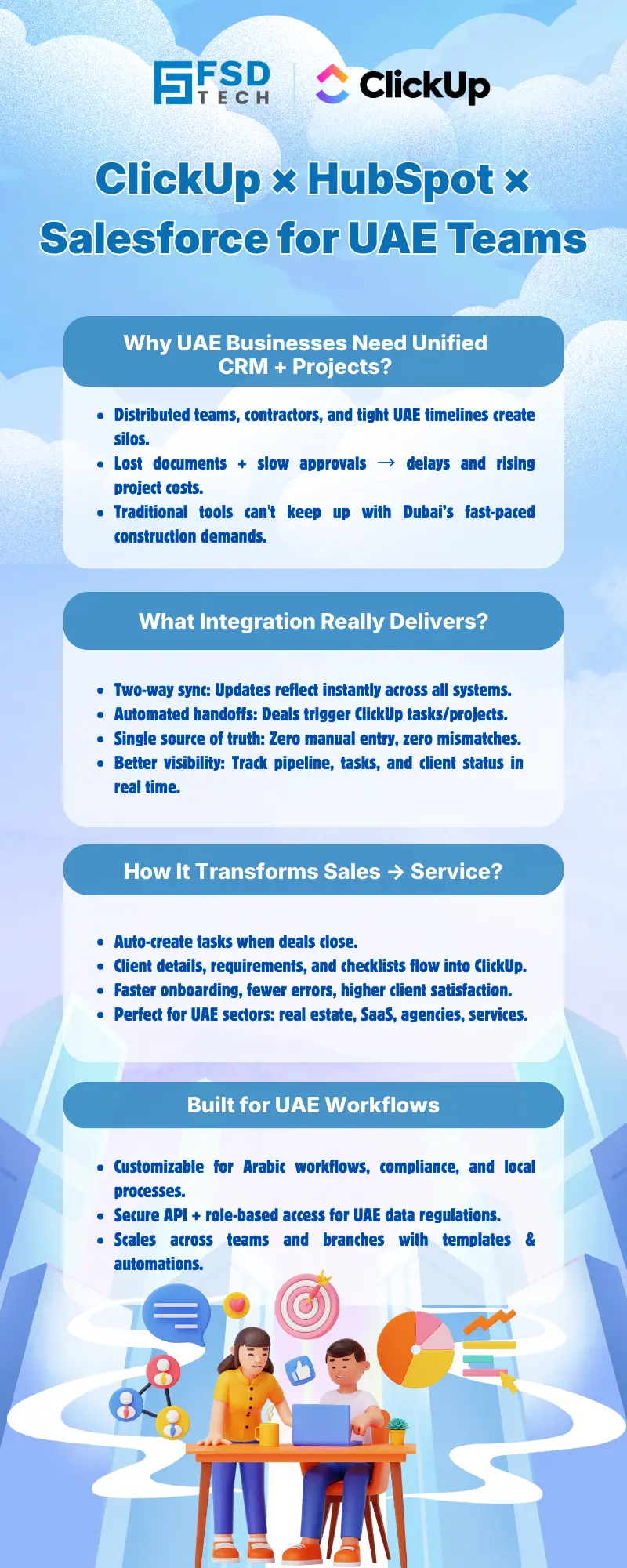
At the core of effective integration is the ClickUp API, which enables businesses to automate the creation and updating of tasks based on CRM triggers. For example, when a deal in HubSpot reaches a specific stage, a ClickUp task can be automatically generated and populated with all relevant client and deal details. This automation ensures that every handoff is tracked, actionable, and free from manual errors.
Modern integrations support two-way synchronization. If a project’s status changes in ClickUp, the corresponding deal or opportunity in HubSpot or Salesforce is updated automatically—and vice versa. This real-time sync eliminates data silos and ensures that both sales and operations teams have a single, reliable view of the client journey.
For businesses with unique workflows—common in the UAE’s diverse sectors—custom UI extensions can be built within HubSpot or Salesforce. These allow users to create ClickUp tasks directly from CRM records, with fields and templates tailored to local processes, languages, and compliance requirements. This flexibility is especially valuable for organizations managing multilingual teams or navigating complex regulatory environments.
A major pain point for UAE businesses is the handoff from sales to service or operations. Manual processes often result in missed details, duplicate work, and frustrated clients. By integrating ClickUp with CRM tools, businesses can automate this handoff:
Automated data transfer minimizes human error. Information such as client contacts, deal value, and special requirements flows directly from the CRM into ClickUp, ensuring accuracy and consistency. This is especially valuable for UAE businesses handling high-value deals or working across multiple languages and compliance frameworks.
A leading Dubai-based real estate agency integrated ClickUp with HubSpot to automate the transition from sales to property management. When a property sale closed, ClickUp automatically generated onboarding tasks for the property management team, complete with client details and regulatory checklists. This reduced handoff time from two days to just two hours, eliminated manual errors, and improved client satisfaction scores by 25%.
Disconnected systems lead to miscommunication and missed opportunities. By centralizing project, CRM, and reporting data in ClickUp, UAE businesses ensure that sales, marketing, and operations teams are always aligned. Every stakeholder can see the status of deals, tasks, and client communications in real time.
With a unified view of the customer journey, teams can proactively identify upsell and cross-sell opportunities. For example, if a client’s project is delayed, automated alerts in ClickUp can trigger follow-up actions in the CRM, ensuring issues are resolved before they impact satisfaction or renewal rates.
A Dubai-based SaaS company connected Salesforce with ClickUp to unify sales and support workflows. When a new client signed up, a ClickUp project was automatically created, and support tickets were linked to the client’s Salesforce record. This allowed sales and support teams to collaborate on onboarding, track issues, and share updates, reducing response times by 30% and increasing renewal rates.
UAE businesses often have unique sales cycles, regulatory requirements, and multilingual teams. Customizing integrations—such as adding Arabic language support or local compliance fields—ensures that workflows are both efficient and compliant. ClickUp’s flexible integration options make it possible to tailor every aspect of the workflow to local business needs.
Data privacy is a top concern in the UAE. Integrations should be configured to comply with local regulations, such as the UAE’s Personal Data Protection Law. This includes secure API connections, role-based access controls, and audit trails for sensitive information. ClickUp’s robust security features help UAE organizations maintain compliance and protect client data.
ClickUp’s architecture allows integrations to be rolled out across multiple teams or offices. Standardized templates and automation rules ensure consistency, while custom fields can accommodate regional differences. This scalability is essential for UAE businesses with distributed teams or ambitious growth plans.
Companies report significant reductions in manual work and errors after integrating ClickUp with CRM tools. Automated task creation and data sync save hours per week, allowing teams to focus on high-value activities. For UAE businesses, this translates directly into faster deal cycles and more efficient operations.
Faster handoffs, fewer errors, and improved communication lead to higher client satisfaction and retention. UAE businesses using ClickUp integrations have reported measurable improvements in NPS and renewal rates, supporting long-term growth in competitive markets.
- Sales Director, UAE Real Estate Firm
- Service Manager, Dubai SaaS Provider
Unify your CRM and delivery workflows in one system → Book a consultation with our ClickUp integration experts Now.
Yes, ClickUp supports integrations with both HubSpot and Salesforce. UAE businesses can unify data and workflows across multiple CRMs, ensuring that all teams have access to the latest information and can coordinate seamlessly.
Integrations leverage secure APIs and can be configured to comply with UAE data privacy laws, including the Personal Data Protection Law. ClickUp’s security features and customizable permissions help organizations handle sensitive information appropriately.
Most ClickUp CRM integrations can be set up in hours or days, especially with expert support. Custom UI and workflow automations may require additional configuration for UAE-specific needs, but the process is designed to be accessible for IT and business teams alike.
With two-way sync enabled, updates in ClickUp, HubSpot, or Salesforce are reflected across all platforms in real time. This minimizes data discrepancies and ensures all teams are working from the same source of truth.
Yes, integrations can be tailored with custom fields, triggers, and UI extensions to match local workflows, sales cycles, and compliance requirements. This flexibility is especially valuable for UAE organizations with multilingual teams or sector-specific needs.
Sales directors benefit from unified pipeline visibility, automated task creation, and reduced manual work. This leads to faster deal cycles, improved forecasting, and better alignment with operations and service teams.
By automating the creation of tasks and projects from CRM triggers, ClickUp ensures that every handoff is tracked, actionable, and free from manual errors. This reduces onboarding time and improves client satisfaction, which is critical in the UAE’s competitive markets.
Yes, ClickUp integrations can be customized to support multilingual workflows, including Arabic and English. This ensures that all team members can work efficiently, regardless of language preference.
ClickUp’s integration framework allows organizations to implement role-based access controls, audit trails, and secure data transfer protocols. This helps UAE businesses maintain compliance with GCC and local data privacy regulations.
Automations can include task creation from CRM events, updating deal stages based on project status, sending notifications, and syncing custom fields. These automations reduce manual work and ensure data consistency across systems.
Yes, ClickUp’s architecture supports scalable integrations across multiple teams, departments, or locations. Organizations can roll out standardized processes while accommodating regional differences as needed.
Yes, with custom UI extensions, users can create ClickUp tasks directly from CRM records. This streamlines workflow and ensures that all relevant information is captured at the point of need.
Centralizing client data and project status in ClickUp enables teams to proactively identify upsell and cross-sell opportunities. Automated alerts and unified reporting help teams follow up on issues before they impact satisfaction or renewal rates.
ClickUp offers extensive documentation, support resources, and access to regional implementation partners. UAE businesses can leverage local expertise to ensure integrations are tailored to their specific needs and compliance requirements.
Yes, UAE real estate firms, SaaS providers, and marketing agencies have reported significant time savings, error reduction, and improved client satisfaction after integrating ClickUp with HubSpot or Salesforce. These organizations highlight faster onboarding, better communication, and more reliable project delivery as key outcomes.
Key metrics include time saved on manual tasks, reduction in errors, faster sales-to-service handoffs, improved client satisfaction scores, and increased retention or renewal rates. UAE businesses often see quantifiable improvements within weeks of implementation.
Yes, by centralizing data from CRM and project management systems, ClickUp enables more comprehensive reporting and analytics. This supports better forecasting, resource allocation, and strategic planning for UAE sales and operations leaders.
Begin by mapping your current workflows and identifying key handoff points. Consult ClickUp’s integration documentation or engage a local implementation partner to design, configure, and test your integration. Prioritize data security and compliance throughout the process.
ClickUp regularly updates its integration capabilities to support new CRM features and regional requirements. UAE businesses benefit from ongoing enhancements, ensuring their workflows remain efficient and compliant.
Many integration features and automations can be configured through ClickUp’s user-friendly interface, making it accessible to business users. For advanced customizations, IT or integration partners can provide additional support.
Routine monitoring, periodic updates, and occasional adjustments to workflows or fields may be needed as business requirements evolve. ClickUp’s support resources and regional partners can assist with ongoing optimization.

Nhaif is an AI Automation Engineer & Business Analyst focused on ClickUp, AI, Automation, and Workflow Optimization. He helps businesses shift from scattered processes to streamlined, data-driven operations. With hands-on expertise, he simplifies complex tools into clear, easy-to-apply solutions.
Share it with friends!




.webp&w=3840&q=75)






share your thoughts