.webp&w=3840&q=75)
How ClickUp Enables Outcome-Based Project Management (Not Just Task Tracking)
🕓 February 15, 2026
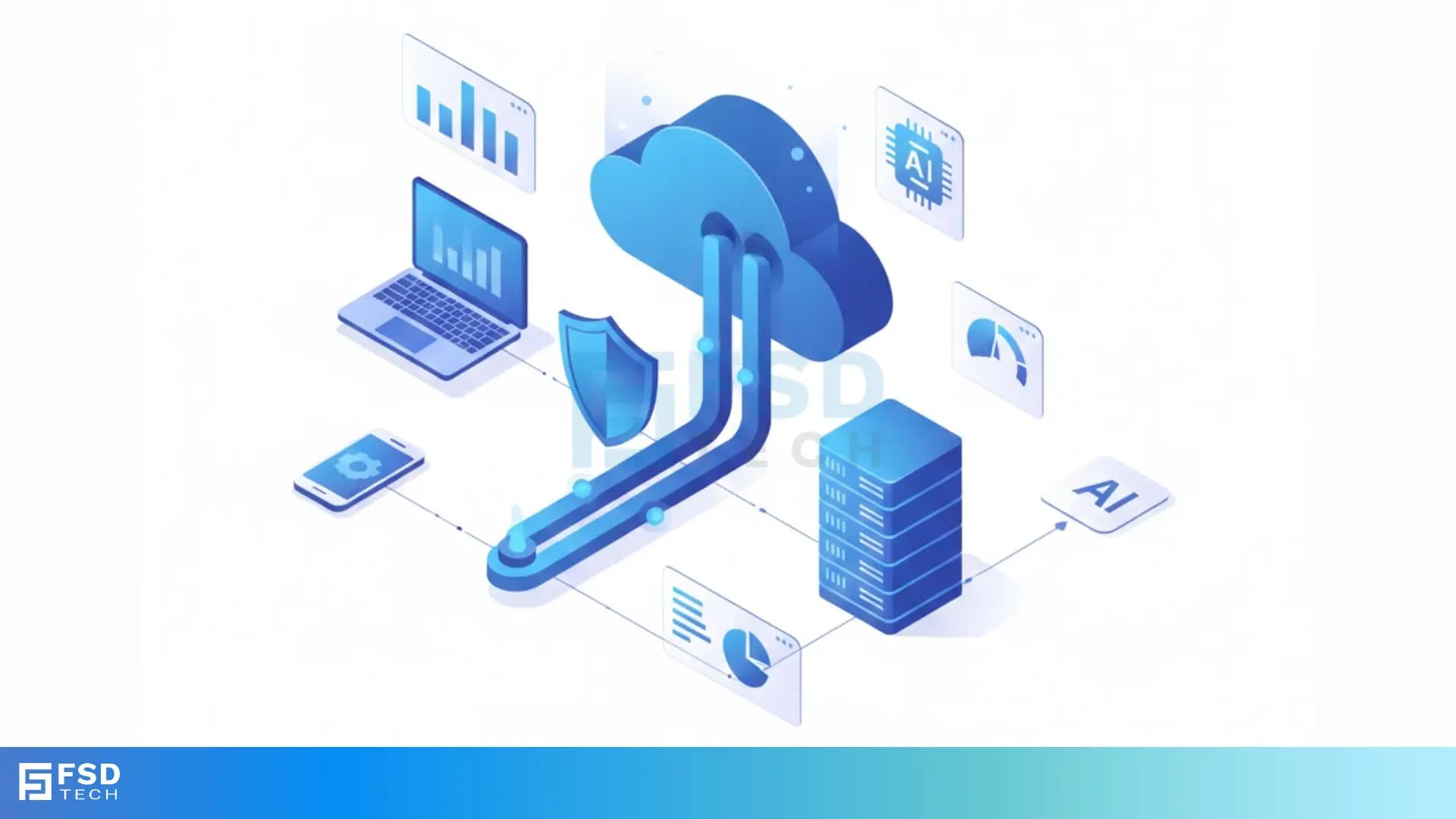
Hybrid Cloud Backup is a modern approach to data protection that combines local storage hardware with the limitless scale of the public cloud. Have you ever worried that a single hardware failure could wipe out your entire business history? It’s a scary thought. We’ve all seen stories of companies losing weeks of work because their only backup was sitting on a shelf in a flooded office.
To be honest, relying on just one location for your data is like keeping all your eggs in one basket. That is where Hybrid Cloud Backup (HCB) comes in to save the day. It offers a "best of both worlds" scenario. You get the lightning-fast recovery of local disks and the ironclad safety of offsite cloud storage.
But how does it actually work under the hood? And is it right for your specific needs? In my experience, most business owners feel overwhelmed by technical jargon. That's why we’re going to break this down into simple terms. We'll look at how HCB keeps you running even when the worst happens.
Secure Your Business with BDRSuite
The term Hybrid Cloud Backup refers to a system that sends data to two different places. First, it saves a copy to a local device, like a NAS or a dedicated server. Second, it sends an encrypted copy to a remote cloud provider.
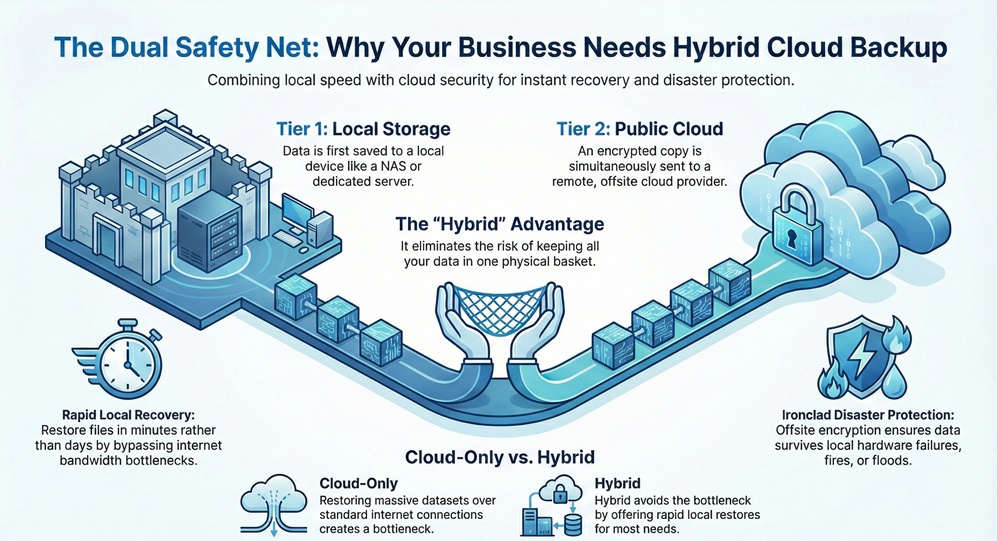
Think of it as a two-tier safety net. If you accidentally delete a file, you pull it from the local box in seconds. If your office burns down, your data stays safe in a data center hundreds of miles away.
Also Read: What is Cloud Access Security Broker (CASB)?
You might ask, "Can't I just send everything to the cloud and be done with it?" Well, you could, but speed is the bottleneck. If you have five terabytes of data to restore over a standard internet connection, your business might be offline for days. By keeping a local copy, HCB ensures you're back to work in minutes, not days.
The process is simpler than you might think. Most HCB solutions follow a specific workflow to ensure your data is always ready.
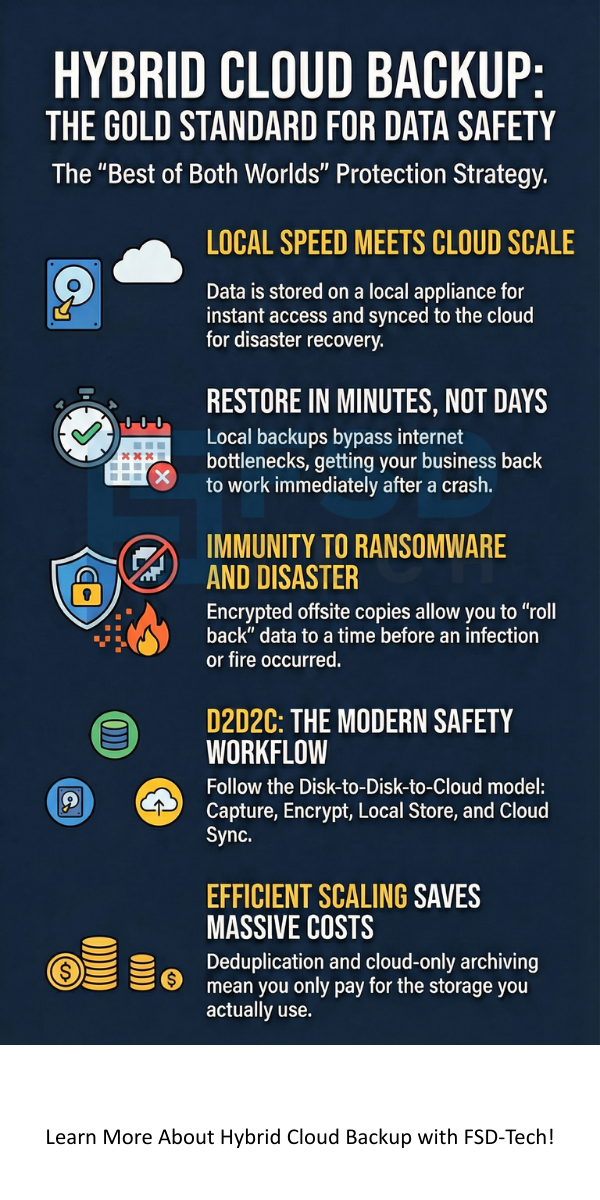
This "D2D2C" (Disk-to-Disk-to-Cloud) model is the backbone of modern IT safety. It handles the heavy lifting so you don't have to.
In a Hybrid Cloud Backup setup, the local appliance acts as a gatekeeper. It compresses the data so it takes up less space. It also deduplicates the files. This means if ten people have the same PDF, the system only saves one copy. This saves you a ton of money on cloud storage fees.
Also Read: What is Cloud Virtual Private Network (VPN)?
Why are so many companies switching to this model? Here are the main reasons why we see a shift toward hybrid strategies.
1. Speed of Recovery
When a server fails, every minute costs money. Since your primary backup is on your local network, you aren't limited by internet speeds. You can restore large databases at the speed of your local cables.
2. Enhanced Security
Security is a huge concern. HCB systems usually encrypt data at the source, during transit, and while it sits in the cloud. Even if a hacker intercepts the data, they can't read it. Plus, having an offsite copy protects you from local ransomware attacks.
3. Cost-Effective Scaling
Buying physical hard drives every time your data grows is expensive. With Hybrid Cloud Backup, you keep your local storage lean and let the cloud handle the massive archives. You only pay for what you use in the cloud.
4. Compliance and Peace of Mind
Many industries have laws about how long you must keep data. HCB makes it easy to set "retention policies." You can keep files for seven years in the cloud without cluttering your office.
Restore Data in Minutes – Try Vembu
We've all been there—trying to decide if a new tech tool is worth the investment. To be honest, if you handle any customer data, the answer is likely yes.
Ask yourself:
If your current plan involves someone carrying a USB drive home, it’s time for an upgrade. HCB removes the "human error" element from the equation.
I often hear people worry about the "cloud" part of Hybrid Cloud Backup. Is the cloud safe? Where is my data actually going?
Most HCB providers use high-end data centers like Amazon S3, Azure, or Google Cloud. These facilities have armed guards, backup power, and 24/7 monitoring. In my view, your data is much safer there than on a server under a desk in a hallway.
Another question is: "What happens if my internet goes out?" This is the beauty of the hybrid model. If your internet is down, you still have your local backup. You can still restore files and keep working. The cloud sync will simply catch up once the connection returns.
At the end of the day, Hybrid Cloud Backup is about keeping your doors open no matter what happens. We've seen too many good businesses struggle because they didn't have a solid plan in place. Our goal is to make sure your data is the last thing you have to worry about.
At FSD-Tech value our clients’ trust above all else. We believe that technology should serve people, not the other way around. If you want a partner who focuses on your safety and growth, we’re here to help. Let's build a secure future for your business together.
What is the difference between HCB and standard cloud storage?
Standard cloud storage (like Dropbox) is for syncing files for daily use. Hybrid Cloud Backup is a specialized system for disaster recovery. It saves entire system images, not just individual files.
How often should I backup my data?
Most businesses run backups once a day. However, many HCB systems allow for "continuous data protection." This means it saves changes every few minutes.
Does HCB protect against ransomware?
Yes. Because HCB keeps "versioned" copies in the cloud, you can "roll back" to a time before the infection happened. This is a lifesaver for many businesses.
How much bandwidth does it use?
Because the system only sends "changed" data (incremental backups), it uses very little bandwidth after the first initial upload.

Surbhi Suhane is an experienced digital marketing and content specialist with deep expertise in Getting Things Done (GTD) methodology and process automation. Adept at optimizing workflows and leveraging automation tools to enhance productivity and deliver impactful results in content creation and SEO optimization.
Share it with friends!




.webp&w=3840&q=75)






share your thoughts