.webp&w=3840&q=75)
How ClickUp Enables Outcome-Based Project Management (Not Just Task Tracking)
🕓 February 15, 2026
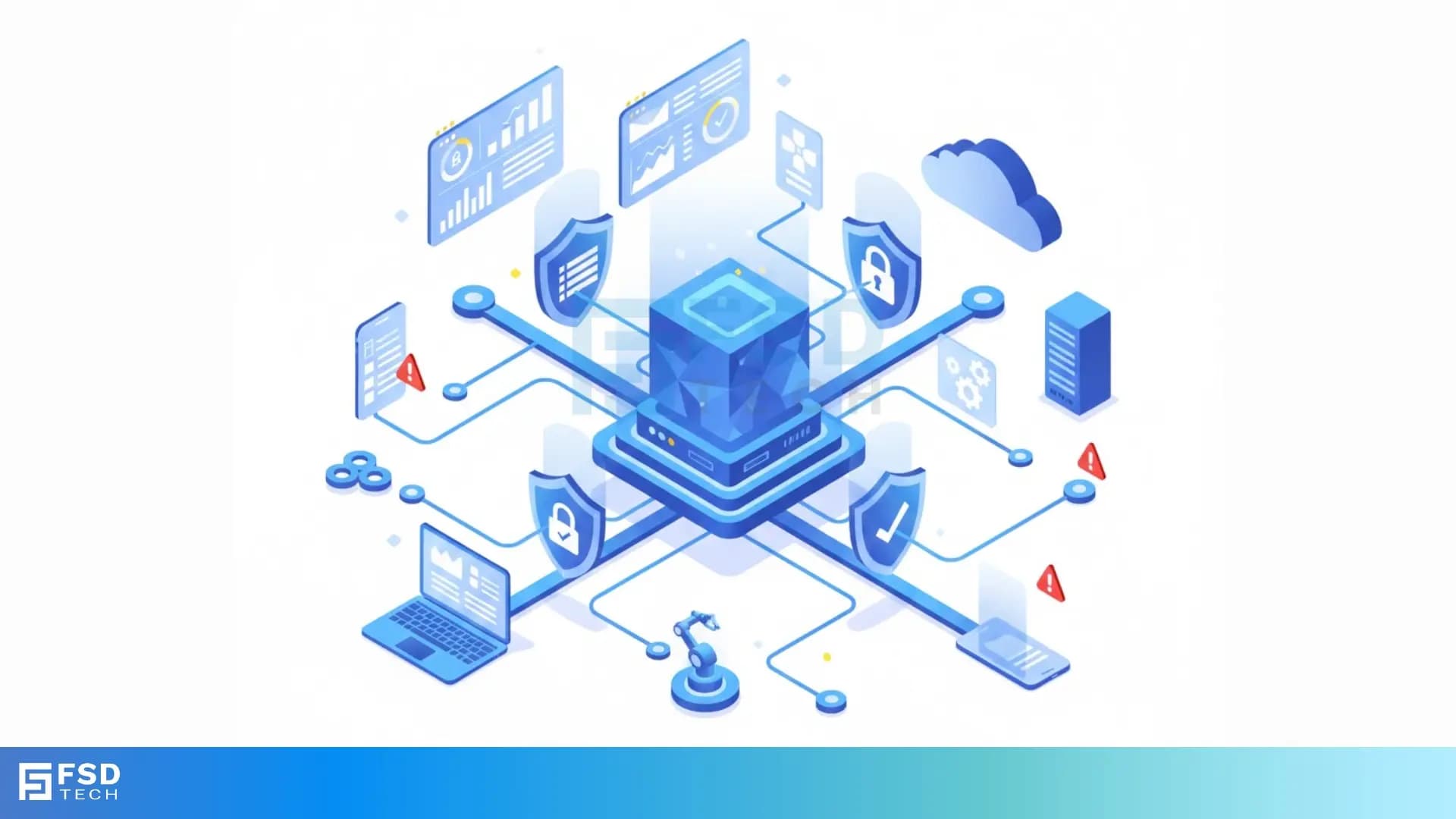
Unified Threat Management (UTM) is defined as a single security solution that combines multiple security functions into one device.
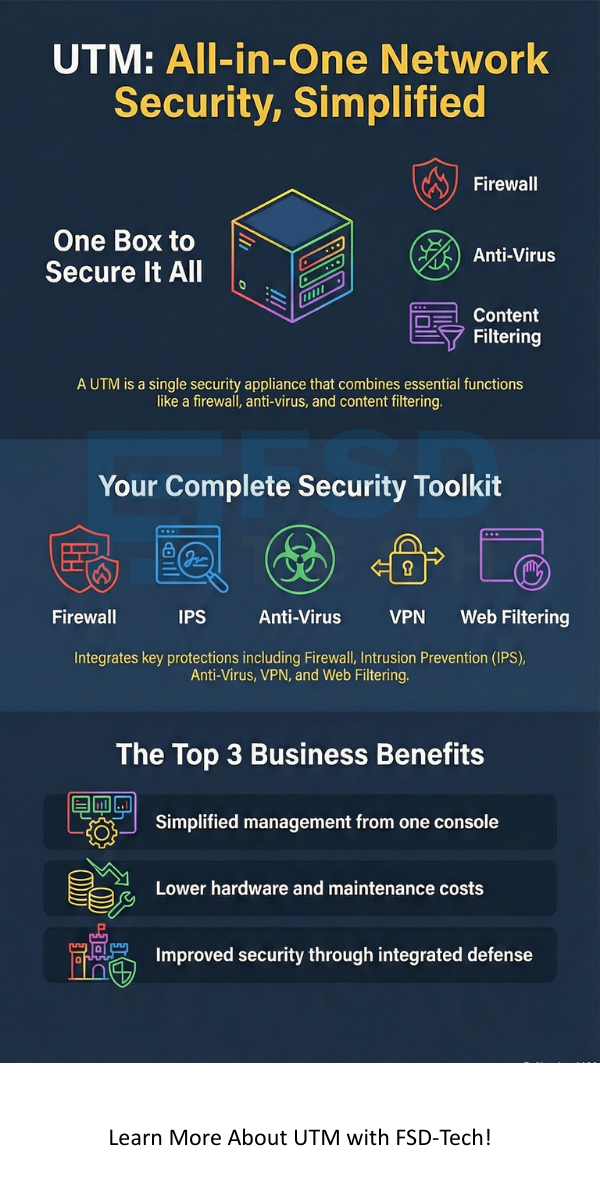
In simple terms, Unified Threat Management is a major way to simplify how you handle your network security. Instead of using separate tools for firewalls, anti-virus, and content filtering, you use one device that does all these things. This matters because it makes your business network both safer and much easier to manage.
Are you finding it hard to manage many different security tools? Many organizations face this challenge. They need a solid way to protect their data without spending too much money or time. Unified Threat Management offers a highly effective answer. It combines everything in one box.
Let us now discuss how this single solution helps you manage network security better and what features it includes.
Unified Threat Management basically refers to a device or a service gateway that acts as an all-in-one security platform. This single platform helps protect your business from many different kinds of threats.
In finer terms, it is a way to centralize your security. Before UTM, you had to manage several security products: a firewall here, an Intrusion Prevention System (IPS) there, and a spam filter somewhere else. UTM combines these essential security functions into one, thereby streamlining management and reducing overall complexity.
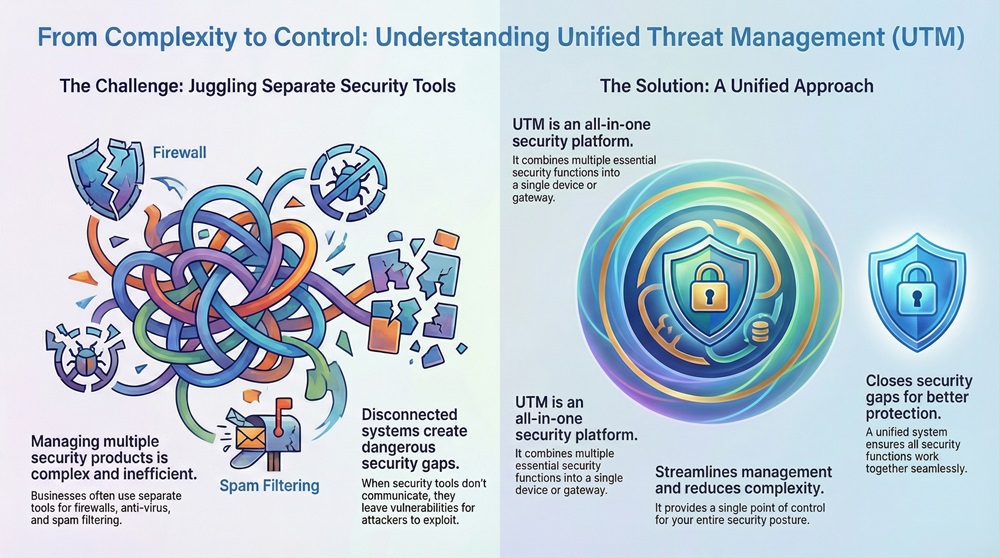
Why is this important for your business? When you use many different systems, they often do not talk to each other very well. This can leave security gaps open for bad actors to find. Unified Threat Management closes those gaps. It gives you a single point of control for your entire security posture.
Unified Threat Management systems contain several core security components. These components work together to provide comprehensive security. Here, we will look at the primary features you get:
All these functions work together on the same UTM device. This is the main reason why the solution is referred to as Unified Threat Management.
Also Read: What is Web Application Firewall? | WAF Explained
Choosing Unified Threat Management over separate point solutions offers quite a few major benefits. These advantages primarily involve cost savings, simplified operations, and improved security.
Simplified Management and Operations
Unified Threat Management means you only have one management interface. You do not have to learn and manage five or six different systems.
Cost Effectiveness
Unified Threat Management is highly effective in saving money for small and medium-sized businesses, especially the ones with limited IT budgets.
Improved Security Posture
Unified Threat Management solutions provide better security because all the features are designed to work together.
Sometimes, people confuse Unified Threat Management (UTM) with a Next-Generation Firewall (NGFW). Both are modern, all-in-one security devices, but there are some important differences you must note.
| Feature | Unified Threat Management (UTM) | Next-Generation Firewall (NGFW) |
|---|---|---|
| Primary Focus | Ease of management, comprehensive features, cost-effectiveness. | Advanced firewall capabilities and high performance. |
| Key Functions | Firewall, IPS, Anti-Virus, Web Filtering, Spam Filter, VPN. | Firewall, IPS, Application Awareness/Control, Identity Awareness. |
| Performance Impact | Features like Anti-Virus can somewhat slow down throughput, as they require more processing. | Designed for high speed, focusing on intelligent traffic control. |
| Target User | Small to Medium-sized Businesses (SMBs) and branch offices. | Large enterprises and organizations that need very high throughput. |
| Anti-Virus/Spam | UTM primarily includes built-in Anti-Virus and Spam filtering. | NGFW may or may not include these; they are often optional add-ons. |
Unified Threat Management is generally preferred by organizations that want simplicity and a comprehensive security suite in one box. NGFWs, on the other hand, are mainly due to the need for advanced application-level control and higher performance in large, complex networks.
Simply put, a UTM is an NGFW plus extra services like web filtering and email security, built for ease of use.
Also Read: What is a Virtual Private Network? How does VPN works?
Before you purchase a Unified Threat Management solution, you need to think about a few key things. Proper implementation is essential to get the most out of your investment.
Sizing Your Unified Threat Management Device
One must understand that all UTM functions require processing power. When you turn on the Intrusion Prevention System or deep packet inspection, the device uses more resources.
Deployment of a Unified Threat Management solution can be quite easy due to its consolidated nature. Here are some simple steps to follow:
We need to know that a UTM is only as strong as its configuration. An out-of-date or poorly configured Unified Threat Management system offers limited protection.
The field of Unified Threat Management is constantly changing. As cyber threats become more sophisticated, UTM solutions are also evolving.
All in all, Unified Threat Management remains a critical component for small business security. It gives businesses the enterprise-grade protection they need without adding huge operational headaches.
Also Read: Multi-Factor Authentication (MFA): All You Need to Know
So, this is all about Unified Threat Management. We have discussed how it acts as the most logical, single-point solution for modern network security.
The primary purpose of Unified Threat Management is to stop you from juggling many different security devices. It takes complex, enterprise-level security features—like Intrusion Prevention and advanced anti-malware—and puts them into one appliance. This dramatically simplifies management and reduces operational costs for your business.
We need to know that in today’s world, where cyber threats evolve hourly, relying on separate, uncoordinated security tools is a risky practice. Unified Threat Management ensures that your firewall, your web filtering, and your anti-virus are all working together, thereby protecting your vital data consistently.
We believe in making powerful, enterprise-grade security accessible and simple for you. Our Unified Threat Management solutions reflect this value by giving you full protection in one easy-to-manage package. Contact us today to learn how you can use Unified Threat Management to strengthen your security posture! Schedule a call now
No, Unified Threat Management is not only for small businesses. While SMBs are the primary users due to the simplicity and cost savings, larger organizations use UTMs for their branch offices or remote locations. This allows them to apply the same security standards everywhere.
A Unified Threat Management device significantly reduces the need for many security tools. For example, you no longer need a separate hardware firewall or anti-spam server. However, you will still need endpoint security (such as specialised antivirus on individual PCs) for full protection, especially against threats from mobile or removable media.
The biggest challenge with Unified Threat Management is performance. When you enable all the advanced security features, the processing load on the single device increases. This can sometimes lead to somewhat slower network speeds, or latency, especially if you do not size the UTM correctly for your network's traffic volume.
You should set your Unified Threat Management device to update its threat definitions automatically and quite often—ideally in real-time or every few hours. You should also install firmware updates as soon as the vendor releases them, so as to gain access to new features and security fixes.

Surbhi Suhane is an experienced digital marketing and content specialist with deep expertise in Getting Things Done (GTD) methodology and process automation. Adept at optimizing workflows and leveraging automation tools to enhance productivity and deliver impactful results in content creation and SEO optimization.
Share it with friends!




.webp&w=3840&q=75)






share your thoughts