.webp&w=3840&q=75)
How ClickUp Enables Outcome-Based Project Management (Not Just Task Tracking)
🕓 February 15, 2026
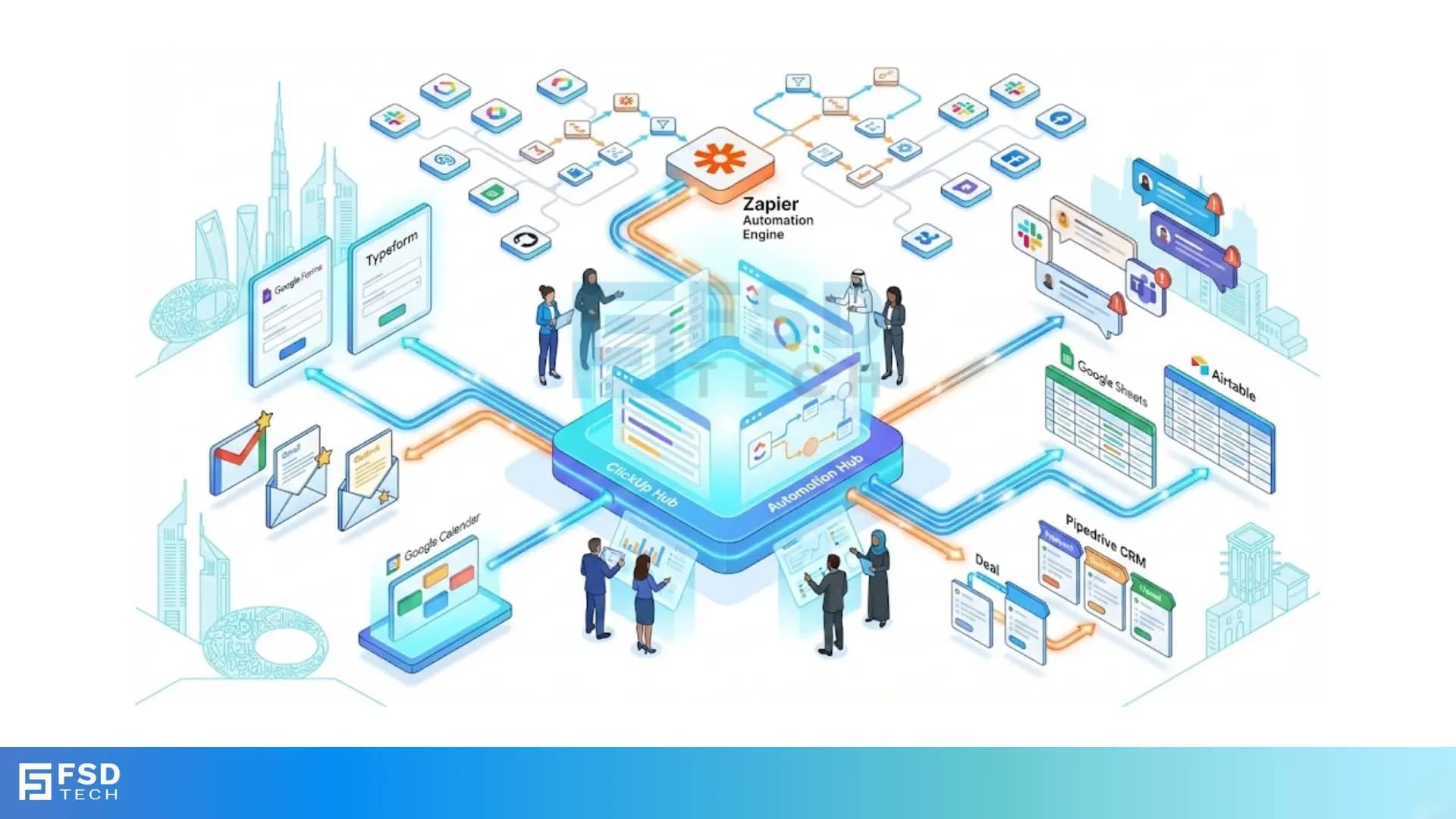
Picture this: It’s Monday morning in Dubai. Your inbox is overflowing, clients are submitting requests via multiple channels, and your team is juggling spreadsheets, emails, and chat threads. The risk? Critical tasks slip through the cracks, and valuable time is lost to manual admin.
For operations managers and automation enthusiasts, ClickUp is already a trusted command center. But when you supercharge it with Zapier, ClickUp transforms into a true automation hub—connecting over 1,000 apps, streamlining workflows, and freeing your team to focus on what matters most.
Let’s dive into the top Zapier automations for ClickUp power users, with real-world scenarios and actionable tips tailored for UAE businesses.
ClickUp’s built-in automations are robust for internal processes—think auto-assigning tasks, updating statuses, or sending reminders. But these native features are mostly limited to actions within ClickUp or a handful of integrations. If your business relies on a patchwork of forms, CRMs, calendars, or spreadsheets, you’ll quickly hit the limits of what ClickUp can do on its own.
Zapier is the universal translator for business software. With its no-code platform, you can connect ClickUp to over 1,000 apps—global giants like Google Workspace and Slack, as well as regional tools popular in the UAE. Zapier lets you automate cross-platform workflows, synchronize data, and trigger complex sequences, all without a single line of code. The result? ClickUp becomes the nerve center of your operations, orchestrating tasks across your entire tech stack.
Scenario: You receive client requests via Google Forms, schedule meetings in Outlook, and get urgent emails flagged in Gmail. Manually copying details into ClickUp is a recipe for errors and delays.
Zapier Solution:
Real-World Example:
A Dubai-based marketing agency uses Google Forms for client briefs. Each submission triggers a Zap that creates a detailed ClickUp task, assigns it to the project manager, and sends a Slack notification to the team. No more missed requests or manual data entry.
Scenario: Sales closes a deal in Pipedrive, but the handoff to the delivery team is slow and details get lost.
Zapier Solution:
Real-World Example:
A real estate firm in Abu Dhabi moves a deal to “Proposal Sent” in Pipedrive. Zapier instantly creates a ClickUp task for the operations team, including all deal details. The result? Faster project kickoffs and seamless sales-to-delivery alignment.
Scenario: Your team needs to know when high-priority tasks are assigned or completed, but manual notifications are unreliable.
Zapier Solution:
Real-World Example:
A logistics team in Sharjah completes a delivery task in ClickUp. Zapier posts a message in the “Deliveries” Slack channel, updating everyone instantly and triggering the next steps.
Scenario: Project data lives in Google Sheets or Airtable, but updating ClickUp manually is time-consuming and error-prone.
Zapier Solution:
Real-World Example:
A UAE logistics company tracks shipments in Google Sheets. Each new row triggers a Zap that creates a ClickUp task for the operations team, ensuring nothing falls through the cracks.
Scenario: Onboarding a new employee requires creating folders, lists, and tasks across multiple apps—a process prone to delays and missed steps.
Zapier Solution:
Real-World Example:
HR checks a box for “New Hire” in ClickUp. Zapier creates a new employee folder, adds onboarding tasks, and notifies IT to set up accounts—all automatically.
Scenario: You want to automate quickly but don’t know where to start.
Zapier Solution:
When syncing data between ClickUp and other platforms, use Zapier’s field mapping to ensure all relevant information—such as client names, deal values, or deadlines—flows correctly. This is crucial for maintaining data integrity, especially in regulated industries or when dealing with GCC compliance.
No automation is set-and-forget. Regularly review Zapier’s error logs and set up fallback actions, like sending an alert if a Zap fails. Schedule periodic audits to ensure automations remain aligned with evolving business processes.
Data privacy is paramount, especially with sensitive client or HR data. Zapier uses encryption and follows industry best practices, but always review local regulations and compliance requirements. For UAE-based operations, ensure your workflows align with regional data protection laws.
A consulting firm uses Typeform for new client intake. Each submission triggers a Zap that:
A construction company uses ClickUp for project approvals. When a project manager marks a checklist item as “Ready for Review,” Zapier:
A UAE-based retailer integrates their local payroll system with ClickUp using Zapier’s webhooks. When payroll is processed, Zapier creates a ClickUp task for HR to review and confirm payments, ensuring compliance and timely follow-up.
1. Sign Up for Zapier and ClickUp Accounts
Ensure both platforms are set up and you have admin access.
2. Choose a Pre-Built Template or Start from Scratch
Zapier’s ClickUp integration page offers dozens of templates for common workflows.
3. Select Your Trigger App
Decide where your workflow starts—Google Forms, Pipedrive, Gmail, etc.
4. Connect ClickUp and Map Fields
Authorize your ClickUp account, then map the relevant fields (e.g., task name, description, assignee).
5. Test the Zap and Review Results
Run a test to ensure data flows as expected. Adjust field mapping if needed.
6. Turn On the Zap and Monitor Performance
Activate your Zap and keep an eye on Zapier’s dashboard for any errors or missed triggers.
Pro Tip: Start with a simple workflow, then layer on complexity as your team grows comfortable with automation.
Turn ClickUp into a true automation hub using Zapier-powered workflows → Book a free no-obligation call with our ClickUp Experts Now.
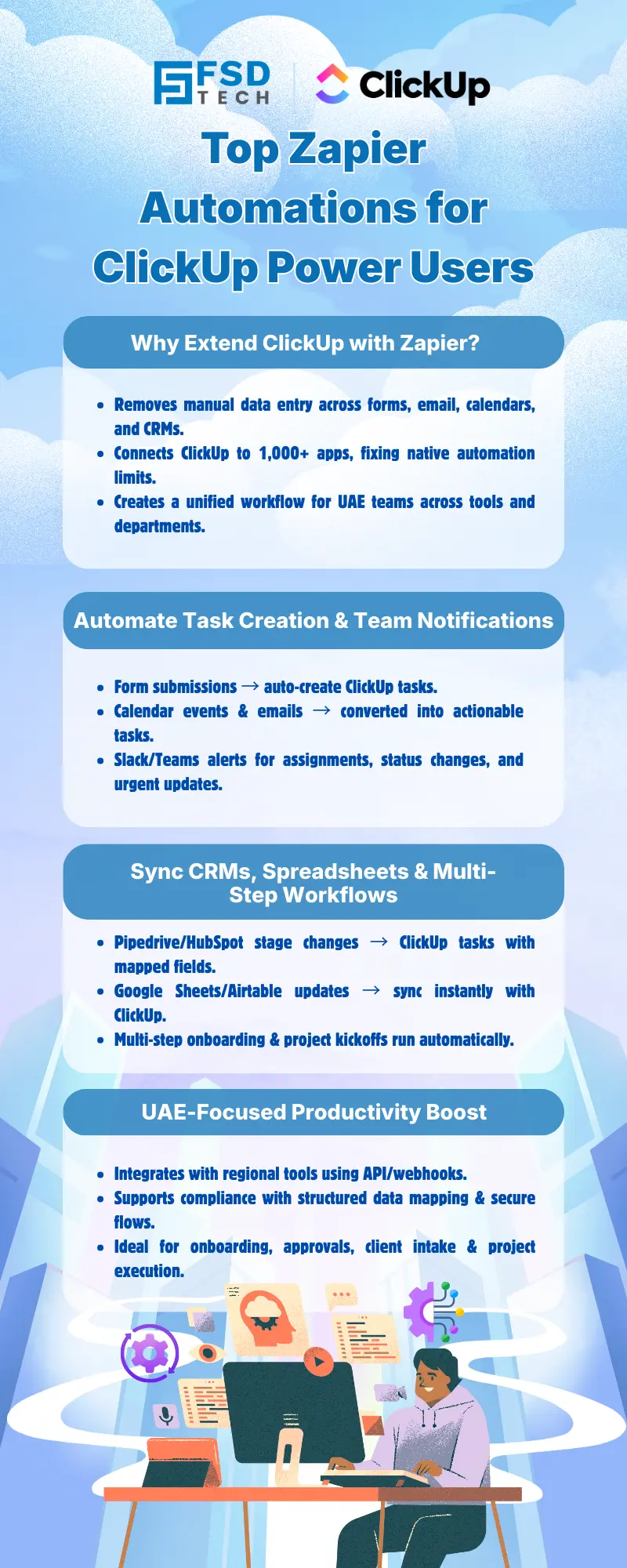
The most popular automations include creating ClickUp tasks from form submissions (like Google Forms or Typeform), syncing CRM deal stages (such as Pipedrive) with ClickUp projects, sending real-time notifications to Slack or Teams, and updating ClickUp from spreadsheet changes in Google Sheets or Airtable. These automations help UAE businesses streamline client intake, sales handoffs, and project tracking.
Zapier supports over 1,000 apps, including many regional tools. For unsupported apps, you can often use webhooks or custom integrations to connect ClickUp with local UAE business systems, ensuring compliance and operational efficiency.
Zapier uses encryption and follows industry best practices for data security. However, always review your organization’s compliance requirements, especially when automating workflows involving sensitive or regulated data in the UAE or GCC region.
No coding is required. Zapier’s visual interface and pre-built templates make it easy for operations managers and automation enthusiasts to set up workflows without technical expertise.
Zapier provides error logs and notifications for failed automations. You can set up fallback actions, such as sending alerts to your team, and regularly review logs to ensure smooth operations.
Zapier plans have task limits based on your subscription. For high-volume UAE operations, monitor your usage and consider upgrading your plan to avoid interruptions.
When setting up a Zap, you can match fields from the trigger app (like a CRM or form) to custom fields in ClickUp. This ensures all relevant data, such as deal IDs or client names, is transferred accurately.
Yes, Zapier allows you to build multi-step Zaps that chain together actions across multiple apps. For example, a single trigger (like a form submission) can create tasks, send notifications, and update spreadsheets in one seamless flow.
Review local regulations and consult with your compliance team before automating workflows involving sensitive data. ClickUp and Zapier both offer security features, but it’s your responsibility to ensure regional compliance.
Examples include automating client onboarding for consulting firms, syncing sales pipelines for real estate agencies, and integrating local payroll systems for retailers. These workflows help UAE businesses reduce manual admin and improve efficiency.
Absolutely. For instance, when a checklist item is marked “Ready for Review” in ClickUp, Zapier can notify the relevant team via Slack or Teams, create an approval task, and update tracking spreadsheets.
Regularly check Zapier’s dashboard for errors or missed triggers. Schedule periodic audits to ensure your automations stay aligned with evolving business processes and compliance requirements.
ClickUp’s native automations are limited to actions within ClickUp or a few integrations. Zapier extends ClickUp’s reach, enabling cross-platform workflows and connecting to over 1,000 apps—including regional tools popular in the UAE.
Yes, Zapier offers curated templates for project planning, client intake, task delegation, and more. These templates help UAE businesses deploy best-practice automations quickly.
By automating repetitive tasks, syncing data across platforms, and building custom workflows tailored to local business needs, ClickUp power users in the UAE can reclaim time, reduce errors, and focus on strategic growth.
Yes, if your HR or payroll system is supported by Zapier, you can set up direct integrations. For unsupported systems, webhooks or custom API connections may be used to automate HR processes within ClickUp, ensuring compliance with regional requirements.
By leveraging Zapier’s powerful automations, ClickUp users in the UAE and across the Middle East can transform their operations—reducing manual admin, improving cross-team collaboration, and unlocking new levels of no-code productivity. Start automating today and elevate your business efficiency.

Nhaif is an AI Automation Engineer & Business Analyst focused on ClickUp, AI, Automation, and Workflow Optimization. He helps businesses shift from scattered processes to streamlined, data-driven operations. With hands-on expertise, he simplifies complex tools into clear, easy-to-apply solutions.
Share it with friends!




.webp&w=3840&q=75)






share your thoughts