.webp&w=3840&q=75)
How ClickUp Enables Outcome-Based Project Management (Not Just Task Tracking)
🕓 February 15, 2026
.webp&w=3840&q=75)
As organizations grow, one challenge appears consistently across industries-every business unit works differently. Marketing has its own processes, operations follows another structure, finance uses spreadsheets, and project teams invent workflows as they go. While flexibility is important, lack of standardization creates chaos at scale.
Leadership struggles to compare progress across departments. Teams duplicate work unknowingly. Reporting becomes inconsistent. And scaling operations turns into a manual, error-prone exercise.
The solution is not forcing every team into identical workflows. The real solution is structured standardization-a shared operational framework that still allows teams to work the way they need to.
ClickUp enables organizations to standardize workflows across business units using its flexible Spaces and Hierarchy model. In this blog, we explore how enterprises can create consistency, visibility, and scalability across teams-without sacrificing autonomy.
In small teams, informal workflows often work fine. But as organizations expand, inconsistency introduces hidden risks.
Common issues include:
When every team operates in isolation, leadership loses the ability to see the organization as a whole.
Standardization is not about control-it’s about clarity.
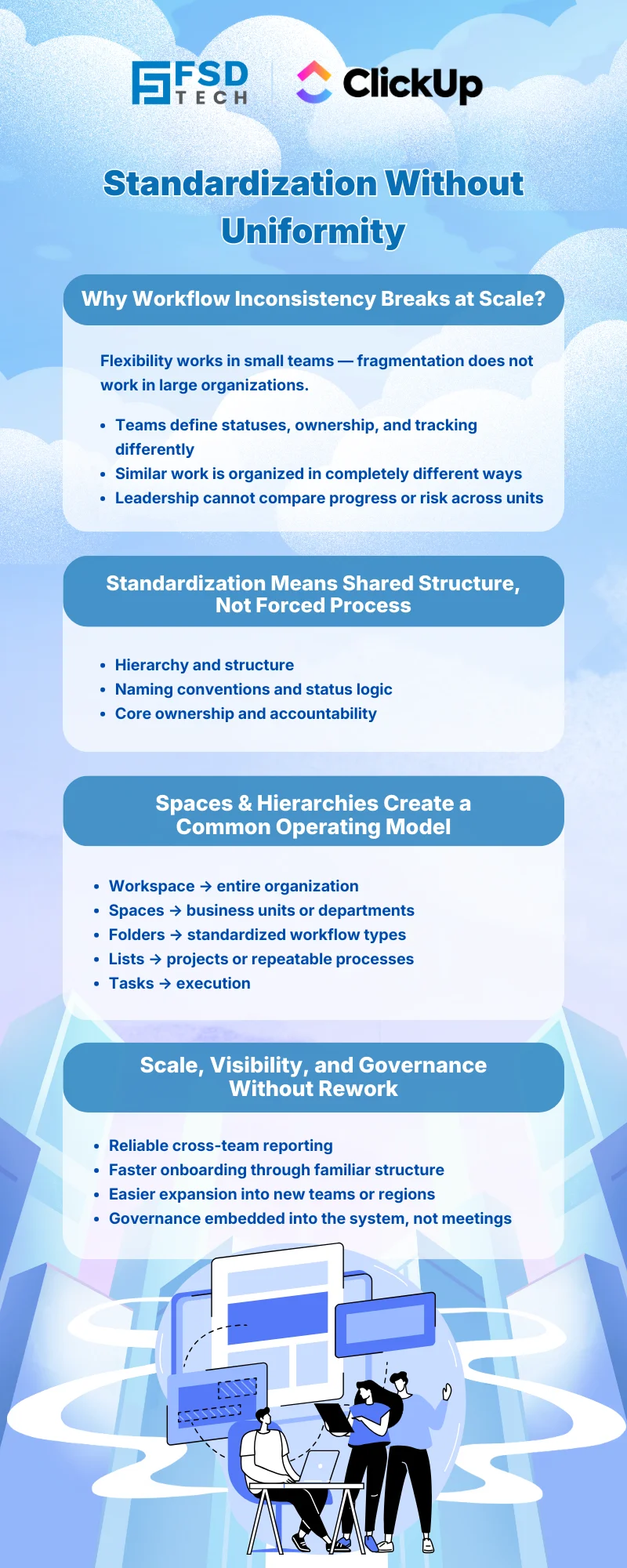
Standardizing workflows does not mean forcing rigid processes on every department. Instead, it means creating a shared structure and language for work.
Effective standardization focuses on:
ClickUp allows organizations to standardize how work is structured, while still allowing teams to customize how work is executed.
ClickUp’s hierarchy is the foundation for cross-team standardization.
At a high level:
This structure allows organizations to enforce consistency where it matters-while giving teams flexibility within their own Space.
Spaces are the primary level where standardization begins.
Best practice for enterprises:
For example, while Marketing and Operations may execute work differently, both can use standardized stages such as Planning, In Progress, Review, and Completed-making reporting and visibility easier at leadership level.
Folders help standardize recurring workflows across teams.
Examples include:
By using the same Folder structure across Spaces, organizations ensure that similar work is always organized in a predictable way-regardless of which team owns it.
This predictability is critical for scaling operations.
Lists are where teams do most of their daily work. This is also where flexibility matters most.
ClickUp allows standardization at the List level through:
At the same time, teams can:
This balance drives adoption instead of resistance.
One of the most common causes of confusion is inconsistent task statuses.
When one team uses “In Progress” and another uses “Ongoing” or “Active,” reporting becomes unreliable.
ClickUp solves this by allowing:
Standard status architecture enables accurate roll-up reporting and eliminates ambiguity across departments.
Custom Fields play a critical role in standardization.
Organizations can create shared fields such as:
When these fields are consistent across Spaces, leadership gains the ability to filter, report, and analyze work across the entire organization-without manual data cleanup.
Once workflows are standardized structurally, reporting becomes significantly easier.
With ClickUp, leadership can:
This visibility is only possible when teams follow a shared structural framework-even if execution details differ.
Workflow inconsistency dramatically increases onboarding time.
New employees often struggle to understand:
Standardized Spaces, Folders, and Lists reduce onboarding friction by creating familiarity across teams. Once someone learns the structure in one department, they can navigate others with ease.
One of the biggest advantages of standardized hierarchies is scalability.
When new teams, regions, or business units are added:
This prevents the need to redesign processes every time the organization grows.
While standardization is powerful, overdoing it can backfire.
Best practices include:
ClickUp’s flexibility ensures standardization supports teams-rather than slowing them down.
Standardized hierarchies also support governance at scale.
Leadership can:
Governance becomes embedded in the system-rather than enforced through constant follow-ups.
To succeed with standardization:
The goal is clarity-not complexity.
Organizations don’t fail due to lack of effort. They fail because work becomes fragmented as they scale.
By standardizing workflows across business units using ClickUp Spaces and Hierarchies, enterprises can:
With ClickUp, standardization is not about forcing sameness-it’s about creating a shared foundation that empowers every team to perform at their best.
Need a scalable ClickUp structure for multiple teams and departments → Schedule your 30-minute consultation call today.
Standardization ensures consistency, visibility, and scalability across teams, making reporting and governance easier at enterprise level.
Spaces allow departments to work independently while following a shared structural framework defined by leadership.
Yes. ClickUp allows standardization of structure while giving teams flexibility in execution and views.
Custom Fields create a common data language that enables accurate reporting and cross-team visibility.
They allow organizations to replicate proven workflows quickly when adding new teams or business units.

Nhaif is an AI Automation Engineer & Business Analyst focused on ClickUp, AI, Automation, and Workflow Optimization. He helps businesses shift from scattered processes to streamlined, data-driven operations. With hands-on expertise, he simplifies complex tools into clear, easy-to-apply solutions.
Share it with friends!




.webp&w=3840&q=75)






share your thoughts