HomeNext Gen IT-InfraMonitoring & ManagementCyber SecurityBCP / DRAutomationDecoded
Next Gen IT-Infra
Cato’s SASE Supports Cybersecurity Skills Development

How Cato’s SASE Supports Cybersecurity Skills Development

🕓 April 8, 2025

How SASE Supports the Security Needs of SMBs

How SASE Supports the Security Needs of SMBs

🕓 February 9, 2025

Attack Surface Reduction with Cato’s SASE

Attack Surface Reduction with Cato’s SASE

🕓 February 10, 2025

SASE for Digital Transformation in UAE

SASE for Digital Transformation in UAE

🕓 February 8, 2025

Monitoring & Management
Understanding Atera’s SLA Management

Understanding Atera’s SLA Management

🕓 February 7, 2025

Cost-Performance Ratio: Finding the Right Balance in IT Management Networks

Cost-Performance Ratio: Finding the Right Balance in IT Management Networks

🕓 June 16, 2025

Customizing Atera with APIs

Customizing Atera with APIs

🕓 March 3, 2025

Power Up Your IT Team’s Strategy with Atera’s Communication Tools

Power Up Your IT Team’s Strategy with Atera’s Communication Tools

🕓 February 8, 2025

Cyber Security
Illustration of the Cato Cloud architecture showing its role in delivering SASE for secure, optimized global connectivity.

Understanding the Cato Cloud and Its Role in SASE

🕓 January 29, 2025

Isometric illustration of professionals managing network performance, bandwidth analytics, and cloud-based optimization around the Cato Networks platform, symbolizing bandwidth control and QoS visibility.

Mastering Bandwidth Control and QoS in Cato Networks

🕓 July 26, 2025

Global network backbone powering Cato SASE solution for secure, high-performance connectivity across regions.

Global Backbone: The Engine Powering Cato’s SASE Solution

🕓 January 30, 2025

Illustration of team analyzing application traffic and usage insights on a large laptop screen using Cato’s dashboard, surrounded by network and cloud icons.

Cato Networks Application Visibility | Monitoring & Control

🕓 July 27, 2025

BCP / DR
Illustration showing diverse business and IT professionals collaborating with cloud, backup, and security icons, representing Vembu use cases for SMBs, MSPs, and IT teams.

Who Uses Vembu? Real-World Use Cases for SMBs, MSPs & IT Teams

🕓 July 12, 2025

Graphic showcasing Vembu’s all-in-one backup and disaster recovery platform with icons for cloud, data protection, and business continuity for IT teams and SMBs.

What Is Vembu? A Deep Dive Into the All in One Backup & Disaster Recovery Platform

🕓 July 6, 2025

Illustration showing Vembu backup and disaster recovery system with cloud storage, server racks, analytics dashboard, and IT professionals managing data.

The Rising Cost of Data Loss: Why Backup Is No Longer Optional?

🕓 August 14, 2025

3D isometric illustration of cloud backup and data recovery infrastructure with laptop, data center stack, and digital business icons — FSD Tech

RPO & RTO: The Heart of Business Continuity

🕓 August 15, 2025

Automation
Cross-Functional Collaboration with ClickUp

Fostering Cross-Functional Collaboration with ClickUp for Multi-Departmental Projects

🕓 February 11, 2025

ClickUp Project Reporting

Revolutionizing Enterprise Reporting with ClickUp’s Advanced Analytics and Dashboards

🕓 June 16, 2025

ClickUp’s Design Collaboration and Asset Management Tools

Empowering Creative Teams with ClickUp’s Design Collaboration and Asset Management Tools

🕓 February 26, 2025

ClickUp Communication and Collaboration Tools

ClickUp Communication and Collaboration Tools: Empowering Remote Teams

🕓 March 12, 2025

Decoded
Multi-Factor Authentication (MFA)

Multi-Factor Authentication (MFA): All You Need to Know

🕓 December 7, 2025

L3 Switch

What Is an L3 Switch? L2 vs L3 & Why You Need Layer 3?

🕓 December 8, 2025

IPSec

IPSec Explained: Protocols, Modes, IKE & VPN Security

🕓 December 3, 2025

 Datagram Transport Layer Security (DTLS)

What is Datagram Transport Layer Security (DTLS)? How it works?

🕓 December 4, 2025

    Subscribe to our newsletter!

    About Us

    Follow Us

    Copyright © 2024 | Powered by 

    Cato SASE Architecture

    Inside Cato’s SASE Architecture: A Blueprint for Modern Security

    🕓 January 26, 2025

    Enterprise Data Security and Privacy with ClickUp

    Ensuring Enterprise Data Security and Privacy with ClickUp

    🕓 February 9, 2025

    DDoS protection SASE

    DDoS Protection and Cato’s Defence Mechanisms

    🕓 February 11, 2025

    Table of Contents

    What is Ransomware? Definition, Types, and Protection

    Surbhi Suhane
    January 30, 2026
    Comments
    Ransomware

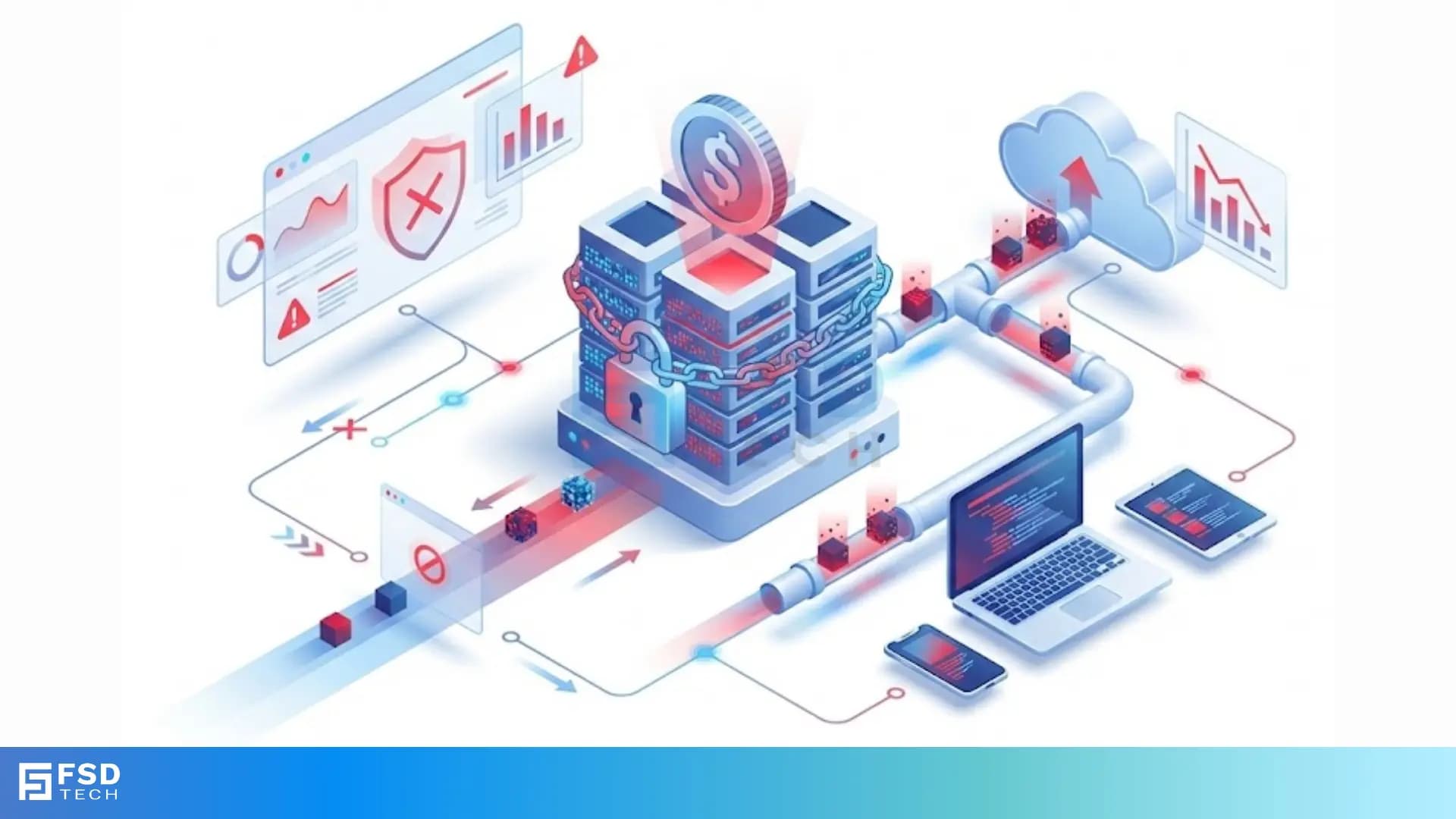
    Have you ever worried about losing every file on your computer in a single second? Imagine opening your laptop to find a bright red screen. It tells you that your photos, documents, and business files are locked. You cannot open them. To get them back, you must pay a fee, usually in digital currency like Bitcoin. This is not a glitch. You are facing ransomware.


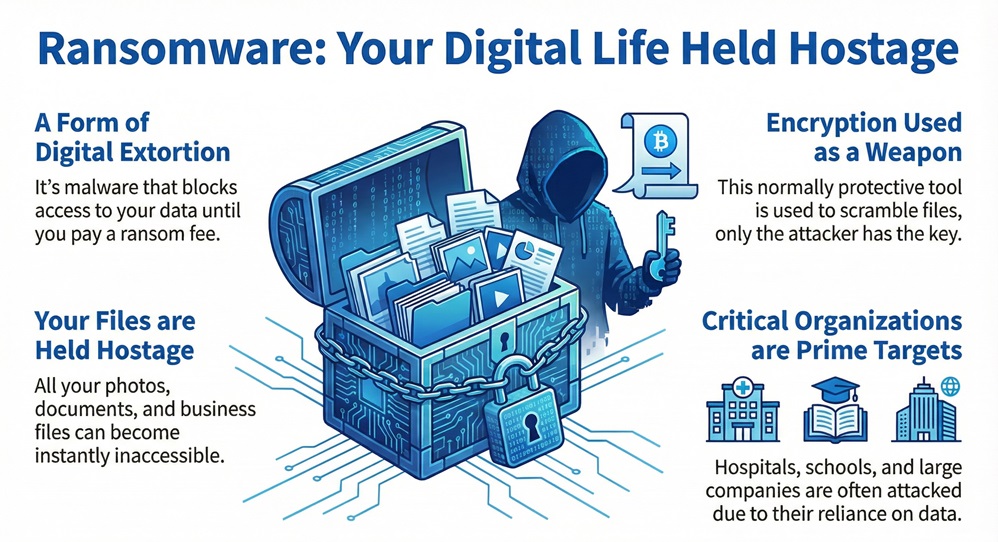
    Ransomware is a type of malicious software, or malware, that blocks access to a computer system or data. Hackers use it to extort money from victims. They hold your digital life hostage until you meet their demands. But how does this happen, and can you truly protect yourself?


    What is Ransomware?

    Ransomware works by using encryption to scramble your files. Encryption is normally a good thing. It keeps your data private. However, in the hands of a criminal, it becomes a weapon. The attacker holds the only key to unlock the data.
     

    Ransomware


    These attacks do not just target individuals. They hit hospitals, schools, and large companies. Why do hackers do this? They know these groups rely on their data to function. If a hospital cannot see patient records, lives are at risk. This pressure makes victims more likely to pay the ransom quickly.


    Secure Your Data


    Comparison of Ransomware Types

    To understand the threat, we must look at the different ways these programs behave. Not all attacks look the same.


    FeatureLocker RansomwareCrypto Ransomware
    Primary GoalBlocks access to the entire device.Encrypts specific files and folders.
    Data StatusFiles remain unencrypted but inaccessible.Files are scrambled and unreadable.
    VisibilityYou see a lock screen or fake legal notice.You can see the files but cannot open them.
    ImpactPrevents you from using the computer at all.Prevents you from using important data.
    RecoveryOften fixed by removing the lock malware.Requires a decryption key or data backup.


    Defining Ransomware and Its Evolution

    Ransomware refers to the specific category of malware designed for financial gain through data kidnapping. It has evolved significantly over the last decade. In the early days, these programs were simple. They might just display a pop-up that was hard to close. Today, they are sophisticated.


    These attacks now often use a "double extortion" tactic. The hackers do more than just lock your files. First, they steal a copy of your private data. Then, they encrypt the original files on your server. If you refuse to pay for the key, they threaten to leak your private information online.


    Ransomware actors operate like a business. Some even offer "Ransomware as a Service" (RaaS). In this model, professional developers write the code. They then rent it out to other criminals. This allows people with very little technical skill to launch major attacks.


    Also Read: What Is a Zombie Computer? Botnet Threats Guide


    How does the infection start?

    Ransomware enters your system through several common paths. Do you often click on links in emails from people you do not know? That is a primary risk.


    • Phishing Emails: These are fake emails that look real. They might look like a shipping update or an invoice. When you click the link or open the attachment, the malware installs.
    • Remote Desktop Protocol (RDP): Hackers find computers with weak passwords that allow remote access. They log in and manually install the ransomware.
    • Malicious Websites: Simply visiting a compromised site can trigger a "drive-by download." Your browser downloads the virus without you knowing.
    • Software Vulnerabilities: If you do not update your apps, hackers use "holes" in the code to get in.


    Ransomware Attack Life Cycle

    Ransomware follows a specific sequence of events. Understanding these steps helps you spot an attack before it finishes.


    1. Infection and Distribution

    Ransomware must first find a way into the network. As we mentioned, this usually happens through phishing or unpatched software. The goal is to get a small piece of code running on a single computer.


    2. Command and Control (C2)

    Ransomware then connects back to the hacker's server. This is called a Command and Control server. The malware sends information about your computer to the hacker. It then receives instructions and the "public key" used for encryption.


    3. File Discovery

    It begins to look for valuable files. It searches for Office documents, PDFs, images, and databases. It also looks for network drives. If your computer is connected to a company server, the malware will try to spread there too.


    4. Encryption

    It starts the encryption process. It replaces your original files with encrypted versions. These files often have a new extension, like .locked or .crypted. During this time, your computer might feel slow because the processor is working hard to scramble the data.


    5. The Ransom Note

    Ransomware finally reveals itself. It drops a text file or changes your desktop wallpaper. The note explains what happened. It gives you a deadline and a link to a "leak site" or a payment portal.


    Also Read: What is Network Sniffing? Attack and Prevention


    Why is Ransomware a Significant Threat?

    Ransomware creates a massive ripple effect. It is not just about the money lost to the ransom. The real cost is much higher.


    It causes downtime. When a business loses its data, work stops. Employees cannot log in. Customers cannot buy products. This loss of productivity can bankrupt a small company. According to CERT-In, the number of attacks in India has increased year over year, targeting critical sectors like finance and energy.


    Ransomware also damages your reputation. If you are a doctor and you lose patient records, patients lose trust in you. If you are a bank and hackers steal customer data, your brand is ruined.


    Ransomware recovery is expensive. Even if you do not pay the ransom, you have to hire experts. You must clean your systems, buy new hardware, and fix the security holes. This often costs ten times more than the actual ransom demand.


    Key Differences Between Ransomware and Other Malware

    Ransomware is unique because it interacts with the victim. Most viruses try to stay hidden.


    1. Visibility: A standard virus or "Trojan" wants to stay on your computer for months. It steals your passwords in secret. Ransomware wants you to know it is there so you will pay.
    2. The Goal: Most malware aims for data theft or using your computer to send spam. It aims for direct extortion.
    3. The Solution: You can remove a normal virus with an antivirus scan. Once Ransomware encrypts your files, removing the virus does not give your data back. The data is still scrambled.


    Also Read: What is Advanced Persistent Threat (APT)?


    How to Prevent Ransomware Attacks?

    Ransomware prevention is easier than recovery. You can take simple steps today to keep your data safe.


    Maintain Regular Backups

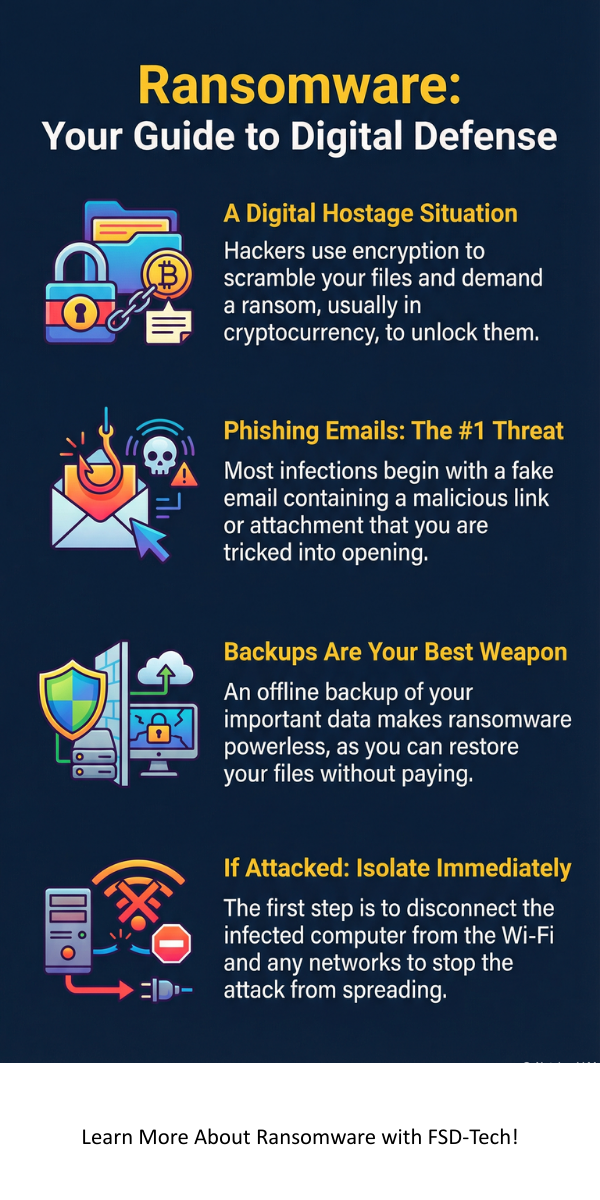
    Ransomware loses its power if you have a backup. You should follow the 3-2-1 rule. Keep three copies of your data. Use two different types of media (like a hard drive and the cloud). Keep one copy "offline" or away from your network. If the malware cannot reach your backup, it cannot lock it.


    Update Your Software Constantly

    It often uses old bugs to enter systems. When you see a "system update" notification, do not ignore it. These updates include security patches. They close the doors that hackers use to get inside.


    Use Multi-Factor Authentication (MFA)

    Ransomware actors love stolen passwords. MFA adds a second layer of security. Even if a hacker has your password, they cannot log in without the code from your phone. This stops most RDP-based attacks.


    Train Your Team

    It often relies on human error. Do you know how to spot a fake email? You should look for strange sender addresses and urgent language. Teaching your employees to be skeptical is your best defense.


    What Should You Do if You Are Attacked?

    Ransomware attacks are scary, but you must stay calm. Acting quickly can limit the damage.


    1. Isolate the Device: Disconnect the infected computer from the Wi-Fi and the office network immediately. This stops the malware from spreading to other computers.
    2. Do Not Pay Immediately: The FBI and MeitY recommend against paying the ransom. Paying does not guarantee you get your files back. It also marks you as a "payer," which makes you a target for future attacks.
    3. Take a Photo: Take a picture of the ransom note with your phone. This provides evidence for law enforcement.
    4. Contact Professionals: Call your IT department or a cybersecurity firm. Report the incident to the authorities through portals like cybercrime.gov.in.


    Conclusion

    Ransomware is a growing threat in our digital world. It targets our most valuable asset: information. By understanding how these attacks work, you can build a stronger defense. Remember, security is not a one-time task. It is a habit. You must stay alert, keep your software updated, and always verify your backups.


    Our team believes in a safer digital future for everyone. We focus on providing clear, actionable advice to help you stay ahead of cybercriminals. Your data security is our priority. We are here to help you navigate these challenges with confidence and integrity.
     

    Don't wait for a red screen to appear. Contact our security experts today for a personalized defense plan.


    Ransomware


    Key Takeaways

    • Ransomware is malware that encrypts data for money.
    • Double Extortion means hackers steal data before locking it.
    • Backups are the only way to ensure you do not lose your files.
    • Phishing remains the top method for initial infection.
    • Isolation of the infected device is the first step in an emergency.
    • Reporting the crime helps authorities track and stop hacker groups.


    Frequently Asked Questions

    What is the most common way ransomware spreads?

    Ransomware spreads mostly through phishing emails. These emails contain attachments or links that download the malware when clicked.


    Can antivirus software stop ransomware?

    It can sometimes be blocked by modern antivirus programs. These tools look for "behavior" rather than just a list of known viruses. However, hackers constantly change their code to bypass these tools.


    Should I ever pay the ransom?

    Ransomware experts advise against paying. You are dealing with criminals. There is no "customer service." Many victims pay the money and never receive the decryption key.


    How long does a ransomware attack take?

    It can encrypt a whole computer in just a few minutes. However, the hackers might have been inside your network for weeks before they started the encryption.


    Is ransomware illegal?

    Ransomware is a serious crime. Using malware to extort money is a global offense.

    What is Ransomware? Definition, Types, and Protection

    About The Author

    Surbhi Suhane

    Surbhi Suhane is an experienced digital marketing and content specialist with deep expertise in Getting Things Done (GTD) methodology and process automation. Adept at optimizing workflows and leveraging automation tools to enhance productivity and deliver impactful results in content creation and SEO optimization.

    Like This Story?

    Share it with friends!

    Subscribe to our newsletter!

    Atera

    (49)

    Cato Networks

    (120)

    ClickUp

    (70)

    FishOS

    (7)

    Miradore

    (21)

    PointGuard AI

    (9)

    Vembu

    (22)

    Xcitium

    (33)

    ZETA HRMS

    (79)

    Workflow Automation(8)

    Workforce Automation(1)

    AI Project Management(1)

    HR Data Automation(1)

    RMM(1)

    IT Workflow Automation(1)

    IT security(2)

    GCC compliance(4)

    Payroll Integration(2)

    IT support automation(3)

    procurement automation(1)

    lost device management(1)

    IT Management(5)

    IoT Security(2)

    Cato XOps(2)

    IT compliance(4)

    Workflow Management(1)

    Task Automation(1)

    Kubernetes lifecycle management(2)

    OpenStack automation(1)

    AI-powered cloud ops(1)

    SMB Security(8)

    Data Security(1)

    MDR (Managed Detection & Response)(4)

    MSP Automation(3)

    Atera Integrations(2)

    XDR Security(2)

    SMB Cyber Protection(1)

    Ransomware Defense(3)

    HR Tech Solutions(1)

    Zero Trust Network Access(3)

    Zero Trust Security(2)

    Endpoint Management(1)

    SaaS Security(1)

    Payroll Automation(5)

    IT Monitoring(2)

    Xcitium EDR SOC(15)

    Ransomware Protection GCC(1)

    Network Consolidation UAE(1)

    M&A IT Integration(1)

    MSSP for SMBs(1)

    SMB Cybersecurity GCC(1)

    Managed EDR FSD-Tech(1)

    Ransomware Protection(3)

    Antivirus vs EDR(1)

    FSD-Tech MSSP(25)

    Cybersecurity GCC(12)

    Endpoint Security(1)

    Endpoint Protection(1)

    Data Breach Costs(1)

    SMB Cybersecurity(8)

    Zero Dwell Containment(31)

    Managed Security Services(2)

    Xcitium EDR(30)

    Hybrid Backup(1)

    Cloud Backup(1)

    Backup & Recovery(1)

    pointguard ai(4)

    backup myths(1)

    disaster recovery myths(1)

    SMB data protection(9)

    vembu(9)

    Disaster Recovery(4)

    Vembu BDR Suite(19)

    GCCBusiness(1)

    DataProtection(1)

    Secure Access Service Edge(4)

    GCC HR software(20)

    Miradore EMM(15)

    Cato SASE(7)

    Cloud Security(8)

    Talent Development(1)

    AI Compliance(2)

    AI Security(2)

    AI Risk Management(1)

    AI Cybersecurity(12)

    AI Governance(4)

    GCC business security(1)

    GCC network integration(1)

    compliance automation(5)

    education security(1)

    GCC cybersecurity(2)

    Miradore EMM Premium+(5)

    App management UAE(1)

    BYOD security Dubai(8)

    MiddleEast(1)

    HealthcareSecurity(1)

    Team Collaboration(1)

    IT automation(12)

    Zscaler(1)

    SD-WAN(6)

    HR Integration(4)

    Cloud Networking(3)

    device management(9)

    VPN(1)

    RemoteWork(1)

    ZeroTrust(2)

    MPLS(1)

    Project Management(9)

    HR automation(16)

    share your thoughts

    SQL Injection (SQLi)

    What is SQL Injection (SQLi) Attack? Examples & Prevention

    🕓 February 3, 2026

    Cloud Access Security Broker (CASB)

    What is Cloud Access Security Broker (CASB)?

    🕓 February 3, 2026

    What is Static Application Security Testing (SAST)?

    What is Static Application Security Testing (SAST)?

    🕓 February 2, 2026

    Decoded(93)

    Cyber Security(118)

    BCP / DR(22)

    Zeta HRMS(78)

    SASE(21)

    Automation(70)

    Next Gen IT-Infra(118)

    Monitoring & Management(70)

    ITSM(22)

    HRMS(21)

    Automation(24)