.webp&w=3840&q=75)
How ClickUp Enables Outcome-Based Project Management (Not Just Task Tracking)
🕓 February 15, 2026
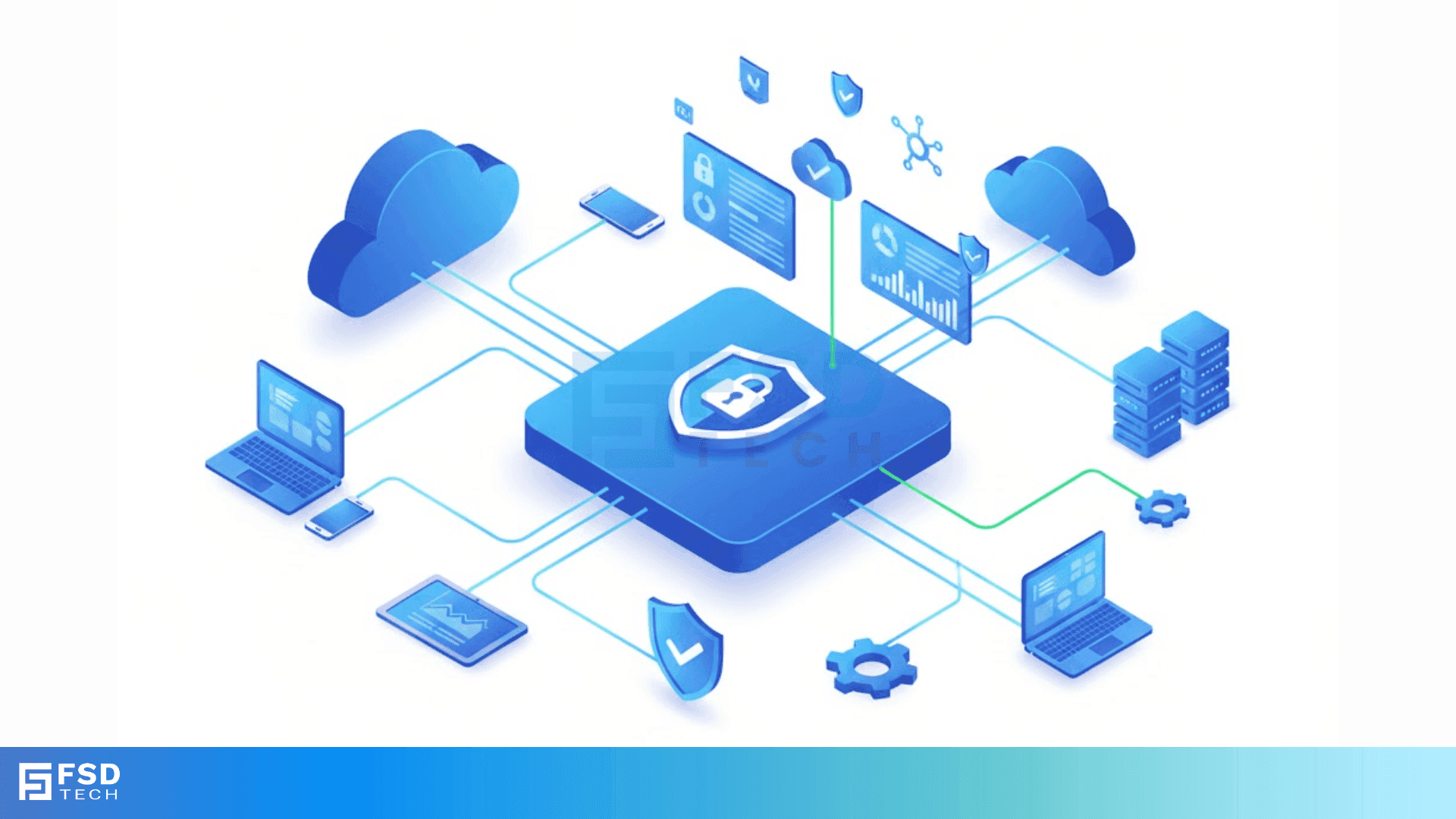
Do you know where your company data goes when it leaves your office? Most people think their files stay safe inside their own computers. But today, almost every business uses the cloud. You likely use apps to chat, store files, and manage customers. While these apps help you work fast, they also create huge risks. How do you know who is looking at your data? How do you stop a hacked account from stealing your secrets? There is a special way to solve these problems without slowing down your team. We call this a cloud access security broker.
A cloud access security broker acts as a security guard for your digital world. It sits between your users and the cloud apps they use. Think of it as a checkpoint. Every time someone tries to reach a file or log in, the broker checks their ID. It makes sure they follow your rules. If the person looks suspicious, the broker stops them. If the data looks like it should not leave, the broker blocks the transfer.
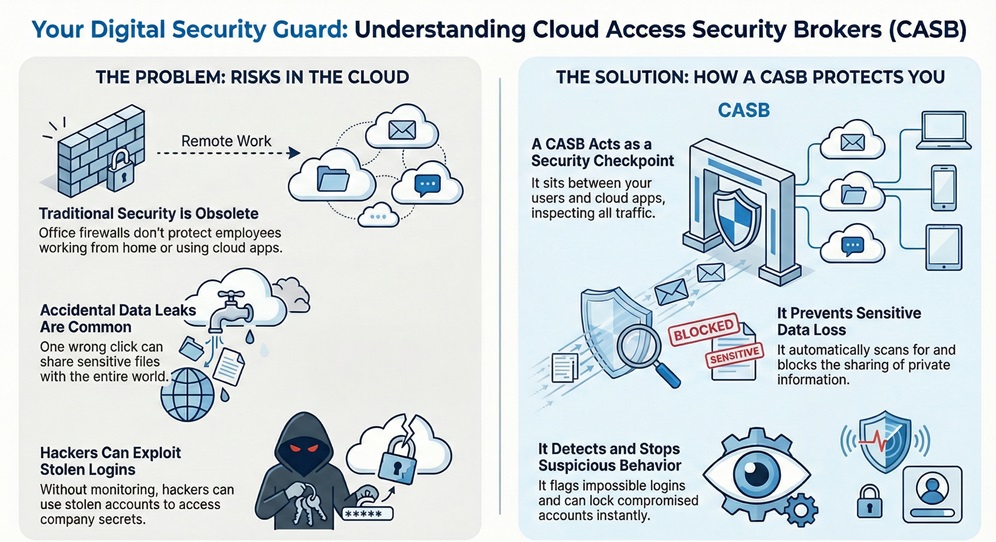
Cloud access security broker technology started because old security tools failed. Traditional firewalls only protect the office building. They do not see what happens when an employee works from home or a coffee shop. This tool solves that by watching the cloud traffic directly.
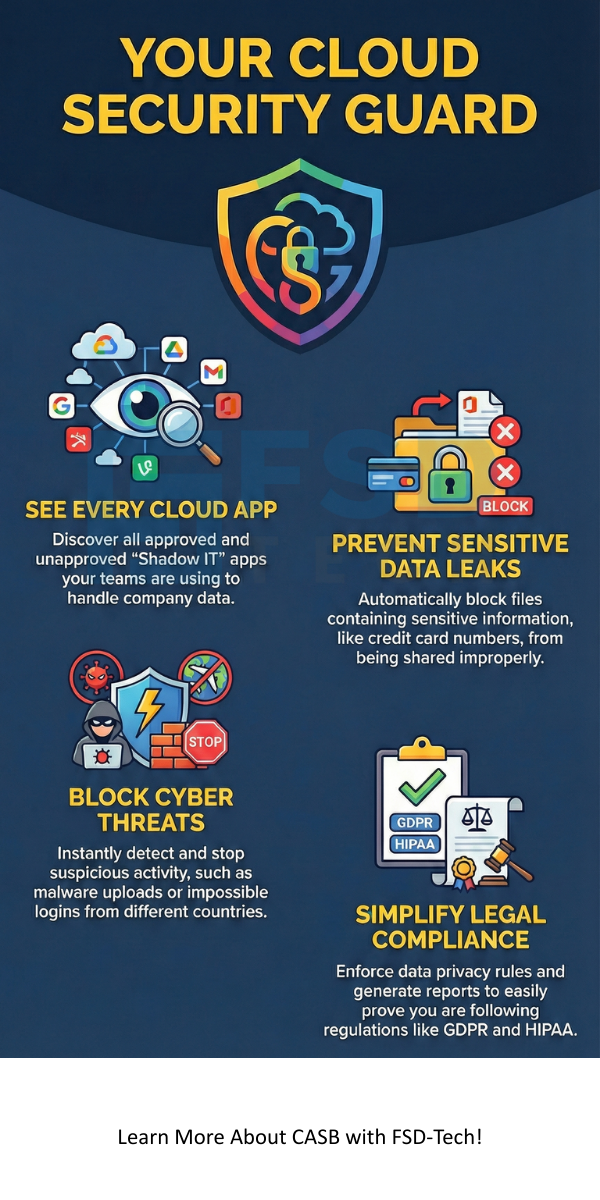
It gives you eyes on everything, no matter where your staff sits. Do you want to see which apps your team uses most? This tool tells you that. It helps you find "Shadow IT," which are apps your team uses without asking the IT department.
Cloud access security broker tools are vital because data moves faster than ever. You might have thousands of files in Google Drive or Microsoft 365. One wrong click by an employee can share a private folder with the whole world. A broker stops these accidents before they happen. It scans for sensitive info like credit card numbers or passwords. If it finds them, it can hide the data or alert you right away.
Are you worried about hackers? A cloud access security broker looks for weird behavior. If an employee logs in from New York and then from London five minutes later, the broker knows something is wrong. It can lock the account or ask for a second password. This keeps your business safe from stolen logins. You get peace of mind knowing that an automated system watches your back 24/7.
The cloud access security broker architecture comes in three main styles. You can choose the one that fits your business best. Some companies use all three at once for the best protection.
Proxy Mode (Forward Proxy):
The cloud access security broker sits in front of your users. When they try to go to a cloud site, the traffic goes through the broker first. This works great for devices that your company owns and manages. You can see every click and every file move.
Proxy Mode (Reverse Proxy):
This version sits in front of the cloud app itself. It is perfect for people who use their own phones or home laptops for work. You do not need to install anything on their devices. The broker still watches the data because it guards the entrance to the app.
API Mode:
The cloud access security broker talks directly to the cloud app using an API. This method is very fast. It does not slow down the internet for your users. It can look at files that are already sitting in the cloud. It can also fix security settings that someone changed by mistake.
Also Read: What is Cloud Virtual Private Network (VPN)?
Cloud access security broker solutions focus on four main pillars of safety. You must understand these pillars to get the most value from your tools.
Cloud access security broker tools offer many features to keep you safe. Most tools allow you to set "granular policies." This means you can be very specific with your rules. You can let a manager edit a file but only let an intern view it. You can also block people from printing certain documents.
Another great feature is "User and Entity Behavior Analytics" or UEBA. This feature learns how your team normally works. If a user suddenly downloads 500 files at midnight, the tool flags it.
This helps you catch hackers who have already bypassed your password. You can also use "Adaptive Access Control." This changes security based on the situation. If a user is on a known office network, they get easy access. If they are on public Wi-Fi, the tool asks for more proof of ID.
Cloud access security broker examples show how this works in real life. Imagine a hospital that stores patient records in the cloud. A doctor accidentally shares a folder with a personal email address. The broker sees the patient names and blocks the share instantly. It sends a message to the doctor explaining why. This saves the hospital from a huge fine and protects patient privacy.
Another example involves a big bank. A hacker steals an employee's password for a cloud chat app. The hacker tries to send a malicious link to everyone in the company. The cloud access security broker sees the link and realizes it is a virus. It deletes the message before anyone clicks it. The bank stays safe because the broker was watching the chat traffic.
Also Read: What is Disaster Recovery in Cloud Computing?
Choosing between cloud access security broker vendors can feel hard. Many big names offer great tools. You should look for a vendor that works well with the apps you already use.
Netskope is a very popular choice. They have a huge network that makes security very fast. They are great at finding "Shadow IT." Microsoft also has a tool called Defender for Cloud Apps. It is a top choice if you already use Office 365 and Azure.
McAfee (Skyhigh Security) was one of the first companies to build these tools. They have very strong rules for data protection.
Versa Networks offers a different approach. They mix cloud security with your network setup. This is great for companies with many branch offices. Cisco and Broadcom (Symantec) also have powerful tools. You should ask for a demo from a few vendors. See which one feels easiest for your team to use.
When you look at security, you might see other names like Firewalls or SWGs. This table shows how a cloud access security broker is different.
| Feature | Firewall | Secure Web Gateway (SWG) | Cloud Access Security Broker |
|---|---|---|---|
| Main Goal | Blocks bad traffic at the office | Stops users from going to bad sites | Protects data inside cloud apps |
| Visibility | Only sees office traffic | Sees web browsing history | Sees all cloud app activity |
| Data Protection | Very basic | Good for web downloads | Best for cloud file sharing |
| Works Anywhere? | No, stays at the office | Mostly, via agents | Yes, works globally |
| API Support | No | Rare | Yes, very strong |
Also Read: What Is Endpoint Detection & Response (EDR) in Cybersecurity?
Starting your cloud access security broker journey is easier than you think. First, you must find out what you already have. Use the tool to scan your network for a week. You will likely find dozens of apps you did not know about. Do not be scared. This is the first step to being safe.
Next, pick your most important apps. Usually, this is your email or your file storage. Set simple rules first. You can block the sharing of sensitive folders with people outside the company. As you get comfortable, you can add more complex rules. You should also train your staff. Tell them why the broker is there. Explain that it helps them work safely without worrying about mistakes.
Many small business owners think they are too small for a cloud access security broker. This is not true. Hackers often target small firms because they have weaker security. One data breach can ruin a small company. Many vendors now offer versions of their tools for smaller teams. These are cheaper and easier to set up.
If you use even one cloud app for your business, you need protection. You do not need a giant IT team to run these tools. Most of them use automation to do the hard work. They send you an email only when something is really wrong. This allows you to focus on your business while the tool keeps your data secure.
We believe that every company deserves to feel safe online. Your data is your most valuable asset. Protecting it should not be a headache or a burden. We focus on giving you the best tools to keep your business running smoothly. Our team cares about your success and your safety. We work hard to stay ahead of hackers so you do not have to.
Are you ready to see what is happening in your cloud? You can take control of your security today. A better, safer way of working is waiting for you. Let us help you build a shield around your data that never sleeps. Your peace of mind is our highest priority. Reach out to learn how we can protect your company together.
Proactive CASB Defense Contact our team
The main goal is to protect data as it moves between your users and cloud apps. It provides visibility, prevents data loss, and stops threats.
Most modern brokers use fast networks or APIs. You will likely not notice any delay in your daily work. API-based tools do not affect speed at all.
Yes. If those apps use company data or the company network, the broker can see them. This helps you manage "Shadow IT."
Yes. A CWPP protects the servers where apps live. A broker protects the users and the data moving into those apps.
The price varies by the number of users you have. Most vendors charge a monthly fee per person. It is usually a small price compared to the cost of a data breach.

Surbhi Suhane is an experienced digital marketing and content specialist with deep expertise in Getting Things Done (GTD) methodology and process automation. Adept at optimizing workflows and leveraging automation tools to enhance productivity and deliver impactful results in content creation and SEO optimization.
Share it with friends!




.webp&w=3840&q=75)






share your thoughts