HomeNext Gen IT-InfraMonitoring & ManagementCyber SecurityBCP / DRAutomationDecoded
Next Gen IT-Infra
Cato’s SASE Supports Cybersecurity Skills Development

How Cato’s SASE Supports Cybersecurity Skills Development

🕓 April 8, 2025

How SASE Supports the Security Needs of SMBs

How SASE Supports the Security Needs of SMBs

🕓 February 9, 2025

Attack Surface Reduction with Cato’s SASE

Attack Surface Reduction with Cato’s SASE

🕓 February 10, 2025

SASE for Digital Transformation in UAE

SASE for Digital Transformation in UAE

🕓 February 8, 2025

Monitoring & Management
Understanding Atera’s SLA Management

Understanding Atera’s SLA Management

🕓 February 7, 2025

Cost-Performance Ratio: Finding the Right Balance in IT Management Networks

Cost-Performance Ratio: Finding the Right Balance in IT Management Networks

🕓 June 16, 2025

Customizing Atera with APIs

Customizing Atera with APIs

🕓 March 3, 2025

Power Up Your IT Team’s Strategy with Atera’s Communication Tools

Power Up Your IT Team’s Strategy with Atera’s Communication Tools

🕓 February 8, 2025

Cyber Security
Illustration of the Cato Cloud architecture showing its role in delivering SASE for secure, optimized global connectivity.

Understanding the Cato Cloud and Its Role in SASE

🕓 January 29, 2025

Isometric illustration of professionals managing network performance, bandwidth analytics, and cloud-based optimization around the Cato Networks platform, symbolizing bandwidth control and QoS visibility.

Mastering Bandwidth Control and QoS in Cato Networks

🕓 July 26, 2025

Global network backbone powering Cato SASE solution for secure, high-performance connectivity across regions.

Global Backbone: The Engine Powering Cato’s SASE Solution

🕓 January 30, 2025

Illustration of IT team managing user roles and permissions on the Cato CMA dashboard via laptops and cloud interfaces.

Setting Up Role-Based Access Control (RBAC) in Cato

🕓 July 28, 2025

BCP / DR
Illustration showing diverse business and IT professionals collaborating with cloud, backup, and security icons, representing Vembu use cases for SMBs, MSPs, and IT teams.

Who Uses Vembu? Real-World Use Cases for SMBs, MSPs & IT Teams

🕓 July 12, 2025

Graphic showcasing Vembu’s all-in-one backup and disaster recovery platform with icons for cloud, data protection, and business continuity for IT teams and SMBs.

What Is Vembu? A Deep Dive Into the All in One Backup & Disaster Recovery Platform

🕓 July 6, 2025

Illustration showing Vembu backup and disaster recovery system with cloud storage, server racks, analytics dashboard, and IT professionals managing data.

The Rising Cost of Data Loss: Why Backup Is No Longer Optional?

🕓 August 14, 2025

3D isometric illustration of cloud backup and data recovery infrastructure with laptop, data center stack, and digital business icons — FSD Tech

RPO & RTO: The Heart of Business Continuity

🕓 August 15, 2025

Automation
Cross-Functional Collaboration with ClickUp

Fostering Cross-Functional Collaboration with ClickUp for Multi-Departmental Projects

🕓 February 11, 2025

ClickUp Project Reporting

Revolutionizing Enterprise Reporting with ClickUp’s Advanced Analytics and Dashboards

🕓 June 16, 2025

ClickUp’s Design Collaboration and Asset Management Tools

Empowering Creative Teams with ClickUp’s Design Collaboration and Asset Management Tools

🕓 February 26, 2025

ClickUp Communication and Collaboration Tools

ClickUp Communication and Collaboration Tools: Empowering Remote Teams

🕓 March 12, 2025

Decoded
Multi-Factor Authentication (MFA)

Multi-Factor Authentication (MFA): All You Need to Know

🕓 December 7, 2025

L3 Switch

What Is an L3 Switch? L2 vs L3 & Why You Need Layer 3?

🕓 December 8, 2025

IPSec

IPSec Explained: Protocols, Modes, IKE & VPN Security

🕓 December 3, 2025

 Datagram Transport Layer Security (DTLS)

What is Datagram Transport Layer Security (DTLS)? How it works?

🕓 December 4, 2025

    Subscribe to our newsletter!

    About Us

    Follow Us

    Copyright © 2024 | Powered by 

    Cato SASE Architecture

    Inside Cato’s SASE Architecture: A Blueprint for Modern Security

    🕓 January 26, 2025

    Enterprise Data Security and Privacy with ClickUp

    Ensuring Enterprise Data Security and Privacy with ClickUp

    🕓 February 9, 2025

    DDoS protection SASE

    DDoS Protection and Cato’s Defence Mechanisms

    🕓 February 11, 2025

    Table of Contents

    From Vision to Delivery: ClickUp’s Roadmap Features for Strategic Planning

    NHAIF NOUSHAD
    September 10, 2025
    Comments
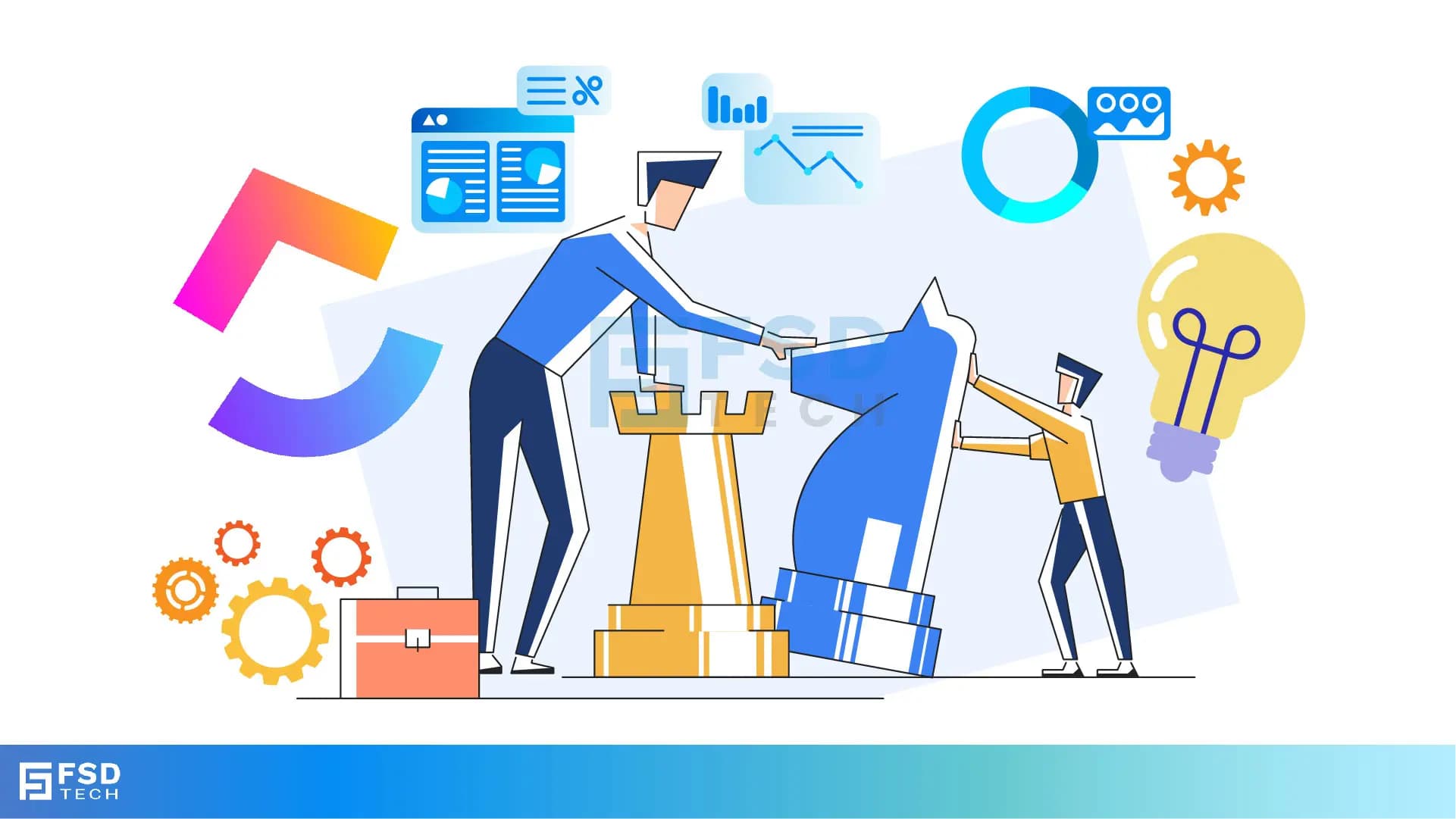
    Illustration of two professionals collaborating on a strategy roadmap, symbolized by chess pieces, analytics dashboards, gears, and light bulb icons, representing ClickUp’s approach to strategic planning and execution.

    Every great product, project, or team success starts with a vision. But turning that vision into a structured, trackable, and actionable plan often becomes the challenge. This is where ClickUp’s Roadmap features step in, providing clarity, alignment, and execution pathways to move teams from idea to impact—fast.
     

    Whether you're in product development, marketing, operations, or customer success, having a roadmap that’s dynamic, visual, and integrated into your day-to-day work is key. In this blog, we’ll explore how ClickUp helps you build, manage, and adapt strategic roadmaps that keep your organization moving forward with purpose.


    What Is a Roadmap and Why Does It Matter?

    A roadmap is a visual representation of your strategic plan. It outlines the "what", "why", and "when" behind initiatives, helping teams align their work with long-term goals. Unlike static PowerPoint decks or spreadsheets, ClickUp Roadmaps live inside your workflow—real-time, adaptable, and collaborative.

    Key reasons why roadmaps matter:

    • Clarify objectives and priorities
    • Align cross-functional teams
    • Enable forecasting and resource planning
    • Communicate vision to stakeholders
    • Reduce execution risk


    Roadmapping in ClickUp: An Overview

    ClickUp isn’t a traditional roadmap tool. It’s a work execution platform that lets you build roadmap views directly from real work happening in your spaces, folders, and lists. This means you can:

    • Build visual roadmaps using Timeline or Gantt views
    • Connect tasks and goals to strategic initiatives
    • Use Custom Fields to group and filter roadmaps by department, theme, or owner
    • Link tasks to ClickUp Goals for outcome-driven planning
    • Collaborate in real-time across teams and locations

    No more syncing data between roadmap tools and task management software—everything happens in one place.


    Creating a Roadmap in ClickUp

    ClickUp gives you multiple ways to build roadmaps depending on your planning style.

    Timeline View

    Perfect for visualizing project phases, team capacity, and long-term scheduling. The Timeline view in ClickUp works like a horizontal calendar. You can:

    • Drag and drop tasks across time blocks
    • Color-code items by priority, department, or status
    • Filter by Custom Fields such as project owner or release version
    • Group items into swimlanes for clearer structure

    This view is ideal for monthly, quarterly, or annual planning.

    Gantt View

    The Gantt view in ClickUp is great for roadmaps that depend on task dependencies and critical paths. Use it to:

    • Identify scheduling conflicts or bottlenecks
    • Auto-shift tasks when dates change
    • Visualize how small delays can affect long-term delivery
    • Track task progress over time

    It’s particularly useful for engineering teams, PMOs, and operations that manage complex timelines.

    Board View for Agile Planning

    Agile teams can use Board View to represent roadmaps as stages of progress (e.g., Backlog, In Progress, Completed). Combined with tags like “Q1 Initiative” or “Marketing Goal”, you can simulate a roadmap with real-time delivery tracking.

    Board view roadmaps help you:

    • Stay flexible with fast-changing initiatives
    • Plan short-term sprints inside long-term goals
    • Visualize progress without dependency on time-based structure


    Aligning Roadmaps with ClickUp Goals

    ClickUp’s Goals feature allows you to connect roadmap tasks to broader outcomes. Each Goal can contain multiple Targets such as:

    • Number of completed tasks
    • Value of sales closed
    • Progress percentage
    • Custom metrics

    This turns your roadmap from just a list of things to do into a measurement framework. Every item on the roadmap should feed a goal—and you can track that in real-time.


    Want a customized ClickUp Roadmap template to align your team’s goals and execution? Fill out the form and our experts will send you a tailored setup plan.

    Using Custom Fields to Personalize Roadmaps

    With Custom Fields, you can tag and organize your roadmap tasks across dozens of dimensions:

    • Department (Product, Marketing, Sales, HR)
    • Initiative type (Launch, Improvement, Experiment)
    • Stage (Planned, In Progress, Completed)
    • Priority (P1, P2, P3)

    This means your roadmap isn’t just a timeline—it’s a multi-dimensional strategy canvas you can slice and dice to suit leadership, team, or client views.


    Roadmap Collaboration in ClickUp

    Roadmaps are only effective when they’re collaborative. In ClickUp, collaboration features bring teams into the process:

    • Assign tasks to owners for accountability
    • Use comments and mentions for real-time discussion
    • Add Docs or attachments for supporting documents
    • Set checklists or subtasks to ensure execution readiness

    This transforms roadmaps from executive-only planning tools into working documents your entire team can execute against.


    Automating Roadmap Updates with ClickUp Automations

    Automation makes your roadmap dynamic. With ClickUp Automations, you can:

    • Update task status when a checklist is completed
    • Notify stakeholders when a milestone is moved
    • Automatically tag overdue tasks
    • Move tasks between Lists or Folders when priorities change

    No manual updates. Your roadmap reflects real-time progress.

    Real-World Example: Quarterly Product Roadmap in ClickUp

    Let’s say your product team is planning a Q3 feature rollout.
     

    Here’s how it might look in ClickUp:

    • Goal: Increase active users by 15% in Q3
    • Tasks: Each feature release is a task with subtasks for development, QA, documentation, and marketing
    • Timeline View: Visualize release windows and dependencies
    • Custom Fields: Add tags for version numbers, product managers, release priority
    • Automations: Move features from Planning to In Development when assigned

    This roadmap doesn’t just inform—it drives execution.


    Best Practices for Roadmapping in ClickUp

    To maximize your ClickUp roadmap, follow these tips:

    1. Connect tasks to goals so execution always ladders up to outcomes.
    2. Use consistent Custom Fields across teams to create universal views.
    3. Automate task transitions to reduce admin overhead.
    4. Review roadmaps regularly in weekly or monthly meetings.
    5. Share views with stakeholders using Public Sharing or Guest Permissions.

    Roadmaps are not one-time activities—they evolve. ClickUp’s flexibility ensures your roadmap grows with your strategy.


    Ready to build a ClickUp Roadmap for your business? Book a free consultation with our ClickUp Implementation Experts today.
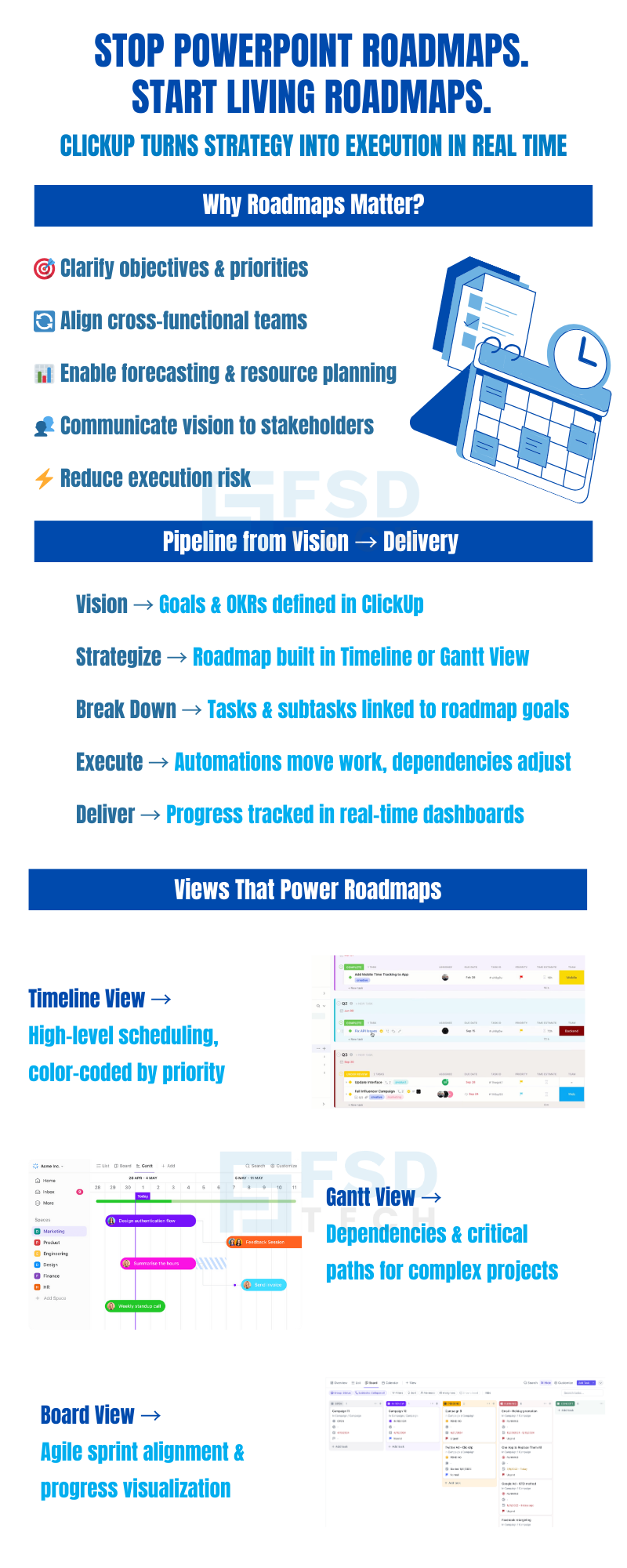
     

    Infographic comparing PowerPoint roadmaps to ClickUp’s live roadmaps. Highlights why roadmaps matter, benefits such as clarifying objectives, aligning teams, and reducing risks. Explains pipeline from vision to delivery with ClickUp features: goals, timeline, Gantt, tasks, automation, and dashboards. Showcases timeline, Gantt, and board views for real-time project planning.

    FAQs

    Can I create multiple roadmap views for different departments?

    Yes, you can create separate views filtered by Custom Fields such as department or initiative owner.


    How do I handle changing deadlines or scope?

    ClickUp lets you easily drag tasks in the Timeline or Gantt view, with dependencies updating automatically if configured.


    Can stakeholders without ClickUp accounts view the roadmap?

    Yes, you can share read-only links or invite them as Guests with limited permissions.


    What’s the best view for long-term planning?

    Timeline view works best for high-level planning across quarters or years. Gantt view is ideal for detailed execution.


    Can I connect tasks in my roadmap to KPIs?

    Absolutely. Use ClickUp Goals to tie roadmap tasks directly to measurable targets.

    From Vision to Delivery: ClickUp’s Roadmap Features for Strategic Planning

    About The Author

    NHAIF NOUSHAD

    Nhaif is an AI Automation Engineer & Business Analyst focused on ClickUp, AI, Automation, and Workflow Optimization. He helps businesses shift from scattered processes to streamlined, data-driven operations. With hands-on expertise, he simplifies complex tools into clear, easy-to-apply solutions.

    Like This Story?

    Share it with friends!

    Subscribe to our newsletter!

    Atera

    (48)

    Cato Networks

    (118)

    ClickUp

    (70)

    FishOS

    (7)

    Miradore

    (21)

    PointGuard AI

    (9)

    Vembu

    (22)

    Xcitium

    (33)

    ZETA HRMS

    (76)

    Workflow Automation(8)

    Workforce Automation(1)

    AI Project Management(1)

    HR Data Automation(1)

    RMM(1)

    IT Workflow Automation(1)

    IT security(2)

    GCC compliance(4)

    Payroll Integration(2)

    IT support automation(3)

    procurement automation(1)

    lost device management(1)

    IT Management(5)

    IoT Security(2)

    Cato XOps(2)

    IT compliance(4)

    Workflow Management(1)

    Task Automation(1)

    OpenStack automation(1)

    Kubernetes lifecycle management(2)

    AI-powered cloud ops(1)

    SMB Security(8)

    Data Security(1)

    MDR (Managed Detection & Response)(4)

    Atera Integrations(2)

    MSP Automation(3)

    XDR Security(2)

    SMB Cyber Protection(1)

    Ransomware Defense(3)

    HR Tech Solutions(1)

    Zero Trust Network Access(3)

    Zero Trust Security(2)

    Endpoint Management(1)

    SaaS Security(1)

    Payroll Automation(5)

    IT Monitoring(2)

    Xcitium EDR SOC(15)

    Ransomware Protection GCC(1)

    M&A IT Integration(1)

    Network Consolidation UAE(1)

    MSSP for SMBs(1)

    Managed EDR FSD-Tech(1)

    Ransomware Protection(3)

    SMB Cybersecurity GCC(1)

    FSD-Tech MSSP(25)

    Antivirus vs EDR(1)

    Endpoint Security(1)

    Cybersecurity GCC(12)

    Data Breach Costs(1)

    Endpoint Protection(1)

    SMB Cybersecurity(8)

    Zero Dwell Containment(31)

    Managed Security Services(2)

    Xcitium EDR(30)

    Cloud Backup(1)

    Hybrid Backup(1)

    Backup & Recovery(1)

    pointguard ai(4)

    backup myths(1)

    vembu(9)

    SMB data protection(9)

    disaster recovery myths(1)

    Disaster Recovery(4)

    Vembu BDR Suite(19)

    GCCBusiness(1)

    DataProtection(1)

    Secure Access Service Edge(4)

    GCC HR software(18)

    Miradore EMM(15)

    Cato SASE(7)

    Cloud Security(8)

    Talent Development(1)

    AI Cybersecurity(12)

    AI Governance(4)

    AI Security(2)

    AI Compliance(2)

    AI Risk Management(1)

    GCC business security(1)

    GCC network integration(1)

    compliance automation(5)

    education security(1)

    GCC cybersecurity(2)

    BYOD security Dubai(8)

    App management UAE(1)

    Miradore EMM Premium+(5)

    MiddleEast(1)

    HealthcareSecurity(1)

    Team Collaboration(1)

    IT automation(12)

    Zscaler(1)

    SD-WAN(6)

    HR Integration(4)

    Cloud Networking(3)

    device management(9)

    VPN(1)

    RemoteWork(1)

    ZeroTrust(2)

    MPLS(1)

    Project Management(9)

    HR automation(16)

    share your thoughts

    Illustration depicting a structured ClickUp workspace architecture with multiple departments connected to a central system, highlighting scalable workflows, data visibility, security controls, and cross-team collaboration

    Structuring Multi-Department Workspaces in ClickUp for Scalable Team Management

    🕓 January 18, 2026

    Illustration showing ClickUp as a central work management platform connected to dashboards, automations, security controls, and cross-functional teams to improve workspace performance and productivity at scale.

    How to Boost ClickUp Workspace Speed and Efficiency for Large Teams

    🕓 January 17, 2026

    Illustration of ClickUp integrated with Google Workspace tools like Gmail, Google Drive, Calendar, and Sheets, enabling real-time collaboration, task automation, secure access, and centralized workflows.

    Integrating ClickUp with Google Workspace for Streamlined Collaboration

    🕓 January 15, 2026

    Decoded(86)

    Cyber Security(118)

    BCP / DR(22)

    Zeta HRMS(75)

    SASE(21)

    Automation(70)

    Next Gen IT-Infra(118)

    Monitoring & Management(69)

    ITSM(22)

    HRMS(21)

    Automation(24)