HomeNext Gen IT-InfraMonitoring & ManagementCyber SecurityBCP / DRAutomationDecoded
Next Gen IT-Infra
Cato’s SASE Supports Cybersecurity Skills Development

How Cato’s SASE Supports Cybersecurity Skills Development

🕓 April 8, 2025

How SASE Supports the Security Needs of SMBs

How SASE Supports the Security Needs of SMBs

🕓 February 9, 2025

Attack Surface Reduction with Cato’s SASE

Attack Surface Reduction with Cato’s SASE

🕓 February 10, 2025

SASE for Digital Transformation in UAE

SASE for Digital Transformation in UAE

🕓 February 8, 2025

Monitoring & Management
Understanding Atera’s SLA Management

Understanding Atera’s SLA Management

🕓 February 7, 2025

Cost-Performance Ratio: Finding the Right Balance in IT Management Networks

Cost-Performance Ratio: Finding the Right Balance in IT Management Networks

🕓 June 16, 2025

Customizing Atera with APIs

Customizing Atera with APIs

🕓 March 3, 2025

Power Up Your IT Team’s Strategy with Atera’s Communication Tools

Power Up Your IT Team’s Strategy with Atera’s Communication Tools

🕓 February 8, 2025

Cyber Security
Visual guide showing Cato CMA interface for configuring Internet and WAN firewall rules, enabling threat protection, and monitoring security events in real time for UAE IT teams.

Enforcing Firewall and Threat Protection Policies in Cato

🕓 July 25, 2025

Isometric illustration of professionals managing network performance, bandwidth analytics, and cloud-based optimization around the Cato Networks platform, symbolizing bandwidth control and QoS visibility.

Mastering Bandwidth Control and QoS in Cato Networks

🕓 July 26, 2025

Illustration of the Cato Cloud architecture showing its role in delivering SASE for secure, optimized global connectivity.

Understanding the Cato Cloud and Its Role in SASE

🕓 January 29, 2025

Global network backbone powering Cato SASE solution for secure, high-performance connectivity across regions.

Global Backbone: The Engine Powering Cato’s SASE Solution

🕓 January 30, 2025

BCP / DR
Illustration showing diverse business and IT professionals collaborating with cloud, backup, and security icons, representing Vembu use cases for SMBs, MSPs, and IT teams.

Who Uses Vembu? Real-World Use Cases for SMBs, MSPs & IT Teams

🕓 July 12, 2025

Graphic showcasing Vembu’s all-in-one backup and disaster recovery platform with icons for cloud, data protection, and business continuity for IT teams and SMBs.

What Is Vembu? A Deep Dive Into the All in One Backup & Disaster Recovery Platform

🕓 July 6, 2025

Illustration showing Vembu backup and disaster recovery system with cloud storage, server racks, analytics dashboard, and IT professionals managing data.

The Rising Cost of Data Loss: Why Backup Is No Longer Optional?

🕓 August 14, 2025

3D isometric illustration of cloud backup and data recovery infrastructure with laptop, data center stack, and digital business icons — FSD Tech

RPO & RTO: The Heart of Business Continuity

🕓 August 15, 2025

Automation
Cross-Functional Collaboration with ClickUp

Fostering Cross-Functional Collaboration with ClickUp for Multi-Departmental Projects

🕓 February 11, 2025

ClickUp Project Reporting

Revolutionizing Enterprise Reporting with ClickUp’s Advanced Analytics and Dashboards

🕓 June 16, 2025

ClickUp’s Design Collaboration and Asset Management Tools

Empowering Creative Teams with ClickUp’s Design Collaboration and Asset Management Tools

🕓 February 26, 2025

ClickUp Communication and Collaboration Tools

ClickUp Communication and Collaboration Tools: Empowering Remote Teams

🕓 March 12, 2025

Decoded
Multi-Factor Authentication (MFA)

Multi-Factor Authentication (MFA): All You Need to Know

🕓 December 7, 2025

L3 Switch

What Is an L3 Switch? L2 vs L3 & Why You Need Layer 3?

🕓 December 8, 2025

IPSec

IPSec Explained: Protocols, Modes, IKE & VPN Security

🕓 December 3, 2025

 Datagram Transport Layer Security (DTLS)

What is Datagram Transport Layer Security (DTLS)? How it works?

🕓 December 4, 2025

    Subscribe to our newsletter!

    About Us

    Follow Us

    Copyright © 2024 | Powered by 

    Cato SASE Architecture

    Inside Cato’s SASE Architecture: A Blueprint for Modern Security

    🕓 January 26, 2025

    Enterprise Data Security and Privacy with ClickUp

    Ensuring Enterprise Data Security and Privacy with ClickUp

    🕓 February 9, 2025

    DDoS protection SASE

    DDoS Protection and Cato’s Defence Mechanisms

    🕓 February 11, 2025

    Table of Contents

    Powering Client Reports with ClickUp + Power BI Integration

    NHAIF NOUSHAD
    January 6, 2026
    Comments
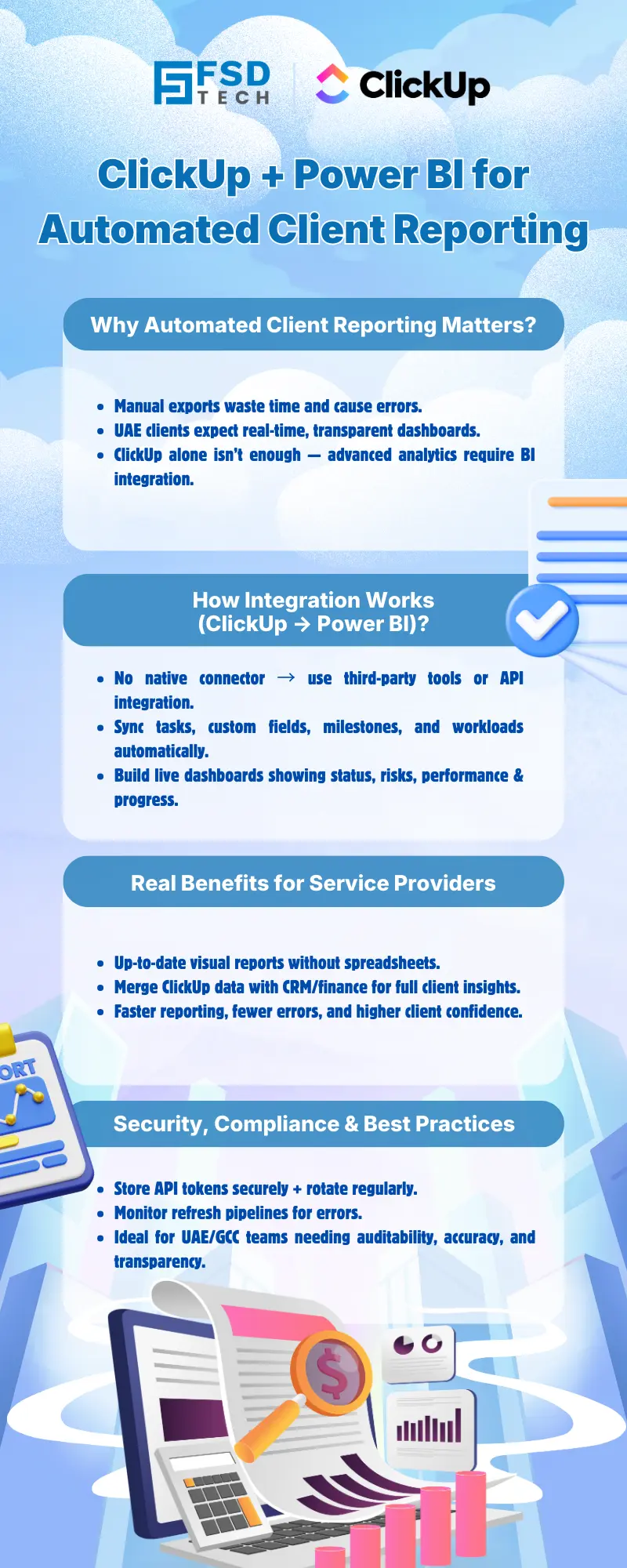
    ClickUp and Power BI integration infographic showing automated client reporting, real-time dashboards, secure API-based data sync, and compliance-focused analytics for UAE and GCC service providers.

    Key Takeaways

    • No native ClickUp–Power BI integration:  UAE service providers must use third-party connectors or custom API solutions to automate reporting workflows.
    • Automated data sync for real-time dashboards:  Integration enables up-to-date, visual client reports—eliminating manual exports and boosting transparency.
    • Customizable analytics and dashboards:  Analysts can model ClickUp data in Power BI to visualize project status, milestones, risks, and team performance tailored to client needs.
    • Combine ClickUp with other business data:  Power BI allows merging of ClickUp project metrics with CRM, finance, or other sources for holistic client value reporting.
    • Security and maintenance are critical:  Secure API credential management and ongoing pipeline upkeep are essential, especially for compliance-focused UAE operations.
    • Enhanced client trust and satisfaction:  Automated, data-rich dashboards empower client success teams to deliver transparent updates, improving client relationships in the GCC region.


    Introduction

    Why Automated Client Reporting Matters for UAE Service Providers

    In the UAE’s competitive service sector, clients expect timely, transparent, and data-driven updates on project progress. Manual reporting is inefficient, prone to errors, and often fails to meet the expectations of modern clients who demand real-time insights. Automating client reports with visual dashboards:

    • Reduces manual effort and reporting errors
    • Increases operational efficiency for analysts and client success managers
    • Enhances client trust through transparent, always-available data
    • Supports data-driven decision-making for both service providers and their clients

    ClickUp is a popular project management platform for UAE-based teams, but its native reporting features are limited for organizations seeking advanced analytics and automated client updates. Integrating ClickUp with Power BI unlocks the ability to deliver rich, interactive dashboards that scale with your client base.
     

    Understanding the ClickUp–Power BI Integration Landscape

    Current Limitations and User Demand

    Despite high demand from the ClickUp user community, there is currently  no native ClickUp–Power BI connector . This limitation is particularly relevant for UAE service providers who require robust, automated reporting to meet client expectations and regional compliance standards. As a result, organizations must leverage third-party connectors or build custom API integrations to bridge the gap.

    Overview of Integration Methods (Connectors, APIs, ETL Tools)

    There are three primary approaches to integrating ClickUp with Power BI:

    • Third-Party Connectors:  Solutions like Vidi Corp, Asinaria, and Skyvia provide pre-built connectors that automate the extraction and refresh of ClickUp data for Power BI reporting. These tools typically support scheduled data sync, field-level customization, and managed maintenance.
    • Manual API Integration:  Technical teams can use ClickUp’s open API with Power BI’s “Get Data from Web” feature to pull data directly. This method requires API token management, HTTP request configuration, and data transformation in Power BI.
    • ETL Tools: Platforms such as Skyvia offer ETL pipelines to move ClickUp data into a database or data warehouse, which can then be queried by Power BI for advanced analytics.

    Each method has trade-offs in terms of setup complexity, maintenance requirements, and flexibility. The choice depends on your organization’s technical expertise and reporting needs.


    Step-by-Step Guide: Connecting ClickUp to Power BI

    Prerequisites (API Access, Permissions)

    Before starting the integration, ensure you have:

    • Admin access to your ClickUp workspace 
    • A Power BI Pro or Premium account 
    • A ClickUp API token  (generated from your ClickUp account settings)
    • Permission to install third-party connectors or run custom scripts 

    Using Third-Party Connectors (e.g., Vidi Corp, Asinaria, Skyvia)

    Step 1: Select and Install a Connector 

    Choose a connector that aligns with your reporting requirements and IT policies. Vidi Corp is known for managed services, Asinaria for flexible DIY setups, and Skyvia for ETL capabilities.


    Step 2: Authorize Access 

    Grant the connector access to your ClickUp workspace and provide credentials for your Power BI environment or destination database.


    Step 3: Configure Data Extraction 

    Define which ClickUp spaces, folders, lists, and custom fields to sync. Most connectors allow you to filter and map fields to match your reporting needs.


    Step 4: Schedule Data Refresh 

    Set up automatic refresh intervals (e.g., hourly, daily) to ensure your Power BI dashboards always reflect the latest project data.


    Step 5: Import Data into Power BI 

    Use the connector’s integration with Power BI to load ClickUp data into your dashboards. Some connectors provide direct Power BI templates to accelerate setup.


    Step 6: Build and Share Dashboards 

    Design custom dashboards in Power BI, visualizing key project metrics, task statuses, and milestones for client-facing reports.

    Manual API Integration with Power BI

    Step 1: Generate ClickUp API Token 

    Navigate to your ClickUp profile settings, access the Apps section, and generate an API token.


    Step 2: Configure Power BI “Get Data from Web”

    In Power BI Desktop, use the “Get Data” > “Web” option to set up HTTP requests to ClickUp API endpoints (e.g., for tasks, lists, or custom fields).


    Step 3: Authenticate and Transform Data 

    Include your API token in the request header. Use Power BI’s Power Query Editor to transform the JSON response into tabular data suitable for reporting.


    Step 4: Schedule Refresh (Optional) 

    If using Power BI Service, configure scheduled refreshes to automate data updates.
     

    Building Automated, Visual Client Dashboards

    Data Modeling—Project Metrics, Tasks, Custom Fields

    ClickUp data is organized hierarchically:

    • Spaces: Top-level grouping (e.g., by client or department)
    • Folders: Subdivisions within spaces (e.g., projects, phases)
    • Lists: Task lists within folders (e.g., deliverables, sprints)
    • Tasks: Individual work items, each with custom fields, statuses, assignees, and due dates

    For client reporting, model your data to highlight:

    • Project status (on track, at risk, delayed)
    • Task completion rates and overdue items
    • Milestone progress and blockers
    • Team member performance metrics

    Designing Client-Facing Dashboards in Power BI

    Leverage Power BI’s visualization capabilities to create:

    • Gantt charts for project timelines
    • Bar and pie charts  for task status distribution
    • Tables for detailed task and milestone tracking
    • KPI cards for quick insights (e.g., percent complete, overdue tasks)

    Include interactive filters to allow clients to drill down by project, team member, or date range for a personalized reporting experience.

    Scheduling Data Refresh for Real-Time Reporting

    Automated connectors and Power BI Service support scheduled data refreshes, ensuring dashboards are always current. This is especially valuable for UAE-based service providers who need to deliver up-to-date information to clients without manual intervention.
     

    Real-World Example: UAE Service Provider Automates Client Updates

    Scenario Overview

    A digital marketing agency in the UAE manages multiple client campaigns using ClickUp. Previously, account managers spent significant time manually exporting task lists and updating Excel-based reports for clients.

    Key Outcomes and Benefits

    After implementing the Vidi Corp ClickUp–Power BI connector:

    •  Reporting time reduced by 80%:  Automated data sync eliminated manual exports and spreadsheet updates.
    •  Client satisfaction improved:  Clients accessed live dashboards, increasing trust and reducing the need for status update emails.
    •  Faster risk identification:  Real-time visibility enabled proactive management of overdue tasks and project blockers.

    This approach is now standard for the agency’s client success team, supporting transparent, data-driven client relationships across the GCC.
     

    Best Practices and Security Considerations

    Managing API Credentials

    • Store API tokens securely (e.g., in a password manager or encrypted vault)
    • Limit token scope to necessary ClickUp workspaces
    • Rotate credentials regularly to mitigate risk

    Maintaining Data Pipeline Health

    • Monitor connector logs and refresh status for errors or delays
    • Update integration scripts promptly if ClickUp API endpoints change
    • Consider managed services from connector vendors if in-house expertise is limited

    For UAE organizations, these practices support compliance with local data protection regulations and ensure uninterrupted client reporting.
     

    Advanced Use Cases

    Merging ClickUp with CRM/Finance Data

    Power BI enables you to join ClickUp project data with CRM (e.g., Salesforce, HubSpot) or finance system data. This allows for:

    • Unified client reports showing both project delivery and commercial performance
    • Cross-functional KPIs, such as project profitability and client lifetime value
    • Enhanced visibility for account managers during client reviews

    Custom Alerts and KPI Tracking

    Set up Power BI alerts to notify client success managers or clients when:

    • Projects fall behind schedule
    • Task completion rates drop below defined thresholds
    • Critical milestones are at risk

    These proactive notifications help UAE-based teams maintain high service standards and client satisfaction.

    Improve client trust with automated, visual project dashboards → Book a free 30-minute ClickUp–Power BI consultation.
     

    Visual illustration of ClickUp data flowing through APIs into Power BI dashboards, enabling automated reporting, advanced analytics, and real-time insights for project, finance, and client performance tracking.


    FAQ

    Is there a native ClickUp–Power BI integration?

    No, there is currently no native integration between ClickUp and Power BI. Organizations must use third-party connectors or custom API setups to enable data sync and reporting automation.


    What data can I sync from ClickUp to Power BI?

    You can sync spaces, folders, lists, tasks, custom fields, and other project-related data. The exact scope depends on the connector or API configuration you choose.


    How often can data be refreshed?

    Refresh frequency depends on your integration method. Many third-party connectors and Power BI Service support scheduled automatic refreshes, ranging from hourly to daily updates.


    Is my data secure when integrating ClickUp with Power BI?

    Data security relies on proper API token management and the reliability of your chosen connector. Use reputable vendors, store credentials securely, and follow best practices for access control and credential rotation.


    Can I combine ClickUp data with other business data in Power BI?

    Yes, Power BI allows you to merge ClickUp data with CRM, finance, or other business systems. This enables comprehensive reporting and holistic client value analysis.


    Which third-party connectors are recommended for UAE service providers?

    Popular options include Vidi Corp (managed services), Asinaria (DIY setup), and Skyvia (ETL pipelines). Choose a connector that aligns with your technical requirements and compliance needs.


    What are the main benefits of automating client reporting with ClickUp and Power BI?

    Automation reduces manual effort, minimizes errors, delivers real-time insights, and enhances client transparency—key factors for service providers operating in the UAE and GCC.


    How do I generate a ClickUp API token for integration?

    Log in to ClickUp, go to your profile settings, select the Apps section, and generate or copy your API token. This token is required for both third-party connectors and custom API integrations.


    What visualization types work best for client-facing dashboards?

    Gantt charts, bar and pie charts, tables, and KPI cards are effective for visualizing project timelines, task statuses, and key performance metrics in client reports.


    How do I ensure compliance with UAE data protection regulations?

    Use secure credential storage, restrict access to necessary data, and choose integration vendors with a strong track record in data security and compliance. Regularly review and update your data handling practices.


    Can I schedule data refreshes for real-time client dashboards?

    Yes, both third-party connectors and Power BI Service support scheduled refreshes. This ensures clients always see the latest project data without manual intervention.


    What are the maintenance requirements for a ClickUp–Power BI integration?

    Monitor data pipeline health, update scripts or connectors as APIs evolve, and periodically review access permissions. Managed services from vendors like Vidi Corp can offload much of this maintenance.


    Are there Power BI dashboard templates available for ClickUp data?

    Some third-party connectors offer pre-built Power BI templates tailored for ClickUp project data. These templates can accelerate dashboard development and standardize client reporting.


    How do UAE-based organizations benefit from this integration?

    UAE service providers gain a competitive edge by delivering transparent, automated client updates. This supports client retention, operational efficiency, and compliance with regional business standards.


    What should I do if my integration encounters errors or data mismatches?

    Check connector logs, verify API credentials, and ensure your ClickUp workspace permissions are correctly configured. Consult your connector vendor’s support resources or technical documentation for troubleshooting guidance.


    Can I use this integration for multi-client reporting in a single dashboard?

    Yes, by modeling ClickUp data hierarchically (spaces, folders, lists), you can build Power BI dashboards that aggregate metrics across multiple clients, projects, or departments—ideal for agencies and consultancies serving diverse portfolios.


    Does ClickUp plan to release a native Power BI connector in the future?

    While there is significant user demand and ongoing feature requests, there is no official timeline for a native ClickUp–Power BI connector. Monitoring ClickUp’s product updates and community forums is recommended for the latest information.


    How can I get started quickly with ClickUp–Power BI integration?

    Begin by evaluating third-party connectors like Vidi Corp, Asinaria, or Skyvia. Secure your API token, define your reporting requirements, and use available templates to accelerate dashboard creation.


    What support options are available for integration setup and maintenance?

    Many connector vendors offer onboarding, managed services, and technical support. For complex deployments or compliance-sensitive environments, consider engaging a regional analytics consultancy with ClickUp and Power BI expertise.


    How do I handle changes in ClickUp’s API that might affect my integration?

    Stay informed about ClickUp API updates by subscribing to their developer communications. Update your connectors or scripts as needed, and test integrations after major platform changes to ensure data continuity.


    Can I restrict dashboard access to specific clients or stakeholders?

    Yes, Power BI supports granular access controls. You can share dashboards with specific users or groups, ensuring clients only see data relevant to their projects.


    Powering Client Reports with ClickUp + Power BI Integration

    About The Author

    NHAIF NOUSHAD

    Nhaif is an AI Automation Engineer & Business Analyst focused on ClickUp, AI, Automation, and Workflow Optimization. He helps businesses shift from scattered processes to streamlined, data-driven operations. With hands-on expertise, he simplifies complex tools into clear, easy-to-apply solutions.

    Like This Story?

    Share it with friends!

    Subscribe to our newsletter!

    Atera

    (48)

    Cato Networks

    (111)

    ClickUp

    (68)

    FishOS

    (7)

    Miradore

    (21)

    PointGuard AI

    (9)

    Vembu

    (22)

    Xcitium

    (33)

    ZETA HRMS

    (69)

    Workflow Automation(5)

    Workforce Automation(1)

    AI Project Management(1)

    HR Data Automation(1)

    RMM(1)

    IT Workflow Automation(1)

    IT security(2)

    GCC compliance(4)

    Payroll Integration(2)

    IT support automation(3)

    procurement automation(1)

    lost device management(1)

    IT Management(5)

    IoT Security(2)

    Cato XOps(2)

    IT compliance(4)

    Task Automation(1)

    Workflow Management(1)

    OpenStack automation(1)

    Kubernetes lifecycle management(2)

    AI-powered cloud ops(1)

    SMB Security(8)

    Data Security(1)

    MDR (Managed Detection & Response)(4)

    Atera Integrations(2)

    MSP Automation(3)

    XDR Security(2)

    SMB Cyber Protection(1)

    Ransomware Defense(3)

    HR Tech Solutions(1)

    Zero Trust Network Access(3)

    Zero Trust Security(2)

    Endpoint Management(1)

    SaaS Security(1)

    Payroll Automation(5)

    IT Monitoring(2)

    Xcitium EDR SOC(15)

    Ransomware Protection GCC(1)

    M&A IT Integration(1)

    Network Consolidation UAE(1)

    MSSP for SMBs(1)

    FSD-Tech MSSP(25)

    SMB Cybersecurity GCC(1)

    Managed EDR FSD-Tech(1)

    Ransomware Protection(3)

    Antivirus vs EDR(1)

    Cybersecurity GCC(12)

    Endpoint Security(1)

    Endpoint Protection(1)

    Data Breach Costs(1)

    Managed Security Services(2)

    SMB Cybersecurity(8)

    Zero Dwell Containment(31)

    Xcitium EDR(30)

    Cloud Backup(1)

    Hybrid Backup(1)

    Backup & Recovery(1)

    pointguard ai(4)

    disaster recovery myths(1)

    backup myths(1)

    vembu(9)

    SMB data protection(9)

    Vembu BDR Suite(19)

    Disaster Recovery(4)

    DataProtection(1)

    GCCBusiness(1)

    Secure Access Service Edge(4)

    GCC HR software(15)

    Miradore EMM(15)

    Cato SASE(7)

    Cloud Security(8)

    Talent Development(1)

    AI Cybersecurity(12)

    AI Risk Management(1)

    AI Governance(4)

    AI Security(2)

    AI Compliance(2)

    GCC business security(1)

    GCC network integration(1)

    compliance automation(4)

    GCC cybersecurity(2)

    education security(1)

    App management UAE(1)

    BYOD security Dubai(8)

    Miradore EMM Premium+(5)

    HealthcareSecurity(1)

    MiddleEast(1)

    Team Collaboration(1)

    IT automation(10)

    Zscaler(1)

    SD-WAN(6)

    HR Integration(4)

    Cloud Networking(3)

    device management(9)

    RemoteWork(1)

    ZeroTrust(2)

    VPN(1)

    MPLS(1)

    Project Management(9)

    HR automation(16)

    share your thoughts

    ClickUp and Power BI integration infographic showing automated client reporting, real-time dashboards, secure API-based data sync, and compliance-focused analytics for UAE and GCC service providers.

    Powering Client Reports with ClickUp + Power BI Integration

    🕓 January 6, 2026

    Diagram illustrating ClickUp and Zapier integration for automating workflows, syncing CRMs, Google Sheets, forms, and notifications to improve productivity for business teams.

    Top Zapier Automations for ClickUp Power Users

    🕓 January 2, 2026

    Isometric illustration representing ClickUp integration with multiple business tools, showing connected dashboards, workflows, analytics, and team collaboration to enable unified CRM and project management for UAE organizations.

    Integrating ClickUp with HubSpot & Salesforce: CRM Workflows for UAE Businesses

    🕓 December 31, 2025

    Decoded(53)

    Cyber Security(112)

    BCP / DR(22)

    Zeta HRMS(68)

    SASE(21)

    Automation(68)

    Next Gen IT-Infra(111)

    Monitoring & Management(69)

    ITSM(22)

    HRMS(21)

    Automation(24)