.webp&w=3840&q=75)
How ClickUp Enables Outcome-Based Project Management (Not Just Task Tracking)
🕓 February 15, 2026

Modern enterprises no longer struggle with a lack of security tools they struggle with visibility. As organizations adopt cloud, SaaS, IoT, and remote work at scale, understanding what devices are on the network, who owns them, and how they behave becomes foundational to Zero Trust.
The Cato Networks SASE platform addresses this challenge with the Cato Device Inventory page a centralized, continuously updated view of all IT, IoT, and OT devices communicating across the Cato Cloud.
This blog explores how the Cato Device Inventory works, what data it provides, and how security teams can use it to strengthen Cato SASE visibility, Zero Trust enforcement, and audit readiness.
In traditional networks, asset inventories are static, agent-based, and often outdated the moment they are created. Cato takes a fundamentally different approach.
The Device Inventory is not a manual list. It is a dynamic intelligence layer powered by traffic analysis across the Cato Cloud. Every device communicating through Cato contributes signals that are analyzed, classified, and correlated into a unified inventory.
This allows organizations to:
In short, Device Inventory transforms device visibility from a periodic task into a continuous security capability within Cato SASE.
The Device Inventory page in the Cato Management Application (CMA) is the authoritative location for device-level visibility.
It consolidates information collected from:
Each detected device is represented as a single logical record, enabling security teams to analyze devices holistically instead of relying on fragmented data sources.
Cato Device Inventory uses passive detection, not active scanning.
Cato analyzes identifiers observed in real traffic, including:
Based on these signals, the platform classifies devices into meaningful categories without requiring agents or probes.
Each device is classified across multiple dimensions, such as:
This approach aligns naturally with Cato SASE’s cloud-native design, enabling visibility wherever traffic flows.
The Device Inventory page is designed for investigation, not just observation.
The main table presents all detected devices with sortable and filterable columns, allowing teams to:
Selecting a device opens a Quick View panel, which displays:
This enables rapid triage without leaving the inventory context.
One of the strongest advantages of Cato Device Inventory is how directly it feeds policy enforcement.
Attributes derived from Device Inventory can be used as conditions in:
Examples include enforcing policies based on:
This allows organizations to define device-aware security policies without relying solely on IPs or user identity.
Important: Firewall enforcement using Device Attributes is applied only when the device’s MAC address is detected. Cato recommends using the Cato DHCP service to ensure consistent MAC visibility.
While Device Inventory focuses on what a device is, Device Posture Profiles focus on whether a device is compliant.
Together, these capabilities allow Cato SASE to deliver context-rich Zero Trust enforcement across both user and device dimensions.
Cato is transparent about how Device Inventory behaves in real environments.
Because detection is behavior-based:
The Quick View data source indicator helps administrators understand where each attribute originated.
Cato officially recommends the following practices:
These practices ensure Device Inventory becomes an active security control, not just a reporting tool.
Device Inventory strengthens Cato Zero Trust Network Access (ZTNA) by:
For compliance teams, it delivers:
Evidence of policy enforcement based on real device attributes
Know every device. Enforce smarter security → Reserve your 30-minute Cato SASE expert walkthrough now.
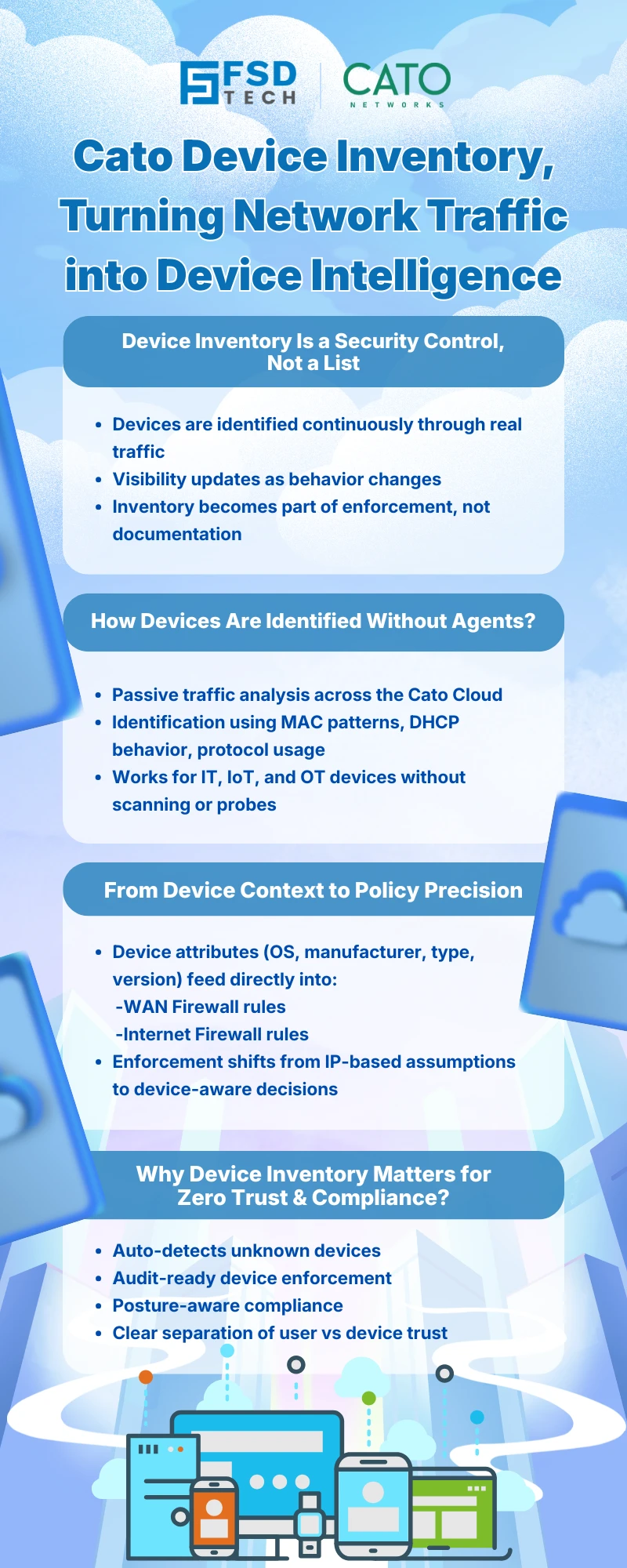
Cato SASE uses passive traffic analysis across the Cato Cloud to detect, identify, and classify devices based on observed network behavior, eliminating the need for agents.
The Cato Device Inventory includes IT devices, IoT devices, and OT assets communicating through the Cato SASE platform.
Yes. Device attributes such as OS, manufacturer, and device type can be used as conditions in Cato WAN and Internet Firewall rules.
Cato continuously analyzes live traffic and correlates multiple identifiers. The Quick View panel shows the data source to help admins validate accuracy.
No. Device Inventory provides visibility and classification, while Device Posture Profiles enforce endpoint compliance using the Cato Client. They are complementary within Cato SASE.
Yes. Device Inventory is part of Cato’s IoT/OT Security service and requires a Device Inventory license.
By providing real-time device context, Device Inventory enables Cato SASE to enforce Zero Trust policies based on what the device is, not just who the user is.

Anas is an Expert in Network and Security Infrastructure, With over seven years of industry experience, holding certifications Including CCIE- Enterprise, PCNSE, Cato SASE Expert, and Atera Certified Master. Anas provides his valuable insights and expertise to readers.
Share it with friends!




.webp&w=3840&q=75)





.webp&w=3840&q=75)
share your thoughts