HomeNext Gen IT-InfraMonitoring & ManagementCyber SecurityBCP / DRAutomationDecoded
Next Gen IT-Infra
Cato’s SASE Supports Cybersecurity Skills Development

How Cato’s SASE Supports Cybersecurity Skills Development

🕓 April 8, 2025

How SASE Supports the Security Needs of SMBs

How SASE Supports the Security Needs of SMBs

🕓 February 9, 2025

Attack Surface Reduction with Cato’s SASE

Attack Surface Reduction with Cato’s SASE

🕓 February 10, 2025

SASE for Digital Transformation in UAE

SASE for Digital Transformation in UAE

🕓 February 8, 2025

Monitoring & Management
Understanding Atera’s SLA Management

Understanding Atera’s SLA Management

🕓 February 7, 2025

Cost-Performance Ratio: Finding the Right Balance in IT Management Networks

Cost-Performance Ratio: Finding the Right Balance in IT Management Networks

🕓 June 16, 2025

Customizing Atera with APIs

Customizing Atera with APIs

🕓 March 3, 2025

Power Up Your IT Team’s Strategy with Atera’s Communication Tools

Power Up Your IT Team’s Strategy with Atera’s Communication Tools

🕓 February 8, 2025

Cyber Security
Visual guide showing Cato CMA interface for configuring Internet and WAN firewall rules, enabling threat protection, and monitoring security events in real time for UAE IT teams.

Enforcing Firewall and Threat Protection Policies in Cato

🕓 July 25, 2025

Isometric illustration of professionals managing network performance, bandwidth analytics, and cloud-based optimization around the Cato Networks platform, symbolizing bandwidth control and QoS visibility.

Mastering Bandwidth Control and QoS in Cato Networks

🕓 July 26, 2025

Illustration of the Cato Cloud architecture showing its role in delivering SASE for secure, optimized global connectivity.

Understanding the Cato Cloud and Its Role in SASE

🕓 January 29, 2025

Global network backbone powering Cato SASE solution for secure, high-performance connectivity across regions.

Global Backbone: The Engine Powering Cato’s SASE Solution

🕓 January 30, 2025

BCP / DR
Illustration showing diverse business and IT professionals collaborating with cloud, backup, and security icons, representing Vembu use cases for SMBs, MSPs, and IT teams.

Who Uses Vembu? Real-World Use Cases for SMBs, MSPs & IT Teams

🕓 July 12, 2025

Graphic showcasing Vembu’s all-in-one backup and disaster recovery platform with icons for cloud, data protection, and business continuity for IT teams and SMBs.

What Is Vembu? A Deep Dive Into the All in One Backup & Disaster Recovery Platform

🕓 July 6, 2025

Illustration showing Vembu backup and disaster recovery system with cloud storage, server racks, analytics dashboard, and IT professionals managing data.

The Rising Cost of Data Loss: Why Backup Is No Longer Optional?

🕓 August 14, 2025

3D isometric illustration of cloud backup and data recovery infrastructure with laptop, data center stack, and digital business icons — FSD Tech

RPO & RTO: The Heart of Business Continuity

🕓 August 15, 2025

Automation
Cross-Functional Collaboration with ClickUp

Fostering Cross-Functional Collaboration with ClickUp for Multi-Departmental Projects

🕓 February 11, 2025

ClickUp Project Reporting

Revolutionizing Enterprise Reporting with ClickUp’s Advanced Analytics and Dashboards

🕓 June 16, 2025

ClickUp’s Design Collaboration and Asset Management Tools

Empowering Creative Teams with ClickUp’s Design Collaboration and Asset Management Tools

🕓 February 26, 2025

ClickUp Communication and Collaboration Tools

ClickUp Communication and Collaboration Tools: Empowering Remote Teams

🕓 March 12, 2025

Decoded
Multi-Factor Authentication (MFA)

Multi-Factor Authentication (MFA): All You Need to Know

🕓 December 7, 2025

L3 Switch

What Is an L3 Switch? L2 vs L3 & Why You Need Layer 3?

🕓 December 8, 2025

IPSec

IPSec Explained: Protocols, Modes, IKE & VPN Security

🕓 December 3, 2025

 Datagram Transport Layer Security (DTLS)

What is Datagram Transport Layer Security (DTLS)? How it works?

🕓 December 4, 2025

    Subscribe to our newsletter!

    About Us

    Follow Us

    Copyright © 2024 | Powered by 

    Cato SASE Architecture

    Inside Cato’s SASE Architecture: A Blueprint for Modern Security

    🕓 January 26, 2025

    Enterprise Data Security and Privacy with ClickUp

    Ensuring Enterprise Data Security and Privacy with ClickUp

    🕓 February 9, 2025

    DDoS protection SASE

    DDoS Protection and Cato’s Defence Mechanisms

    🕓 February 11, 2025

    Table of Contents

    From Reactive Support to Autonomous IT: How Atera’s IT Autopilot Redefines First-Tier IT Assistance

    Anas Abdu Rauf
    December 8, 2025
    Comments
    Illustration showing an AI-driven IT automation hub connected to laptops, servers, and cloud systems, with technicians managing device health, security, telemetry, and updates around a central AI autopilot engine.

    Every IT leader knows the grind — password resets at 2 a.m., printer issues that never end, and endless low-priority tickets stealing time from projects that actually move the business forward. Whether managing multiple clients as an MSP or supporting employees inside a corporate IT department, the reality is the same: too much noise, too little time.

    That’s where Atera IT Autopilot enters — the first truly autonomous service agent built for modern IT. Introduced in 2025, IT Autopilot represents Atera’s leap into Agentic AI, bringing self-service support, automated remediation, and 24×7 responsiveness directly to end users. It’s not just a chatbot; it’s a digital technician that learns, acts, and solves.


    The Rise of the Digital Workforce

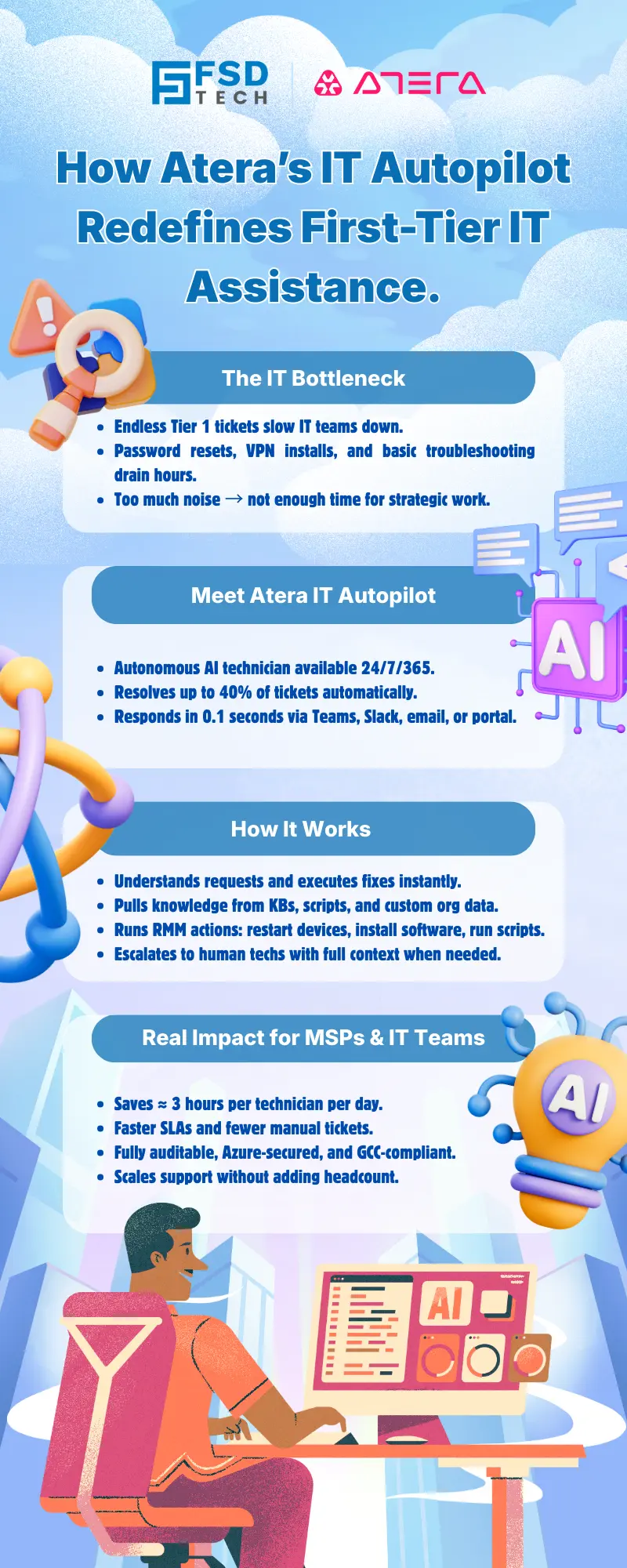
    Atera defines IT Autopilot as an autonomous AI technician that handles Tier 1 support and daily IT tasks without human intervention. It acts as an always-on digital workforce — available via email, Teams, Slack, or the customer portal — capable of resolving common IT requests in real time.

    For MSPs, this means instant end-user engagement and workload reduction across all clients.
    For internal IT departments, it means uninterrupted support for employees — no tickets waiting until the next morning.

    Atera claims IT Autopilot can autonomously resolve up to 40 percent of the IT workload, saving roughly three hours per technician per day. And because its first-response time is 0.1 seconds, service levels instantly improve without extra staffing.


    How Atera IT Autopilot Works

    1. Conversational Support — Everywhere Users Already Are

    End users can reach Autopilot through Teams, Slack, email, or the service portal. The agent instantly understands requests, offers guidance, or executes the needed fix — whether resetting a password, adding an Azure AD group, or reinstalling a VPN client. Every conversation and action is logged as a ticket in Atera’s Helpdesk, maintaining full visibility.

    2. Knowledge-Driven Decision-Making

    Autopilot doesn’t guess; it learns.
    It draws context from:

    • The organization’s Knowledge Base Articles (KBAs).
    • Enabled scripts within Atera’s automation library.
    • Custom organizational data — internal software, industry specifics, and terminology — all added via the AI Center’s Custom Instructions panel.

    This means Autopilot “speaks your company’s language,” understanding in-house applications and acronyms unique to each customer or department.

    3. Smart Escalation

    When an issue exceeds its autonomy, Autopilot seamlessly hands off the ticket to a human technician — complete with summaries, conversation history, and diagnostics.
    No repeated questions, no restarts. Just instant context and faster resolution.

    4. Integrated RMM Actions

    Because it’s fully connected to Atera’s Remote Monitoring & Management (RMM) platform, Autopilot can act directly on devices: restart computers, install approved software via WinGet, Chocolatey, or Homebrew, and execute PowerShell or Bash scripts — all with admin approval.

    5. Always-Learning Feedback Loop

    Every resolved case makes the system smarter. AI Copilot automatically converts closed tickets into KB articles, which in turn feed Autopilot’s knowledge base. This creates a self-improving loop where human expertise trains the autonomous agent over time.
     

    Also Read: Atera Mobile App – Managing Your IT Environment On-the-Go
     

    Configuring and Governing IT Autopilot

    Activating IT Autopilot happens entirely through the AI Center inside Atera:

    1. Enable the add-on (per end-user pricing).
    2. Sync Microsoft 365 / Azure AD for identity management.
    3. Assign agents to contacts to allow device-level actions.
    4. Enable approved scripts for AI execution.
    5. Teach organizational context using company descriptions, proprietary software details, and internal definitions.
    6. Set site-specific context for multi-tenant MSP environments.

    Admins retain total control: all actions are logged, reversible, and governed by pre-approved access rules — meeting the privacy expectations of enterprises and public-sector entities across the GCC.


    The Measurable Impact

    According to Atera’s metrics:
     

    MetricReported Outcome
    Workload Reduction40 % fewer manual tickets
    Technician Time Saved≈ 3 hours per day
    Ticket Resolution Speed10× faster
    First-Response Time0.1 seconds
    Availability24 / 7 / 365
    Diagnostic Accuracy90 % satisfaction rate


    MSPs report smoother SLA adherence, while internal IT teams see noticeable drops in queue congestion and downtime. The AI Center Dashboard visualizes “hours saved,” “tickets solved,” “reopen rates,” and “user satisfaction,” helping leaders quantify ROI in real time.


    MSP Value: Scaling Without Headcount

    For managed service providers, Autopilot acts as an extra technician on every client site:

    • Zero-wait response: Instant first contact satisfies SLA targets automatically.
    • 24×7 coverage: Always available, even during off-hours.
    • Context per client: Each customer can have its own custom AI identity and internal rules.
    • Smart escalation: Detailed ticket summaries shorten hand-offs and maintain SLA compliance.
    • SLA analytics: Track tickets solved %, reopen rate, and user satisfaction per client from the AI Center.

    This structure enables predictable service delivery and margin protection, even as client volume grows.


    IT Department Value: Autonomous Self-Service and Endpoint Stability

    Inside enterprises, Autopilot frees technicians from Tier 1 noise:

    • Password Resets: Automatic recovery after lockout, with email / SMS notification.
    • Performance Fixes: Detects slow machines and runs diagnostics on CPU load, storage, or network.
    • Software Installation: Deploys whitelisted tools through WinGet, Chocolatey, or a private repository.
    • User Empowerment: Employees trigger actions like restart / shutdown directly from the portal.
    • Patch Hygiene: Works with Automation Profiles to keep apps and OS versions current.

    By absorbing routine maintenance, Autopilot turns IT departments into strategic enablers rather than firefighting units.


    Governance and Security in the GCC Context

    All Atera AI services — including Autopilot — are hosted within Microsoft Azure OpenAI environments with full data isolation.
    Customer data is never used for external model training.
    Every autonomous action is logged in an auditable trail, aligning with the data-protection requirements of financial, government, and enterprise sectors common across the GCC.


    Looking Ahead: From Agentic AI to Autonomous IT

    Atera’s roadmap extends autonomy further through Action Mode, allowing AI Copilot to not just recommend but execute actions: create / close tickets, run scripts, manage automation profiles, and build intelligent rollout workflows.
    Together, AI Copilot and IT Autopilot form the foundation of self-healing IT — where systems anticipate, decide, and act long before a technician intervenes.

    For GCC-based organizations adopting hybrid or multi-site operations, this evolution delivers a powerful promise: IT that scales automatically as the business grows.
     

    At a Glance

    • IT Autopilot = Atera’s autonomous AI technician for Tier 1 support.
    • Operates across Teams, Slack, email, and portals with 0.1 s response.
    • Resolves up to 40 % of IT tickets autonomously.
    • Saves ≈ 3 hours daily per technician.
    • Integrates with RMM, Helpdesk, and Automation Profiles.
    • Fully auditable, Azure-secured, and always-on.
    • Built for both MSPs and internal IT departments.


    Deploy AI-Driven IT Support with GCC-Ready Security→ Talk to an Atera Specialist Today
     

    Infographic titled “Driving ClickUp Adoption Across Teams,” showing key challenges and solutions for ClickUp adoption. Sections highlight reasons adoption fails, role-based training benefits, streamlined approvals through AI summaries, and consistency through automation. Background includes cloud graphics, icons for workflow, approvals, automation, and a woman working at a laptop surrounded by productivity symbols. FSD Tech and ClickUp logos at the top.


    FAQs

    What exactly does Atera IT Autopilot do?

    It serves as an autonomous AI agent that handles Tier 1 support — resolving user issues, executing actions on devices, and maintaining 24×7 availability.
     

    How does IT Autopilot differ from Atera AI Copilot?

    AI Copilot assists human technicians with insights, scripts, and reports; IT Autopilot directly interacts with end users to solve issues autonomously.


    Can it run scripts and install software automatically?

    Yes. It executes pre-approved scripts and installs whitelisted software via WinGet, Chocolatey, or Homebrew repositories.


    How can MSPs configure Autopilot per client?

    Through the AI Center’s Custom Instructions. Each client or site can have unique context — software, policies, and terminology.


    Is Autopilot available 24 / 7?

    Yes. It provides around-the-clock availability, ensuring continuous first-response capability across time zones.


    How secure is Atera’s AI framework for GCC enterprises?

    All operations run within Microsoft Azure OpenAI infrastructure, ensuring compliance, isolation, and full auditability.


    Does it support hybrid work environments?

    Yes. Autopilot operates cloud-natively, enabling remote endpoint support across offices and home networks alike.


    How does it improve technician efficiency?

    By deflecting up to 40 % of incoming tickets, it frees technicians to focus on strategic or complex projects.


    Can end users trigger device actions themselves?

    Yes. From the portal, users can restart, lock, or shut down their computers securely, reducing dependency on helpdesk queues.


    What’s next for Atera’s AI ecosystem?

    Action Mode — enabling AI Copilot and Autopilot to autonomously create and close tickets, execute workflows, and manage patch cycles.

    From Reactive Support to Autonomous IT: How Atera’s IT Autopilot Redefines First-Tier IT Assistance

    About The Author

    Anas Abdu Rauf

    Anas is an Expert in Network and Security Infrastructure, With over seven years of industry experience, holding certifications Including CCIE- Enterprise, PCNSE, Cato SASE Expert, and Atera Certified Master. Anas provides his valuable insights and expertise to readers.

    Like This Story?

    Share it with friends!

    Subscribe to our newsletter!

    Atera

    (48)

    Cato Networks

    (116)

    ClickUp

    (70)

    FishOS

    (7)

    Miradore

    (21)

    PointGuard AI

    (9)

    Vembu

    (22)

    Xcitium

    (33)

    ZETA HRMS

    (73)

    Workflow Automation(8)

    Workforce Automation(1)

    AI Project Management(1)

    HR Data Automation(1)

    RMM(1)

    IT Workflow Automation(1)

    IT security(2)

    GCC compliance(4)

    Payroll Integration(2)

    IT support automation(3)

    procurement automation(1)

    lost device management(1)

    IT Management(5)

    IoT Security(2)

    Cato XOps(2)

    IT compliance(4)

    Task Automation(1)

    Workflow Management(1)

    AI-powered cloud ops(1)

    Kubernetes lifecycle management(2)

    OpenStack automation(1)

    SMB Security(8)

    Data Security(1)

    MDR (Managed Detection & Response)(4)

    Atera Integrations(2)

    MSP Automation(3)

    XDR Security(2)

    SMB Cyber Protection(1)

    Ransomware Defense(3)

    HR Tech Solutions(1)

    Zero Trust Network Access(3)

    Zero Trust Security(2)

    Endpoint Management(1)

    SaaS Security(1)

    Payroll Automation(5)

    IT Monitoring(2)

    Xcitium EDR SOC(15)

    Ransomware Protection GCC(1)

    Network Consolidation UAE(1)

    M&A IT Integration(1)

    MSSP for SMBs(1)

    Antivirus vs EDR(1)

    FSD-Tech MSSP(25)

    Ransomware Protection(3)

    Managed EDR FSD-Tech(1)

    SMB Cybersecurity GCC(1)

    Cybersecurity GCC(12)

    Endpoint Security(1)

    Endpoint Protection(1)

    Data Breach Costs(1)

    Xcitium EDR(30)

    Zero Dwell Containment(31)

    SMB Cybersecurity(8)

    Managed Security Services(2)

    Hybrid Backup(1)

    Cloud Backup(1)

    Backup & Recovery(1)

    pointguard ai(4)

    backup myths(1)

    vembu(9)

    SMB data protection(9)

    disaster recovery myths(1)

    Disaster Recovery(4)

    Vembu BDR Suite(19)

    GCCBusiness(1)

    DataProtection(1)

    Secure Access Service Edge(4)

    GCC HR software(16)

    Miradore EMM(15)

    Cato SASE(7)

    Cloud Security(8)

    Talent Development(1)

    AI Governance(4)

    AI Risk Management(1)

    AI Security(2)

    AI Cybersecurity(12)

    AI Compliance(2)

    GCC business security(1)

    GCC network integration(1)

    compliance automation(5)

    education security(1)

    GCC cybersecurity(2)

    BYOD security Dubai(8)

    App management UAE(1)

    Miradore EMM Premium+(5)

    MiddleEast(1)

    HealthcareSecurity(1)

    Team Collaboration(1)

    IT automation(12)

    Zscaler(1)

    SD-WAN(6)

    HR Integration(4)

    Cloud Networking(3)

    device management(9)

    VPN(1)

    RemoteWork(1)

    ZeroTrust(2)

    MPLS(1)

    Project Management(9)

    HR automation(16)

    share your thoughts

    Isometric illustration showing Atera Copilot generating AI-powered remote session summaries, connecting multiple devices, dashboards, and IT teams to automate documentation, improve visibility, and support MSP operations.

    AI-Driven Remote Session Summaries in Atera: Turning Hands-On Support Into Instant Documentation

    🕓 January 1, 2026

    Illustration showing Atera’s AI Diagnostic Core performing automated health checks, root-cause analysis, and device actions across multiple endpoints for IT teams and MSP environments.

    Health Checks & Device Actions in Atera: From Detection to Autonomous Remediation

    🕓 December 15, 2025

    Illustration showing Atera’s AI automation hub with a glowing blue sphere connected to multiple screens displaying tickets, device data, scripts, instant response times, and technician dashboards. Two IT technicians sit at workstations monitoring hours saved and ticket analytics.

    AI Copilot 3.0 and Action Mode: From Recommendations to Fully Autonomous IT

    🕓 December 12, 2025

    Decoded(80)

    Cyber Security(116)

    BCP / DR(22)

    Zeta HRMS(72)

    SASE(21)

    Automation(70)

    Next Gen IT-Infra(116)

    Monitoring & Management(69)

    ITSM(22)

    HRMS(21)

    Automation(24)








