HomeNext Gen IT-InfraMonitoring & ManagementCyber SecurityBCP / DRAutomationDecoded
Next Gen IT-Infra
Cato’s SASE Supports Cybersecurity Skills Development

How Cato’s SASE Supports Cybersecurity Skills Development

🕓 April 8, 2025

How SASE Supports the Security Needs of SMBs

How SASE Supports the Security Needs of SMBs

🕓 February 9, 2025

Attack Surface Reduction with Cato’s SASE

Attack Surface Reduction with Cato’s SASE

🕓 February 10, 2025

SASE for Digital Transformation in UAE

SASE for Digital Transformation in UAE

🕓 February 8, 2025

Monitoring & Management
Understanding Atera’s SLA Management

Understanding Atera’s SLA Management

🕓 February 7, 2025

Cost-Performance Ratio: Finding the Right Balance in IT Management Networks

Cost-Performance Ratio: Finding the Right Balance in IT Management Networks

🕓 June 16, 2025

Customizing Atera with APIs

Customizing Atera with APIs

🕓 March 3, 2025

Power Up Your IT Team’s Strategy with Atera’s Communication Tools

Power Up Your IT Team’s Strategy with Atera’s Communication Tools

🕓 February 8, 2025

Cyber Security
Illustration of the Cato Cloud architecture showing its role in delivering SASE for secure, optimized global connectivity.

Understanding the Cato Cloud and Its Role in SASE

🕓 January 29, 2025

Isometric illustration of professionals managing network performance, bandwidth analytics, and cloud-based optimization around the Cato Networks platform, symbolizing bandwidth control and QoS visibility.

Mastering Bandwidth Control and QoS in Cato Networks

🕓 July 26, 2025

Global network backbone powering Cato SASE solution for secure, high-performance connectivity across regions.

Global Backbone: The Engine Powering Cato’s SASE Solution

🕓 January 30, 2025

Illustration of team analyzing application traffic and usage insights on a large laptop screen using Cato’s dashboard, surrounded by network and cloud icons.

Cato Networks Application Visibility | Monitoring & Control

🕓 July 27, 2025

BCP / DR
Illustration showing diverse business and IT professionals collaborating with cloud, backup, and security icons, representing Vembu use cases for SMBs, MSPs, and IT teams.

Who Uses Vembu? Real-World Use Cases for SMBs, MSPs & IT Teams

🕓 July 12, 2025

Graphic showcasing Vembu’s all-in-one backup and disaster recovery platform with icons for cloud, data protection, and business continuity for IT teams and SMBs.

What Is Vembu? A Deep Dive Into the All in One Backup & Disaster Recovery Platform

🕓 July 6, 2025

Illustration showing Vembu backup and disaster recovery system with cloud storage, server racks, analytics dashboard, and IT professionals managing data.

The Rising Cost of Data Loss: Why Backup Is No Longer Optional?

🕓 August 14, 2025

3D isometric illustration of cloud backup and data recovery infrastructure with laptop, data center stack, and digital business icons — FSD Tech

RPO & RTO: The Heart of Business Continuity

🕓 August 15, 2025

Automation
Cross-Functional Collaboration with ClickUp

Fostering Cross-Functional Collaboration with ClickUp for Multi-Departmental Projects

🕓 February 11, 2025

ClickUp Project Reporting

Revolutionizing Enterprise Reporting with ClickUp’s Advanced Analytics and Dashboards

🕓 June 16, 2025

ClickUp’s Design Collaboration and Asset Management Tools

Empowering Creative Teams with ClickUp’s Design Collaboration and Asset Management Tools

🕓 February 26, 2025

ClickUp Communication and Collaboration Tools

ClickUp Communication and Collaboration Tools: Empowering Remote Teams

🕓 March 12, 2025

Decoded
Multi-Factor Authentication (MFA)

Multi-Factor Authentication (MFA): All You Need to Know

🕓 December 7, 2025

L3 Switch

What Is an L3 Switch? L2 vs L3 & Why You Need Layer 3?

🕓 December 8, 2025

IPSec

IPSec Explained: Protocols, Modes, IKE & VPN Security

🕓 December 3, 2025

 Datagram Transport Layer Security (DTLS)

What is Datagram Transport Layer Security (DTLS)? How it works?

🕓 December 4, 2025

    Subscribe to our newsletter!

    About Us

    Follow Us

    Copyright © 2024 | Powered by 

    Cato SASE Architecture

    Inside Cato’s SASE Architecture: A Blueprint for Modern Security

    🕓 January 26, 2025

    Enterprise Data Security and Privacy with ClickUp

    Ensuring Enterprise Data Security and Privacy with ClickUp

    🕓 February 9, 2025

    DDoS protection SASE

    DDoS Protection and Cato’s Defence Mechanisms

    🕓 February 11, 2025

    Table of Contents

    Thresholds, Alerts & Auto-Healing in Atera (and where AI Copilot helps)

    Anas Abdu Rauf
    February 11, 2026
    Comments
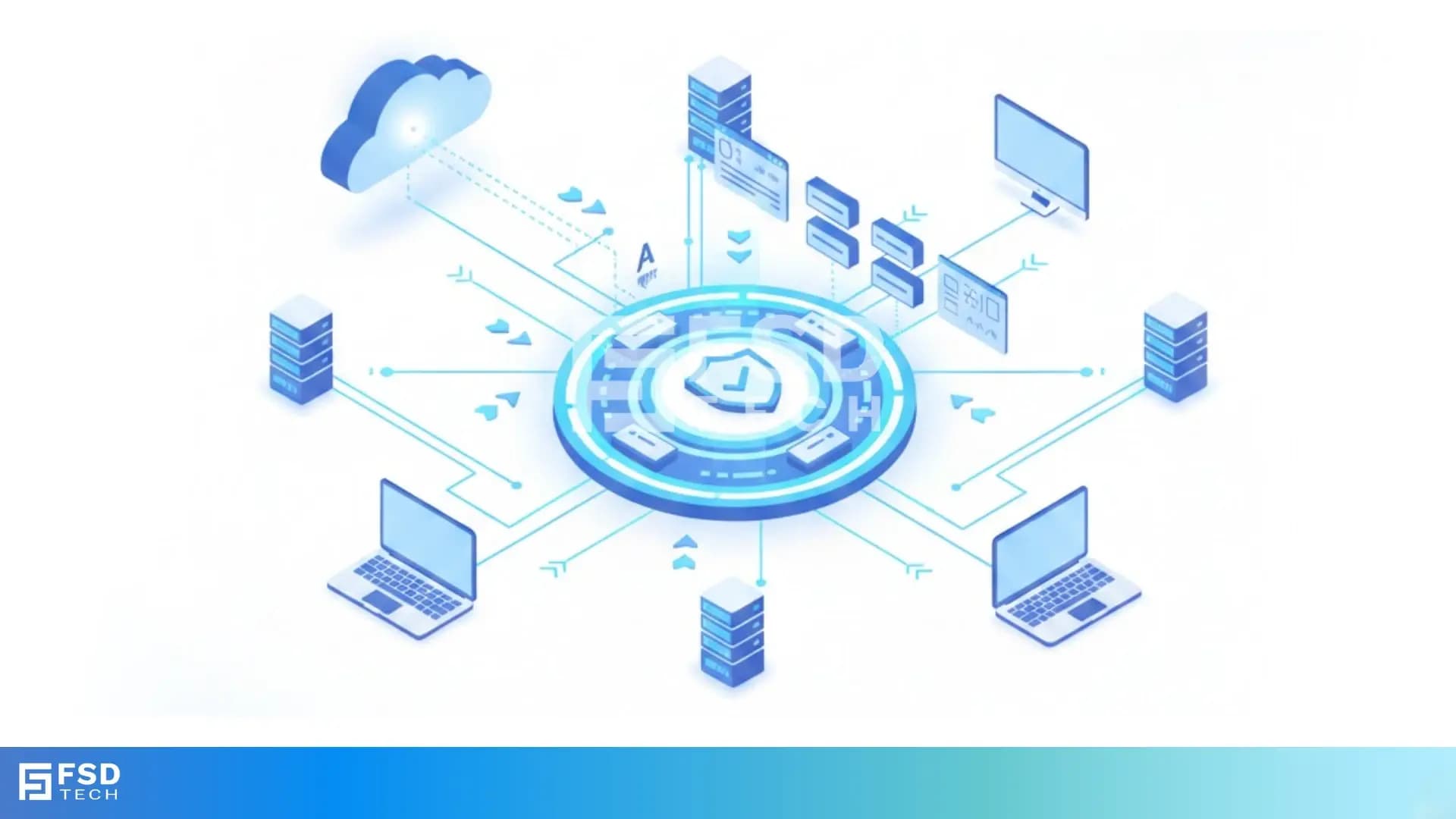
    Isometric illustration showing a centralized IT monitoring and automation platform connecting cloud services, servers, laptops, and dashboards, representing thresholds, alerts, secure data flow, and automated remediation across distributed systems.

    Most IT teams don’t have an alert problem.
    They have a reaction problem.

    Alerts fire. Someone acknowledges them. Someone investigates. Someone runs the same cleanup steps they ran last week. The issue gets resolved — but the process is repetitive, slow, and difficult to standardize across technicians, customers, and locations.

    Atera’s alerting and remediation model is designed to break that loop by introducing three practical layers:

    • Monitoring and thresholds to detect issues early
    • Alerting and routing so the right people see the right events
    • Auto-healing scripts so known issues can be handled immediately, without waiting for human intervention

    On top of this foundation, Atera AI Copilot supports technicians by helping them generate scripts and commands faster when remediation logic needs to be created or refined.


    What alerts and thresholds do in Atera

    At the base level, Atera monitors endpoints and servers and raises alerts when defined conditions are met.

    These conditions are expressed through thresholds — rules that define what “too high,” “too low,” or “unhealthy” looks like. Examples include CPU usage exceeding a percentage for a sustained duration, disk space falling below a defined level, or a service stopping unexpectedly.

    Thresholds are how vague symptoms (“the system feels slow”) are converted into measurable signals that automation and technicians can act on.


    Auto-healing in Atera: the practical shift

    The real operational shift comes from auto-healing.

    Within a single threshold item, administrators can attach up to three scripts that run automatically when the threshold is triggered.

    This matters because real-world remediation is rarely a single step. Safe and effective remediation usually follows a sequence:

    1. Capture diagnostics
    2. Attempt a low-risk fix
    3. Escalate only if the issue persists

    Auto-healing allows that logic to be defined once and applied consistently.


    How auto-healing works in real life: practical examples

    Auto-healing in Atera works best when it mirrors how an experienced technician would respond to a known issue.

    Instead of reacting manually every time an alert fires, teams predefine what should happen the moment a threshold is breached.

    Each threshold item can trigger up to three scripts, enabling layered remediation — first attempt, fallback, and escalation preparation. This keeps automation predictable, controlled, and safe.

    Example 1: High CPU temperature or sustained CPU usage

    Condition monitored

    • CPU usage above a defined percentage for a sustained duration
    • Or temperature-related hardware indicators reported by the agent
       

    Auto-healing scripts attached

    1. Identify top CPU-consuming processes
       A script runs automatically to capture and log which processes are consuming excessive CPU.
    2. Restart a known problematic service or application
       Useful when a specific service is historically known to cause CPU spikes.
    3. Trigger a controlled reboot (optional final step)
       Executed only if the issue persists and organizational policy allows it.
       

    Outcome

    • Many transient CPU issues resolve automatically without technician involvement
    • If the issue persists, diagnostics and logs are already available for review

    Example 2: Memory pressure or RAM exhaustion

    Condition monitored

    • Memory usage exceeding a defined threshold for a specified time window
       

    Auto-healing scripts attached

    1. Clear temporary files or cached memory
       Frees memory consumed by non-critical processes.
    2. Restart memory-intensive background services
       Common for application servers, monitoring agents, or long-running services.
    3. Generate a memory usage report
       Captures data for trend analysis if the issue becomes recurring.
       

    Outcome

    • Devices stabilize without disrupting end users
    • Repeat offenders become easy to identify and address proactively

    Why multiple scripts matter

    Allowing up to three scripts per threshold enables a logical remediation flow:

    1. Fix the problem
    2. Verify stability
    3. Prepare context if human intervention is required

    This approach avoids aggressive over-automation while still eliminating repetitive manual work.


    Built-in and shared script ecosystem

    Auto-healing only works when scripts are easy to reuse and govern.

    Atera supports this through:

    • A built-in script library covering common maintenance and remediation tasks
    • A shared script library where vetted scripts can be reused across technicians
    • A strong community ecosystem where MSPs share scripts for real-world scenarios

    Most auto-healing workflows are created by adapting existing scripts rather than writing new ones from scratch, reducing risk and accelerating deployment.


    Where Atera AI Copilot fits (without overclaiming)

    Auto-healing still relies on scripts, and scripts still need to be created safely.

    This is where Atera AI Copilot becomes practically useful:

    • It helps technicians generate PowerShell commands from plain-language requests
    • It assists during script creation workflows, reducing time spent on syntax and structure

    In simple terms:

    • Thresholds decide when something happens
    • Scripts define what action is taken
    • AI Copilot helps technicians build those scripts faster
       

    MSP vs Internal IT usage patterns

    MSPs typically standardize auto-healing around:

    • High-frequency endpoint issues
    • Customer-specific application behaviors
       

    Internal IT teams usually focus on:

    • Conservative remediation for critical systems
    • Automatic diagnostics capture before escalation

    In both cases, the value is the same: fewer repetitive tickets, faster stabilization, and consistent outcomes.


    Let automation handle known fixes. Let AI help with preparation → Explore Atera auto-healing and Copilot’s role in 30 minutes.
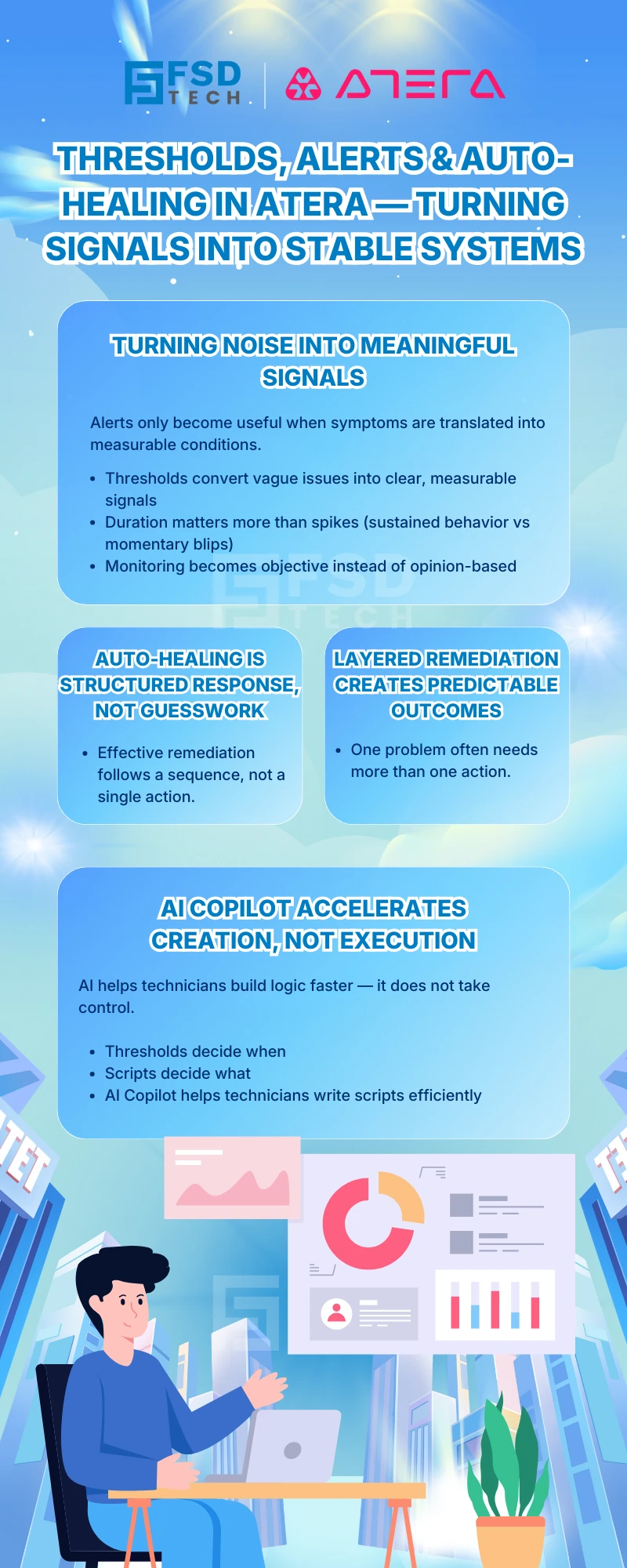
     

    Infographic explaining how thresholds, alerts, and auto-healing work in Atera, highlighting signal-based monitoring, structured remediation workflows, layered auto-healing actions, and the role of AI Copilot in accelerating script creation without executing changes, branded by FSD Tech.


    FAQs — Thresholds, Auto-Healing & AI Copilot in Atera


    How do Atera thresholds work for alerts and remediation?

    Thresholds define the conditions that trigger alerts and can also serve as the trigger point for automated remediation scripts.


    How many auto-healing scripts can be attached to one Atera threshold?

    Each threshold item can have up to three scripts attached, enabling layered remediation.


    Can auto-healing scripts run sequentially?

    Yes. Scripts execute in order, allowing diagnostics, remediation, and escalation preparation to occur step-by-step.


    Does Atera AI Copilot help with script creation?

    Yes. AI Copilot assists technicians by generating commands and scripts from natural-language prompts, reducing manual effort.


    What’s the difference between thresholds and automation profiles in Atera?

    Thresholds define when an issue occurs, while automation scripts define what action is taken in response.


    Where are scripts stored for reuse and governance?

    Scripts can be managed in technician libraries and shared across teams using the shared script library.


    How should teams safely roll out auto-healing?

    Start with diagnostics and low-risk actions, then expand remediation gradually based on confidence and policy.

    Thresholds, Alerts & Auto-Healing in Atera (and where AI Copilot helps)

    About The Author

    Anas Abdu Rauf

    Anas is an Expert in Network and Security Infrastructure, With over seven years of industry experience, holding certifications Including CCIE- Enterprise, PCNSE, Cato SASE Expert, and Atera Certified Master. Anas provides his valuable insights and expertise to readers.

    Like This Story?

    Share it with friends!

    Subscribe to our newsletter!

    Atera

    (55)

    Cato Networks

    (121)

    ClickUp

    (70)

    FishOS

    (7)

    Miradore

    (21)

    PointGuard AI

    (9)

    Vembu

    (22)

    Xcitium

    (33)

    ZETA HRMS

    (79)

    Workflow Automation(8)

    Workforce Automation(1)

    AI Project Management(1)

    HR Data Automation(1)

    RMM(1)

    IT Workflow Automation(1)

    IT security(2)

    GCC compliance(4)

    Payroll Integration(2)

    IT support automation(3)

    procurement automation(1)

    lost device management(1)

    IT Management(5)

    IoT Security(2)

    Cato XOps(2)

    IT compliance(4)

    Workflow Management(1)

    Task Automation(1)

    Kubernetes lifecycle management(2)

    OpenStack automation(1)

    AI-powered cloud ops(1)

    SMB Security(8)

    Data Security(1)

    MDR (Managed Detection & Response)(4)

    MSP Automation(3)

    Atera Integrations(2)

    XDR Security(2)

    SMB Cyber Protection(1)

    Ransomware Defense(3)

    HR Tech Solutions(1)

    Zero Trust Network Access(3)

    Zero Trust Security(2)

    Endpoint Management(1)

    SaaS Security(1)

    Payroll Automation(5)

    IT Monitoring(2)

    Xcitium EDR SOC(15)

    Ransomware Protection GCC(1)

    Network Consolidation UAE(1)

    M&A IT Integration(1)

    MSSP for SMBs(1)

    SMB Cybersecurity GCC(1)

    Antivirus vs EDR(1)

    FSD-Tech MSSP(25)

    Ransomware Protection(3)

    Managed EDR FSD-Tech(1)

    Cybersecurity GCC(12)

    Endpoint Security(1)

    Endpoint Protection(1)

    Data Breach Costs(1)

    SMB Cybersecurity(8)

    Zero Dwell Containment(31)

    Xcitium EDR(30)

    Managed Security Services(2)

    Cloud Backup(1)

    Hybrid Backup(1)

    Backup & Recovery(1)

    pointguard ai(4)

    backup myths(1)

    disaster recovery myths(1)

    SMB data protection(9)

    vembu(9)

    Vembu BDR Suite(19)

    Disaster Recovery(4)

    GCCBusiness(1)

    DataProtection(1)

    Secure Access Service Edge(4)

    GCC HR software(20)

    Miradore EMM(15)

    Cato SASE(7)

    Cloud Security(8)

    Talent Development(1)

    AI Security(2)

    AI Cybersecurity(12)

    AI Governance(4)

    AI Risk Management(1)

    AI Compliance(2)

    GCC business security(1)

    GCC network integration(1)

    compliance automation(5)

    education security(1)

    GCC cybersecurity(2)

    BYOD security Dubai(8)

    App management UAE(1)

    Miradore EMM Premium+(5)

    MiddleEast(1)

    HealthcareSecurity(1)

    Team Collaboration(1)

    IT automation(12)

    Zscaler(1)

    SD-WAN(7)

    HR Integration(4)

    Cloud Networking(4)

    device management(9)

    RemoteWork(1)

    VPN(1)

    ZeroTrust(2)

    MPLS(1)

    Project Management(9)

    HR automation(16)

    share your thoughts

    Isometric illustration showing a centralized IT monitoring and automation platform connecting cloud services, servers, laptops, and dashboards, representing thresholds, alerts, secure data flow, and automated remediation across distributed systems.

    Thresholds, Alerts & Auto-Healing in Atera (and where AI Copilot helps)

    🕓 February 11, 2026

    Isometric illustration showing Atera AI Copilot integrated with automation profiles and patch management workflows, depicting governed scripting, secure execution paths, approval checkpoints, and centralized control across IT systems.

    Integrating AI Copilot with Automation Profiles & Patch Management in Atera

    🕓 February 9, 2026

    Isometric illustration of Account Intelligence as a central platform connecting laptops, servers, and network devices, representing real-time device visibility, lifecycle management, discovery of unmanaged assets, and synchronized inventory across IT environments.

    Account Intelligence in Atera: Offline Devices, Trends & Discovery

    🕓 February 8, 2026

    Decoded(105)

    Cyber Security(118)

    BCP / DR(22)

    Zeta HRMS(78)

    SASE(21)

    Automation(70)

    Next Gen IT-Infra(118)

    Monitoring & Management(76)

    ITSM(22)

    HRMS(21)

    Automation(24)