HomeNext Gen IT-InfraMonitoring & ManagementCyber SecurityBCP / DRAutomationDecoded
Next Gen IT-Infra
Cato’s SASE Supports Cybersecurity Skills Development

How Cato’s SASE Supports Cybersecurity Skills Development

🕓 April 8, 2025

How SASE Supports the Security Needs of SMBs

How SASE Supports the Security Needs of SMBs

🕓 February 9, 2025

Attack Surface Reduction with Cato’s SASE

Attack Surface Reduction with Cato’s SASE

🕓 February 10, 2025

SASE for Digital Transformation in UAE

SASE for Digital Transformation in UAE

🕓 February 8, 2025

Monitoring & Management
Understanding Atera’s SLA Management

Understanding Atera’s SLA Management

🕓 February 7, 2025

Cost-Performance Ratio: Finding the Right Balance in IT Management Networks

Cost-Performance Ratio: Finding the Right Balance in IT Management Networks

🕓 June 16, 2025

Customizing Atera with APIs

Customizing Atera with APIs

🕓 March 3, 2025

Power Up Your IT Team’s Strategy with Atera’s Communication Tools

Power Up Your IT Team’s Strategy with Atera’s Communication Tools

🕓 February 8, 2025

Cyber Security
Illustration of the Cato Cloud architecture showing its role in delivering SASE for secure, optimized global connectivity.

Understanding the Cato Cloud and Its Role in SASE

🕓 January 29, 2025

Isometric illustration of professionals managing network performance, bandwidth analytics, and cloud-based optimization around the Cato Networks platform, symbolizing bandwidth control and QoS visibility.

Mastering Bandwidth Control and QoS in Cato Networks

🕓 July 26, 2025

Global network backbone powering Cato SASE solution for secure, high-performance connectivity across regions.

Global Backbone: The Engine Powering Cato’s SASE Solution

🕓 January 30, 2025

Illustration of IT team managing user roles and permissions on the Cato CMA dashboard via laptops and cloud interfaces.

Setting Up Role-Based Access Control (RBAC) in Cato

🕓 July 28, 2025

BCP / DR
Illustration showing diverse business and IT professionals collaborating with cloud, backup, and security icons, representing Vembu use cases for SMBs, MSPs, and IT teams.

Who Uses Vembu? Real-World Use Cases for SMBs, MSPs & IT Teams

🕓 July 12, 2025

Graphic showcasing Vembu’s all-in-one backup and disaster recovery platform with icons for cloud, data protection, and business continuity for IT teams and SMBs.

What Is Vembu? A Deep Dive Into the All in One Backup & Disaster Recovery Platform

🕓 July 6, 2025

Illustration showing Vembu backup and disaster recovery system with cloud storage, server racks, analytics dashboard, and IT professionals managing data.

The Rising Cost of Data Loss: Why Backup Is No Longer Optional?

🕓 August 14, 2025

3D isometric illustration of cloud backup and data recovery infrastructure with laptop, data center stack, and digital business icons — FSD Tech

RPO & RTO: The Heart of Business Continuity

🕓 August 15, 2025

Automation
Cross-Functional Collaboration with ClickUp

Fostering Cross-Functional Collaboration with ClickUp for Multi-Departmental Projects

🕓 February 11, 2025

ClickUp Project Reporting

Revolutionizing Enterprise Reporting with ClickUp’s Advanced Analytics and Dashboards

🕓 June 16, 2025

ClickUp’s Design Collaboration and Asset Management Tools

Empowering Creative Teams with ClickUp’s Design Collaboration and Asset Management Tools

🕓 February 26, 2025

ClickUp Communication and Collaboration Tools

ClickUp Communication and Collaboration Tools: Empowering Remote Teams

🕓 March 12, 2025

Decoded
Multi-Factor Authentication (MFA)

Multi-Factor Authentication (MFA): All You Need to Know

🕓 December 7, 2025

L3 Switch

What Is an L3 Switch? L2 vs L3 & Why You Need Layer 3?

🕓 December 8, 2025

IPSec

IPSec Explained: Protocols, Modes, IKE & VPN Security

🕓 December 3, 2025

 Datagram Transport Layer Security (DTLS)

What is Datagram Transport Layer Security (DTLS)? How it works?

🕓 December 4, 2025

    Subscribe to our newsletter!

    About Us

    Follow Us

    Copyright © 2024 | Powered by 

    Cato SASE Architecture

    Inside Cato’s SASE Architecture: A Blueprint for Modern Security

    🕓 January 26, 2025

    Enterprise Data Security and Privacy with ClickUp

    Ensuring Enterprise Data Security and Privacy with ClickUp

    🕓 February 9, 2025

    DDoS protection SASE

    DDoS Protection and Cato’s Defence Mechanisms

    🕓 February 11, 2025

    Table of Contents

    Health Checks & Device Actions in Atera: From Detection to Autonomous Remediation

    Anas Abdu Rauf
    December 15, 2025
    Comments
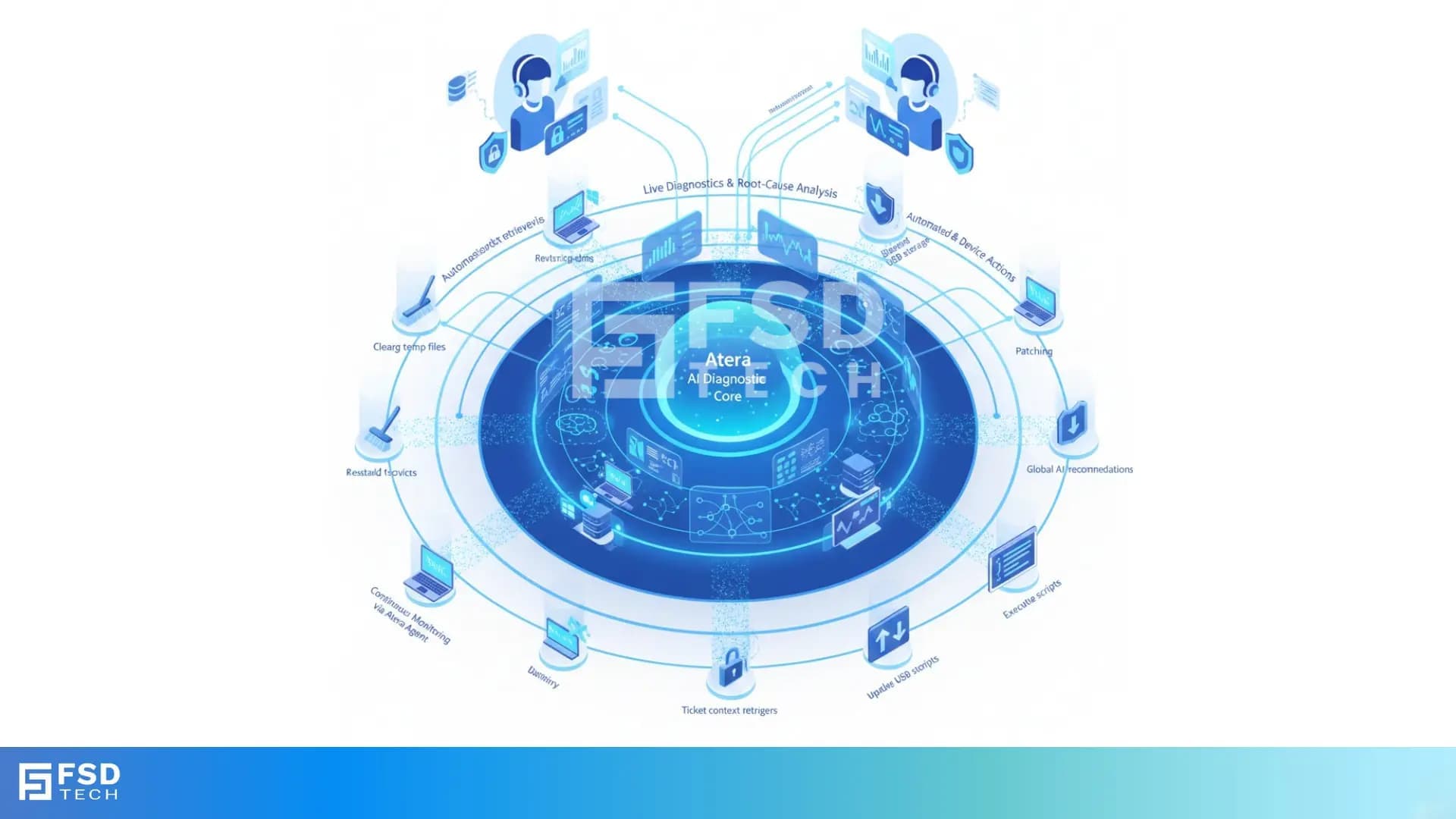
    Illustration showing Atera’s AI Diagnostic Core performing automated health checks, root-cause analysis, and device actions across multiple endpoints for IT teams and MSP environments.

    IT teams rarely struggle because they lack technical skill. They struggle because diagnosing issues takes too long, switching between tools slows everything down, and routine fixes absorb hours each week. The result is a constant firefight: slow devices, full disks, crashing apps, unpatched endpoints, tickets piling up.

    Atera’s approach to health checks and device actions eliminates that pattern.
    By bringing continuous monitoring, AI-driven diagnostics, live device data, and autonomous remediation into a single platform, Atera transforms troubleshooting from a manual activity into an intelligent, automated workflow.

    For MSPs, this means healthier SLAs and fewer escalations.
    For internal IT teams, it means more time for strategic work instead of repetitive device repair.

    This blog breaks down exactly how Atera health checks work, what they detect, how AI Copilot and IT Autopilot act on them, and why these capabilities now sit at the foundation of modern autonomous IT.


    Understanding Health Checks in Atera

    Atera defines health checks as immediate, AI-assisted diagnostics that analyze a device’s performance, stability, and security in real time. These checks combine insights from the Atera Agent—which continuously monitors endpoint health—with AI Copilot’s ability to interpret system signals, logs, and usage patterns to find the actual root cause.

    Health checks evaluate a wide range of device metrics, including:

    • CPU load, RAM usage, and top processes
    • Disk usage, S.M.A.R.T. health, storage growth trends
    • Battery health and hardware temperatures
    • Windows Event logs across all major categories
    • Network activity, bandwidth spikes, and port availability
    • Antivirus and firewall status
    • Service states and specific running processes
    • Software inventory, patch status, and version drift

    Instead of merely showing raw numbers, Atera interprets them to answer questions like:

    • “Why is this device slow?”
    • “What’s causing this application to crash?”
    • “Which devices are at risk based on recent behavior?”

    This intelligence is available whether you are an MSP looking after hundreds of endpoints, or an internal IT team managing employees’ systems across different locations.


    Where Technicians Trigger Health Checks

    Atera embeds health checks directly into the workflows technicians use most. You never have to hunt for them—they appear where you need them, when you need them.

    1. AI Copilot Chat (Global Entry Point)

    Accessible from anywhere within Atera, Copilot allows you to type natural language instructions such as:

    • “Check disk space on this device.”
    • “Run a performance diagnostic.”

    Copilot attaches the appropriate device and begins analysis immediately.

    2. Device View & Agent Console

    From the Devices list or the Agent Console, technicians can launch Copilot for targeted diagnostics. This is ideal when troubleshooting a specific user’s machine.

    3. Alerts Panel

    When a threshold breach occurs—high CPU, low disk space, critical events—Atera generates an alert.
    Copilot can be opened right from the alert to interpret the issue and recommend or execute the fix.

    4. Tickets

    If a ticket is raised, Copilot can:

    • Summarize the ticket
    • Map the user to their device
    • Run diagnostics in context
    • Suggest or run corrective actions

    This drastically reduces the time spent gathering context during support.


    What AI Copilot Analyzes During a Health Check

    AI Copilot pulls together multiple types of live and historical data to diagnose issues accurately:

    Live Device Telemetry

    • CPU, RAM, disk activity
    • Active processes and resource spikes
    • Application behavior and crash indicators
    • Storage availability and fragmentation
    • System changes and recent configurations

    Log and Event Intelligence

    • Recent Windows log entries
    • Security events
    • Driver or update-related issues
    • Application-level warnings or failures

    Environmental and Account-Level Insights

    • Devices consistently going offline
    • Machines approaching storage limits
    • Out-of-date software versions
    • Devices missing patches or running outdated builds

    Visual Troubleshooting (Screenshot/Image Analysis)

    Technicians can upload screenshots for Copilot to analyze.
    This is especially useful for UI-based errors, odd system behaviors, and user-submitted error images.

    Together, these signals allow Copilot to provide root-cause analysis that feels like a senior technician’s assessment—only faster and instantly repeatable.


    What a Health Check Output Looks Like

    A typical AI-driven health check presents three core elements:

    1. Diagnostic Summary

    A clear explanation of what is happening and why:

    • “Disk usage is critically high due to temporary files and browser cache.”
    • “Consistent CPU spikes caused by a runaway background process.”
    • “Browser crashes linked to extension conflicts and outdated version.”

    2. Suggested Actions or Fixes

    Copilot provides recommended actions such as:

    • Clear temporary files
    • Kill or restart a problematic process
    • Restart specific services
    • Remove conflicting extensions
    • Install missing patches
    • Free up storage

    Where possible, Copilot can run the fix immediately—if the script or action has been pre-approved by your admin.

    3. Logged Activity

    Any executed action is recorded for audit and compliance:

    • Script execution logs
    • Ticket notes
    • Timeline entries in the Agent Activity log

    This ensures complete visibility into what was done, by whom, and why.


    What Device Actions Atera Can Perform

    Device actions are the “hands” of Atera’s AI ecosystem. They turn diagnoses into results.

    Atera organizes device actions into several categories:

    1. Identity & Account Management

    • Reset local or cloud passwords
    • Unlock locked accounts
    • Manage Azure AD group membership
    • Create or update local admin accounts

    2. System Performance & Maintenance

    • Clear temp files and system clutter
    • Check and free disk space
    • Clean up the C: drive using custom scripts
    • Manage startup programs
    • Adjust power settings

    3. Application & Service Control

    • Install or update applications
    • Restart or stop services
    • Repair common issues (e.g., Outlook profiles, print queue problems)
    • Manage browser extensions and updates

    4. Security Enforcement

    • Install patches
    • Block USB storage
    • Fix antivirus or firewall issues
    • Address failed login attempts

    5. Network & Device Control

    • Renew IP address
    • Schedule shutdowns or reboots
    • Export logs
    • Execute PowerShell, CMD, or Bash commands

    These actions are especially powerful at scale—each one can be repeated across hundreds of endpoints without manual intervention.


    OS Support and Known Limitations

    Atera supports health checks and device actions across Windows, macOS, and Linux, but with some practical distinctions:

    Windows & macOS

    • Full support for health checks
    • Full support for auto-healing scripts
    • Full support for automation profiles
    • Rich device toolset (Event Viewer, Registry, Task Manager for Windows)

    Linux

    • Monitoring and scripting supported
    • Some auto-healing and automation workflows are more limited
    • Device tools are primarily terminal-driven
    • Software distribution and package management differ by distro

    This diversity allows MSPs and IT teams to maintain consistent automation workflows while respecting OS-level constraints.


    How Health Checks Connect to Automation

    Atera doesn’t treat health checks as passive observations—they are actionable triggers within a broader automation framework.

    Thresholds → Alerts → Auto-Healing Scripts

    A threshold breach (e.g., CPU over 90% for 5 minutes) can automatically trigger up to three sequential scripts.
    This might include:

    1. Clearing temp files
    2. Restarting a service
    3. Sending a notification or creating a ticket only if unresolved

    IT Automation Profiles

    Used for scheduled tasks like:

    • Patching
    • Software deployment
    • Reboots
    • Monthly cleanups
    • Disk optimizations

    AI Recommendations

    AI Copilot identifies recurring patterns and suggests:

    • Frequently effective scripts
    • KB articles that address repeated issues
    • Opportunities to automate similar incidents in the future

    IT Autopilot: Truly Autonomous Tier-1 Resolution

    Atera's autonomous agent can resolve common issues on its own:

    • Password resets
    • Basic connectivity fixes
    • Software installs
    • Diagnostics and guided resolutions

    When it cannot fully resolve the issue, it escalates to a technician with complete context and step-by-step history.

    This elevates troubleshooting from reactive firefighting to continuous, autonomous maintenance.


    Governance, Permissions & Audit Controls

    Atera’s autonomous capabilities are wrapped with strong governance:

    • Full Admin rights required to configure AI Center
    • Scripts must be explicitly approved for AI automation
    • User-device mapping is required before AI acts on a device
    • Every AI-driven action is logged in ticket notes and device activity
    • Human override is always available

    This ensures transparency, security, and operational trust—especially important for MSPs with strict client SLAs or internal IT teams managing sensitive data.


    Why This Matters for MSPs & Internal IT Teams

    For MSPs

    • Fewer escalations
    • Faster SLA compliance
    • Lower technician workload
    • Higher endpoint stability
    • 24/7 autonomous Tier-1 support

    For Internal IT

    • Dramatic reduction in repetitive tasks
    • Faster ticket resolution
    • More time for modernization projects
    • Less user downtime and frustration
    • Stronger security posture

    Atera’s model blends observability, diagnostics, and autonomous action into a single workflow—turning every technician into a higher-level problem solver.


    Key Takeaways (At a Glance)

    • Atera health checks combine continuous monitoring with live diagnostics.
    • AI Copilot interprets system data to find root causes instantly.
    • Device actions turn insights into immediate fixes.
    • Threshold alerts can run auto-healing scripts automatically.
    • IT Autopilot resolves routine issues without human intervention.
    • Full audit trails ensure transparency and compliance.
    • MSPs and IT teams both gain massive time savings and operational consistency.


    Transform your IT operations with AI-driven diagnostics and auto-healing → Schedule a quick Atera demo today.
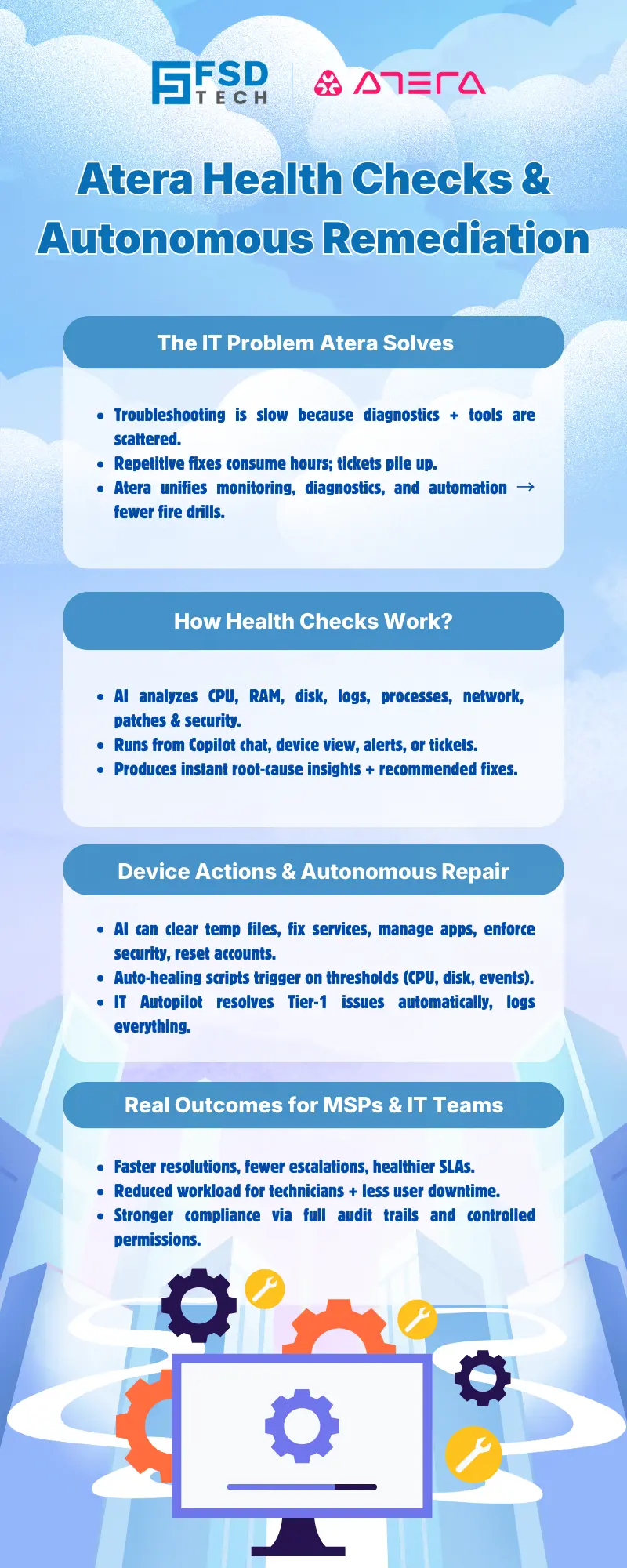
     

    Infographic titled ‘Atera Health Checks & Autonomous Remediation’ explaining how Atera solves IT workload problems, performs AI-driven health checks, automates device repair actions, and delivers improved outcomes for MSPs and IT teams


    FAQs:

    How do Atera health checks improve troubleshooting?

    They provide real-time diagnostics, analyze logs and performance data, and highlight root causes instead of raw metrics—cutting troubleshooting time dramatically.


    Can AI Copilot fix issues automatically?

    Yes. If scripts are pre-approved, Copilot can run repairs immediately. IT Autopilot can also resolve many Tier-1 issues fully autonomously.


    Do health checks work on all operating systems?

    They work across Windows, macOS, and Linux, though auto-healing is currently strongest on Windows and macOS.


    Can Atera analyze screenshots or images?

    Yes. Technicians can upload images, and Copilot can analyze them to identify errors and recommend solutions.


    What triggers auto-healing actions?

    Threshold breaches (e.g., disk space, CPU, events) can automatically run predefined scripts without a technician needing to intervene.


    Are all AI actions recorded?

    Absolutely. All actions—AI-driven or manual—are logged for audit, compliance, and full-resolution visibility.


    How do health checks help MSP SLAs?

    By catching issues earlier, automating fixes, and speeding resolution, MSPs improve uptime and reduce SLA breaches.


    How does this help internal IT teams?

    Device actions and autonomous fixes dramatically reduce repetitive troubleshooting, freeing time for higher-impact projects.


    Health Checks & Device Actions in Atera: From Detection to Autonomous Remediation

    About The Author

    Anas Abdu Rauf

    Anas is an Expert in Network and Security Infrastructure, With over seven years of industry experience, holding certifications Including CCIE- Enterprise, PCNSE, Cato SASE Expert, and Atera Certified Master. Anas provides his valuable insights and expertise to readers.

    Like This Story?

    Share it with friends!

    Subscribe to our newsletter!

    Atera

    (48)

    Cato Networks

    (118)

    ClickUp

    (70)

    FishOS

    (7)

    Miradore

    (21)

    PointGuard AI

    (9)

    Vembu

    (22)

    Xcitium

    (33)

    ZETA HRMS

    (76)

    Workflow Automation(8)

    Workforce Automation(1)

    AI Project Management(1)

    HR Data Automation(1)

    RMM(1)

    IT Workflow Automation(1)

    GCC compliance(4)

    IT security(2)

    Payroll Integration(2)

    IT support automation(3)

    procurement automation(1)

    lost device management(1)

    IT Management(5)

    IoT Security(2)

    Cato XOps(2)

    IT compliance(4)

    Task Automation(1)

    Workflow Management(1)

    OpenStack automation(1)

    Kubernetes lifecycle management(2)

    AI-powered cloud ops(1)

    SMB Security(8)

    Data Security(1)

    MDR (Managed Detection & Response)(4)

    Atera Integrations(2)

    MSP Automation(3)

    XDR Security(2)

    Ransomware Defense(3)

    SMB Cyber Protection(1)

    HR Tech Solutions(1)

    Zero Trust Network Access(3)

    Zero Trust Security(2)

    Endpoint Management(1)

    SaaS Security(1)

    Payroll Automation(5)

    IT Monitoring(2)

    Xcitium EDR SOC(15)

    Ransomware Protection GCC(1)

    Network Consolidation UAE(1)

    M&A IT Integration(1)

    MSSP for SMBs(1)

    Managed EDR FSD-Tech(1)

    FSD-Tech MSSP(25)

    Ransomware Protection(3)

    SMB Cybersecurity GCC(1)

    Antivirus vs EDR(1)

    Cybersecurity GCC(12)

    Endpoint Security(1)

    Endpoint Protection(1)

    Data Breach Costs(1)

    SMB Cybersecurity(8)

    Zero Dwell Containment(31)

    Managed Security Services(2)

    Xcitium EDR(30)

    Cloud Backup(1)

    Hybrid Backup(1)

    Backup & Recovery(1)

    pointguard ai(4)

    backup myths(1)

    vembu(9)

    SMB data protection(9)

    disaster recovery myths(1)

    Disaster Recovery(4)

    Vembu BDR Suite(19)

    GCCBusiness(1)

    DataProtection(1)

    Secure Access Service Edge(4)

    GCC HR software(18)

    Miradore EMM(15)

    Cato SASE(7)

    Cloud Security(8)

    Talent Development(1)

    AI Cybersecurity(12)

    AI Security(2)

    AI Governance(4)

    AI Risk Management(1)

    AI Compliance(2)

    GCC business security(1)

    GCC network integration(1)

    compliance automation(5)

    education security(1)

    GCC cybersecurity(2)

    BYOD security Dubai(8)

    App management UAE(1)

    Miradore EMM Premium+(5)

    MiddleEast(1)

    HealthcareSecurity(1)

    Team Collaboration(1)

    IT automation(12)

    Zscaler(1)

    SD-WAN(6)

    HR Integration(4)

    Cloud Networking(3)

    device management(9)

    VPN(1)

    RemoteWork(1)

    ZeroTrust(2)

    MPLS(1)

    Project Management(9)

    HR automation(16)

    share your thoughts

    Isometric illustration showing Atera Copilot generating AI-powered remote session summaries, connecting multiple devices, dashboards, and IT teams to automate documentation, improve visibility, and support MSP operations.

    AI-Driven Remote Session Summaries in Atera: Turning Hands-On Support Into Instant Documentation

    🕓 January 1, 2026

    Illustration showing Atera’s AI Diagnostic Core performing automated health checks, root-cause analysis, and device actions across multiple endpoints for IT teams and MSP environments.

    Health Checks & Device Actions in Atera: From Detection to Autonomous Remediation

    🕓 December 15, 2025

    Illustration showing Atera’s AI automation hub with a glowing blue sphere connected to multiple screens displaying tickets, device data, scripts, instant response times, and technician dashboards. Two IT technicians sit at workstations monitoring hours saved and ticket analytics.

    AI Copilot 3.0 and Action Mode: From Recommendations to Fully Autonomous IT

    🕓 December 12, 2025

    Decoded(87)

    Cyber Security(118)

    BCP / DR(22)

    Zeta HRMS(75)

    SASE(21)

    Automation(70)

    Next Gen IT-Infra(118)

    Monitoring & Management(69)

    ITSM(22)

    HRMS(21)

    Automation(24)