HomeNext Gen IT-InfraMonitoring & ManagementCyber SecurityBCP / DRAutomationDecoded
Next Gen IT-Infra
Cato’s SASE Supports Cybersecurity Skills Development

How Cato’s SASE Supports Cybersecurity Skills Development

🕓 April 8, 2025

How SASE Supports the Security Needs of SMBs

How SASE Supports the Security Needs of SMBs

🕓 February 9, 2025

Attack Surface Reduction with Cato’s SASE

Attack Surface Reduction with Cato’s SASE

🕓 February 10, 2025

SASE for Digital Transformation in UAE

SASE for Digital Transformation in UAE

🕓 February 8, 2025

Monitoring & Management
Understanding Atera’s SLA Management

Understanding Atera’s SLA Management

🕓 February 7, 2025

Cost-Performance Ratio: Finding the Right Balance in IT Management Networks

Cost-Performance Ratio: Finding the Right Balance in IT Management Networks

🕓 June 16, 2025

Customizing Atera with APIs

Customizing Atera with APIs

🕓 March 3, 2025

Power Up Your IT Team’s Strategy with Atera’s Communication Tools

Power Up Your IT Team’s Strategy with Atera’s Communication Tools

🕓 February 8, 2025

Cyber Security
Visual guide showing Cato CMA interface for configuring Internet and WAN firewall rules, enabling threat protection, and monitoring security events in real time for UAE IT teams.

Enforcing Firewall and Threat Protection Policies in Cato

🕓 July 25, 2025

Isometric illustration of professionals managing network performance, bandwidth analytics, and cloud-based optimization around the Cato Networks platform, symbolizing bandwidth control and QoS visibility.

Mastering Bandwidth Control and QoS in Cato Networks

🕓 July 26, 2025

Illustration of the Cato Cloud architecture showing its role in delivering SASE for secure, optimized global connectivity.

Understanding the Cato Cloud and Its Role in SASE

🕓 January 29, 2025

Global network backbone powering Cato SASE solution for secure, high-performance connectivity across regions.

Global Backbone: The Engine Powering Cato’s SASE Solution

🕓 January 30, 2025

BCP / DR
Illustration showing diverse business and IT professionals collaborating with cloud, backup, and security icons, representing Vembu use cases for SMBs, MSPs, and IT teams.

Who Uses Vembu? Real-World Use Cases for SMBs, MSPs & IT Teams

🕓 July 12, 2025

Graphic showcasing Vembu’s all-in-one backup and disaster recovery platform with icons for cloud, data protection, and business continuity for IT teams and SMBs.

What Is Vembu? A Deep Dive Into the All in One Backup & Disaster Recovery Platform

🕓 July 6, 2025

Illustration showing Vembu backup and disaster recovery system with cloud storage, server racks, analytics dashboard, and IT professionals managing data.

The Rising Cost of Data Loss: Why Backup Is No Longer Optional?

🕓 August 14, 2025

3D isometric illustration of cloud backup and data recovery infrastructure with laptop, data center stack, and digital business icons — FSD Tech

RPO & RTO: The Heart of Business Continuity

🕓 August 15, 2025

Automation
Cross-Functional Collaboration with ClickUp

Fostering Cross-Functional Collaboration with ClickUp for Multi-Departmental Projects

🕓 February 11, 2025

ClickUp Project Reporting

Revolutionizing Enterprise Reporting with ClickUp’s Advanced Analytics and Dashboards

🕓 June 16, 2025

ClickUp’s Design Collaboration and Asset Management Tools

Empowering Creative Teams with ClickUp’s Design Collaboration and Asset Management Tools

🕓 February 26, 2025

ClickUp Communication and Collaboration Tools

ClickUp Communication and Collaboration Tools: Empowering Remote Teams

🕓 March 12, 2025

Decoded
Multi-Factor Authentication (MFA)

Multi-Factor Authentication (MFA): All You Need to Know

🕓 December 7, 2025

L3 Switch

What Is an L3 Switch? L2 vs L3 & Why You Need Layer 3?

🕓 December 8, 2025

IPSec

IPSec Explained: Protocols, Modes, IKE & VPN Security

🕓 December 3, 2025

 Datagram Transport Layer Security (DTLS)

What is Datagram Transport Layer Security (DTLS)? How it works?

🕓 December 4, 2025

    Subscribe to our newsletter!

    About Us

    Follow Us

    Copyright © 2024 | Powered by 

    Cato SASE Architecture

    Inside Cato’s SASE Architecture: A Blueprint for Modern Security

    🕓 January 26, 2025

    Enterprise Data Security and Privacy with ClickUp

    Ensuring Enterprise Data Security and Privacy with ClickUp

    🕓 February 9, 2025

    DDoS protection SASE

    DDoS Protection and Cato’s Defence Mechanisms

    🕓 February 11, 2025

    Table of Contents

    Financial and Audit Workflow Tracking in ClickUp

    NHAIF NOUSHAD
    December 18, 2025
    Comments
    Illustration of a centralized financial audit and control hub showing interconnected digital panels for VAT reporting, documents, approvals, dashboards, and integrations. Depicts finance teams collaborating around a secure platform that manages audits, compliance data, accounting systems, and financial workflows. Represents automated audit management and financial oversight. FSD Tech branding visible at the bottom.

    Key Takeaways

    • Customizable audit workflows for UAE compliance:  ClickUp enables finance teams to design tailored audit and compliance processes using templates, custom statuses, and fields—ensuring alignment with UAE regulations and international standards.
    • Automation reduces manual effort and risk:  Task automation and recurring reminders in ClickUp drive audit readiness, minimize missed compliance steps, and streamline repetitive financial operations.
    • Centralized, secure document management:  ClickUp Docs and integrated file storage provide a secure, version-controlled hub for audit evidence, financial reports, and compliance documentation, supporting robust collaboration and external auditor access.
    • Real-time dashboards for proactive oversight:  Finance leaders gain instant visibility into audit progress, overdue tasks, and compliance KPIs via customizable dashboards—enabling data-driven decision-making and transparent reporting.
    • Seamless integration with accounting tools:  ClickUp connects with platforms like QuickBooks and Xero, ensuring up-to-date financial data, reducing manual entry, and supporting unified audit and reporting workflows.
    • Enhanced data security and audit trails:  Role-based permissions, document versioning, and detailed activity logs help UAE finance teams meet strict regulatory and data protection requirements.


    Modernizing Financial and Audit Workflows in the UAE with ClickUp

    The Compliance Landscape for UAE Finance Teams

    Finance and compliance managers in the UAE operate within a demanding regulatory environment shaped by local mandates—such as VAT, ESR, and AML—as well as international standards. The stakes are high: audits are frequent, deadlines are non-negotiable, and penalties for non-compliance can be severe. Traditional audit management—spread across spreadsheets, emails, and siloed systems—introduces risk, inefficiency, and a lack of real-time oversight.

     Common challenges include: 

    • Tracking multiple regulatory deadlines and overlapping audit cycles.
    • Ensuring consistent documentation and evidence collection.
    • Coordinating tasks across departments and with external auditors.
    • Maintaining secure access and comprehensive audit trails for sensitive data.

    Why ClickUp? A Unified Control Hub for Audit Readiness

    ClickUp addresses these challenges by serving as a centralized platform for audit and compliance management. Its core strengths for UAE finance teams include:

    •  Customizable workflows  that adapt to local and international compliance requirements.
    •  Task automation  to eliminate manual follow-ups and reduce risk.
    •  Centralized, secure document management  for all audit and financial records.
    •  Real-time dashboards  for instant insights into compliance and audit status.
    •  Seamless integrations  with leading accounting tools, supporting unified financial operations.


    Building Customizable Audit and Compliance Workflows

    Using Templates and Custom Statuses for UAE Regulations

    ClickUp’s flexibility allows finance teams to create workflows that mirror UAE-specific audit and compliance processes. Teams can start with built-in templates—such as the Internal Audit Checklist—or build custom workflows from scratch, defining each audit phase as a series of tasks with tailored statuses like “Evidence Gathering,” “Review,” “External Auditor Feedback,” and “Regulatory Submission.”

     Example: 

    A Dubai-based finance department sets up a VAT audit workflow. Each stage—data extraction, reconciliation, evidence upload, compliance review—is mapped as a task with a clear owner, deadline, and custom fields for VAT-specific data. Status labels track progress from “Not Started” to “Filed,” ensuring clarity and accountability.

    Automating Audit Tasks and Recurring Reminders

    Manual tracking of audit steps and compliance deadlines is error-prone and inefficient. ClickUp’s automation engine streamlines this by:

    • Automatically assigning tasks at the start of each audit cycle.
    • Sending reminders for document submission and regulatory deadlines.
    • Escalating overdue tasks to management.
    • Triggering follow-up actions when compliance checks fail.

     Example: 

    A finance manager automates monthly VAT compliance by setting up recurring tasks and reminders. If a deadline is missed, ClickUp escalates the task and notifies the compliance officer, ensuring timely action and audit readiness.


    Centralized Document Management and Secure Collaboration

    Storing and Sharing Audit Evidence in ClickUp Docs

    Audit evidence, compliance policies, and financial reports are securely stored in ClickUp Docs—a version-controlled, centralized repository. Teams can:

    • Organize documents by audit cycle, project, or regulatory requirement.
    • Track revisions and maintain a clear audit trail.
    • Share files securely with internal stakeholders and external auditors.

     Example: 

    During a Dubai Financial Services Authority (DFSA) audit, all supporting documents—contracts, reconciliations, correspondence—are uploaded to a dedicated ClickUp folder. Version control logs every change, and permissions restrict access to authorized users.

    Real-Time Communication and Approvals

    ClickUp’s built-in chat and commenting features streamline collaboration and approvals:

    • Discuss task details directly within each audit item.
    • Tag team members for feedback or sign-off.
    • Share updates and files without leaving the platform.

     Example: 

    An external auditor requests clarification on a transaction. The finance team responds via ClickUp Chat, attaches supporting documentation, and updates the task status to “Auditor Review,” ensuring a clear record of communication.


    Real-Time Reporting and Audit Dashboards

    Tracking KPIs and Compliance Status at a Glance

    Customizable dashboards in ClickUp provide finance leaders with instant visibility into audit and compliance status. Key metrics include:

    • Audit progress by phase, department, or entity.
    • Overdue tasks and upcoming regulatory deadlines.
    • Compliance KPIs such as VAT filings and ESR submissions.

     Example: 

    A CFO reviews the audit dashboard daily, quickly identifying overdue evidence requests and monitoring overall audit completion rates.

    Visualizing Audit Progress with Whiteboards and Gantt Charts

    ClickUp’s Whiteboards and Gantt Chart views offer visual tools for mapping audit strategies and tracking milestones:

    •  Whiteboards: Facilitate collaborative planning and brainstorming for audit scope and timelines.
    •  Gantt Charts: Display task dependencies and critical paths, supporting proactive management of audit projects.

     Example: 

    Ahead of a major audit, the team uses a Whiteboard to outline the audit plan, then switches to Gantt view to monitor progress against deadlines and adjust resources as needed.


    Integrating ClickUp with Accounting and Financial Tools

    Streamlining Data Flow with QuickBooks, Xero, and Excel

    ClickUp integrates with leading accounting platforms, enabling:

    • Automatic import of financial transactions and reports.
    • Real-time synchronization of budgets, invoices, and reconciliations.
    • Reduced manual data entry and improved data accuracy.

     Example: 

    A finance team links ClickUp with Xero. When a new invoice is generated in Xero, a corresponding task is automatically created in ClickUp for approval and filing, ensuring seamless workflow continuity.

    Reducing Manual Entry and Ensuring Data Consistency

    Integration ensures that financial data is always current, supporting accurate reporting and audit readiness.

     Example: 

    Monthly reconciliations are automated—ClickUp pulls data from QuickBooks, assigns review tasks, and tracks completion in real time, reducing errors and administrative overhead.


    Process Standardization and Audit Cycle Acceleration

    Leveraging Templates for Repeatable Success

    Reusable templates for audit checklists, financial statements, and compliance tasks drive consistency and efficiency across audit cycles.

     Example: 

    An accounting firm creates a template for client onboarding, including KYC checks, document requests, and engagement letters. Each new engagement launches with a standardized, compliant workflow, reducing onboarding time and ensuring regulatory adherence.

    Onboarding New Team Members Efficiently

    Standardized templates and clear workflows accelerate onboarding for new hires, ensuring adherence to best practices from day one.

     Example: 

    A new compliance analyst joins the team and accesses ClickUp’s standardized audit process, complete with task descriptions, deadlines, and supporting documentation, minimizing ramp-up time.


    Data Security, Access Controls, and Audit Trails

    Meeting UAE Data Protection and Regulatory Requirements

    ClickUp enforces strict role-based permissions, ensuring only authorized users can access sensitive financial data. All document changes and task updates are logged, providing a robust audit trail for regulatory compliance.

     Example: 

    During an audit, only the compliance manager and external auditor can view specific evidence files, while other team members have restricted access, supporting data protection and confidentiality.

    Version Control and Activity Logging

    Every document edit, comment, and task update is tracked, supporting transparency and regulatory compliance. Version control ensures that historical records are preserved and accessible for future audits or reviews.


    Real-World Examples: ClickUp in UAE Financial Operations

    Hypothetical Case Study: Preparing for a DFSA Audit

    A Dubai-based investment firm faces a DFSA audit. Using ClickUp, the compliance manager:

    • Sets up a custom audit workflow with tasks for document collection, evidence review, and regulatory submission.
    • Automates reminders for each deadline.
    • Stores all evidence in ClickUp Docs, with version control and secure sharing.
    • Tracks audit progress in real time via dashboards.
    • Collaborates with internal teams and external auditors using ClickUp Chat.

    The result: a smooth, transparent audit process with zero missed steps and full regulatory compliance.

    Example: Automating VAT Compliance Tracking

    A UAE SME automates monthly VAT filings by:

    • Creating recurring VAT tasks with automated reminders.
    • Integrating ClickUp with Xero to import transaction data.
    • Using dashboards to monitor VAT status and flag overdue filings.
    • Storing all VAT evidence in ClickUp Docs for future audits.

    This approach reduces manual effort, ensures timely compliance, and provides a clear audit trail for regulatory review.
     

    Simplify audits. Strengthen compliance. Gain visibility→ Get started with ClickUp today.
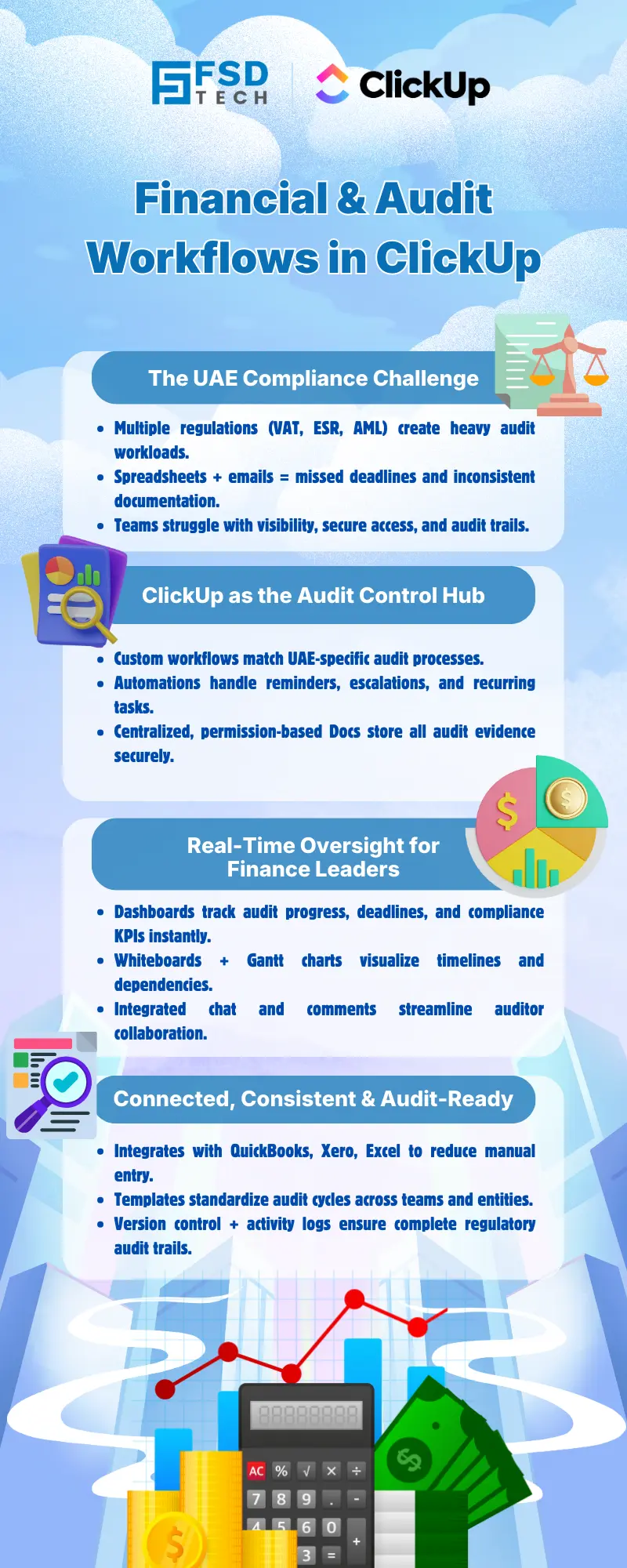
     

    Infographic titled ‘Financial & Audit Workflows in ClickUp’ by FSD Tech, explaining how ClickUp supports UAE financial compliance and audits. Highlights challenges such as VAT, ESR, and AML, and shows ClickUp as an audit control hub with workflows, automations, dashboards, integrations with accounting tools, and audit-ready documentation for finance leaders.


    FAQ

    Can ClickUp handle recurring audit and compliance tasks automatically?

    Yes, ClickUp supports recurring tasks and automated reminders, ensuring regular compliance activities and audit steps are never missed. This is particularly valuable for UAE finance teams managing monthly VAT filings or annual audit cycles.


    How does ClickUp ensure data security for sensitive financial documents?

    ClickUp offers robust role-based permissions, secure document storage, and detailed audit trails. These features help UAE organizations meet strict data protection requirements and maintain full visibility into document access and changes.


    Is ClickUp compatible with accounting tools like QuickBooks or Xero?

    Yes, ClickUp integrates with leading accounting platforms such as QuickBooks and Xero. This enables seamless data synchronization, reduces manual entry, and ensures financial data is always up to date for audit and reporting purposes.


    How can ClickUp help with audit evidence collection and reporting?

    ClickUp Docs and centralized file storage allow teams to organize, version, and share audit evidence and reports securely. This streamlines audit cycles and supports efficient collaboration with internal teams and external auditors.


    Can ClickUp be customized for UAE-specific compliance workflows?

    Absolutely. ClickUp’s custom fields, statuses, and templates can be tailored to meet UAE regulatory requirements, such as VAT, ESR, and AML, as well as internal audit policies.


    What types of dashboards can finance managers create in ClickUp?

    Finance managers can build dashboards to track audit progress, overdue tasks, compliance KPIs, and financial project status. These dashboards provide real-time insights and support proactive management of audit and compliance workflows.


    How does ClickUp support collaboration with external auditors?

    ClickUp enables secure sharing of documents and tasks with external auditors. Permissions can be set to limit access to specific files or folders, and real-time commenting facilitates clear communication throughout the audit process.


    What audit trail features does ClickUp provide?

    ClickUp logs every document edit, comment, and task update, creating a comprehensive audit trail. This supports regulatory compliance and provides transparency for internal and external reviews.


    How does ClickUp help reduce manual data entry in financial operations?

    By integrating with accounting tools like QuickBooks and Xero, ClickUp automates the import of financial transactions and reports. This reduces manual data entry, minimizes errors, and ensures data consistency across audit and reporting workflows.


    Can ClickUp accelerate onboarding for new finance team members?

    Yes, standardized templates and clear workflows in ClickUp make it easy for new hires to understand and follow established audit and compliance processes, reducing onboarding time and ensuring consistency.


    How does ClickUp support process standardization in audit management?

    ClickUp allows teams to create reusable templates for audit checklists, financial statements, and compliance tasks. This ensures that every audit cycle follows a consistent, compliant process, improving efficiency and reducing risk.


    What access controls are available in ClickUp for sensitive financial data?

    ClickUp provides granular, role-based permissions that restrict access to sensitive documents and tasks. This is essential for UAE organizations handling confidential financial information and meeting regulatory standards.


    How can ClickUp help with VAT compliance in the UAE?

    ClickUp enables finance teams to automate recurring VAT tasks, set reminders for filing deadlines, and integrate with accounting software to import transaction data. Dashboards provide real-time visibility into VAT status, supporting timely compliance.


    What benefits does ClickUp offer for audit readiness in UAE-based organizations?

    ClickUp centralizes audit workflows, automates compliance tasks, and integrates with core financial systems. This unified approach enhances audit readiness, reduces manual effort, and supports transparent, data-driven decision-making for UAE finance teams.


    Can ClickUp support multi-entity or multi-department audit workflows?

    Yes, ClickUp’s flexible structure allows organizations to manage audit and compliance workflows across multiple entities, departments, or business units. Custom fields, statuses, and permissions ensure each workflow is tailored to specific requirements.


    How does ClickUp’s version control help with regulatory compliance?

    ClickUp’s document versioning ensures that every change is tracked and historical versions are preserved. This supports regulatory requirements for audit trails and enables teams to demonstrate compliance during reviews or inspections.


    Is ClickUp suitable for both internal and external audits?

    Yes, ClickUp’s customizable workflows, secure document management, and collaboration features make it suitable for managing both internal and external audit processes, supporting end-to-end audit lifecycle management.


    How can ClickUp help UAE organizations prepare for a DFSA audit?

    ClickUp enables finance teams to set up custom workflows for DFSA audit preparation, automate reminders for evidence collection, centralize documentation, and provide secure access to external auditors. This streamlines the audit process and ensures regulatory compliance.


    What reporting capabilities does ClickUp offer for financial and audit projects?

    ClickUp provides advanced reporting tools, including customizable dashboards, Gantt charts, and whiteboards. These features allow finance managers to visualize audit progress, track KPIs, and generate data-driven reports for stakeholders.


    How does ClickUp support compliance with GCC or Middle East regulatory frameworks?

    ClickUp’s flexibility in workflow design, custom fields, and integration capabilities allows organizations to adapt audit and compliance processes to GCC and broader Middle East regulatory requirements, supporting regional financial operations.


    Can ClickUp be used for non-financial compliance tracking as well?

    Yes, ClickUp’s workflow automation, document management, and reporting features can be applied to a wide range of compliance tracking needs beyond finance, including HR, IT, and operational compliance initiatives.

    Financial and Audit Workflow Tracking in ClickUp

    About The Author

    NHAIF NOUSHAD

    Nhaif is an AI Automation Engineer & Business Analyst focused on ClickUp, AI, Automation, and Workflow Optimization. He helps businesses shift from scattered processes to streamlined, data-driven operations. With hands-on expertise, he simplifies complex tools into clear, easy-to-apply solutions.

    Like This Story?

    Share it with friends!

    Subscribe to our newsletter!

    Atera

    (48)

    Cato Networks

    (109)

    ClickUp

    (61)

    FishOS

    (7)

    Miradore

    (21)

    PointGuard AI

    (9)

    Vembu

    (22)

    Xcitium

    (33)

    ZETA HRMS

    (63)

    Workflow Automation(2)

    Workforce Automation(1)

    AI Project Management(1)

    HR Data Automation(1)

    RMM(1)

    IT Workflow Automation(1)

    IT security(2)

    GCC compliance(3)

    Payroll Integration(2)

    IT support automation(2)

    procurement automation(1)

    lost device management(1)

    IT Management(5)

    IoT Security(2)

    Cato XOps(2)

    IT compliance(4)

    Workflow Management(1)

    Task Automation(1)

    OpenStack automation(1)

    AI-powered cloud ops(1)

    Kubernetes lifecycle management(2)

    SMB Security(8)

    Data Security(1)

    MDR (Managed Detection & Response)(4)

    MSP Automation(2)

    Atera Integrations(2)

    XDR Security(2)

    SMB Cyber Protection(1)

    Ransomware Defense(3)

    HR Tech Solutions(1)

    Zero Trust Network Access(3)

    Zero Trust Security(2)

    Endpoint Management(1)

    SaaS Security(1)

    Payroll Automation(5)

    IT Monitoring(2)

    Xcitium EDR SOC(15)

    Ransomware Protection GCC(1)

    M&A IT Integration(1)

    Network Consolidation UAE(1)

    MSSP for SMBs(1)

    Ransomware Protection(3)

    Managed EDR FSD-Tech(1)

    SMB Cybersecurity GCC(1)

    Antivirus vs EDR(1)

    FSD-Tech MSSP(25)

    Cybersecurity GCC(12)

    Endpoint Security(1)

    Endpoint Protection(1)

    Data Breach Costs(1)

    SMB Cybersecurity(8)

    Managed Security Services(2)

    Xcitium EDR(30)

    Zero Dwell Containment(31)

    Hybrid Backup(1)

    Cloud Backup(1)

    Backup & Recovery(1)

    pointguard ai(4)

    disaster recovery myths(1)

    backup myths(1)

    vembu(9)

    SMB data protection(9)

    Vembu BDR Suite(19)

    Disaster Recovery(4)

    GCCBusiness(1)

    DataProtection(1)

    Secure Access Service Edge(4)

    GCC HR software(14)

    Miradore EMM(15)

    Cato SASE(7)

    Cloud Security(8)

    Talent Development(1)

    AI Compliance(2)

    AI Governance(4)

    AI Risk Management(1)

    AI Security(2)

    AI Cybersecurity(12)

    GCC business security(1)

    GCC network integration(1)

    compliance automation(3)

    GCC cybersecurity(2)

    education security(1)

    Miradore EMM Premium+(5)

    BYOD security Dubai(8)

    App management UAE(1)

    MiddleEast(1)

    HealthcareSecurity(1)

    Team Collaboration(1)

    IT automation(9)

    Zscaler(1)

    SD-WAN(6)

    HR Integration(4)

    Cloud Networking(3)

    device management(9)

    VPN(1)

    ZeroTrust(2)

    RemoteWork(1)

    MPLS(1)

    Project Management(9)

    HR automation(14)

    share your thoughts

    Illustration of a centralized financial audit and control hub showing interconnected digital panels for VAT reporting, documents, approvals, dashboards, and integrations. Depicts finance teams collaborating around a secure platform that manages audits, compliance data, accounting systems, and financial workflows. Represents automated audit management and financial oversight. FSD Tech branding visible at the bottom.

    Financial and Audit Workflow Tracking in ClickUp

    🕓 December 18, 2025

    Isometric illustration of a smart city digital infrastructure connected to ClickUp, showing government agencies, utilities, transportation, and urban planning teams collaborating through a centralized digital platform.

    ClickUp for Government & Smart City Projects in the UAE

    🕓 December 7, 2025

    Isometric illustration showing ClickUp as a central hub integrating tasks, workflows, users, and project data from multiple systems during migration.

    Migrating from Asana or Trello to ClickUp Without Losing Data

    🕓 December 10, 2025

    Decoded(25)

    Cyber Security(110)

    BCP / DR(22)

    Zeta HRMS(62)

    SASE(21)

    Automation(61)

    Next Gen IT-Infra(109)

    Monitoring & Management(69)

    ITSM(22)

    HRMS(21)

    Automation(24)









