HomeNext Gen IT-InfraMonitoring & ManagementCyber SecurityBCP / DRAutomationDecoded
Next Gen IT-Infra
Cato’s SASE Supports Cybersecurity Skills Development

How Cato’s SASE Supports Cybersecurity Skills Development

🕓 April 8, 2025

How SASE Supports the Security Needs of SMBs

How SASE Supports the Security Needs of SMBs

🕓 February 9, 2025

Attack Surface Reduction with Cato’s SASE

Attack Surface Reduction with Cato’s SASE

🕓 February 10, 2025

SASE for Digital Transformation in UAE

SASE for Digital Transformation in UAE

🕓 February 8, 2025

Monitoring & Management
Understanding Atera’s SLA Management

Understanding Atera’s SLA Management

🕓 February 7, 2025

Cost-Performance Ratio: Finding the Right Balance in IT Management Networks

Cost-Performance Ratio: Finding the Right Balance in IT Management Networks

🕓 June 16, 2025

Customizing Atera with APIs

Customizing Atera with APIs

🕓 March 3, 2025

Power Up Your IT Team’s Strategy with Atera’s Communication Tools

Power Up Your IT Team’s Strategy with Atera’s Communication Tools

🕓 February 8, 2025

Cyber Security
Illustration of the Cato Cloud architecture showing its role in delivering SASE for secure, optimized global connectivity.

Understanding the Cato Cloud and Its Role in SASE

🕓 January 29, 2025

Isometric illustration of professionals managing network performance, bandwidth analytics, and cloud-based optimization around the Cato Networks platform, symbolizing bandwidth control and QoS visibility.

Mastering Bandwidth Control and QoS in Cato Networks

🕓 July 26, 2025

Global network backbone powering Cato SASE solution for secure, high-performance connectivity across regions.

Global Backbone: The Engine Powering Cato’s SASE Solution

🕓 January 30, 2025

Illustration of IT team managing user roles and permissions on the Cato CMA dashboard via laptops and cloud interfaces.

Setting Up Role-Based Access Control (RBAC) in Cato

🕓 July 28, 2025

BCP / DR
Illustration showing diverse business and IT professionals collaborating with cloud, backup, and security icons, representing Vembu use cases for SMBs, MSPs, and IT teams.

Who Uses Vembu? Real-World Use Cases for SMBs, MSPs & IT Teams

🕓 July 12, 2025

Graphic showcasing Vembu’s all-in-one backup and disaster recovery platform with icons for cloud, data protection, and business continuity for IT teams and SMBs.

What Is Vembu? A Deep Dive Into the All in One Backup & Disaster Recovery Platform

🕓 July 6, 2025

Illustration showing Vembu backup and disaster recovery system with cloud storage, server racks, analytics dashboard, and IT professionals managing data.

The Rising Cost of Data Loss: Why Backup Is No Longer Optional?

🕓 August 14, 2025

3D isometric illustration of cloud backup and data recovery infrastructure with laptop, data center stack, and digital business icons — FSD Tech

RPO & RTO: The Heart of Business Continuity

🕓 August 15, 2025

Automation
Cross-Functional Collaboration with ClickUp

Fostering Cross-Functional Collaboration with ClickUp for Multi-Departmental Projects

🕓 February 11, 2025

ClickUp Project Reporting

Revolutionizing Enterprise Reporting with ClickUp’s Advanced Analytics and Dashboards

🕓 June 16, 2025

ClickUp’s Design Collaboration and Asset Management Tools

Empowering Creative Teams with ClickUp’s Design Collaboration and Asset Management Tools

🕓 February 26, 2025

ClickUp Communication and Collaboration Tools

ClickUp Communication and Collaboration Tools: Empowering Remote Teams

🕓 March 12, 2025

Decoded
Multi-Factor Authentication (MFA)

Multi-Factor Authentication (MFA): All You Need to Know

🕓 December 7, 2025

L3 Switch

What Is an L3 Switch? L2 vs L3 & Why You Need Layer 3?

🕓 December 8, 2025

IPSec

IPSec Explained: Protocols, Modes, IKE & VPN Security

🕓 December 3, 2025

 Datagram Transport Layer Security (DTLS)

What is Datagram Transport Layer Security (DTLS)? How it works?

🕓 December 4, 2025

    Subscribe to our newsletter!

    About Us

    Follow Us

    Copyright © 2024 | Powered by 

    Cato SASE Architecture

    Inside Cato’s SASE Architecture: A Blueprint for Modern Security

    🕓 January 26, 2025

    Enterprise Data Security and Privacy with ClickUp

    Ensuring Enterprise Data Security and Privacy with ClickUp

    🕓 February 9, 2025

    DDoS protection SASE

    DDoS Protection and Cato’s Defence Mechanisms

    🕓 February 11, 2025

    Table of Contents

    AI Copilot 3.0 and Action Mode: From Recommendations to Fully Autonomous IT

    Anas Abdu Rauf
    December 12, 2025
    Comments
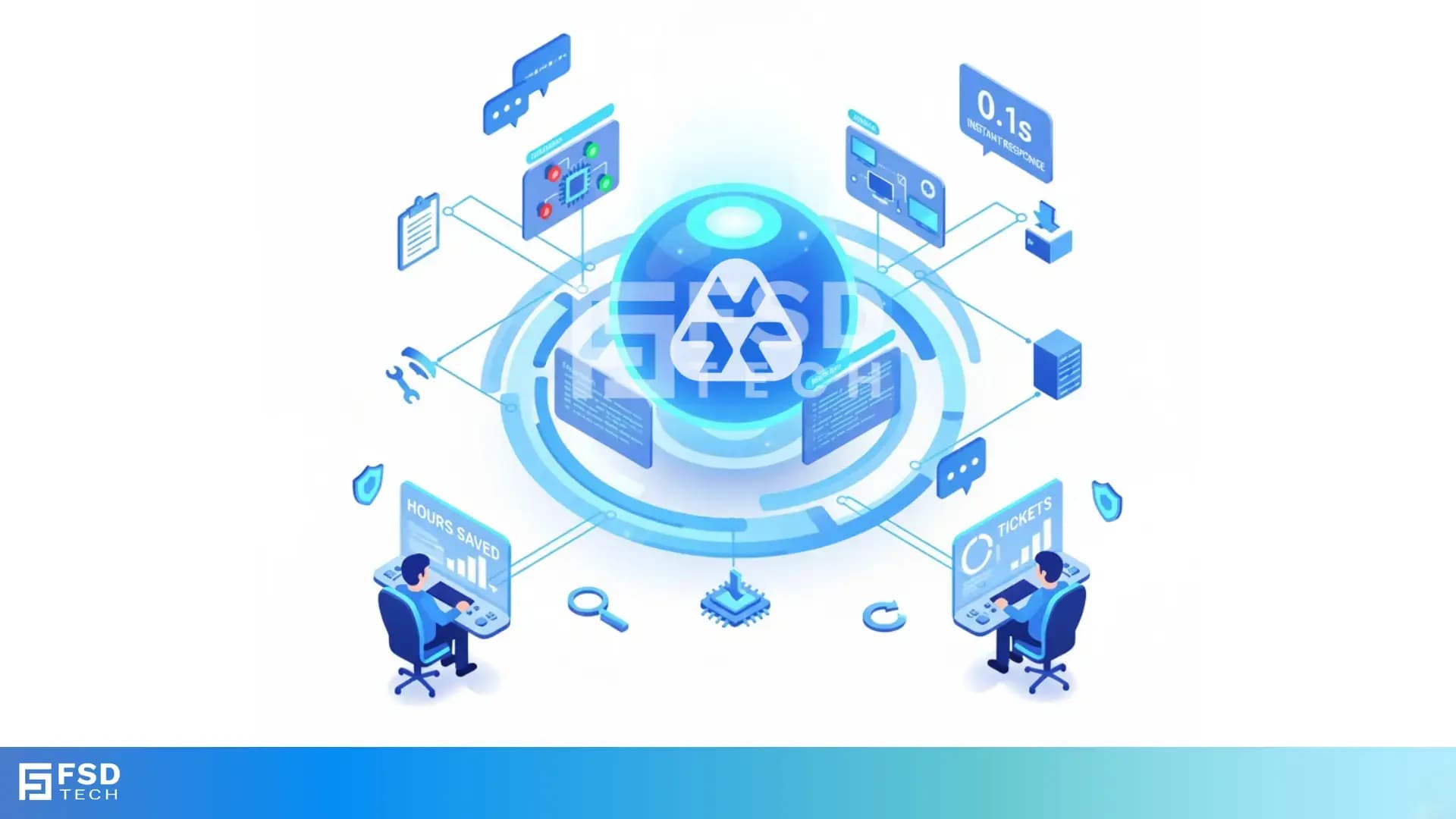
    Illustration showing Atera’s AI automation hub with a glowing blue sphere connected to multiple screens displaying tickets, device data, scripts, instant response times, and technician dashboards. Two IT technicians sit at workstations monitoring hours saved and ticket analytics.

    In modern IT operations, speed, precision, and predictability define success. Yet most service desks—whether managing dozens of client networks or supporting thousands of employees—still rely on human triage for every issue. The result: repetitive work, inconsistent documentation, and hours lost on manual follow-ups.
     

    Atera AI Copilot 3.0 changes that equation. It’s not just another assistant that writes summaries or suggests scripts—it’s the brain of Atera’s Agentic AI framework, bringing the industry’s first step toward self-healing, fully autonomous IT. And with the upcoming Action Mode, that intelligence begins to act on its own.


    The Evolution of AI Inside Atera

    When Atera launched its first AI Copilot, it was a contextual helper—an intelligent sidekick for technicians. Version 3.0 turns that assistant into an adaptive operational partner, capable of understanding data across tickets, devices, and alerts in real time.

    Key innovations introduced in 3.0 include:

    • Smart Insights Driving Action: Copilot identifies recurring issues and recommends scripts or KB articles that have solved similar problems before.
    • Automated Ticket Field Population: It fills categories, priorities, and flags security-related tickets instantly.
    • Real-Time Account Intelligence: Technicians can ask natural-language questions—“Which devices have been offline the longest?”—and get live answers from the environment.
    • One-Click Report Summaries: Copilot distills lengthy operational reports into clear, actionable takeaways.

    But the real milestone is what comes next: Action Mode, where Atera’s AI stops suggesting and starts doing.


    What Action Mode Brings to the Table

    Action Mode represents a seismic shift—from recommendations to execution.

    Instead of prompting a technician to “run this script” or “close this ticket,” Copilot will soon be able to carry out the instruction itself using natural-language chat.
    Examples of tasks Action Mode will handle include:

    • Ticket Management: Creating, merging, prioritizing, assigning, and closing tickets end-to-end.
    • Automation Execution: Running scripts and automation profiles directly through Copilot Chat.
    • Lifecycle Management: Detecting outdated hardware, managing warranties, and initiating replacements.
    • Reporting: Generating summaries and progress reports instantly.
    • Proactive Maintenance: Building and triggering automation rules for patching, rollouts, and retries.

    All actions occur under full admin control with audit logging and approvals, ensuring technicians maintain authority while the AI takes over repetitive execution.


    Natural Language: The New Interface of IT Management

    AI Copilot 3.0 transforms the Atera interface into a conversational workspace. Technicians simply describe what they need—in plain language—and the platform interprets, responds, and acts.

    Everyday examples include:

    • “Find devices running Windows 10 without antivirus.”
    • “Install Microsoft Teams on this user’s laptop.”
    • “Which tickets mention VPN disconnects this week?”
    • “Create a PowerShell script to clear temporary files.”
    • “Summarize this report and highlight critical alerts.”

    Copilot supports both voice and text, recognizes typos, understands organizational acronyms, and integrates directly with entities such as tickets, devices, and alerts—no manual navigation required.


    Real-World Performance and Efficiency Gains

    Atera’s AI framework is not a theoretical vision—it’s already delivering measurable results.


    MetricResult
    Workload ReductionUp to 40 % fewer manual tickets (Autopilot + Copilot combined)
    Time Saved~3 hours daily per technician (13 hours per week via Copilot)
    Resolution Speed10× faster ticket closure
    First Response Time0.1 seconds (Autopilot agent)
    Diagnostic Accuracy≈ 90 % user satisfaction
    Ticket Volume Impact25–35 % fewer incoming tickets reported by users


    All these metrics are tracked in the AI Center’s Overview Dashboard, which visualizes:

    • Total hours saved,
    • Tickets solved vs. reopened,
    • User satisfaction rate, and
    • Optimization status of AI knowledge and scripts.


    Enabling Action Mode: Configuration and Governance

    Activating Action Mode builds upon the secure foundations already used for Copilot 3.0 and IT Autopilot.
     

    Key prerequisites:

    1. Admin Permissions & Licensing: Access to the AI Center and Copilot add-on license.
    2. Agent Assignments: Each end-user contact must be linked to a device agent for the AI to perform contextual actions.
    3. Integrations: Microsoft 365 and Azure AD syncs enable cloud identity management tasks like password resets.
    4. Script Enablement: Only pre-approved scripts marked as AI-enabled can be executed.
    5. Knowledge Optimization: Expanding the Knowledge Base ensures the AI references accurate, context-aware material before acting.
       

    Security Framework:

    • Every AI action is logged like a technician’s command.
    • Conversations and resolutions appear as ticket notes for transparency.
    • Data remains isolated in Microsoft Azure OpenAI tenants, never used for external training.
    • AICPA SOC and ISO 27001 standards underpin platform compliance—vital for regulated GCC enterprises.


    Impact for MSPs: Scaling Without Extra Headcount

    For managed service providers, Copilot 3.0 and Action Mode deliver a new level of operational elasticity:

    • Instant SLA Response: Automated prioritization and ticket creation cut response times dramatically.
    • Multi-Client Context: Each customer environment can include its own Copilot persona and KB context.
    • Cross-Site Optimization: Copilot learns patterns across clients and proposes reusable automation templates.
    • Uniform Documentation: Automatic ticket summaries and report digests improve audit readiness.
    • Faster Troubleshooting: Real-time device intelligence reduces escalation chains and boosts first-contact resolution.

    These benefits translate into predictable SLA compliance and consistent service quality across growing client portfolios—without scaling the technician headcount.


    Impact for Internal IT Departments: Autonomous Productivity

    Inside enterprise IT teams, AI Copilot 3.0 removes the grind from day-to-day administration:

    • Automated Triage: Tickets are categorized and prioritized the moment they arrive.
    • Knowledge Preservation: “Ticket to KB” instantly converts resolved issues into searchable articles.
    • Faster Diagnostics: Natural-language queries access patch data, software versions, and device status instantly.
    • Script Generation: Plain-language automation (“block USB access on all devices”) executes in seconds.
    • Self-Healing Foundation: Insights and thresholds align with IT Autopilot to trigger preventive fixes automatically.

    For in-house teams stretched thin, this shift from manual oversight to proactive orchestration is transformative.


    Governance and Trust in the GCC Context

    With increasing regulatory oversight in the GCC’s enterprise and government sectors, trust and traceability are paramount.
    Atera ensures:

    • Regional data isolation in Microsoft Azure environments,
    • No data sharing for external model training,
    • Comprehensive audit logs for every AI action, and
    • Role-based access control for administrators.

    These safeguards make AI Copilot suitable for organizations where compliance and accountability are non-negotiable—such as finance, energy, and public services.


    The Road Ahead: Predictive and Self-Healing IT

    AI Copilot 3.0 and Action Mode are only the beginning. Upcoming enhancements will expand autonomy across Atera’s ecosystem:

    • Predictive Automation: Integration of AI insights with Automation Profiles and Threshold Alerts for proactive patching.
    • AI Workflows: End-to-end automation of onboarding, offboarding, and lifecycle management.
    • Ecosystem Expansion: Native execution from Slack, Teams, the mobile app, and Zapier.
    • Silent Agents: Background AI assistants that monitor, detect, and remediate without user input.

    Together, these innovations drive Atera’s vision of a self-healing IT environment—one where AI not only diagnoses but automatically resolves problems before users notice them.


    Move from reactive to autonomous IT → Talk to our experts and discover how Atera fits your environment.
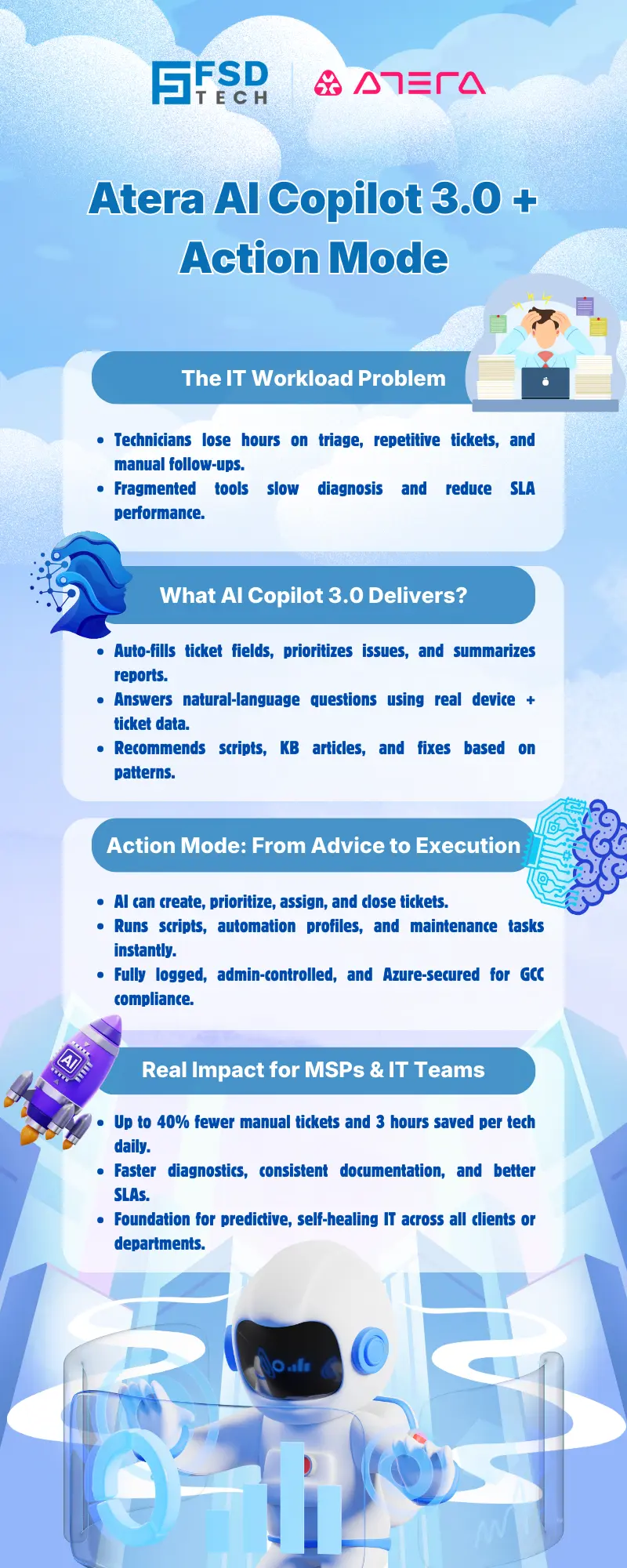
     

    Infographic explaining Atera AI Copilot 3.0 and Action Mode with sections on IT workload problems, AI Copilot capabilities, automation-driven ticket execution, and benefits for MSPs and IT teams. Includes icons of technicians, AI assistants, scripts, automation tools, and a robot illustration.


    FAQs

    What is Atera AI Copilot 3.0?

    Atera AI Copilot 3.0 is the latest iteration of Atera’s technician-facing AI assistant, offering context-aware insights, automated ticket triage, and real-time account intelligence across the RMM and PSA modules.


    How does Action Mode enhance Copilot 3.0?

    Action Mode elevates Copilot from an advisor to an executor by allowing it to create, close, and manage tickets and run automation profiles via natural language chat.


    Can AI Copilot run scripts automatically?

    Yes—but only pre-approved scripts enabled for AI use within Atera. All executions are logged and auditable.


    How does Atera AI Copilot benefit MSPs?

    It improves SLA compliance, reduces technician workload, and streamlines multi-client operations by automating triage and standardizing resolutions.


    What advantages does Copilot 3.0 offer internal IT departments?

    Copilot 3.0 reduces manual administration, improves ticket accuracy, and delivers instant data-driven insights for faster problem solving.


    Is Action Mode secure for regulated industries in the GCC?

    Yes. All data is processed within Microsoft Azure OpenAI environments with tenant-level isolation and comprehensive audit logging.


    Does Copilot support natural language commands?

    Absolutely. Technicians can type or speak requests like “Install Teams on this device” or “Find offline laptops,” and Copilot will act accordingly.


    How is Copilot 3.0 connected to IT Autopilot?

    Copilot supplies the intelligence and knowledge base that empower IT Autopilot to operate autonomously, forming Atera’s two-agent Agentic AI system.


    Can Copilot generate Knowledge Base articles?

    Yes. Resolved tickets can be converted automatically into detailed KB entries to train future AI responses and assist Autopilot.


    What is Atera’s long-term AI vision?

    To achieve fully autonomous, self-healing IT operations where Copilot predicts issues and Autopilot resolves them automatically.


    AI Copilot 3.0 and Action Mode: From Recommendations to Fully Autonomous IT

    About The Author

    Anas Abdu Rauf

    Anas is an Expert in Network and Security Infrastructure, With over seven years of industry experience, holding certifications Including CCIE- Enterprise, PCNSE, Cato SASE Expert, and Atera Certified Master. Anas provides his valuable insights and expertise to readers.

    Like This Story?

    Share it with friends!

    Subscribe to our newsletter!

    Atera

    (48)

    Cato Networks

    (118)

    ClickUp

    (70)

    FishOS

    (7)

    Miradore

    (21)

    PointGuard AI

    (9)

    Vembu

    (22)

    Xcitium

    (33)

    ZETA HRMS

    (76)

    Workflow Automation(8)

    Workforce Automation(1)

    AI Project Management(1)

    HR Data Automation(1)

    RMM(1)

    IT Workflow Automation(1)

    IT security(2)

    GCC compliance(4)

    Payroll Integration(2)

    IT support automation(3)

    procurement automation(1)

    lost device management(1)

    IT Management(5)

    IoT Security(2)

    Cato XOps(2)

    IT compliance(4)

    Workflow Management(1)

    Task Automation(1)

    OpenStack automation(1)

    Kubernetes lifecycle management(2)

    AI-powered cloud ops(1)

    SMB Security(8)

    Data Security(1)

    MDR (Managed Detection & Response)(4)

    Atera Integrations(2)

    MSP Automation(3)

    XDR Security(2)

    SMB Cyber Protection(1)

    Ransomware Defense(3)

    HR Tech Solutions(1)

    Zero Trust Network Access(3)

    Zero Trust Security(2)

    Endpoint Management(1)

    SaaS Security(1)

    Payroll Automation(5)

    IT Monitoring(2)

    Xcitium EDR SOC(15)

    Ransomware Protection GCC(1)

    M&A IT Integration(1)

    Network Consolidation UAE(1)

    MSSP for SMBs(1)

    Managed EDR FSD-Tech(1)

    Ransomware Protection(3)

    SMB Cybersecurity GCC(1)

    FSD-Tech MSSP(25)

    Antivirus vs EDR(1)

    Endpoint Security(1)

    Cybersecurity GCC(12)

    Data Breach Costs(1)

    Endpoint Protection(1)

    SMB Cybersecurity(8)

    Zero Dwell Containment(31)

    Managed Security Services(2)

    Xcitium EDR(30)

    Cloud Backup(1)

    Hybrid Backup(1)

    Backup & Recovery(1)

    pointguard ai(4)

    backup myths(1)

    vembu(9)

    SMB data protection(9)

    disaster recovery myths(1)

    Disaster Recovery(4)

    Vembu BDR Suite(19)

    GCCBusiness(1)

    DataProtection(1)

    Secure Access Service Edge(4)

    GCC HR software(18)

    Miradore EMM(15)

    Cato SASE(7)

    Cloud Security(8)

    Talent Development(1)

    AI Cybersecurity(12)

    AI Governance(4)

    AI Security(2)

    AI Compliance(2)

    AI Risk Management(1)

    GCC business security(1)

    GCC network integration(1)

    compliance automation(5)

    education security(1)

    GCC cybersecurity(2)

    BYOD security Dubai(8)

    App management UAE(1)

    Miradore EMM Premium+(5)

    MiddleEast(1)

    HealthcareSecurity(1)

    Team Collaboration(1)

    IT automation(12)

    Zscaler(1)

    SD-WAN(6)

    HR Integration(4)

    Cloud Networking(3)

    device management(9)

    VPN(1)

    RemoteWork(1)

    ZeroTrust(2)

    MPLS(1)

    Project Management(9)

    HR automation(16)

    share your thoughts

    Isometric illustration showing Atera Copilot generating AI-powered remote session summaries, connecting multiple devices, dashboards, and IT teams to automate documentation, improve visibility, and support MSP operations.

    AI-Driven Remote Session Summaries in Atera: Turning Hands-On Support Into Instant Documentation

    🕓 January 1, 2026

    Illustration showing Atera’s AI Diagnostic Core performing automated health checks, root-cause analysis, and device actions across multiple endpoints for IT teams and MSP environments.

    Health Checks & Device Actions in Atera: From Detection to Autonomous Remediation

    🕓 December 15, 2025

    Illustration showing Atera’s AI automation hub with a glowing blue sphere connected to multiple screens displaying tickets, device data, scripts, instant response times, and technician dashboards. Two IT technicians sit at workstations monitoring hours saved and ticket analytics.

    AI Copilot 3.0 and Action Mode: From Recommendations to Fully Autonomous IT

    🕓 December 12, 2025

    Decoded(87)

    Cyber Security(118)

    BCP / DR(22)

    Zeta HRMS(75)

    SASE(21)

    Automation(70)

    Next Gen IT-Infra(118)

    Monitoring & Management(69)

    ITSM(22)

    HRMS(21)

    Automation(24)