HomeNext Gen IT-InfraMonitoring & ManagementCyber SecurityBCP / DRAutomationDecoded
Next Gen IT-Infra
Cato’s SASE Supports Cybersecurity Skills Development

How Cato’s SASE Supports Cybersecurity Skills Development

🕓 April 8, 2025

How SASE Supports the Security Needs of SMBs

How SASE Supports the Security Needs of SMBs

🕓 February 9, 2025

Attack Surface Reduction with Cato’s SASE

Attack Surface Reduction with Cato’s SASE

🕓 February 10, 2025

SASE for Digital Transformation in UAE

SASE for Digital Transformation in UAE

🕓 February 8, 2025

Monitoring & Management
Understanding Atera’s SLA Management

Understanding Atera’s SLA Management

🕓 February 7, 2025

Cost-Performance Ratio: Finding the Right Balance in IT Management Networks

Cost-Performance Ratio: Finding the Right Balance in IT Management Networks

🕓 June 16, 2025

Customizing Atera with APIs

Customizing Atera with APIs

🕓 March 3, 2025

Power Up Your IT Team’s Strategy with Atera’s Communication Tools

Power Up Your IT Team’s Strategy with Atera’s Communication Tools

🕓 February 8, 2025

Cyber Security
Illustration of the Cato Cloud architecture showing its role in delivering SASE for secure, optimized global connectivity.

Understanding the Cato Cloud and Its Role in SASE

🕓 January 29, 2025

Isometric illustration of professionals managing network performance, bandwidth analytics, and cloud-based optimization around the Cato Networks platform, symbolizing bandwidth control and QoS visibility.

Mastering Bandwidth Control and QoS in Cato Networks

🕓 July 26, 2025

Global network backbone powering Cato SASE solution for secure, high-performance connectivity across regions.

Global Backbone: The Engine Powering Cato’s SASE Solution

🕓 January 30, 2025

Illustration of IT team managing user roles and permissions on the Cato CMA dashboard via laptops and cloud interfaces.

Setting Up Role-Based Access Control (RBAC) in Cato

🕓 July 28, 2025

BCP / DR
Illustration showing diverse business and IT professionals collaborating with cloud, backup, and security icons, representing Vembu use cases for SMBs, MSPs, and IT teams.

Who Uses Vembu? Real-World Use Cases for SMBs, MSPs & IT Teams

🕓 July 12, 2025

Graphic showcasing Vembu’s all-in-one backup and disaster recovery platform with icons for cloud, data protection, and business continuity for IT teams and SMBs.

What Is Vembu? A Deep Dive Into the All in One Backup & Disaster Recovery Platform

🕓 July 6, 2025

Illustration showing Vembu backup and disaster recovery system with cloud storage, server racks, analytics dashboard, and IT professionals managing data.

The Rising Cost of Data Loss: Why Backup Is No Longer Optional?

🕓 August 14, 2025

3D isometric illustration of cloud backup and data recovery infrastructure with laptop, data center stack, and digital business icons — FSD Tech

RPO & RTO: The Heart of Business Continuity

🕓 August 15, 2025

Automation
Cross-Functional Collaboration with ClickUp

Fostering Cross-Functional Collaboration with ClickUp for Multi-Departmental Projects

🕓 February 11, 2025

ClickUp Project Reporting

Revolutionizing Enterprise Reporting with ClickUp’s Advanced Analytics and Dashboards

🕓 June 16, 2025

ClickUp’s Design Collaboration and Asset Management Tools

Empowering Creative Teams with ClickUp’s Design Collaboration and Asset Management Tools

🕓 February 26, 2025

ClickUp Communication and Collaboration Tools

ClickUp Communication and Collaboration Tools: Empowering Remote Teams

🕓 March 12, 2025

Decoded
Multi-Factor Authentication (MFA)

Multi-Factor Authentication (MFA): All You Need to Know

🕓 December 7, 2025

L3 Switch

What Is an L3 Switch? L2 vs L3 & Why You Need Layer 3?

🕓 December 8, 2025

IPSec

IPSec Explained: Protocols, Modes, IKE & VPN Security

🕓 December 3, 2025

 Datagram Transport Layer Security (DTLS)

What is Datagram Transport Layer Security (DTLS)? How it works?

🕓 December 4, 2025

    Subscribe to our newsletter!

    About Us

    Follow Us

    Copyright © 2024 | Powered by 

    Cato SASE Architecture

    Inside Cato’s SASE Architecture: A Blueprint for Modern Security

    🕓 January 26, 2025

    Enterprise Data Security and Privacy with ClickUp

    Ensuring Enterprise Data Security and Privacy with ClickUp

    🕓 February 9, 2025

    DDoS protection SASE

    DDoS Protection and Cato’s Defence Mechanisms

    🕓 February 11, 2025

    Table of Contents

    Migrating from Asana or Trello to ClickUp Without Losing Data

    NHAIF NOUSHAD
    December 10, 2025
    Comments
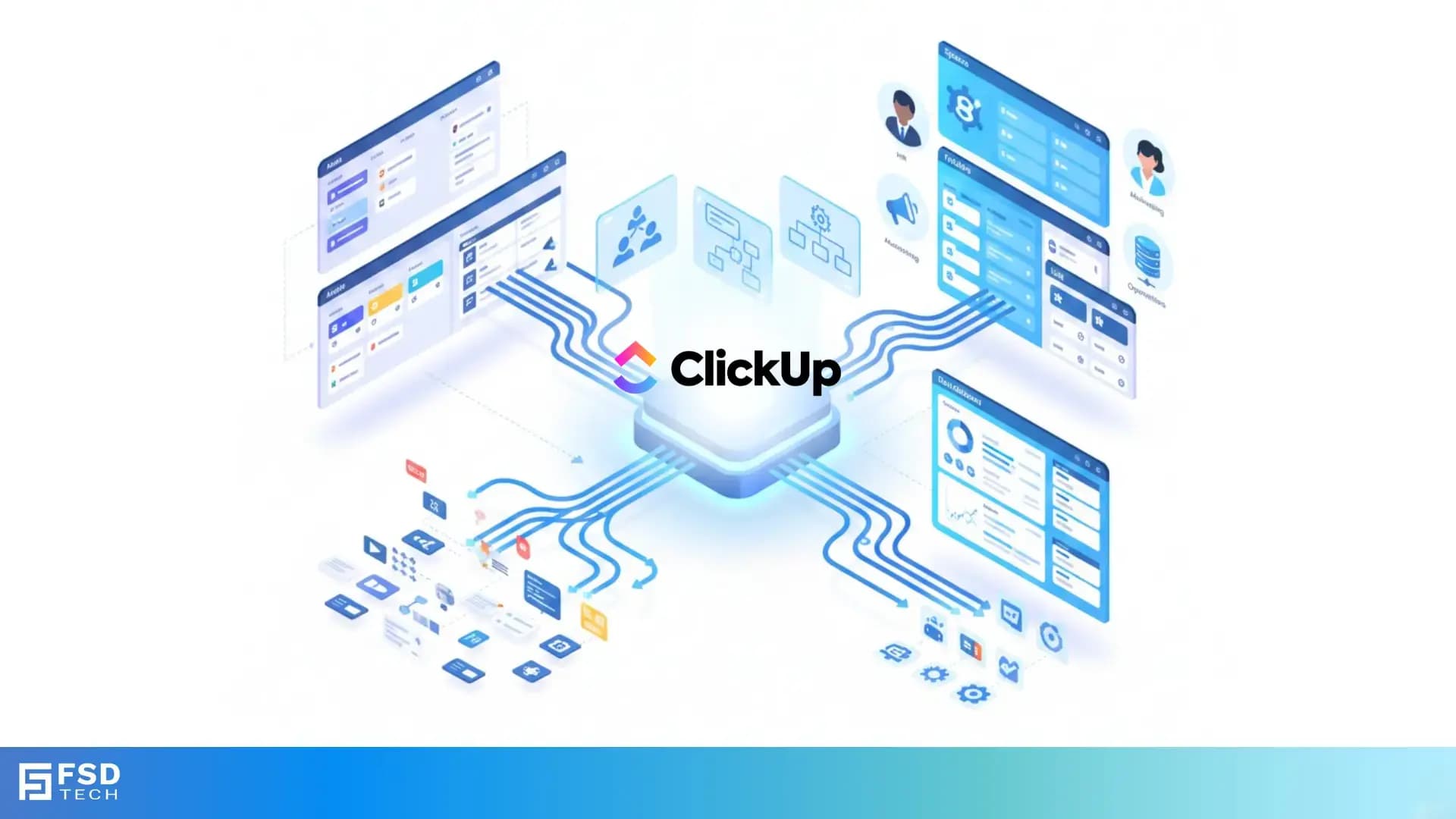
    Isometric illustration showing ClickUp as a central hub integrating tasks, workflows, users, and project data from multiple systems during migration.

    Key Takeaways

    • Seamless migration with built-in tools:  ClickUp’s native importers for Asana and Trello enable UAE teams to migrate projects, tasks, attachments, comments, and custom fields with minimal data loss, streamlining digital adoption.
    • Pre-migration planning ensures data integrity:  Auditing and cleaning up your Asana or Trello environment before migration prevents redundant data transfer and simplifies post-migration setup.
    • Superior scalability and centralization:  ClickUp’s hierarchical Spaces, Folders, and Lists structure supports fast-growing UAE organizations, offering granular permissions and cross-team visibility.
    • Manual adjustment for automations:  Automations and recurring tasks do not transfer automatically; IT admins should document and rebuild these workflows in ClickUp for operational continuity.
    • Third-party tools for complex needs:  Solutions like Unito or Altosio offer advanced migration options, including ongoing syncs and field-level mapping, ideal for phased rollouts or partial migrations.
    • Enhanced compliance and security:  ClickUp’s centralized permissions and audit trails support GCC compliance and data security, critical for regulated UAE industries.


    Introduction

    Digital transformation is accelerating across the UAE, with organizations seeking smarter, more centralized project management solutions. Asana and Trello have served many teams well, but as companies scale and collaboration needs intensify, ClickUp is emerging as the platform of choice for fast-growing UAE teams. Migrating to ClickUp promises not just a new tool, but a leap in scalability, security, and operational efficiency.


    Yet, migration can be daunting. IT admins and project managers worry about data loss, workflow disruption, and team adoption. This guide provides a step-by-step approach to migrating from Asana or Trello to ClickUp—without losing data—tailored for UAE organizations aiming for seamless digital adoption.

    Why UAE Teams Are Migrating to ClickUp

    The UAE’s ambitious digital agenda demands tools that can scale, centralize, and secure complex workflows. ClickUp’s unified platform brings together project management, communication, and documentation—reducing the tool sprawl that plagues many teams.

     Key drivers for migration: 

    • Need for centralized workspaces as teams grow.
    • Desire for granular permissions and compliance features.
    • Frustration with fragmented workflows and data silos in Asana or Trello.
    • Demand for robust automation and reporting capabilities.

    The Risks of Data Loss and Fragmentation

    Migration is more than just moving tasks. Without careful planning, teams risk losing critical context—comments, attachments, custom fields, and automation logic. Fragmented data can undermine productivity and compliance, especially in regulated UAE sectors.


    Pre-Migration Planning

    Auditing Your Asana or Trello Environment

    Before migrating, review your current workspace:

    • Archive or delete obsolete projects and boards.
    • Identify essential custom fields, tags, and automations.
    • List all active users and their roles.

    This audit reduces clutter and ensures only relevant data is migrated, saving time and minimizing post-migration cleanup.

    Mapping Users, Fields, and Workflows

    Prepare a mapping document:

    • Match Asana/Trello users to ClickUp users.
    • Map custom fields and tags to ClickUp’s equivalents.
    • Document existing automations and recurring tasks for later recreation.

    Setting Migration Objectives

    Define what success looks like:

    • Which projects/boards must be migrated?
    • What data is essential vs. nice-to-have?
    • Will you need ongoing syncs during a transition period?

    Clear objectives help you measure migration success and minimize business disruption.


    Step-by-Step Migration Guide

    Migrating from Trello to ClickUp

     Step 1: Access Import Settings 

    • Log in to ClickUp.
    • Click your profile avatar, then select Settings.

     Step 2: Navigate to Import/Export 

    • In Settings, find the Import/Export tab.
    • Click Start Import.

     Step 3: Connect Your Trello Account 

    • Select Trello as your source.
    • Authorize ClickUp to access your Trello workspace.

     Step 4: Select What to Import 

    • Choose specific Trello boards.
    • Select a destination Space or Folder in ClickUp.
    • Customize import options:
    • Comments
    • Attachments (up to 1GB)
    • Due dates
    • Labels (map to ClickUp tags/statuses)
    • Checklists

     Step 5: Start the Import and Verify Data 

    • Launch the import.
    • Review imported data for completeness and accuracy.

     What Transfers? 

    • Tasks (Trello cards become ClickUp tasks)
    • Assignees
    • Attachments
    • Comments
    • Checklists
    • Due dates
    • Descriptions
    • Tags/labels
    • Priorities
    • Custom fields
    • Boards (become Spaces), Lists (become Lists or Folders)

     What Doesn’t Transfer? 

    • Automations and power-ups (must be rebuilt)
    • Some integrations

     Example: 

    A Dubai-based marketing agency migrates six Trello boards, mapping their color-coded labels to ClickUp tags. After import, they rebuild their campaign automation workflows using ClickUp’s automation builder.

    Migrating from Asana to ClickUp

     Step 1: Access Import Settings 

    • Log in to ClickUp.
    • Go to Settings > Import/Export.

     Step 2: Connect Your Asana Account 

    • Select Asana as your source.
    • Authorize ClickUp to access your Asana workspace.

     Step 3: Choose What to Import 

    • Select specific Asana projects and tasks.
    • Map Asana sections to ClickUp statuses or lists.
    • Map users and custom fields.

     Step 4: Customize Import Options 

    • Decide if milestones should become tasks.
    • Select which custom fields to import.

     Step 5: Start the Import and Review 

    • Launch the import.
    • Review and clean up imported data as needed.

     Limitations: 

    • Manual preparation and post-migration cleanup required.
    • Automations and recurring tasks must be recreated.
    • No ongoing sync—future changes in Asana won’t transfer automatically.

     Example: 

    A UAE logistics firm migrates its Asana projects to ClickUp, mapping project sections to ClickUp lists. They use Unito for a two-week period to sync changes, ensuring a smooth transition with minimal disruption.

    Using Third-Party Tools for Advanced Needs

    For complex migrations—such as partial imports, field-level filtering, or ongoing two-way syncs—third-party tools like Unito or Altosio provide enhanced flexibility.

     Benefits: 

    • Filter which tasks or projects to migrate.
    • Map fields and users with greater control.
    • Enable ongoing syncs during phased rollouts.

     Example: 

    A government department uses Unito to sync select Asana projects with ClickUp, allowing teams to gradually transition without losing productivity.


    Post-Migration Setup

    Verifying Data Integrity

    • Review imported tasks, attachments, comments, and custom fields.
    • Check user assignments and permissions.
    • Ensure all essential data is present and correctly mapped.

    Rebuilding Automations and Integrations

    • Use ClickUp’s automation builder to recreate rules and recurring tasks.
    • Reconnect integrations (e.g., Slack, Google Drive).
    • Test workflows to ensure continuity.

    Optimizing ClickUp’s Hierarchy for UAE Teams

    • Structure Spaces, Folders, and Lists to reflect departments and projects.
    • Set granular permissions for sensitive data.
    • Leverage ClickUp’s reporting and dashboard features for cross-team visibility.

     Example: 

    A government team in Abu Dhabi leverages ClickUp’s hierarchical Spaces and granular permissions to centralize multiple departments previously siloed in separate Trello boards, improving compliance and cross-team reporting.


    ClickUp’s Advantages for Fast-Growing UAE Organizations

    Scalability and Centralization

    ClickUp’s hierarchical structure supports multiple teams, departments, and projects under one roof, making it ideal for organizations scaling rapidly in the UAE. This centralization reduces tool fragmentation and simplifies cross-team collaboration.

    Security, Compliance, and Audit Trails

    Centralized permissions and detailed audit logs help IT admins maintain compliance—essential for regulated industries like finance, healthcare, and government. ClickUp’s audit trails support GCC compliance and provide transparency for internal and external audits.

    Real-World Example: Migrating a UAE Fintech Team

    A fintech startup in Abu Dhabi migrates from Trello to ClickUp, centralizing all workflows and documentation. With ClickUp’s Spaces and granular permissions, they ensure compliance with local regulations while enabling cross-department collaboration.


    Troubleshooting and Best Practices

    Common Pitfalls and How to Avoid Them

    •  Importing outdated or redundant data:  Audit and clean up before migration to avoid clutter.
    •  Losing automation logic:  Document all automations in your legacy tool and rebuild them in ClickUp.
    •  Permissions not mapping correctly:  Carefully map users and review permissions post-migration.

    Tips for Ensuring Team Adoption

    • Provide training sessions on ClickUp’s features.
    • Share migration checklists and workspace maps.
    • Encourage feedback and iterate on workspace structure.
    • Highlight ClickUp’s unified communication and documentation features to reduce resistance to change.


    Streamline your workflows, rebuild automations, and centralize collaboration under one scalable platform→ Schedule a no-obligation Call Now.
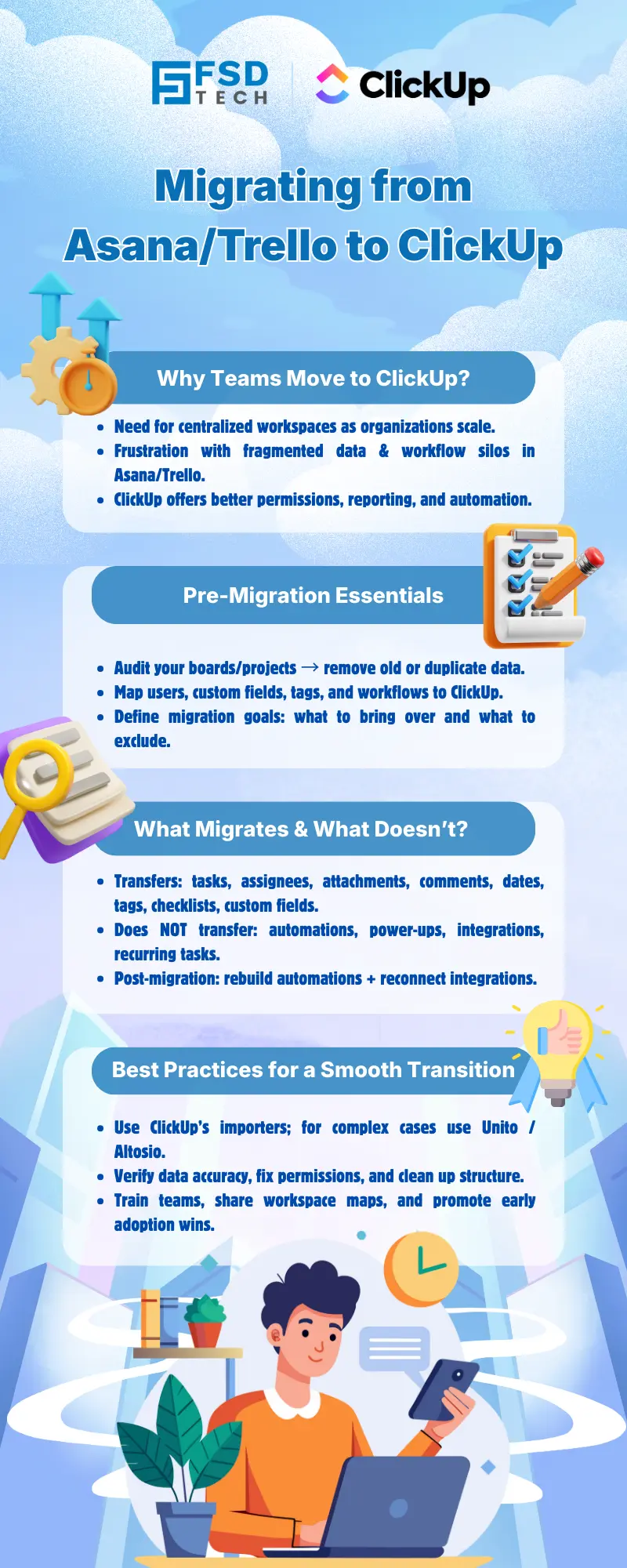
     

    FSD Tech infographic explaining the migration from Asana or Trello to ClickUp, covering reasons to switch, pre-migration steps, what transfers during migration, and best practices for a smooth ClickUp transition.


    FAQ

    Will I lose any data when migrating from Asana or Trello to ClickUp?

    Most core data—including tasks, assignees, attachments, comments, checklists, due dates, tags, and custom fields—will transfer using ClickUp’s native importers. However, automations and integrations typically need to be rebuilt manually after migration.
     

    Can I migrate only selected projects or boards?

    Yes, ClickUp’s importers allow you to select specific Asana projects or Trello boards to migrate. This gives you granular control over what data is brought into your new workspace.


    Do automations and recurring tasks transfer automatically?

    No, automations and recurring tasks do not transfer automatically. You will need to document your existing workflows and recreate them using ClickUp’s automation builder to maintain operational continuity.


    How can I ensure my team’s permissions and roles are preserved?

    Carefully map users during the import process and review permissions in ClickUp after migration. Adjust access levels as needed to maintain security and compliance, especially for UAE-based teams with strict data governance requirements.


    What if I need ongoing syncs between Asana/Trello and ClickUp?

    For ongoing syncs or phased migrations, third-party tools like Unito or Altosio can provide two-way synchronization and advanced mapping features. This is especially useful for large UAE organizations managing gradual transitions.


    Does ClickUp support GCC compliance and regional data security needs?

    ClickUp offers centralized permissions, audit trails, and robust security features that help UAE organizations meet GCC compliance standards and industry-specific regulations.


    How long does the migration process typically take?

    Migration time depends on the size and complexity of your data. For most UAE teams, migrating a few projects or boards can be completed in a few hours, while larger, multi-department migrations may require several days, including post-migration setup.


    Can I test the migration before fully committing?

    Yes, you can perform a test migration of a single project or board to verify data integrity and mapping. This approach is recommended for UAE IT admins to ensure a smooth transition before migrating all data.


    What data does not transfer during migration?

    Automations, integrations, and some advanced customizations (such as Trello power-ups or Asana rules) do not transfer automatically. These must be manually recreated in ClickUp.


    Is there a way to automate the recreation of workflows in ClickUp?

    While ClickUp’s automation builder streamlines workflow creation, there is no direct import for legacy automations. Document your existing workflows and use ClickUp’s templates and automation features to rebuild them efficiently.


    How does ClickUp’s hierarchy differ from Asana or Trello?

    ClickUp uses Spaces, Folders, and Lists, offering a more scalable and centralized structure than Trello’s boards or Asana’s projects. This hierarchy is particularly beneficial for UAE organizations with multiple teams or departments.


    What are the benefits of using third-party migration tools?

    Third-party tools like Unito or Altosio offer advanced features such as field-level mapping, filtering, and ongoing syncs. These are valuable for organizations with complex migration needs or those requiring a phased rollout.


    How do I train my team on ClickUp after migration?

    Provide structured onboarding sessions, share ClickUp’s official documentation, and leverage in-app tutorials. UAE teams benefit from hands-on training and clear communication about new workflows.


    What should I do if I encounter data inconsistencies after migration?

    Review the imported data for missing or misaligned fields. Use ClickUp’s support resources or consult with migration specialists to resolve issues. For UAE-based operations, ensure compliance checks are part of your post-migration review.


    Can ClickUp handle multi-departmental structures for large UAE organizations?

    Yes, ClickUp’s hierarchical Spaces and granular permissions are designed to support large, multi-departmental organizations. Many UAE enterprises use ClickUp to centralize operations, improve compliance, and enhance cross-team collaboration.


    How does ClickUp help reduce tool fragmentation for UAE teams?

    By consolidating project management, documentation, and communication in one platform, ClickUp minimizes the need for multiple tools. This centralization is especially valuable for UAE teams focused on productivity and digital transformation.


    What support does ClickUp offer for UAE-based migrations?

    ClickUp provides comprehensive migration guides, responsive support, and a growing community of UAE users. For complex migrations, consider engaging with ClickUp partners or regional consultants familiar with GCC compliance and local business practices.---

    Migrating from Asana or Trello to ClickUp Without Losing Data

    About The Author

    NHAIF NOUSHAD

    Nhaif is an AI Automation Engineer & Business Analyst focused on ClickUp, AI, Automation, and Workflow Optimization. He helps businesses shift from scattered processes to streamlined, data-driven operations. With hands-on expertise, he simplifies complex tools into clear, easy-to-apply solutions.

    Like This Story?

    Share it with friends!

    Subscribe to our newsletter!

    Atera

    (48)

    Cato Networks

    (118)

    ClickUp

    (70)

    FishOS

    (7)

    Miradore

    (21)

    PointGuard AI

    (9)

    Vembu

    (22)

    Xcitium

    (33)

    ZETA HRMS

    (76)

    Workflow Automation(8)

    Workforce Automation(1)

    AI Project Management(1)

    HR Data Automation(1)

    RMM(1)

    IT Workflow Automation(1)

    GCC compliance(4)

    IT security(2)

    Payroll Integration(2)

    IT support automation(3)

    procurement automation(1)

    lost device management(1)

    IT Management(5)

    IoT Security(2)

    Cato XOps(2)

    IT compliance(4)

    Task Automation(1)

    Workflow Management(1)

    OpenStack automation(1)

    Kubernetes lifecycle management(2)

    AI-powered cloud ops(1)

    SMB Security(8)

    Data Security(1)

    MDR (Managed Detection & Response)(4)

    Atera Integrations(2)

    MSP Automation(3)

    XDR Security(2)

    Ransomware Defense(3)

    SMB Cyber Protection(1)

    HR Tech Solutions(1)

    Zero Trust Network Access(3)

    Zero Trust Security(2)

    Endpoint Management(1)

    SaaS Security(1)

    Payroll Automation(5)

    IT Monitoring(2)

    Xcitium EDR SOC(15)

    Ransomware Protection GCC(1)

    Network Consolidation UAE(1)

    M&A IT Integration(1)

    MSSP for SMBs(1)

    Managed EDR FSD-Tech(1)

    FSD-Tech MSSP(25)

    Ransomware Protection(3)

    SMB Cybersecurity GCC(1)

    Antivirus vs EDR(1)

    Cybersecurity GCC(12)

    Endpoint Security(1)

    Endpoint Protection(1)

    Data Breach Costs(1)

    SMB Cybersecurity(8)

    Zero Dwell Containment(31)

    Managed Security Services(2)

    Xcitium EDR(30)

    Cloud Backup(1)

    Hybrid Backup(1)

    Backup & Recovery(1)

    pointguard ai(4)

    backup myths(1)

    vembu(9)

    SMB data protection(9)

    disaster recovery myths(1)

    Disaster Recovery(4)

    Vembu BDR Suite(19)

    GCCBusiness(1)

    DataProtection(1)

    Secure Access Service Edge(4)

    GCC HR software(18)

    Miradore EMM(15)

    Cato SASE(7)

    Cloud Security(8)

    Talent Development(1)

    AI Cybersecurity(12)

    AI Security(2)

    AI Governance(4)

    AI Risk Management(1)

    AI Compliance(2)

    GCC business security(1)

    GCC network integration(1)

    compliance automation(5)

    education security(1)

    GCC cybersecurity(2)

    BYOD security Dubai(8)

    App management UAE(1)

    Miradore EMM Premium+(5)

    MiddleEast(1)

    HealthcareSecurity(1)

    Team Collaboration(1)

    IT automation(12)

    Zscaler(1)

    SD-WAN(6)

    HR Integration(4)

    Cloud Networking(3)

    device management(9)

    VPN(1)

    RemoteWork(1)

    ZeroTrust(2)

    MPLS(1)

    Project Management(9)

    HR automation(16)

    share your thoughts

    Illustration depicting a structured ClickUp workspace architecture with multiple departments connected to a central system, highlighting scalable workflows, data visibility, security controls, and cross-team collaboration

    Structuring Multi-Department Workspaces in ClickUp for Scalable Team Management

    🕓 January 18, 2026

    Illustration showing ClickUp as a central work management platform connected to dashboards, automations, security controls, and cross-functional teams to improve workspace performance and productivity at scale.

    How to Boost ClickUp Workspace Speed and Efficiency for Large Teams

    🕓 January 17, 2026

    Illustration of ClickUp integrated with Google Workspace tools like Gmail, Google Drive, Calendar, and Sheets, enabling real-time collaboration, task automation, secure access, and centralized workflows.

    Integrating ClickUp with Google Workspace for Streamlined Collaboration

    🕓 January 15, 2026

    Decoded(87)

    Cyber Security(118)

    BCP / DR(22)

    Zeta HRMS(75)

    SASE(21)

    Automation(70)

    Next Gen IT-Infra(118)

    Monitoring & Management(69)

    ITSM(22)

    HRMS(21)

    Automation(24)