HomeNext Gen IT-InfraMonitoring & ManagementCyber SecurityBCP / DRAutomationDecoded
Next Gen IT-Infra
Cato’s SASE Supports Cybersecurity Skills Development

How Cato’s SASE Supports Cybersecurity Skills Development

🕓 April 8, 2025

How SASE Supports the Security Needs of SMBs

How SASE Supports the Security Needs of SMBs

🕓 February 9, 2025

Attack Surface Reduction with Cato’s SASE

Attack Surface Reduction with Cato’s SASE

🕓 February 10, 2025

SASE for Digital Transformation in UAE

SASE for Digital Transformation in UAE

🕓 February 8, 2025

Monitoring & Management
Understanding Atera’s SLA Management

Understanding Atera’s SLA Management

🕓 February 7, 2025

Cost-Performance Ratio: Finding the Right Balance in IT Management Networks

Cost-Performance Ratio: Finding the Right Balance in IT Management Networks

🕓 June 16, 2025

Customizing Atera with APIs

Customizing Atera with APIs

🕓 March 3, 2025

Power Up Your IT Team’s Strategy with Atera’s Communication Tools

Power Up Your IT Team’s Strategy with Atera’s Communication Tools

🕓 February 8, 2025

Cyber Security
Illustration of the Cato Cloud architecture showing its role in delivering SASE for secure, optimized global connectivity.

Understanding the Cato Cloud and Its Role in SASE

🕓 January 29, 2025

Isometric illustration of professionals managing network performance, bandwidth analytics, and cloud-based optimization around the Cato Networks platform, symbolizing bandwidth control and QoS visibility.

Mastering Bandwidth Control and QoS in Cato Networks

🕓 July 26, 2025

Global network backbone powering Cato SASE solution for secure, high-performance connectivity across regions.

Global Backbone: The Engine Powering Cato’s SASE Solution

🕓 January 30, 2025

Illustration of IT team managing user roles and permissions on the Cato CMA dashboard via laptops and cloud interfaces.

Setting Up Role-Based Access Control (RBAC) in Cato

🕓 July 28, 2025

BCP / DR
Illustration showing diverse business and IT professionals collaborating with cloud, backup, and security icons, representing Vembu use cases for SMBs, MSPs, and IT teams.

Who Uses Vembu? Real-World Use Cases for SMBs, MSPs & IT Teams

🕓 July 12, 2025

Graphic showcasing Vembu’s all-in-one backup and disaster recovery platform with icons for cloud, data protection, and business continuity for IT teams and SMBs.

What Is Vembu? A Deep Dive Into the All in One Backup & Disaster Recovery Platform

🕓 July 6, 2025

Illustration showing Vembu backup and disaster recovery system with cloud storage, server racks, analytics dashboard, and IT professionals managing data.

The Rising Cost of Data Loss: Why Backup Is No Longer Optional?

🕓 August 14, 2025

3D isometric illustration of cloud backup and data recovery infrastructure with laptop, data center stack, and digital business icons — FSD Tech

RPO & RTO: The Heart of Business Continuity

🕓 August 15, 2025

Automation
Cross-Functional Collaboration with ClickUp

Fostering Cross-Functional Collaboration with ClickUp for Multi-Departmental Projects

🕓 February 11, 2025

ClickUp Project Reporting

Revolutionizing Enterprise Reporting with ClickUp’s Advanced Analytics and Dashboards

🕓 June 16, 2025

ClickUp’s Design Collaboration and Asset Management Tools

Empowering Creative Teams with ClickUp’s Design Collaboration and Asset Management Tools

🕓 February 26, 2025

ClickUp Communication and Collaboration Tools

ClickUp Communication and Collaboration Tools: Empowering Remote Teams

🕓 March 12, 2025

Decoded
Multi-Factor Authentication (MFA)

Multi-Factor Authentication (MFA): All You Need to Know

🕓 December 7, 2025

L3 Switch

What Is an L3 Switch? L2 vs L3 & Why You Need Layer 3?

🕓 December 8, 2025

IPSec

IPSec Explained: Protocols, Modes, IKE & VPN Security

🕓 December 3, 2025

 Datagram Transport Layer Security (DTLS)

What is Datagram Transport Layer Security (DTLS)? How it works?

🕓 December 4, 2025

    Subscribe to our newsletter!

    About Us

    Follow Us

    Copyright © 2024 | Powered by 

    Cato SASE Architecture

    Inside Cato’s SASE Architecture: A Blueprint for Modern Security

    🕓 January 26, 2025

    Enterprise Data Security and Privacy with ClickUp

    Ensuring Enterprise Data Security and Privacy with ClickUp

    🕓 February 9, 2025

    DDoS protection SASE

    DDoS Protection and Cato’s Defence Mechanisms

    🕓 February 11, 2025

    Table of Contents

    The Importance of Offsite Backups in Disaster Recovery Planning

    Nasmal
    September 5, 2025
    Comments
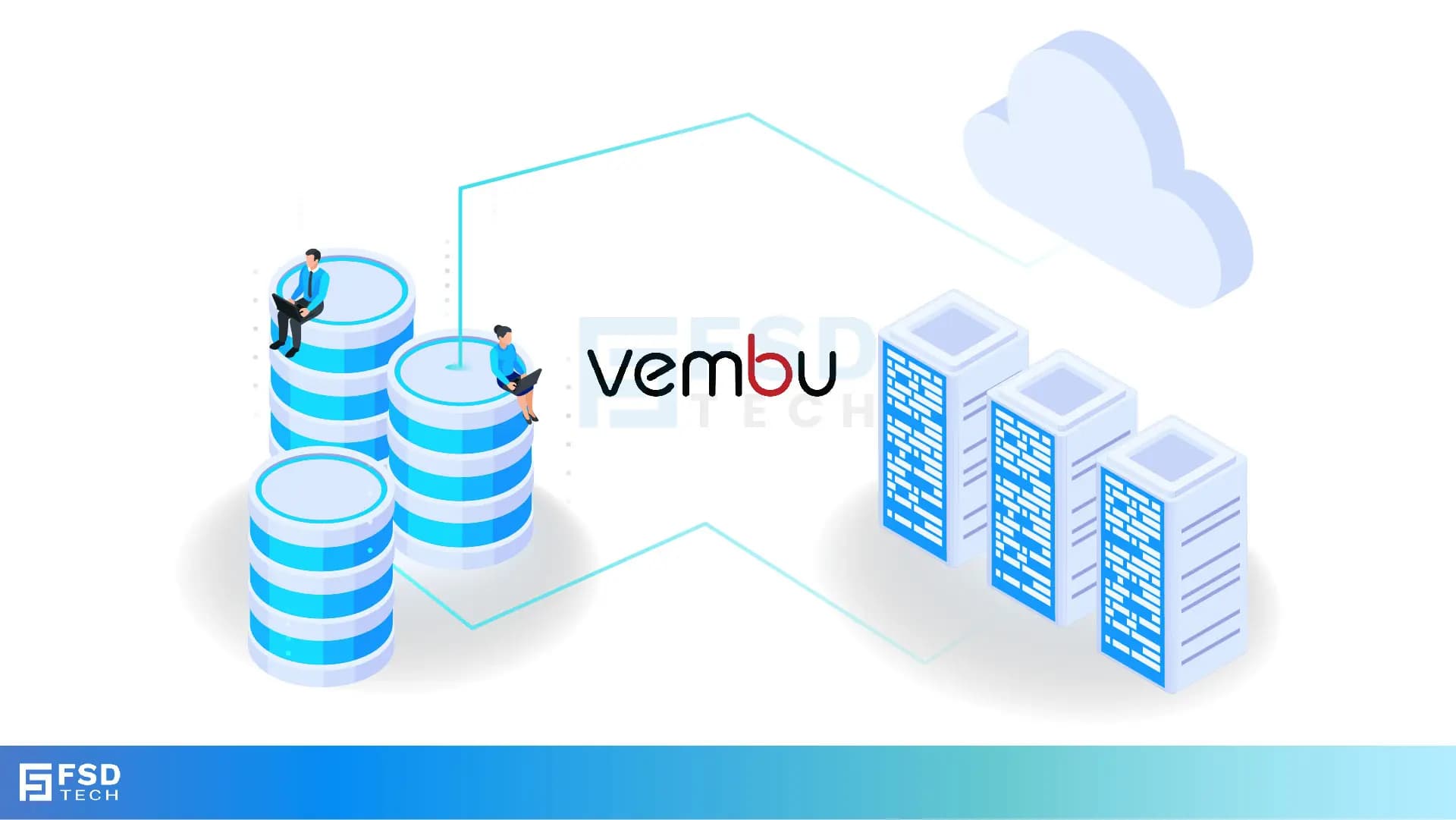
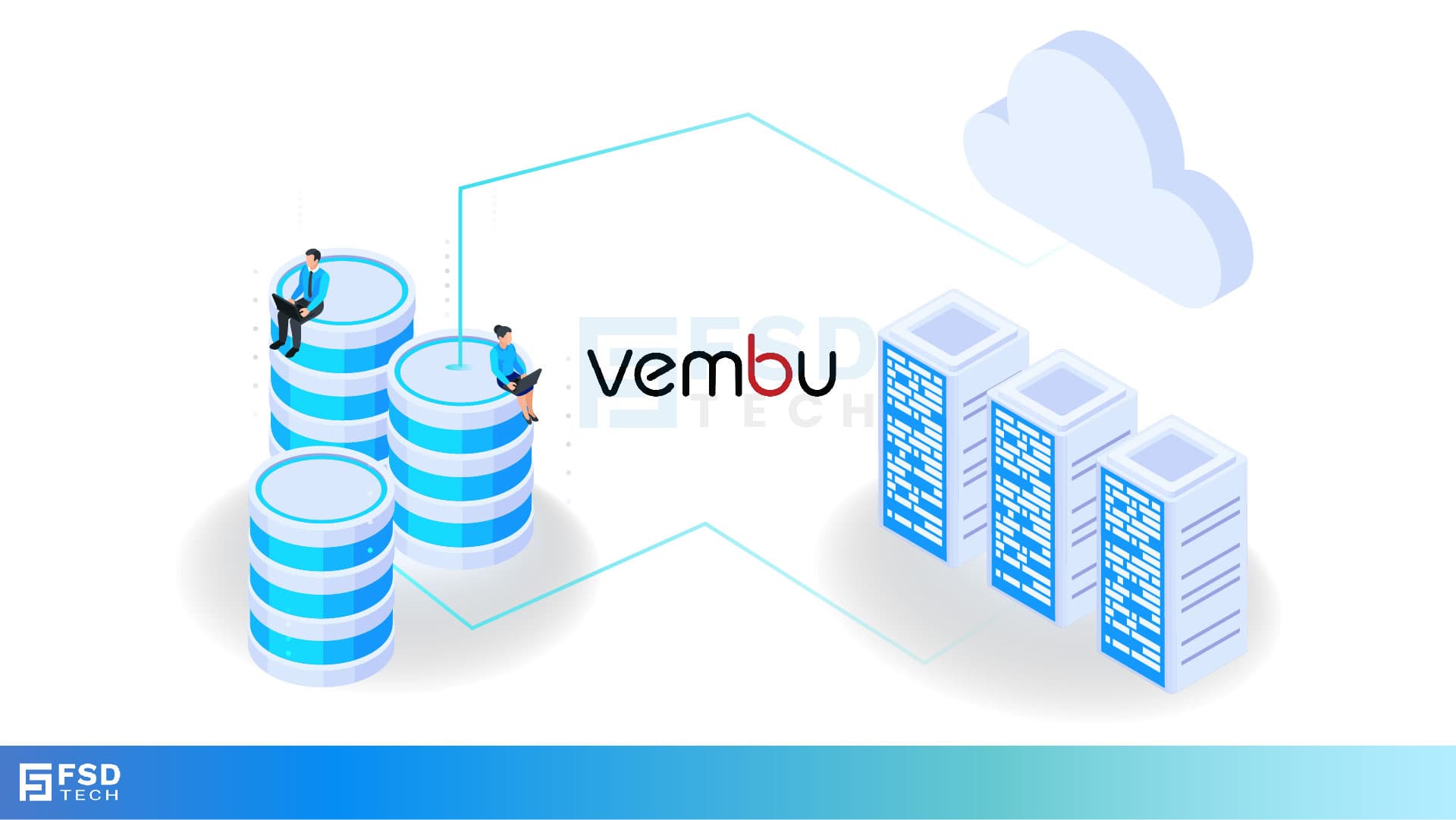
    Illustration showing data being backed up from two on-premise servers to the Vembu cloud, with two people sitting on the servers and looking at laptops. The image visually represents the concept of offsite data backup to a remote cloud location.

    The Night the Office Disappeared

    In 2022, a small but growing architectural firm in Johannesburg had its entire office destroyed in a sudden fire.

    Within hours, everything was gone — the computers, the servers, and the external hard drives they used for backups.
     

    The employees were devastated. Years of designs, blueprints, and client records seemed to be lost forever.

    But then, the IT manager remembered something important — they had been running offsite backups to a secure cloud service.

    Even though their physical office was gone, their data was safe.
     

    Within two days, they were up and running again from temporary laptops in a co-working space.

    The reason they could recover so quickly was simple: their backups weren’t stored in the same place as their main office.


    What Is an Offsite Backup?

    An offsite backup is a copy of your important data that is stored in a different physical location from your main office or server room.

    This could mean:

    • Backing up to the cloud.
    • Storing backups in a remote data center.
    • Keeping physical backup devices (like tapes or external drives) in a secure storage facility away from your workplace.
      • Fires, floods, earthquakes, theft, or even electrical surges can destroy all data in your building — including local backups.
      • An offsite backup ensures you still have a safe copy.
      • Many industries — such as healthcare, finance, and government — require businesses to store data offsite as part of disaster recovery planning.
      • If your office is inaccessible (for example, due to renovation, damage, or lockdown), you can still access your offsite data and keep working from anywhere.
      • If ransomware infects your local systems and backups, your offsite copy (especially if it’s “immutable” and cannot be altered) remains untouched.

    The key idea is that if something bad happens to your main office, your backup is safe because it’s somewhere else.


    Why Offsite Backups Are So Important

    1. Protection from Local Disasters
    2. Compliance with Industry Regulations
    3. Business Continuity
    4. Extra Layer of Security


    The 3-2-1 Backup Rule

    A widely accepted best practice for backup planning is called the 3-2-1 rule:

    • 3 copies of your data (1 original + 2 backups).
    • 2 different types of storage media (e.g., hard drive + cloud).
    • 1 copy stored offsite (somewhere far from your main location).

    This way, you’re protected from both local failures and large-scale disasters.


    Why the Cloud Is the Best Offsite Option for Most Businesses

    While you can physically store backup drives in another location, cloud backups have big advantages:

    • Automatic updates – No need to manually move devices or files.
    • Access from anywhere – Restore files from any location with internet access.
    • No physical transport risk – No chance of losing or damaging backup devices in transit.
    • Scalable storage – Increase your storage capacity without buying more hardware.


    How Vembu BDR Suite Makes Offsite Backups Easy

    • Automatic Offsite Replication – Copies your backup to Vembu Cloud or another remote location without manual work.
    • End-to-End Encryption – Keeps your data private during transfer and storage.
    • Flexible Storage Options – Use Vembu’s secure cloud or your own offsite data center.
    • Fast Recovery – Quickly restore data directly from the offsite copy in an emergency.


    Real-World Example

    A retail chain in Nairobi had multiple stores, each with its own local server.

    When a regional power surge destroyed several of these servers, they were able to restore all the lost data in less than 24 hours — because every store’s data was also backed up to the cloud.

    Without offsite backups, it would have taken weeks to rebuild that data, costing them huge losses in sales and inventory accuracy.


    The Big Lesson

    Local backups are important, but they’re not enough.

    If all your backups are stored in the same location as your main systems, one disaster could wipe out everything.

    By keeping an offsite copy — especially in the cloud — you add a powerful layer of protection that could be the difference between recovering in hours or closing your business permanently.


    If your backups are all in one place, you’re taking a huge risk. Let’s set up a Vembu Offsite Backup Plan so your data is safe no matter what happens. Book your free disaster recovery consultation today
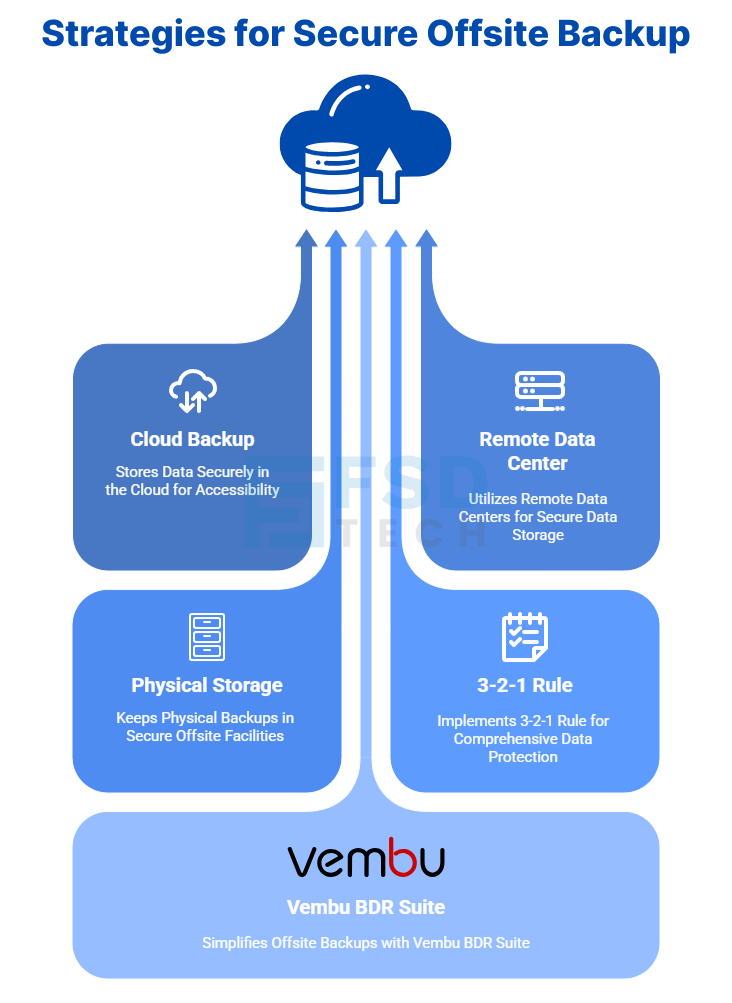
     

    Infographic titled 'Strategies for Secure Offsite Backup,' illustrating four key methods. The visual shows data flowing from four blocks—Cloud Backup, Remote Data Center, Physical Storage, and the 3-2-1 Rule—upwards to a cloud icon. At the bottom, a fifth block highlights 'Vembu BDR Suite' as a solution that simplifies these strategies.

    FAQ


    1. What is an offsite backup?

    An offsite backup is simply a copy of your important files and systems that is stored somewhere other than your main office.

    This could mean:

    • Storing data in the cloud.
    • Saving it in a secure data center in another city or country.
    • Keeping physical backup devices (like tapes or external hard drives) in a safe storage facility away from your workplace.

    The main idea is that even if something happens to your main office, the backup is safe because it’s in a different place.


    2. Why are offsite backups so important?

    Because they protect your data from local disasters that could destroy everything in your building, including your local backups.

    These disasters could include:

    • Fire.
    • Flood.
    • Storm damage.
    • Theft or vandalism.
    • Power surges that damage your systems.

    If your only backup is in the same location as your main data, one disaster can wipe out both copies at the same time.


    3. How are offsite backups different from local backups?

    • Local backups are stored in your office or data center. They’re great for quick recovery but are still at risk if the office is damaged.
    • Offsite backups are stored somewhere far away from your office. They may take a bit longer to access but will survive if your main location is hit by a disaster.

    The smartest strategy is to have both.


    4. What disasters can offsite backups protect against?

    Offsite backups can protect you from:

    • Fires that destroy your office equipment.
    • Flooding from burst pipes or storms.
    • Earthquakes or building collapse.
    • Theft of computers or local backup drives.
    • Ransomware or malware attacks that infect your local systems.


    5. How do offsite backups fit into disaster recovery planning?

    Disaster recovery planning is about getting your business running again as quickly as possible after a crisis.

    Offsite backups make that possible because they:

    • Keep your data safe even if your local systems are destroyed.
    • Allow you to restore files and systems from anywhere with internet access.

    Without offsite backups, your recovery options are limited if your main office is gone or inaccessible.


    6. What is the 3-2-1 backup rule?

    It’s a simple, well-known guideline for safe backups:

    • 3 copies of your data — 1 main copy and 2 backups.
    • 2 types of storage — for example, local hard drive and cloud storage.
    • 1 copy offsite — to protect against local disasters.

    Following this rule gives you multiple layers of protection.


    7. Is cloud storage considered offsite backup?

    Yes. Cloud storage is one of the easiest and safest ways to store offsite backups.

    Advantages include:

    • Automatic updates without human intervention.
    • Access from anywhere in the world.
    • No need to physically move backup devices.


    8. Can offsite backups be hacked?

    If not properly secured, yes — which is why encryption is essential.

    With Vembu BDR Suite, your data is encrypted before it leaves your office, stays encrypted while it’s in transit, and remains encrypted while stored offsite.


    9. Do I still need local backups if I have offsite backups?

    Yes. Local backups let you restore data much faster for everyday problems (like accidentally deleted files).

    Offsite backups are there for bigger emergencies where your local backup is lost or unusable.


    10. How often should I update my offsite backups?

    Ideally, at the same time as your local backups so both are always current.

    This can be automated with the right backup software so you don’t have to remember to do it manually.


    11. What’s the best way to store offsite backups?

    For most businesses, cloud backups are the best choice because they:

    • Update automatically.
    • Are easy to scale when you need more space.
    • Don’t require handling physical devices.

    However, large organizations may also use their own remote data centers.


    12. Can I use my own remote data center for offsite backups?

    Yes. With Vembu BDR Suite, you can choose to:

    • Store backups in Vembu’s secure cloud.
    • Use your own company’s remote server in another city or country.


    13. What happens if my internet is slow?

    You can still have fast local backups for quick restores, and let your offsite backup update in the background at a slower pace.

    This way, you get both speed and safety.


    14. What if ransomware attacks my local backups?

    If your offsite backups are stored in an immutable state (meaning they can’t be changed or deleted for a set period), ransomware won’t be able to damage them.

    This is one of the best protections against modern cyberattacks.


    15. How does Vembu BDR Suite make offsite backups simple?

    • Automatic replication to the cloud or your chosen offsite location.
    • End-to-end encryption to keep your data private.
    • Flexible scheduling to match your needs.
    • Quick restore options so you can get back online fast, even after a disaster.


    The Importance of Offsite Backups in Disaster Recovery Planning

    About The Author

    Nasmal

    Nasmal is a Solution Architect & Business Analyst focused on AI, Data, Automation, BCP, and Process Optimization. He helps businesses evolve from reactive to proactive, data-driven, and resilient operations. With hands-on expertise, he simplifies complex tech into clear, easy-to-understand blogs.

    Like This Story?

    Share it with friends!

    Subscribe to our newsletter!

    Atera

    (48)

    Cato Networks

    (118)

    ClickUp

    (70)

    FishOS

    (7)

    Miradore

    (21)

    PointGuard AI

    (9)

    Vembu

    (22)

    Xcitium

    (33)

    ZETA HRMS

    (76)

    Workflow Automation(8)

    Workforce Automation(1)

    AI Project Management(1)

    HR Data Automation(1)

    RMM(1)

    IT Workflow Automation(1)

    IT security(2)

    GCC compliance(4)

    Payroll Integration(2)

    IT support automation(3)

    procurement automation(1)

    lost device management(1)

    IT Management(5)

    IoT Security(2)

    Cato XOps(2)

    IT compliance(4)

    Workflow Management(1)

    Task Automation(1)

    OpenStack automation(1)

    Kubernetes lifecycle management(2)

    AI-powered cloud ops(1)

    SMB Security(8)

    Data Security(1)

    MDR (Managed Detection & Response)(4)

    Atera Integrations(2)

    MSP Automation(3)

    XDR Security(2)

    SMB Cyber Protection(1)

    Ransomware Defense(3)

    HR Tech Solutions(1)

    Zero Trust Network Access(3)

    Zero Trust Security(2)

    Endpoint Management(1)

    SaaS Security(1)

    Payroll Automation(5)

    IT Monitoring(2)

    Xcitium EDR SOC(15)

    Ransomware Protection GCC(1)

    M&A IT Integration(1)

    Network Consolidation UAE(1)

    MSSP for SMBs(1)

    Managed EDR FSD-Tech(1)

    Ransomware Protection(3)

    SMB Cybersecurity GCC(1)

    FSD-Tech MSSP(25)

    Antivirus vs EDR(1)

    Endpoint Security(1)

    Cybersecurity GCC(12)

    Data Breach Costs(1)

    Endpoint Protection(1)

    SMB Cybersecurity(8)

    Zero Dwell Containment(31)

    Managed Security Services(2)

    Xcitium EDR(30)

    Cloud Backup(1)

    Hybrid Backup(1)

    Backup & Recovery(1)

    pointguard ai(4)

    backup myths(1)

    vembu(9)

    SMB data protection(9)

    disaster recovery myths(1)

    Disaster Recovery(4)

    Vembu BDR Suite(19)

    GCCBusiness(1)

    DataProtection(1)

    Secure Access Service Edge(4)

    GCC HR software(18)

    Miradore EMM(15)

    Cato SASE(7)

    Cloud Security(8)

    Talent Development(1)

    AI Cybersecurity(12)

    AI Governance(4)

    AI Security(2)

    AI Compliance(2)

    AI Risk Management(1)

    GCC business security(1)

    GCC network integration(1)

    compliance automation(5)

    education security(1)

    GCC cybersecurity(2)

    BYOD security Dubai(8)

    App management UAE(1)

    Miradore EMM Premium+(5)

    MiddleEast(1)

    HealthcareSecurity(1)

    Team Collaboration(1)

    IT automation(12)

    Zscaler(1)

    SD-WAN(6)

    HR Integration(4)

    Cloud Networking(3)

    device management(9)

    VPN(1)

    RemoteWork(1)

    ZeroTrust(2)

    MPLS(1)

    Project Management(9)

    HR automation(16)

    share your thoughts

    Why Is Data Backup Crucial for Cybersecurity

    Why Is Data Backup Crucial for Cybersecurity? Protect Your Business from Ransomware & Data Loss

    🕓 November 24, 2025

    Vector illustration showcasing Vembu cloud backup solutions. A central laptop screen displays the Vembu logo, surrounded by connected cloud storage icons, files, and mobile devices representing seamless data synchronization. Additional graphics include a store with "3-2-1" backup signage, servers, and secure connections, symbolizing hybrid cloud storage and reliable data protection for SMBs.

    SMB Backup Starter Pack: What to Back Up, Where to Store It & How Often (3-2-1 Checklist)

    🕓 September 16, 2025

    Illustration showing data being backed up from two on-premise servers to the Vembu cloud, with two people sitting on the servers and looking at laptops. The image visually represents the concept of offsite data backup to a remote cloud location.

    The Importance of Offsite Backups in Disaster Recovery Planning

    🕓 September 5, 2025

    Decoded(87)

    Cyber Security(118)

    BCP / DR(22)

    Zeta HRMS(75)

    SASE(21)

    Automation(70)

    Next Gen IT-Infra(118)

    Monitoring & Management(69)

    ITSM(22)

    HRMS(21)

    Automation(24)