HomeNext Gen IT-InfraMonitoring & ManagementCyber SecurityBCP / DRAutomationDecoded
Next Gen IT-Infra
Cato’s SASE Supports Cybersecurity Skills Development

How Cato’s SASE Supports Cybersecurity Skills Development

🕓 April 8, 2025

How SASE Supports the Security Needs of SMBs

How SASE Supports the Security Needs of SMBs

🕓 February 9, 2025

Attack Surface Reduction with Cato’s SASE

Attack Surface Reduction with Cato’s SASE

🕓 February 10, 2025

SASE for Digital Transformation in UAE

SASE for Digital Transformation in UAE

🕓 February 8, 2025

Monitoring & Management
Understanding Atera’s SLA Management

Understanding Atera’s SLA Management

🕓 February 7, 2025

Cost-Performance Ratio: Finding the Right Balance in IT Management Networks

Cost-Performance Ratio: Finding the Right Balance in IT Management Networks

🕓 June 16, 2025

Customizing Atera with APIs

Customizing Atera with APIs

🕓 March 3, 2025

Power Up Your IT Team’s Strategy with Atera’s Communication Tools

Power Up Your IT Team’s Strategy with Atera’s Communication Tools

🕓 February 8, 2025

Cyber Security
Visual guide showing Cato CMA interface for configuring Internet and WAN firewall rules, enabling threat protection, and monitoring security events in real time for UAE IT teams.

Enforcing Firewall and Threat Protection Policies in Cato

🕓 July 25, 2025

Isometric illustration of professionals managing network performance, bandwidth analytics, and cloud-based optimization around the Cato Networks platform, symbolizing bandwidth control and QoS visibility.

Mastering Bandwidth Control and QoS in Cato Networks

🕓 July 26, 2025

Illustration of the Cato Cloud architecture showing its role in delivering SASE for secure, optimized global connectivity.

Understanding the Cato Cloud and Its Role in SASE

🕓 January 29, 2025

Global network backbone powering Cato SASE solution for secure, high-performance connectivity across regions.

Global Backbone: The Engine Powering Cato’s SASE Solution

🕓 January 30, 2025

BCP / DR
Illustration showing diverse business and IT professionals collaborating with cloud, backup, and security icons, representing Vembu use cases for SMBs, MSPs, and IT teams.

Who Uses Vembu? Real-World Use Cases for SMBs, MSPs & IT Teams

🕓 July 12, 2025

Graphic showcasing Vembu’s all-in-one backup and disaster recovery platform with icons for cloud, data protection, and business continuity for IT teams and SMBs.

What Is Vembu? A Deep Dive Into the All in One Backup & Disaster Recovery Platform

🕓 July 6, 2025

Illustration showing Vembu backup and disaster recovery system with cloud storage, server racks, analytics dashboard, and IT professionals managing data.

The Rising Cost of Data Loss: Why Backup Is No Longer Optional?

🕓 August 14, 2025

3D isometric illustration of cloud backup and data recovery infrastructure with laptop, data center stack, and digital business icons — FSD Tech

RPO & RTO: The Heart of Business Continuity

🕓 August 15, 2025

Automation
Cross-Functional Collaboration with ClickUp

Fostering Cross-Functional Collaboration with ClickUp for Multi-Departmental Projects

🕓 February 11, 2025

ClickUp Project Reporting

Revolutionizing Enterprise Reporting with ClickUp’s Advanced Analytics and Dashboards

🕓 June 16, 2025

ClickUp’s Design Collaboration and Asset Management Tools

Empowering Creative Teams with ClickUp’s Design Collaboration and Asset Management Tools

🕓 February 26, 2025

ClickUp Communication and Collaboration Tools

ClickUp Communication and Collaboration Tools: Empowering Remote Teams

🕓 March 12, 2025

Decoded
Multi-Factor Authentication (MFA)

Multi-Factor Authentication (MFA): All You Need to Know

🕓 December 7, 2025

L3 Switch

What Is an L3 Switch? L2 vs L3 & Why You Need Layer 3?

🕓 December 8, 2025

IPSec

IPSec Explained: Protocols, Modes, IKE & VPN Security

🕓 December 3, 2025

 Datagram Transport Layer Security (DTLS)

What is Datagram Transport Layer Security (DTLS)? How it works?

🕓 December 4, 2025

    Subscribe to our newsletter!

    About Us

    Follow Us

    Copyright © 2024 | Powered by 

    Cato SASE Architecture

    Inside Cato’s SASE Architecture: A Blueprint for Modern Security

    🕓 January 26, 2025

    Enterprise Data Security and Privacy with ClickUp

    Ensuring Enterprise Data Security and Privacy with ClickUp

    🕓 February 9, 2025

    DDoS protection SASE

    DDoS Protection and Cato’s Defence Mechanisms

    🕓 February 11, 2025

    Table of Contents

    How to Train Your Team on ClickUp Using Internal Docs & Automation

    NHAIF NOUSHAD
    November 11, 2025
    Comments
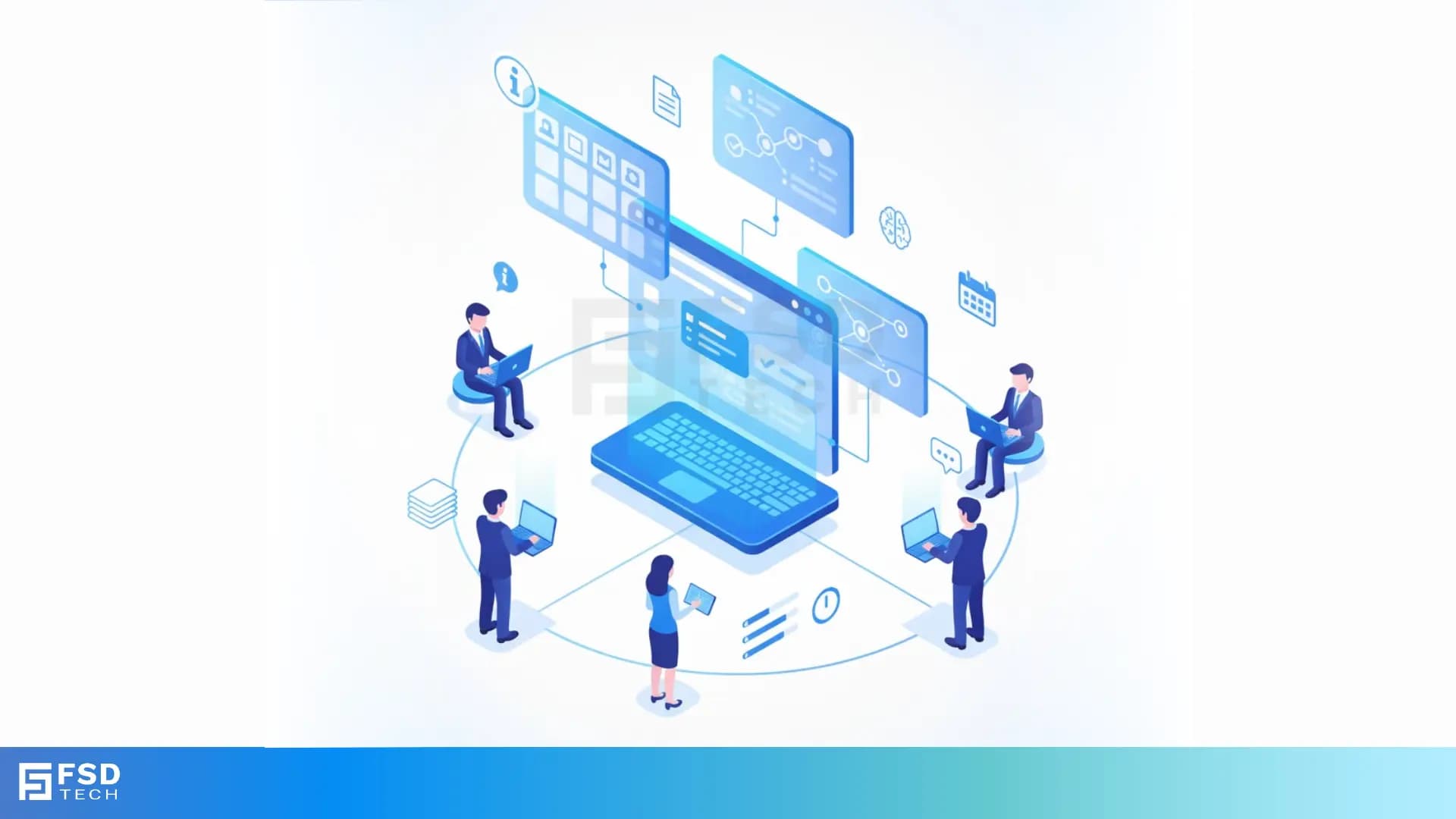
    Isometric illustration of professionals collaborating around a central laptop interface showing ClickUp dashboards, workflows, and AI tools. Represents ClickUp’s ability to centralize training, automate documentation, and streamline knowledge sharing for teams

    Key Takeaways

    • Centralized knowledge hub:  ClickUp Docs create a unified, searchable space for all training materials, improving accessibility and reducing time spent searching for information across UAE-based teams.
       
    • Automation for learning retention:  Automated reminders, recurring tasks, and knowledge checks in ClickUp reinforce training, ensuring critical processes are regularly reviewed and retained.
       
    • Consistent onboarding with templates:  Task and Doc templates standardize training content, streamlining onboarding and SOP creation for department heads and trainers.
       
    • AI-powered knowledge sharing:  ClickUp Brain and AI summaries accelerate content creation and updates, supporting multilingual and diverse teams across the Middle East.
       
    • Transparent version control:  Built-in version history and audit trails foster accountability, allowing trainers to track changes and maintain up-to-date documentation.
       
    • Visual and collaborative engagement:  Embedding visuals and leveraging real-time comments in Docs enhances understanding and supports continuous peer-to-peer learning.
       

    Introduction

    Effective team training is a cornerstone of productivity and compliance for organizations operating in the UAE and broader GCC region. Department heads and internal trainers face the challenge of keeping knowledge organized, accessible, and consistently updated—especially as teams grow and regulations evolve. ClickUp offers a robust solution, combining internal documentation, automation, and AI-powered features to streamline training and knowledge sharing.
     

    This guide provides a step-by-step approach for leveraging ClickUp’s Docs, automation, and templates to enable efficient, scalable team training. Whether you’re onboarding new hires, rolling out updated SOPs, or fostering a culture of continuous learning, ClickUp equips you to deliver impactful training that sticks.


    Building a Centralized Training Hub with ClickUp Docs

    Structuring Documentation for Maximum Accessibility

    Centralizing your training content eliminates confusion and ensures every team member can quickly find the information they need. ClickUp Docs allow you to:

    • Create a single source of truth:  Store all SOPs, onboarding guides, compliance checklists, and workflow instructions in one easily searchable location. 
    • Use nested pages for clarity:  Organize documentation hierarchically, from broad categories (e.g., “Onboarding”) down to specific procedures (e.g., “IT Equipment Setup”).
    • Apply intuitive naming and tagging:  Make content discoverable with clear titles and tags, supporting both new and experienced team members.

    Organizing by Workflow vs. Team

    Rather than siloing documentation by department, structure your Docs around workflows and processes. For example:

    • Onboarding: Covers steps relevant to all new hires, regardless of department.
    • Monthly Reporting:  Guides for finance, HR, and operations teams to follow the same reporting cadence.
    • Compliance Training:  Centralized policies and procedures applicable across the organization.

    This approach ensures relevance and discoverability, particularly important for cross-functional teams and UAE-based organizations with diverse operational needs.
     

    Leveraging Automation for Learning Retention

    Setting Up Automated Reminders and Knowledge Checks

    Automation in ClickUp transforms training from a one-off event into an ongoing process. Trainers can:

    • Schedule recurring training tasks:  Remind staff to review key policies, complete compliance modules, or refresh on critical workflows at set intervals.
    • Automate knowledge checks:  Trigger follow-up quizzes or feedback requests after training sessions, reinforcing learning and identifying gaps.
    • Assign review tasks automatically:  When documentation is updated, assign tasks to relevant team members to acknowledge or review changes.

    Using Recurring Tasks to Reinforce Key Processes

    For example, after onboarding, set a recurring quarterly task for new hires to revisit compliance policies. Automated reminders ensure that essential knowledge is reinforced over time, supporting both regulatory compliance and operational excellence.
     

    Standardizing Training with Templates

    Creating Task and Doc Templates for Onboarding and SOPs

    Templates in ClickUp enable trainers to deliver consistent, high-quality training materials:

    • Standardize onboarding checklists:  Ensure every new hire receives the same comprehensive introduction to your organization.
    • Streamline SOP creation:  Use templates to quickly generate step-by-step guides for common processes, reducing the risk of omissions or inconsistencies.
    • Facilitate rapid scaling:  New trainers can deploy proven templates, maintaining quality as your team grows.

    Example: Onboarding New HR Staff in a UAE Department

    An HR manager in a UAE-based organization can use a ClickUp Doc template to onboard new staff. The template includes:

    • Step-by-step instructions for accessing internal systems.
    • Automated reminders to review UAE labor law compliance policies.
    • AI-generated summaries of key regulations, ensuring clarity for staff from diverse backgrounds.

    This approach guarantees every new hire receives consistent, up-to-date training tailored to regional requirements.
     

    Accelerating Knowledge Sharing with AI Summaries

    Using ClickUp Brain to Draft and Update Training Materials

    ClickUp Brain and AI-powered summaries help trainers:

    • Draft new content rapidly:  Generate training sections or entire guides from prompts or existing materials.
    • Condense lengthy procedures:  Summarize complex workflows into digestible bullet points or checklists.
    • Keep documentation current:  AI can suggest updates based on recent changes, reducing manual effort and ensuring accuracy.

    Multilingual Support for Diverse Teams

    UAE organizations often employ teams with varied linguistic backgrounds. ClickUp’s AI features enable:

    • Simplified instructions:  AI-generated summaries break down complex topics for easier understanding.
    • Multilingual content generation:  Trainers can produce documentation in multiple languages, making training inclusive and accessible across the GCC.
       

    Ensuring Accuracy with Version Control and Audit Trails

    Tracking Changes and Restoring Previous Versions

    Maintaining accurate, trustworthy training materials is essential—especially in regulated environments. ClickUp Docs provide:

    • Comprehensive version history:  Track every change, including who made it and when.
    • Easy restoration:  Instantly revert to previous versions if errors are introduced or outdated information needs to be referenced.
    • Contextual change logs:  Add notes explaining why updates were made, supporting transparency and accountability.

    Building Accountability in Collaborative Training

    When a compliance procedure changes, trainers can update the documentation, log the reason, and notify all stakeholders. If questions arise, previous versions are readily available for review, ensuring clarity and trust throughout the training process.
     

    Enhancing Engagement with Visuals and Real-World Examples

    Embedding Screenshots and Diagrams in Docs

    Visual content transforms static documentation into engaging, actionable guides:

    • Annotated screenshots:  Walk users through ClickUp features or internal workflows step-by-step.
    • Process diagrams:  Illustrate complex approval chains or system integrations.
    • Checklists and visual guides:  Break down tasks into clear, actionable steps for easier comprehension.

    Example: Step-by-Step Guide for Finance Workflow Automation

    A finance manager creates a ClickUp Doc with embedded screenshots showing how to automate invoice approvals. Each step is visually highlighted, and recurring tasks are set to remind staff to review the process monthly. This approach ensures that even complex workflows are easy to follow and maintain.
     

    Fostering Continuous Learning through Collaboration

    Real-Time Comments and Peer Feedback

    ClickUp’s collaboration tools support a culture of ongoing learning:

    • @Mentions and threaded comments:  Allow trainers and trainees to ask questions, provide feedback, and clarify instructions directly within Docs.
    • Peer-to-peer support:  Encourage team members to share insights, best practices, and suggestions in real time.
    • Centralized discussion history:  Keep all feedback and clarifications linked to the relevant documentation for future reference.

    Assigning Tasks from Docs for Follow-Up Training

    After updating a workflow, trainers can assign review tasks to department heads or team leads directly from the Doc. Feedback is collected in real time, and improvements are made collaboratively, ensuring training materials remain relevant and effective.
     

    Real-World Use Cases: ClickUp Training in UAE Organizations

    • Onboarding New HR Staff:  Use a ClickUp Doc template for HR onboarding, with automated reminders to review compliance policies and AI-generated summaries of UAE labor laws.
       
    • Finance Workflow Automation:  Embed a step-by-step guide with screenshots showing how to automate invoice approvals, assign tasks for monthly reviews, and track changes with version history.
       
    • Peer-to-Peer Learning:  Assign comment-only permissions to trainees, allowing them to ask questions directly in Docs and receive feedback from trainers in real time.

    These examples demonstrate how ClickUp’s integrated documentation and automation features can be tailored to the unique needs of UAE-based teams, supporting both compliance and operational efficiency.
     

    Making Your ClickUp Training Program Stand Out

    • Interactive examples:  Incorporate GIFs or annotated screenshots to illustrate ClickUp features and training workflows.
    • Case studies and testimonials:  Highlight success stories from UAE organizations using ClickUp for training and knowledge sharing.
    • Downloadable templates:  Provide readers with onboarding, SOP, and training checklist templates to accelerate implementation.
    • Video walkthroughs:  Offer visual demonstrations of setting up automation for training retention.
    • Comparative insights:  Use tables to compare ClickUp with other training management tools, emphasizing unique advantages for Middle East deployments.


    Ready to automate your team training with ClickUp? Schedule a no-obligation call with Our Expert Now.
     

    Infographic titled 'ClickUp for Training: Centralize Knowledge, Automate Learning, and Boost Retention.' Highlights include using ClickUp Docs for centralized SOPs, automating learning retention with reminders and quizzes, standardizing onboarding with AI-powered templates, and encouraging continuous learning through version control, peer feedback, and visual collaboration.


    FAQ

    How can ClickUp Docs improve team training?

    ClickUp Docs centralize all training materials in a single, searchable location, making it easier for teams to access up-to-date information. This streamlines onboarding and ongoing learning, especially for organizations with complex workflows or regulatory requirements.
     

    What role does automation play in learning retention?

    Automation in ClickUp ensures that training is reinforced over time. By scheduling reminders, recurring tasks, and knowledge checks, trainers can prompt regular review and practice of key processes, helping teams retain what they learn and stay compliant.


    How does ClickUp support multilingual teams in the UAE?

    ClickUp Brain and AI-powered summaries can generate and simplify documentation in multiple languages. This makes training materials more accessible and inclusive for teams with diverse linguistic backgrounds, a common scenario in UAE and GCC organizations.


    Can I track changes in training materials?

    Yes, ClickUp Docs offer robust version control and audit trails. Trainers can see who made changes, when, and why, and can restore previous versions if needed. This transparency supports collaborative editing and ensures accuracy as processes evolve.


    How do visuals enhance training in ClickUp?

    Embedding screenshots, diagrams, and step-by-step guides within ClickUp Docs makes training more engaging and easier to understand. Visual aids cater to different learning styles and help teams grasp new workflows quickly.


    What are the benefits of organizing documentation by workflow instead of by team?

    Organizing by workflow ensures that documentation is relevant and easily discoverable, regardless of department. This cross-functional approach helps eliminate silos, making it easier for teams to find and follow best practices across the organization.


    How can templates improve onboarding and SOP creation?

    Templates in ClickUp standardize training materials, ensuring consistency and reducing errors. Trainers can quickly create onboarding checklists, SOPs, and training modules, accelerating the onboarding process and maintaining high-quality documentation.


    How does ClickUp facilitate continuous learning and feedback?

    ClickUp’s real-time comments, @mentions, and task assignments within Docs enable ongoing feedback and peer-to-peer support. This fosters a culture of continuous improvement and knowledge sharing, essential for dynamic teams.


    Can ClickUp automate knowledge checks and follow-ups?

    Yes, trainers can set up automated reminders and recurring tasks to prompt knowledge checks, feedback sessions, or policy reviews. This ensures that learning is reinforced and that team members remain engaged with training content.


    How does version control in ClickUp build accountability?

    Version history and audit trails in ClickUp Docs allow trainers to track all changes, add context to updates, and restore previous versions if necessary. This transparency builds trust and accountability, especially in regulated environments like those in the UAE.


    What makes ClickUp suitable for UAE-based organizations?

    ClickUp’s flexibility, multilingual support, and compliance-friendly features make it ideal for UAE organizations. Its automation and documentation tools help teams adhere to regional regulations and streamline training across diverse teams.


    How can department heads use ClickUp to manage compliance training?

    Department heads can centralize compliance policies in ClickUp Docs, use automation to schedule regular reviews, and leverage AI summaries to simplify complex regulations. Version control ensures that all updates are tracked and auditable.


    What collaboration features does ClickUp offer for trainers and trainees?

    ClickUp supports real-time comments, threaded discussions, and @mentions within Docs. Trainers can assign tasks directly from documentation, ensuring that follow-up actions are tracked and completed efficiently.


    How does ClickUp support knowledge sharing across remote or distributed teams?

    ClickUp’s cloud-based Docs and collaboration tools enable seamless knowledge sharing, regardless of location. Automated workflows and centralized documentation ensure that all team members have access to the latest training materials.


    Can ClickUp be integrated with other tools for enhanced training management?

    Yes, ClickUp offers integrations with a wide range of productivity and communication tools. This allows trainers to connect documentation, tasks, and notifications with existing systems, enhancing the overall training management experience.


    How do audit trails in ClickUp help with regulatory compliance?

    Audit trails in ClickUp provide a detailed record of all changes to training materials, supporting regulatory compliance and internal audits. This is particularly valuable for organizations in the UAE and GCC, where documentation accuracy and accountability are critical.


    What are some best practices for using ClickUp Docs for team enablement?

    Best practices include organizing documentation by workflow, using templates for consistency, embedding visuals, leveraging automation for reminders and knowledge checks, and fostering collaboration through real-time comments and feedback.


    How can trainers measure the effectiveness of ClickUp-based training?

    Trainers can track task completion rates, monitor feedback through comments, and use knowledge checks to assess retention. Version history and audit trails also provide insights into how training materials are used and updated over time.


    Is ClickUp suitable for both small teams and large enterprises?

    Yes, ClickUp scales to support both small teams and large enterprises. Its flexible documentation, automation, and collaboration features can be tailored to the needs of any organization, making it a versatile solution for training management.


    How does ClickUp compare to traditional training management tools?

    ClickUp combines task management, documentation, automation, and collaboration in a single platform. This integrated approach reduces the need for multiple tools and streamlines the entire training lifecycle, offering unique advantages for organizations in the Middle East and beyond.

    How to Train Your Team on ClickUp Using Internal Docs & Automation

    About The Author

    NHAIF NOUSHAD

    Nhaif is an AI Automation Engineer & Business Analyst focused on ClickUp, AI, Automation, and Workflow Optimization. He helps businesses shift from scattered processes to streamlined, data-driven operations. With hands-on expertise, he simplifies complex tools into clear, easy-to-apply solutions.

    Like This Story?

    Share it with friends!

    Subscribe to our newsletter!

    Atera

    (48)

    Cato Networks

    (111)

    ClickUp

    (64)

    FishOS

    (7)

    Miradore

    (21)

    PointGuard AI

    (9)

    Vembu

    (22)

    Xcitium

    (33)

    ZETA HRMS

    (66)

    Workflow Automation(5)

    Workforce Automation(1)

    AI Project Management(1)

    HR Data Automation(1)

    RMM(1)

    IT Workflow Automation(1)

    GCC compliance(4)

    IT security(2)

    Payroll Integration(2)

    IT support automation(2)

    procurement automation(1)

    lost device management(1)

    IT Management(5)

    IoT Security(2)

    Cato XOps(2)

    IT compliance(4)

    Task Automation(1)

    Workflow Management(1)

    AI-powered cloud ops(1)

    OpenStack automation(1)

    Kubernetes lifecycle management(2)

    SMB Security(8)

    Data Security(1)

    MDR (Managed Detection & Response)(4)

    Atera Integrations(2)

    MSP Automation(2)

    XDR Security(2)

    SMB Cyber Protection(1)

    Ransomware Defense(3)

    HR Tech Solutions(1)

    Zero Trust Network Access(3)

    Zero Trust Security(2)

    Endpoint Management(1)

    SaaS Security(1)

    Payroll Automation(5)

    IT Monitoring(2)

    Xcitium EDR SOC(15)

    Ransomware Protection GCC(1)

    M&A IT Integration(1)

    Network Consolidation UAE(1)

    MSSP for SMBs(1)

    Antivirus vs EDR(1)

    Ransomware Protection(3)

    Managed EDR FSD-Tech(1)

    FSD-Tech MSSP(25)

    SMB Cybersecurity GCC(1)

    Cybersecurity GCC(12)

    Endpoint Security(1)

    Data Breach Costs(1)

    Endpoint Protection(1)

    Managed Security Services(2)

    SMB Cybersecurity(8)

    Zero Dwell Containment(31)

    Xcitium EDR(30)

    Hybrid Backup(1)

    Cloud Backup(1)

    Backup & Recovery(1)

    pointguard ai(4)

    disaster recovery myths(1)

    backup myths(1)

    vembu(9)

    SMB data protection(9)

    Vembu BDR Suite(19)

    Disaster Recovery(4)

    DataProtection(1)

    GCCBusiness(1)

    Secure Access Service Edge(4)

    GCC HR software(14)

    Miradore EMM(15)

    Cato SASE(7)

    Cloud Security(8)

    Talent Development(1)

    AI Cybersecurity(12)

    AI Risk Management(1)

    AI Governance(4)

    AI Security(2)

    AI Compliance(2)

    GCC business security(1)

    GCC network integration(1)

    compliance automation(4)

    GCC cybersecurity(2)

    education security(1)

    App management UAE(1)

    BYOD security Dubai(8)

    Miradore EMM Premium+(5)

    HealthcareSecurity(1)

    MiddleEast(1)

    Team Collaboration(1)

    IT automation(10)

    Zscaler(1)

    SD-WAN(6)

    HR Integration(4)

    Cloud Networking(3)

    device management(9)

    RemoteWork(1)

    ZeroTrust(2)

    VPN(1)

    MPLS(1)

    Project Management(9)

    HR automation(16)

    share your thoughts

    Illustration showing the transition from manual spreadsheets and paper-based HR processes to the Zeta HRMS digital platform. Depicts HR teams moving data into a centralized, automated HR system with modules for payroll, attendance, compliance, and employee management, highlighting improved efficiency and collaboration. FSD Tech branding visible at the bottom.

    Legal Teams & Case Management in ClickUp Workspaces

    🕓 December 25, 2025

    Illustration showing the transition from manual spreadsheets and paper-based HR processes to the Zeta HRMS digital platform. Depicts HR teams moving data into a centralized, automated HR system with modules for payroll, attendance, compliance, and employee management, highlighting improved efficiency and collaboration. FSD Tech branding visible at the bottom.

    ClickUp for Healthcare Operations & Patient Workflows

    🕓 December 22, 2025

    Illustration of a centralized financial audit and control hub showing interconnected digital panels for VAT reporting, documents, approvals, dashboards, and integrations. Depicts finance teams collaborating around a secure platform that manages audits, compliance data, accounting systems, and financial workflows. Represents automated audit management and financial oversight. FSD Tech branding visible at the bottom.

    Financial and Audit Workflow Tracking in ClickUp

    🕓 December 18, 2025

    Decoded(39)

    Cyber Security(112)

    BCP / DR(22)

    Zeta HRMS(65)

    SASE(21)

    Automation(64)

    Next Gen IT-Infra(111)

    Monitoring & Management(69)

    ITSM(22)

    HRMS(21)

    Automation(24)