.webp&w=3840&q=75)
How ClickUp Enables Outcome-Based Project Management (Not Just Task Tracking)
🕓 February 15, 2026
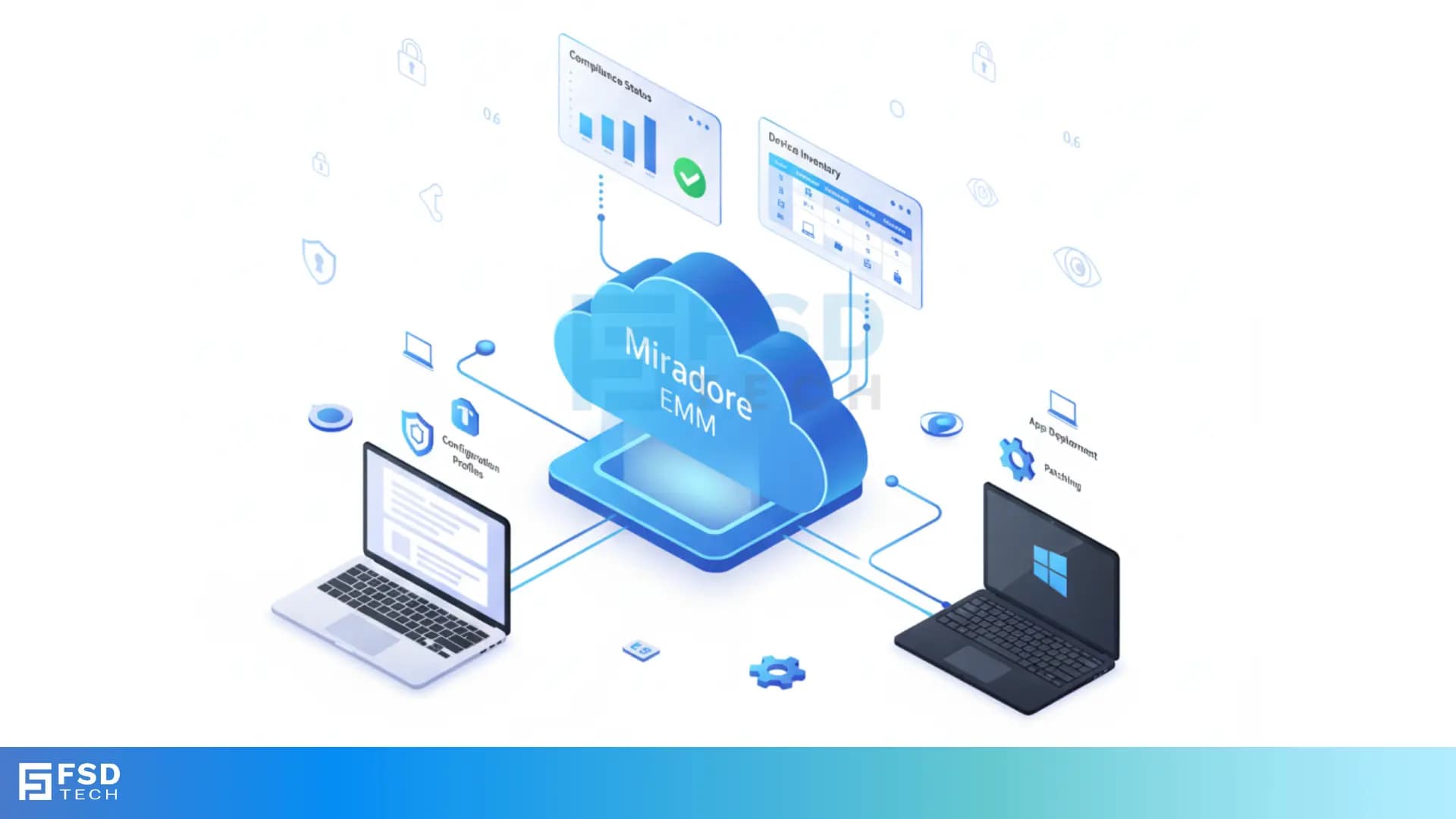
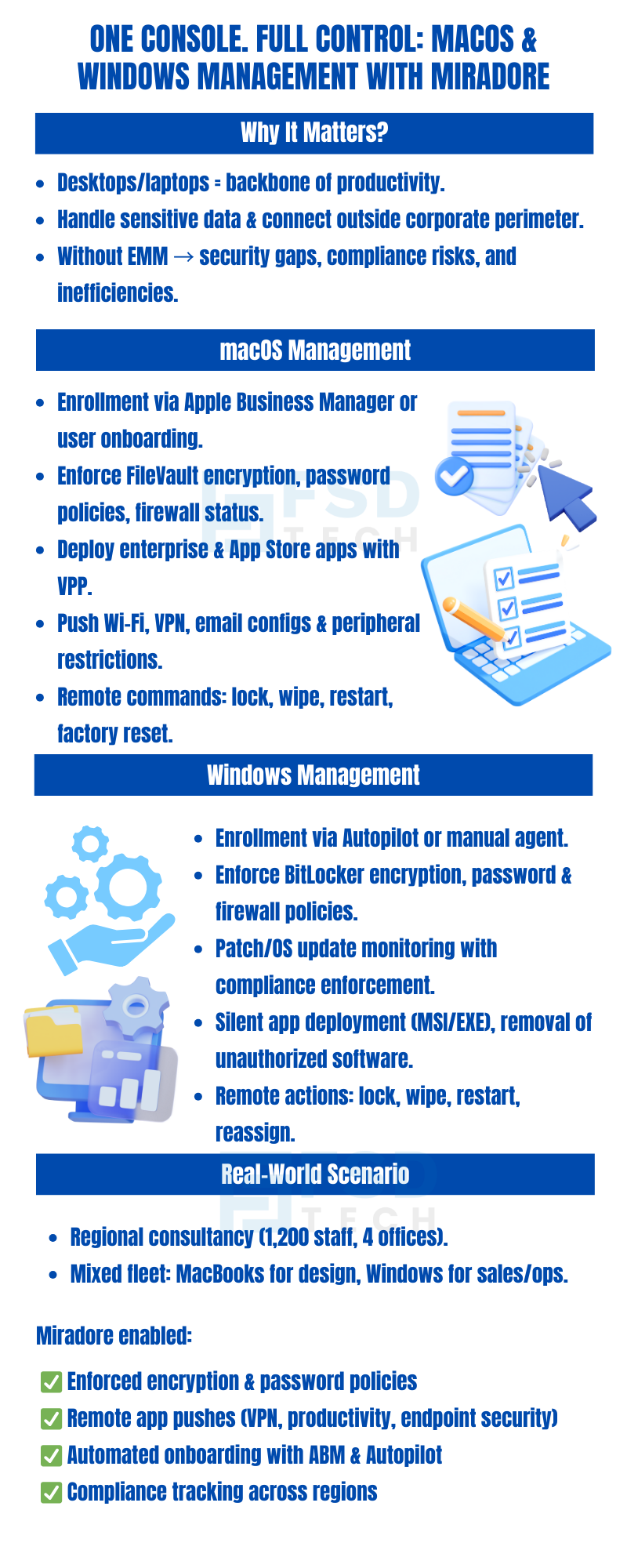
Mobile-first management may dominate the EMM discussion, but for many organizations, macOS and Windows laptops and desktops are the backbone of productivity. These endpoints access critical systems, handle large volumes of sensitive data, and often exist outside the company’s traditional security perimeter.
Miradore EMM brings unified management to these platforms, offering cloud-native capabilities that extend beyond mobile to include laptops and desktops. IT teams gain visibility, control, automation, and compliance tools—all from a single dashboard—regardless of whether the device is Apple or Microsoft-based.
Whether your fleet includes a handful of BYOD laptops or thousands of corporate-owned systems across departments, Miradore ensures secure provisioning, consistent policy enforcement, and centralized lifecycle tracking across all endpoints.
Desktop and laptop devices differ from mobile devices in several ways:
Unmanaged or inconsistently managed desktops create serious gaps in security posture and audit compliance. Miradore closes these gaps by enforcing endpoint hygiene, securing local data, and tracking user behavior on both macOS and Windows.
Miradore supports full lifecycle management of macOS endpoints, whether company-owned or user-enrolled.
Key Features:
Use Case: A creative agency uses Miradore to restrict third-party installations on design MacBooks, ensuring only licensed software is in use.
Windows devices are widely used in corporate environments and often require tight integration with legacy systems. Miradore delivers consistent, secure management without relying on complex on-prem tools.
Key Features:
Use Case: A healthcare provider uses Miradore to enforce disk encryption, disable USB ports, and limit admin rights on laptops used in remote clinics.
Using Miradore’s policy engine, you can create and enforce compliance rules specific to macOS and Windows while maintaining consistency across your environment.
Examples:
These rules can be applied dynamically based on:
Miradore’s web console provides real-time dashboards and historical reports for audit preparation, incident response, and operational oversight:
Dashboards can be filtered, exported, or scheduled for delivery to stakeholders.
Real-World Application: An enterprise security team uses Miradore’s compliance dashboard to flag all Windows 10 laptops missing the latest OS security rollup.
When something goes wrong—like a stolen laptop or a non-compliant user—Miradore allows you to act fast:
All actions are fully logged and traceable, ensuring accountability.
A regional consultancy firm with 1,200 employees distributed across 4 offices needed a solution to centrally manage MacBook Pro laptops used by designers, and Windows 11 laptops used by sales and operations teams.
Miradore enabled them to:
The result was a unified, secure, and scalable endpoint strategy that required minimal daily intervention.
Next Steps
Desktops and laptops demand just as much oversight as mobile devices—and with Miradore, you get seamless, policy-driven management across all major operating systems. Whether your fleet includes iMacs or ThinkPads, you’ll gain full control over provisioning, compliance, and lifecycle tracking.
Book a free consultation with our experts and explore how Miradore can unify management across your macOS and Windows endpoints. Book Now
Yes. Miradore integrates with Apple Business Manager for macOS and supports Windows Autopilot, alongside manual enrollment methods.
Absolutely. You can monitor and enforce FileVault on macOS and BitLocker on Windows, with alerting and compliance tracking built in.
Miradore allows you to push software packages silently across platforms—using VPP for macOS, and MSI/EXE installers for Windows.
Yes. Miradore tracks OS updates, patches, and lets you enforce minimum supported versions with automated compliance rules.
Yes. You can securely wipe and reassign devices, apply new policies, and update ownership details without full provisioning.
Every admin action (e.g., device wipe, policy change) is logged with a timestamp, user ID, and target device info for compliance and investigations.
Yes. Miradore supports dynamic grouping by tags, departments, OS type, or location—allowing flexible policy enforcement at scale.
Yes. All enrolled devices—macOS, Windows, Android, iOS—are monitored continuously with real-time dashboards and alerts.
Yes. IT teams in UAE and Dubai can manage both macOS and Windows endpoints through Miradore EMM with native enrollment support.
Absolutely. Organizations in UAE and Dubai can enforce FileVault for macOS and BitLocker for Windows, ensuring full compliance.
Admins can silently push software packages across macOS and Windows devices in UAE and Dubai, streamlining enterprise app management.
Yes. The platform enables IT teams in Dubai and UAE to monitor OS updates, patches, and enforce compliance with regulatory requirements.
Yes. UAE businesses can securely wipe and reassign laptops without full re-enrollment, ensuring efficient lifecycle management.

Anas is an Expert in Network and Security Infrastructure, With over seven years of industry experience, holding certifications Including CCIE- Enterprise, PCNSE, Cato SASE Expert, and Atera Certified Master. Anas provides his valuable insights and expertise to readers.
Share it with friends!




.webp&w=3840&q=75)

.webp&w=3840&q=75)
🕓 March 25, 2026

🕓 March 22, 2026

🕓 March 20, 2026


share your thoughts