HomeNext Gen IT-InfraMonitoring & ManagementCyber SecurityBCP / DRAutomationDecoded
Next Gen IT-Infra
Cato’s SASE Supports Cybersecurity Skills Development

How Cato’s SASE Supports Cybersecurity Skills Development

🕓 April 8, 2025

How SASE Supports the Security Needs of SMBs

How SASE Supports the Security Needs of SMBs

🕓 February 9, 2025

Attack Surface Reduction with Cato’s SASE

Attack Surface Reduction with Cato’s SASE

🕓 February 10, 2025

SASE for Digital Transformation in UAE

SASE for Digital Transformation in UAE

🕓 February 8, 2025

Monitoring & Management
Understanding Atera’s SLA Management

Understanding Atera’s SLA Management

🕓 February 7, 2025

Cost-Performance Ratio: Finding the Right Balance in IT Management Networks

Cost-Performance Ratio: Finding the Right Balance in IT Management Networks

🕓 June 16, 2025

Customizing Atera with APIs

Customizing Atera with APIs

🕓 March 3, 2025

Power Up Your IT Team’s Strategy with Atera’s Communication Tools

Power Up Your IT Team’s Strategy with Atera’s Communication Tools

🕓 February 8, 2025

Cyber Security
Illustration of the Cato Cloud architecture showing its role in delivering SASE for secure, optimized global connectivity.

Understanding the Cato Cloud and Its Role in SASE

🕓 January 29, 2025

Isometric illustration of professionals managing network performance, bandwidth analytics, and cloud-based optimization around the Cato Networks platform, symbolizing bandwidth control and QoS visibility.

Mastering Bandwidth Control and QoS in Cato Networks

🕓 July 26, 2025

Global network backbone powering Cato SASE solution for secure, high-performance connectivity across regions.

Global Backbone: The Engine Powering Cato’s SASE Solution

🕓 January 30, 2025

Illustration of team analyzing application traffic and usage insights on a large laptop screen using Cato’s dashboard, surrounded by network and cloud icons.

Cato Networks Application Visibility | Monitoring & Control

🕓 July 27, 2025

BCP / DR
Illustration showing diverse business and IT professionals collaborating with cloud, backup, and security icons, representing Vembu use cases for SMBs, MSPs, and IT teams.

Who Uses Vembu? Real-World Use Cases for SMBs, MSPs & IT Teams

🕓 July 12, 2025

Graphic showcasing Vembu’s all-in-one backup and disaster recovery platform with icons for cloud, data protection, and business continuity for IT teams and SMBs.

What Is Vembu? A Deep Dive Into the All in One Backup & Disaster Recovery Platform

🕓 July 6, 2025

Illustration showing Vembu backup and disaster recovery system with cloud storage, server racks, analytics dashboard, and IT professionals managing data.

The Rising Cost of Data Loss: Why Backup Is No Longer Optional?

🕓 August 14, 2025

3D isometric illustration of cloud backup and data recovery infrastructure with laptop, data center stack, and digital business icons — FSD Tech

RPO & RTO: The Heart of Business Continuity

🕓 August 15, 2025

Automation
Cross-Functional Collaboration with ClickUp

Fostering Cross-Functional Collaboration with ClickUp for Multi-Departmental Projects

🕓 February 11, 2025

ClickUp Project Reporting

Revolutionizing Enterprise Reporting with ClickUp’s Advanced Analytics and Dashboards

🕓 June 16, 2025

ClickUp’s Design Collaboration and Asset Management Tools

Empowering Creative Teams with ClickUp’s Design Collaboration and Asset Management Tools

🕓 February 26, 2025

ClickUp Communication and Collaboration Tools

ClickUp Communication and Collaboration Tools: Empowering Remote Teams

🕓 March 12, 2025

Decoded
Multi-Factor Authentication (MFA)

Multi-Factor Authentication (MFA): All You Need to Know

🕓 December 7, 2025

L3 Switch

What Is an L3 Switch? L2 vs L3 & Why You Need Layer 3?

🕓 December 8, 2025

IPSec

IPSec Explained: Protocols, Modes, IKE & VPN Security

🕓 December 3, 2025

 Datagram Transport Layer Security (DTLS)

What is Datagram Transport Layer Security (DTLS)? How it works?

🕓 December 4, 2025

    Subscribe to our newsletter!

    About Us

    Follow Us

    Copyright © 2024 | Powered by 

    Cato SASE Architecture

    Inside Cato’s SASE Architecture: A Blueprint for Modern Security

    🕓 January 26, 2025

    Enterprise Data Security and Privacy with ClickUp

    Ensuring Enterprise Data Security and Privacy with ClickUp

    🕓 February 9, 2025

    DDoS protection SASE

    DDoS Protection and Cato’s Defence Mechanisms

    🕓 February 11, 2025

    Table of Contents

    Granular Permissions & Splashtop Policy Controls: How Atera Secures Remote Access at Scale

    Anas Abdu Rauf
    February 6, 2026
    Comments
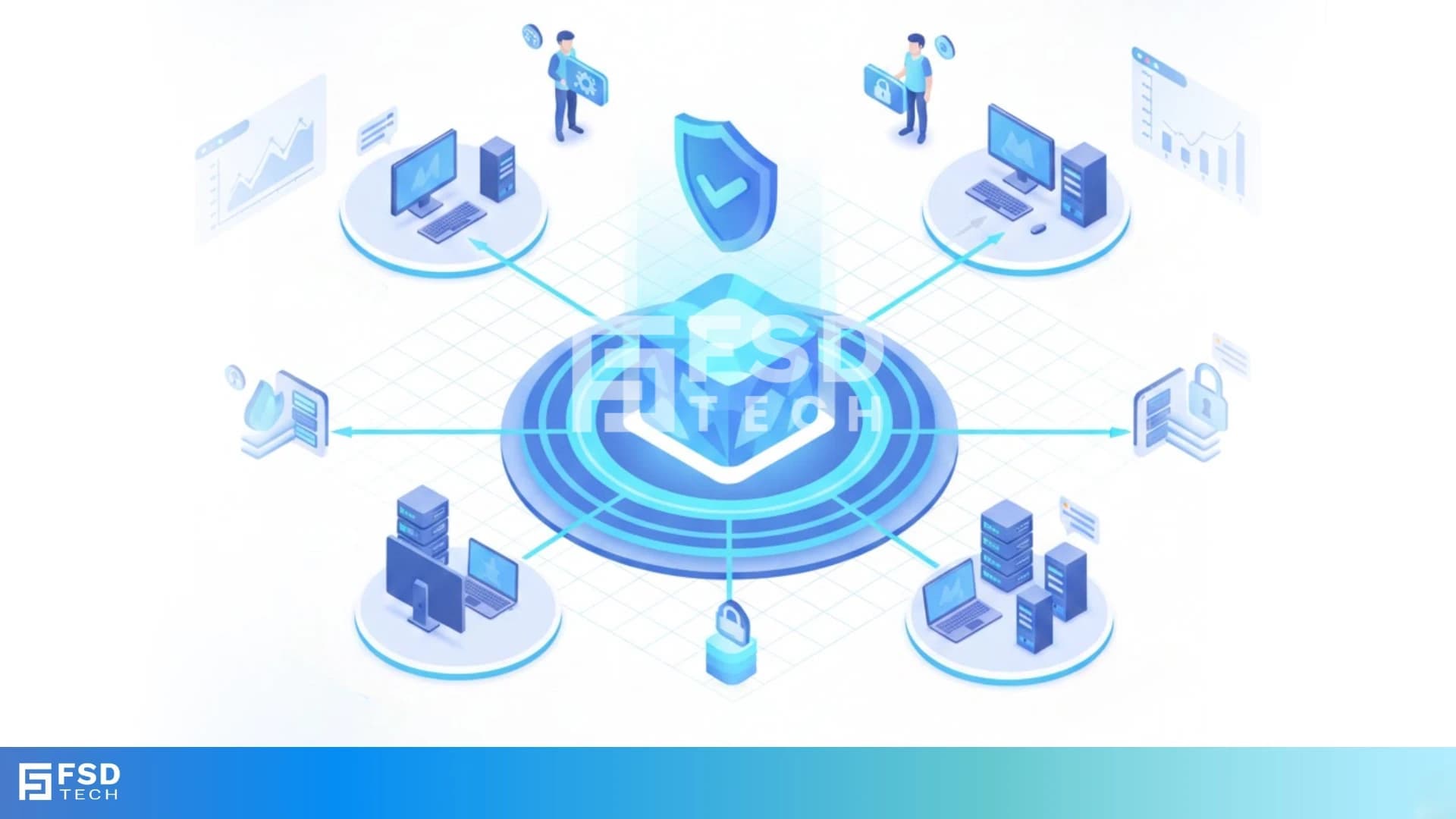
    Isometric illustration showing a secure centralized remote access platform by FSD Tech, connecting multiple endpoints and servers through protected network pathways, symbolizing controlled access, Zero Trust security, and enterprise IT management.

    Modern IT operations live and die by access control. Whether you are an MSP handling dozens of customer environments or an internal IT team supporting multiple departments and locations, the challenge is the same: give technicians exactly the access they need - and nothing more.
     

    This is where Atera takes a deliberately structured approach. Instead of broad, one-size-fits-all permissions, Atera combines role-based access control with layered Splashtop policies, allowing organizations to enforce security without slowing down day-to-day support.

    The result is a platform where remote access, automation, ticketing, and reporting are powerful - but always governed.


    At-a-glance: What this blog covers

    This article explains how Atera handles:

    • Role-based permissions across RMM and PSA
    • Granular control of Splashtop remote access
    • Folder, site, customer, and device-level overrides
    • MSP and internal IT use cases
    • Auditability, compliance, and real-world governance limits


    Understanding roles and permission scope in Atera

    In Atera, a role is not just a job title — it is a clearly defined set of permissions that determines what a technician can see and do inside the platform. Roles apply across the full RMM and PSA stack, ensuring that access is consistent whether a technician is responding to tickets, managing devices, or initiating remote sessions.


    Permission scope in Atera spans five core areas:

    • Remote monitoring and management
      Access to devices, system tools, terminals, file transfer, and remote connections.
    • PSA and ticketing
      Visibility into tickets (assigned, unassigned, or all), ticket actions, and customer interactions.
    • Scripts and automation
      Creating, viewing, running, and restricting scripts, along with managing automation and patch profiles.
    • Reports and system functions
      Access to operational reports, billing data, and knowledge base management.
    • AI capabilities
      Advanced AI features, including the AI Center and optimization tools, reserved for full administrative roles.

    This structure ensures that permission decisions are not isolated to one function — they apply consistently across the entire operational workflow.


    Default roles and how RBAC actually works

    Atera starts with two preset roles that establish safe boundaries:

    • Admin
      Unrestricted access to the platform. This role cannot be edited or limited and ensures that at least one user always has full control of the account.
    • Beginner
      A view-only role automatically assigned to new technicians. It allows visibility without the risk of accidental changes and can be limited to specific customers or sites.


    Beyond these presets, organizations can create unlimited custom roles. This is where Atera’s RBAC model becomes practical rather than theoretical.

    Custom roles allow administrators to:

    • Enable or disable remote access tools
    • Control who can run scripts and from which script libraries
    • Restrict automation and patch profile management
    • Limit ticket visibility and customer access
    • Control reporting and system-level functions

    Roles can also be scoped to specific customers, sites, or folders, preventing technicians from even seeing environments they are not assigned to.


    How Splashtop access is controlled inside Atera

    Splashtop is tightly integrated into Atera, but remote access is never “all or nothing.” Instead, Splashtop usage is governed by two layers working together:

    1. Technician permissions (RBAC)
      A technician must explicitly have remote connection permissions enabled in their role to initiate sessions.
    2. Configuration policies (device behavior)
      These policies determine how Splashtop behaves on devices — and where access is allowed.


    Splashtop access can be controlled at multiple levels:

    • Customer or site level
    • Folder level (overriding parent settings)
    • Individual device level
    • Desktop versus server devices


    This allows organizations to enforce rules such as:

    • Remote access allowed for workstations but restricted on servers
    • Unattended access disabled for sensitive systems
    • File transfer or terminal access blocked for junior technicians

    Additional controls like session timeouts, attended-only access, auto-lock after sessions, and screen blanking further tighten security without impacting productivity.


    Why this matters for MSPs

    For MSPs, the biggest operational risk is cross-customer exposure — even accidental. Atera’s permission model addresses this directly.

    With role scoping:

    • Technicians only see customers they are assigned to
    • Remote access is automatically restricted to approved environments
    • Automation and scripts cannot be run outside defined boundaries

    This removes the need for manual access adjustments during onboarding or offboarding and ensures customer isolation by design. It also simplifies audits and strengthens trust when customers ask how access is controlled.


    Why this matters for internal IT teams

    Internal IT teams face a different challenge: managing access across departments, locations, and skill levels.

    Atera supports this by enabling:

    • Separation of helpdesk and system administration roles
    • Restrictions on server access for non-senior staff
    • Controlled script and automation permissions
    • Private technician groups for sensitive departments like HR or Finance

    New team members can start in a safe, view-only role, while senior engineers retain the ability to manage automation, policies, and platform-wide settings.


    Visibility, audit trails, and accountability

    Access control only works if actions are traceable. Atera addresses this through comprehensive logging:

    • Every remote session, file transfer, and device action is recorded
    • Permission and configuration changes are logged in the audit trail
    • Administrators can see exactly who accessed which device and when
    • Script executions include detailed outcomes and exit statuses

    This level of visibility supports both internal governance and external compliance requirements, without adding operational overhead.


    Known boundaries and practical constraints

    Atera’s permission system is intentionally structured, and that means some boundaries are fixed:

    • Preset Admin access cannot be partially restricted
    • Only one configuration policy can be assigned per folder
    • Some remote management tools are OS-specific
    • Certain features, like unattended access add-ons, depend on licensing tiers

    Rather than being limitations, these constraints create predictable behavior — critical for secure operations at scale.


    Strategic takeaway

    Granular permissions in Atera are not an afterthought — they are foundational.

    By combining role-based access with layered Splashtop policies, Atera enables:

    • Secure multi-customer MSP operations
    • Clear separation of duties in internal IT teams
    • Reduced risk of accidental changes
    • Strong auditability without manual effort

    The result is an IT environment where access is deliberate, remote support is controlled, and growth does not come at the expense of security.


    Prevent cross-customer access by design, not policy→ Schedule a 30-minute Atera RBAC review.
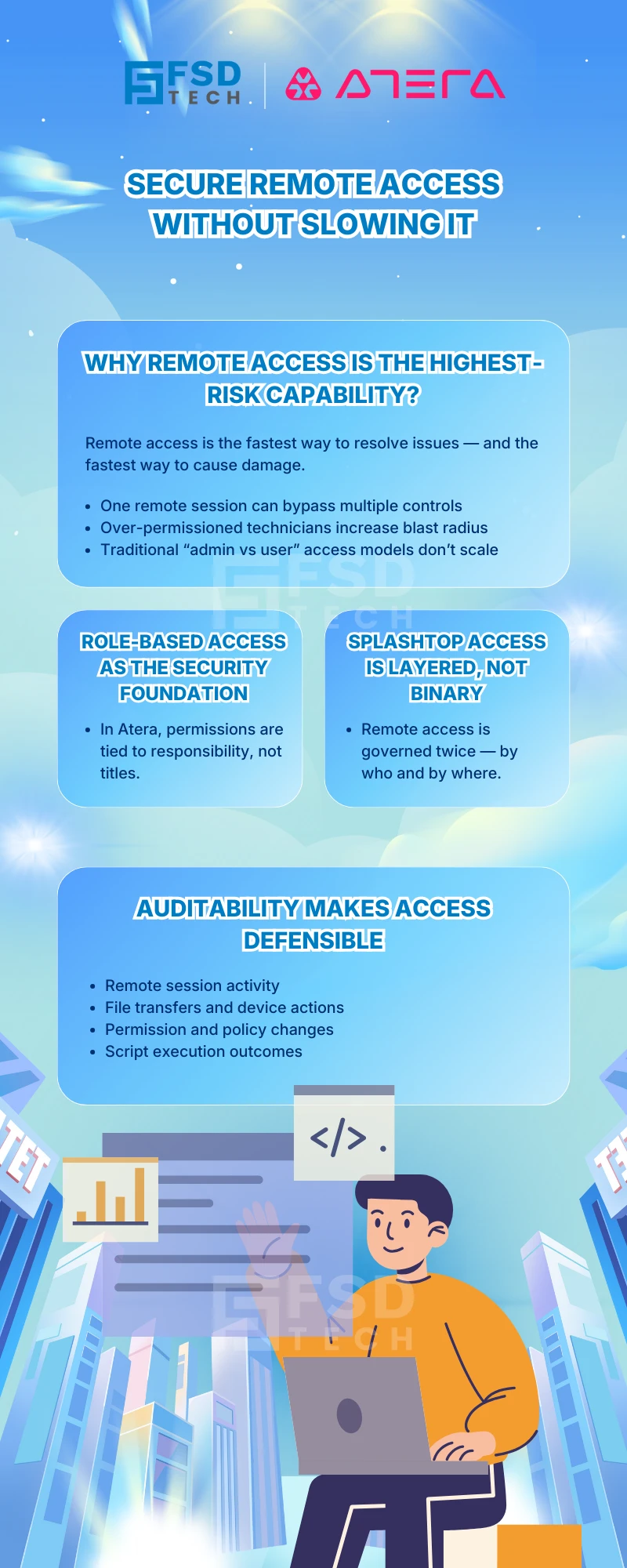
     

    Infographic explaining secure remote access using Atera, highlighting role-based access control, layered Splashtop permissions, and auditability features such as session activity tracking, file transfers, and policy changes, branded by FSD Tech.


    FAQs


    How do granular permissions in Atera RMM protect MSP customer environments?

    Atera RMM allows technicians to be restricted to specific customers, sites, or folders. This ensures MSP technicians cannot see or access devices outside their assigned environments, preventing cross-customer exposure.


    Can Splashtop access be limited by technician role in Atera?

    Yes. Splashtop access is governed by role-based permissions in Atera. Technicians must have explicit remote connection rights, and additional restrictions can be enforced using configuration policies.


    How does Atera PSA handle permission-based ticket visibility?

    Atera PSA allows roles to control whether technicians see only assigned tickets, unassigned tickets, or all tickets. This helps separate helpdesk workflows from administrative oversight.


    Can Atera restrict remote access to servers only for senior engineers?

    Yes. Atera supports device-type-specific permissions, allowing administrators to enable remote actions for desktops while restricting server access to senior roles.


    Are Splashtop sessions logged for audit purposes in Atera?

    All Splashtop sessions are logged in Atera. Session activity, technician identity, and timestamps are available for review, supporting compliance and accountability.


    How do granular permissions help internal IT teams reduce mistakes?

    By assigning junior staff to restricted roles and limiting automation or script execution, Atera helps prevent accidental changes while still allowing effective day-to-day support.


    Does Atera AI Copilot respect permission boundaries?

    Yes. AI features in Atera operate within the permissions assigned to the technician’s role. Advanced AI capabilities require full administrative access.

    Granular Permissions & Splashtop Policy Controls: How Atera Secures Remote Access at Scale

    About The Author

    Anas Abdu Rauf

    Anas is an Expert in Network and Security Infrastructure, With over seven years of industry experience, holding certifications Including CCIE- Enterprise, PCNSE, Cato SASE Expert, and Atera Certified Master. Anas provides his valuable insights and expertise to readers.

    Like This Story?

    Share it with friends!

    Subscribe to our newsletter!

    Atera

    (52)

    Cato Networks

    (121)

    ClickUp

    (70)

    FishOS

    (7)

    Miradore

    (21)

    PointGuard AI

    (9)

    Vembu

    (22)

    Xcitium

    (33)

    ZETA HRMS

    (79)

    Workflow Automation(8)

    Workforce Automation(1)

    AI Project Management(1)

    HR Data Automation(1)

    RMM(1)

    IT Workflow Automation(1)

    GCC compliance(4)

    IT security(2)

    Payroll Integration(2)

    IT support automation(3)

    procurement automation(1)

    lost device management(1)

    IT Management(5)

    IoT Security(2)

    Cato XOps(2)

    IT compliance(4)

    Task Automation(1)

    Workflow Management(1)

    Kubernetes lifecycle management(2)

    AI-powered cloud ops(1)

    OpenStack automation(1)

    SMB Security(8)

    Data Security(1)

    MDR (Managed Detection & Response)(4)

    MSP Automation(3)

    Atera Integrations(2)

    XDR Security(2)

    SMB Cyber Protection(1)

    Ransomware Defense(3)

    HR Tech Solutions(1)

    Zero Trust Network Access(3)

    Zero Trust Security(2)

    Endpoint Management(1)

    SaaS Security(1)

    Payroll Automation(5)

    IT Monitoring(2)

    Xcitium EDR SOC(15)

    Ransomware Protection GCC(1)

    Network Consolidation UAE(1)

    M&A IT Integration(1)

    MSSP for SMBs(1)

    SMB Cybersecurity GCC(1)

    Antivirus vs EDR(1)

    Ransomware Protection(3)

    FSD-Tech MSSP(25)

    Managed EDR FSD-Tech(1)

    Cybersecurity GCC(12)

    Endpoint Security(1)

    Endpoint Protection(1)

    Data Breach Costs(1)

    SMB Cybersecurity(8)

    Zero Dwell Containment(31)

    Xcitium EDR(30)

    Managed Security Services(2)

    Cloud Backup(1)

    Hybrid Backup(1)

    Backup & Recovery(1)

    pointguard ai(4)

    backup myths(1)

    disaster recovery myths(1)

    SMB data protection(9)

    vembu(9)

    Vembu BDR Suite(19)

    Disaster Recovery(4)

    GCCBusiness(1)

    DataProtection(1)

    Secure Access Service Edge(4)

    GCC HR software(20)

    Miradore EMM(15)

    Cato SASE(7)

    Cloud Security(8)

    Talent Development(1)

    AI Security(2)

    AI Cybersecurity(12)

    AI Governance(4)

    AI Risk Management(1)

    AI Compliance(2)

    GCC business security(1)

    GCC network integration(1)

    compliance automation(5)

    education security(1)

    GCC cybersecurity(2)

    BYOD security Dubai(8)

    App management UAE(1)

    Miradore EMM Premium+(5)

    MiddleEast(1)

    HealthcareSecurity(1)

    Team Collaboration(1)

    IT automation(12)

    Zscaler(1)

    SD-WAN(6)

    HR Integration(4)

    Cloud Networking(4)

    device management(9)

    RemoteWork(1)

    VPN(1)

    ZeroTrust(2)

    MPLS(1)

    Project Management(9)

    HR automation(16)

    share your thoughts

    Isometric illustration showing a secure centralized remote access platform by FSD Tech, connecting multiple endpoints and servers through protected network pathways, symbolizing controlled access, Zero Trust security, and enterprise IT management.

    Granular Permissions & Splashtop Policy Controls: How Atera Secures Remote Access at Scale

    🕓 February 6, 2026

    Illustration showing Atera’s centralized IT operations platform connecting servers, laptops, dashboards, and monitoring tools with automated alerts and security controls.

    Thresholds and Auto-Healing in Atera: Fixing Small Problems Before They Become Tickets

    🕓 February 2, 2026

    Isometric illustration of Atera operational reporting platform with centralized dashboards, SLA metrics, device data, and automated workflows connected into a single IT operations view.

    Operational Reports in Atera: Getting Answers Without Digging Through Tickets

    🕓 February 1, 2026

    Decoded(99)

    Cyber Security(118)

    BCP / DR(22)

    Zeta HRMS(78)

    SASE(21)

    Automation(70)

    Next Gen IT-Infra(118)

    Monitoring & Management(73)

    ITSM(22)

    HRMS(21)

    Automation(24)