.webp&w=3840&q=75)
How ClickUp Enables Outcome-Based Project Management (Not Just Task Tracking)
🕓 February 15, 2026
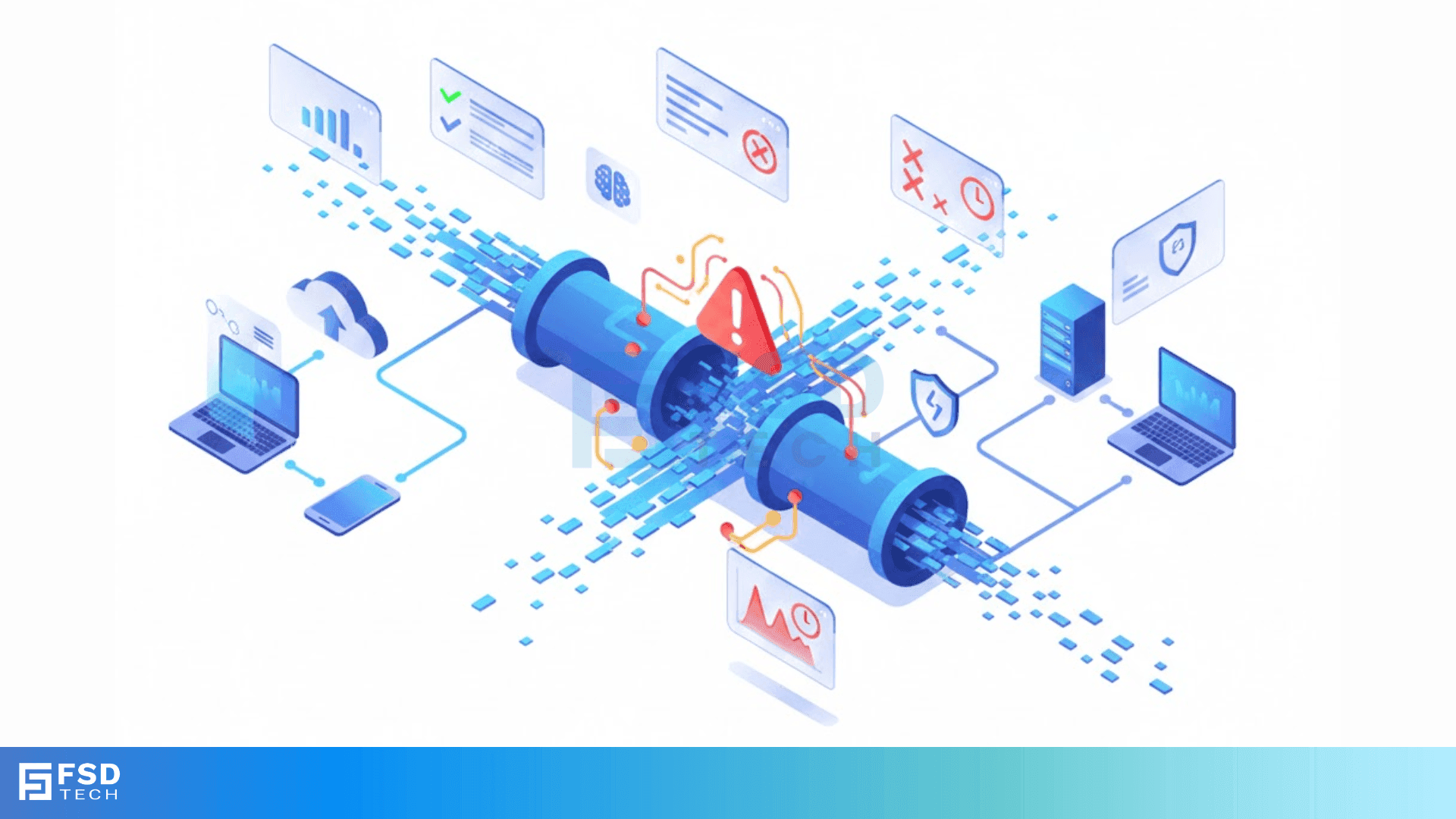
Have you ever clicked a link and felt like you were waiting for an eternity? Or maybe you’ve been in a video call where someone’s voice lags behind their lips? That annoying gap is latency in networking. In the digital world, speed is usually the hero, but delay is the silent villain. To be honest, most of us don't care about how data moves until it stops moving fast enough.
But what exactly is this delay? Is it just "slow internet," or is there something more technical happening under the hood? In my experience working with network architectures, people often confuse speed with response time. They aren't the same. Think of it this way: speed is how much water fits through a pipe, while latency is how long it takes for the first drop to reach the other end.
Let’s get into the weeds of why your data takes the scenic route and how we actually measure these invisible pauses.
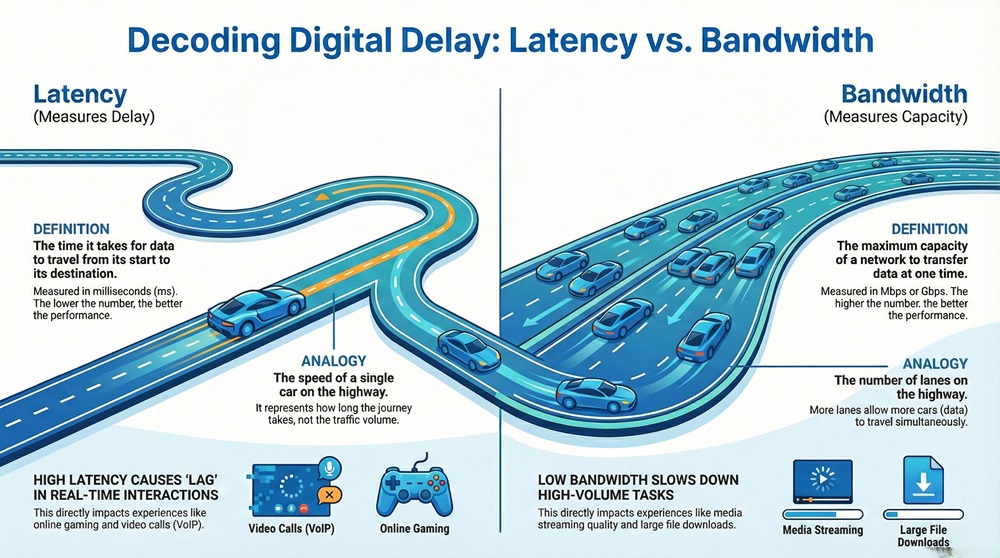
Before we go further, we need to clear up a common mix-up. People often use "latency" and "bandwidth" as if they mean the same thing. They don't. Here is a quick breakdown to help you distinguish between the two.
| Basis for Comparison | Latency | Bandwidth |
|---|---|---|
| Meaning | The time delay for data to travel from source to destination. | The maximum capacity of a network to transfer data. |
| Focus | Measures time and delay (ms). | Measures volume and capacity (Mbps/Gbps). |
| Analogy | The speed of a car on the highway. | The number of lanes on the highway. |
| Impact | Affects real-time interaction (gaming, VoIP). | Affects download speeds and streaming quality. |
| Ideal State | Lower is better. | Higher is better. |
Latency in networking is the total time it takes for a data packet to travel from its starting point to its destination across a network. It is typically measured in milliseconds (ms). You can think of it as the "round-trip time" (RTT) if the packet has to go to a server and come back with a response.
In technical terms, according to IEEE 802.3 Standards, latency represents the interval between the moment a station begins to transmit a frame and the moment the destination station receives it. It isn't just one single thing; it is the sum of various delays that occur at every hop along the path.
When you send an email or load a webpage, that request doesn't just teleport. It passes through wires, routers, and switches. Each of these stops adds a tiny bit of time. If you add up all those tiny bits, you get the total latency in networking. If this number is high, you experience "lag." If it is low, the connection feels "snappy" or instantaneous.
Get Expert Advice on Latency in Networking
The working of network delay can be understood through the path a packet takes. Imagine you are playing an online game. When you press a button, that instruction becomes a packet.
Latency in networking starts the moment your device processes that command. Here is the typical flow:
If the server is in the same city, the propagation delay is tiny. If the server is across the ocean, the physical distance alone adds significant time because even light can only travel so fast. This is why gamers prefer servers that are geographically close to them.
Also Read: What is Network Sniffing? Attack and Prevention
Why does latency in networking happen in the first place? It isn't always because of a bad service provider. To be honest, several physical and logical factors play a role.
Not all delays are created equal. When we talk about latency in networking, we are usually looking at a specific context. Let us discuss the three most common types:
Fiber Optic Latency
You might think fiber is instant. It’s fast, but not magic. Light travels through glass about 30% slower than it does in a vacuum. In a long-distance fiber run, this "refractive index" adds up. If you are sending data from New York to London, the physical properties of the glass fiber dictate a minimum possible delay.
Satellite Latency
This is the heavyweight of delays. Because satellites are high up in orbit, the signal has to travel thousands of miles up and then thousands of miles down. Even at the speed of light, this takes time. This is why satellite internet often feels "laggy" even if the download speeds are high.
Interrupt Latency
This happens inside your computer. It is the time it takes for your processor to stop what it's doing and respond to a new signal from the network card. While tiny, it matters in high-frequency trading or industrial automation where every microsecond counts.
Also Read: What is an Access Control System (ACS) for your security?
How do you know if your latency in networking is too high? You can't just look at a wire and see the delay. Engineers use specific tools to measure the heartbeat of a connection.
The most common way is the Ping test. When you "ping" a server, you send a small packet and wait for it to bounce back. The time it takes for that round trip is your latency. Another tool is Traceroute, which shows you every single router (hop) your packet touches and how much delay each one adds.
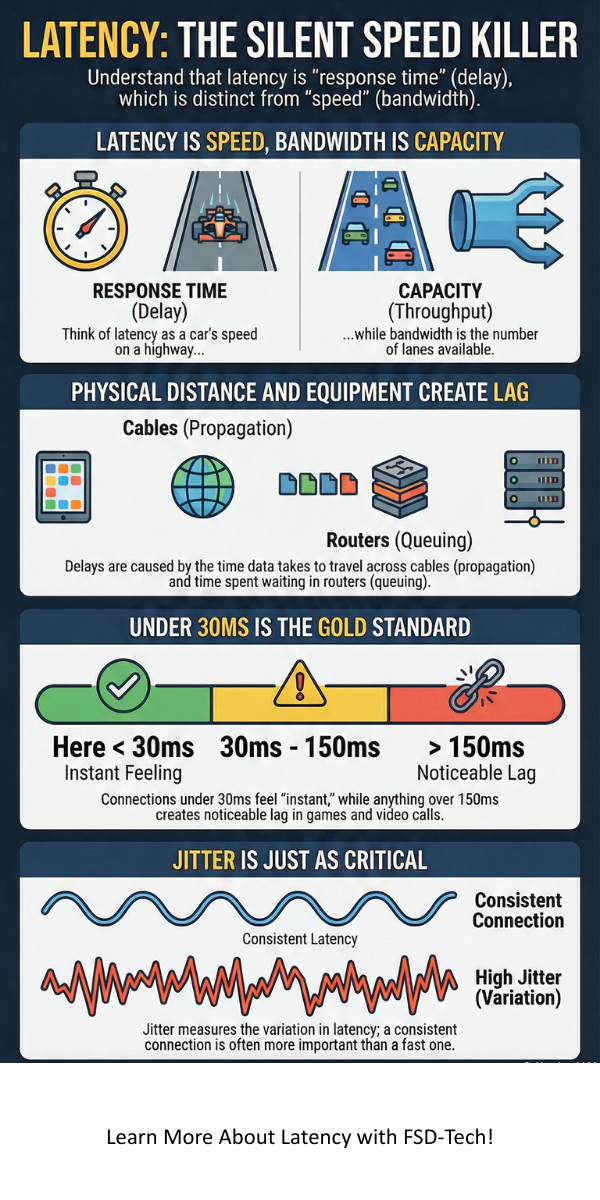
Research suggests that we must also measure "Jitter." Jitter is the variation in latency. If your delay is 20ms, then 100ms, then 20ms, your connection will feel stuttery. Consistency is often more important than the raw speed.
What does the user actually feel? Let's compare how different levels of latency in networking impact your daily life.
| Feature | Low Latency (5ms - 40ms) | High Latency (150ms+) |
|---|---|---|
| User Experience | Instant, responsive, and smooth. | Noticeable delays, "lag," or freezing. |
| Gaming | Competitive edge, no "rubber-banding." | Unplayable for fast-paced games. |
| Video Calls | Natural conversation without overlapping. | People talk over each other due to delay. |
| Web Browsing | Pages snap open immediately. | Pages take a second to start loading. |
| Ideal For | High-frequency trading, VR, Gaming. | Email, file downloads, static blogs. |
Now, you might wonder, does 100ms really matter? For an email, no. For a self-driving car or a remote surgeon, it is the difference between life and death.
Latency in networking is the biggest hurdle for new tech like Virtual Reality (VR). If you move your head and the image takes 50ms to update, you get motion sickness. Your brain expects an instant response. Similarly, in industrial IoT (Internet of Things), machines need to talk to each other in near real-time to prevent accidents.
At the end of the day, latency in networking is a fundamental part of how the internet functions. It is the invisible clock that determines how fast our digital world feels. While we can't change the laws of physics or the speed of light, understanding how these delays work helps us build better systems and choose the right tools for our needs.
In my experience, focusing on low delay is often more rewarding than chasing the highest possible bandwidth. Whether you are a gamer, a business owner, or just someone trying to hop on a Zoom call, keeping your latency low is the secret to a frustration-free digital life.
At FSD-Tech, we believe that technology should work for you, not against you. We are committed to providing insights that help you navigate the complex world of networking with clarity and confidence. If you need help optimizing your network for peak performance, we’re here to guide you every step of the way.
Struggling with persistent lag? Our team specializes in high-performance network architecture. Contact us today for a custom audit and let's get your systems running at peak speed.
A: Sometimes. Using a wired Ethernet cable instead of Wi-Fi often helps. You can also try closing background apps or moving closer to your router. However, if the delay is caused by the physical distance to the server, there isn't much you can do.
A: It depends on what you're doing. For browsing the web, it's fine. For competitive gaming like Counter-Strike or Valorant, it’s quite high and will likely cause frustration.
A: Not necessarily. You can have a massive 1Gbps connection (high bandwidth) but still have high latency in networking if you are connecting to a server on the other side of the planet.
A: Generally, anything under 30ms is excellent. 30ms to 60ms is very good. Once you get over 100ms, you start to notice the delay.

Surbhi Suhane is an experienced digital marketing and content specialist with deep expertise in Getting Things Done (GTD) methodology and process automation. Adept at optimizing workflows and leveraging automation tools to enhance productivity and deliver impactful results in content creation and SEO optimization.
Share it with friends!




.webp&w=3840&q=75)






share your thoughts