.webp&w=3840&q=75)
How ClickUp Enables Outcome-Based Project Management (Not Just Task Tracking)
🕓 February 15, 2026
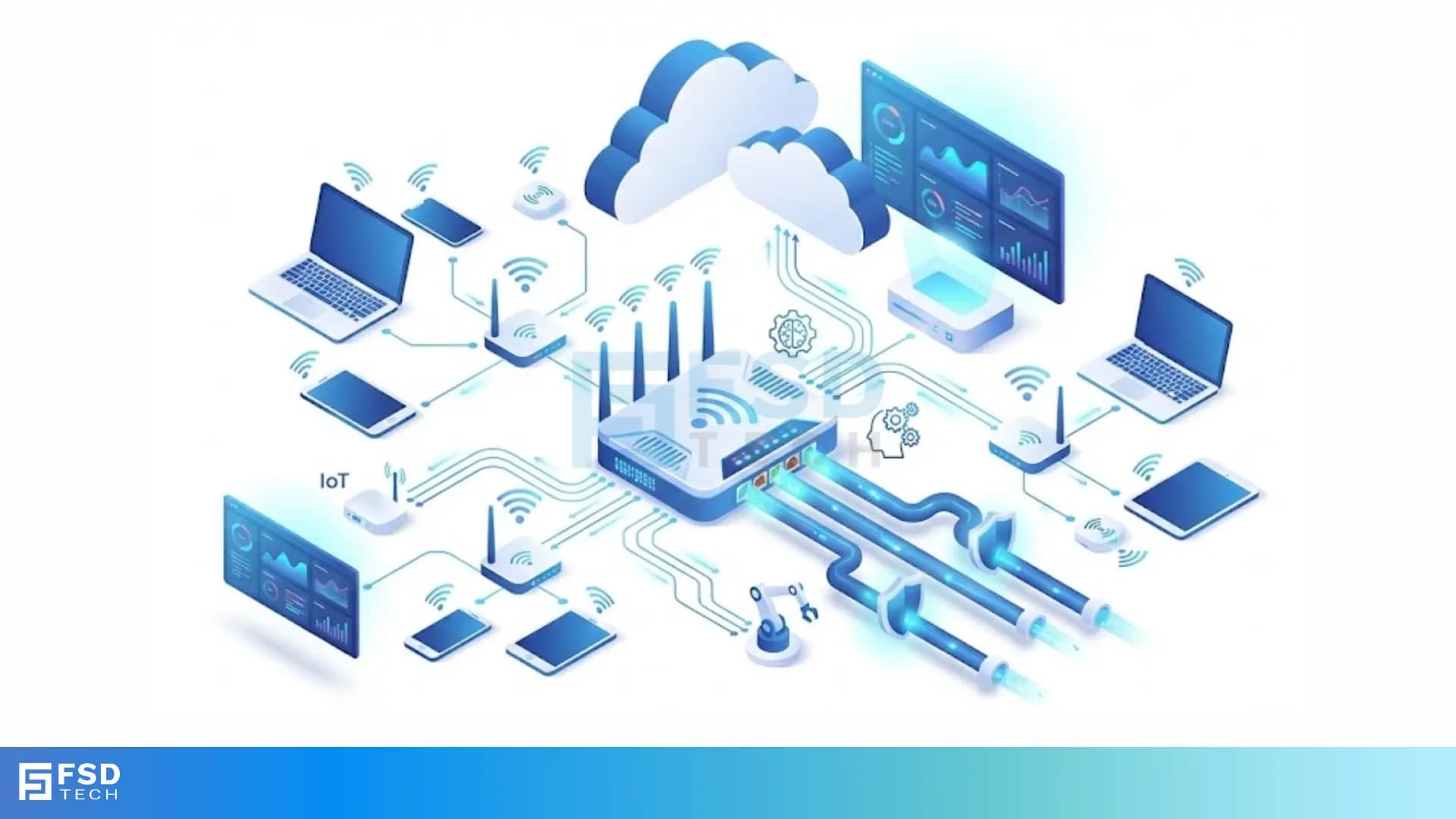
You might have noticed how your office Wi-Fi stays connected as you walk from one floor to another. Have you ever wondered how hundreds of access points manage to work together as a single network? Managing a large network is not as simple as setting up a home router. When a business grows, the number of devices increases. This is where a WLAN controller becomes the heart of the system.
A Wireless LAN controller is a centralised device that manages multiple access points in a network. In simple terms, it acts as the brain for your entire Wi-Fi system. Instead of configuring every single access point one by one, you use this controller to handle them all at once.
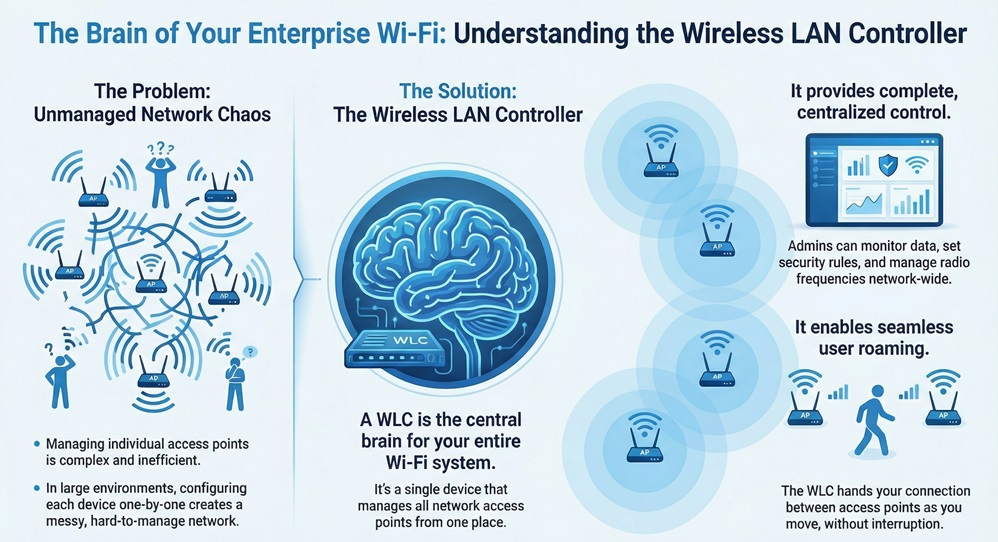
Wireless LAN controller hardware or software allows a network admin to monitor data, set security rules, and manage radio frequencies. It ensures that the signals do not interfere with each other. This centralized approach makes the network much easier to handle.
To grasp how wireless lan works, you must look at the difference between a standalone setup and a managed one. In a home setup, each router is its own boss. In a business, that would be a mess.
Wireless lan controller systems use a "split-mac" architecture. This means the access point handles the real-time Wi-Fi tasks, but the controller handles the management tasks. When a user joins the network, the controller decides which access point provides the best signal.
Wireless lan controller software manages the movement of users. As you walk with your laptop, the controller hands your connection from one point to the next. This happens so fast that you do not even lose your video call.
You might ask, what does a wireless lan controller do that a normal router cannot? The answer lies in scale and security. A controller automates the hard parts of networking.
Wireless lan controller systems perform several key tasks:
Before we dive deeper, let us look at how these systems stack up against each other.
| Basis for Comparison | Standalone Access Points | Wireless LAN Controller Managed |
|---|---|---|
| Configuration | Manual for each device | Centralized and automated |
| Scalability | Hard to scale beyond 5 devices | Scales to thousands of devices |
| Roaming | Connections often drop | Seamless roaming between points |
| Security | Inconsistent across devices | Uniform security policies |
| Cost | Lower initial cost | Higher initial cost but lower labor |
The process of wireless LAN controller configuration usually starts with a web interface or a command-line tool. You first give the controller a management IP address. This address is how you will talk to the device later.
WLAN controller setups require you to define "interfaces." Think of an interface as a virtual door for data. You might have one door for your employees and another for guests. By keeping these separate, you keep your private data safe from visitors.
WLAN configuration also involves setting up the DHCP server. This server gives an IP address to every phone or laptop that joins. Once the basic settings are live, you can start "provisioning" your access points.
The wireless lan controller software is what actually runs the logic of the network. Many modern systems now offer "virtual" controllers. This means you do not always need a physical box in your server room. You can run the controller software on a server or in the cloud.
Wireless lan controller software provides a dashboard view of the whole network. You can see who is using the most data and which areas have weak signals. If an access point fails, the software alerts you immediately. This proactive approach saves hours of troubleshooting.
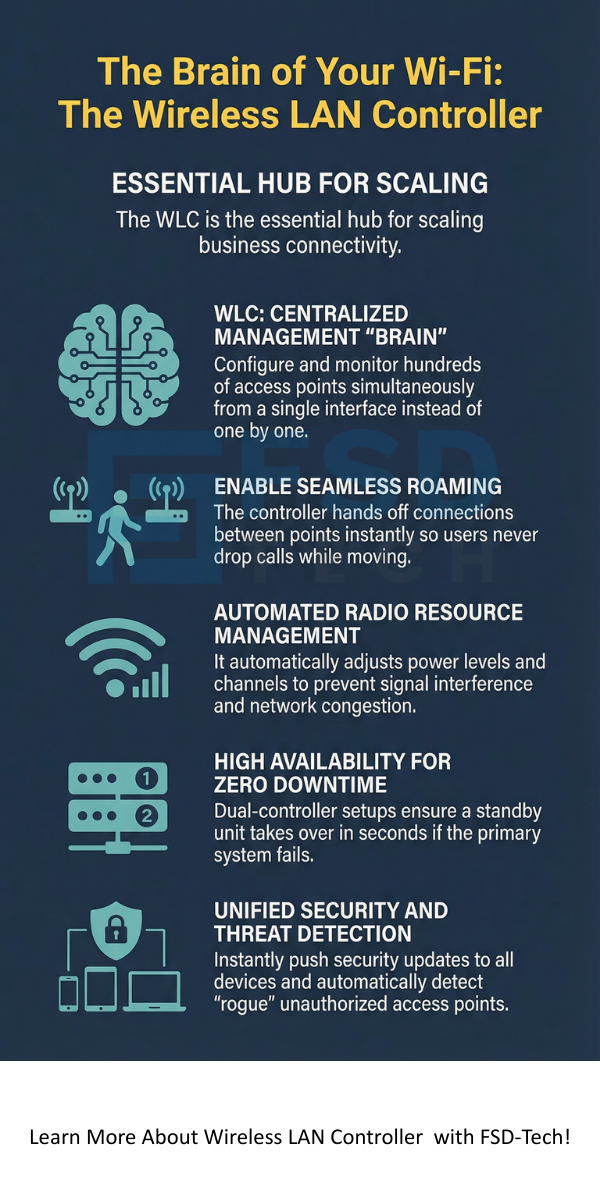
What happens if the brain of the network stops working? In a wireless lan controller setup, you usually want "High Availability" or HA. This means you have two controllers. One stays active while the other waits in standby..
WLAN HA ensures that if the main unit breaks, the second one takes over in seconds. Your users will not even know there was a problem. This is vital for hospitals, warehouses, and offices that cannot afford to go offline.
Centralized Security Control
A WLAN controller makes sure everyone follows the same rules. If you want to block a certain website, you do it once on the controller. The change happens across the whole building instantly. This is much safer than trying to update fifty different routers manually.
Advanced Roaming Capabilities
Wireless LAN controller technology handles the "handover" process. When you move, your device signal gets weaker on one point and stronger on another. The controller sees this and tells the new access point to pick up your session. Without this, your internet would cut out every time you changed rooms.
Guest Access Portals
A WLAN controller often hosts a "captive portal." This is the webpage you see at a hotel or coffee shop asking you to agree to terms. You can customize this page with your company logo and specific login rules.
Selecting a wireless lan controller depends on the size of your space and the number of users. A small office might only need a controller that handles 10 access points. A large university might need one that manages 3,000.
Wireless lan controller systems also vary by throughput. This is the amount of data the controller can process at once. If your team does a lot of video editing, you will need a high-throughput model. Always check the data sheets for the "Max Clients" and "Max APs" (Access Points) limits.
When you perform a wireless LAN controller configuration, security is the top priority. You will likely use WPA3, which is the latest standard for Wi-Fi security. The controller handles the "keys" that encrypt the data between the device and the access point.
Wireless lan controller settings also allow for MAC filtering. This is a list of "allowed" devices. If a device is not on the list, it cannot join, even if they have the password. This adds a strong layer of protection for sensitive business data.
Even with a great wireless lan controller, problems can happen. Interference is the most common issue. Microwave ovens and Bluetooth devices can mess with Wi-Fi signals.
Wireless lan controller systems fight this using "CleanAir" technology. The controller detects the interference and moves the Wi-Fi to a different channel. If a specific access point gets too hot or fails, the controller tells the nearby points to turn up their power to cover the "hole" in the signal.
The world of wireless lan controller tech is moving toward Artificial Intelligence. Newer software can predict when an access point might fail before it actually does. They can also analyze traffic patterns to save power during the night.
Wireless lan controller systems are also becoming more integrated with the "Internet of Things" (IoT). This means your controller might manage smart lights and thermostats alongside your laptops and phones.
Understanding what is a wireless LAN controller is the first step toward a reliable network. As your business grows, you cannot rely on home-grade equipment. You need a system that can scale, protect your data, and keep your team connected without interruptions. A wireless LAN controller provides the intelligence and stability required for modern work.
Our company believes in building networks that grow with you. We focus on your specific needs to ensure your Wi-Fi never slows you down. We treat your connectivity as the lifeline of your business. Are you ready to see how a managed network can change your daily operations?
Speak with a Network Specialist
A Wireless LAN controller is a central device that manages and controls all the Wi-Fi access points in a large network. It ensures they all work together as one big network.
No, it is not a router. A router connects different networks (like your office to the internet). A WLAN controller manages the wireless devices within your own network.
Yes, you can use "standalone" access points. However, this is hard to manage for more than a few devices. For a business, a WLAN Controller is highly recommended.
In some setups, yes. In others, the data goes directly from the access point to the switch. The WLAN controller mostly handles the management and control signals.
A physical WLAN controller is a piece of hardware you put in a rack. A virtual controller is WLAN controller software that runs on a server you already own.

Surbhi Suhane is an experienced digital marketing and content specialist with deep expertise in Getting Things Done (GTD) methodology and process automation. Adept at optimizing workflows and leveraging automation tools to enhance productivity and deliver impactful results in content creation and SEO optimization.
Share it with friends!




.webp&w=3840&q=75)






share your thoughts