HomeNext Gen IT-InfraMonitoring & ManagementCyber SecurityBCP / DRAutomationDecoded
Next Gen IT-Infra
Cato’s SASE Supports Cybersecurity Skills Development

How Cato’s SASE Supports Cybersecurity Skills Development

🕓 April 8, 2025

How SASE Supports the Security Needs of SMBs

How SASE Supports the Security Needs of SMBs

🕓 February 9, 2025

Attack Surface Reduction with Cato’s SASE

Attack Surface Reduction with Cato’s SASE

🕓 February 10, 2025

SASE for Digital Transformation in UAE

SASE for Digital Transformation in UAE

🕓 February 8, 2025

Monitoring & Management
Understanding Atera’s SLA Management

Understanding Atera’s SLA Management

🕓 February 7, 2025

Cost-Performance Ratio: Finding the Right Balance in IT Management Networks

Cost-Performance Ratio: Finding the Right Balance in IT Management Networks

🕓 June 16, 2025

Customizing Atera with APIs

Customizing Atera with APIs

🕓 March 3, 2025

Power Up Your IT Team’s Strategy with Atera’s Communication Tools

Power Up Your IT Team’s Strategy with Atera’s Communication Tools

🕓 February 8, 2025

Cyber Security
Illustration of the Cato Cloud architecture showing its role in delivering SASE for secure, optimized global connectivity.

Understanding the Cato Cloud and Its Role in SASE

🕓 January 29, 2025

Isometric illustration of professionals managing network performance, bandwidth analytics, and cloud-based optimization around the Cato Networks platform, symbolizing bandwidth control and QoS visibility.

Mastering Bandwidth Control and QoS in Cato Networks

🕓 July 26, 2025

Global network backbone powering Cato SASE solution for secure, high-performance connectivity across regions.

Global Backbone: The Engine Powering Cato’s SASE Solution

🕓 January 30, 2025

Illustration of IT team managing user roles and permissions on the Cato CMA dashboard via laptops and cloud interfaces.

Setting Up Role-Based Access Control (RBAC) in Cato

🕓 July 28, 2025

BCP / DR
Illustration showing diverse business and IT professionals collaborating with cloud, backup, and security icons, representing Vembu use cases for SMBs, MSPs, and IT teams.

Who Uses Vembu? Real-World Use Cases for SMBs, MSPs & IT Teams

🕓 July 12, 2025

Graphic showcasing Vembu’s all-in-one backup and disaster recovery platform with icons for cloud, data protection, and business continuity for IT teams and SMBs.

What Is Vembu? A Deep Dive Into the All in One Backup & Disaster Recovery Platform

🕓 July 6, 2025

Illustration showing Vembu backup and disaster recovery system with cloud storage, server racks, analytics dashboard, and IT professionals managing data.

The Rising Cost of Data Loss: Why Backup Is No Longer Optional?

🕓 August 14, 2025

3D isometric illustration of cloud backup and data recovery infrastructure with laptop, data center stack, and digital business icons — FSD Tech

RPO & RTO: The Heart of Business Continuity

🕓 August 15, 2025

Automation
Cross-Functional Collaboration with ClickUp

Fostering Cross-Functional Collaboration with ClickUp for Multi-Departmental Projects

🕓 February 11, 2025

ClickUp Project Reporting

Revolutionizing Enterprise Reporting with ClickUp’s Advanced Analytics and Dashboards

🕓 June 16, 2025

ClickUp’s Design Collaboration and Asset Management Tools

Empowering Creative Teams with ClickUp’s Design Collaboration and Asset Management Tools

🕓 February 26, 2025

ClickUp Communication and Collaboration Tools

ClickUp Communication and Collaboration Tools: Empowering Remote Teams

🕓 March 12, 2025

Decoded
Multi-Factor Authentication (MFA)

Multi-Factor Authentication (MFA): All You Need to Know

🕓 December 7, 2025

L3 Switch

What Is an L3 Switch? L2 vs L3 & Why You Need Layer 3?

🕓 December 8, 2025

IPSec

IPSec Explained: Protocols, Modes, IKE & VPN Security

🕓 December 3, 2025

 Datagram Transport Layer Security (DTLS)

What is Datagram Transport Layer Security (DTLS)? How it works?

🕓 December 4, 2025

    Subscribe to our newsletter!

    About Us

    Follow Us

    Copyright © 2024 | Powered by 

    Cato SASE Architecture

    Inside Cato’s SASE Architecture: A Blueprint for Modern Security

    🕓 January 26, 2025

    Enterprise Data Security and Privacy with ClickUp

    Ensuring Enterprise Data Security and Privacy with ClickUp

    🕓 February 9, 2025

    DDoS protection SASE

    DDoS Protection and Cato’s Defence Mechanisms

    🕓 February 11, 2025

    Table of Contents

    The Hidden Costs of Downtime — and How Backup Speed Can Save You Money

    Nasmal
    August 31, 2025
    Comments
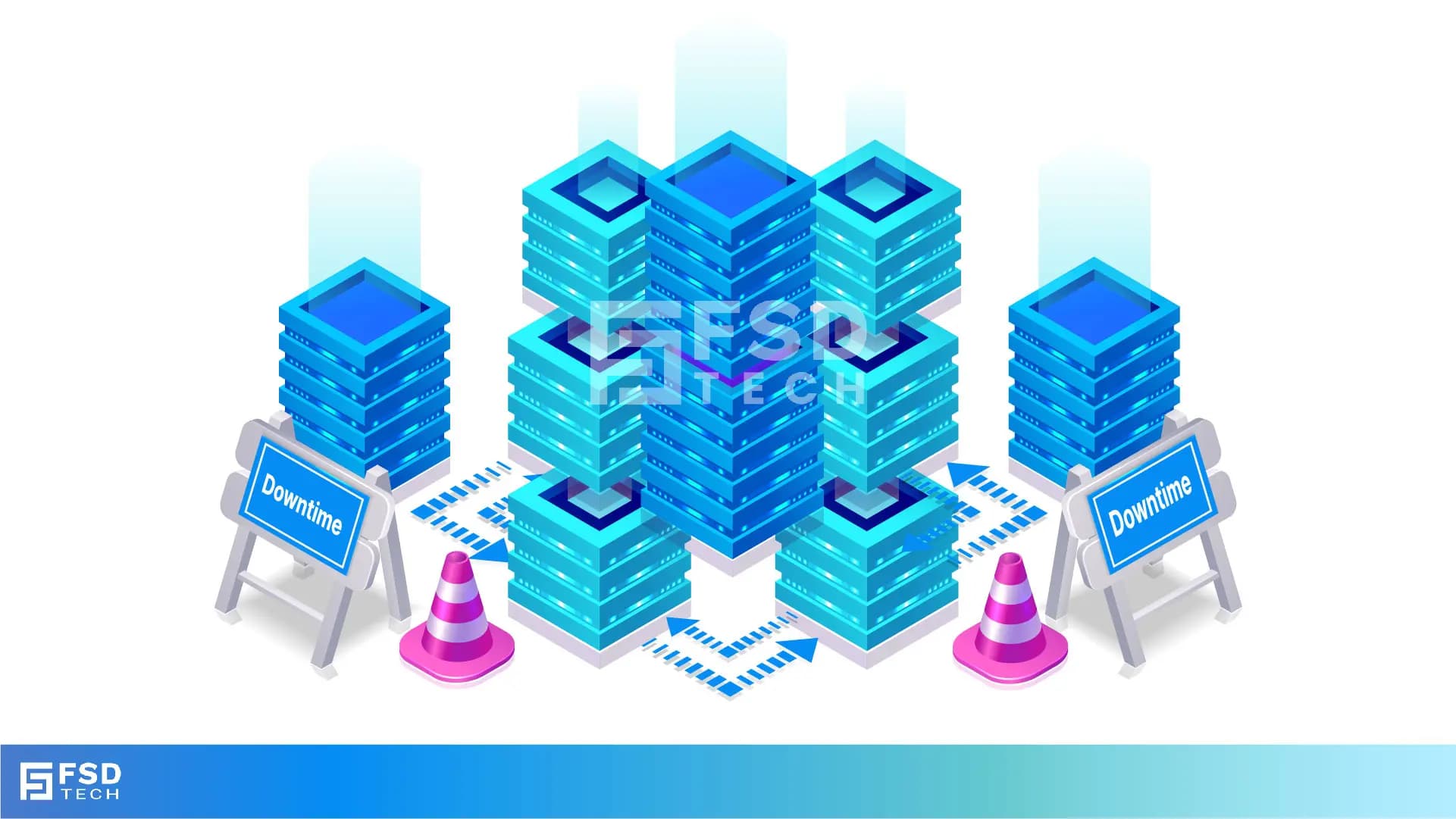
    FSD Tech visual showing data center servers with downtime warning signs, highlighting the business risk of outages. Represents Vembu disaster recovery solutions for reducing downtime impact through instant recovery, automated failover, and reliable data backup.

    The Day the Company Stopped

    At exactly 9:15 AM on a Monday morning, a logistics company in Dubai had what they thought was a small IT problem — the main server went down.

    At first, they thought it was just a glitch that would be fixed in an hour.

    But as the minutes ticked by, the situation got worse:

    • Orders couldn’t be processed.
    • Delivery drivers didn’t get their schedules.
    • Customer service lines were jammed with angry callers.
       

    By the time the systems were fully restored — 11 hours later — the damage was massive.

    Here’s what it really cost them:

    • AED 75,000 in penalties for missed delivery deadlines.
    • AED 15,000 in overtime for staff to catch up.
    • Lost three major clients who decided to switch to competitors.

    Final total: Over AED 250,000 lost in just one day.

    And the worst part? Most of it could have been avoided if their recovery system was faster.


    What Is Downtime?

    Downtime means your systems, applications, or data are not available for use.

    It can happen for many reasons:

    • Planned downtime – Scheduled maintenance, updates, or upgrades.
    • Unplanned downtime – Accidents, cyberattacks, equipment failures, power outages, or human mistakes.

    The key thing to remember: Even a short downtime can be expensive — not just in lost sales, but in many hidden ways.


    The Hidden Costs of Downtime

    Most business owners think downtime just means “we lose a few hours of work.”

    In reality, there are many layers to the cost:

    1. Lost Sales & Revenue
       Customers can’t place orders. Transactions are delayed or cancelled.
       For businesses that rely on online systems, this can mean thousands lost every hour.
    2. Lost Productivity
       Employees can’t do their jobs. Some might be idle, while others are stuck using slow manual workarounds.
    3. Reputation Damage
       Customers may lose trust in your reliability. Some will move to competitors permanently.
    4. Regulatory Penalties
       In industries like healthcare or finance, downtime can mean missed compliance deadlines — and expensive fines.
    5. Recovery Costs
       Extra IT staff, emergency repairs, new equipment, and overtime pay all add up quickly.


    Don’t let hidden downtime costs drain your business. [Fill out the form to explore smarter recovery options with Vembu]
     

    Why Backup Speed Is So Important

    When downtime happens, your recovery speed determines how much money you lose.

    Two important terms explain this:

    • RTO (Recovery Time Objective) – The maximum time you can afford to have your systems offline before it causes serious damage.
    • RPO (Recovery Point Objective) – How much recent data you can afford to lose, measured in time. For example, an RPO of 30 minutes means you can lose at most 30 minutes of data.

    If your backup system is slow, your RTO will be higher and your losses will be greater.


    How Downtime Costs Add Up

    You can estimate downtime cost like this:

    Downtime Cost = (Lost Revenue + Lost Productivity + Recovery Costs + Reputation Damage)

    For some industries, this can be thousands of dirhams per hour.

    For large companies, it can be millions per day.


    How Vembu BDR Suite Cuts Downtime Costs

    Vembu is designed to get you back online quickly:

    • High-Speed Restores – Recover full systems or individual files in minutes, not hours.
    • Granular Recovery – Restore just the specific files you need without waiting for a full system restore.
    • Instant Boot – Run virtual machines directly from your backup so you can continue working immediately while full recovery happens in the background.
    • Optimized RTO and RPO – Keeps downtime and data loss as close to zero as possible.


    Recover in minutes, not hours. Click Here To Know More
     

    Real Example

    A healthcare clinic in Oman was hit by a ransomware attack.

    Without fast recovery, they would have had to cancel patient appointments for several days.

    But with Vembu’s instant restore, they had all systems back online in under two hours — avoiding lost revenue and protecting their reputation.


    The Big Lesson

    Downtime is more expensive than most businesses realize.

    It’s not just about the time systems are down — it’s about the sales you lose, the customers you upset, and the reputation you damage.

    A slow recovery system means every minute costs more.

    A fast recovery system means you can get back to work quickly, keep customers happy, and avoid major losses.


    Do you know how long it would take to restore your business if disaster struck today? Let’s find out with a free RTO/RPO health check using Vembu BDR Suite. [Book your free review today]
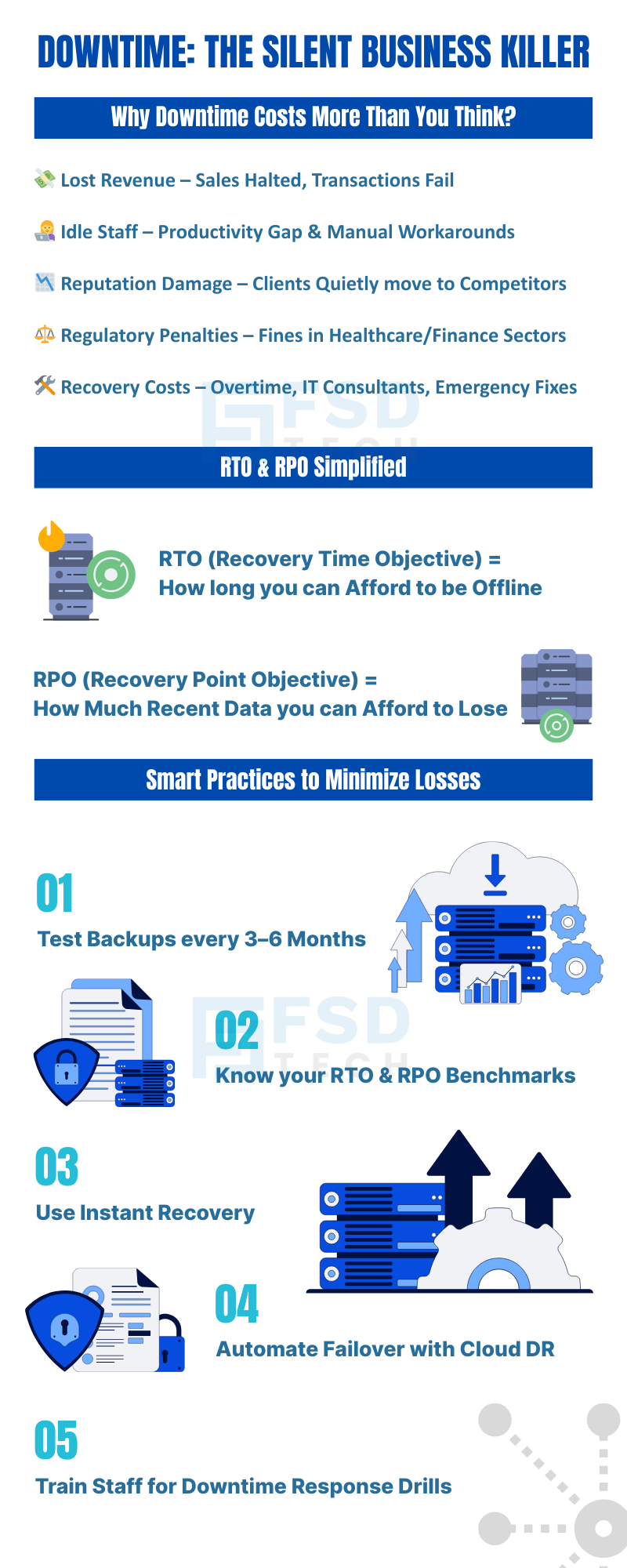
     

    Infographic by FSD Tech on the hidden costs of IT downtime, including lost revenue, idle staff, reputation damage, regulatory fines, and recovery costs. Explains RTO (Recovery Time Objective) and RPO (Recovery Point Objective) in simple terms. Lists best practices: test backups, know RTO & RPO benchmarks, use instant recovery, automate failover with cloud disaster recovery, and train staff for downtime drills." Keywords: IT downtime costs, business continuity, disaster recovery plan, RTO and RPO, backup testing, cloud failover, downtime prevention.

    FAQ 

    1. What exactly is “downtime”?

    Downtime is any period when your systems, applications, or data are not available for use.

    This could mean:

    • Your website is down and customers can’t place orders.
    • Your internal software is offline, so staff can’t process sales or access files.
    • Your business email stops working and communication is blocked.

    In short, downtime means your normal business operations are interrupted.


    2. What usually causes downtime?

    Downtime can happen for many reasons, including:

    Planned causes:

    • System upgrades or maintenance.
    • Server migration.

    Unplanned causes:

    • Server crashes or hardware breakdowns.
    • Cyberattacks like ransomware.
    • Power outages.
    • Network or internet failures.
    • Human mistakes, such as deleting critical files or misconfiguring systems.


    3. Why does downtime cost so much?

    Because when your systems are down:

    • You can’t make money – sales stop or slow down.
    • Your team can’t work efficiently – employees sit idle or use slower manual workarounds.
    • Your customers lose trust – especially if downtime affects them directly.
    • You may face penalties – in industries like healthcare or finance, outages can result in fines.
    • You spend more on recovery – paying IT experts, buying replacement equipment, and paying staff overtime.


    4. What are “hidden costs” of downtime?

    Some costs aren’t obvious immediately but hurt you over time:

    • Clients quietly switch to competitors after losing confidence.
    • Word-of-mouth damage – unhappy customers tell others.
    • Employees lose morale if downtime happens often.
    • Future deals or contracts might be lost because of past reliability issues.


    5. How do I calculate the cost of downtime?

    A simple formula is:

    Downtime Cost = Lost Revenue + Lost Productivity + Recovery Costs + Reputation Damage

    Even a small business can lose thousands of dirhams in just a few hours. For large companies, the cost can run into millions per day.


    6. What is RTO (Recovery Time Objective)?

    RTO is how quickly you need to get your systems back online after a problem.

    If your RTO is 2 hours, that means downtime longer than 2 hours will start causing serious business damage.


    7. What is RPO (Recovery Point Objective)?

    RPO is how much data you can afford to lose, measured in time.

    If your RPO is 30 minutes, that means you can lose at most 30 minutes’ worth of data — anything more is too costly.


    8. How are RTO and RPO connected to downtime costs?

    • Low RTO = You’re back online faster, reducing lost sales and productivity.
    • Low RPO = You lose less data, saving time and preventing rework.

    The faster you can restore systems and the less data you lose, the lower your downtime cost.


    9. Why is backup and recovery speed so important?

    Because every extra minute your systems are down costs you money and risks your reputation.

    A slow recovery system means higher costs and unhappy customers.

    A fast recovery system means your business gets back to normal quickly.


    10. What is “instant recovery” and why is it useful?

    Instant recovery lets you start using your systems directly from the backup without waiting for a full restore.

    It’s like having a spare car ready to drive immediately while your main car is still in the repair shop.


    11. Can small businesses suffer as much from downtime as large companies?

    Yes — sometimes even more.

    Small businesses may not have spare equipment or large IT teams, so downtime can completely stop operations and even threaten the survival of the business.


    12. How does Vembu BDR Suite reduce downtime?

    Vembu provides:

    • High-speed restores – Get entire systems or files back within minutes.
    • Granular recovery – Restore only what you need, saving time.
    • Instant boot – Run virtual machines directly from your backup.
    • Backup verification – Ensures your backups work before you need them.


    13. How often should a business test its recovery speed?

    At least twice a year — but ideally every 3 months.

    Regular testing shows if your backup plan actually meets your RTO and RPO targets.


    14. What happens if downtime exceeds my RTO?

    The longer you go past your RTO, the higher your losses grow.

    Customers may leave, contracts may be cancelled, and your brand reputation can take long-term damage.


    15. What’s the first step to lowering downtime costs?

    • Find out your current RTO and RPO.
    • Upgrade to a fast, reliable backup and recovery system like Vembu.
    • Create a tested disaster recovery plan so you know exactly what to do when downtime strikes.
    The Hidden Costs of Downtime — and How Backup Speed Can Save You Money

    About The Author

    Nasmal

    Nasmal is a Solution Architect & Business Analyst focused on AI, Data, Automation, BCP, and Process Optimization. He helps businesses evolve from reactive to proactive, data-driven, and resilient operations. With hands-on expertise, he simplifies complex tech into clear, easy-to-understand blogs.

    Like This Story?

    Share it with friends!

    Subscribe to our newsletter!

    Atera

    (48)

    Cato Networks

    (118)

    ClickUp

    (70)

    FishOS

    (7)

    Miradore

    (21)

    PointGuard AI

    (9)

    Vembu

    (22)

    Xcitium

    (33)

    ZETA HRMS

    (76)

    Workflow Automation(8)

    Workforce Automation(1)

    AI Project Management(1)

    HR Data Automation(1)

    RMM(1)

    IT Workflow Automation(1)

    IT security(2)

    GCC compliance(4)

    Payroll Integration(2)

    IT support automation(3)

    procurement automation(1)

    lost device management(1)

    IT Management(5)

    IoT Security(2)

    Cato XOps(2)

    IT compliance(4)

    Workflow Management(1)

    Task Automation(1)

    OpenStack automation(1)

    Kubernetes lifecycle management(2)

    AI-powered cloud ops(1)

    SMB Security(8)

    Data Security(1)

    MDR (Managed Detection & Response)(4)

    Atera Integrations(2)

    MSP Automation(3)

    XDR Security(2)

    SMB Cyber Protection(1)

    Ransomware Defense(3)

    HR Tech Solutions(1)

    Zero Trust Network Access(3)

    Zero Trust Security(2)

    Endpoint Management(1)

    SaaS Security(1)

    Payroll Automation(5)

    IT Monitoring(2)

    Xcitium EDR SOC(15)

    Ransomware Protection GCC(1)

    M&A IT Integration(1)

    Network Consolidation UAE(1)

    MSSP for SMBs(1)

    Managed EDR FSD-Tech(1)

    Ransomware Protection(3)

    SMB Cybersecurity GCC(1)

    FSD-Tech MSSP(25)

    Antivirus vs EDR(1)

    Endpoint Security(1)

    Cybersecurity GCC(12)

    Data Breach Costs(1)

    Endpoint Protection(1)

    SMB Cybersecurity(8)

    Zero Dwell Containment(31)

    Managed Security Services(2)

    Xcitium EDR(30)

    Cloud Backup(1)

    Hybrid Backup(1)

    Backup & Recovery(1)

    pointguard ai(4)

    backup myths(1)

    vembu(9)

    SMB data protection(9)

    disaster recovery myths(1)

    Disaster Recovery(4)

    Vembu BDR Suite(19)

    GCCBusiness(1)

    DataProtection(1)

    Secure Access Service Edge(4)

    GCC HR software(18)

    Miradore EMM(15)

    Cato SASE(7)

    Cloud Security(8)

    Talent Development(1)

    AI Cybersecurity(12)

    AI Governance(4)

    AI Security(2)

    AI Compliance(2)

    AI Risk Management(1)

    GCC business security(1)

    GCC network integration(1)

    compliance automation(5)

    education security(1)

    GCC cybersecurity(2)

    BYOD security Dubai(8)

    App management UAE(1)

    Miradore EMM Premium+(5)

    MiddleEast(1)

    HealthcareSecurity(1)

    Team Collaboration(1)

    IT automation(12)

    Zscaler(1)

    SD-WAN(6)

    HR Integration(4)

    Cloud Networking(3)

    device management(9)

    VPN(1)

    RemoteWork(1)

    ZeroTrust(2)

    MPLS(1)

    Project Management(9)

    HR automation(16)

    share your thoughts

    Why Is Data Backup Crucial for Cybersecurity

    Why Is Data Backup Crucial for Cybersecurity? Protect Your Business from Ransomware & Data Loss

    🕓 November 24, 2025

    Vector illustration showcasing Vembu cloud backup solutions. A central laptop screen displays the Vembu logo, surrounded by connected cloud storage icons, files, and mobile devices representing seamless data synchronization. Additional graphics include a store with "3-2-1" backup signage, servers, and secure connections, symbolizing hybrid cloud storage and reliable data protection for SMBs.

    SMB Backup Starter Pack: What to Back Up, Where to Store It & How Often (3-2-1 Checklist)

    🕓 September 16, 2025

    Illustration showing data being backed up from two on-premise servers to the Vembu cloud, with two people sitting on the servers and looking at laptops. The image visually represents the concept of offsite data backup to a remote cloud location.

    The Importance of Offsite Backups in Disaster Recovery Planning

    🕓 September 5, 2025

    Decoded(86)

    Cyber Security(118)

    BCP / DR(22)

    Zeta HRMS(75)

    SASE(21)

    Automation(70)

    Next Gen IT-Infra(118)

    Monitoring & Management(69)

    ITSM(22)

    HRMS(21)

    Automation(24)