HomeNext Gen IT-InfraMonitoring & ManagementCyber SecurityBCP / DRAutomationDecoded
Next Gen IT-Infra
Cato’s SASE Supports Cybersecurity Skills Development

How Cato’s SASE Supports Cybersecurity Skills Development

🕓 April 8, 2025

How SASE Supports the Security Needs of SMBs

How SASE Supports the Security Needs of SMBs

🕓 February 9, 2025

Attack Surface Reduction with Cato’s SASE

Attack Surface Reduction with Cato’s SASE

🕓 February 10, 2025

SASE for Digital Transformation in UAE

SASE for Digital Transformation in UAE

🕓 February 8, 2025

Monitoring & Management
Understanding Atera’s SLA Management

Understanding Atera’s SLA Management

🕓 February 7, 2025

Cost-Performance Ratio: Finding the Right Balance in IT Management Networks

Cost-Performance Ratio: Finding the Right Balance in IT Management Networks

🕓 June 16, 2025

Customizing Atera with APIs

Customizing Atera with APIs

🕓 March 3, 2025

Power Up Your IT Team’s Strategy with Atera’s Communication Tools

Power Up Your IT Team’s Strategy with Atera’s Communication Tools

🕓 February 8, 2025

Cyber Security
Visual guide showing Cato CMA interface for configuring Internet and WAN firewall rules, enabling threat protection, and monitoring security events in real time for UAE IT teams.

Enforcing Firewall and Threat Protection Policies in Cato

🕓 July 25, 2025

Isometric illustration of professionals managing network performance, bandwidth analytics, and cloud-based optimization around the Cato Networks platform, symbolizing bandwidth control and QoS visibility.

Mastering Bandwidth Control and QoS in Cato Networks

🕓 July 26, 2025

Illustration of the Cato Cloud architecture showing its role in delivering SASE for secure, optimized global connectivity.

Understanding the Cato Cloud and Its Role in SASE

🕓 January 29, 2025

Global network backbone powering Cato SASE solution for secure, high-performance connectivity across regions.

Global Backbone: The Engine Powering Cato’s SASE Solution

🕓 January 30, 2025

BCP / DR
Illustration showing diverse business and IT professionals collaborating with cloud, backup, and security icons, representing Vembu use cases for SMBs, MSPs, and IT teams.

Who Uses Vembu? Real-World Use Cases for SMBs, MSPs & IT Teams

🕓 July 12, 2025

Graphic showcasing Vembu’s all-in-one backup and disaster recovery platform with icons for cloud, data protection, and business continuity for IT teams and SMBs.

What Is Vembu? A Deep Dive Into the All in One Backup & Disaster Recovery Platform

🕓 July 6, 2025

Illustration showing Vembu backup and disaster recovery system with cloud storage, server racks, analytics dashboard, and IT professionals managing data.

The Rising Cost of Data Loss: Why Backup Is No Longer Optional?

🕓 August 14, 2025

3D isometric illustration of cloud backup and data recovery infrastructure with laptop, data center stack, and digital business icons — FSD Tech

RPO & RTO: The Heart of Business Continuity

🕓 August 15, 2025

Automation
Cross-Functional Collaboration with ClickUp

Fostering Cross-Functional Collaboration with ClickUp for Multi-Departmental Projects

🕓 February 11, 2025

ClickUp Project Reporting

Revolutionizing Enterprise Reporting with ClickUp’s Advanced Analytics and Dashboards

🕓 June 16, 2025

ClickUp’s Design Collaboration and Asset Management Tools

Empowering Creative Teams with ClickUp’s Design Collaboration and Asset Management Tools

🕓 February 26, 2025

ClickUp Communication and Collaboration Tools

ClickUp Communication and Collaboration Tools: Empowering Remote Teams

🕓 March 12, 2025

Decoded
Multi-Factor Authentication (MFA)

Multi-Factor Authentication (MFA): All You Need to Know

🕓 December 7, 2025

L3 Switch

What Is an L3 Switch? L2 vs L3 & Why You Need Layer 3?

🕓 December 8, 2025

IPSec

IPSec Explained: Protocols, Modes, IKE & VPN Security

🕓 December 3, 2025

 Datagram Transport Layer Security (DTLS)

What is Datagram Transport Layer Security (DTLS)? How it works?

🕓 December 4, 2025

    Subscribe to our newsletter!

    About Us

    Follow Us

    Copyright © 2024 | Powered by 

    Cato SASE Architecture

    Inside Cato’s SASE Architecture: A Blueprint for Modern Security

    🕓 January 26, 2025

    Enterprise Data Security and Privacy with ClickUp

    Ensuring Enterprise Data Security and Privacy with ClickUp

    🕓 February 9, 2025

    DDoS protection SASE

    DDoS Protection and Cato’s Defence Mechanisms

    🕓 February 11, 2025

    Table of Contents

    ClickUp for Healthcare Operations & Patient Workflows

    NHAIF NOUSHAD
    December 22, 2025
    Comments
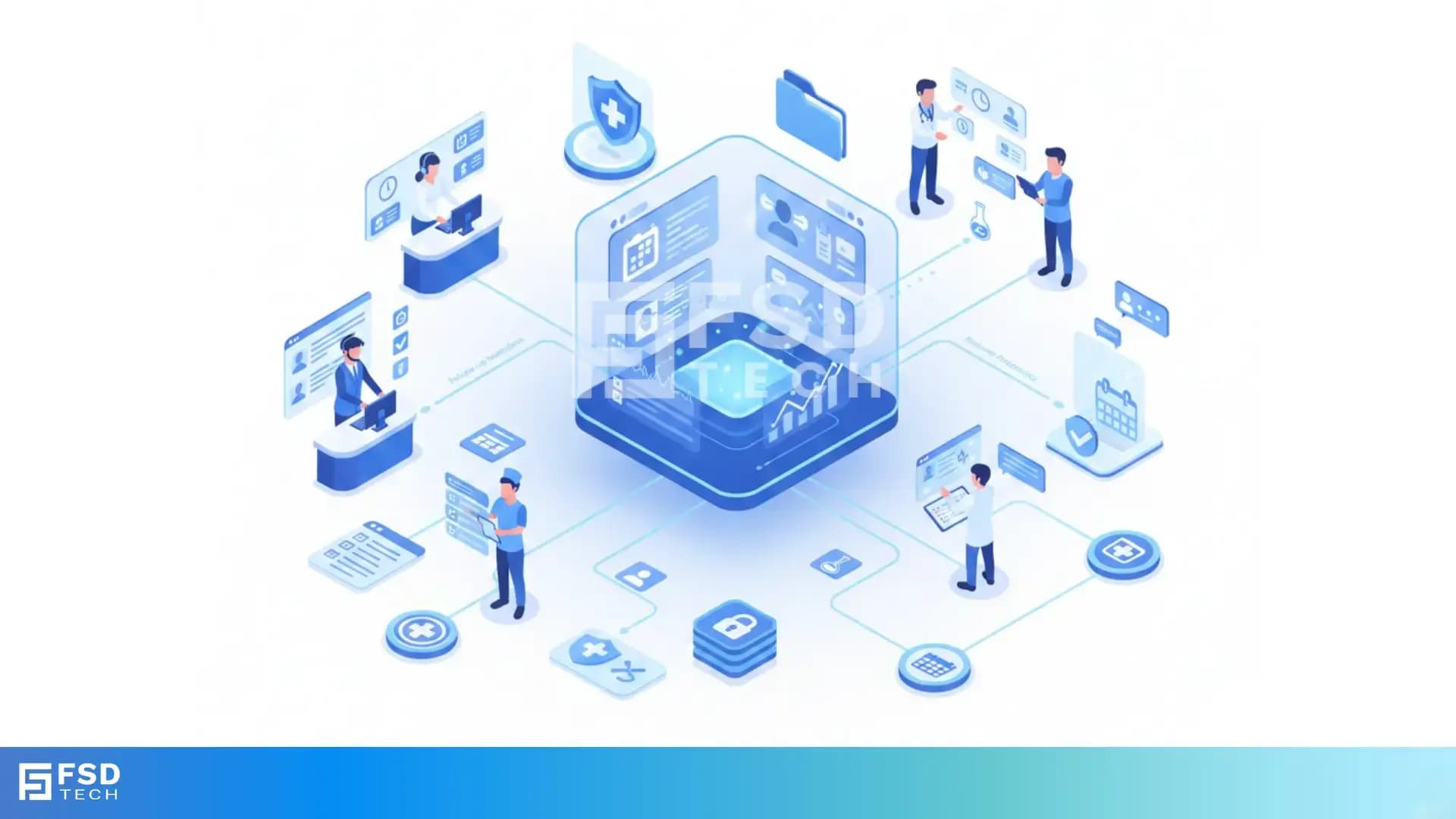
    Illustration showing the transition from manual spreadsheets and paper-based HR processes to the Zeta HRMS digital platform. Depicts HR teams moving data into a centralized, automated HR system with modules for payroll, attendance, compliance, and employee management, highlighting improved efficiency and collaboration. FSD Tech branding visible at the bottom.

    Key Takeaways

    • Centralize patient and clinic operations:  ClickUp unifies appointment tracking, patient coordination, and internal communication for Dubai healthcare teams, reducing miscommunication and administrative overhead.
    • Automate routine tasks for efficiency:  Automation templates in ClickUp streamline patient intake, appointment reminders, and follow-up, saving time and minimizing manual errors.
    • Gain actionable insights with custom dashboards:  Healthcare managers can monitor KPIs like wait times, appointment volumes, and staff workload in real time, enabling data-driven improvements.
    • Support privacy-conscious workflows:  While not natively HIPAA-compliant, ClickUp can be configured with access controls and secure protocols to help Dubai clinics protect sensitive patient data.
    • Scale with your organization’s growth:  ClickUp’s flexible structure adapts from small clinics to large hospital networks, supporting evolving operational and regulatory needs in the UAE.
    • Enhance team collaboration and care quality:  Granular notifications, comments, and task assignments ensure seamless handoffs and reduce delays in patient care.


    Introduction

    The Digital Transformation of Dubai’s Healthcare Sector

    Dubai’s healthcare sector is undergoing rapid digital transformation. As clinics and hospitals strive to deliver faster, safer, and more personalized care, the demand for efficient patient management, streamlined appointment tracking, and robust internal communication is at an all-time high. For healthcare operations managers and admin teams, the challenge is clear: digitize workflows without sacrificing compliance, security, or the human touch.

    ClickUp has emerged as a powerful ally in this journey. Its flexible, all-in-one platform empowers healthcare teams to centralize operations, automate routine tasks, and foster seamless collaboration—helping Dubai clinics deliver better care, faster.


    Why ClickUp for Healthcare Operations?

    Centralizing Patient and Clinic Workflows

    Healthcare operations are inherently complex. Multiple teams, shifting priorities, and sensitive information can make coordination difficult—especially when relying on traditional tools like spreadsheets, emails, or paper charts. ClickUp brings all clinic workflows into a single, secure platform, enabling teams to:

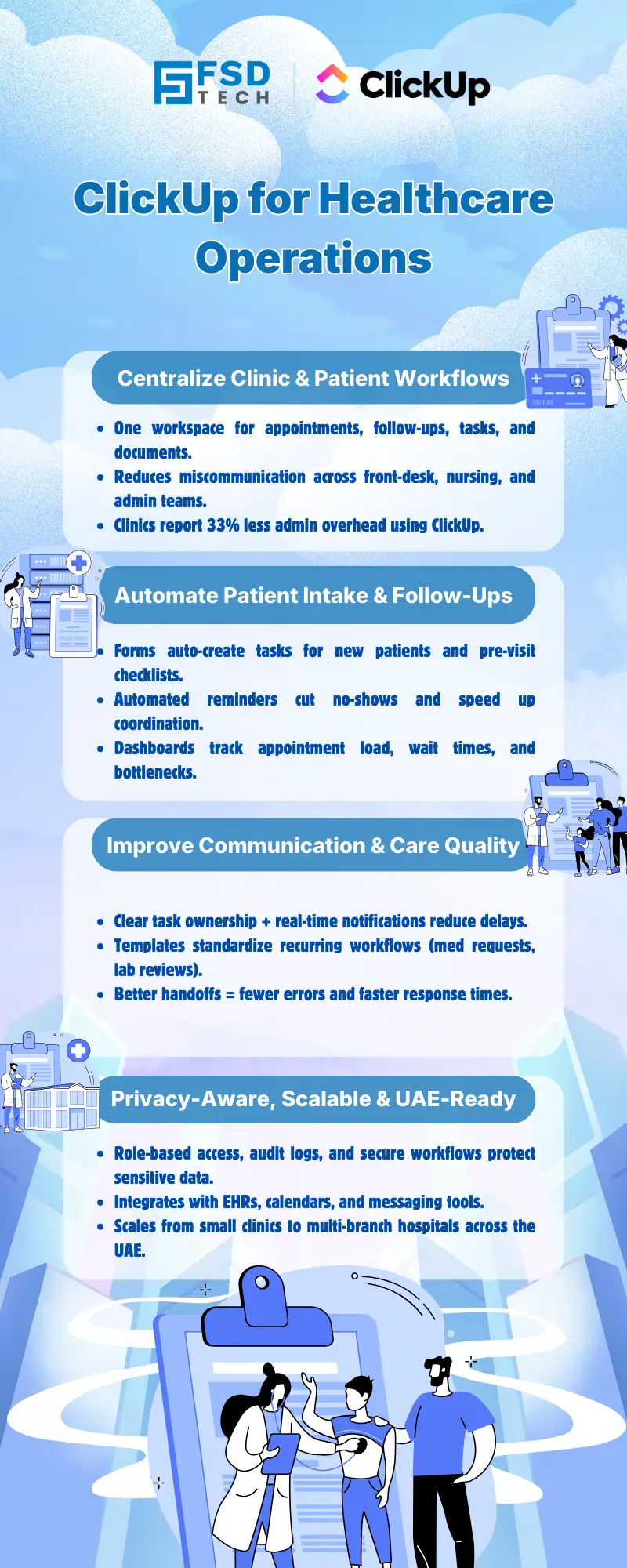
    • Track patient appointments, follow-ups, and care plans in real time.
    • Assign and monitor tasks across front-desk, nursing, and admin staff.
    • Store and organize patient-related documents, forms, and communications.

    Real-world impact:  Teams using ClickUp have reported up to 33% less overhead and 10+ hours saved weekly by streamlining processes and eliminating redundant admin work.

    Real-World Impact: Time and Cost Savings

    Consider a busy Dubai clinic managing hundreds of patient interactions daily. Before ClickUp, staff juggled multiple tools, leading to missed appointments and delayed care. After centralizing operations in ClickUp, the clinic:

    • Reduced appointment no-shows by 25% through automated reminders.
    • Cut administrative time spent on scheduling by 40%.
    • Improved staff satisfaction by enabling seamless handoffs and clear accountability.


    Streamlining Patient Coordination and Appointment Tracking

    Automating Patient Intake and Follow-Up

    Manual patient intake and follow-up processes are prone to errors and delays. With ClickUp, clinics can:

    • Automate patient intake forms:  Use ClickUp Forms to collect patient details, medical history, and consent electronically. Responses automatically create tasks for the admin team.
    • Trigger follow-up reminders:  When a patient is discharged or misses an appointment, ClickUp generates follow-up tasks and reminders, ensuring no patient falls through the cracks.

    Hypothetical Dubai Clinic Example: 

    A Dubai clinic configures ClickUp so that every new appointment automatically generates a pre-visit checklist for the nurse and a reminder for the patient. If the patient does not confirm, ClickUp escalates the task to the admin team for follow-up.

    Custom Dashboards for Real-Time Clinic Insights

    ClickUp’s custom dashboards allow healthcare managers to visualize:

    • Daily appointment volumes and patient flow.
    • Average wait times and bottlenecks.
    • Staff workload distribution and task completion rates.

    Practical Use: 

    A clinic manager in Dubai uses a ClickUp dashboard to monitor real-time appointment status. When a bottleneck is detected (such as long wait times for lab results), the manager reallocates resources instantly, improving patient satisfaction and throughput.


    Enhancing Internal Communication and Task Management

    Seamless Handoffs Between Teams

    Miscommunication between front-desk, nursing, and admin staff can lead to delays and errors in patient care. ClickUp’s task assignment, comments, and granular notifications ensure:

    • Every task is clearly owned and tracked.
    • Staff receive instant updates on urgent requests (e.g., medication orders, patient arrivals).
    • Handoffs are documented, reducing the risk of missed steps.

    Real-World Example: 

    eHealth4Everyone used ClickUp’s notifications and integrations to keep all team members updated on task changes, ensuring nothing slipped through the cracks.

    Reducing Errors and Delays in Patient Care

    By automating routine communications and using templates for recurring processes, clinics can:

    • Reduce manual data entry errors.
    • Ensure timely follow-up on critical tasks (e.g., lab result reviews, medication administration).
    • Improve overall care quality and patient safety.


    HIPAA-Conscious Best Practices in ClickUp

    Configuring Secure Workspaces

    While ClickUp is not natively HIPAA-compliant, it can be configured to support privacy-conscious workflows:

    • Restrict access:  Limit sensitive information to specific Spaces or Lists accessible only to authorized staff.
    • Audit trails: Use ClickUp’s activity logs to monitor who accessed or modified patient-related tasks.
    • Secure communication:  Avoid storing PHI in task comments; instead, use secure, integrated messaging tools for sensitive discussions.

    Limiting Access and Protecting Patient Data

    Best practices for Dubai clinics include:

    • Assigning custom permissions to staff based on their roles.
    • Using task custom fields to flag sensitive information.
    • Integrating ClickUp with HIPAA-compliant tools (e.g., secure file storage, EHR systems) for handling PHI.

    Expert Tip: 

    Train staff on privacy protocols and regularly review access logs to ensure compliance with UAE and international data protection standards.


    Automation Templates for Healthcare Workflows

    Sample Templates: Appointment Scheduling, Medication Requests, Patient Follow-Up
     

    WorkflowTrigger/EventAutomated ActionsOutcome
    Appointment SchedulingNew patient intake formTask created, reminders sent to patient and nurseReduced no-shows, clear status
    Medication RequestDoctor submits requestPharmacy notified, status tracked to completionFaster medication delivery
    Patient Follow-UpDischarge or missed appt.Follow-up task and patient reminder generatedImproved adherence, safety


     Appointment Scheduling Example: 

    • Intake Form → Task creation in “Appointments” List.
    • Automated reminder to patient and assigned nurse.
    • Status updates: Scheduled → Confirmed → Completed/No-show.

     Medication Request Example: 

    • Doctor submits medication request via ClickUp Form.
    • Pharmacy receives automated task assignment.
    • Status updates tracked until medication is dispensed.

     Patient Follow-Up Example: 

    • Discharge triggers follow-up task for nurse.
    • Automated email or SMS reminder sent to patient.
    • Task marked complete upon successful follow-up.

    Integrating with Existing Healthcare Systems

    ClickUp’s integrations (via Zapier or API) enable clinics to connect with:

    • Electronic Health Record (EHR) systems.
    • Secure messaging platforms.
    • Calendar and email tools for automated communications.

    Practical Example: 

    A Dubai clinic integrates ClickUp with its EHR to automatically create tasks for lab result reviews, ensuring timely follow-up and documentation.


    Scalability and Adaptability for Dubai Clinics

    From Small Practices to Hospital Networks

    ClickUp’s flexible structure—Spaces, Folders, Lists—supports clinics of any size:

    • Small clinics: Start with basic appointment tracking and task management.
    • Growing practices:  Add custom dashboards, automation, and integrations as needs evolve.
    • Large hospitals:  Coordinate across multiple departments, manage complex workflows, and standardize processes.

    Supporting Growth and Regulatory Compliance

    As Dubai’s healthcare regulations evolve, ClickUp’s adaptability ensures clinics can:

    • Update workflows and templates quickly.
    • Maintain audit trails for compliance.
    • Scale operations without losing visibility or control.


    Real-World Examples and Case Studies

    Hypothetical Dubai Clinic Workflow

     Scenario: 

    A multi-specialty clinic in Dubai wants to digitize its patient coordination process.

     Solution: 

    • Uses ClickUp Forms for patient intake.
    • Automates appointment reminders and follow-ups.
    • Tracks medication requests and lab results as tasks.
    • Monitors KPIs (wait times, task completion) via custom dashboards.

     Outcome: 

    • 30% reduction in admin workload.
    • Higher patient satisfaction scores.
    • Improved staff morale due to clearer communication and reduced manual work.

    Lessons from Global Healthcare Teams

    • eHealth4Everyone:  Saved time and reduced redundant reporting by automating recurring tasks and using templates in ClickUp.
    • Fakeeh University Hospital, Dubai:  Achieved 0% medication error rate and 70% staff satisfaction after implementing digital workflow automation (analogous to ClickUp’s capabilities).


    Ready to streamline your healthcare workflows? → Book a Free ClickUp consultation with our experts.
     

    Infographic titled ‘From Spreadsheets to Zeta HRMS – A Smarter Way to Run HR’ explaining the limitations of manual HR workflows and the benefits of Zeta HRMS. Highlights automated payroll, attendance, compliance reporting, self-service access, scalable workflows, real-time dashboards, and structured HRMS implementation for UAE organizations


    FAQ

    Is ClickUp HIPAA-compliant?

    ClickUp is not natively HIPAA-compliant. However, Dubai clinics can configure ClickUp with strict access controls, audit trails, and secure workflows to support privacy-conscious operations. For handling Protected Health Information (PHI), it is recommended to integrate ClickUp with HIPAA-compliant tools and restrict sensitive data within the platform.


    How does ClickUp reduce appointment no-shows?

    ClickUp automates appointment reminders and follow-up tasks, ensuring patients receive timely notifications. Staff can easily track confirmations or reschedules in real time, reducing the risk of missed appointments and improving clinic efficiency.


    Can ClickUp integrate with my existing EHR or clinic management system?

    Yes. ClickUp offers integrations via Zapier and API, allowing data to flow between ClickUp and other healthcare platforms. This supports seamless workflow automation and helps clinics in Dubai maintain a unified digital ecosystem.


    What are best practices for using ClickUp in healthcare?

    Best practices include using custom templates for recurring processes, restricting access to sensitive data, automating routine communications, and leveraging dashboards for operational oversight. Regular staff training and periodic reviews of access logs are also recommended.


    Is ClickUp suitable for both small clinics and large hospitals?

    Absolutely. ClickUp’s flexible structure scales from solo practitioners to multi-department hospitals, adapting to evolving workflow needs and supporting both small and large healthcare organizations in the UAE.


    How can Dubai clinics protect patient data when using ClickUp?

    Clinics should configure custom permissions, restrict sensitive information to designated Spaces, and use secure integrations for PHI. Regular audits and staff training on privacy protocols further enhance data protection.


    What types of healthcare workflows can be automated with ClickUp?

    Common workflows include patient intake, appointment scheduling, medication requests, lab result follow-ups, and discharge planning. Automation templates help reduce manual work and ensure consistency across processes.


    How does ClickUp support internal communication in healthcare teams?

    ClickUp provides granular notifications, task comments, and real-time updates, ensuring all team members are informed of changes or urgent requests. This reduces delays and improves coordination between front-desk, nursing, and administrative staff.


    Can ClickUp help Dubai clinics comply with local healthcare regulations?

    While ClickUp is not a compliance tool, its audit trails, access controls, and customizable workflows can support regulatory requirements. Clinics should regularly review their configurations to align with UAE and GCC healthcare standards.


    What are the benefits of using dashboards in ClickUp for healthcare operations?

    Dashboards offer real-time visibility into key metrics such as appointment volumes, wait times, and staff workload. This enables managers to identify bottlenecks, allocate resources efficiently, and drive continuous improvement.


    How do automation templates in ClickUp save time for admin teams?

    Automation templates eliminate repetitive manual tasks, such as sending reminders or updating task statuses. This allows admin teams to focus on higher-value activities, improving overall productivity and reducing burnout.


    Can ClickUp be used for multi-department coordination in large hospitals?

    Yes. ClickUp’s Spaces, Folders, and Lists allow for clear separation and coordination of workflows across departments. This structure supports complex operations and facilitates collaboration in large healthcare organizations.


    How does ClickUp handle urgent patient requests or medication orders?

    Automated alerts and task assignments ensure that urgent requests are immediately visible to the relevant staff. This reduces response times and helps maintain high standards of patient care.


    What is the real-world impact of ClickUp on healthcare teams?

    Healthcare teams using ClickUp have reported measurable improvements, including reduced medication errors, higher staff satisfaction, and improved patient care through faster, more accurate workflows. Dubai clinics can expect similar benefits when digitizing their operations with ClickUp.


    How can Dubai clinics get started with ClickUp for healthcare workflows?

    Begin by mapping current workflows and identifying repetitive tasks suitable for automation. Configure ClickUp with secure, role-based access, and train staff on best practices. Start small, iterate based on feedback, and expand as your clinic’s needs evolve.

    ClickUp for Healthcare Operations & Patient Workflows

    About The Author

    NHAIF NOUSHAD

    Nhaif is an AI Automation Engineer & Business Analyst focused on ClickUp, AI, Automation, and Workflow Optimization. He helps businesses shift from scattered processes to streamlined, data-driven operations. With hands-on expertise, he simplifies complex tools into clear, easy-to-apply solutions.

    Like This Story?

    Share it with friends!

    Subscribe to our newsletter!

    Atera

    (48)

    Cato Networks

    (111)

    ClickUp

    (63)

    FishOS

    (7)

    Miradore

    (21)

    PointGuard AI

    (9)

    Vembu

    (22)

    Xcitium

    (33)

    ZETA HRMS

    (66)

    Workflow Automation(4)

    Workforce Automation(1)

    AI Project Management(1)

    HR Data Automation(1)

    RMM(1)

    IT Workflow Automation(1)

    GCC compliance(4)

    IT security(2)

    Payroll Integration(2)

    IT support automation(2)

    procurement automation(1)

    lost device management(1)

    IT Management(5)

    IoT Security(2)

    Cato XOps(2)

    IT compliance(4)

    Task Automation(1)

    Workflow Management(1)

    OpenStack automation(1)

    AI-powered cloud ops(1)

    Kubernetes lifecycle management(2)

    SMB Security(8)

    Data Security(1)

    MDR (Managed Detection & Response)(4)

    MSP Automation(2)

    Atera Integrations(2)

    XDR Security(2)

    SMB Cyber Protection(1)

    Ransomware Defense(3)

    HR Tech Solutions(1)

    Zero Trust Network Access(3)

    Zero Trust Security(2)

    Endpoint Management(1)

    SaaS Security(1)

    Payroll Automation(5)

    IT Monitoring(2)

    Xcitium EDR SOC(15)

    Ransomware Protection GCC(1)

    M&A IT Integration(1)

    Network Consolidation UAE(1)

    MSSP for SMBs(1)

    Antivirus vs EDR(1)

    Managed EDR FSD-Tech(1)

    SMB Cybersecurity GCC(1)

    FSD-Tech MSSP(25)

    Ransomware Protection(3)

    Cybersecurity GCC(12)

    Endpoint Security(1)

    Data Breach Costs(1)

    Endpoint Protection(1)

    Managed Security Services(2)

    Xcitium EDR(30)

    SMB Cybersecurity(8)

    Zero Dwell Containment(31)

    Cloud Backup(1)

    Hybrid Backup(1)

    Backup & Recovery(1)

    pointguard ai(4)

    backup myths(1)

    vembu(9)

    disaster recovery myths(1)

    SMB data protection(9)

    Disaster Recovery(4)

    Vembu BDR Suite(19)

    GCCBusiness(1)

    DataProtection(1)

    Secure Access Service Edge(4)

    GCC HR software(14)

    Miradore EMM(15)

    Cato SASE(7)

    Cloud Security(8)

    Talent Development(1)

    AI Cybersecurity(12)

    AI Security(2)

    AI Risk Management(1)

    AI Governance(4)

    AI Compliance(2)

    GCC business security(1)

    GCC network integration(1)

    compliance automation(4)

    GCC cybersecurity(2)

    education security(1)

    App management UAE(1)

    Miradore EMM Premium+(5)

    BYOD security Dubai(8)

    HealthcareSecurity(1)

    MiddleEast(1)

    Team Collaboration(1)

    IT automation(9)

    Zscaler(1)

    SD-WAN(6)

    HR Integration(4)

    Cloud Networking(3)

    device management(9)

    RemoteWork(1)

    ZeroTrust(2)

    VPN(1)

    MPLS(1)

    Project Management(9)

    HR automation(16)

    share your thoughts

    Illustration showing the transition from manual spreadsheets and paper-based HR processes to the Zeta HRMS digital platform. Depicts HR teams moving data into a centralized, automated HR system with modules for payroll, attendance, compliance, and employee management, highlighting improved efficiency and collaboration. FSD Tech branding visible at the bottom.

    Legal Teams & Case Management in ClickUp Workspaces

    🕓 December 25, 2025

    Illustration showing the transition from manual spreadsheets and paper-based HR processes to the Zeta HRMS digital platform. Depicts HR teams moving data into a centralized, automated HR system with modules for payroll, attendance, compliance, and employee management, highlighting improved efficiency and collaboration. FSD Tech branding visible at the bottom.

    ClickUp for Healthcare Operations & Patient Workflows

    🕓 December 22, 2025

    Illustration of a centralized financial audit and control hub showing interconnected digital panels for VAT reporting, documents, approvals, dashboards, and integrations. Depicts finance teams collaborating around a secure platform that manages audits, compliance data, accounting systems, and financial workflows. Represents automated audit management and financial oversight. FSD Tech branding visible at the bottom.

    Financial and Audit Workflow Tracking in ClickUp

    🕓 December 18, 2025

    Decoded(35)

    Cyber Security(112)

    BCP / DR(22)

    Zeta HRMS(65)

    SASE(21)

    Automation(63)

    Next Gen IT-Infra(111)

    Monitoring & Management(69)

    ITSM(22)

    HRMS(21)

    Automation(24)