HomeNext Gen IT-InfraMonitoring & ManagementCyber SecurityBCP / DRAutomationDecoded
Next Gen IT-Infra
Cato’s SASE Supports Cybersecurity Skills Development

How Cato’s SASE Supports Cybersecurity Skills Development

🕓 April 8, 2025

How SASE Supports the Security Needs of SMBs

How SASE Supports the Security Needs of SMBs

🕓 February 9, 2025

Attack Surface Reduction with Cato’s SASE

Attack Surface Reduction with Cato’s SASE

🕓 February 10, 2025

SASE for Digital Transformation in UAE

SASE for Digital Transformation in UAE

🕓 February 8, 2025

Monitoring & Management
Understanding Atera’s SLA Management

Understanding Atera’s SLA Management

🕓 February 7, 2025

Cost-Performance Ratio: Finding the Right Balance in IT Management Networks

Cost-Performance Ratio: Finding the Right Balance in IT Management Networks

🕓 June 16, 2025

Customizing Atera with APIs

Customizing Atera with APIs

🕓 March 3, 2025

Power Up Your IT Team’s Strategy with Atera’s Communication Tools

Power Up Your IT Team’s Strategy with Atera’s Communication Tools

🕓 February 8, 2025

Cyber Security
Visual guide showing Cato CMA interface for configuring Internet and WAN firewall rules, enabling threat protection, and monitoring security events in real time for UAE IT teams.

Enforcing Firewall and Threat Protection Policies in Cato

🕓 July 25, 2025

Isometric illustration of professionals managing network performance, bandwidth analytics, and cloud-based optimization around the Cato Networks platform, symbolizing bandwidth control and QoS visibility.

Mastering Bandwidth Control and QoS in Cato Networks

🕓 July 26, 2025

Illustration of the Cato Cloud architecture showing its role in delivering SASE for secure, optimized global connectivity.

Understanding the Cato Cloud and Its Role in SASE

🕓 January 29, 2025

Global network backbone powering Cato SASE solution for secure, high-performance connectivity across regions.

Global Backbone: The Engine Powering Cato’s SASE Solution

🕓 January 30, 2025

BCP / DR
Illustration showing diverse business and IT professionals collaborating with cloud, backup, and security icons, representing Vembu use cases for SMBs, MSPs, and IT teams.

Who Uses Vembu? Real-World Use Cases for SMBs, MSPs & IT Teams

🕓 July 12, 2025

Graphic showcasing Vembu’s all-in-one backup and disaster recovery platform with icons for cloud, data protection, and business continuity for IT teams and SMBs.

What Is Vembu? A Deep Dive Into the All in One Backup & Disaster Recovery Platform

🕓 July 6, 2025

Illustration showing Vembu backup and disaster recovery system with cloud storage, server racks, analytics dashboard, and IT professionals managing data.

The Rising Cost of Data Loss: Why Backup Is No Longer Optional?

🕓 August 14, 2025

3D isometric illustration of cloud backup and data recovery infrastructure with laptop, data center stack, and digital business icons — FSD Tech

RPO & RTO: The Heart of Business Continuity

🕓 August 15, 2025

Automation
Cross-Functional Collaboration with ClickUp

Fostering Cross-Functional Collaboration with ClickUp for Multi-Departmental Projects

🕓 February 11, 2025

ClickUp Project Reporting

Revolutionizing Enterprise Reporting with ClickUp’s Advanced Analytics and Dashboards

🕓 June 16, 2025

ClickUp’s Design Collaboration and Asset Management Tools

Empowering Creative Teams with ClickUp’s Design Collaboration and Asset Management Tools

🕓 February 26, 2025

ClickUp Communication and Collaboration Tools

ClickUp Communication and Collaboration Tools: Empowering Remote Teams

🕓 March 12, 2025

Decoded
Multi-Factor Authentication (MFA)

Multi-Factor Authentication (MFA): All You Need to Know

🕓 December 7, 2025

L3 Switch

What Is an L3 Switch? L2 vs L3 & Why You Need Layer 3?

🕓 December 8, 2025

IPSec

IPSec Explained: Protocols, Modes, IKE & VPN Security

🕓 December 3, 2025

 Datagram Transport Layer Security (DTLS)

What is Datagram Transport Layer Security (DTLS)? How it works?

🕓 December 4, 2025

    Subscribe to our newsletter!

    About Us

    Follow Us

    Copyright © 2024 | Powered by 

    Cato SASE Architecture

    Inside Cato’s SASE Architecture: A Blueprint for Modern Security

    🕓 January 26, 2025

    Enterprise Data Security and Privacy with ClickUp

    Ensuring Enterprise Data Security and Privacy with ClickUp

    🕓 February 9, 2025

    DDoS protection SASE

    DDoS Protection and Cato’s Defence Mechanisms

    🕓 February 11, 2025

    Table of Contents

    How to Create Custom Ticket Categories and Automate Routing

    Anas Abdu Rauf
    October 9, 2025
    Comments
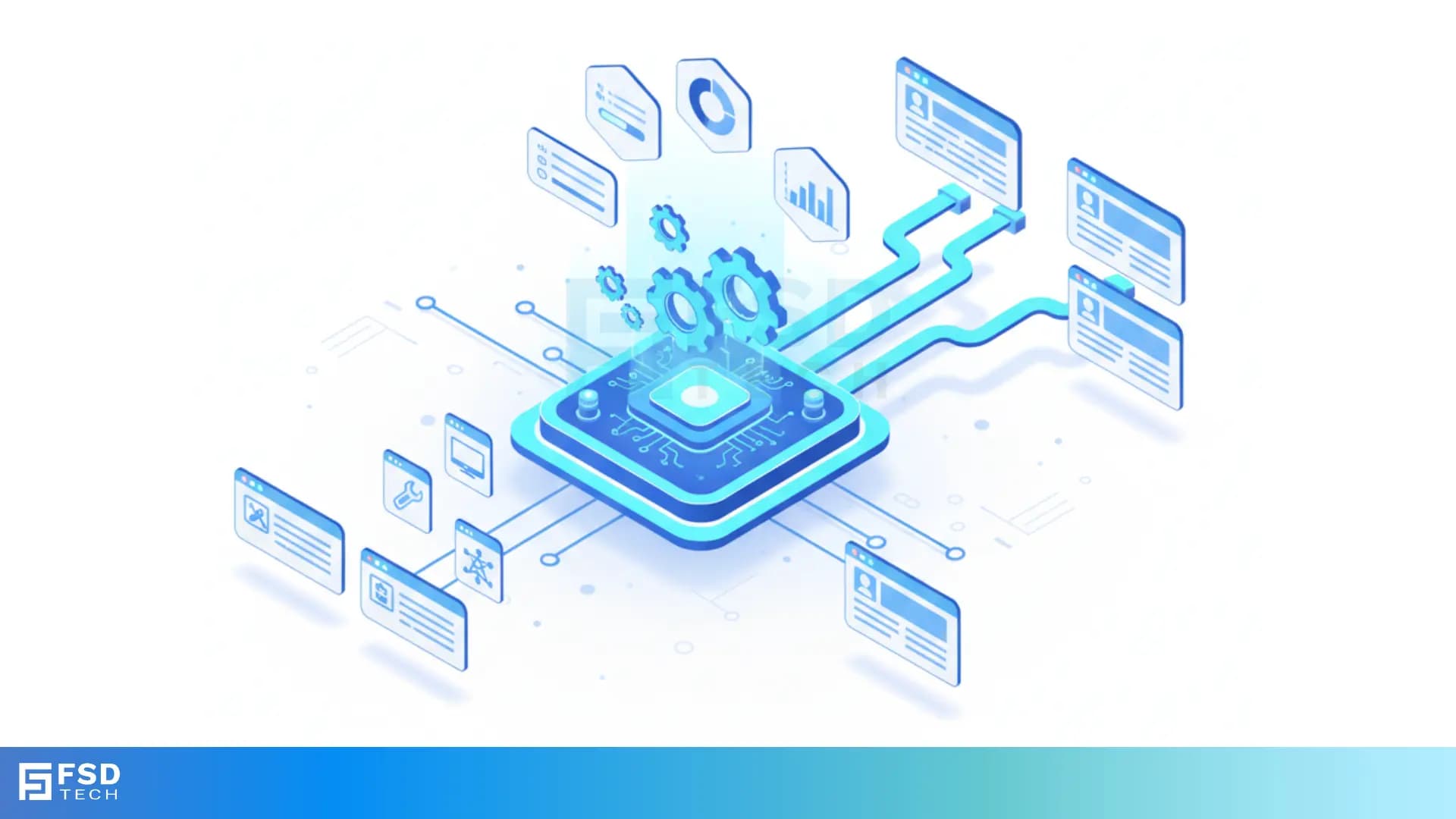
    3D isometric blue-toned illustration showing automated IT ticket routing in Atera. Central processing chip connects to multiple user profiles, dashboards, and settings icons, symbolizing automated categorization, workflow efficiency, and integrated ticket management by FSD Tech

    Introduction

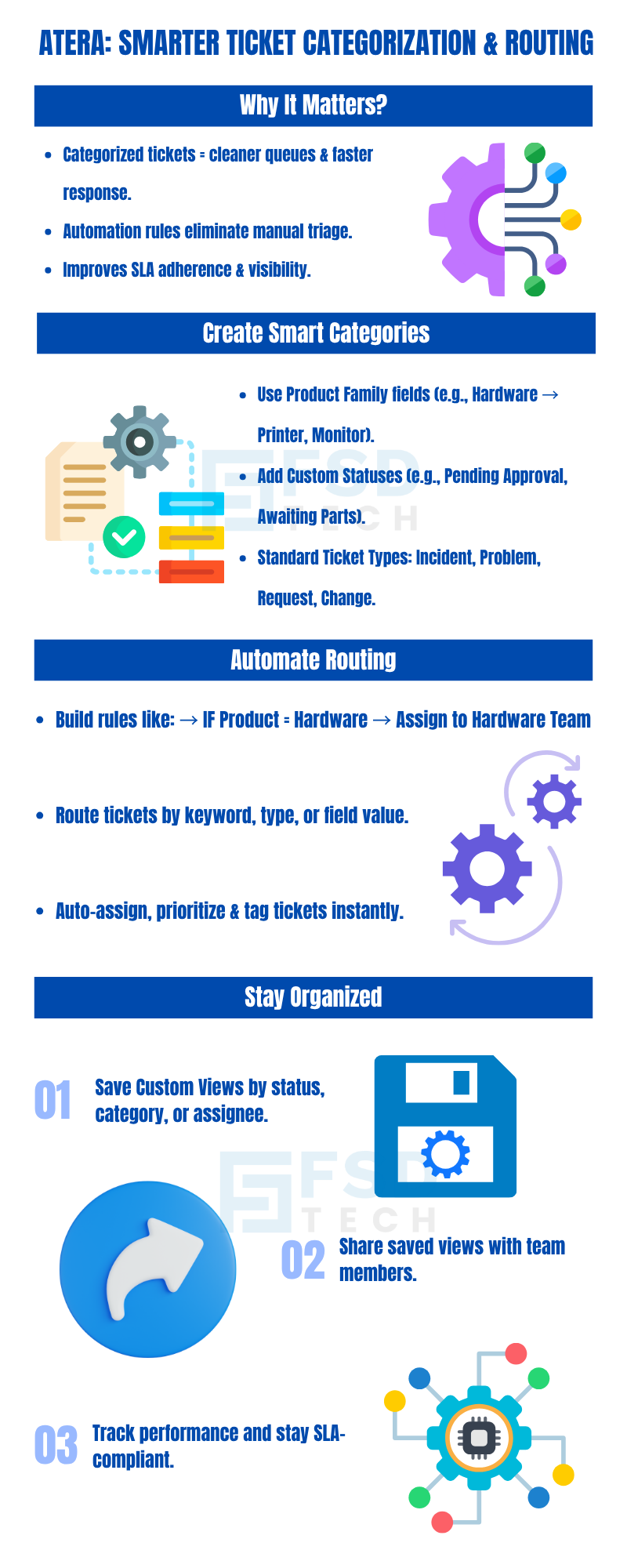
    A well-structured ticketing system is the backbone of efficient IT support. Atera lets you categorize tickets—using built-in types, custom statuses, and custom fields—then automate routing based on those categories. In this guide, we’ll show you how to set up product-family custom fields, create custom ticket statuses, leverage default ticket types, and build automation rules to route tickets automatically.


    Key Takeaways

    • Use Product Family custom fields to tag tickets by service or product
    • Create Custom Ticket Statuses to match your workflow (e.g., “Pending Approval”)
    • Understand that Ticket Types are fixed to Incident, Problem, Request, Change
    • Build Ticket Automation Rules to route tickets based on keywords or field values
    • Save Filter Views to monitor tickets by category, status, or assignee


    1. Tag Tickets with Product Family Custom Fields

    Outcome: Categorize tickets by service line or product for easier routing and reporting.

    1. Go to Admin > Data management > Custom fields.
    2. Select the Ticket tab and click the edit icon next to Product Family.
    3. Click + to add a new family (e.g., “Hardware”) and child values (e.g., “Printer,” “Monitor”).
    4. Click Apply—the field now appears on every ticket.

    Job-to-Be-Done: As an MSP, tag each ticket by the relevant product so the hardware team only sees “Hardware” tickets, while software issues go to the software queue.

    [Insert screenshot of adding Product Family values]


    2. Define Custom Ticket Statuses

    Outcome: Align ticket lifecycles with your internal processes (e.g., “Awaiting Parts”).

    1. Navigate to Admin > Data management > Custom fields.
    2. Under the Ticket tab, click the edit icon next to Status.
    3. Click Create status, name it (e.g., “Pending Approval”), and choose its behavior (opens/closes).
    4. Click Apply—new statuses are now available in ticket workflows.

    [Insert table of default vs. custom statuses]


    3. Use Industry-Standard Ticket Types

    Atera supports four default Ticket Types—Incident, Problem, Request, and Change—which cannot be customized. You can switch existing tenants to these standard types by contacting Atera Support.


    4. Automate Routing with Ticket Automation Rules

    Outcome: Automatically assign tickets based on category, type, or keywords.

    1. Go to Admin > Support and ticketing > Ticket automation rules.
    2. Click Add New Rule.
    3. Define Conditions (e.g., Product Family = “Hardware” OR Keyword contains “Printer”).
    4. Set Actions (e.g., Assign to “Hardware Team,” set Priority to Medium).
    5. Save and Enable the rule.

    Example: Route all “Monitor” tickets to the desktop support queue and tag them as “Hardware.”

    [Insert GIF of creating an automation rule]


    5. Save Custom Views for Ongoing Monitoring

    Outcome: Quickly access ticket lists filtered by your categories or statuses.

    1. In Tickets, apply filters (e.g., Status = “Pending Approval”, Type = “Change”).
    2. Click Save as View, name it (e.g., “Pending Changes”), and share with your team.
    3. Access saved views anytime from the Views dropdown.

    This keeps your queues organized and your SLAs on track.


    Build Your Custom Routing Now →

    Head to Admin > Data management > Custom fields and Admin > Support and ticketing > Ticket automation rules to set up your first category-based routing.


    If you need further details on any specific benefit or on using Atera in your organization, please feel free to Schedule  a no-obligation requirement gathering virtual meeting with our Atera Implementation Experts. Schedule Now
    3D isometric blue-toned illustration showing automated IT ticket routing in Atera. Central processing chip connects to multiple user profiles, dashboards, and settings icons, symbolizing automated categorization, workflow efficiency, and integrated ticket management by FSD Tech

    FAQ

    1. Can I create new ticket types in Atera?

    No—Atera uses the fixed types Incident, Problem, Request, and Change.
     

    2. How do I add multiple child values to a Product Family?

    Use the + button in the Edit Field window to add each child under your new family.


    3. Will custom statuses affect SLAs?

    Yes—status behavior (open vs. closed) impacts SLA timers and associated reports.


    4. Can automation rules trigger on custom field values?

    Absolutely—use any custom field (Product Family, Status, etc.) as a condition.


    5. How do I share saved ticket views?

    When saving a view, select Share with team to make it accessible to others.

    How to Create Custom Ticket Categories and Automate Routing

    About The Author

    Anas Abdu Rauf

    Anas is an Expert in Network and Security Infrastructure, With over seven years of industry experience, holding certifications Including CCIE- Enterprise, PCNSE, Cato SASE Expert, and Atera Certified Master. Anas provides his valuable insights and expertise to readers.

    Like This Story?

    Share it with friends!

    Subscribe to our newsletter!

    Atera

    (48)

    Cato Networks

    (113)

    ClickUp

    (68)

    FishOS

    (7)

    Miradore

    (21)

    PointGuard AI

    (9)

    Vembu

    (22)

    Xcitium

    (33)

    ZETA HRMS

    (71)

    Workflow Automation(5)

    Workforce Automation(1)

    AI Project Management(1)

    HR Data Automation(1)

    RMM(1)

    IT Workflow Automation(1)

    GCC compliance(4)

    IT security(2)

    Payroll Integration(2)

    IT support automation(3)

    procurement automation(1)

    lost device management(1)

    IT Management(5)

    IoT Security(2)

    Cato XOps(2)

    IT compliance(4)

    Task Automation(1)

    Workflow Management(1)

    Kubernetes lifecycle management(2)

    OpenStack automation(1)

    AI-powered cloud ops(1)

    SMB Security(8)

    Data Security(1)

    MDR (Managed Detection & Response)(4)

    Atera Integrations(2)

    MSP Automation(3)

    XDR Security(2)

    SMB Cyber Protection(1)

    Ransomware Defense(3)

    HR Tech Solutions(1)

    Zero Trust Network Access(3)

    Zero Trust Security(2)

    Endpoint Management(1)

    SaaS Security(1)

    Payroll Automation(5)

    IT Monitoring(2)

    Xcitium EDR SOC(15)

    Ransomware Protection GCC(1)

    M&A IT Integration(1)

    Network Consolidation UAE(1)

    MSSP for SMBs(1)

    FSD-Tech MSSP(25)

    Ransomware Protection(3)

    Antivirus vs EDR(1)

    SMB Cybersecurity GCC(1)

    Managed EDR FSD-Tech(1)

    Cybersecurity GCC(12)

    Endpoint Security(1)

    Data Breach Costs(1)

    Endpoint Protection(1)

    Managed Security Services(2)

    Xcitium EDR(30)

    SMB Cybersecurity(8)

    Zero Dwell Containment(31)

    Cloud Backup(1)

    Hybrid Backup(1)

    Backup & Recovery(1)

    pointguard ai(4)

    backup myths(1)

    vembu(9)

    SMB data protection(9)

    disaster recovery myths(1)

    Vembu BDR Suite(19)

    Disaster Recovery(4)

    DataProtection(1)

    GCCBusiness(1)

    Secure Access Service Edge(4)

    GCC HR software(16)

    Miradore EMM(15)

    Cato SASE(7)

    Cloud Security(8)

    Talent Development(1)

    AI Cybersecurity(12)

    AI Security(2)

    AI Governance(4)

    AI Risk Management(1)

    AI Compliance(2)

    GCC business security(1)

    GCC network integration(1)

    compliance automation(4)

    education security(1)

    GCC cybersecurity(2)

    Miradore EMM Premium+(5)

    BYOD security Dubai(8)

    App management UAE(1)

    HealthcareSecurity(1)

    MiddleEast(1)

    Team Collaboration(1)

    IT automation(10)

    Zscaler(1)

    SD-WAN(6)

    HR Integration(4)

    Cloud Networking(3)

    device management(9)

    RemoteWork(1)

    ZeroTrust(2)

    VPN(1)

    MPLS(1)

    Project Management(9)

    HR automation(16)

    share your thoughts

    Isometric illustration showing Atera Copilot generating AI-powered remote session summaries, connecting multiple devices, dashboards, and IT teams to automate documentation, improve visibility, and support MSP operations.

    AI-Driven Remote Session Summaries in Atera: Turning Hands-On Support Into Instant Documentation

    🕓 January 1, 2026

    Illustration showing Atera’s AI Diagnostic Core performing automated health checks, root-cause analysis, and device actions across multiple endpoints for IT teams and MSP environments.

    Health Checks & Device Actions in Atera: From Detection to Autonomous Remediation

    🕓 December 15, 2025

    Illustration showing Atera’s AI automation hub with a glowing blue sphere connected to multiple screens displaying tickets, device data, scripts, instant response times, and technician dashboards. Two IT technicians sit at workstations monitoring hours saved and ticket analytics.

    AI Copilot 3.0 and Action Mode: From Recommendations to Fully Autonomous IT

    🕓 December 12, 2025

    Decoded(64)

    Cyber Security(112)

    BCP / DR(22)

    Zeta HRMS(70)

    SASE(21)

    Automation(68)

    Next Gen IT-Infra(113)

    Monitoring & Management(69)

    ITSM(22)

    HRMS(21)

    Automation(24)