HomeNext Gen IT-InfraMonitoring & ManagementCyber SecurityBCP / DRAutomationDecoded
Next Gen IT-Infra
Cato’s SASE Supports Cybersecurity Skills Development

How Cato’s SASE Supports Cybersecurity Skills Development

🕓 April 8, 2025

How SASE Supports the Security Needs of SMBs

How SASE Supports the Security Needs of SMBs

🕓 February 9, 2025

Attack Surface Reduction with Cato’s SASE

Attack Surface Reduction with Cato’s SASE

🕓 February 10, 2025

SASE for Digital Transformation in UAE

SASE for Digital Transformation in UAE

🕓 February 8, 2025

Monitoring & Management
Understanding Atera’s SLA Management

Understanding Atera’s SLA Management

🕓 February 7, 2025

Cost-Performance Ratio: Finding the Right Balance in IT Management Networks

Cost-Performance Ratio: Finding the Right Balance in IT Management Networks

🕓 June 16, 2025

Customizing Atera with APIs

Customizing Atera with APIs

🕓 March 3, 2025

Power Up Your IT Team’s Strategy with Atera’s Communication Tools

Power Up Your IT Team’s Strategy with Atera’s Communication Tools

🕓 February 8, 2025

Cyber Security
Visual guide showing Cato CMA interface for configuring Internet and WAN firewall rules, enabling threat protection, and monitoring security events in real time for UAE IT teams.

Enforcing Firewall and Threat Protection Policies in Cato

🕓 July 25, 2025

Isometric illustration of professionals managing network performance, bandwidth analytics, and cloud-based optimization around the Cato Networks platform, symbolizing bandwidth control and QoS visibility.

Mastering Bandwidth Control and QoS in Cato Networks

🕓 July 26, 2025

Illustration of the Cato Cloud architecture showing its role in delivering SASE for secure, optimized global connectivity.

Understanding the Cato Cloud and Its Role in SASE

🕓 January 29, 2025

Global network backbone powering Cato SASE solution for secure, high-performance connectivity across regions.

Global Backbone: The Engine Powering Cato’s SASE Solution

🕓 January 30, 2025

BCP / DR
Illustration showing diverse business and IT professionals collaborating with cloud, backup, and security icons, representing Vembu use cases for SMBs, MSPs, and IT teams.

Who Uses Vembu? Real-World Use Cases for SMBs, MSPs & IT Teams

🕓 July 12, 2025

Graphic showcasing Vembu’s all-in-one backup and disaster recovery platform with icons for cloud, data protection, and business continuity for IT teams and SMBs.

What Is Vembu? A Deep Dive Into the All in One Backup & Disaster Recovery Platform

🕓 July 6, 2025

Illustration showing Vembu backup and disaster recovery system with cloud storage, server racks, analytics dashboard, and IT professionals managing data.

The Rising Cost of Data Loss: Why Backup Is No Longer Optional?

🕓 August 14, 2025

3D isometric illustration of cloud backup and data recovery infrastructure with laptop, data center stack, and digital business icons — FSD Tech

RPO & RTO: The Heart of Business Continuity

🕓 August 15, 2025

Automation
Cross-Functional Collaboration with ClickUp

Fostering Cross-Functional Collaboration with ClickUp for Multi-Departmental Projects

🕓 February 11, 2025

ClickUp Project Reporting

Revolutionizing Enterprise Reporting with ClickUp’s Advanced Analytics and Dashboards

🕓 June 16, 2025

ClickUp’s Design Collaboration and Asset Management Tools

Empowering Creative Teams with ClickUp’s Design Collaboration and Asset Management Tools

🕓 February 26, 2025

ClickUp Communication and Collaboration Tools

ClickUp Communication and Collaboration Tools: Empowering Remote Teams

🕓 March 12, 2025

Decoded
Multi-Factor Authentication (MFA)

Multi-Factor Authentication (MFA): All You Need to Know

🕓 December 7, 2025

L3 Switch

What Is an L3 Switch? L2 vs L3 & Why You Need Layer 3?

🕓 December 8, 2025

IPSec

IPSec Explained: Protocols, Modes, IKE & VPN Security

🕓 December 3, 2025

 Datagram Transport Layer Security (DTLS)

What is Datagram Transport Layer Security (DTLS)? How it works?

🕓 December 4, 2025

    Subscribe to our newsletter!

    About Us

    Follow Us

    Copyright © 2024 | Powered by 

    Cato SASE Architecture

    Inside Cato’s SASE Architecture: A Blueprint for Modern Security

    🕓 January 26, 2025

    Enterprise Data Security and Privacy with ClickUp

    Ensuring Enterprise Data Security and Privacy with ClickUp

    🕓 February 9, 2025

    DDoS protection SASE

    DDoS Protection and Cato’s Defence Mechanisms

    🕓 February 11, 2025

    Table of Contents

    Project Management Inside Zeta HRMS – Align Resource Allocation with HR Policies

    Anandhu Sivan
    August 4, 2025
    Comments
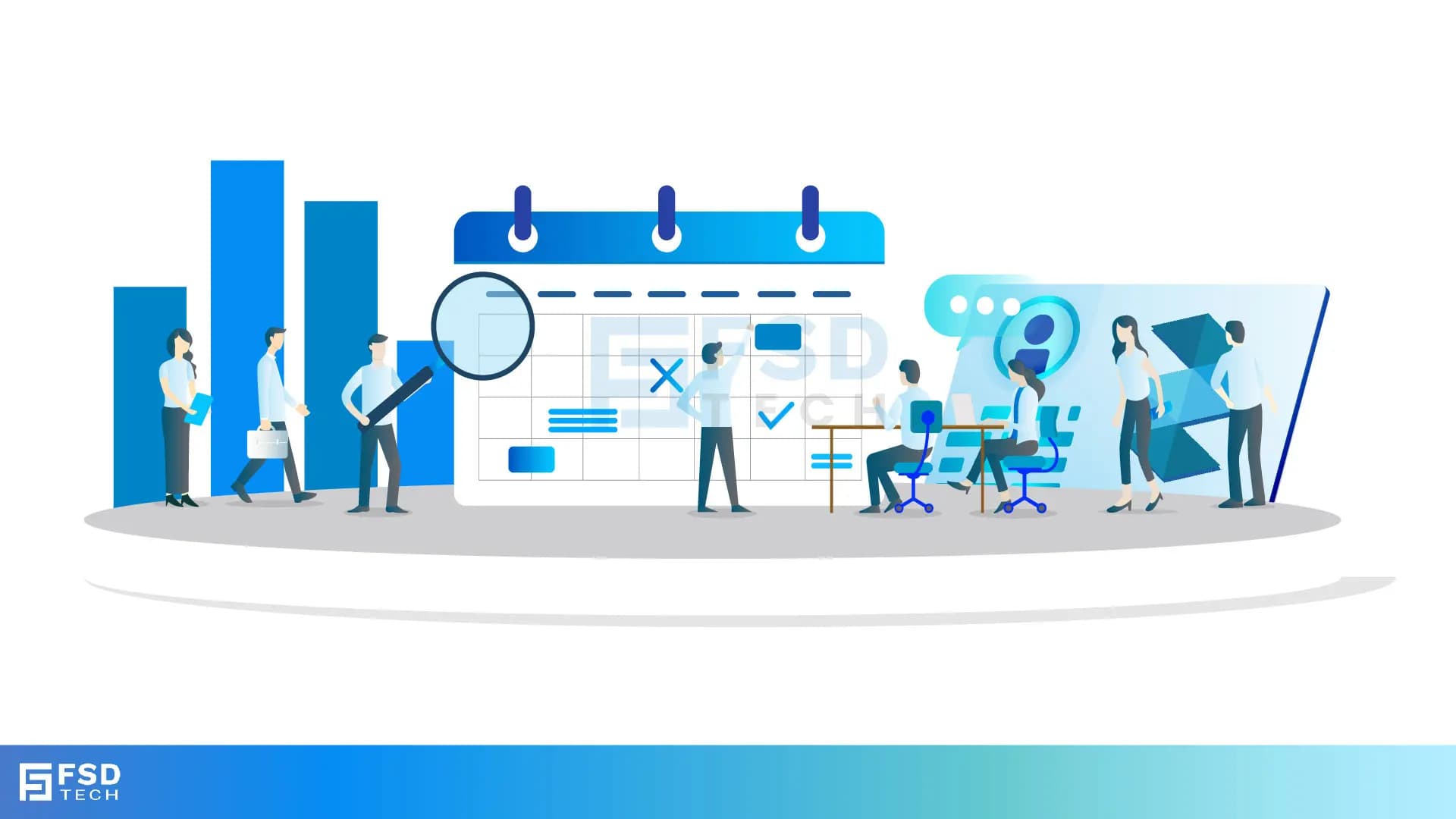
    Vector illustration showing team collaboration, project planning, and resource allocation with charts, calendars, and task reviews—Zeta HRMS project management concept.

    In most organizations, HR and project management operate as parallel yet disconnected functions. While project teams rely on task trackers and resource planners, HR focuses on headcount, availability, and compliance. The challenge arises when there’s no real-time coordination between who is available, who is eligible, and who is billable.
     

    Zeta HRMS bridges this crucial gap by integrating Project Management directly into its core HR platform. By aligning resource allocation with employee profiles, policies, and time tracking, Zeta enables organizations to manage both people and projects from a single system.
     

    In this blog, we’ll explore how Zeta HRMS helps manage project assignments, optimize resource planning, and bring greater accountability to workforce utilization—without needing a separate project tracking tool.


    Why Traditional Project Management Tools Don’t Work for HR Teams

    Most standalone project management tools focus on task allocation and timelines but lack context about:

    • Employee leaves, shifts, or attendance
    • Skillsets and training histories
    • Departmental hierarchies or reporting managers
    • Payroll impacts of project hours
    • Policy-driven work constraints
       

    HR teams, on the other hand, are often left out of the resource allocation loop, leading to:

    • Conflicts between project assignments and approved leave
    • Overbooking employees across departments
    • Misalignment between employee roles and project expectations
    • Missed opportunities for skill-based deployment
    • Inaccurate cost estimates and billing rates
       

    Zeta HRMS eliminates these challenges by embedding project management into its HR ecosystem—ensuring every project decision is backed by accurate, real-time workforce data.


    The Project Management Module in Zeta HRMS

    The Project Management module in Zeta HRMS is purpose-built for organizations that need to manage internal or client-facing projects with HR integration at its core.

    Key features include:
     

    • Creating projects with defined timeframes, budgets, and teams
    • Assigning employees based on role, skill, or availability
    • Daily and monthly job entry tracking
    • Project-based time and attendance logging
    • Linking project hours to payroll and invoicing
    • Status monitoring and completion tracking
       

    This end-to-end functionality gives department heads and HR teams a unified platform for managing resources and deliverables together.


    Creating and Configuring Projects

    Setting up a project in Zeta HRMS is straightforward and allows for deep customization.

    You can define:
     

    • Project Name and ID
    • Client or internal department association
    • Start and end dates
    • Budgeted hours or cost
    • Assigned project manager
    • Cost center or business unit
    • Reporting and approval hierarchy
       

    You can also group projects under larger programs or phases to reflect strategic initiatives.


    Assigning Employees to Projects with HR Visibility

    Unlike generic project tools, Zeta HRMS lets you assign employees based on live HR data such as:
     

    • Availability (considering leave, holidays, shifts)
    • Job role and skills
    • Location and branch
    • Current workload
    • Payroll grade or billing rate
    • Compliance eligibility (certifications, contracts)
       

    This ensures the right person is assigned to the right task—reducing overwork and improving delivery outcomes.


    Tracking Daily and Monthly Job Entries

    Once assigned, employees can record their project contributions through Daily or Monthly Job Entries:
     

    • Employees log hours spent on specific tasks or modules
    • Comments or notes can be added for accountability
    • Supervisors can review and approve time entries
    • Hours are auto-calculated against the project budget
    • Entries link directly to payroll for billing or overtime
       

    This creates a transparent record of effort while supporting time-based costing models.


    Aligning Project Hours with Payroll and Costing

    The real strength of Zeta HRMS lies in its ability to convert project hours into payroll and cost metrics:
     

    • Hours worked are factored into overtime calculations
    • Job entries can be assigned cost codes or billing rates
    • Non-billable and billable hours are tracked separately
    • Managers get visibility into resource productivity and burn rate
    • Payroll integration ensures no manual reconciliation is needed
       

    Whether for internal cost analysis or client invoicing, this functionality helps finance and HR stay in sync.


    Approvals and Accountability Across Teams

    Zeta HRMS allows for multi-level approval workflows for job entries, task assignments, or project reports:
     

    • Team leads approve daily entries
    • Project managers validate overall contributions
    • HR reviews alignment with working hours
    • Finance reviews cost allocation and budget adherence
       

    These workflows reduce data manipulation, enforce accountability, and ensure that every hour logged has a clear trail.


    Monitoring Project Progress with Real-Time Dashboards

    Zeta HRMS provides project dashboards with insights such as:
     

    • Total hours worked vs. budgeted
    • Task completion rates
    • Employee performance within projects
    • Top contributors and underutilized resources
    • Time breakdown across multiple projects
    • Project status indicators (On Track, Delayed, Over Budget)
       

    This visibility helps teams course-correct early, make informed staffing decisions, and demonstrate delivery confidence to stakeholders.


    Managing Multiple Projects per Employee

    In many cases, employees are assigned to more than one project. Zeta HRMS handles this efficiently by:
     

    • Allowing flexible hour allocation across projects
    • Capturing percentage contributions
    • Alerting managers if allocations exceed limits
    • Logging cumulative hours for balanced workload
    • Maintaining project-wise costing records for each employee
       

    This multi-project handling makes the platform suitable for consulting firms, IT services, or internal strategy teams.


    Integration with Leave, Shift, and Attendance Modules

    The integration between project management and core HR modules is where Zeta HRMS truly stands out.
     

    • If an employee is on leave, project entries are locked for those dates
    • Shift timing rules restrict after-hours job logging
    • Attendance records validate project job entries
    • Scheduled holidays are auto-excluded from active project logs
       

    This seamless coordination prevents errors and supports policy enforcement without constant HR intervention.


    Final Thoughts: A Smarter Way to Manage People and Projects Together

    Project success doesn’t just depend on planning—it depends on people. And managing people well requires visibility into both task execution and HR compliance. Zeta HRMS brings these dimensions together, empowering organizations to allocate resources intelligently, reduce payroll friction, and increase team output.
     

    Whether you're running a client-facing business or executing internal projects, Zeta HRMS helps you deliver outcomes—not just track tasks.


    FAQs

    Can I manage both internal and external projects in Zeta HRMS?

    Yes. Zeta HRMS supports internal department initiatives and client-based projects, with full customization of billing, approval, and reporting structures.


    Is project time entry linked to employee payroll?

    Absolutely. Time logged under projects can affect overtime, bonuses, or client billing—and integrates directly with payroll processing.


    Can employees be assigned to multiple projects at once?

    Yes. Zeta HRMS allows multi-project allocations with hour tracking and usage reporting across each assignment.


    How does Zeta HRMS ensure data accuracy for job entries?

    Job entries pass through defined approval workflows and are validated against attendance, shift, and leave records to maintain integrity.


    Can I view real-time project reports and dashboards?

    Yes. Project dashboards in Zeta HRMS provide live data on utilization, progress, cost, hours logged, and more for stakeholders and team leads.

    Project Management Inside Zeta HRMS – Align Resource Allocation with HR Policies

    About The Author

    Anandhu Sivan

    Anandhu holds a Master's degree in Computer Science and brings extensive expertise in Business Analysis and Project Management, delivering innovative solutions and driving success across diverse projects.

    Like This Story?

    Share it with friends!

    Subscribe to our newsletter!

    Atera

    (48)

    Cato Networks

    (111)

    ClickUp

    (63)

    FishOS

    (7)

    Miradore

    (21)

    PointGuard AI

    (9)

    Vembu

    (22)

    Xcitium

    (33)

    ZETA HRMS

    (66)

    Workflow Automation(4)

    Workforce Automation(1)

    AI Project Management(1)

    HR Data Automation(1)

    RMM(1)

    IT Workflow Automation(1)

    GCC compliance(4)

    IT security(2)

    Payroll Integration(2)

    IT support automation(2)

    procurement automation(1)

    lost device management(1)

    IT Management(5)

    IoT Security(2)

    Cato XOps(2)

    IT compliance(4)

    Task Automation(1)

    Workflow Management(1)

    OpenStack automation(1)

    AI-powered cloud ops(1)

    Kubernetes lifecycle management(2)

    SMB Security(8)

    Data Security(1)

    MDR (Managed Detection & Response)(4)

    MSP Automation(2)

    Atera Integrations(2)

    XDR Security(2)

    SMB Cyber Protection(1)

    Ransomware Defense(3)

    HR Tech Solutions(1)

    Zero Trust Network Access(3)

    Zero Trust Security(2)

    Endpoint Management(1)

    SaaS Security(1)

    Payroll Automation(5)

    IT Monitoring(2)

    Xcitium EDR SOC(15)

    Ransomware Protection GCC(1)

    M&A IT Integration(1)

    Network Consolidation UAE(1)

    MSSP for SMBs(1)

    Antivirus vs EDR(1)

    Managed EDR FSD-Tech(1)

    SMB Cybersecurity GCC(1)

    FSD-Tech MSSP(25)

    Ransomware Protection(3)

    Cybersecurity GCC(12)

    Endpoint Security(1)

    Data Breach Costs(1)

    Endpoint Protection(1)

    Managed Security Services(2)

    Xcitium EDR(30)

    SMB Cybersecurity(8)

    Zero Dwell Containment(31)

    Cloud Backup(1)

    Hybrid Backup(1)

    Backup & Recovery(1)

    pointguard ai(4)

    backup myths(1)

    vembu(9)

    disaster recovery myths(1)

    SMB data protection(9)

    Disaster Recovery(4)

    Vembu BDR Suite(19)

    GCCBusiness(1)

    DataProtection(1)

    Secure Access Service Edge(4)

    GCC HR software(14)

    Miradore EMM(15)

    Cato SASE(7)

    Cloud Security(8)

    Talent Development(1)

    AI Cybersecurity(12)

    AI Security(2)

    AI Risk Management(1)

    AI Governance(4)

    AI Compliance(2)

    GCC business security(1)

    GCC network integration(1)

    compliance automation(4)

    GCC cybersecurity(2)

    education security(1)

    App management UAE(1)

    Miradore EMM Premium+(5)

    BYOD security Dubai(8)

    HealthcareSecurity(1)

    MiddleEast(1)

    Team Collaboration(1)

    IT automation(9)

    Zscaler(1)

    SD-WAN(6)

    HR Integration(4)

    Cloud Networking(3)

    device management(9)

    RemoteWork(1)

    ZeroTrust(2)

    VPN(1)

    MPLS(1)

    Project Management(9)

    HR automation(16)

    share your thoughts

    Illustration showing the transition from manual spreadsheets and paper-based HR processes to the Zeta HRMS digital platform. Depicts HR teams moving data into a centralized, automated HR system with modules for payroll, attendance, compliance, and employee management, highlighting improved efficiency and collaboration. FSD Tech branding visible at the bottom.

    Building a Data-Driven HR Culture with Zeta HRMS

    🕓 December 24, 2025

    Illustration showing the transition from manual spreadsheets and paper-based HR processes to the Zeta HRMS digital platform. Depicts HR teams moving data into a centralized, automated HR system with modules for payroll, attendance, compliance, and employee management, highlighting improved efficiency and collaboration. FSD Tech branding visible at the bottom.

    From Spreadsheets to Zeta HRMS: The Digital Evolution of HR Operations

    🕓 December 21, 2025

    Illustration showing Zeta HRMS as a centralized employee experience platform connecting multigenerational users. Depicts employees of different age groups accessing HR dashboards, feedback tools, self-service features, learning, recognition, and secure workflows through a unified HRMS. Represents inclusive, user-friendly HR technology. FSD Tech branding visible at the bottom.

    Enhancing Employee Experience Across Generations with Zeta HRMS

    🕓 December 20, 2025

    Decoded(35)

    Cyber Security(112)

    BCP / DR(22)

    Zeta HRMS(65)

    SASE(21)

    Automation(63)

    Next Gen IT-Infra(111)

    Monitoring & Management(69)

    ITSM(22)

    HRMS(21)

    Automation(24)