HomeNext Gen IT-InfraMonitoring & ManagementCyber SecurityBCP / DRAutomationDecoded
Next Gen IT-Infra
Cato’s SASE Supports Cybersecurity Skills Development

How Cato’s SASE Supports Cybersecurity Skills Development

🕓 April 8, 2025

How SASE Supports the Security Needs of SMBs

How SASE Supports the Security Needs of SMBs

🕓 February 9, 2025

Attack Surface Reduction with Cato’s SASE

Attack Surface Reduction with Cato’s SASE

🕓 February 10, 2025

SASE for Digital Transformation in UAE

SASE for Digital Transformation in UAE

🕓 February 8, 2025

Monitoring & Management
Understanding Atera’s SLA Management

Understanding Atera’s SLA Management

🕓 February 7, 2025

Cost-Performance Ratio: Finding the Right Balance in IT Management Networks

Cost-Performance Ratio: Finding the Right Balance in IT Management Networks

🕓 June 16, 2025

Customizing Atera with APIs

Customizing Atera with APIs

🕓 March 3, 2025

Power Up Your IT Team’s Strategy with Atera’s Communication Tools

Power Up Your IT Team’s Strategy with Atera’s Communication Tools

🕓 February 8, 2025

Cyber Security
Illustration of the Cato Cloud architecture showing its role in delivering SASE for secure, optimized global connectivity.

Understanding the Cato Cloud and Its Role in SASE

🕓 January 29, 2025

Isometric illustration of professionals managing network performance, bandwidth analytics, and cloud-based optimization around the Cato Networks platform, symbolizing bandwidth control and QoS visibility.

Mastering Bandwidth Control and QoS in Cato Networks

🕓 July 26, 2025

Global network backbone powering Cato SASE solution for secure, high-performance connectivity across regions.

Global Backbone: The Engine Powering Cato’s SASE Solution

🕓 January 30, 2025

Illustration of team analyzing application traffic and usage insights on a large laptop screen using Cato’s dashboard, surrounded by network and cloud icons.

Cato Networks Application Visibility | Monitoring & Control

🕓 July 27, 2025

BCP / DR
Illustration showing diverse business and IT professionals collaborating with cloud, backup, and security icons, representing Vembu use cases for SMBs, MSPs, and IT teams.

Who Uses Vembu? Real-World Use Cases for SMBs, MSPs & IT Teams

🕓 July 12, 2025

Graphic showcasing Vembu’s all-in-one backup and disaster recovery platform with icons for cloud, data protection, and business continuity for IT teams and SMBs.

What Is Vembu? A Deep Dive Into the All in One Backup & Disaster Recovery Platform

🕓 July 6, 2025

Illustration showing Vembu backup and disaster recovery system with cloud storage, server racks, analytics dashboard, and IT professionals managing data.

The Rising Cost of Data Loss: Why Backup Is No Longer Optional?

🕓 August 14, 2025

3D isometric illustration of cloud backup and data recovery infrastructure with laptop, data center stack, and digital business icons — FSD Tech

RPO & RTO: The Heart of Business Continuity

🕓 August 15, 2025

Automation
Cross-Functional Collaboration with ClickUp

Fostering Cross-Functional Collaboration with ClickUp for Multi-Departmental Projects

🕓 February 11, 2025

ClickUp Project Reporting

Revolutionizing Enterprise Reporting with ClickUp’s Advanced Analytics and Dashboards

🕓 June 16, 2025

ClickUp’s Design Collaboration and Asset Management Tools

Empowering Creative Teams with ClickUp’s Design Collaboration and Asset Management Tools

🕓 February 26, 2025

ClickUp Communication and Collaboration Tools

ClickUp Communication and Collaboration Tools: Empowering Remote Teams

🕓 March 12, 2025

Decoded
Multi-Factor Authentication (MFA)

Multi-Factor Authentication (MFA): All You Need to Know

🕓 December 7, 2025

L3 Switch

What Is an L3 Switch? L2 vs L3 & Why You Need Layer 3?

🕓 December 8, 2025

IPSec

IPSec Explained: Protocols, Modes, IKE & VPN Security

🕓 December 3, 2025

 Datagram Transport Layer Security (DTLS)

What is Datagram Transport Layer Security (DTLS)? How it works?

🕓 December 4, 2025

    Subscribe to our newsletter!

    About Us

    Follow Us

    Copyright © 2024 | Powered by 

    Atera

    (55)

    Cato Networks

    (121)

    ClickUp

    (76)

    FishOS

    (7)

    Miradore

    (21)

    PointGuard AI

    (9)

    Vembu

    (22)

    Xcitium

    (33)

    ZETA HRMS

    (79)

    Table of Contents

    Automating Security Policies with Miradore EMM

    Anas Abdu Rauf
    August 2, 2025
    Comments
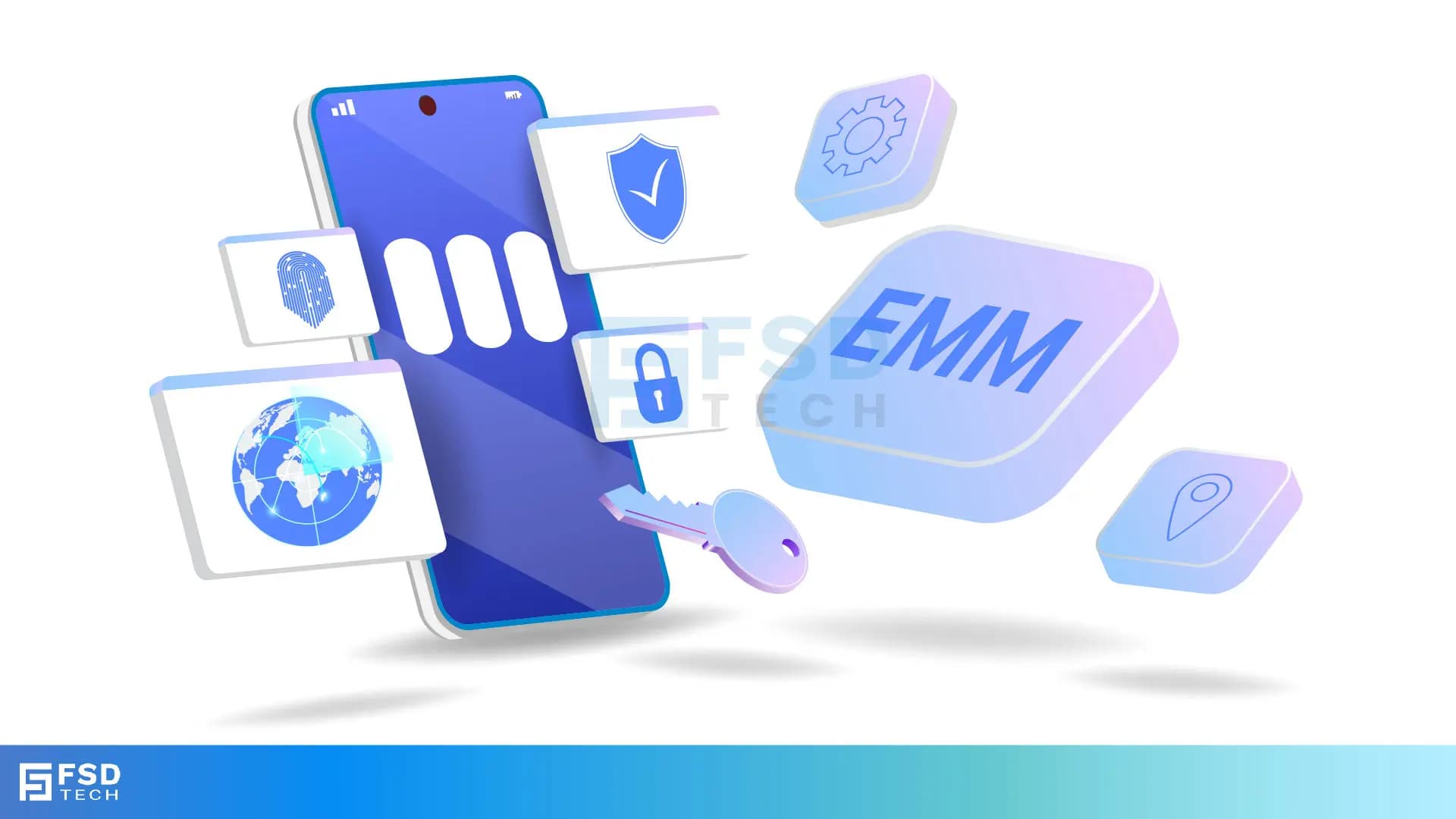
    Illustration of mobile device with EMM icons like security, biometrics, location, and remote access for enterprise mobility control.

    Introduction

    Device security is a critical concern for modern organizations. As more employees access business resources remotely, the margin for error increases—especially when relying on manual security enforcement. Even one misconfigured device can open the door to costly vulnerabilities.
     

    Miradore EMM Premium+ changes the game by automating security policies across your device fleet. Whether you're managing a few dozen endpoints or thousands, Miradore ensures devices stay compliant with minimal manual intervention. In this blog, we’ll break down how policy automation works in Miradore, what policies can be enforced, and how to respond swiftly when things go wrong.


    Key Takeaways

    • Automatically enforce encryption, passcodes, VPN, and other policies
    • Apply rules by OS, ownership type, or compliance status using dynamic groups
    • Trigger alerts or remote actions when non-compliance is detected
    • Monitor and audit compliance with detailed dashboards and reports
    • Reduce IT burden while improving endpoint security at scale


    Why Manual Security Management Doesn’t Scale

    Configuring and monitoring endpoint security manually becomes unmanageable fast—especially across multiple platforms and device ownership models. IT teams face challenges like:

    • Manually checking encryption and passcode status
    • Ensuring VPN usage across BYOD and corporate devices
    • Catching users who disable key security settings
    • Documenting compliance for internal or external audits

    With Miradore EMM, you define your security policies once and apply them automatically to matching devices through dynamic groups. This ensures consistent enforcement and frees your team from tedious, error-prone work.


    How Security Policy Automation Works in Miradore

    1. Create Custom or Pre-Built Security Policies

    Miradore provides pre-configured templates or lets you create tailored security policies to meet your specific requirements. These policies can include:

    • Enforcing full-disk encryption
    • Mandating screen locks and complex passcodes
    • Enabling or requiring VPN usage
    • Restricting features like Bluetooth or the camera
    • Locking down outdated or jailbroken devices

    2. Assign Policies Using Dynamic Device Groups

    Instead of assigning security policies one-by-one, Miradore supports dynamic grouping. Devices are grouped automatically based on attributes like:

    • OS version (e.g., Android 13+, iOS 16+)
    • Ownership status (BYOD vs corporate-owned)
    • Device tags (e.g., "Finance", "Sales")
    • Compliance health or geographical region

    Once grouped, each device automatically receives the associated policy. This makes it easy to manage security at scale and adapt to organizational changes.

    3. Real-Time Monitoring and Automated Responses

    Miradore continuously monitors devices for compliance. If a device violates a policy—like turning off encryption or bypassing a VPN—the platform can automatically:

    • Send a real-time alert to admins
    • Move the device to a non-compliant group for isolation
    • Lock the device or remove access to business apps
    • Require re-enrollment or a password reset

    These automated reactions reduce time-to-response and help maintain compliance without daily manual oversight.


    Common Policies You Can Automate in Miradore
     

    Policy TypeDescription
    Encryption EnforcementRequires full-disk encryption on iOS, Android, Windows, macOS
    Passcode RequirementsMandates PIN or complex passwords per compliance standards
    Jailbreak/Root DetectionAutomatically blocks non-compliant or tampered devices
    VPN & Network RulesPushes and enforces secure VPN or Wi-Fi profiles
    Minimum OS EnforcementBlocks access from devices running outdated or unsupported OS versions
    Camera/Bluetooth ControlDisables hardware features for roles or apps that require isolation
    App RestrictionsPrevents installation or use of blacklisted or unverified applications


    These policies are modular and adaptable, allowing you to enforce enterprise-grade security across departments and user roles.


    Real-World Example: Scaling Compliance in a Financial Firm

    A growing financial firm allowed both BYOD and corporate devices across their remote workforce. Managing encryption, VPN usage, and app restrictions manually had become unsustainable. They implemented Miradore to:

    • Assign policy profiles dynamically to devices based on ownership and location
    • Automatically enforce encryption and strong password policies
    • Trigger alerts for jailbreak detection and VPN non-compliance
    • Remediate non-compliant devices via remote lock and selective wipe

    The result: higher compliance rates, fewer data risks, and more time for IT to focus on proactive security planning.


    Next Steps

    Automating device security isn’t a luxury—it’s a necessity. Miradore EMM Premium+ provides scalable, policy-driven security that adapts to your organization’s needs. You’ll save time, reduce manual effort, and ensure every device stays audit-ready.


    FAQs: 

    1. Can I apply different policies for BYOD and corporate devices?

    Yes. Miradore supports conditional policy assignments based on device ownership, OS, tags, or custom attributes. BYOD can have lighter controls applied only to work profiles.
     

    2. What happens if a device violates a policy?

    Miradore can automatically trigger alerts, lock devices, or remove access to corporate resources. You can also isolate the device or move it to a remediation group.
     

    3. Can I disable features like camera or Bluetooth?

    Yes. You can enforce restrictions per group or policy profile. For example, field agents may have camera access disabled to comply with privacy rules.
     

    4. Does Miradore support encryption enforcement on all platforms?

    Yes. You can enforce full-disk encryption on Android, iOS, Windows, and macOS devices—automatically monitored and enforced.
     

    5. How do compliance reports help with audits?

    Miradore generates real-time and historical compliance reports, including device status, policy enforcement logs, and security incidents. These can be exported to support ISO, GDPR, or local regulations like NESA or SAMA.

    Automating Security Policies with Miradore EMM

    About The Author

    Anas Abdu Rauf

    Anas is an Expert in Network and Security Infrastructure, With over seven years of industry experience, holding certifications Including CCIE- Enterprise, PCNSE, Cato SASE Expert, and Atera Certified Master. Anas provides his valuable insights and expertise to readers.

    Like This Story?

    Share it with friends!

    Subscribe to our newsletter!

    Isometric illustration of a centralized performance platform connected to analytics dashboards and team members, representing goal alignment, measurable outcomes, risk visibility, and strategic project tracking within ClickUp.

    How ClickUp Enables Outcome-Based Project Management (Not Just Task Tracking)

    🕓 February 15, 2026
    Isometric illustration of a centralized executive dashboard platform connected to analytics panels, performance charts, security indicators, and strategic milestones, representing real-time business visibility and decision control within ClickUp.

    Executive Visibility in ClickUp – How CXOs Gain Real-Time Control Without Micromanaging

    🕓 February 13, 2026

    Cato SASE Architecture

    Inside Cato’s SASE Architecture: A Blueprint for Modern Security

    🕓 January 26, 2025

    Workflow Automation(8)

    Workforce Automation(1)

    AI Project Management(1)

    HR Data Automation(1)

    RMM(1)

    IT Workflow Automation(1)

    IT security(2)

    GCC compliance(4)

    Payroll Integration(2)

    IT support automation(3)

    procurement automation(1)

    lost device management(1)

    IT Management(5)

    IoT Security(2)

    Cato XOps(2)

    IT compliance(4)

    Task Automation(1)

    Workflow Management(1)

    Kubernetes lifecycle management(2)

    OpenStack automation(1)

    AI-powered cloud ops(1)

    SMB Security(8)

    Data Security(1)

    MDR (Managed Detection & Response)(4)

    MSP Automation(3)

    Atera Integrations(2)

    XDR Security(2)

    Ransomware Defense(3)

    SMB Cyber Protection(1)

    HR Tech Solutions(1)

    Zero Trust Network Access(3)

    Zero Trust Security(2)

    Endpoint Management(1)

    SaaS Security(1)

    Payroll Automation(5)

    IT Monitoring(2)

    Xcitium EDR SOC(15)

    Ransomware Protection GCC(1)

    Network Consolidation UAE(1)

    M&A IT Integration(1)

    MSSP for SMBs(1)

    SMB Cybersecurity GCC(1)

    FSD-Tech MSSP(25)

    Ransomware Protection(3)

    Managed EDR FSD-Tech(1)

    Antivirus vs EDR(1)

    Cybersecurity GCC(12)

    Endpoint Security(1)

    Data Breach Costs(1)

    Endpoint Protection(1)

    SMB Cybersecurity(8)

    Zero Dwell Containment(31)

    Managed Security Services(2)

    Xcitium EDR(30)

    Cloud Backup(1)

    Hybrid Backup(1)

    Backup & Recovery(1)

    pointguard ai(4)

    vembu(9)

    SMB data protection(9)

    backup myths(1)

    disaster recovery myths(1)

    Disaster Recovery(4)

    Vembu BDR Suite(19)

    DataProtection(1)

    GCCBusiness(1)

    Secure Access Service Edge(4)

    GCC IT Solutions(1)

    Unified Network Management(1)

    GCC HR software(20)

    open banking(1)

    financial cybersecurity(2)

    CC compliance(1)

    Miradore EMM(15)

    Government Security(1)

    Cato SASE(8)

    Hybrid Learning(1)

    Cloud Security(9)

    GCC Education(1)

    Talent Development(1)

    AI Risk Management(1)

    AI Compliance(2)

    AI Governance(4)

    AI Cybersecurity(12)

    AI Security(2)

    Secure Remote Access(1)

    GCC business security(1)

    GCC network integration(1)

    compliance automation(5)

    GCC cybersecurity(3)

    education security(1)

    BYOD security Dubai(8)

    Miradore EMM Premium+(5)

    App management UAE(1)

    MiddleEast(1)

    HealthcareSecurity(1)

    Team Collaboration(1)

    IT automation(12)

    Zscaler(1)

    SD-WAN(7)

    share your thoughts

    Isometric illustration showing a centralized IT monitoring and automation platform connecting cloud services, servers, laptops, and dashboards, representing thresholds, alerts, secure data flow, and automated remediation across distributed systems.

    Thresholds, Alerts & Auto-Healing in Atera (and where AI Copilot helps)

    🕓 February 11, 2026

    Isometric illustration showing Atera AI Copilot integrated with automation profiles and patch management workflows, depicting governed scripting, secure execution paths, approval checkpoints, and centralized control across IT systems.

    Integrating AI Copilot with Automation Profiles & Patch Management in Atera

    🕓 February 9, 2026

    Isometric illustration of Account Intelligence as a central platform connecting laptops, servers, and network devices, representing real-time device visibility, lifecycle management, discovery of unmanaged assets, and synchronized inventory across IT environments.

    Account Intelligence in Atera: Offline Devices, Trends & Discovery

    🕓 February 8, 2026

    Decoded(117)

    Cyber Security(118)

    BCP / DR(22)

    Zeta HRMS(78)

    SASE(21)

    Automation(76)

    Next Gen IT-Infra(118)

    Monitoring & Management(76)

    ITSM(22)

    HRMS(21)

    Automation(24)








