HomeNext Gen IT-InfraMonitoring & ManagementCyber SecurityBCP / DRAutomationDecoded
Next Gen IT-Infra
Cato’s SASE Supports Cybersecurity Skills Development

How Cato’s SASE Supports Cybersecurity Skills Development

🕓 April 8, 2025

How SASE Supports the Security Needs of SMBs

How SASE Supports the Security Needs of SMBs

🕓 February 9, 2025

Attack Surface Reduction with Cato’s SASE

Attack Surface Reduction with Cato’s SASE

🕓 February 10, 2025

SASE for Digital Transformation in UAE

SASE for Digital Transformation in UAE

🕓 February 8, 2025

Monitoring & Management
Understanding Atera’s SLA Management

Understanding Atera’s SLA Management

🕓 February 7, 2025

Cost-Performance Ratio: Finding the Right Balance in IT Management Networks

Cost-Performance Ratio: Finding the Right Balance in IT Management Networks

🕓 June 16, 2025

Customizing Atera with APIs

Customizing Atera with APIs

🕓 March 3, 2025

Power Up Your IT Team’s Strategy with Atera’s Communication Tools

Power Up Your IT Team’s Strategy with Atera’s Communication Tools

🕓 February 8, 2025

Cyber Security
Illustration of the Cato Cloud architecture showing its role in delivering SASE for secure, optimized global connectivity.

Understanding the Cato Cloud and Its Role in SASE

🕓 January 29, 2025

Isometric illustration of professionals managing network performance, bandwidth analytics, and cloud-based optimization around the Cato Networks platform, symbolizing bandwidth control and QoS visibility.

Mastering Bandwidth Control and QoS in Cato Networks

🕓 July 26, 2025

Global network backbone powering Cato SASE solution for secure, high-performance connectivity across regions.

Global Backbone: The Engine Powering Cato’s SASE Solution

🕓 January 30, 2025

Illustration of team analyzing application traffic and usage insights on a large laptop screen using Cato’s dashboard, surrounded by network and cloud icons.

Cato Networks Application Visibility | Monitoring & Control

🕓 July 27, 2025

BCP / DR
Illustration showing diverse business and IT professionals collaborating with cloud, backup, and security icons, representing Vembu use cases for SMBs, MSPs, and IT teams.

Who Uses Vembu? Real-World Use Cases for SMBs, MSPs & IT Teams

🕓 July 12, 2025

Graphic showcasing Vembu’s all-in-one backup and disaster recovery platform with icons for cloud, data protection, and business continuity for IT teams and SMBs.

What Is Vembu? A Deep Dive Into the All in One Backup & Disaster Recovery Platform

🕓 July 6, 2025

Illustration showing Vembu backup and disaster recovery system with cloud storage, server racks, analytics dashboard, and IT professionals managing data.

The Rising Cost of Data Loss: Why Backup Is No Longer Optional?

🕓 August 14, 2025

3D isometric illustration of cloud backup and data recovery infrastructure with laptop, data center stack, and digital business icons — FSD Tech

RPO & RTO: The Heart of Business Continuity

🕓 August 15, 2025

Automation
Cross-Functional Collaboration with ClickUp

Fostering Cross-Functional Collaboration with ClickUp for Multi-Departmental Projects

🕓 February 11, 2025

ClickUp Project Reporting

Revolutionizing Enterprise Reporting with ClickUp’s Advanced Analytics and Dashboards

🕓 June 16, 2025

ClickUp’s Design Collaboration and Asset Management Tools

Empowering Creative Teams with ClickUp’s Design Collaboration and Asset Management Tools

🕓 February 26, 2025

ClickUp Communication and Collaboration Tools

ClickUp Communication and Collaboration Tools: Empowering Remote Teams

🕓 March 12, 2025

Decoded
Multi-Factor Authentication (MFA)

Multi-Factor Authentication (MFA): All You Need to Know

🕓 December 7, 2025

L3 Switch

What Is an L3 Switch? L2 vs L3 & Why You Need Layer 3?

🕓 December 8, 2025

IPSec

IPSec Explained: Protocols, Modes, IKE & VPN Security

🕓 December 3, 2025

 Datagram Transport Layer Security (DTLS)

What is Datagram Transport Layer Security (DTLS)? How it works?

🕓 December 4, 2025

    Subscribe to our newsletter!

    About Us

    Follow Us

    Copyright © 2024 | Powered by 

    Cato SASE Architecture

    Inside Cato’s SASE Architecture: A Blueprint for Modern Security

    🕓 January 26, 2025

    Enterprise Data Security and Privacy with ClickUp

    Ensuring Enterprise Data Security and Privacy with ClickUp

    🕓 February 9, 2025

    DDoS protection SASE

    DDoS Protection and Cato’s Defence Mechanisms

    🕓 February 11, 2025

    Table of Contents

    How Cybercriminals Trick Employees — And How to Stop Them

    Anas Abdu Rauf
    August 31, 2025
    Comments
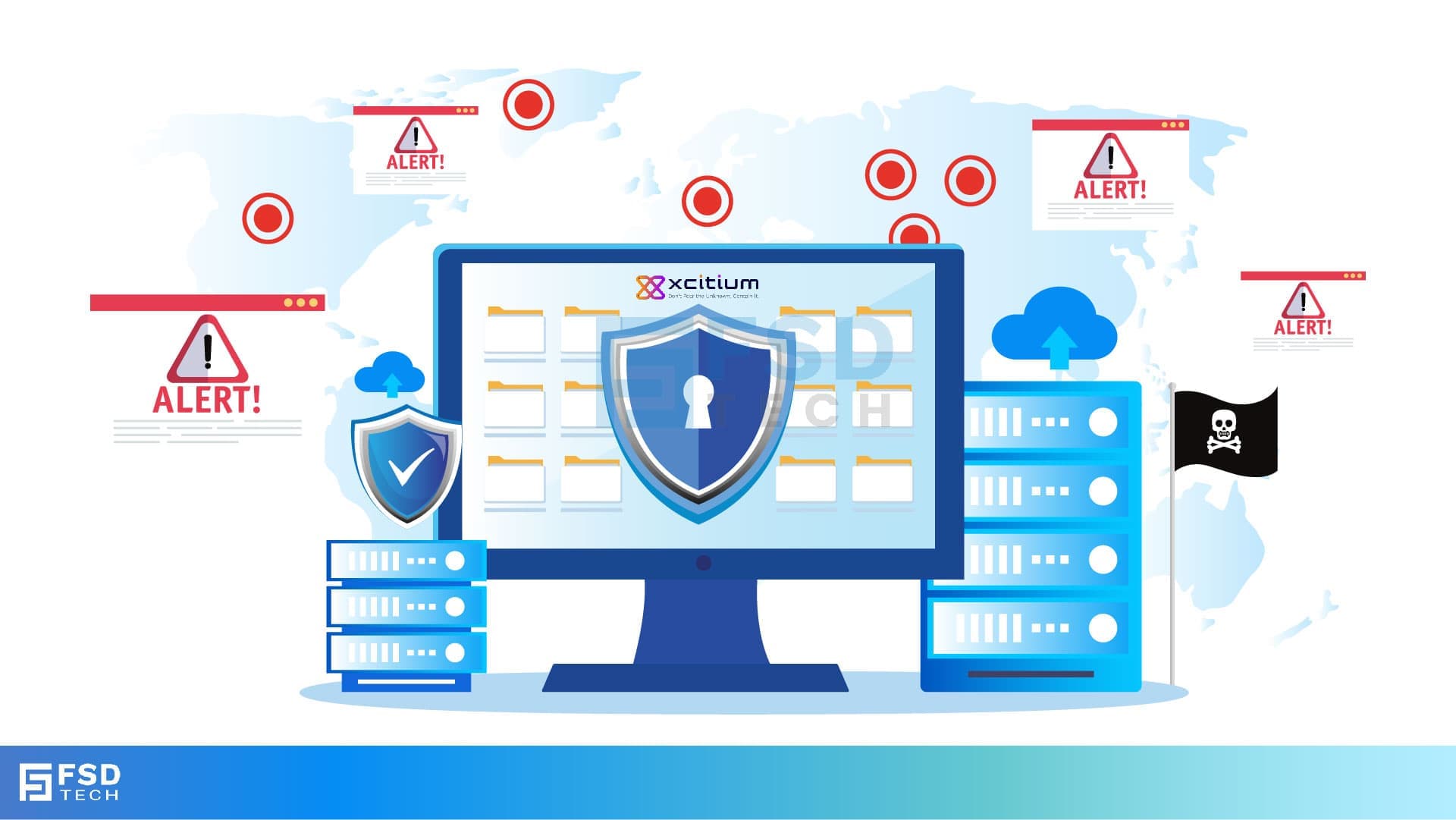
    FSD Tech illustration of phishing and ransomware threats. Shows global attack alerts, hacker intrusion symbols, and shielded computer with secure cloud backups. Highlights the importance of Zero Dwell containment and continuous monitoring to block phishing campaigns and data breaches.

    The Story Every Business Owner Should Hear

    Imagine this:

    You own a growing retail chain in Dubai.

    It’s Monday morning, and your team is busy processing weekend orders.

    Your accountant gets an email from what looks like your bank:
    “Important: Security Alert on Your Account. Please click here to verify.”

    The logo looks right.

    The tone feels urgent.

    Without thinking too much, your accountant clicks the link.

    Within seconds, a malicious file downloads.

    It doesn’t scream “virus.” It hides. It starts collecting sensitive login information.

    And just like that, your company’s data is at risk — all because of one click.


    Why Employee Mistakes Are the #1 Entry Point for Hackers

    Cybercriminals know that hacking into a secure system is hard.

    It’s easier to trick people into opening the door for them.

    The most common tricks?

    • Phishing emails (fake emails that look real).
    • Malicious attachments (Word, PDF, or Excel files).
    • Links to fake websites.
    • Messages via WhatsApp or LinkedIn with urgent requests.

    According to recent data, over 90% of cyberattacks start with a human error.


    The GCC & Africa SMB Risk

    In GCC & Africa, small and mid-sized businesses are especially at risk because:

    • They don’t have dedicated cybersecurity teams.
    • Employees often handle multiple roles and may not spot suspicious requests.
    • Cybercriminals know local scams that work well in the region.


    How Hackers Make Their Emails Look Real

    1. They use logos and branding — copying from real companies.

    2. They spoof sender addresses so emails look like they come from a trusted contact.

    3. They create urgency — “Pay now,” “Verify account,” “Security alert.”

    4. They use local references — GCC banks, African suppliers, familiar business names.


    One Click, Big Damage

    Here’s what can happen after just one click:

    • Malware gets installed silently.
    • Login details for your email or bank get stolen.
    • Ransomware locks your files.
    • Sensitive customer information is leaked.


    Don’t let one click put your business at risk. Fill out the form to explore Zero Dwell + EDR + MDR protection for your SMB today


    The 3-Layer Protection That Stops Mistakes from Becoming Disasters

    1. Zero Dwell Containment

    Even if an employee clicks a bad link or downloads a suspicious file, Zero Dwell isolates the file instantly.

    It checks it in a secure container so it can’t run and cause harm.


    2. EDR (Endpoint Detection & Response)

    Monitors all devices in real time.

    If anything suspicious happens — like files encrypting or strange data transfers — EDR stops it and alerts you.


    3. MDR (Managed Detection & Response)

    Your 24/7 human security team.

    They review alerts, investigate threats, and take immediate action — even at midnight.


    Ready to protect your team from phishing and ransomware? Click Here
     

    A Real Example from GCC

    Case Study – Abu Dhabi Trading Company

    An employee received a fake supplier invoice in PDF format.

    • Zero Dwell trapped the file before it opened.
    • EDR detected hidden code inside the file.
    • MDR team confirmed it was ransomware and blocked it.

    Outcome: No breach. No ransom. No disruption to business.


    Why Training Alone Isn’t Enough

    Yes, staff awareness training is important — but even the best-trained employee can make a mistake.

    That’s why technical safety nets like Zero Dwell, EDR, and MDR are essential.

    Think of it like driving:

    • Training teaches you to avoid accidents.
    • Seat belts and airbags protect you if something goes wrong.


    The Cost of Prevention vs. The Cost of a Breach

    With Protection:

    • $2–$5 per device/month.

    Without Protection:

    • $50,000+ for breach recovery.
    • Weeks of downtime.
    • Loss of customer trust.


    FSD-Tech’s SMB Advantage in GCC & Africa

    We offer:

    •  Xcitium’s award-winning EDR.
    •  Zero Dwell Containment as standard.
    •  24/7 MDR SOC team.
    •  Affordable SMB pricing.
    •  Compliance with UAE NESA, KSA NCA, POPIA, NDPR.


    Final Word

    Your employees are your greatest asset — but also your biggest security risk.

    With FSD-Tech’s 3-layer cybersecurity, one mistake won’t cost you your business.


     Want to see how FSD-Tech can protect your employees in less than 24 hours? Book a free consultation with our cybersecurity experts. Schedule your session today.
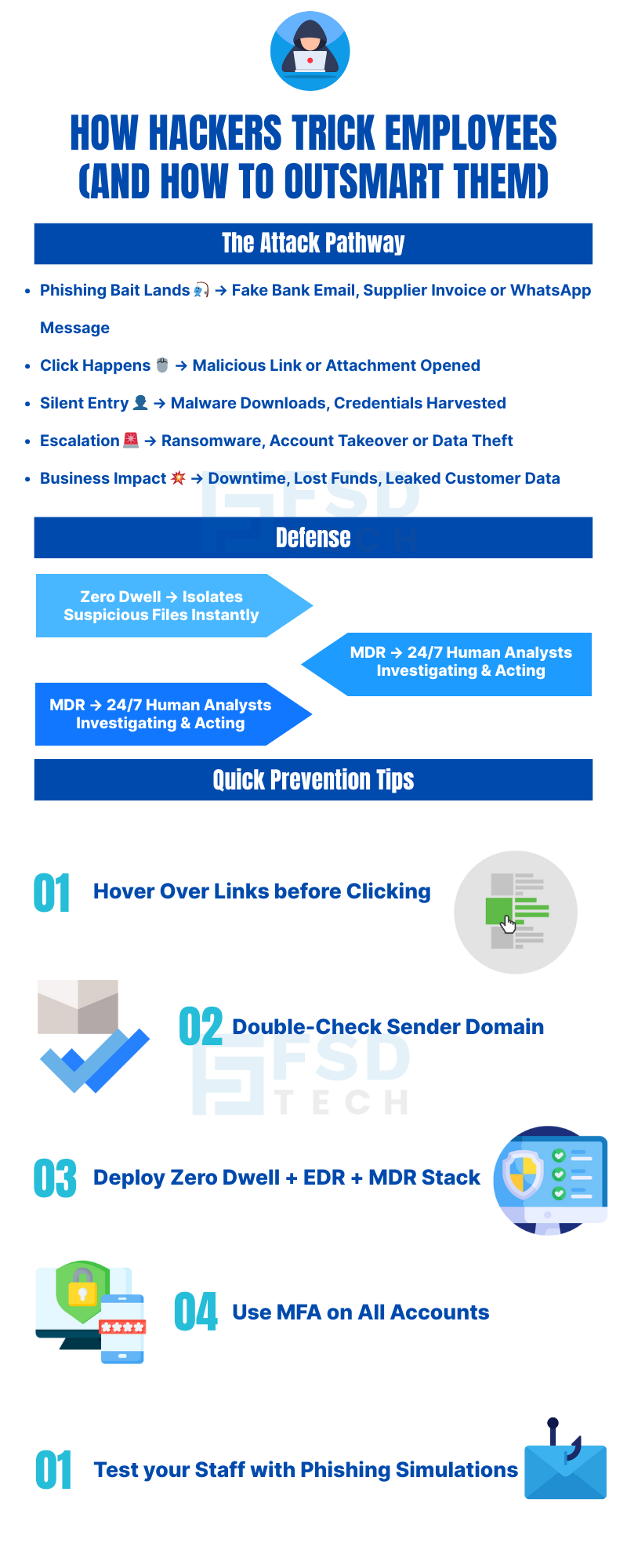
     

    FSD Tech infographic on how hackers trick employees and how to outsmart them. Shows phishing attack pathway from fake emails and malicious links to malware downloads, ransomware, and data theft. Defense strategies include Zero Dwell containment, MDR 24/7 monitoring, and quick prevention tips like hovering over links, checking sender domains, enabling MFA, and running phishing simulations

    FAQ 

    1. What is phishing?

    Phishing is when a hacker sends fake emails, messages, or links that look real to trick someone into sharing passwords, bank details, or clicking harmful files. These fake messages can look like they’re from your bank, supplier, or even a colleague.


    2. Why do hackers target employees instead of breaking into systems directly?

    Because people are easier to fool than machines. Hacking into a secure server takes skill and time, but tricking an employee to click a link or open a file can take just a few seconds.


    3. What does a phishing email look like?

    It often uses:

    • Company logos and branding to look real.
    • Urgent messages like “Pay Now” or “Account Suspended.”
    • Email addresses that look similar to trusted contacts.
    • Links that take you to fake websites.


    4. How can one click cause so much damage?

    A single click can download malware, steal passwords, or start ransomware encryption. Once inside, hackers can spread to other devices and servers quickly.


    5. Are GCC & Africa SMBs more at risk from phishing?

    Yes. Smaller businesses often lack big IT teams, have fewer security tools, and may not train staff regularly, making them easier targets for cybercriminals.


    6. Can training employees prevent all attacks?

    No. Training reduces mistakes, but no one is perfect. That’s why technical tools like Zero Dwell Containment, EDR, and MDR are necessary as a safety net.


    7. What is Zero Dwell Containment and how does it help?

    It instantly isolates suspicious files before they run. If the file is safe, it’s released. If it’s dangerous, it’s blocked. This stops threats before they can cause harm — even if an employee clicks on them.


    8. How does EDR help with employee mistakes?

    EDR watches all endpoint activity in real time. If an employee accidentally opens a malicious file, EDR detects unusual behavior and stops it before it spreads.


    9. What role does MDR play in this protection?

    MDR adds a 24/7 human team to review alerts, investigate threats, and respond instantly — even outside business hours. This means threats don’t wait until Monday morning to be handled.


    10. Can these tools protect remote employees?

    Yes. Zero Dwell, EDR, and MDR work anywhere — in the office, at home, or while traveling. This is especially important for hybrid and remote teams.


    11. What’s the most common phishing trick in GCC & Africa?

    Fake invoice or payment requests are common. Hackers send emails pretending to be suppliers or clients, asking for urgent payment or account verification.


    12. How quickly can FSD-Tech protect my employees?

    We can deploy protection across all your devices in as little as one business day — without stopping your operations.


    13. Is it expensive to get these protections?

    No. For SMBs, pricing can be as low as $2–$5 per device/month — far cheaper than the $50,000+ cost of recovering from a breach.


    14. How does this help with compliance?

    By preventing data leaks, these tools help you comply with regional laws like UAE NESA, KSA NCA, POPIA, and NDPR, avoiding fines and legal issues.


    15. Why should I choose FSD-Tech for this?

    We’re a trusted GCC & Africa solutions partner, providing Xcitium’s award-winning EDR, 24/7 MDR SOC teams, and Zero Dwell Containment — all tailored for SMB budgets.


    How Cybercriminals Trick Employees — And How to Stop Them

    About The Author

    Anas Abdu Rauf

    Anas is an Expert in Network and Security Infrastructure, With over seven years of industry experience, holding certifications Including CCIE- Enterprise, PCNSE, Cato SASE Expert, and Atera Certified Master. Anas provides his valuable insights and expertise to readers.

    Like This Story?

    Share it with friends!

    Subscribe to our newsletter!

    Atera

    (49)

    Cato Networks

    (120)

    ClickUp

    (70)

    FishOS

    (7)

    Miradore

    (21)

    PointGuard AI

    (9)

    Vembu

    (22)

    Xcitium

    (33)

    ZETA HRMS

    (79)

    Workflow Automation(8)

    Workforce Automation(1)

    AI Project Management(1)

    HR Data Automation(1)

    RMM(1)

    IT Workflow Automation(1)

    IT security(2)

    GCC compliance(4)

    Payroll Integration(2)

    IT support automation(3)

    procurement automation(1)

    lost device management(1)

    IT Management(5)

    IoT Security(2)

    Cato XOps(2)

    IT compliance(4)

    Workflow Management(1)

    Task Automation(1)

    Kubernetes lifecycle management(2)

    OpenStack automation(1)

    AI-powered cloud ops(1)

    SMB Security(8)

    Data Security(1)

    MDR (Managed Detection & Response)(4)

    MSP Automation(3)

    Atera Integrations(2)

    XDR Security(2)

    SMB Cyber Protection(1)

    Ransomware Defense(3)

    HR Tech Solutions(1)

    Zero Trust Network Access(3)

    Zero Trust Security(2)

    Endpoint Management(1)

    SaaS Security(1)

    Payroll Automation(5)

    IT Monitoring(2)

    Xcitium EDR SOC(15)

    Ransomware Protection GCC(1)

    Network Consolidation UAE(1)

    M&A IT Integration(1)

    MSSP for SMBs(1)

    SMB Cybersecurity GCC(1)

    Managed EDR FSD-Tech(1)

    Ransomware Protection(3)

    Antivirus vs EDR(1)

    FSD-Tech MSSP(25)

    Cybersecurity GCC(12)

    Endpoint Security(1)

    Endpoint Protection(1)

    Data Breach Costs(1)

    SMB Cybersecurity(8)

    Zero Dwell Containment(31)

    Managed Security Services(2)

    Xcitium EDR(30)

    Hybrid Backup(1)

    Cloud Backup(1)

    Backup & Recovery(1)

    pointguard ai(4)

    backup myths(1)

    disaster recovery myths(1)

    SMB data protection(9)

    vembu(9)

    Disaster Recovery(4)

    Vembu BDR Suite(19)

    GCCBusiness(1)

    DataProtection(1)

    Secure Access Service Edge(4)

    GCC HR software(20)

    Miradore EMM(15)

    Cato SASE(7)

    Cloud Security(8)

    Talent Development(1)

    AI Compliance(2)

    AI Security(2)

    AI Risk Management(1)

    AI Cybersecurity(12)

    AI Governance(4)

    GCC business security(1)

    GCC network integration(1)

    compliance automation(5)

    education security(1)

    GCC cybersecurity(2)

    Miradore EMM Premium+(5)

    App management UAE(1)

    BYOD security Dubai(8)

    MiddleEast(1)

    HealthcareSecurity(1)

    Team Collaboration(1)

    IT automation(12)

    Zscaler(1)

    SD-WAN(6)

    HR Integration(4)

    Cloud Networking(3)

    device management(9)

    VPN(1)

    RemoteWork(1)

    ZeroTrust(2)

    MPLS(1)

    Project Management(9)

    HR automation(16)

    share your thoughts

    Illustration showing identity-centric Zero Trust security with the Cato Client acting as a continuous identity signal, connecting users, devices, cloud resources, and OT systems through unified policy enforcement.”

    How the Cato Client Becomes the Identity Anchor for Zero Trust Access

    🕓 January 25, 2026

    Context-aware firewall enforcement in Cato SASE illustrating how device platform, country, and origin of connection enhance Zero Trust security beyond basic device context.

    Platforms, Countries, and Origin of Connection: Advanced Device Criteria in Cato Firewall

    🕓 January 24, 2026

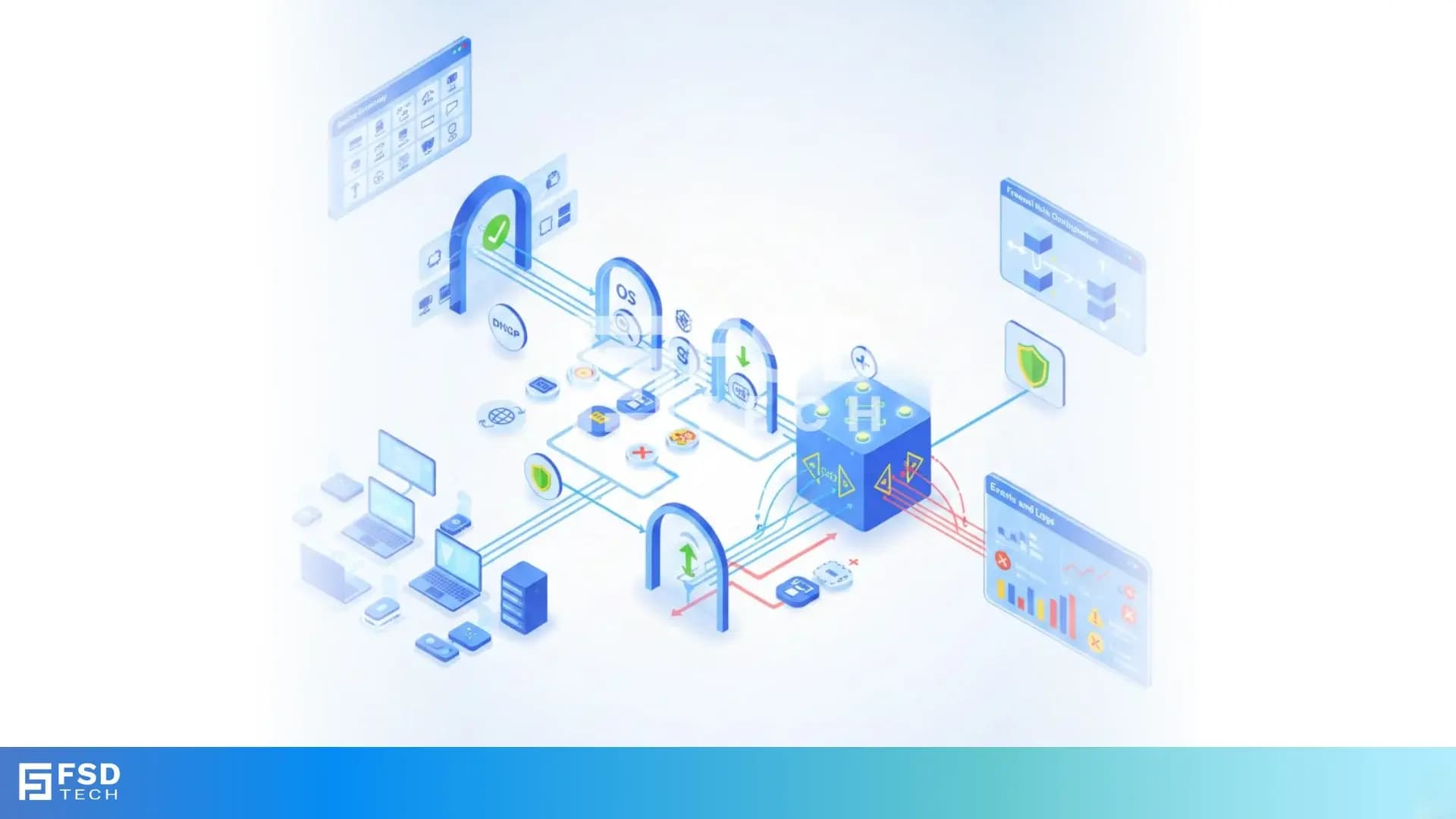
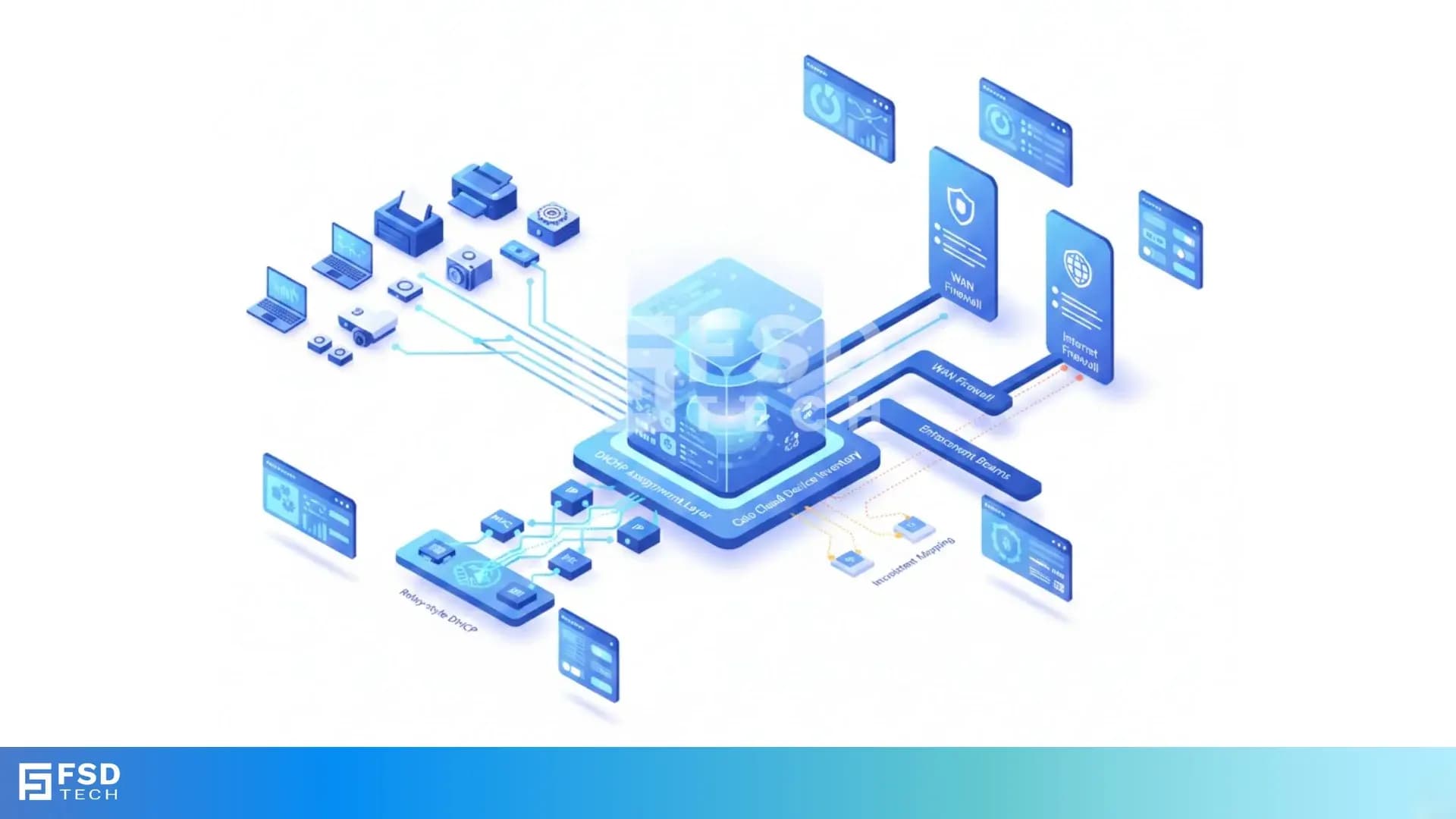
    Cato SASE platform visual showing device-aware WAN firewall enforcement with centralized security controls, analytics dashboards, IPS, and Zero Trust policy monitoring across enterprise infrastructure.

    Device-Aware WAN Firewall Policies in Cato SASE

    🕓 January 23, 2026

    Decoded(93)

    Cyber Security(118)

    BCP / DR(22)

    Zeta HRMS(78)

    SASE(21)

    Automation(70)

    Next Gen IT-Infra(118)

    Monitoring & Management(70)

    ITSM(22)

    HRMS(21)

    Automation(24)