HomeNext Gen IT-InfraMonitoring & ManagementCyber SecurityBCP / DRAutomationDecoded
Next Gen IT-Infra
Cato’s SASE Supports Cybersecurity Skills Development

How Cato’s SASE Supports Cybersecurity Skills Development

🕓 April 8, 2025

How SASE Supports the Security Needs of SMBs

How SASE Supports the Security Needs of SMBs

🕓 February 9, 2025

Attack Surface Reduction with Cato’s SASE

Attack Surface Reduction with Cato’s SASE

🕓 February 10, 2025

SASE for Digital Transformation in UAE

SASE for Digital Transformation in UAE

🕓 February 8, 2025

Monitoring & Management
Understanding Atera’s SLA Management

Understanding Atera’s SLA Management

🕓 February 7, 2025

Cost-Performance Ratio: Finding the Right Balance in IT Management Networks

Cost-Performance Ratio: Finding the Right Balance in IT Management Networks

🕓 June 16, 2025

Customizing Atera with APIs

Customizing Atera with APIs

🕓 March 3, 2025

Power Up Your IT Team’s Strategy with Atera’s Communication Tools

Power Up Your IT Team’s Strategy with Atera’s Communication Tools

🕓 February 8, 2025

Cyber Security
Visual guide showing Cato CMA interface for configuring Internet and WAN firewall rules, enabling threat protection, and monitoring security events in real time for UAE IT teams.

Enforcing Firewall and Threat Protection Policies in Cato

🕓 July 25, 2025

Isometric illustration of professionals managing network performance, bandwidth analytics, and cloud-based optimization around the Cato Networks platform, symbolizing bandwidth control and QoS visibility.

Mastering Bandwidth Control and QoS in Cato Networks

🕓 July 26, 2025

Illustration of the Cato Cloud architecture showing its role in delivering SASE for secure, optimized global connectivity.

Understanding the Cato Cloud and Its Role in SASE

🕓 January 29, 2025

Global network backbone powering Cato SASE solution for secure, high-performance connectivity across regions.

Global Backbone: The Engine Powering Cato’s SASE Solution

🕓 January 30, 2025

BCP / DR
Illustration showing diverse business and IT professionals collaborating with cloud, backup, and security icons, representing Vembu use cases for SMBs, MSPs, and IT teams.

Who Uses Vembu? Real-World Use Cases for SMBs, MSPs & IT Teams

🕓 July 12, 2025

Graphic showcasing Vembu’s all-in-one backup and disaster recovery platform with icons for cloud, data protection, and business continuity for IT teams and SMBs.

What Is Vembu? A Deep Dive Into the All in One Backup & Disaster Recovery Platform

🕓 July 6, 2025

Illustration showing Vembu backup and disaster recovery system with cloud storage, server racks, analytics dashboard, and IT professionals managing data.

The Rising Cost of Data Loss: Why Backup Is No Longer Optional?

🕓 August 14, 2025

3D isometric illustration of cloud backup and data recovery infrastructure with laptop, data center stack, and digital business icons — FSD Tech

RPO & RTO: The Heart of Business Continuity

🕓 August 15, 2025

Automation
Cross-Functional Collaboration with ClickUp

Fostering Cross-Functional Collaboration with ClickUp for Multi-Departmental Projects

🕓 February 11, 2025

ClickUp Project Reporting

Revolutionizing Enterprise Reporting with ClickUp’s Advanced Analytics and Dashboards

🕓 June 16, 2025

ClickUp’s Design Collaboration and Asset Management Tools

Empowering Creative Teams with ClickUp’s Design Collaboration and Asset Management Tools

🕓 February 26, 2025

ClickUp Communication and Collaboration Tools

ClickUp Communication and Collaboration Tools: Empowering Remote Teams

🕓 March 12, 2025

Decoded
Multi-Factor Authentication (MFA)

Multi-Factor Authentication (MFA): All You Need to Know

🕓 December 7, 2025

L3 Switch

What Is an L3 Switch? L2 vs L3 & Why You Need Layer 3?

🕓 December 8, 2025

IPSec

IPSec Explained: Protocols, Modes, IKE & VPN Security

🕓 December 3, 2025

 Datagram Transport Layer Security (DTLS)

What is Datagram Transport Layer Security (DTLS)? How it works?

🕓 December 4, 2025

    Subscribe to our newsletter!

    About Us

    Follow Us

    Copyright © 2024 | Powered by 

    Cato SASE Architecture

    Inside Cato’s SASE Architecture: A Blueprint for Modern Security

    🕓 January 26, 2025

    Enterprise Data Security and Privacy with ClickUp

    Ensuring Enterprise Data Security and Privacy with ClickUp

    🕓 February 9, 2025

    DDoS protection SASE

    DDoS Protection and Cato’s Defence Mechanisms

    🕓 February 11, 2025

    Table of Contents

    Scaling Operations with ClickUp: Lessons from Hypergrowth Teams

    NHAIF NOUSHAD
    September 23, 2025
    Comments
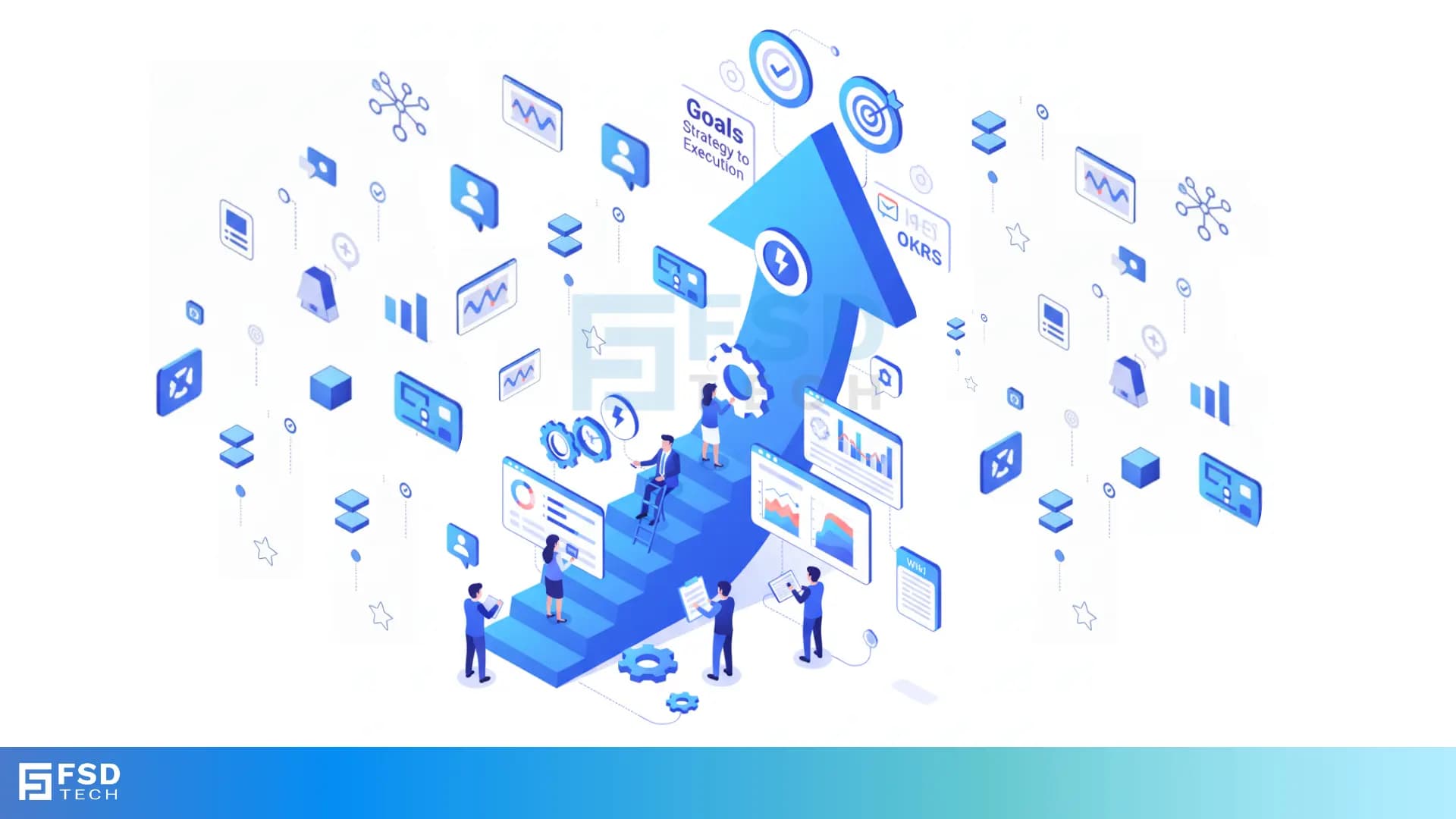
    FSD Tech illustration showing business teams scaling goals with ClickUp. Blue arrow represents growth strategy, while charts, dashboards, and automation icons highlight analytics, workflows, and digital transformation for UAE and GCC enterprises.

    The Operational Challenges of Scaling Fast

    Hypergrowth companies often live at the edge of chaos. Teams double in size within months, processes that once worked become bottlenecks, and visibility across departments can evaporate. Without the right systems, scaling can quickly turn into spiraling. Enter ClickUp — the operational anchor for fast-growing companies looking to scale with confidence, not chaos.
     

    ClickUp is not just a project management tool; it’s a scalable operating system for work that adapts as your organization grows. From startups scaling to enterprise to mid-sized companies launching new business verticals, this blog uncovers how fast-moving teams are using ClickUp to streamline their operations and build sustainable scale.


    Why Fast Growth Demands a Flexible Work OS

    When teams scale rapidly, the processes must scale with them. Hypergrowth demands:

    • Cross-functional alignment without friction
    • Repeatable and automated workflows
    • Real-time visibility into multiple layers of execution
    • A single source of truth for knowledge and updates

    Traditional tools or siloed spreadsheets crumble under this weight. ClickUp stands apart by offering a single workspace where every team—product, engineering, sales, operations, HR—can collaborate while maintaining process ownership.


    Centralizing Operations: The First Step to Controlled Growth

    One of the first moves hypergrowth teams make in ClickUp is consolidating operations into a central Workspace. This includes:

    • Building dedicated Spaces for each team
    • Creating Folders to group related initiatives (OKRs, campaigns, launches)
    • Using Lists to track granular projects, tasks, and workflows
    • Standardizing with Templates for repeatable execution

    This level of hierarchy allows teams to grow without losing structure. As you scale, your workflows remain organized, searchable, and standardized.


    Real-World Example: Central Ops Hub in ClickUp

    A Series C SaaS company used ClickUp to centralize their People Ops, Finance, and Business Operations teams. Instead of managing onboarding in HR software, budget planning in spreadsheets, and internal requests in email, they built dedicated Lists and Forms in ClickUp. The result? A unified ops dashboard with every task, status, and handoff visible in real time.


    Automating Workflows to Reduce Manual Burden

    Fast-scaling teams often suffer from task overload. Manual status updates, approvals, and handoffs become drag forces on productivity. ClickUp offers robust Automation capabilities to eliminate these repetitive actions. For example:

    • Assigning new tasks based on trigger events (like a form submission)
    • Updating statuses when dependencies are cleared
    • Auto-notifying stakeholders when tasks are completed
    • Using ClickUp Forms to create tasks and route them to the right owners

    The more you automate, the more your team can focus on high-value execution instead of operational overhead.


    Making Knowledge Transfer Seamless with Docs and Wikis

    When you’re hiring rapidly, onboarding becomes critical. Institutional knowledge can’t stay locked in individual heads or lost in Slack threads.

    ClickUp’s Docs and Wiki-style Pages allow teams to store and structure knowledge in real time. Create company-wide SOPs, onboarding checklists, product playbooks, and even department wikis—fully searchable and linkable to tasks and projects.

    Hypergrowth companies use ClickUp Docs not just for internal documentation, but to connect process to execution—each document can be attached to tasks, tagged to projects, and commented on collaboratively.


    Visualize Operations at Scale with Dashboards

    As your team scales, your need for operational visibility multiplies. ClickUp Dashboards give you the power to track performance, risk, timelines, workload, and process health in real time. Popular widgets include:

    • Task progress per team or milestone
    • Burndown charts and velocity tracking
    • Time tracked per project or employee
    • Workload heatmaps to monitor overcapacity
    • Pie charts of overdue tasks by department

    Executives, team leads, and project managers get custom views that surface only the data relevant to their role—keeping everyone informed and agile.


    Enhancing Communication with Comments and Assigned Actions

    At scale, communication often breaks down. ClickUp streamlines collaboration with features like:

    • Comment threads directly on tasks or Docs
    • @Mentions to loop in team members at the right time
    • Assigned Comments to ensure actions are never missed
    • Notifications that are context-rich and customizable

    Instead of scattered chats and missed updates, your team works in a centralized, action-oriented flow.


    Scaling Process Without Sacrificing Flexibility

    Hypergrowth doesn’t mean rigid structure—it means structured flexibility. In ClickUp, you can:

    • Use Custom Fields to tailor task attributes per workflow
    • Build Multiple Views (List, Board, Gantt, Timeline) for different team needs
    • Leverage ClickApps to turn on or off advanced features like Goals, Time Tracking, and Dependencies

    This modularity ensures that your marketing team isn’t forced to work like your product team, even though they collaborate in the same Workspace.


    Using Goals to Tie Execution to Strategic Growth

    ClickUp’s Goals feature lets you align individual tasks and team outcomes with top-level business OKRs. Whether it’s reducing customer churn, speeding up onboarding, or launching features faster—Goals allow everyone to see how their work ladders up to growth priorities.

    Hypergrowth teams track progress in real time with automatic updates from connected tasks, making goal reviews more accurate and execution-focused.


    Key Lessons from Hypergrowth Teams Using ClickUp

    1. Standardize with Templates: Use task, List, and Folder templates to ensure repeatable processes across teams.
    2. Automate Early: Don’t wait until burnout. Use automation to lighten the load and reduce errors.
    3. Make Data Visible: Dashboards drive accountability and enable quick course corrections.
    4. Keep Knowledge Live: Use Docs and Wikis to reduce onboarding time and preserve institutional memory.
    5. Align Work to Goals: Ensure every team knows how their tasks contribute to business outcomes.


    Book a Free no-obligation session with our experts to explore how ClickUp can help your team centralize, automate, and scale operations. Book Now
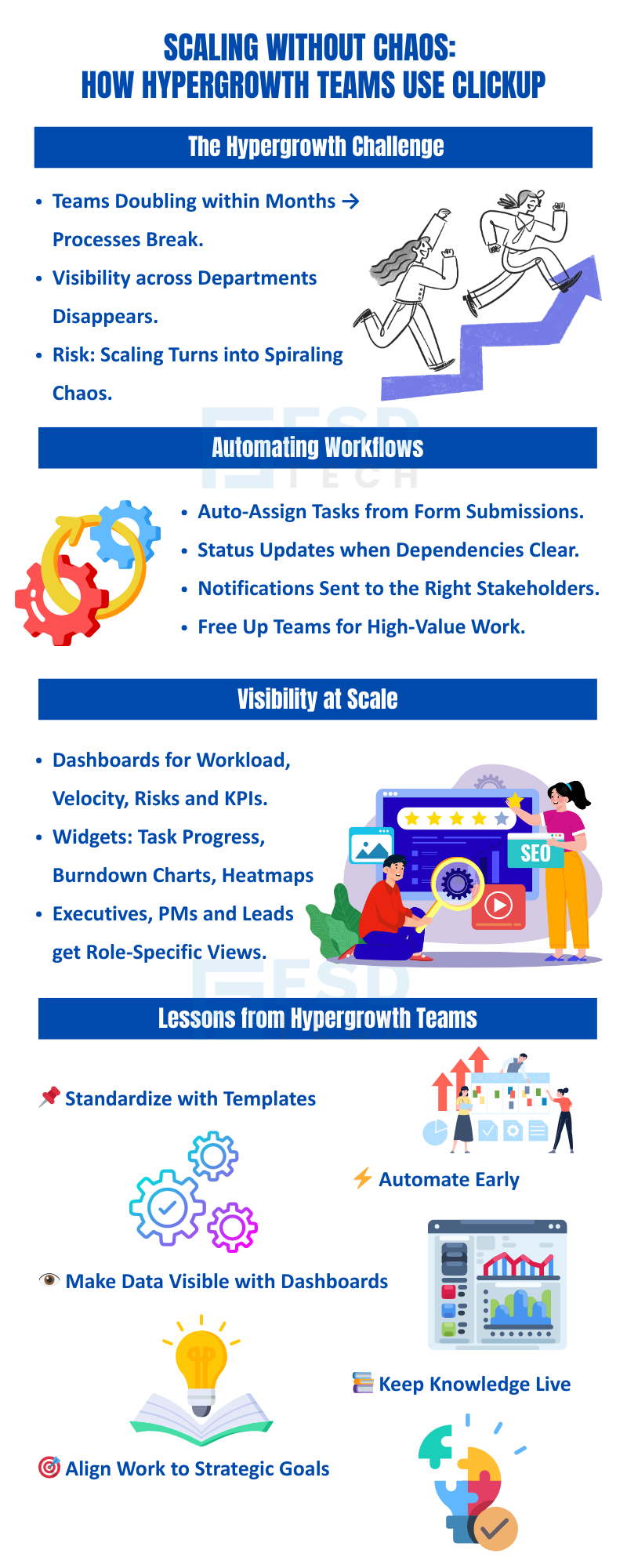
     

    Infographic by FSD Tech on how hypergrowth teams in Dubai and GCC scale operations using ClickUp. Covers challenges, workflow automation, visibility at scale, and lessons like templates, dashboards, automation, and aligning work with strategic goals.

    FAQ

    How does ClickUp help in scaling operations?

    ClickUp centralizes workflows, standardizes processes, and automates repetitive tasks, enabling companies to grow efficiently without losing control.


    Can ClickUp support multiple departments within the same workspace?

    Yes, ClickUp allows creation of multiple Spaces for different departments, with role-based access and customized workflows.


    What automation features are most useful during hypergrowth?

    Automated task assignments, status changes, and notifications based on triggers like form submissions or task completions are highly valuable.


    How do Dashboards help manage large teams?

    Dashboards give leaders a visual snapshot of progress, workload, overdue tasks, and performance trends, helping them manage at scale.


    Can ClickUp replace traditional SOP tools or wikis?

    Absolutely. ClickUp Docs can be used to create, collaborate, and manage all your SOPs and knowledge bases within one platform.

    Scaling Operations with ClickUp: Lessons from Hypergrowth Teams

    About The Author

    NHAIF NOUSHAD

    Nhaif is an AI Automation Engineer & Business Analyst focused on ClickUp, AI, Automation, and Workflow Optimization. He helps businesses shift from scattered processes to streamlined, data-driven operations. With hands-on expertise, he simplifies complex tools into clear, easy-to-apply solutions.

    Like This Story?

    Share it with friends!

    Subscribe to our newsletter!

    Atera

    (48)

    Cato Networks

    (111)

    ClickUp

    (63)

    FishOS

    (7)

    Miradore

    (21)

    PointGuard AI

    (9)

    Vembu

    (22)

    Xcitium

    (33)

    ZETA HRMS

    (66)

    Workflow Automation(4)

    Workforce Automation(1)

    AI Project Management(1)

    HR Data Automation(1)

    RMM(1)

    IT Workflow Automation(1)

    GCC compliance(4)

    IT security(2)

    Payroll Integration(2)

    IT support automation(2)

    procurement automation(1)

    lost device management(1)

    IT Management(5)

    IoT Security(2)

    Cato XOps(2)

    IT compliance(4)

    Task Automation(1)

    Workflow Management(1)

    OpenStack automation(1)

    AI-powered cloud ops(1)

    Kubernetes lifecycle management(2)

    SMB Security(8)

    Data Security(1)

    MDR (Managed Detection & Response)(4)

    MSP Automation(2)

    Atera Integrations(2)

    XDR Security(2)

    SMB Cyber Protection(1)

    Ransomware Defense(3)

    HR Tech Solutions(1)

    Zero Trust Network Access(3)

    Zero Trust Security(2)

    Endpoint Management(1)

    SaaS Security(1)

    Payroll Automation(5)

    IT Monitoring(2)

    Xcitium EDR SOC(15)

    Ransomware Protection GCC(1)

    M&A IT Integration(1)

    Network Consolidation UAE(1)

    MSSP for SMBs(1)

    Antivirus vs EDR(1)

    Managed EDR FSD-Tech(1)

    SMB Cybersecurity GCC(1)

    FSD-Tech MSSP(25)

    Ransomware Protection(3)

    Cybersecurity GCC(12)

    Endpoint Security(1)

    Data Breach Costs(1)

    Endpoint Protection(1)

    Managed Security Services(2)

    Xcitium EDR(30)

    SMB Cybersecurity(8)

    Zero Dwell Containment(31)

    Cloud Backup(1)

    Hybrid Backup(1)

    Backup & Recovery(1)

    pointguard ai(4)

    backup myths(1)

    vembu(9)

    disaster recovery myths(1)

    SMB data protection(9)

    Disaster Recovery(4)

    Vembu BDR Suite(19)

    GCCBusiness(1)

    DataProtection(1)

    Secure Access Service Edge(4)

    GCC HR software(14)

    Miradore EMM(15)

    Cato SASE(7)

    Cloud Security(8)

    Talent Development(1)

    AI Cybersecurity(12)

    AI Security(2)

    AI Risk Management(1)

    AI Governance(4)

    AI Compliance(2)

    GCC business security(1)

    GCC network integration(1)

    compliance automation(4)

    GCC cybersecurity(2)

    education security(1)

    App management UAE(1)

    Miradore EMM Premium+(5)

    BYOD security Dubai(8)

    HealthcareSecurity(1)

    MiddleEast(1)

    Team Collaboration(1)

    IT automation(9)

    Zscaler(1)

    SD-WAN(6)

    HR Integration(4)

    Cloud Networking(3)

    device management(9)

    RemoteWork(1)

    ZeroTrust(2)

    VPN(1)

    MPLS(1)

    Project Management(9)

    HR automation(16)

    share your thoughts

    Illustration showing the transition from manual spreadsheets and paper-based HR processes to the Zeta HRMS digital platform. Depicts HR teams moving data into a centralized, automated HR system with modules for payroll, attendance, compliance, and employee management, highlighting improved efficiency and collaboration. FSD Tech branding visible at the bottom.

    Legal Teams & Case Management in ClickUp Workspaces

    🕓 December 25, 2025

    Illustration showing the transition from manual spreadsheets and paper-based HR processes to the Zeta HRMS digital platform. Depicts HR teams moving data into a centralized, automated HR system with modules for payroll, attendance, compliance, and employee management, highlighting improved efficiency and collaboration. FSD Tech branding visible at the bottom.

    ClickUp for Healthcare Operations & Patient Workflows

    🕓 December 22, 2025

    Illustration of a centralized financial audit and control hub showing interconnected digital panels for VAT reporting, documents, approvals, dashboards, and integrations. Depicts finance teams collaborating around a secure platform that manages audits, compliance data, accounting systems, and financial workflows. Represents automated audit management and financial oversight. FSD Tech branding visible at the bottom.

    Financial and Audit Workflow Tracking in ClickUp

    🕓 December 18, 2025

    Decoded(35)

    Cyber Security(112)

    BCP / DR(22)

    Zeta HRMS(65)

    SASE(21)

    Automation(63)

    Next Gen IT-Infra(111)

    Monitoring & Management(69)

    ITSM(22)

    HRMS(21)

    Automation(24)