.webp&w=3840&q=75)
How ClickUp Enables Outcome-Based Project Management (Not Just Task Tracking)
🕓 February 15, 2026
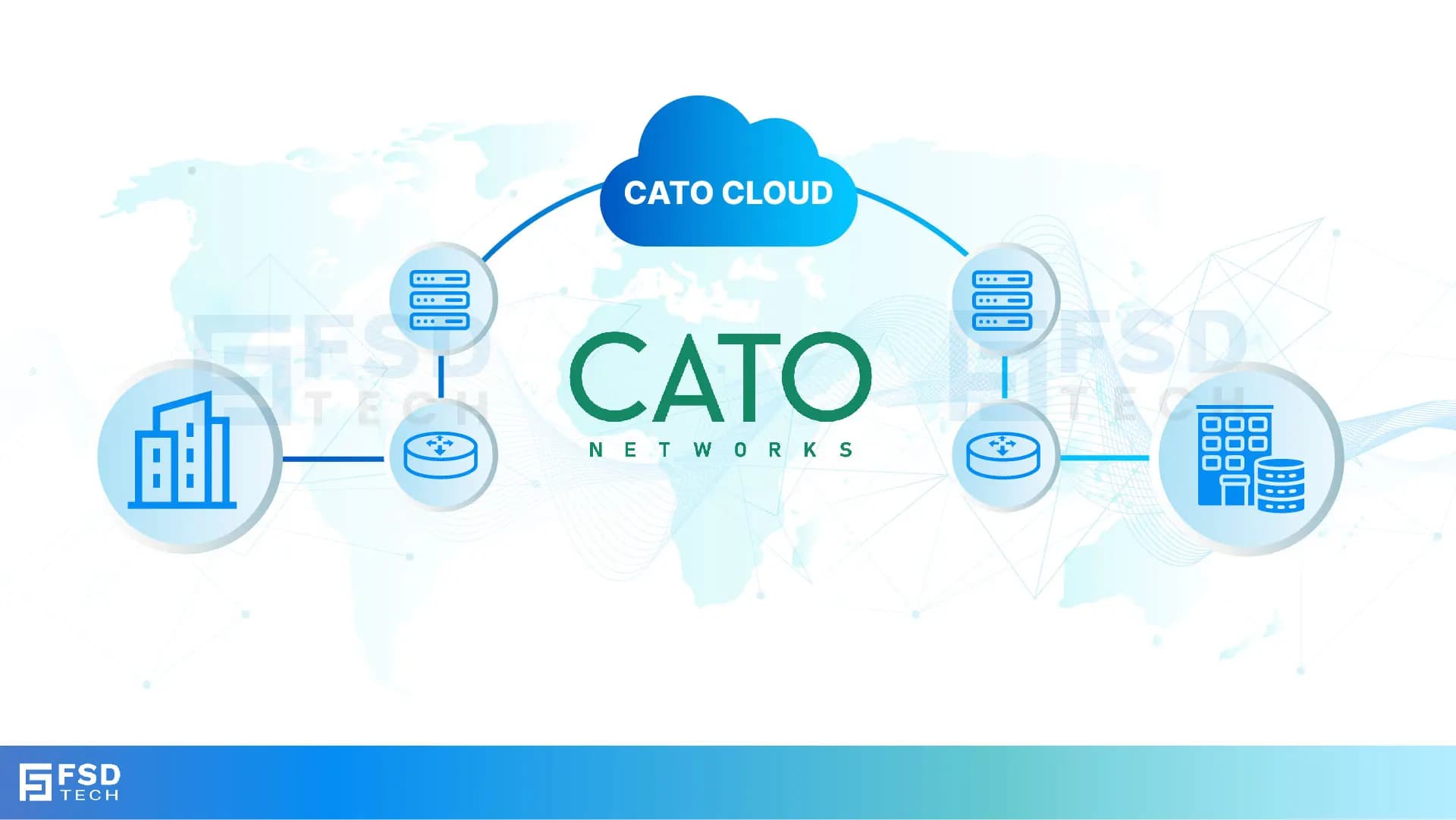
Cato Networks has always promised "one client, any resource, anywhere." With Windows Client v5.16, that promise finally gains the nuance enterprise networks actually demand.
Until now, IT teams faced a binary choice: route everything through the Cato Cloud (full tunnel) or manually carve out exclusions one CIDR block at a time. Neither scales gracefully in a hybrid world where the same employee moves between a secure office, a home router, a coffee-shop hotspot, and an untrusted client site — all in a single workday.
The v5.16 release flips that model entirely. Instead of managing exceptions, you define intent — exactly which traffic flows should benefit from Cato's security stack, and which should take the fastest local path. For organizations in the middle of a phased SASE rollout, this isn't a minor update. It's the feature that removes the "big-bang" adoption barrier, reduces troubleshooting friction, and gives security teams confidence that critical controls remain in place even as legacy infrastructure coexists alongside modern deployments.
Split tunneling describes any deployment where a VPN or ZTNA client sends some traffic through a secure gateway while letting the rest travel over the local network. Historically, administrators relied on it for three reasons:
Performance — Keep high-bandwidth or latency-sensitive applications like Microsoft Teams, Zoom, and CAD downloads off the encrypted path to reduce congestion and delay.
Compatibility — Allow access to local printers, peer-to-peer discovery protocols, multicast services, and ISP-hosted resources that simply don't function over a full tunnel.
Cost Control — Minimize egress fees at the cloud firewall or backbone by keeping bulk, non-sensitive traffic on local paths.
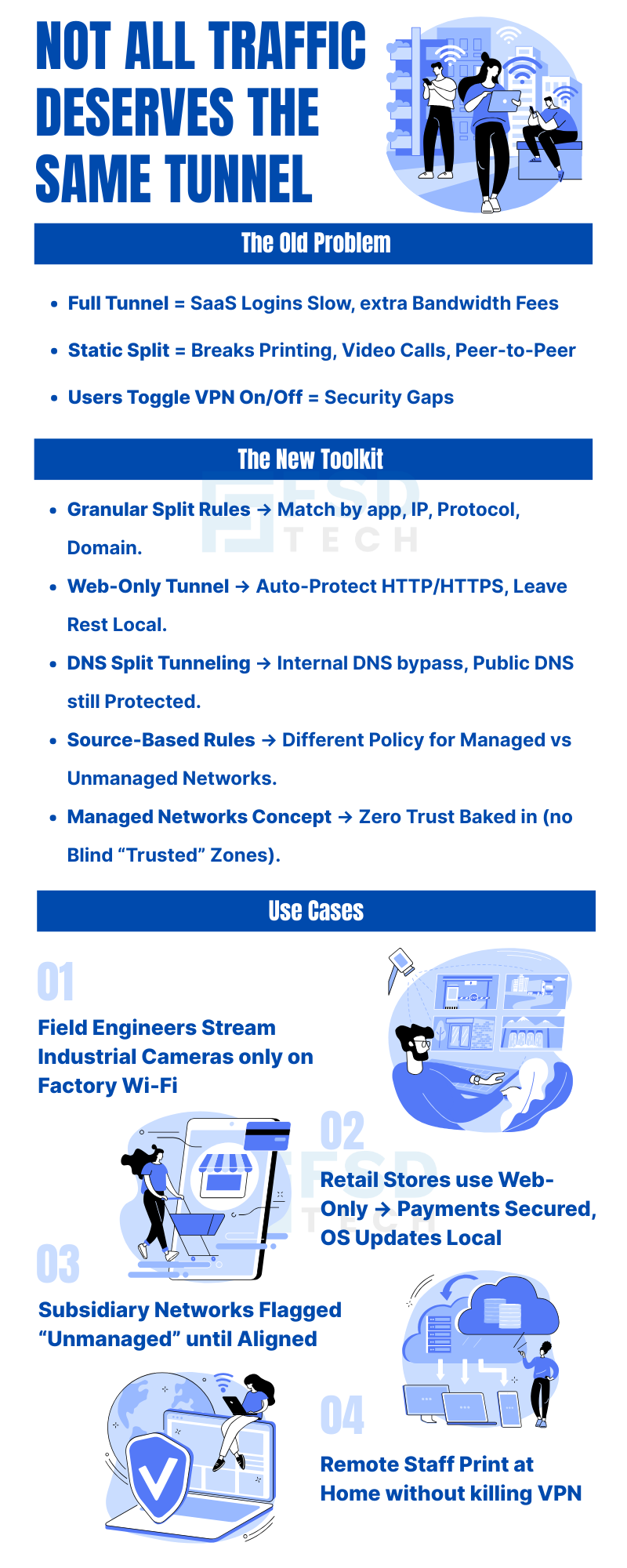
The problem? Traditional split tunnel policies were static. A subnet excluded once stayed excluded regardless of where the laptop travelled. That blunt approach breaks down the moment a user changes environments — which, in a hybrid work model, happens constantly.
Cato v5.16 solves this with four mutually reinforcing capabilities that make tunneling decisions dynamic, context-aware, and genuinely manageable at enterprise scale.
The headline feature of v5.16 is the ability to craft multiple, ordered rules rather than maintaining a single allow/deny list. Each rule can match on any combination of:
The practical result is significant. End users reconnect less often and encounter fewer broken application links, because the client decides in real time which traffic deserves the secure path. Administrators gain a policy tool with genuine flexibility — you can keep Office 365 and SAP routed through Cato to benefit from CASB and DLP inspection, while simultaneously letting bulk software updates pull directly from Akamai or CloudFront at full local speed.
Scenario 1: Branch laptops must reach a legacy file server over MPLS, but everything else should flow over the tunnel. The old workaround was a static exclusion of 10.10.0.0/16 that broke access whenever the laptop left the branch. The new approach: IF destination = 10.10.0.0/16 AND source network = Managed THEN Exclude Tunnel. The rule only fires in the right context.
Scenario 2: Field engineers need low-latency UDP/554 connections to industrial cameras, but only while physically on factory Wi-Fi. Previously this required a full interface-level split that risked exposing corporate traffic. The new rule: IF protocol = UDP AND port = 554 AND source network = Unmanaged THEN Exclude Tunnel.
Scenario 3: The marketing team needs SaaS apps protected, but OS updates should download at full ISP speed. A category-based rule handles this cleanly without any IP list maintenance.
Also Read: Cato SASE vs Zscaler: Which Secure Access Platform Wins on Visibility, Performance, and Simplicity?
The web-only tunnel is a pre-defined rule set that steers only HTTP and HTTPS traffic (ports 80 and 443) through the Cato Cloud. Everything else — SMB, RDP, VoIP, game traffic, operating system updates — uses the local gateway.
Retail and performance-constrained sites: Payment terminals and web sessions are secured without backhauling large non-web flows across limited branch links.
Regulated industries: File and voice traffic can remain on-premises for audit and compliance reasons, while web threat protection and CASB still apply to all SaaS activity.
Day-one SASE onboarding: IT can enable web-only for a pilot group on day one, prove value with zero user disruption, then tighten the policy incrementally as confidence grows.
From the end user's perspective, nothing feels different. Browser sessions load through Cato's secure PoP — so phishing filters and malware detection apply — while a YouTube video or Windows Update downloads at full speed from the local ISP cache. Security is invisible, which is exactly how it should be.
Classic full-tunnel VPNs have always struggled with split-horizon DNS designs. Employees on the road can resolve internal corp.local records but lose reachability to the corresponding private IP. Or they hammer corporate resolvers with every public DNS query, adding latency for everyone on the link.
Cato v5.16 resolves this with a clean architectural separation:
Internal DNS queries — directed towards a private server IP or a configured domain suffix list — now bypass the client tunnel entirely. They resolve locally at full speed without touching the Cato Cloud.
External DNS queries — public recursion — remain protected by either Cato's Secure Web Gateway or whatever upstream resolver the administrator configures.
The benefits compound quickly: faster name resolution when working from home or on 5G, a smaller attack surface because private DNS stays within the user's subnet or VLAN, and a significantly easier migration path from legacy on-premises firewalls that already enforce DNS split-horizon.
Pro tip: Pair DNS split tunneling with Cato's DNS Security feature so that even local recursive queries benefit from threat intelligence via DoH or DoT upstream. Speed and security are not mutually exclusive here.
Also Read: Enabling Cloud Access Security Broker (CASB) in Cato
This is arguably the most strategically significant feature in the release. The Cato client can now identify whether a device is connected to a Managed Network — a corporate-controlled environment authenticated via a site certificate in the Cato portal — or an Unmanaged Network, meaning any untrusted connection such as a public Wi-Fi hotspot.
Policies branch on that attribute. The same physical MacBook follows entirely different routing rules at a Starbucks versus at company headquarters — without any manual intervention from the user or a helpdesk ticket.
Office or branch LAN (Managed): Full tunnel — all traffic routes through Cato because you control the LAN firewall and want comprehensive inspection.
Public Wi-Fi (Unmanaged): Only corporate application traffic routes via Cato; personal browsing stays local to respect privacy and reduce unnecessary data consumption.
BYOD and contractor laptops: Unmanaged endpoints carry higher risk, so stricter inclusion rules apply automatically with minimal local bypass.
M&A transition: Newly acquired subsidiary networks are initially flagged as unmanaged. IT gradually whitelists subnets as security posture alignment is confirmed, then flips the designation to managed — a smooth, auditable integration path.
The UI terminology change seems cosmetic but carries meaningful intent. The word "trust" implies a binary, automatic state. "Managed" conveys that controls are actively enforced. This language shift reinforces zero-trust principles and removes ambiguity for auditors reviewing policy sets — a small change with real compliance communication value.
Beyond the end-user experience improvements, v5.16 materially reduces operational burden across four dimensions.
Policy as Code (Sort of): Logical rule conditions mean fewer static subnet listings and no more hunting for duplicate entries. The policy structure resembles the firewall rule bases most network administrators already know, which shortens the learning curve.
Change Once, Apply Everywhere: Update a single Split Tunnel profile in the Cato portal and every Windows Client at v5.16 or above adopts it on the next check-in. No registry edits, no software packaging cycles, no coordinating with endpoint management teams.
Fewer Help-Desk Tickets: "Can't print" incidents drop significantly because local broadcast traffic never enters the tunnel. Packet-loss complaints decrease as voice and video traffic stays off the encrypted path when that path isn't QoS-tuned for real-time flows.
Audit and Reporting Clarity: Cato's analytics now annotate traffic as Included or Excluded by rule ID, allowing security teams to prove traffic segmentation to compliance auditors with actual log evidence rather than policy screenshots.
Also Read: Configuring Custom Application Control in Cato
Slow SaaS logins from hotel Wi-Fi: Before — all traffic hair-pinned to the nearest PoP, potentially hundreds of kilometers away. After — web-only policy sends SaaS through Cato's backbone while streaming and updates stay local. Noticeably snappier browsing.
Local smart printer or NAS unreachable: Before — printer unreachable means user disables VPN entirely, creating an unmonitored security gap. After — a granular rule excludes 192.168.0.0/24 only when the Wi-Fi SSID matches a home network. Seamless printing without any tunnel changes.
In-office Wi-Fi congestion: Before — full tunnel doubles the traffic load exiting the branch link. After — managed-network exemption keeps Microsoft Teams peer-to-peer traffic local, eliminating unnecessary backhaul.
Battery drain on 5G hotspot: Before — every packet encrypted through the tunnel drains CPU cycles and mobile data allowance. After — split DNS plus TCP-only via tunnel reduces CPU overhead and lowers data consumption meaningfully.
In every case, users experience faster and more stable connections without noticing the security controls operating behind the scenes.
This is the most common objection to flexible routing — and it deserves a direct answer. No, provided implementation is done correctly.
Cato's architecture still enforces identity verification, device posture checks, and application-level access controls at the first packet. Flexible routing dictates where inspection happens, not whether it happens. The following safeguards remain fully intact regardless of split configuration:
ZTNA policy — per-application or private-IP steering still authenticates every session against the access policy engine before traffic is permitted.
CASB, IPS, DLP, and SWG — all continue to function for traffic that traverses the Cato Cloud, regardless of how the split tunnel is configured.
SaaS security coverage — even a web-only tunnel captures approximately 90% of risky content, including phishing attempts, malware downloads, and credential harvesting posts.
Endpoint EDR — fills the inspection gap for traffic that stays local, maintaining a genuine defense-in-depth posture across the entire device.
The key operational safeguard: monitor the "Excluded Traffic" widget in Cato's analytics on a weekly basis. Unexpected spikes in excluded traffic volume often signal shadow-IT adoption or mis-tagged applications — catching these early keeps the security surface tight.
Step 1 — Update Clients Push Windows Client v5.16 via your RMM tool or Microsoft Intune. macOS and mobile clients will receive equivalent flexible routing features in subsequent releases.
Step 2 — Define Managed Networks In the Cato portal, enumerate branch LAN subnets, HQ Wi-Fi SSIDs, or install a site certificate on routers to authenticate managed environments. This is the foundation that makes context-aware policies possible.
Step 3 — Author Split Policies Start with a web-only rule for a pilot group of 50 to 100 users. Then add "Include" rules for private resources (for example, 10.30.0.0/16 for ERP access). Use URL categories rather than raw IP addresses for SaaS targets — Microsoft, Salesforce, and similar providers update their IP ranges weekly, and category-based rules stay current automatically.
Step 4 — Validate Use Cato's Real-Time Traffic view to confirm traffic is following expected paths. Supplement with nslookup and tracert from endpoint devices to verify DNS resolution and routing behavior match your policy intent.
Step 5 — Roll Out in Waves Marketing and HR teams (primarily web-heavy workloads) first. Engineering teams (Git, SSH, API traffic) next. Finally, call-centre and communications teams (voice and video) once QoS baselines are proven on the expanded deployment footprint.
Use URL categories, not raw IPs, for SaaS: Cloud providers update their IP ranges constantly. Category-based rules leverage Cato's cloud database and stay accurate automatically.
Enable DoH for external DNS inside the tunnel: DNS-over-HTTPS prevents ISP-level visibility into which SaaS tools your organization uses — a meaningful privacy and intelligence protection measure.
Version-tag your rules: Label rules with identifiers like WebOnly_v1 or EngineeringFull_v2. This simplifies rollback procedures and makes change-control audits significantly cleaner.
Automate Managed Network lists via the Cato API: Pulling network definitions from DHCP scopes programmatically is essential for M&A scenarios where dozens of new sites need onboarding quickly.
Review "Excluded Traffic" weekly: Treat this widget as a security canary. Consistent baselines are healthy; spikes warrant investigation.
Pair DNS split tunneling with DNS Security: Local recursive queries can still pass through Cato's threat intelligence layer via DoH or DoT upstream, maintaining visibility without sacrificing speed.
Retail: Secure card transactions and web sessions through Cato while keeping POS firmware updates and in-store device traffic on local links — no backhaul of large non-web flows.
Healthcare: Route sensitive patient data and SaaS tools through Cato while allowing local DICOM imaging traffic to stay on-premises, supporting both compliance and clinical workflow performance.
Manufacturing: Prioritize industrial control and OT traffic locally while securing SaaS and cloud management tools globally via Cato. Field engineers get context-aware policies based on whether they're on the factory floor or a remote site.
Professional Services: Enable seamless remote work with secure SaaS routing for consultants while respecting personal browsing privacy for BYOD users through managed vs. unmanaged network rules.
The Flexible Traffic Routing update transforms the Cato client from a straightforward cloud VPN into a context-aware traffic director. End users benefit from faster, battery-friendlier connections. Administrators gain firewall-style policy controls without the complexity of static subnet management. And the business enjoys a smoother, phased SASE adoption path without compromising the security posture that justifies the investment.
If your organization is still running an all-or-nothing VPN — whether legacy or an earlier Cato configuration — v5.16 is the moment to pilot web-only tunneling and DNS split on a subset of devices. Support tickets will likely drop, adoption will accelerate, and the network agility that leadership has been promised for years finally becomes demonstrable — no forklift upgrade required.
Curious how Flexible Traffic Routing could reduce tickets in your environment?
Book a Free Consultation with our Cato expert Today.
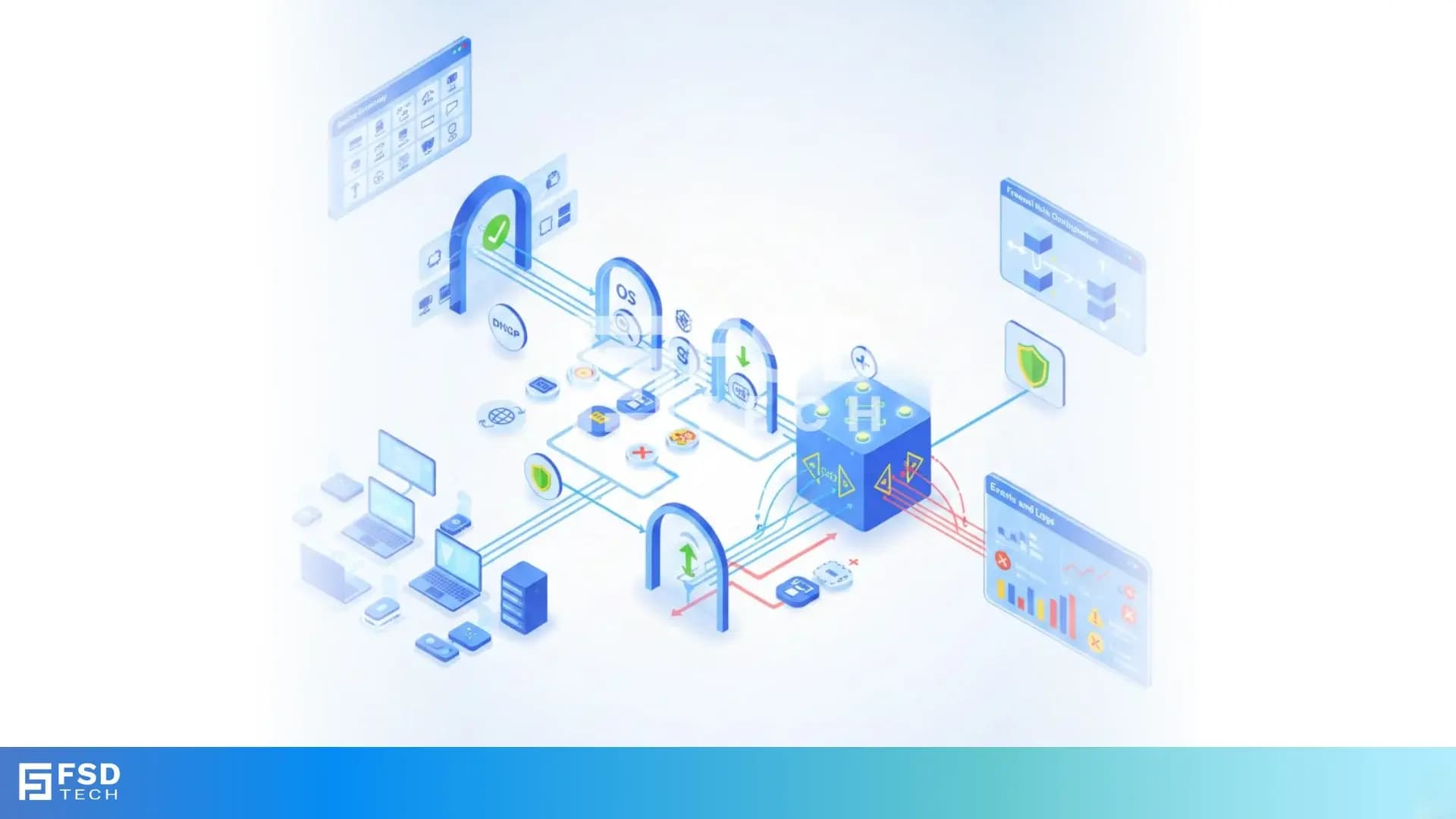
Flexible traffic routing allows IT teams to define granular split-tunneling policies. Instead of an all-or-nothing VPN tunnel, admins decide which applications, ports, protocols, or domains flow through the Cato Cloud and which stay on the local network. It replaces static subnet exclusions with dynamic, context-aware rules.
Traditional split tunneling used static subnet exclusions that broke whenever users changed network environments. Cato's approach is context-aware: policies adapt based on location (managed vs. unmanaged networks), application type, and protocol, ensuring consistent security and user experience regardless of where the device connects from.
No. Identity verification, device posture checks, and ZTNA policies still apply at the first packet. CASB, IPS, DLP, and SWG continue functioning for cloud-routed traffic. Local traffic is covered by endpoint EDR or existing LAN firewalls, maintaining a genuine defense-in-depth posture.
The web-only tunnel routes only HTTP and HTTPS traffic (ports 80 and 443) through the Cato Cloud. All other traffic — OS updates, file transfers, VoIP — bypasses it locally. Users still receive full web protection while non-web traffic flows at local ISP speeds without overhead.
A managed network is a corporate-controlled environment authenticated via the Cato portal — typically an office LAN, branch SD-WAN, or certified home network. An unmanaged network is any untrusted connection such as public Wi-Fi. Split tunnel policies apply different routing rules based on which type the device is currently connected to.
DNS split tunneling allows internal DNS queries for private domains to bypass the Cato tunnel for fast local resolution, while public DNS queries remain protected by Cato's SWG and threat intelligence. It reduces latency, improves hybrid network compatibility, and simplifies migration from on-premises firewalls.
Yes — this is one of its primary design goals. Organizations can begin with web-only or DNS split tunneling for a pilot group, then expand policies incrementally to more users and application categories. This approach reduces deployment risk and eliminates the need for disruptive big-bang migrations.
The rename reflects a zero-trust philosophy shift. "Trust" implies something binary and automatic. "Managed" indicates that your organization actively enforces controls in that environment. The updated terminology reduces ambiguity for auditors reviewing policy documentation and better reflects contemporary security postures.

Anas is an Expert in Network and Security Infrastructure, With over seven years of industry experience, holding certifications Including CCIE- Enterprise, PCNSE, Cato SASE Expert, and Atera Certified Master. Anas provides his valuable insights and expertise to readers.
Share it with friends!




.webp&w=3840&q=75)




.webp&w=3840&q=75)
share your thoughts