HomeNext Gen IT-InfraMonitoring & ManagementCyber SecurityBCP / DRAutomationDecoded
Next Gen IT-Infra
Cato’s SASE Supports Cybersecurity Skills Development

How Cato’s SASE Supports Cybersecurity Skills Development

🕓 April 8, 2025

How SASE Supports the Security Needs of SMBs

How SASE Supports the Security Needs of SMBs

🕓 February 9, 2025

Attack Surface Reduction with Cato’s SASE

Attack Surface Reduction with Cato’s SASE

🕓 February 10, 2025

SASE for Digital Transformation in UAE

SASE for Digital Transformation in UAE

🕓 February 8, 2025

Monitoring & Management
Understanding Atera’s SLA Management

Understanding Atera’s SLA Management

🕓 February 7, 2025

Cost-Performance Ratio: Finding the Right Balance in IT Management Networks

Cost-Performance Ratio: Finding the Right Balance in IT Management Networks

🕓 June 16, 2025

Customizing Atera with APIs

Customizing Atera with APIs

🕓 March 3, 2025

Power Up Your IT Team’s Strategy with Atera’s Communication Tools

Power Up Your IT Team’s Strategy with Atera’s Communication Tools

🕓 February 8, 2025

Cyber Security
Illustration of the Cato Cloud architecture showing its role in delivering SASE for secure, optimized global connectivity.

Understanding the Cato Cloud and Its Role in SASE

🕓 January 29, 2025

Isometric illustration of professionals managing network performance, bandwidth analytics, and cloud-based optimization around the Cato Networks platform, symbolizing bandwidth control and QoS visibility.

Mastering Bandwidth Control and QoS in Cato Networks

🕓 July 26, 2025

Global network backbone powering Cato SASE solution for secure, high-performance connectivity across regions.

Global Backbone: The Engine Powering Cato’s SASE Solution

🕓 January 30, 2025

Illustration of team analyzing application traffic and usage insights on a large laptop screen using Cato’s dashboard, surrounded by network and cloud icons.

Cato Networks Application Visibility | Monitoring & Control

🕓 July 27, 2025

BCP / DR
Illustration showing diverse business and IT professionals collaborating with cloud, backup, and security icons, representing Vembu use cases for SMBs, MSPs, and IT teams.

Who Uses Vembu? Real-World Use Cases for SMBs, MSPs & IT Teams

🕓 July 12, 2025

Graphic showcasing Vembu’s all-in-one backup and disaster recovery platform with icons for cloud, data protection, and business continuity for IT teams and SMBs.

What Is Vembu? A Deep Dive Into the All in One Backup & Disaster Recovery Platform

🕓 July 6, 2025

Illustration showing Vembu backup and disaster recovery system with cloud storage, server racks, analytics dashboard, and IT professionals managing data.

The Rising Cost of Data Loss: Why Backup Is No Longer Optional?

🕓 August 14, 2025

3D isometric illustration of cloud backup and data recovery infrastructure with laptop, data center stack, and digital business icons — FSD Tech

RPO & RTO: The Heart of Business Continuity

🕓 August 15, 2025

Automation
Cross-Functional Collaboration with ClickUp

Fostering Cross-Functional Collaboration with ClickUp for Multi-Departmental Projects

🕓 February 11, 2025

ClickUp Project Reporting

Revolutionizing Enterprise Reporting with ClickUp’s Advanced Analytics and Dashboards

🕓 June 16, 2025

ClickUp’s Design Collaboration and Asset Management Tools

Empowering Creative Teams with ClickUp’s Design Collaboration and Asset Management Tools

🕓 February 26, 2025

ClickUp Communication and Collaboration Tools

ClickUp Communication and Collaboration Tools: Empowering Remote Teams

🕓 March 12, 2025

Decoded
Multi-Factor Authentication (MFA)

Multi-Factor Authentication (MFA): All You Need to Know

🕓 December 7, 2025

L3 Switch

What Is an L3 Switch? L2 vs L3 & Why You Need Layer 3?

🕓 December 8, 2025

IPSec

IPSec Explained: Protocols, Modes, IKE & VPN Security

🕓 December 3, 2025

 Datagram Transport Layer Security (DTLS)

What is Datagram Transport Layer Security (DTLS)? How it works?

🕓 December 4, 2025

    Subscribe to our newsletter!

    About Us

    Follow Us

    Copyright © 2024 | Powered by 

    Cato SASE Architecture

    Inside Cato’s SASE Architecture: A Blueprint for Modern Security

    🕓 January 26, 2025

    Enterprise Data Security and Privacy with ClickUp

    Ensuring Enterprise Data Security and Privacy with ClickUp

    🕓 February 9, 2025

    DDoS protection SASE

    DDoS Protection and Cato’s Defence Mechanisms

    🕓 February 11, 2025

    Table of Contents

    Operational Reports in Atera: Getting Answers Without Digging Through Tickets

    Anas Abdu Rauf
    February 1, 2026
    Comments
    Isometric illustration of Atera operational reporting platform with centralized dashboards, SLA metrics, device data, and automated workflows connected into a single IT operations view.

    Most IT teams don’t struggle because they lack tools.
    They struggle because they can’t see clearly what’s happening without opening ten different screens.

    Atera’s Operational Reports exist for one reason: to turn day-to-day activity into something that can be reviewed, explained, and acted on — without manual analysis.

    These reports don’t predict the future.
    They don’t automate decisions.
    They simply organize what already happened.

    And for MSPs and internal IT teams, that’s often enough.


    What “Operational Reports” Really Mean in Atera

    Operational Reports in Atera are structured views of:

    • Tickets
    • Devices
    • Technicians
    • Customers
    • Patches
    • Automation runs
    • Agents

    They are generated from logged activity, not assumptions.

    This matters, because when reports are used for:

    • SLA reviews
    • Management updates
    • Audits
    • QBRs
    • Internal planning

    Accuracy matters more than cleverness.


    System-at-a-Glance: The First Check, Not the Final Answer

    Most teams start here.

    System-at-a-Glance gives a quick snapshot of:

    • Device count and status
    • Active alerts
    • Ticket volume
    • Agent health

    It’s not a diagnostic tool.
    It’s a situational awareness tool.

    If something looks off, this report tells you where to look next — not why it happened. 

    That separation is intentional.


    Customer Health & Load Analysis: Where Patterns Become Visible

    Customer Health reports combine:

    • Ticket volume
    • Device count
    • Alerts
    • Agent status

    This is usually where MSPs first notice imbalance.

    Some customers generate far more work than others — not because they’re “bad clients”, but because:

    • Their environments aren’t standardized
    • Automation isn’t applied evenly
    • Device health is inconsistent

    Load Analysis and Top Load reports make this visible without interpretation.

    They don’t say what to do.
    They show where effort is concentrated.


    Technician Performance: Distribution, Not Judgement

    Atera’s technician reports are often misunderstood.

    They are not productivity scorecards.
    They show work distribution.

    These reports help answer:

    • Are tickets evenly assigned?
    • Where does work pile up?
    • Which queues slow resolution?

    Used correctly, they prevent overload and burnout.
    Used incorrectly, they create noise.

    The report itself is neutral.


    SLA Reports: Facts That Don’t Argue Back

    SLA reports are simple by design.

    They show:

    • Response times
    • Resolution times
    • SLA compliance by priority

    There’s no debate with these numbers.

    For MSPs, this supports renewals and QBRs.
    For internal IT, this supports process improvements and staffing discussions.

    They don’t explain why SLAs were missed — they confirm whether they were.


    Patch & Automation Feedback: Verifying Execution

    Patch and Automation reports answer a very specific question:

    “Did the work actually run?”

    They show:

    • Patch status by device
    • Success and failure rates
    • Automation execution feedback
    • Script output visibility
       

    These reports are heavily used during:

    • Security reviews
    • Compliance checks
    • Incident investigations

    They don’t replace monitoring.
    They validate outcomes.


    Scheduling & Sharing Reports Without Manual Work

    Operational Reports can be:

    • Scheduled
    • Sent automatically
    • Exported

    This is where reporting becomes operational, not reactive.

    Many teams use scheduled reports to:

    • Prepare weekly reviews
    • Feed management updates
    • Maintain audit readiness without last-minute effort

    Once configured, the reporting becomes background infrastructure.


    Where AI Copilot Fits — Without Overstating It

    AI Copilot does not change how Operational Reports calculate data.

    What it does help with:

    • Summarizing long reports
    • Highlighting key points
    • Reducing time spent reading tables

    It does not invent insights.
    It does not alter metrics.

    It shortens review time — nothing more, nothing less.


    Why MSPs Depend on These Reports

    MSPs rely on Operational Reports because they:

    • Support SLA discussions
    • Explain workload during QBRs
    • Justify automation investments
    • Reduce subjective debates with clients

    They turn service delivery into something measurable.


    Why Internal IT Teams Use Them

    Internal IT teams use these reports to:

    • Track workload trends
    • Prepare audits
    • Prove operational effort
    • Support budget and resource planning

    They make invisible work visible.


    The Practical Value of Atera Reporting

    Atera’s Operational Reports don’t try to tell stories.

    They do something more useful:

    They document reality.

    And in IT operations, that’s often the most valuable thing you can have.


    Make SLAs, QBRs, and audits easier to explain→ Book a 30-minute Atera reporting session.
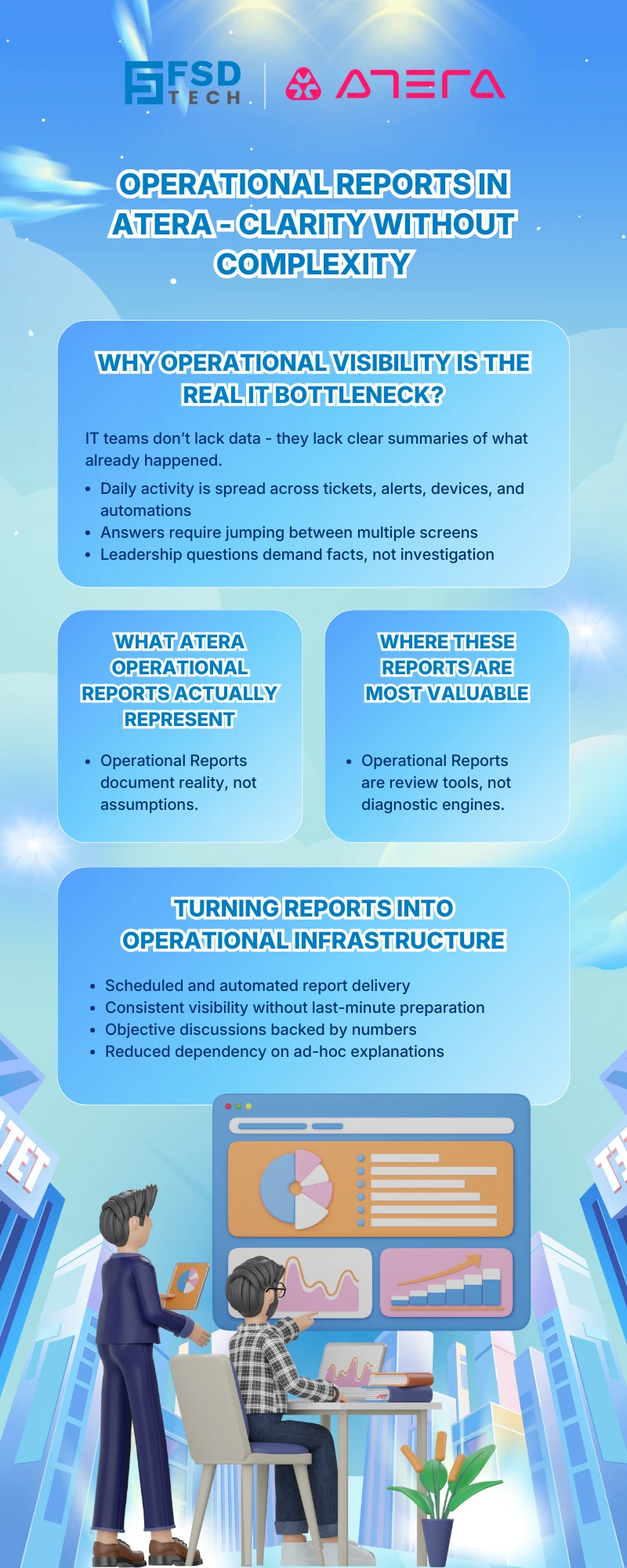
     

    Operational reports in Atera infographic showing how IT teams gain clear operational visibility through automated summaries, scheduled reporting, and data-driven decision making without complexity.


    Frequently Asked Questions 


    1. What is the difference between Operational Reports and Advanced Reports in Atera?

    Operational Reports focus on day-to-day operational visibility. They are predefined reports built around tickets, devices, patches, automation, technicians, and customers, using real activity data.

    Advanced Reports are more customizable and often used for deeper financial or analytical use cases. Operational Reports are designed for fast review, routine checks, and recurring operational discussions.


    2. Are Atera’s Operational Reports based on live data or historical logs?

    Operational Reports are generated from logged and recorded activity in the platform.
     They reflect what has already happened — tickets created, patches applied, scripts run, alerts triggered — rather than real-time monitoring views.

    This makes them reliable for audits, SLA reviews, and historical analysis.


    3. Can Operational Reports be scheduled and shared automatically?

    Yes. Most Operational Reports can be:

    • Scheduled to run at defined intervals
    • Delivered automatically via email
    • Exported for offline review or archiving

    This allows teams to maintain continuous visibility without manually generating reports each time.


    4. Do Operational Reports explain why an issue happened?

    No — and that is by design.

    Operational Reports answer questions like:

    • What happened?
    • When did it happen?
    • How often did it happen?
    • Who was involved?

    They do not attempt root cause analysis. Instead, they point teams to where deeper investigation may be needed.


    5. How are Patch and Automation reports commonly used by MSPs?

    MSPs typically use Patch and Automation reports to:

    • Verify that patching policies actually executed
    • Confirm success and failure rates
    • Provide evidence during security reviews and compliance checks
    • Support client conversations with factual execution data

    They are often used as proof of service delivery, not monitoring tools.


    6. Can Operational Reports be used for SLA validation?

    Yes. SLA reports are one of the most commonly used Operational Reports.

    They provide:

    • Response time tracking
    • Resolution time tracking
    • SLA compliance by priority

    These reports are frequently used in QBRs, renewals, and internal process reviews, because they present clear, non-arguable metrics.


    7. Does AI Copilot change how Operational Reports calculate data?

    No.

    AI Copilot does not modify report logic or calculations.
     Its role is limited to:

    • Summarizing large reports
    • Highlighting key sections
    • Reducing time spent reviewing tables and numbers

    The underlying data remains unchanged and fully traceable.


    8. Are Operational Reports useful for internal IT teams, or only MSPs?

    They are equally useful for internal IT teams.

    Internal IT commonly uses Operational Reports to:

    • Track workload trends
    • Prepare audit documentation
    • Support staffing and budget discussions
    • Demonstrate operational effort to leadership

    They help make behind-the-scenes IT work visible to non-technical stakeholders.

    Operational Reports in Atera: Getting Answers Without Digging Through Tickets

    About The Author

    Anas Abdu Rauf

    Anas is an Expert in Network and Security Infrastructure, With over seven years of industry experience, holding certifications Including CCIE- Enterprise, PCNSE, Cato SASE Expert, and Atera Certified Master. Anas provides his valuable insights and expertise to readers.

    Like This Story?

    Share it with friends!

    Subscribe to our newsletter!

    Atera

    (49)

    Cato Networks

    (120)

    ClickUp

    (70)

    FishOS

    (7)

    Miradore

    (21)

    PointGuard AI

    (9)

    Vembu

    (22)

    Xcitium

    (33)

    ZETA HRMS

    (79)

    Workflow Automation(8)

    Workforce Automation(1)

    AI Project Management(1)

    HR Data Automation(1)

    RMM(1)

    IT Workflow Automation(1)

    IT security(2)

    GCC compliance(4)

    Payroll Integration(2)

    IT support automation(3)

    procurement automation(1)

    lost device management(1)

    IT Management(5)

    IoT Security(2)

    Cato XOps(2)

    IT compliance(4)

    Workflow Management(1)

    Task Automation(1)

    Kubernetes lifecycle management(2)

    OpenStack automation(1)

    AI-powered cloud ops(1)

    SMB Security(8)

    Data Security(1)

    MDR (Managed Detection & Response)(4)

    MSP Automation(3)

    Atera Integrations(2)

    XDR Security(2)

    SMB Cyber Protection(1)

    Ransomware Defense(3)

    HR Tech Solutions(1)

    Zero Trust Network Access(3)

    Zero Trust Security(2)

    Endpoint Management(1)

    SaaS Security(1)

    Payroll Automation(5)

    IT Monitoring(2)

    Xcitium EDR SOC(15)

    Ransomware Protection GCC(1)

    Network Consolidation UAE(1)

    M&A IT Integration(1)

    MSSP for SMBs(1)

    SMB Cybersecurity GCC(1)

    Managed EDR FSD-Tech(1)

    Ransomware Protection(3)

    Antivirus vs EDR(1)

    FSD-Tech MSSP(25)

    Cybersecurity GCC(12)

    Endpoint Security(1)

    Endpoint Protection(1)

    Data Breach Costs(1)

    SMB Cybersecurity(8)

    Zero Dwell Containment(31)

    Managed Security Services(2)

    Xcitium EDR(30)

    Hybrid Backup(1)

    Cloud Backup(1)

    Backup & Recovery(1)

    pointguard ai(4)

    backup myths(1)

    disaster recovery myths(1)

    SMB data protection(9)

    vembu(9)

    Disaster Recovery(4)

    Vembu BDR Suite(19)

    GCCBusiness(1)

    DataProtection(1)

    Secure Access Service Edge(4)

    GCC HR software(20)

    Miradore EMM(15)

    Cato SASE(7)

    Cloud Security(8)

    Talent Development(1)

    AI Compliance(2)

    AI Security(2)

    AI Risk Management(1)

    AI Cybersecurity(12)

    AI Governance(4)

    GCC business security(1)

    GCC network integration(1)

    compliance automation(5)

    education security(1)

    GCC cybersecurity(2)

    Miradore EMM Premium+(5)

    App management UAE(1)

    BYOD security Dubai(8)

    MiddleEast(1)

    HealthcareSecurity(1)

    Team Collaboration(1)

    IT automation(12)

    Zscaler(1)

    SD-WAN(6)

    HR Integration(4)

    Cloud Networking(3)

    device management(9)

    VPN(1)

    RemoteWork(1)

    ZeroTrust(2)

    MPLS(1)

    Project Management(9)

    HR automation(16)

    share your thoughts

    Illustration showing Atera’s centralized IT operations platform connecting servers, laptops, dashboards, and monitoring tools with automated alerts and security controls.

    Thresholds and Auto-Healing in Atera: Fixing Small Problems Before They Become Tickets

    🕓 February 2, 2026

    Isometric illustration of Atera operational reporting platform with centralized dashboards, SLA metrics, device data, and automated workflows connected into a single IT operations view.

    Operational Reports in Atera: Getting Answers Without Digging Through Tickets

    🕓 February 1, 2026

    Isometric illustration showing Atera Copilot generating AI-powered remote session summaries, connecting multiple devices, dashboards, and IT teams to automate documentation, improve visibility, and support MSP operations.

    AI-Driven Remote Session Summaries in Atera: Turning Hands-On Support Into Instant Documentation

    🕓 January 1, 2026

    Decoded(93)

    Cyber Security(118)

    BCP / DR(22)

    Zeta HRMS(78)

    SASE(21)

    Automation(70)

    Next Gen IT-Infra(118)

    Monitoring & Management(70)

    ITSM(22)

    HRMS(21)

    Automation(24)