HomeNext Gen IT-InfraMonitoring & ManagementCyber SecurityBCP / DRAutomationDecoded
Next Gen IT-Infra
Cato’s SASE Supports Cybersecurity Skills Development

How Cato’s SASE Supports Cybersecurity Skills Development

🕓 April 8, 2025

How SASE Supports the Security Needs of SMBs

How SASE Supports the Security Needs of SMBs

🕓 February 9, 2025

Attack Surface Reduction with Cato’s SASE

Attack Surface Reduction with Cato’s SASE

🕓 February 10, 2025

SASE for Digital Transformation in UAE

SASE for Digital Transformation in UAE

🕓 February 8, 2025

Monitoring & Management
Understanding Atera’s SLA Management

Understanding Atera’s SLA Management

🕓 February 7, 2025

Cost-Performance Ratio: Finding the Right Balance in IT Management Networks

Cost-Performance Ratio: Finding the Right Balance in IT Management Networks

🕓 June 16, 2025

Customizing Atera with APIs

Customizing Atera with APIs

🕓 March 3, 2025

Power Up Your IT Team’s Strategy with Atera’s Communication Tools

Power Up Your IT Team’s Strategy with Atera’s Communication Tools

🕓 February 8, 2025

Cyber Security
Illustration of the Cato Cloud architecture showing its role in delivering SASE for secure, optimized global connectivity.

Understanding the Cato Cloud and Its Role in SASE

🕓 January 29, 2025

Isometric illustration of professionals managing network performance, bandwidth analytics, and cloud-based optimization around the Cato Networks platform, symbolizing bandwidth control and QoS visibility.

Mastering Bandwidth Control and QoS in Cato Networks

🕓 July 26, 2025

Global network backbone powering Cato SASE solution for secure, high-performance connectivity across regions.

Global Backbone: The Engine Powering Cato’s SASE Solution

🕓 January 30, 2025

Illustration of IT team managing user roles and permissions on the Cato CMA dashboard via laptops and cloud interfaces.

Setting Up Role-Based Access Control (RBAC) in Cato

🕓 July 28, 2025

BCP / DR
Illustration showing diverse business and IT professionals collaborating with cloud, backup, and security icons, representing Vembu use cases for SMBs, MSPs, and IT teams.

Who Uses Vembu? Real-World Use Cases for SMBs, MSPs & IT Teams

🕓 July 12, 2025

Graphic showcasing Vembu’s all-in-one backup and disaster recovery platform with icons for cloud, data protection, and business continuity for IT teams and SMBs.

What Is Vembu? A Deep Dive Into the All in One Backup & Disaster Recovery Platform

🕓 July 6, 2025

Illustration showing Vembu backup and disaster recovery system with cloud storage, server racks, analytics dashboard, and IT professionals managing data.

The Rising Cost of Data Loss: Why Backup Is No Longer Optional?

🕓 August 14, 2025

3D isometric illustration of cloud backup and data recovery infrastructure with laptop, data center stack, and digital business icons — FSD Tech

RPO & RTO: The Heart of Business Continuity

🕓 August 15, 2025

Automation
Cross-Functional Collaboration with ClickUp

Fostering Cross-Functional Collaboration with ClickUp for Multi-Departmental Projects

🕓 February 11, 2025

ClickUp Project Reporting

Revolutionizing Enterprise Reporting with ClickUp’s Advanced Analytics and Dashboards

🕓 June 16, 2025

ClickUp’s Design Collaboration and Asset Management Tools

Empowering Creative Teams with ClickUp’s Design Collaboration and Asset Management Tools

🕓 February 26, 2025

ClickUp Communication and Collaboration Tools

ClickUp Communication and Collaboration Tools: Empowering Remote Teams

🕓 March 12, 2025

Decoded
Multi-Factor Authentication (MFA)

Multi-Factor Authentication (MFA): All You Need to Know

🕓 December 7, 2025

L3 Switch

What Is an L3 Switch? L2 vs L3 & Why You Need Layer 3?

🕓 December 8, 2025

IPSec

IPSec Explained: Protocols, Modes, IKE & VPN Security

🕓 December 3, 2025

 Datagram Transport Layer Security (DTLS)

What is Datagram Transport Layer Security (DTLS)? How it works?

🕓 December 4, 2025

    Subscribe to our newsletter!

    About Us

    Follow Us

    Copyright © 2024 | Powered by 

    Cato SASE Architecture

    Inside Cato’s SASE Architecture: A Blueprint for Modern Security

    🕓 January 26, 2025

    Enterprise Data Security and Privacy with ClickUp

    Ensuring Enterprise Data Security and Privacy with ClickUp

    🕓 February 9, 2025

    DDoS protection SASE

    DDoS Protection and Cato’s Defence Mechanisms

    🕓 February 11, 2025

    Table of Contents

    Ransomware: The Day Your Data Gets Held Hostage

    Anas Abdu Rauf
    September 6, 2025
    Comments
    Xcitium Cybersecurity Visual Representing Protection Against Malware And Ransomware Threats. Modern AI-Driven Endpoint And Zero Dwell Containment Technology By FSD Tech Blocking Attacks Before They Impact Business Networks

    It starts with one click…

    It was just after 3 PM at a trading company in Muscat.

    A junior accountant opened what looked like a payment confirmation PDF from a long-term client.

    The file took a little longer than usual to open.

    A few minutes later, files across the shared drive started renaming themselves with a strange extension.


    Then a full-screen message appeared:

    “Your files are encrypted. Pay 3 Bitcoin within 72 hours or lose everything.”

    The office froze.

    No one could access invoices, supplier contracts, or payroll data.

    The entire business had been taken hostage — by ransomware.


    What is ransomware in plain terms?

    Ransomware is malicious software that locks your files and demands payment for their release.

    Attackers may also threaten to leak your data if you don’t pay.

    It can hit anyone — from a home computer user to a multinational corporation — but SMBs in GCC & Africa are especially vulnerable because they often lack a dedicated cyber incident response team.


    How ransomware infects a business

    • Phishing emails – Attachments or links that trigger infection.
    • Infected supplier files – Malware hidden in a PDF, Excel, or CAD file.
    • Compromised remote access – Weak passwords or stolen credentials.
    • Software vulnerabilities – Unpatched applications exploited by hackers.

    FSD-Tech Insight: Many SMB ransomware attacks in GCC start with a single phishing email or a compromised vendor account — making Zero Dwell Containment and access monitoring essential.


    Not sure if your defenses would hold up? Get your free ransomware readiness checklist.
     

    Why paying ransom is the worst plan

    1. No guarantee of recovery – Some victims never get their data back.
    2. Encourages more attacks – Paying shows criminals you’re a willing target.
    3. Possible legal issues – In some jurisdictions, paying certain groups may violate sanctions.
    4. Data leak risk – Even after paying, your stolen data could still be sold.


    The real cost for SMBs in GCC & Africa

    It’s not just the ransom.

    The bigger costs are:

    • Downtime (every hour without access means lost revenue)
    • Rebuilding systems from backups
    • Investigating the breach
    • Regulatory fines for data exposure
    • Loss of customer trust


    How FSD-Tech builds ransomware resilience

    We don’t just react — we prepare your business to withstand ransomware without giving in.

    1. Zero Dwell Containment

    Every file, email attachment, or download is opened in a secure virtual environment before it can run on your network.

    Impact: Stops ransomware before it even reaches your systems.

    2. EDR (Endpoint Detection & Response)

    Monitors every device for signs of attack, like sudden mass file encryption.

    Impact: Detects ransomware in real-time and automatically isolates the infected device.

    3. MDR (Managed Detection & Response)

    Our 24/7 SOC team investigates suspicious activity and acts immediately — blocking malicious processes, disconnecting infected machines, and starting containment procedures.

    Impact: Immediate human intervention, even at 3 AM.

    4. Secure Backup Strategy

    We help you set up immutable backups — copies that can’t be altered or deleted by ransomware.

    Impact: Ensures you can restore without paying a ransom.

    5. User Awareness Training

    We train your staff to spot phishing attempts, suspicious links, and fake invoice scams.

    Impact: Reduces the risk of that “one wrong click.”


    A GCC ransomware recovery success

    A logistics company in Abu Dhabi was targeted by ransomware through a malicious email disguised as a port clearance document.

    Zero Dwell trapped the file, preventing execution.

    EDR detected unusual file activity and MDR immediately quarantined the affected laptop.

    Result: Zero downtime, zero ransom paid, and no data loss.


    Your ransomware defence checklist

    1. Test your backups monthly.
    2. Deploy Zero Dwell Containment for all files.
    3. Enable EDR and MDR on all devices.
    4. Train employees on phishing awareness.
    5. Use MFA on all remote access points.
    6. Patch software and systems regularly.


    The FSD-Tech difference

    Many providers only sell you tools.

    We give you a complete, managed ransomware resilience plan that covers people, processes, and technology — tailored for SMBs and mid-market companies in GCC & Africa.


    Book a Free ransomware resilience strategy call with FSD-Tech experts — before the next attack hits.  Book Now
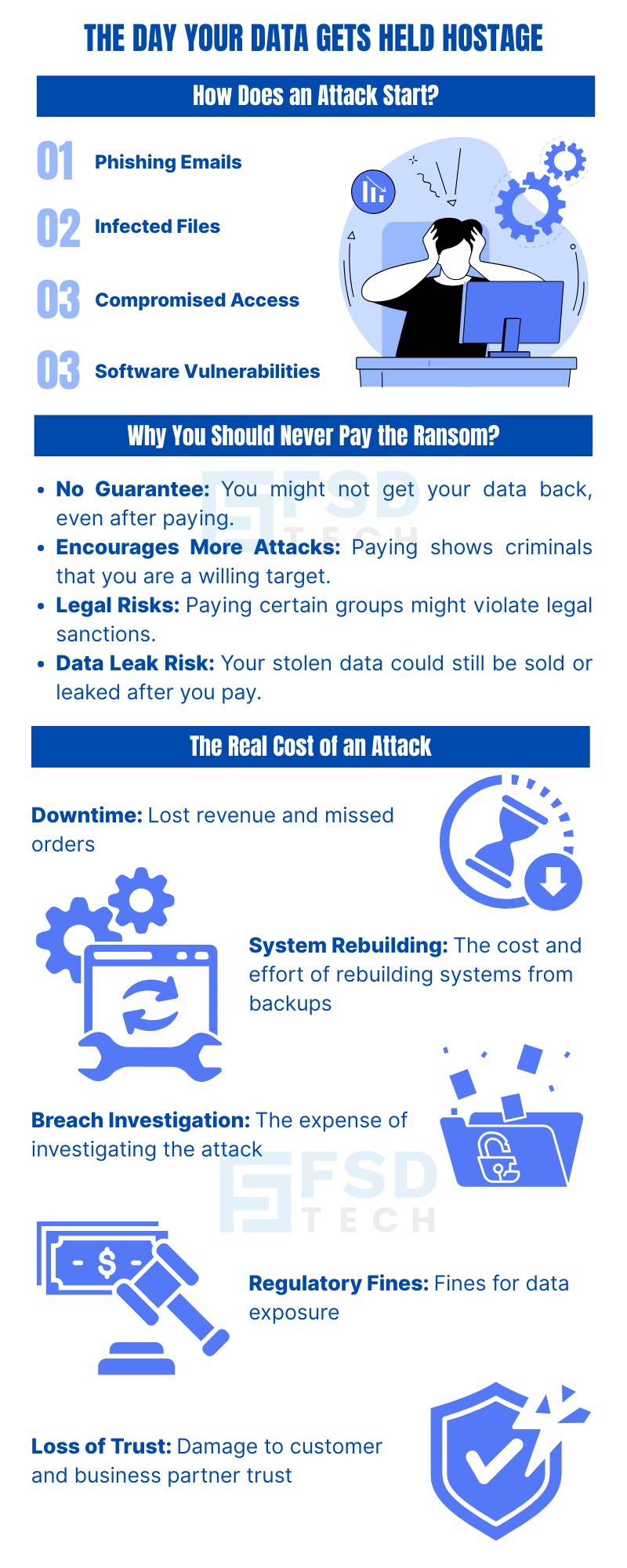
     

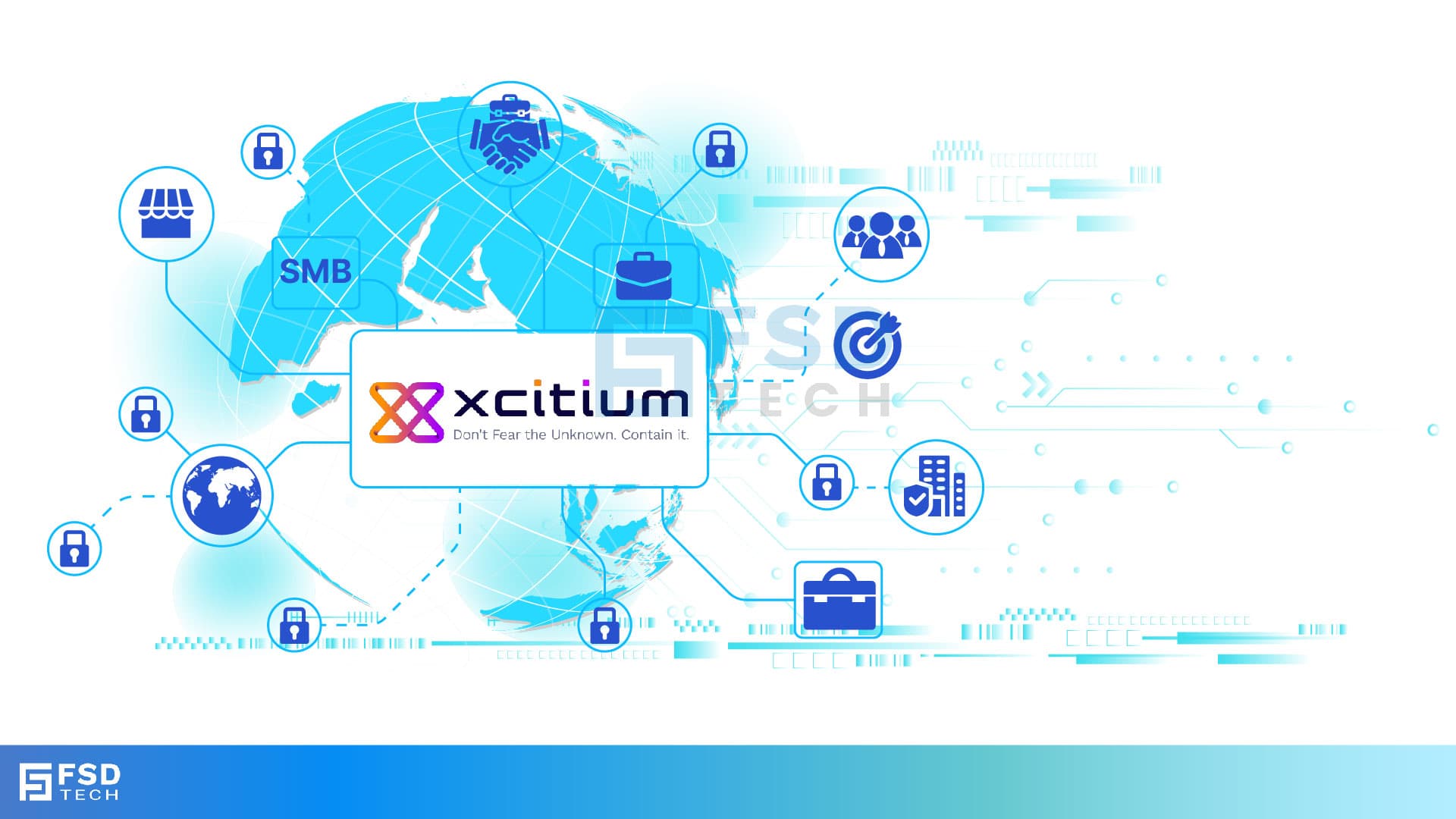
    Cybersecurity Infographic Explaining How Ransomware Attacks Start Through Phishing Emails, Infected Files, Compromised Access, And Software Vulnerabilities. Highlights Why Businesses Should Never Pay Ransom And Shows The Real Cost Of A Cyber Attack Including Downtime, System Rebuilding, Breach Investigation, Regulatory Fines, And Loss Of Trust

     FAQ

    1) What is ransomware in simple terms?

    Ransomware is a type of malicious software that locks or encrypts your files, making them unusable, and then demands payment — usually in cryptocurrency — to unlock them. Attackers may also threaten to leak your data if you don’t pay.

    For SMBs in GCC & Africa, ransomware is especially dangerous because it can completely stop daily operations within minutes.


    2) How does ransomware get into my business systems?

    Common entry points include:

    • Phishing emails with malicious attachments or links.
    • Infected vendor files like invoices or CAD designs.
    • Compromised remote access from weak passwords or stolen credentials.
    • Software vulnerabilities that haven’t been patched.


    3) Can ransomware attacks be prevented?

    Yes — with layered security. Using Zero Dwell Containment to safely open suspicious files, EDR to detect unusual device activity, and MDR for 24/7 human-led monitoring greatly reduces the risk. Staff training also plays a critical role.


    4) Should I ever pay the ransom?

    No. Paying doesn’t guarantee your files will be restored, and it encourages more attacks. In some cases, paying can even violate local or international sanctions. Instead, restore from secure backups and work with a security team like FSD-Tech to remove the malware.


    5) What is Zero Dwell Containment and how does it help?

    Zero Dwell Containment opens every file — whether from email, USB, or download — in a secure virtual environment. If the file is malicious, it can’t harm your real systems.


    6) What is EDR and how does it help with ransomware?

    EDR (Endpoint Detection & Response) constantly monitors devices for abnormal behavior like rapid file encryption. If it detects ransomware, it can automatically isolate the affected device before the infection spreads.
     

    7) What is MDR and why do I need it?

    MDR (Managed Detection & Response) provides a 24/7 security operations team that investigates alerts, confirms threats, and takes immediate action — such as stopping malicious processes and disconnecting infected devices.
     

    8) How important are backups in ransomware defense?

    Backups are critical. Without them, you may have no choice but to pay (and still risk losing data). FSD-Tech sets up immutable backups — copies that ransomware can’t alter or delete.


    9) What is the downtime cost of a ransomware attack for SMBs?

    It varies by business size and industry, but for SMBs in GCC & Africa, downtime can cost thousands per hour in lost revenue, missed orders, and damaged customer trust.


    10) How can SMBs train employees to avoid ransomware?

    By providing phishing awareness training, teaching staff to spot suspicious emails, avoid clicking unknown links, and verify file sources before opening. FSD-Tech offers easy-to-follow, non-technical training tailored to your industry.


    11) How quickly can ransomware spread in a network?

    In some cases, it can encrypt thousands of files in minutes. That’s why real-time detection and automatic isolation through EDR is essential.


    12) How often should I test my backups?

    At least once a month. Backups should be stored offline or in an immutable format, and restored tests should confirm they work correctly.


    13) What is the role of software updates in ransomware prevention?

    Unpatched software is a common target for ransomware attacks. Keeping your operating systems, applications, and security tools updated closes these vulnerabilities.


    14) How does FSD-Tech handle a ransomware incident?

    We isolate infected systems, stop malicious processes, restore clean backups, and investigate the root cause. Our MDR team works 24/7 to contain threats before they spread, while advising on process improvements to prevent future attacks.


    15) What’s the first thing I should do if I suspect ransomware?

    Disconnect the affected device from the network immediately, avoid rebooting, and contact a professional security team like FSD-Tech. The faster the response, the more data can be saved.

    Ransomware: The Day Your Data Gets Held Hostage

    About The Author

    Anas Abdu Rauf

    Anas is an Expert in Network and Security Infrastructure, With over seven years of industry experience, holding certifications Including CCIE- Enterprise, PCNSE, Cato SASE Expert, and Atera Certified Master. Anas provides his valuable insights and expertise to readers.

    Like This Story?

    Share it with friends!

    Subscribe to our newsletter!

    Atera

    (48)

    Cato Networks

    (118)

    ClickUp

    (70)

    FishOS

    (7)

    Miradore

    (21)

    PointGuard AI

    (9)

    Vembu

    (22)

    Xcitium

    (33)

    ZETA HRMS

    (76)

    Workflow Automation(8)

    Workforce Automation(1)

    AI Project Management(1)

    HR Data Automation(1)

    RMM(1)

    IT Workflow Automation(1)

    IT security(2)

    GCC compliance(4)

    Payroll Integration(2)

    IT support automation(3)

    procurement automation(1)

    lost device management(1)

    IT Management(5)

    IoT Security(2)

    Cato XOps(2)

    IT compliance(4)

    Workflow Management(1)

    Task Automation(1)

    OpenStack automation(1)

    Kubernetes lifecycle management(2)

    AI-powered cloud ops(1)

    SMB Security(8)

    Data Security(1)

    MDR (Managed Detection & Response)(4)

    Atera Integrations(2)

    MSP Automation(3)

    XDR Security(2)

    SMB Cyber Protection(1)

    Ransomware Defense(3)

    HR Tech Solutions(1)

    Zero Trust Network Access(3)

    Zero Trust Security(2)

    Endpoint Management(1)

    SaaS Security(1)

    Payroll Automation(5)

    IT Monitoring(2)

    Xcitium EDR SOC(15)

    Ransomware Protection GCC(1)

    M&A IT Integration(1)

    Network Consolidation UAE(1)

    MSSP for SMBs(1)

    Managed EDR FSD-Tech(1)

    Ransomware Protection(3)

    SMB Cybersecurity GCC(1)

    FSD-Tech MSSP(25)

    Antivirus vs EDR(1)

    Endpoint Security(1)

    Cybersecurity GCC(12)

    Data Breach Costs(1)

    Endpoint Protection(1)

    SMB Cybersecurity(8)

    Zero Dwell Containment(31)

    Managed Security Services(2)

    Xcitium EDR(30)

    Cloud Backup(1)

    Hybrid Backup(1)

    Backup & Recovery(1)

    pointguard ai(4)

    backup myths(1)

    vembu(9)

    SMB data protection(9)

    disaster recovery myths(1)

    Disaster Recovery(4)

    Vembu BDR Suite(19)

    GCCBusiness(1)

    DataProtection(1)

    Secure Access Service Edge(4)

    GCC HR software(18)

    Miradore EMM(15)

    Cato SASE(7)

    Cloud Security(8)

    Talent Development(1)

    AI Cybersecurity(12)

    AI Governance(4)

    AI Security(2)

    AI Compliance(2)

    AI Risk Management(1)

    GCC business security(1)

    GCC network integration(1)

    compliance automation(5)

    education security(1)

    GCC cybersecurity(2)

    BYOD security Dubai(8)

    App management UAE(1)

    Miradore EMM Premium+(5)

    MiddleEast(1)

    HealthcareSecurity(1)

    Team Collaboration(1)

    IT automation(12)

    Zscaler(1)

    SD-WAN(6)

    HR Integration(4)

    Cloud Networking(3)

    device management(9)

    VPN(1)

    RemoteWork(1)

    ZeroTrust(2)

    MPLS(1)

    Project Management(9)

    HR automation(16)

    share your thoughts

    Illustration showing identity-centric Zero Trust security with the Cato Client acting as a continuous identity signal, connecting users, devices, cloud resources, and OT systems through unified policy enforcement.”

    How the Cato Client Becomes the Identity Anchor for Zero Trust Access

    🕓 January 25, 2026

    Context-aware firewall enforcement in Cato SASE illustrating how device platform, country, and origin of connection enhance Zero Trust security beyond basic device context.

    Platforms, Countries, and Origin of Connection: Advanced Device Criteria in Cato Firewall

    🕓 January 24, 2026

    Cato SASE platform visual showing device-aware WAN firewall enforcement with centralized security controls, analytics dashboards, IPS, and Zero Trust policy monitoring across enterprise infrastructure.

    Device-Aware WAN Firewall Policies in Cato SASE

    🕓 January 23, 2026

    Decoded(85)

    Cyber Security(118)

    BCP / DR(22)

    Zeta HRMS(75)

    SASE(21)

    Automation(70)

    Next Gen IT-Infra(118)

    Monitoring & Management(69)

    ITSM(22)

    HRMS(21)

    Automation(24)