HomeNext Gen IT-InfraMonitoring & ManagementCyber SecurityBCP / DRAutomationDecoded
Next Gen IT-Infra
Cato’s SASE Supports Cybersecurity Skills Development

How Cato’s SASE Supports Cybersecurity Skills Development

🕓 April 8, 2025

How SASE Supports the Security Needs of SMBs

How SASE Supports the Security Needs of SMBs

🕓 February 9, 2025

Attack Surface Reduction with Cato’s SASE

Attack Surface Reduction with Cato’s SASE

🕓 February 10, 2025

SASE for Digital Transformation in UAE

SASE for Digital Transformation in UAE

🕓 February 8, 2025

Monitoring & Management
Understanding Atera’s SLA Management

Understanding Atera’s SLA Management

🕓 February 7, 2025

Cost-Performance Ratio: Finding the Right Balance in IT Management Networks

Cost-Performance Ratio: Finding the Right Balance in IT Management Networks

🕓 June 16, 2025

Customizing Atera with APIs

Customizing Atera with APIs

🕓 March 3, 2025

Power Up Your IT Team’s Strategy with Atera’s Communication Tools

Power Up Your IT Team’s Strategy with Atera’s Communication Tools

🕓 February 8, 2025

Cyber Security
Illustration of the Cato Cloud architecture showing its role in delivering SASE for secure, optimized global connectivity.

Understanding the Cato Cloud and Its Role in SASE

🕓 January 29, 2025

Isometric illustration of professionals managing network performance, bandwidth analytics, and cloud-based optimization around the Cato Networks platform, symbolizing bandwidth control and QoS visibility.

Mastering Bandwidth Control and QoS in Cato Networks

🕓 July 26, 2025

Global network backbone powering Cato SASE solution for secure, high-performance connectivity across regions.

Global Backbone: The Engine Powering Cato’s SASE Solution

🕓 January 30, 2025

Illustration of IT team managing user roles and permissions on the Cato CMA dashboard via laptops and cloud interfaces.

Setting Up Role-Based Access Control (RBAC) in Cato

🕓 July 28, 2025

BCP / DR
Illustration showing diverse business and IT professionals collaborating with cloud, backup, and security icons, representing Vembu use cases for SMBs, MSPs, and IT teams.

Who Uses Vembu? Real-World Use Cases for SMBs, MSPs & IT Teams

🕓 July 12, 2025

Graphic showcasing Vembu’s all-in-one backup and disaster recovery platform with icons for cloud, data protection, and business continuity for IT teams and SMBs.

What Is Vembu? A Deep Dive Into the All in One Backup & Disaster Recovery Platform

🕓 July 6, 2025

Illustration showing Vembu backup and disaster recovery system with cloud storage, server racks, analytics dashboard, and IT professionals managing data.

The Rising Cost of Data Loss: Why Backup Is No Longer Optional?

🕓 August 14, 2025

3D isometric illustration of cloud backup and data recovery infrastructure with laptop, data center stack, and digital business icons — FSD Tech

RPO & RTO: The Heart of Business Continuity

🕓 August 15, 2025

Automation
Cross-Functional Collaboration with ClickUp

Fostering Cross-Functional Collaboration with ClickUp for Multi-Departmental Projects

🕓 February 11, 2025

ClickUp Project Reporting

Revolutionizing Enterprise Reporting with ClickUp’s Advanced Analytics and Dashboards

🕓 June 16, 2025

ClickUp’s Design Collaboration and Asset Management Tools

Empowering Creative Teams with ClickUp’s Design Collaboration and Asset Management Tools

🕓 February 26, 2025

ClickUp Communication and Collaboration Tools

ClickUp Communication and Collaboration Tools: Empowering Remote Teams

🕓 March 12, 2025

Decoded
Multi-Factor Authentication (MFA)

Multi-Factor Authentication (MFA): All You Need to Know

🕓 December 7, 2025

L3 Switch

What Is an L3 Switch? L2 vs L3 & Why You Need Layer 3?

🕓 December 8, 2025

IPSec

IPSec Explained: Protocols, Modes, IKE & VPN Security

🕓 December 3, 2025

 Datagram Transport Layer Security (DTLS)

What is Datagram Transport Layer Security (DTLS)? How it works?

🕓 December 4, 2025

    Subscribe to our newsletter!

    About Us

    Follow Us

    Copyright © 2024 | Powered by 

    Cato SASE Architecture

    Inside Cato’s SASE Architecture: A Blueprint for Modern Security

    🕓 January 26, 2025

    Enterprise Data Security and Privacy with ClickUp

    Ensuring Enterprise Data Security and Privacy with ClickUp

    🕓 February 9, 2025

    DDoS protection SASE

    DDoS Protection and Cato’s Defence Mechanisms

    🕓 February 11, 2025

    Table of Contents

    Bypassing the Cato Cloud Using Predefined Applications: Simplify Secure Egress for Key Traffic

    Anas Abdu Rauf
    September 11, 2025
    Comments
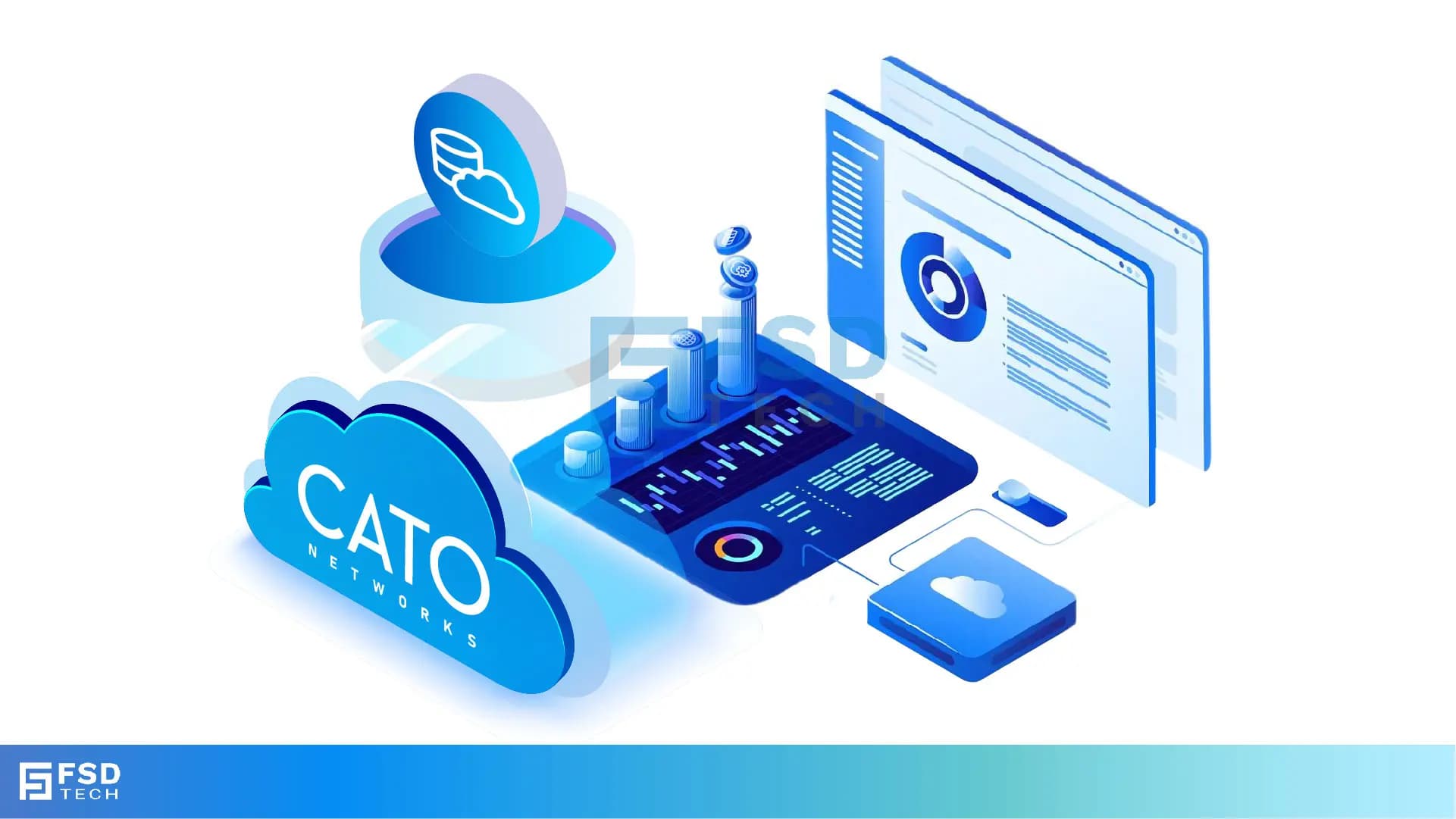
    Illustration of Cato Networks cloud dashboard showing cloud-native security and performance monitoring with predefined application bypass for SaaS traffic, featuring analytics panels, optimization tools, and cloud icons.


    In modern enterprise environments, ensuring optimal performance for productivity applications—such as Zoom or Microsoft Teams—is critical. Manually managing outbound traffic by maintaining evolving IP lists can be cumbersome and error-prone. Cato Networks’ Bypassing the Cato Cloud capability addresses this challenge, and with the recent introduction of Predefined Application Bypass Rules, administrators now have a simpler way to optimize SaaS traffic.


    What Is Bypassing the Cato Cloud?

    The Bypassing the Cato Cloud feature allows administrators to configure Bypass Rules that let selected Internet-bound traffic egress directly from Socket and vSocket sites, instead of traversing Cato PoPs.

    Key behaviors include:

    • Traffic defined in a bypass rule does not go through Cato Cloud security inspection or application/category policies.
    • Upstream Bandwidth Profiles and QoS configured at the Socket are still enforced.
    • Downstream QoS is not applied since the traffic does not traverse a PoP.
    • The Socket evaluates WAN performance (latency, jitter, packet loss, congestion) and routes traffic over the best available path.
    • Administrators may configure a Preferred Socket WAN Role for predictable traffic steering.

    This functionality is available for Socket and vSocket sites only.


    Predefined Application Bypass Rules

    Cato now provides Predefined Application Bypass Rules, which eliminate the need to manage dynamic IP ranges manually. These rules let administrators select specific business-critical applications directly when creating a bypass rule.


    Currently supported applications include:

    • Microsoft Exchange
    • Google Applications
    • Microsoft Defender for Endpoint
    • Zoom
    • Skype and Microsoft Teams
    • SharePoint and OneDrive for Business

    Cato continuously updates the IP definitions for these applications in the background. This ensures bypass rules always remain current without requiring administrator intervention.


    Advantages of Each Approach

    Bypass Rules (Traditional Configuration)

    • Allow granular control over traffic using IP addresses, ports, and protocols.
    • Suitable for custom or legacy applications not covered by predefined options.
    • Require manual updates when IP ranges or services change.

    Predefined Application Bypass Rules

    • Simplify configuration by allowing administrators to select applications directly.
    • Automatically updated by Cato—no need to maintain IP definitions.
    • Best suited for widely used SaaS and collaboration platforms.

    Both approaches complement each other, providing flexibility for unique traffic scenarios and efficiency for common applications.


    Not sure which bypass strategy fits your environment? Fill out the form and our team will contact you to discuss the best approach for your setup.
     

    Why This Matters to Administrators

    • Simplified Operations: No more manual IP tracking—applications are preconfigured and auto-updated.
    • Better User Experience: SaaS and collaboration apps enjoy lower latency and more reliable connectivity.
    • Resilient WAN Routing: The Socket intelligently selects the best-performing WAN path or a preferred role.
    • Policy Consistency: Even with bypass, bandwidth and QoS rules at the Socket remain in effect.


    How to Configure a Predefined Application Bypass Rule

    1. In the Cato Management Application, go to Network → Sites and select your site.
    2. Under Site Configuration → Bypass, click New.
    3. Assign a rule name (e.g., “Bypass – Zoom”).
    4. For Destination, choose a supported predefined application (e.g., Zoom, SharePoint, Google Apps).
    5. Optionally specify allowed protocols (TCP, UDP, ICMP).
    6. (Optional) Select a Preferred Socket WAN Role to define the primary path.
    7. Save the configuration—the rule is applied instantly.


    Practical Use Cases

    • Real-Time Collaboration: Improve call quality by bypassing Zoom and Teams directly to the Internet.
    • Productivity Applications: Enhance performance for Microsoft 365 and Google Workspace.
    • Endpoint Security: Ensure Microsoft Defender for Endpoint receives timely updates.
    • Network Efficiency: Reduce load on the Cato Cloud by offloading SaaS traffic.


    Conclusion

    Bypassing the Cato Cloud is a powerful capability that provides direct egress for selected Internet traffic from Socket and vSocket sites. With the introduction of Predefined Application Bypass Rules, administrators gain a streamlined way to optimize traffic for commonly used SaaS platforms—without the operational burden of tracking IP ranges.


    By combining traditional Bypass Rules and Predefined Application Bypass Rules, enterprises achieve both flexibility and efficiency, ensuring high performance for critical applications while maintaining centralized control.

    Want to see how predefined bypass rules can improve your Teams and Zoom performance? Book a free consultation with our experts today.
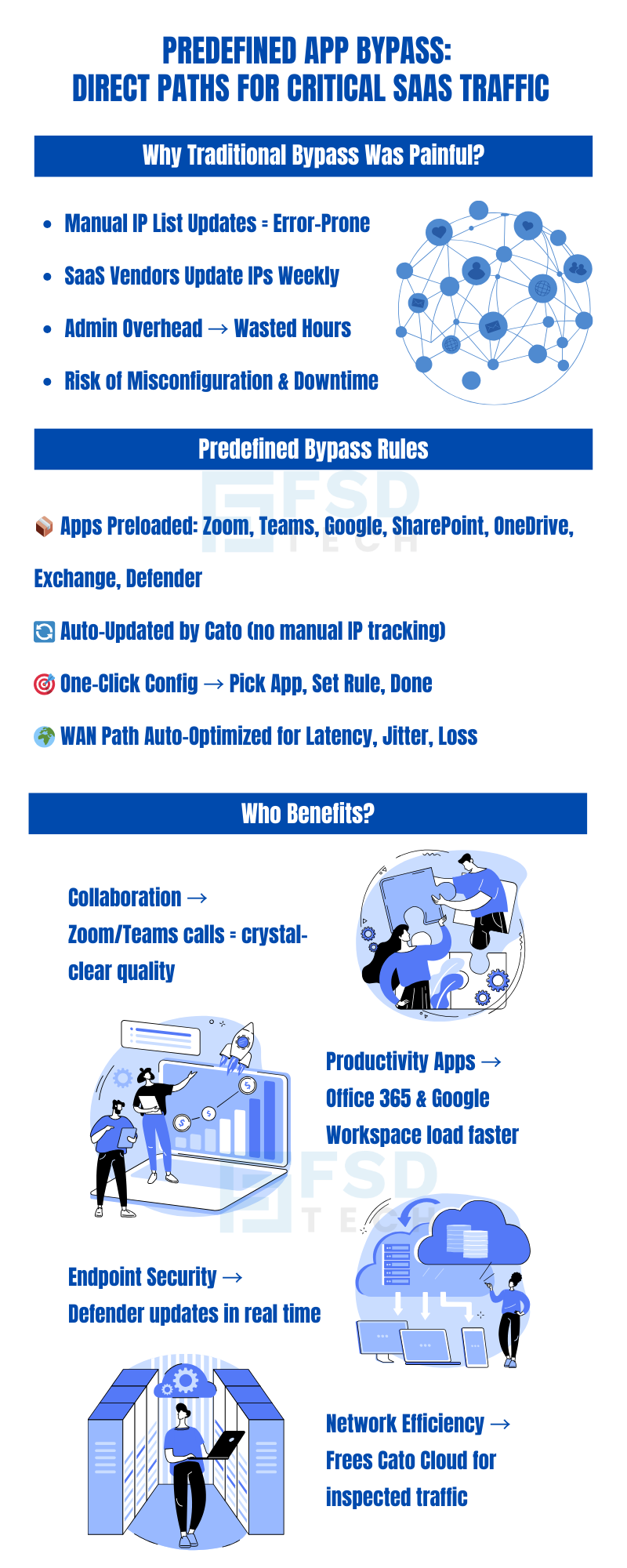
    Infographic explaining Cato Networks predefined app bypass for SaaS traffic. Highlights pain points of manual IP list updates, admin overhead, and downtime risks. Shows benefits of auto-updated predefined rules for apps like Zoom, Teams, Google, and Office 365. Key advantages include clearer calls, faster app performance, real-time Defender updates, and improved network efficiency.

    FAQ

    1. What is the difference between a Bypass Rule and a Predefined Application Bypass Rule?

    A Bypass Rule is manually configured using IPs, ports, or protocols. A Predefined Application Bypass Rule lets administrators select specific applications from a list maintained by Cato.
     

    2. Does bypassed traffic go through Cato’s security inspection?

    No. Traffic defined in bypass rules does not pass through PoP-level security services. Only Socket-level QoS and bandwidth profiles apply.
     

    3. Can both rule types coexist?

    Yes. Administrators can mix traditional Bypass Rules with Predefined Application Bypass Rules as needed.
     

    4. Is bypass supported for all sites?

    No. Bypassing the Cato Cloud applies only to Socket and vSocket sites.
     

    5. What happens if a Preferred Socket WAN Role link goes down?

    The Socket automatically reroutes traffic to the best available WAN link using real-time performance metrics.
     

    6. Why are Predefined Application Bypass Rules especially useful for collaboration tools?

    Applications like Zoom and Teams are latency-sensitive. By routing them directly to the Internet, organizations reduce delay and improve quality for voice and video sessions.

    Bypassing the Cato Cloud Using Predefined Applications: Simplify Secure Egress for Key Traffic

    About The Author

    Anas Abdu Rauf

    Anas is an Expert in Network and Security Infrastructure, With over seven years of industry experience, holding certifications Including CCIE- Enterprise, PCNSE, Cato SASE Expert, and Atera Certified Master. Anas provides his valuable insights and expertise to readers.

    Like This Story?

    Share it with friends!

    Subscribe to our newsletter!

    Atera

    (48)

    Cato Networks

    (118)

    ClickUp

    (70)

    FishOS

    (7)

    Miradore

    (21)

    PointGuard AI

    (9)

    Vembu

    (22)

    Xcitium

    (33)

    ZETA HRMS

    (76)

    Workflow Automation(8)

    Workforce Automation(1)

    AI Project Management(1)

    HR Data Automation(1)

    RMM(1)

    IT Workflow Automation(1)

    IT security(2)

    GCC compliance(4)

    Payroll Integration(2)

    IT support automation(3)

    procurement automation(1)

    lost device management(1)

    IT Management(5)

    IoT Security(2)

    Cato XOps(2)

    IT compliance(4)

    Workflow Management(1)

    Task Automation(1)

    OpenStack automation(1)

    Kubernetes lifecycle management(2)

    AI-powered cloud ops(1)

    SMB Security(8)

    Data Security(1)

    MDR (Managed Detection & Response)(4)

    Atera Integrations(2)

    MSP Automation(3)

    XDR Security(2)

    SMB Cyber Protection(1)

    Ransomware Defense(3)

    HR Tech Solutions(1)

    Zero Trust Network Access(3)

    Zero Trust Security(2)

    Endpoint Management(1)

    SaaS Security(1)

    Payroll Automation(5)

    IT Monitoring(2)

    Xcitium EDR SOC(15)

    Ransomware Protection GCC(1)

    M&A IT Integration(1)

    Network Consolidation UAE(1)

    MSSP for SMBs(1)

    Managed EDR FSD-Tech(1)

    Ransomware Protection(3)

    SMB Cybersecurity GCC(1)

    FSD-Tech MSSP(25)

    Antivirus vs EDR(1)

    Endpoint Security(1)

    Cybersecurity GCC(12)

    Data Breach Costs(1)

    Endpoint Protection(1)

    SMB Cybersecurity(8)

    Zero Dwell Containment(31)

    Managed Security Services(2)

    Xcitium EDR(30)

    Cloud Backup(1)

    Hybrid Backup(1)

    Backup & Recovery(1)

    pointguard ai(4)

    backup myths(1)

    vembu(9)

    SMB data protection(9)

    disaster recovery myths(1)

    Disaster Recovery(4)

    Vembu BDR Suite(19)

    GCCBusiness(1)

    DataProtection(1)

    Secure Access Service Edge(4)

    GCC HR software(18)

    Miradore EMM(15)

    Cato SASE(7)

    Cloud Security(8)

    Talent Development(1)

    AI Cybersecurity(12)

    AI Governance(4)

    AI Security(2)

    AI Compliance(2)

    AI Risk Management(1)

    GCC business security(1)

    GCC network integration(1)

    compliance automation(5)

    education security(1)

    GCC cybersecurity(2)

    BYOD security Dubai(8)

    App management UAE(1)

    Miradore EMM Premium+(5)

    MiddleEast(1)

    HealthcareSecurity(1)

    Team Collaboration(1)

    IT automation(12)

    Zscaler(1)

    SD-WAN(6)

    HR Integration(4)

    Cloud Networking(3)

    device management(9)

    VPN(1)

    RemoteWork(1)

    ZeroTrust(2)

    MPLS(1)

    Project Management(9)

    HR automation(16)

    share your thoughts

    Illustration showing identity-centric Zero Trust security with the Cato Client acting as a continuous identity signal, connecting users, devices, cloud resources, and OT systems through unified policy enforcement.”

    How the Cato Client Becomes the Identity Anchor for Zero Trust Access

    🕓 January 25, 2026

    Context-aware firewall enforcement in Cato SASE illustrating how device platform, country, and origin of connection enhance Zero Trust security beyond basic device context.

    Platforms, Countries, and Origin of Connection: Advanced Device Criteria in Cato Firewall

    🕓 January 24, 2026

    Cato SASE platform visual showing device-aware WAN firewall enforcement with centralized security controls, analytics dashboards, IPS, and Zero Trust policy monitoring across enterprise infrastructure.

    Device-Aware WAN Firewall Policies in Cato SASE

    🕓 January 23, 2026

    Decoded(85)

    Cyber Security(118)

    BCP / DR(22)

    Zeta HRMS(75)

    SASE(21)

    Automation(70)

    Next Gen IT-Infra(118)

    Monitoring & Management(69)

    ITSM(22)

    HRMS(21)

    Automation(24)