HomeNext Gen IT-InfraMonitoring & ManagementCyber SecurityBCP / DRAutomationDecoded
Next Gen IT-Infra
Cato’s SASE Supports Cybersecurity Skills Development

How Cato’s SASE Supports Cybersecurity Skills Development

🕓 April 8, 2025

How SASE Supports the Security Needs of SMBs

How SASE Supports the Security Needs of SMBs

🕓 February 9, 2025

Attack Surface Reduction with Cato’s SASE

Attack Surface Reduction with Cato’s SASE

🕓 February 10, 2025

SASE for Digital Transformation in UAE

SASE for Digital Transformation in UAE

🕓 February 8, 2025

Monitoring & Management
Understanding Atera’s SLA Management

Understanding Atera’s SLA Management

🕓 February 7, 2025

Cost-Performance Ratio: Finding the Right Balance in IT Management Networks

Cost-Performance Ratio: Finding the Right Balance in IT Management Networks

🕓 June 16, 2025

Customizing Atera with APIs

Customizing Atera with APIs

🕓 March 3, 2025

Power Up Your IT Team’s Strategy with Atera’s Communication Tools

Power Up Your IT Team’s Strategy with Atera’s Communication Tools

🕓 February 8, 2025

Cyber Security
Illustration of the Cato Cloud architecture showing its role in delivering SASE for secure, optimized global connectivity.

Understanding the Cato Cloud and Its Role in SASE

🕓 January 29, 2025

Isometric illustration of professionals managing network performance, bandwidth analytics, and cloud-based optimization around the Cato Networks platform, symbolizing bandwidth control and QoS visibility.

Mastering Bandwidth Control and QoS in Cato Networks

🕓 July 26, 2025

Global network backbone powering Cato SASE solution for secure, high-performance connectivity across regions.

Global Backbone: The Engine Powering Cato’s SASE Solution

🕓 January 30, 2025

Illustration of IT team managing user roles and permissions on the Cato CMA dashboard via laptops and cloud interfaces.

Setting Up Role-Based Access Control (RBAC) in Cato

🕓 July 28, 2025

BCP / DR
Illustration showing diverse business and IT professionals collaborating with cloud, backup, and security icons, representing Vembu use cases for SMBs, MSPs, and IT teams.

Who Uses Vembu? Real-World Use Cases for SMBs, MSPs & IT Teams

🕓 July 12, 2025

Graphic showcasing Vembu’s all-in-one backup and disaster recovery platform with icons for cloud, data protection, and business continuity for IT teams and SMBs.

What Is Vembu? A Deep Dive Into the All in One Backup & Disaster Recovery Platform

🕓 July 6, 2025

Illustration showing Vembu backup and disaster recovery system with cloud storage, server racks, analytics dashboard, and IT professionals managing data.

The Rising Cost of Data Loss: Why Backup Is No Longer Optional?

🕓 August 14, 2025

3D isometric illustration of cloud backup and data recovery infrastructure with laptop, data center stack, and digital business icons — FSD Tech

RPO & RTO: The Heart of Business Continuity

🕓 August 15, 2025

Automation
Cross-Functional Collaboration with ClickUp

Fostering Cross-Functional Collaboration with ClickUp for Multi-Departmental Projects

🕓 February 11, 2025

ClickUp Project Reporting

Revolutionizing Enterprise Reporting with ClickUp’s Advanced Analytics and Dashboards

🕓 June 16, 2025

ClickUp’s Design Collaboration and Asset Management Tools

Empowering Creative Teams with ClickUp’s Design Collaboration and Asset Management Tools

🕓 February 26, 2025

ClickUp Communication and Collaboration Tools

ClickUp Communication and Collaboration Tools: Empowering Remote Teams

🕓 March 12, 2025

Decoded
Multi-Factor Authentication (MFA)

Multi-Factor Authentication (MFA): All You Need to Know

🕓 December 7, 2025

L3 Switch

What Is an L3 Switch? L2 vs L3 & Why You Need Layer 3?

🕓 December 8, 2025

IPSec

IPSec Explained: Protocols, Modes, IKE & VPN Security

🕓 December 3, 2025

 Datagram Transport Layer Security (DTLS)

What is Datagram Transport Layer Security (DTLS)? How it works?

🕓 December 4, 2025

    Subscribe to our newsletter!

    About Us

    Follow Us

    Copyright © 2024 | Powered by 

    Cato SASE Architecture

    Inside Cato’s SASE Architecture: A Blueprint for Modern Security

    🕓 January 26, 2025

    Enterprise Data Security and Privacy with ClickUp

    Ensuring Enterprise Data Security and Privacy with ClickUp

    🕓 February 9, 2025

    DDoS protection SASE

    DDoS Protection and Cato’s Defence Mechanisms

    🕓 February 11, 2025

    Table of Contents

    Shadow AI: The Hidden Projects That Could Sink Your Business

    Mohd Elayyan
    September 7, 2025
    Comments
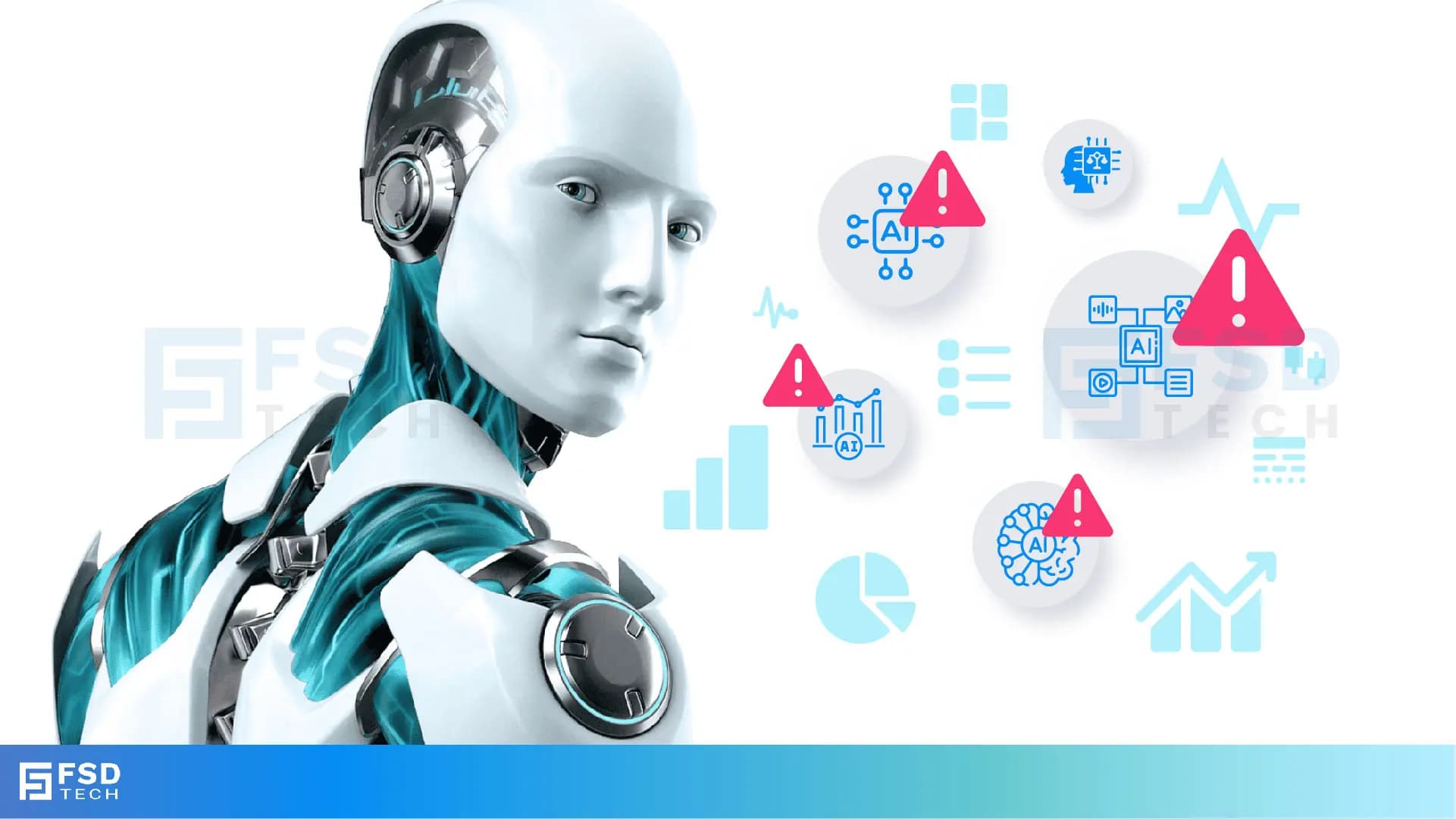
    Futuristic Illustration Of Shadow AI Risks With Robot And Warning Signs. Visual Depicts Unauthorized AI Usage, Hidden AI Models, Data Privacy Threats, And Compliance Gaps That Businesses Face Without AI Governance And Monitoring Tools.

    Introduction: The AI You Don’t Know About is the AI That Hurts You Most

    Every CISO, CTO, or IT governance officer fears shadow IT — employees using unsanctioned apps to get work done faster.


    In the age of ChatGPT, Midjourney, Hugging Face, and countless low/no-code AI platforms, a new beast has emerged: Shadow AI.

    Shadow AI is when employees or departments start using AI tools without the company’s approval or oversight. This can be risky because:

    • The tools may not be secure.
    • They might expose sensitive company data.
    • They could break compliance rules without anyone realizing.


    Shadow AI is any use of AI tools, models, or APIs in your organization without official approval, oversight, or governance.

    it’s not just a tech risk — it’s a compliance time bomb.


    Why Shadow AI is Growing So Fast

    Shadow AI is exploding for the same reasons shadow IT did in the early cloud era:

    1. Convenience – Employees want to automate tasks without waiting for IT approval.
    2. Accessibility – Powerful AI tools are just a browser tab away.
    3. Lack of Awareness – Non-technical staff don’t realize they’re exposing sensitive data.
    4. Budget Evasion – Departments bypass procurement to avoid costs and paperwork.


    The Dangerous Truth About Shadow AI

    When employees upload confidential documents to a public AI chatbot:

    • The data may be stored indefinitely on a third-party server.
    • It may be used to train future AI models.
    • It may be accessed by unauthorized parties.

    In other words, one unapproved AI session can undo millions spent on cybersecurity.

     
    Not sure if Shadow AI is creeping into your business? Fill out the form to get a quick Shadow AI Risk Check.
     

    Real-World Cases of Shadow AI Risks

    Case 1: The Healthcare Breach (UAE, 2024)

    A private clinic’s marketing team started using a public LLM to rewrite patient education documents. They uploaded files containing patient names, medical history, and contact details.

    • Impact: Violation of UAE health data laws and GDPR.
    • Fine Risk: Up to AED 5 million under UAE data protection regulations.

    Case 2: The Legal Department Leak (India, 2023)

    A law firm’s junior associate used an AI summarization tool to prepare case briefs. The tool’s terms of service allowed the vendor to retain and analyze uploaded documents.

    • Impact: Breach of attorney-client privilege.
    • Outcome: Loss of a major corporate client.

    Case 3: The Manufacturing IP Spill (KSA, 2024)

    An engineering manager used an AI-powered CAD tool to optimize product designs. The designs were stored on the vendor’s servers without encryption.

    • Impact: Proprietary designs potentially accessible to competitors.


    The Business Risks of Shadow AI

    1. Compliance Failures

    Shadow AI almost always violates:

    • ISO/IEC 42001:2023 AI governance rules.
    • NIST AI RMF guidelines on risk management.
    • UAE & KSA Data Protection Laws.

    2. Data Privacy Breaches

    • Risk of exposing PII (Personally Identifiable Information).
    • Violation of client confidentiality agreements.

    3. Intellectual Property Loss

    • Uploading proprietary code or designs to an unvetted AI tool can mean permanent loss of exclusivity.

    4. Security Blind Spots

    • No monitoring = no way to detect suspicious AI usage. 


    Why Shadow AI is Hard to Detect

    Traditional cybersecurity tools monitor network traffic, endpoints, and application logs — but not model usage or AI-specific API calls.

    Shadow AI hides in:

    • Web browser sessions.
    • SaaS platforms outside corporate SSO.
    • Personal devices connecting to corporate networks.
       

    The GCC & India Risk Multiplier

    In UAE, Saudi Arabia, and India, Shadow AI risks are amplified by:

    • High adoption of open-source AI models without formal security vetting.
    • Cross-border operations with varied regulatory environments.
    • Workforce pressure to deliver faster, leading to tool bypasses. 


    How to Tackle Shadow AI — Step-by-Step

    1. Discover All AI Assets

    • Use AI discovery tools to map all models, datasets, and APIs in use.
    • Integrate with cloud & MLOps platforms like Databricks, SageMaker, Azure AI FoundryPointGuard - Six Steps ….

    2. Establish AI Usage Policies

    • Define which AI tools are approved, for what data, and under what conditions.

    3. Train Staff on AI Risks

    • Conduct awareness programs explaining why Shadow AI is dangerous.

    4. Monitor in Real Time

    • Deploy runtime monitoring for AI model interactions.


    PointGuard AI’s Approach to Shadow AI

    Shadow AI is when employees or departments start using AI tools without the company’s approval or oversight. This can be risky because:

    • The tools may not be secure.
    • They might expose sensitive company data.
    • They could break compliance rules without anyone realizing.

    PointGuard AI provides a three-step approach to find and stop Shadow AI before it becomes a problem.


    1. AI Asset Discovery – Finding All the AI in Use

    Think of this as an AI “inventory check.”
    PointGuard AI automatically scans your entire organization to detect:

    • All AI models in use (approved or unapproved).
    • The datasets these models use.
    • How often and where they’re being used.

    This is like knowing exactly what tools are in your toolbox before you start a project.

    2. Shadow AI Alerts – Spotting Unauthorized Tools

    If someone in your company starts using an AI app that hasn’t been approved, PointGuard AI sends real-time alerts.
    This means you can:

    • Quickly see who is using it.
    • Find out what kind of data it’s handling.
    • Take action before it causes a security or compliance issue.

    3. Policy Enforcement – Blocking Risky AI Activity

    If an unapproved AI tool tries to send or receive company data, PointGuard AI can automatically:

    • Block the action.
    • Prevent uploads or downloads from the tool.
    • Stop risky API calls (connections to outside systems).

    It’s like having a security guard who stops unsafe packages from leaving your building.


    Action Checklist for Your Company

    Here’s what every business should do to stay safe from Shadow AI risks:

    1. Audit Your AI Usage – Look back over the past 12 months to see what AI tools have been used in your company.
    2. Create a Whitelist – Make an official list of AI tools that employees are allowed to use.
    3. Use AI-Specific Monitoring Tools – Implement systems like PointGuard AI that can continuously track, alert, and block risky AI activity.


    Want a tailored plan to stop Shadow AI before it causes damage? Book a Free consultation with our experts.
     

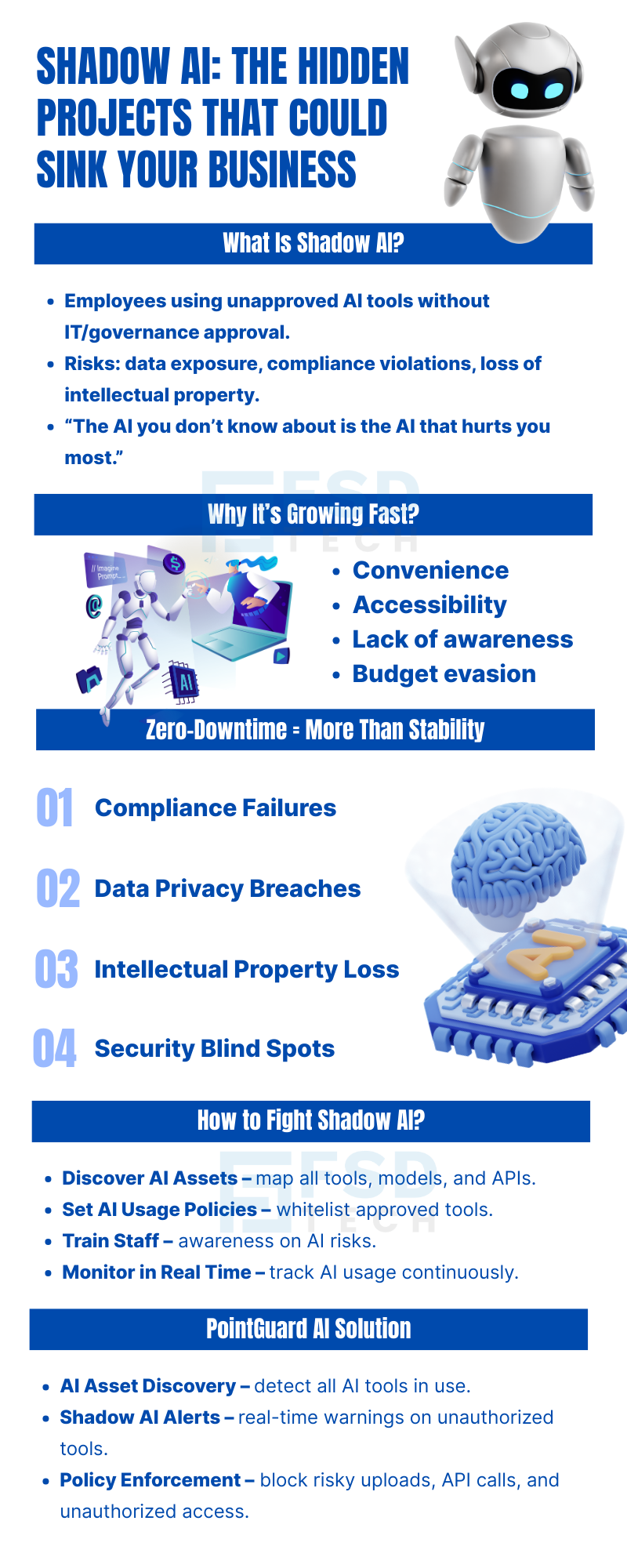
    Infographic Explaining Shadow AI Risks In Businesses. Highlights Employees Using Unauthorized AI Tools Leading To Compliance Failures, Data Privacy Breaches, Intellectual Property Loss, And Security Blind Spots. Shows How To Fight Shadow AI With AI Asset Discovery, Usage Policies, Staff Training, Real-Time Monitoring, And PointGuard AI Solutions For Alerts And Policy Enforcement.”

    FAQ

    Q1. What is Shadow AI in simple terms?

    Shadow AI is when employees or teams use Artificial Intelligence tools without the company’s approval or oversight. This could mean using AI chatbots, design tools, or code generators without informing IT or following company policies.


    Q2. Why is Shadow AI dangerous for businesses?

    Because unapproved AI tools can:

    • Store company data on unknown servers.
    • Be hacked or misused.
    • Break data privacy laws.
      Even one unapproved AI session could cause huge legal and financial problems.


    Q3. How is Shadow AI different from Shadow IT?

    Shadow IT refers to using unapproved software or cloud services (like Dropbox or Google Drive). Shadow AI is specifically about using AI-powered tools without approval, which adds extra risks like bias, data leaks, or model manipulation.


    Q4. Why is Shadow AI growing so quickly?

    Shadow AI is exploding because:

    • AI tools are easy to access online.
    • Employees want faster results without waiting for approvals.
    • Some don’t realize the risks.
    • Departments want to avoid budget approvals or paperwork.


    Q5. Can you give real-life examples of Shadow AI risks?

    Yes:

    • Healthcare Clinic in UAE – Staff uploaded patient data to a public chatbot, violating privacy laws and risking millions in fines.
    • Law Firm in India – A lawyer used an AI tool that stored sensitive legal files, breaking client confidentiality.
    • Manufacturer in Saudi Arabia – An engineer used an AI design tool that saved product blueprints on unsecured servers.


    Q6. What are the main risks of Shadow AI?

    1. Compliance Failures – Breaking laws like UAE Data Protection or ISO AI governance rules.
    2. Data Privacy Breaches – Exposing personal or customer data.
    3. Loss of Intellectual Property – Losing exclusive rights to company designs or code.
    4. Security Blind Spots – IT can’t protect tools they don’t know exist.


    Q7. Why is Shadow AI hard to detect?

    Traditional security tools look for network or application activity, but they don’t track AI model usage or API calls. Shadow AI can hide in:

    • Browser-based AI tools.
    • Personal devices.
    • SaaS tools outside company login systems.


    Q8. Is Shadow AI a bigger risk in GCC and India?

    Yes. In places like UAE, Saudi Arabia, and India, the risks are higher because:

    • Many companies use open-source AI models without security checks.
    • Businesses operate across borders with different regulations.
    • Teams face pressure to deliver results faster, leading them to bypass approval processes.


    Q9. How can companies find out if they have Shadow AI?

    The first step is AI Asset Discovery — scanning your organization to detect:

    • All AI tools in use.
    • The datasets they use.
    • How often they’re accessed.


    Q10. What is PointGuard AI’s approach to stopping Shadow AI?

    PointGuard AI uses a three-step method:

    1. AI Asset Discovery – Finds all AI tools in use.
    2. Shadow AI Alerts – Warns when someone uses an unapproved tool.
    3. Policy Enforcement – Blocks risky AI actions in real time.


    Q11. What’s an example of Policy Enforcement for Shadow AI?

    If an unapproved AI tries to upload confidential data, PointGuard AI can instantly:

    • Stop the upload.
    • Block the API call.
    • Prevent unauthorized access.


    Q12. How can companies prevent Shadow AI before it becomes a problem?

    Follow this Action Checklist:

    1. Audit AI Usage – Check what AI tools were used in the last year.
    2. Create a Whitelist – Approve and document safe AI tools.
    3. Monitor in Real Time – Use AI-specific monitoring solutions like PointGuard AI.
       

    Q13. Who should be responsible for managing Shadow AI risks?

    A mix of:

    • IT/Security Teams – For detection and blocking.
    • Compliance Officers – For legal and policy oversight.

    Business Leaders – For setting AI usage rules.

    Shadow AI: The Hidden Projects That Could Sink Your Business

    About The Author

    Mohd Elayyan

    Mohd Elayyan is an entrepreneur, cybersecurity expert, and AI governance leader bringing next-gen innovations to the Middle East and Africa. With expertise in AI Security, Governance, and Automated Offensive Security, he helps organizations stay ethical, compliant, and ahead of threats.

    Like This Story?

    Share it with friends!

    Subscribe to our newsletter!

    Atera

    (48)

    Cato Networks

    (118)

    ClickUp

    (70)

    FishOS

    (7)

    Miradore

    (21)

    PointGuard AI

    (9)

    Vembu

    (22)

    Xcitium

    (33)

    ZETA HRMS

    (76)

    Workflow Automation(8)

    Workforce Automation(1)

    AI Project Management(1)

    HR Data Automation(1)

    RMM(1)

    IT Workflow Automation(1)

    IT security(2)

    GCC compliance(4)

    Payroll Integration(2)

    IT support automation(3)

    procurement automation(1)

    lost device management(1)

    IT Management(5)

    IoT Security(2)

    Cato XOps(2)

    IT compliance(4)

    Workflow Management(1)

    Task Automation(1)

    OpenStack automation(1)

    Kubernetes lifecycle management(2)

    AI-powered cloud ops(1)

    SMB Security(8)

    Data Security(1)

    MDR (Managed Detection & Response)(4)

    Atera Integrations(2)

    MSP Automation(3)

    XDR Security(2)

    SMB Cyber Protection(1)

    Ransomware Defense(3)

    HR Tech Solutions(1)

    Zero Trust Network Access(3)

    Zero Trust Security(2)

    Endpoint Management(1)

    SaaS Security(1)

    Payroll Automation(5)

    IT Monitoring(2)

    Xcitium EDR SOC(15)

    Ransomware Protection GCC(1)

    M&A IT Integration(1)

    Network Consolidation UAE(1)

    MSSP for SMBs(1)

    Managed EDR FSD-Tech(1)

    Ransomware Protection(3)

    SMB Cybersecurity GCC(1)

    FSD-Tech MSSP(25)

    Antivirus vs EDR(1)

    Endpoint Security(1)

    Cybersecurity GCC(12)

    Data Breach Costs(1)

    Endpoint Protection(1)

    SMB Cybersecurity(8)

    Zero Dwell Containment(31)

    Managed Security Services(2)

    Xcitium EDR(30)

    Cloud Backup(1)

    Hybrid Backup(1)

    Backup & Recovery(1)

    pointguard ai(4)

    backup myths(1)

    vembu(9)

    SMB data protection(9)

    disaster recovery myths(1)

    Disaster Recovery(4)

    Vembu BDR Suite(19)

    GCCBusiness(1)

    DataProtection(1)

    Secure Access Service Edge(4)

    GCC HR software(18)

    Miradore EMM(15)

    Cato SASE(7)

    Cloud Security(8)

    Talent Development(1)

    AI Cybersecurity(12)

    AI Governance(4)

    AI Security(2)

    AI Compliance(2)

    AI Risk Management(1)

    GCC business security(1)

    GCC network integration(1)

    compliance automation(5)

    education security(1)

    GCC cybersecurity(2)

    BYOD security Dubai(8)

    App management UAE(1)

    Miradore EMM Premium+(5)

    MiddleEast(1)

    HealthcareSecurity(1)

    Team Collaboration(1)

    IT automation(12)

    Zscaler(1)

    SD-WAN(6)

    HR Integration(4)

    Cloud Networking(3)

    device management(9)

    VPN(1)

    RemoteWork(1)

    ZeroTrust(2)

    MPLS(1)

    Project Management(9)

    HR automation(16)

    share your thoughts

    Illustration showing identity-centric Zero Trust security with the Cato Client acting as a continuous identity signal, connecting users, devices, cloud resources, and OT systems through unified policy enforcement.”

    How the Cato Client Becomes the Identity Anchor for Zero Trust Access

    🕓 January 25, 2026

    Context-aware firewall enforcement in Cato SASE illustrating how device platform, country, and origin of connection enhance Zero Trust security beyond basic device context.

    Platforms, Countries, and Origin of Connection: Advanced Device Criteria in Cato Firewall

    🕓 January 24, 2026

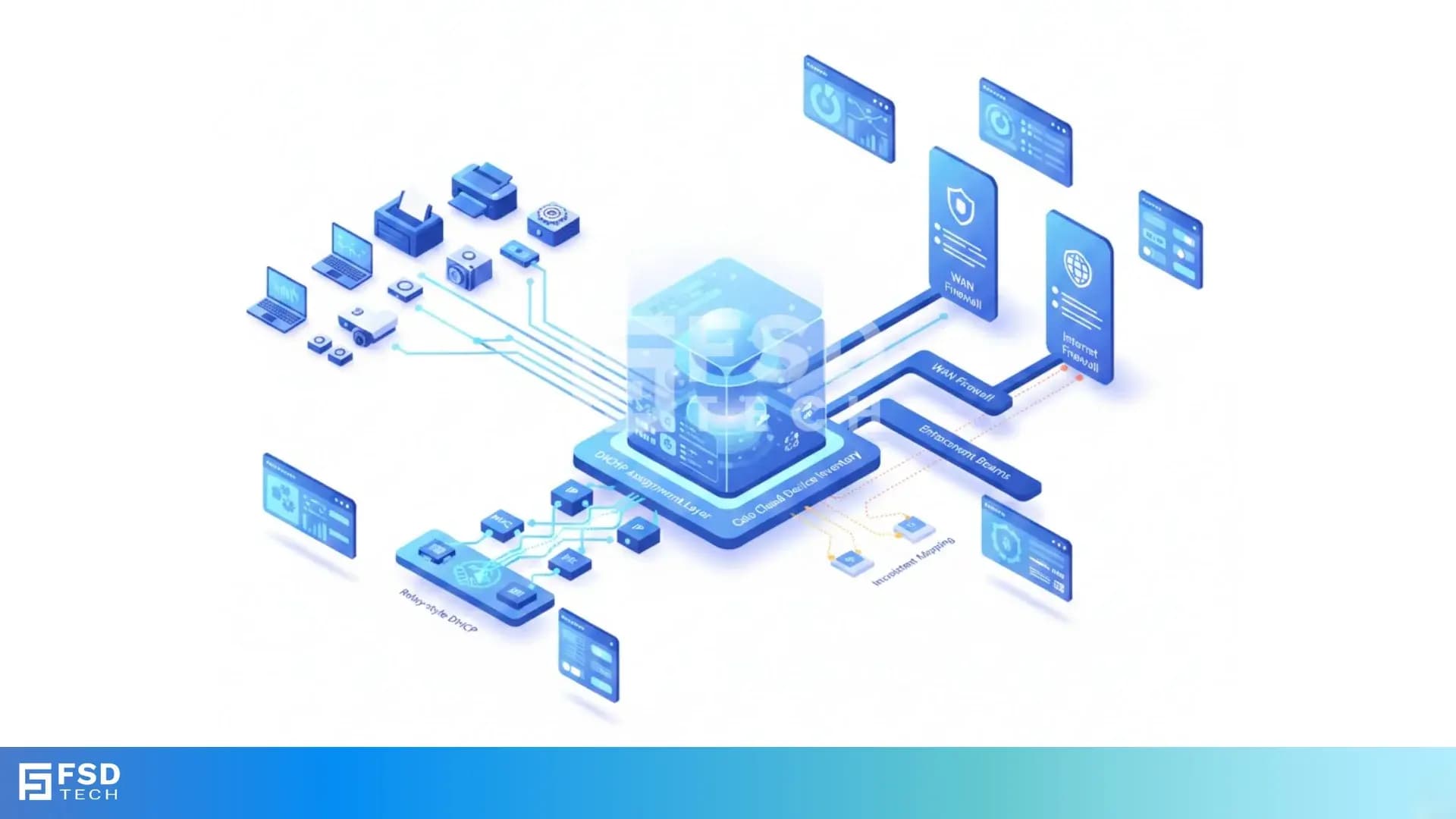
    Cato SASE platform visual showing device-aware WAN firewall enforcement with centralized security controls, analytics dashboards, IPS, and Zero Trust policy monitoring across enterprise infrastructure.

    Device-Aware WAN Firewall Policies in Cato SASE

    🕓 January 23, 2026

    Decoded(85)

    Cyber Security(118)

    BCP / DR(22)

    Zeta HRMS(75)

    SASE(21)

    Automation(70)

    Next Gen IT-Infra(118)

    Monitoring & Management(69)

    ITSM(22)

    HRMS(21)

    Automation(24)