.webp&w=3840&q=75)
How ClickUp Enables Outcome-Based Project Management (Not Just Task Tracking)
🕓 February 15, 2026
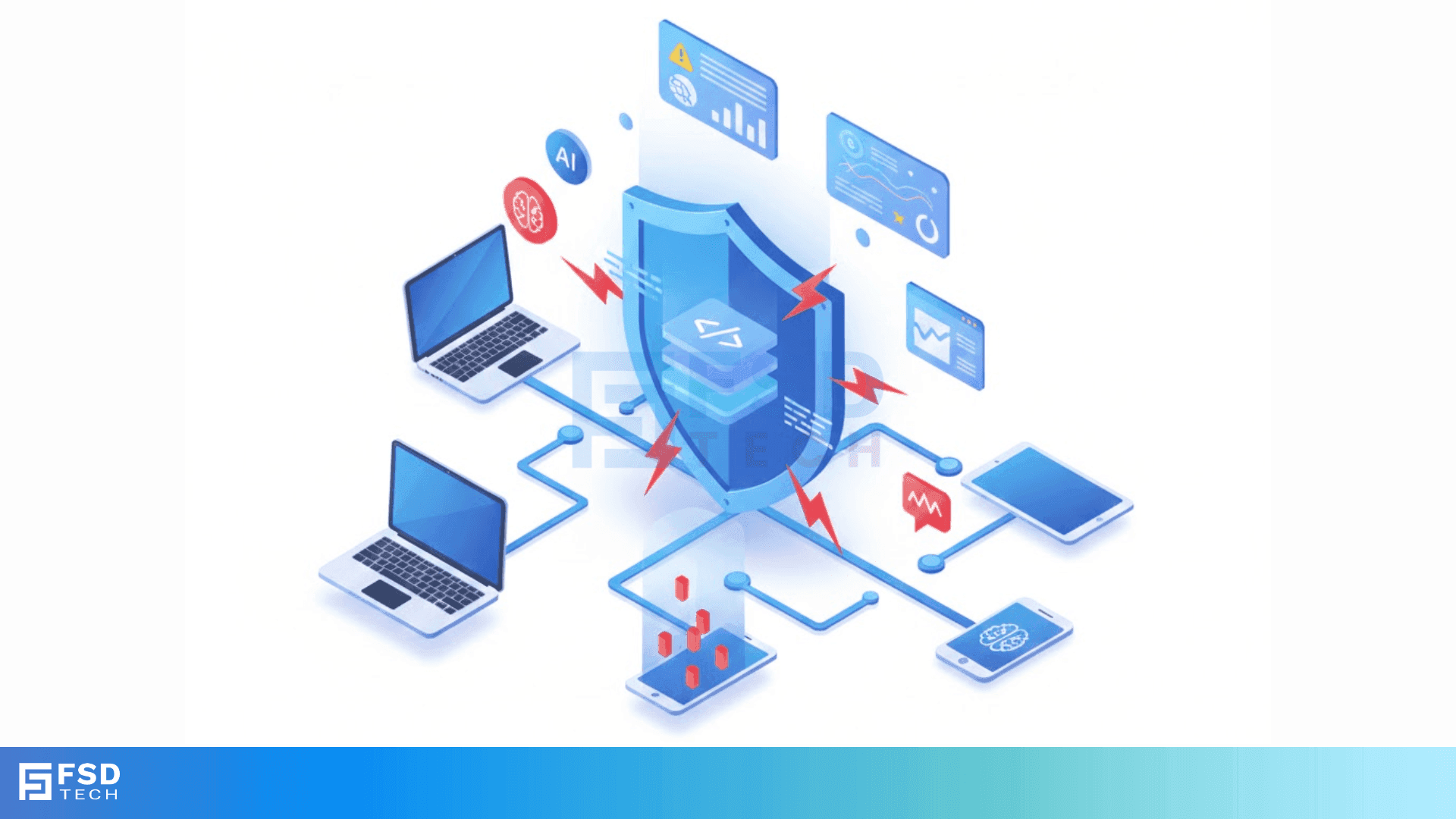
Runtime Application Self Protection is a security technology that sits inside your software to stop hacks in real time. Have you ever wondered why traditional firewalls often miss clever attacks? It’s because they stay on the outside, looking at traffic like a security guard at a gate. But what if the "bad guy" is already inside or looks just like a regular guest? That is where RASP changes the game.
In my experience, the hardest part of software security isn't finding bugs; it’s fixing them before someone exploits them. We’ve all been there—your team finds a vulnerability, but the patch won't be ready for weeks. Runtime Application Self Protection acts as a digital bodyguard that protects the code while it runs, even if the code itself has flaws.
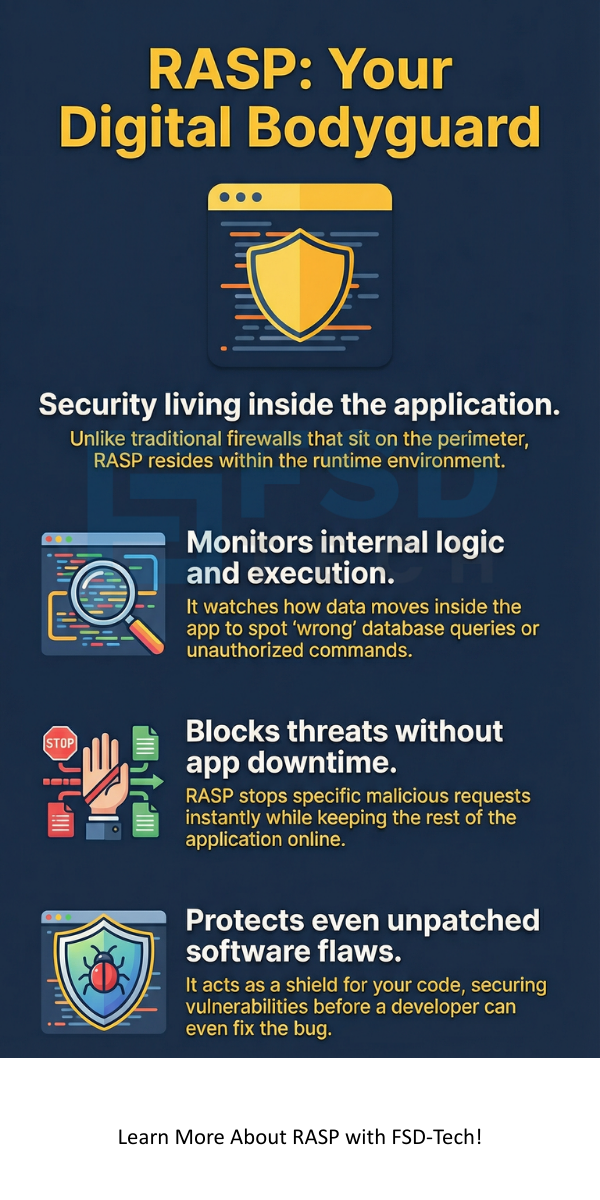
To be honest, the name sounds more complex than it is. Think of Runtime Application Self Protection (RASP) as a layer of intelligence added to your app. Unlike a Web Application Firewall (WAF) that sits on the network, RASP lives in the application’s runtime environment. It watches the app's internal execution to spot suspicious behavior.
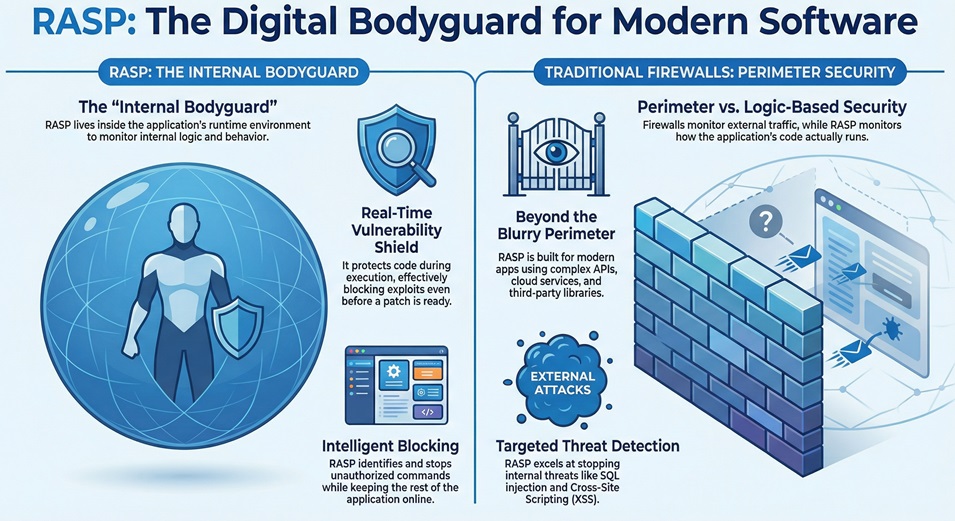
Because it's inside the app, it knows exactly what the software is doing. It can see if a database query looks "wrong" or if a user is trying to run unauthorized commands. If it detects a threat, it can simply block that specific request. This means your app stays online, but the attack fails.
Here is the thing: most security tools are "perimeter-based." They try to keep the bad stuff out. But modern apps are complex. They use APIs, cloud services, and third-party libraries. This makes the perimeter very blurry.
Runtime Application Self Protection doesn't care about the perimeter. It focuses on the logic of the code. If a piece of data tries to change how the program runs, RASP sees it. In my view, this is the most logical way to handle modern threats like SQL injection or Cross-Site Scripting (XSS).
Why should you care about RASP right now? Well, hackers are getting faster. Research shows that many vulnerabilities stay "open" for months because developers are too busy to patch them. This is what we call the "vulnerability gap."
Closing the Vulnerability Gap
When you use Runtime Application Self Protection, you get immediate protection. You don't have to wait for a code fix. It buys your dev team time to write a permanent patch without the stress of an active breach. We call this "virtual patching."
Reducing False Positives
If you've ever managed a WAF, you know the pain of false alarms. A WAF might block a real customer because their data "looked" like an attack. Because RASP has full context of the application's state, it rarely makes these mistakes. It knows the difference between a weird username and a malicious payload.
Protecting Legacy Systems
Do you have old apps that no one knows how to update? We've all seen those "black box" systems. Runtime Application Self Protection is perfect for these. Since it wraps around the app, it can protect old code that you can't easily fix or rewrite.
Also Read: What is SQL Injection (SQLi) Attack? Examples & Prevention
The magic happens when the application starts. The RASP agent initializes alongside the app. It hooks into the underlying engine—like the Java Virtual Machine (JVM) or .NET CLR. From there, it monitors key "choke points" where data enters or leaves the system.
The Monitoring Phase
It watches every function call. Is the app trying to open a file it shouldn't? Is it sending data to a strange IP address? Runtime Application Self Protection analyzes these actions against known attack patterns and behavioral baselines.
The Action Phase
What happens when it finds a threat? You usually have two choices:
This happens in milliseconds. It’s so fast that your users won't even notice a delay. This "self-healing" capability is why many experts consider it the future of AppSec.
Not all tools are created equal. If you are looking to add this to your stack, here are the must-haves:
Also Read: Brute Force Attack in Cybersecurity - How it Works?
You might be wondering, "What specifically can it stop?" To be honest, it's a long list, but here are the heavy hitters:
SQL Injection (SQLi)
This is when a hacker sends malicious commands to your database. Runtime Application Self Protection sees the query right before it hits the database. If it looks like it's trying to bypass a login, it kills the query.
Cross-Site Scripting (XSS)
XSS happens when an app sends malicious scripts to a user's browser. RASP identifies these scripts in the output of the application and neutralizes them.
Account Takeovers
By monitoring login attempts at the code level, RASP can spot brute-force attacks or credential stuffing that network filters might miss. It's roughly like having a smart guard who remembers every face at the door.
It is not really a competition. In my experience, they work best together. A WAF is great for stopping "noise" and basic bots at the edge. Runtime Application Self Protection is your last line of defense for the clever, targeted attacks that get past the edge.
| Feature | Web Application Firewall (WAF) | RASP |
|---|---|---|
| Location | Network Edge | Inside the App |
| Context | Low (sees traffic) | High (sees code) |
| Accuracy | Prone to false positives | Very high accuracy |
| Deployment | External to app | Integrated with app |
How do you get started? Most modern solutions are "plug and play." You don't usually need to change your source code. You just add the agent to your deployment script.
Fast-forward to your next deployment: the agent spins up, maps out your app's normal behavior, and starts protecting it. It’s that simple. However, I always suggest starting in "Monitor Mode" for a week. This lets you see what it catches before you start blocking traffic.
At our core, we believe that security should never slow down innovation. That is why we focus on tools that work with your developers, not against them. Our goal is to help you build fast and stay safe. By using Runtime Application Self Protection, you aren't just reacting to threats—you're building software that can defend itself.
Are you ready to stop worrying about the next big vulnerability? Let's chat about how we can protect your business from the inside out. Your data deserves the best defense, and we are here to help you build it.
Most modern tools are very efficient. You might see a tiny bit of latency, but it's usually less than 2-5 milliseconds. For most users, this is invisible.
No, and it shouldn't! It’s a tool to help your team work smarter. It handles the "grunt work" of blocking common attacks, so your experts can focus on bigger strategic issues.
Usually, no. Most Runtime Application Self Protection tools require zero code changes. You just include the library at startup.
Yes, it's actually built for them. It works perfectly in containers and microservices where traditional firewalls often struggle.

Surbhi Suhane is an experienced digital marketing and content specialist with deep expertise in Getting Things Done (GTD) methodology and process automation. Adept at optimizing workflows and leveraging automation tools to enhance productivity and deliver impactful results in content creation and SEO optimization.
Share it with friends!




.webp&w=3840&q=75)






share your thoughts