HomeNext Gen IT-InfraMonitoring & ManagementCyber SecurityBCP / DRAutomationDecoded
Next Gen IT-Infra
Cato’s SASE Supports Cybersecurity Skills Development

How Cato’s SASE Supports Cybersecurity Skills Development

🕓 April 8, 2025

How SASE Supports the Security Needs of SMBs

How SASE Supports the Security Needs of SMBs

🕓 February 9, 2025

Attack Surface Reduction with Cato’s SASE

Attack Surface Reduction with Cato’s SASE

🕓 February 10, 2025

SASE for Digital Transformation in UAE

SASE for Digital Transformation in UAE

🕓 February 8, 2025

Monitoring & Management
Understanding Atera’s SLA Management

Understanding Atera’s SLA Management

🕓 February 7, 2025

Cost-Performance Ratio: Finding the Right Balance in IT Management Networks

Cost-Performance Ratio: Finding the Right Balance in IT Management Networks

🕓 June 16, 2025

Customizing Atera with APIs

Customizing Atera with APIs

🕓 March 3, 2025

Power Up Your IT Team’s Strategy with Atera’s Communication Tools

Power Up Your IT Team’s Strategy with Atera’s Communication Tools

🕓 February 8, 2025

Cyber Security
Illustration of the Cato Cloud architecture showing its role in delivering SASE for secure, optimized global connectivity.

Understanding the Cato Cloud and Its Role in SASE

🕓 January 29, 2025

Isometric illustration of professionals managing network performance, bandwidth analytics, and cloud-based optimization around the Cato Networks platform, symbolizing bandwidth control and QoS visibility.

Mastering Bandwidth Control and QoS in Cato Networks

🕓 July 26, 2025

Global network backbone powering Cato SASE solution for secure, high-performance connectivity across regions.

Global Backbone: The Engine Powering Cato’s SASE Solution

🕓 January 30, 2025

Illustration of IT team managing user roles and permissions on the Cato CMA dashboard via laptops and cloud interfaces.

Setting Up Role-Based Access Control (RBAC) in Cato

🕓 July 28, 2025

BCP / DR
Illustration showing diverse business and IT professionals collaborating with cloud, backup, and security icons, representing Vembu use cases for SMBs, MSPs, and IT teams.

Who Uses Vembu? Real-World Use Cases for SMBs, MSPs & IT Teams

🕓 July 12, 2025

Graphic showcasing Vembu’s all-in-one backup and disaster recovery platform with icons for cloud, data protection, and business continuity for IT teams and SMBs.

What Is Vembu? A Deep Dive Into the All in One Backup & Disaster Recovery Platform

🕓 July 6, 2025

Illustration showing Vembu backup and disaster recovery system with cloud storage, server racks, analytics dashboard, and IT professionals managing data.

The Rising Cost of Data Loss: Why Backup Is No Longer Optional?

🕓 August 14, 2025

3D isometric illustration of cloud backup and data recovery infrastructure with laptop, data center stack, and digital business icons — FSD Tech

RPO & RTO: The Heart of Business Continuity

🕓 August 15, 2025

Automation
Cross-Functional Collaboration with ClickUp

Fostering Cross-Functional Collaboration with ClickUp for Multi-Departmental Projects

🕓 February 11, 2025

ClickUp Project Reporting

Revolutionizing Enterprise Reporting with ClickUp’s Advanced Analytics and Dashboards

🕓 June 16, 2025

ClickUp’s Design Collaboration and Asset Management Tools

Empowering Creative Teams with ClickUp’s Design Collaboration and Asset Management Tools

🕓 February 26, 2025

ClickUp Communication and Collaboration Tools

ClickUp Communication and Collaboration Tools: Empowering Remote Teams

🕓 March 12, 2025

Decoded
Multi-Factor Authentication (MFA)

Multi-Factor Authentication (MFA): All You Need to Know

🕓 December 7, 2025

L3 Switch

What Is an L3 Switch? L2 vs L3 & Why You Need Layer 3?

🕓 December 8, 2025

IPSec

IPSec Explained: Protocols, Modes, IKE & VPN Security

🕓 December 3, 2025

 Datagram Transport Layer Security (DTLS)

What is Datagram Transport Layer Security (DTLS)? How it works?

🕓 December 4, 2025

    Subscribe to our newsletter!

    About Us

    Follow Us

    Copyright © 2024 | Powered by 

    Cato SASE Architecture

    Inside Cato’s SASE Architecture: A Blueprint for Modern Security

    🕓 January 26, 2025

    Enterprise Data Security and Privacy with ClickUp

    Ensuring Enterprise Data Security and Privacy with ClickUp

    🕓 February 9, 2025

    DDoS protection SASE

    DDoS Protection and Cato’s Defence Mechanisms

    🕓 February 11, 2025

    Table of Contents

    FishOS Workload Manager – How AI Drives Smarter VM and Container Placement

    Anas Abdu Rauf
    September 10, 2025
    Comments
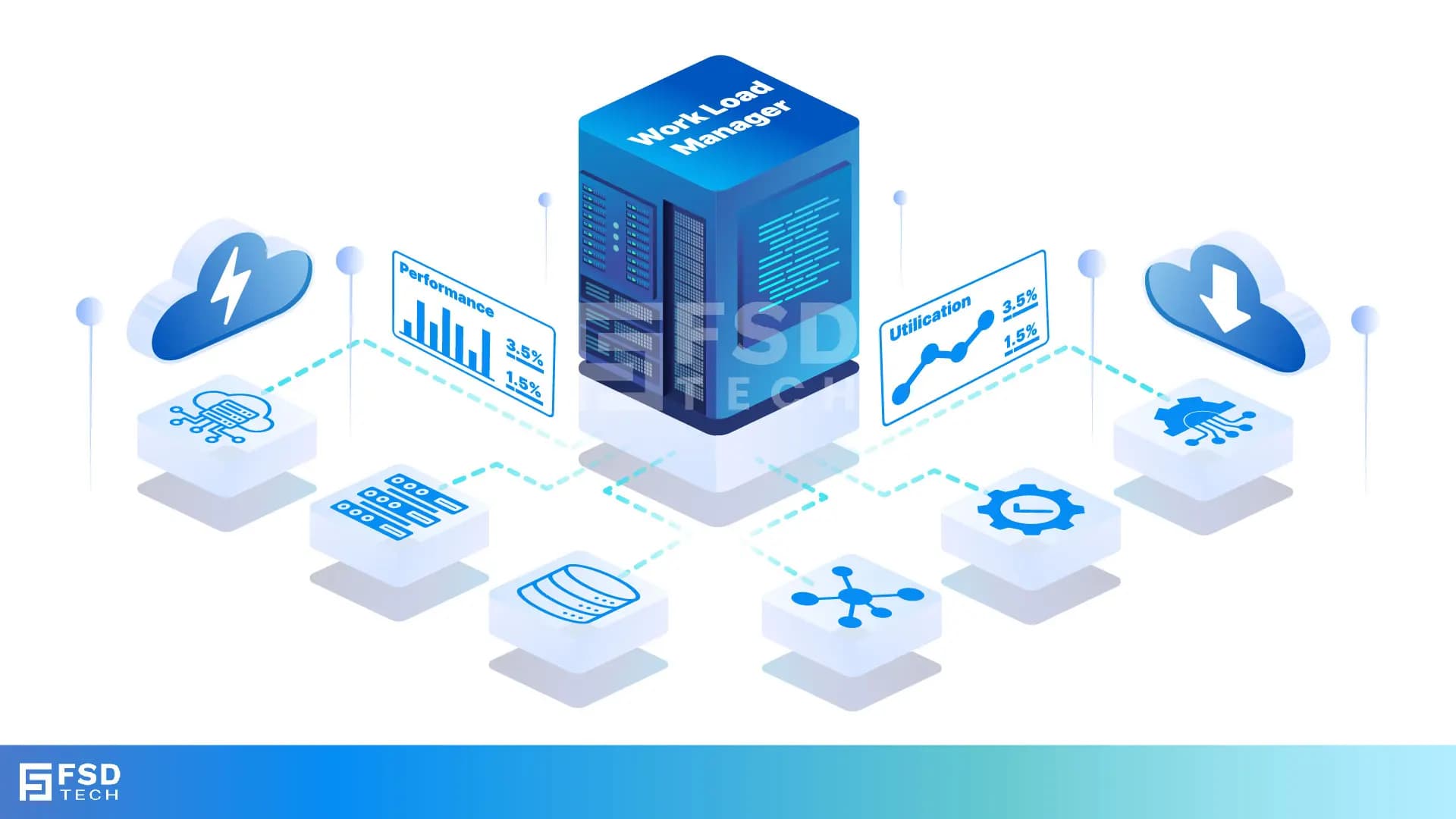
    Illustration of FishOS Workload Manager connecting cloud, servers, databases, and performance dashboards. Visuals show utilization graphs, performance metrics, and AI-driven optimization for smarter VM and container placement.

    Introduction

    In modern private clouds, workloads are more dynamic, heterogeneous, and critical than ever. Enterprises running a mix of VMs, containers, and bare-metal applications on OpenStack and Kubernetes often struggle with optimal resource allocation. Manual placement, static thresholds, or generic round-robin policies frequently lead to under-utilization, bottlenecks, or service degradation.
     

    Enter FishOS Workload Manager, Sardina Systems’ comprehensive solution for optimizing resource utilization and streamlining cloud operations. It continuously analyzes infrastructure usage patterns, predicts performance behavior, and makes intelligent placement decisions in real time. This isn’t simply about placing more VMs per node—it’s performance-aware scheduling, proactive remediation, and energy-efficient operations across mixed deployment environments.
     

    Key Takeaways

    • Three powerful decision engines lie at the heart of FishOS Workload Manager, designed to allocate virtual machines, balance workloads, and elevate overall system performance.
      • The FishOS Placement Engine ensures optimal server utilization by placing VMs on the most suitable hypervisors based on real-time data.
      • The FishOS Rebalancing Engine analyzes resource usage and executes live VM migrations seamlessly, with no system interruption.
      • The FishOS Power Engine automatically reduces energy consumption by powering down idle hypervisors during low demand and reactivating them as needed.
    • Supports co-placement and anti-affinity policies to optimize performance and ensure high availability.
    • Minimizes resource contention, prevents node hotspots, and eliminates idle capacity.
    • Delivers seamless integration across OpenStack Nova and Kubernetes Magnum environments.
    • Employs predictive modeling to detect workload interference and performance anomalies early, mitigating risks before they impact operations.
    • Enhances overall cloud efficiency by dynamically balancing workloads and reducing overhead.
       

    The Problem with Manual or Static Workload Scheduling

    Cloud teams often face these obstacles:

    • Inefficient resource usage: VMs with light CPU or memory loads are scattered across multiple servers unnecessarily.
    • Node Hotspots: Some hosts become overloaded while others sit underutilized.
    • Noisy neighbor issues: Certain workloads (e.g., I/O–heavy containers) cause performance instability for other tenants.
    • Energy inefficiency: Idle servers remain powered even when consolidation is feasible.
    • Slow response: Manual placement lacks agility during traffic surges or shifting workload patterns.
       

    How FishOS Workload Manager Works

    The Workload Manager continuously gathers telemetry from compute, storage, and network layers, supplementing this with AI models trained on historical performance and infrastructure topology.

    1. Real-Time Decision-Making

    • Monitors CPU, memory, disk, and network utilization across all nodes.
    • Profiles VMs and containers to understand resource needs.
    • Aligns workloads with the most suitable hosts based on latency, storage I/O characteristics, and redundancy needs.

    2. Co-placement & Anti-affinity Policies

    Administrators can define rules such as:

    • Co-locate related microservices for low latency.
    • Avoid placing redundant components on the same host.
    • Isolate GPU-intensive workloads from CPU-bound services.
      These policies are dynamically enforced and adapt to changing infrastructure or workload drift.

    3. AI-Powered Prediction & Learning

    • Learns from workload patterns, such as predictable memory peaks or usage surges.
    • Detects early warning signs of contention or performance bottlenecks.
    • Proactively adjusts placement to preempt threshold violations before they occur.
       

    Job-to-Be-Done: Preventing Noisy Neighbor Scenarios in a FinTech Cloud

    Imagine you manage a private cloud for a fintech enterprise running transaction engines in VMs and analytics in containers. Without smart placement, disk I/O bursts from analytics containers could impair VM performance.

    With FishOS Workload Manager:

    • The system learns interference patterns and correlations over time.
    • It initiates live migration or throttles resource-intensive containers automatically.
    • Isolation and SLAs are maintained without human intervention.

    Multi-Stack Coordination: Nova + Magnum

    Coordinating workload placement between VMs (Nova) and Kubernetes pods (Magnum) can be tricky. FishOS seamlessly bridges that gap by:

    • Preventing resource conflicts between VMs and containers.
    • Dynamically reallocating workloads across hypervisors and K8s nodes.
      This results in better-balanced clusters, fewer operational alerts, and improved satisfaction for app owners.

    Visibility and Control for Ops Teams

    FishOS Workload Manager isn’t a black box—it’s an open system that includes:

    • Real-time dashboards offering full visibility and control over migrations.
    • Before-and-after placement insights to inform operational decisions.
    • APIs for integration with ticketing systems and analytics platforms.
    • Policy configuration interfaces that let operators fine-tune behavior based on business needs.

    Real-World Results

    Organizations using FishOS Workload Manager report:

    • Significant reductions in energy consumption through optimized server utilization.
    • Greener cloud operations with reduced electricity usage.
    • More efficient use of infrastructure, minimizing waste.
    • Delayed or reduced hardware purchases thanks to higher capacity utilization.
    • Real-time monitoring across OpenStack and Kubernetes environments.
       

    Ready to reduce costs, prevent noisy neighbor issues, and boost utilization in your private cloud? Book a free consultation with our FishOS experts today


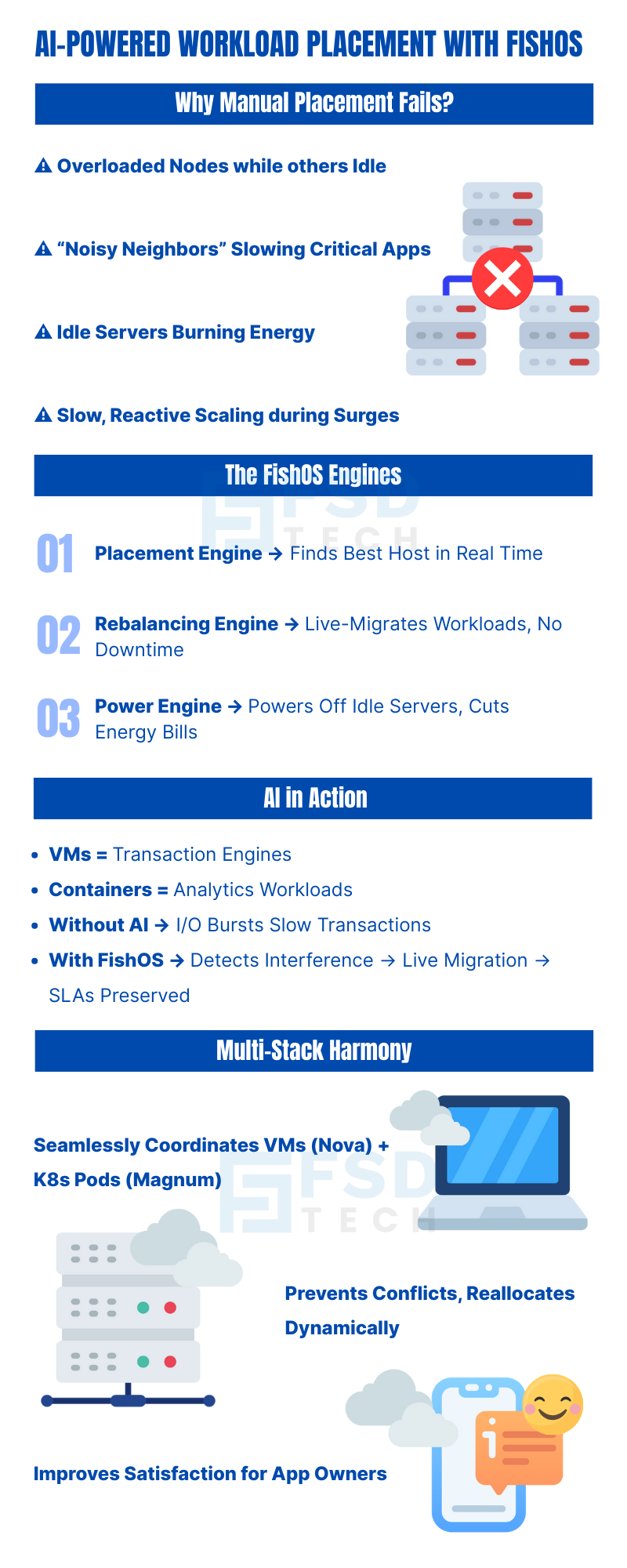
    Infographic on AI-powered workload placement with FishOS. Explains why manual placement fails, showing issues like overloaded nodes, idle servers, and noisy neighbors. Highlights FishOS engines including placement engine, rebalancing engine, and power engine for real-time optimization, live migration, and energy savings. Covers AI in action with VMs, containers, and SLA preservation, plus multi-stack harmony for VMs and Kubernetes pods.

    FAQs 

    Does FishOS Workload Manager support live migration?

    Yes. It supports live migration for both virtual machines and Kubernetes pods, enabling seamless workload mobility with zero downtime and maintaining continuous application availability.
     

    Is it compatible with Ceph-backed storage?

    Yes. The manager understands Ceph’s distributed architecture and data patterns, enabling workload placement that preserves replication, supports redundancy, and optimizes storage performance.
     

    Can I disable or override AI-driven placement?

    Yes. Administrators can override the automated AI placement logic by manually pinning workloads to specific hosts or defining custom affinity and anti-affinity rules to meet business or compliance needs.
     

    How often does Workload Manager re-evaluate placement?

    Placement decisions are continuously re-evaluated in near real time, responding dynamically to evolving resource usage, infrastructure health, and workload behavior—according to configurable thresholds and policy settings.
     

    Does this work in multi-tenant or regulated environments?

    Yes. FishOS respects tenant isolation, quota constraints, role-based access control (RBAC), data locality requirements, and compliance policies—making it suitable for regulated and shared environments.
     

    Can it integrate with Prometheus or external observability tools?

    Yes. Workload placement events, telemetry, and performance metrics are exposed through APIs and exporters compatible with Prometheus, Grafana, and similar observability platforms, enabling full integration with existing monitoring workflows.

    FishOS Workload Manager – How AI Drives Smarter VM and Container Placement

    About The Author

    Anas Abdu Rauf

    Anas is an Expert in Network and Security Infrastructure, With over seven years of industry experience, holding certifications Including CCIE- Enterprise, PCNSE, Cato SASE Expert, and Atera Certified Master. Anas provides his valuable insights and expertise to readers.

    Like This Story?

    Share it with friends!

    Subscribe to our newsletter!

    Atera

    (48)

    Cato Networks

    (118)

    ClickUp

    (70)

    FishOS

    (7)

    Miradore

    (21)

    PointGuard AI

    (9)

    Vembu

    (22)

    Xcitium

    (33)

    ZETA HRMS

    (76)

    Decoded(86)

    Cyber Security(118)

    BCP / DR(22)

    Zeta HRMS(75)

    SASE(21)

    Automation(70)

    Next Gen IT-Infra(118)

    Monitoring & Management(69)

    ITSM(22)

    HRMS(21)

    Automation(24)

    Workflow Automation(8)

    Workforce Automation(1)

    AI Project Management(1)

    HR Data Automation(1)

    RMM(1)

    IT Workflow Automation(1)

    IT security(2)

    GCC compliance(4)

    Payroll Integration(2)

    IT support automation(3)

    procurement automation(1)

    lost device management(1)

    IT Management(5)

    IoT Security(2)

    Cato XOps(2)

    IT compliance(4)

    Workflow Management(1)

    Task Automation(1)

    OpenStack automation(1)

    Kubernetes lifecycle management(2)

    AI-powered cloud ops(1)

    SMB Security(8)

    Data Security(1)

    MDR (Managed Detection & Response)(4)

    Atera Integrations(2)

    MSP Automation(3)

    XDR Security(2)

    SMB Cyber Protection(1)

    Ransomware Defense(3)

    HR Tech Solutions(1)

    Zero Trust Network Access(3)

    Zero Trust Security(2)

    Endpoint Management(1)

    SaaS Security(1)

    Payroll Automation(5)

    IT Monitoring(2)

    Xcitium EDR SOC(15)

    Ransomware Protection GCC(1)

    M&A IT Integration(1)

    Network Consolidation UAE(1)

    MSSP for SMBs(1)

    Managed EDR FSD-Tech(1)

    Ransomware Protection(3)

    SMB Cybersecurity GCC(1)

    FSD-Tech MSSP(25)

    Antivirus vs EDR(1)

    Endpoint Security(1)

    Cybersecurity GCC(12)

    Data Breach Costs(1)

    Endpoint Protection(1)

    SMB Cybersecurity(8)

    Zero Dwell Containment(31)

    Managed Security Services(2)

    Xcitium EDR(30)

    Cloud Backup(1)

    Hybrid Backup(1)

    Backup & Recovery(1)

    pointguard ai(4)

    backup myths(1)

    vembu(9)

    SMB data protection(9)

    disaster recovery myths(1)

    Disaster Recovery(4)

    Vembu BDR Suite(19)

    GCCBusiness(1)

    DataProtection(1)

    Secure Access Service Edge(4)

    GCC HR software(18)

    Miradore EMM(15)

    Cato SASE(7)

    Cloud Security(8)

    Talent Development(1)

    AI Cybersecurity(12)

    AI Governance(4)

    AI Security(2)

    AI Compliance(2)

    AI Risk Management(1)

    GCC business security(1)

    GCC network integration(1)

    compliance automation(5)

    education security(1)

    GCC cybersecurity(2)

    BYOD security Dubai(8)

    App management UAE(1)

    Miradore EMM Premium+(5)

    MiddleEast(1)

    HealthcareSecurity(1)

    Team Collaboration(1)

    IT automation(12)

    Zscaler(1)

    SD-WAN(6)

    HR Integration(4)

    Cloud Networking(3)

    device management(9)

    VPN(1)

    RemoteWork(1)

    ZeroTrust(2)

    MPLS(1)

    Project Management(9)

    HR automation(16)

    share your thoughts

    Illustration showing identity-centric Zero Trust security with the Cato Client acting as a continuous identity signal, connecting users, devices, cloud resources, and OT systems through unified policy enforcement.”

    How the Cato Client Becomes the Identity Anchor for Zero Trust Access

    🕓 January 25, 2026

    Context-aware firewall enforcement in Cato SASE illustrating how device platform, country, and origin of connection enhance Zero Trust security beyond basic device context.

    Platforms, Countries, and Origin of Connection: Advanced Device Criteria in Cato Firewall

    🕓 January 24, 2026

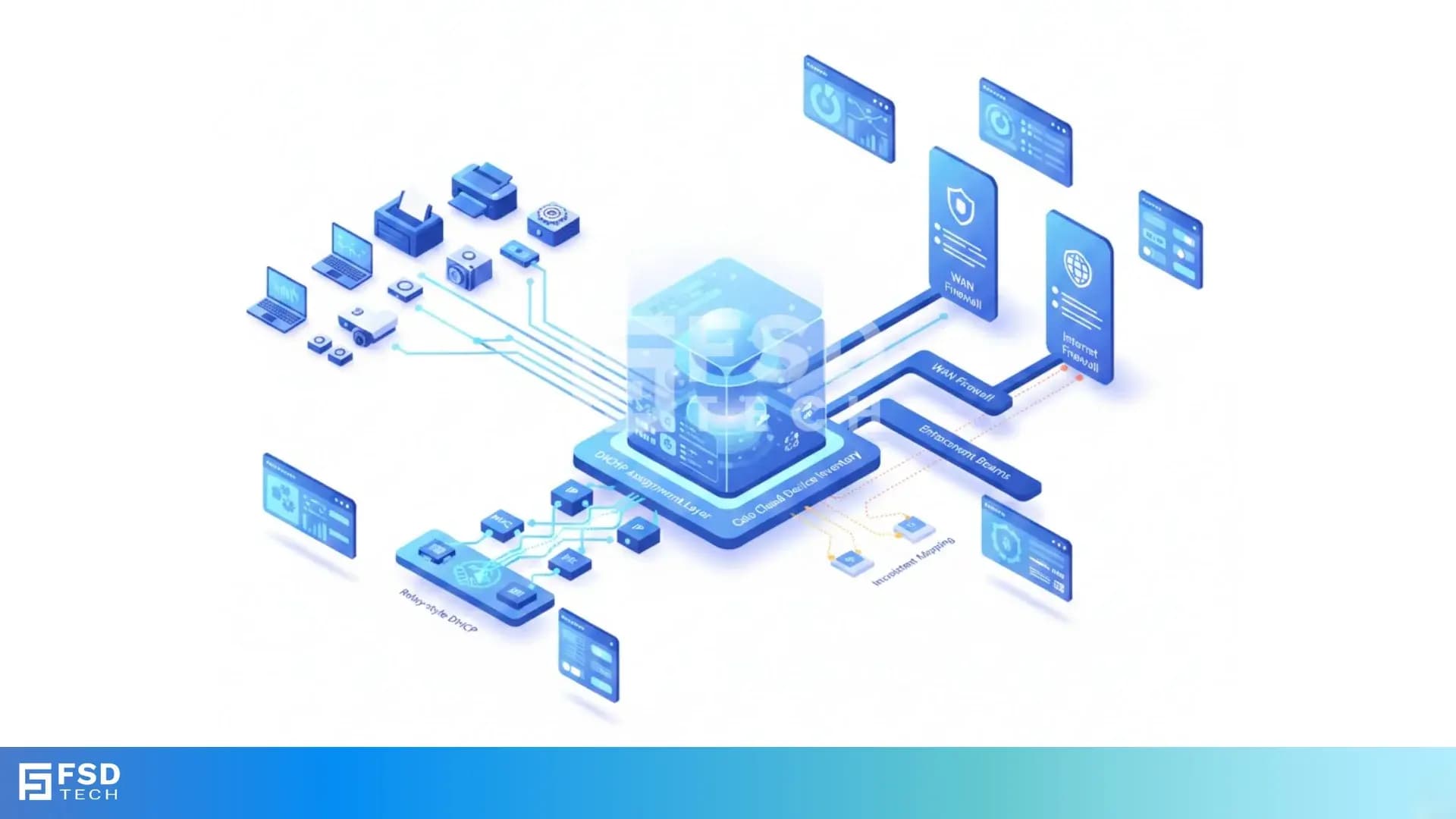
    Cato SASE platform visual showing device-aware WAN firewall enforcement with centralized security controls, analytics dashboards, IPS, and Zero Trust policy monitoring across enterprise infrastructure.

    Device-Aware WAN Firewall Policies in Cato SASE

    🕓 January 23, 2026