.webp&w=3840&q=75)
How ClickUp Enables Outcome-Based Project Management (Not Just Task Tracking)
🕓 February 15, 2026

Service desks often receive tickets that contain very little context.
A user writes:
“Something isn’t working.”
Attached to the ticket is a screenshot.
Sometimes that screenshot contains the most important clue:
Traditionally, technicians must manually interpret those screenshots.
Atera introduced AI Copilot image analysis to help interpret these visual signals faster.
The goal is not automated decision-making.
The goal is accelerated understanding.
Screenshots appear in tickets constantly.
Users often attach images showing:
For technicians, this creates two immediate tasks:
When teams handle hundreds of tickets per week, this analysis step becomes repetitive.
This is where Copilot image interpretation becomes useful.
Atera AI Copilot allows technicians to upload images — such as screenshots — and request analysis.
Copilot can help by:
The technician remains responsible for verification and action.
Copilot assists by shortening the interpretation step.
Consider a technician reviewing a ticket where an automation script failed.
The ticket contains a screenshot of a PowerShell error.
Instead of manually reading every line, the technician uploads the screenshot to AI Copilot and asks for explanation.
Copilot may help:
The technician can then continue troubleshooting using that information.
The key advantage is speed.
During patch deployment, users may capture screenshots showing update failures.
These images might contain:
Technicians can use Copilot image analysis to:
This reduces the time required to interpret unfamiliar error codes.
Not all problems appear as logs or alerts.
Many operational issues appear as:
For new technicians, interpreting these signals may take time.
Copilot can provide an explanation quickly, allowing technicians to move toward resolution faster.
One practical benefit of Copilot image analysis is its connection to script generation.
After interpreting a screenshot, a technician might ask Copilot to generate a script that checks or resolves the issue.
For example:
Copilot assists by helping generate script templates based on the interpreted issue.
The technician reviews and executes the script manually.
MSPs support many different client environments.
Technicians frequently encounter unfamiliar errors across:
Copilot image analysis helps reduce the time required to understand these unfamiliar issues.
Instead of researching error messages manually, technicians receive immediate explanation support.
This improves response time while maintaining technician oversight.
Internal IT teams often support large employee populations with varying technical skill levels.
Users frequently submit tickets containing screenshots rather than detailed descriptions.
Image analysis allows technicians to:
This improves service desk efficiency.
Atera positions Copilot image analysis as assistance, not automation.
Copilot does not:
It simply helps interpret technical information.
The technician remains the decision-maker.
The Value of Faster Understanding
In IT operations, the longest step is often not fixing the problem.
It is understanding the problem clearly.
Atera AI Copilot image analysis reduces that interpretation delay.
By helping technicians understand screenshots, error dialogs, and technical visuals faster, Copilot improves the troubleshooting workflow without introducing operational risk.
Want to diagnose IT issues faster using Atera AI Copilot? → Book a 30-minute Atera AI troubleshooting consultation with our experts.
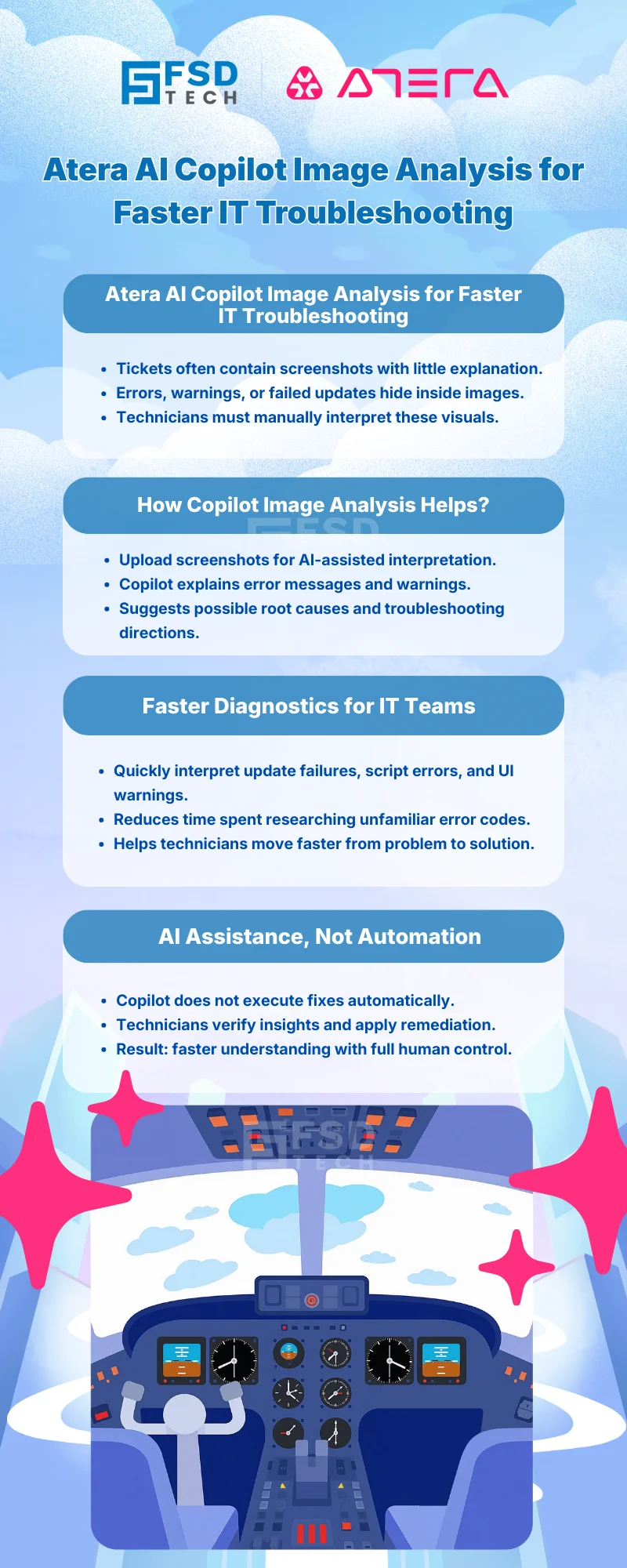
Atera AI Copilot image analysis allows technicians to upload screenshots and request interpretation of technical messages, warnings, or errors displayed in those images.
Atera AI Copilot can interpret error messages or technical information shown in screenshots and suggest possible troubleshooting directions. Final diagnosis and actions remain the responsibility of the technician.
How does Atera AICopilot image analysis help MSP technicians?
MSP technicians frequently encounter unfamiliar software errors across multiple client environments. Image analysis helps explain error messages quickly, reducing the time needed for investigation.
Yes. After interpreting an issue shown in a screenshot, technicians can ask Copilot to generate scripts that help verify system conditions or perform troubleshooting checks.
No. Atera AI Copilot does not automatically execute fixes. It provides analysis and suggestions, while technicians review and perform the appropriate remediation steps.
Yes. Service desk teams often receive tickets containing screenshots rather than detailed descriptions. Copilot image analysis helps interpret those screenshots quickly and improve troubleshooting efficiency.
Technicians commonly analyze screenshots showing system errors, application warnings, update failures, configuration dialogs, and script execution results.
Image analysis reduces the time required to interpret technical visuals, allowing technicians to move faster from problem identification to solution planning.

Anas is an Expert in Network and Security Infrastructure, With over seven years of industry experience, holding certifications Including CCIE- Enterprise, PCNSE, Cato SASE Expert, and Atera Certified Master. Anas provides his valuable insights and expertise to readers.
Share it with friends!




.webp&w=3840&q=75)

.webp&w=3840&q=75)
🕓 March 25, 2026
🕓 March 22, 2026

🕓 March 20, 2026


share your thoughts