.webp&w=3840&q=75)
How ClickUp Enables Outcome-Based Project Management (Not Just Task Tracking)
🕓 February 15, 2026
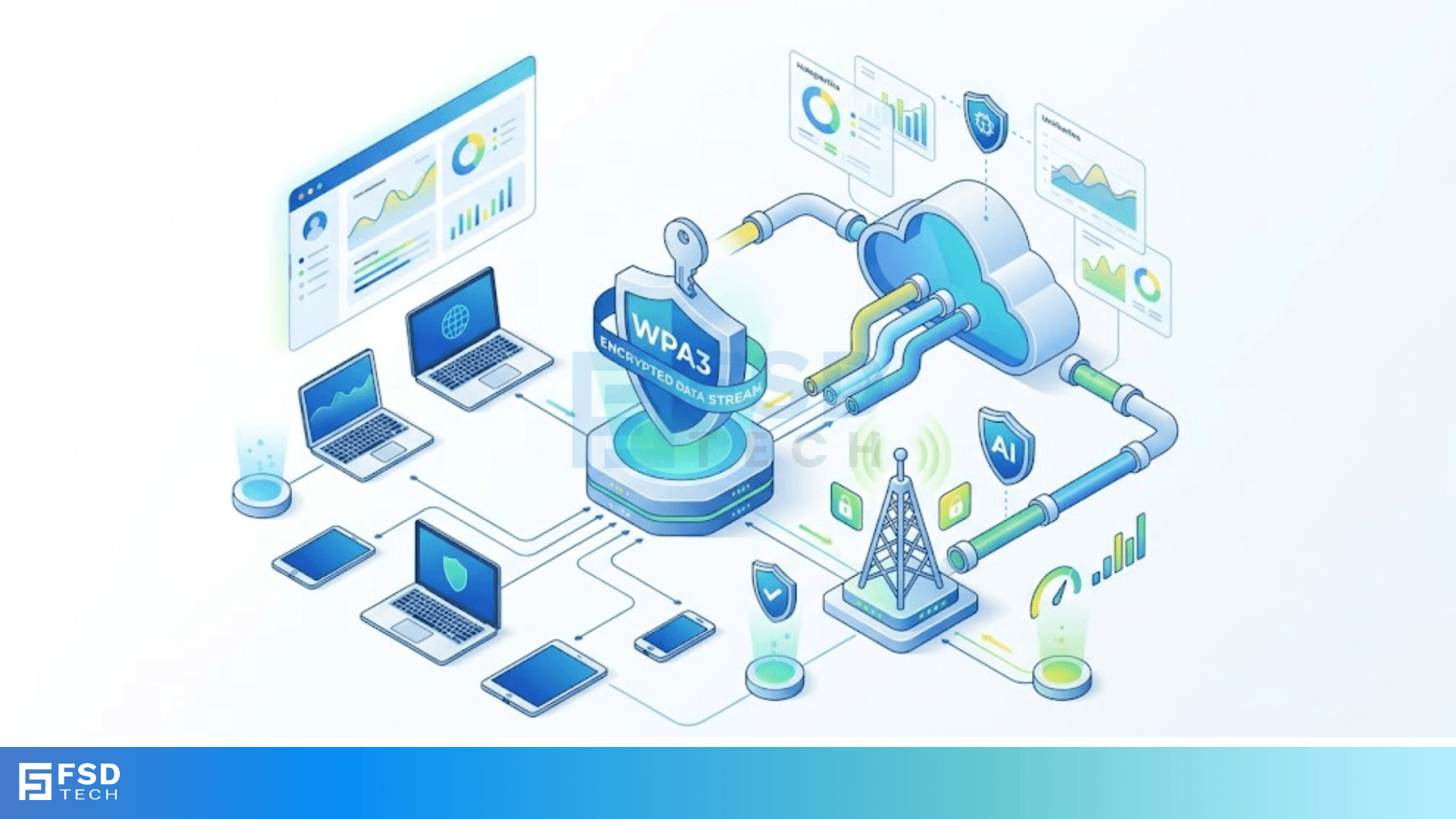
Understanding WPA3 authentication is essential because the way we connect to the internet has changed, and our old security habits just don't cut it anymore. If you've ever worried about someone snooping on your home Wi-Fi or wondered why public hotspots feel risky, you're looking at the right solution. For years, we relied on WPA2, but as hackers got smarter, that standard started showing its age.
Here’s the thing: WPA3 isn't just a minor update. It is a complete overhaul of how your devices talk to your router. In my experience, most people think a long password is enough. To be honest, with older standards, even a long password could be cracked if a hacker had enough time and a cheap laptop. We’ve all been there, hoping our "Admin123" was safe enough. Spoiler alert: it wasn't.
But what exactly makes this new standard different? Why should you care about Simultaneous Authentication of Equals (SAE)? We’re going to look at how this tech keeps your data private, even if your password is a bit weak.
To understand where we’re going, we have to look at where we were. WPA2 used something called a "four-way handshake." While it worked for a decade, it had a massive flaw. A hacker could capture the data sent during that handshake and try to guess your password offline. They could try millions of combinations per second without you ever knowing.
.
WPA3 changes the game by making the handshake interactive. It uses SAE to ensure that a password guess only happens once per connection attempt. This means those "dictionary attacks" we used to fear are now roughly impossible to pull off. Have you ever felt like your digital front door was left unlocked? This is the upgrade that finally bolts it shut.
The core of understanding WPA3 authentication lies in SAE. In simple terms, SAE is the protocol that replaces the old Pre-Shared Key (PSK) method. It is based on a mathematical concept called "Dragonfly." This sounds complex, but we can understand it as a secret handshake where neither side actually says the password out loud.
When your phone connects to a WPA3 router, they both prove they know the password without actually sending the password over the air. This creates "forward secrecy." This implies that even if someone records your encrypted data today and somehow gets your password next year, they still can't go back and read today's messages. Pretty cool, right?
Not all Wi-Fi needs are the same. We generally see two flavors of this security:
One must note that WPA3-Enterprise doesn't just add more bits; it creates a consistent security blanket across the whole network. This prevents "downgrade attacks" where a hacker tries to force your device to use an older, weaker security mode.
Also Read: Bridge Frame Forwarding: How Networks Manage Data
We’ve all used coffee shop Wi-Fi. Usually, these are "Open" networks with no password. This is a nightmare for privacy because anyone nearby can see what you're doing. Understanding WPA3 authentication includes knowing about "Enhanced Open."
Based on Opportunistic Wireless Encryption (OWE), this feature encrypts your data even on networks that don't have a password. You won't notice a difference in how you connect, but behind the scenes, your traffic is shielded from the guy sitting at the next table with a "WiFi Pineapple." Do you really want a stranger seeing your bank login? Enhanced Open makes sure they can't.
Let's consider your smart light bulbs or your fridge. These devices usually don't have screens, making it a pain to type in a 20-character Wi-Fi password. This is where the Wi-Fi Certified Easy Connect comes in.
Instead of typing, you can use your phone to scan a QR code on the device. The phone then securely shares the Wi-Fi credentials with the light bulb. It is a simple way to keep your Internet of Things (IoT) gadgets safe without the headache of manual setup. In my view, this is the most underrated part of the new standard.
Transitioning to a new standard is never instant. Most routers today run in a "Transition Mode." This allows older WPA2 devices and newer WPA3 devices to live on the same network.
However, there is a catch. Transition mode can sometimes leave the door slightly ajar for certain types of attacks. If you want the best security, we recommend moving to "WPA3-Only" mode once all your devices are updated. Thus, we can say that while transition mode is helpful, it is merely a stepping stone to a truly secure environment.
Some people think that once they turn on WPA3, they are invincible. That isn't quite true. While it stops password cracking, it doesn't stop you from clicking on a phishing link in an email.
Also, some early research pointed out "Dragonblood" vulnerabilities in the SAE protocol. Don't panic, though. Most manufacturers fixed these with software updates long ago. This is because security is a moving target. You must keep your router's firmware updated to stay safe.
How do you actually start using this? First, your router must support it. Most "Wi-Fi 6" (802.11ax) routers come with WPA3 built-in. Second, your devices—your iPhone, Android, or laptop—need to support it too.
If you have an older laptop, you might need a new USB Wi-Fi adapter. If you have an old phone, you might be stuck with WPA2 until you upgrade. It’s a bit like buying a high-tech lock for an old wooden door; sometimes you need to upgrade the door too.
Also Read: IPv6 Hex Addressing: Next Generation of the Internet
As we move toward Wi-Fi 7 and beyond, understanding WPA3 authentication will become the baseline. We are moving away from the era of "good enough" security. The goal is to make encryption so seamless that you don't even have to think about it.
Picture this: you walk into a stadium, your phone connects automatically, and your data is instantly wrapped in 192-bit encryption. No pop-ups, no "unsecured network" warnings, just pure, safe speed. That is the world WPA3 is building for us.
To be honest, the digital world is getting a bit more dangerous every day. Understanding WPA3 authentication is your best defense against modern wireless threats. It fixes the big holes left by WPA2 and makes our daily habits—like browsing at a cafe—much safer.
We’ve seen how SAE protects your password and how Easy Connect saves you from setup headaches. At our company, we value your privacy above all else. We are committed to helping you navigate these tech shifts so you can focus on what matters. Let’s make your network unhackable together.
No, it doesn't. The encryption happens at the hardware level in modern chips. You won't see a drop in your download or upload speeds.
Probably not. Most older routers don't have the processing power or firmware support for WPA3. You will likely need a newer Wi-Fi 6 or 6E router.
For new Wi-Fi Certified devices, yes. The Wi-Fi Alliance requires WPA3 support for any new device getting their stamp of approval.
If your router is in "Transition Mode," the phone will connect using WPA2 security. It won't get the extra benefits of WPA3, but it will still work.

Surbhi Suhane is an experienced digital marketing and content specialist with deep expertise in Getting Things Done (GTD) methodology and process automation. Adept at optimizing workflows and leveraging automation tools to enhance productivity and deliver impactful results in content creation and SEO optimization.
Share it with friends!




.webp&w=3840&q=75)






share your thoughts